 Hex
Hex
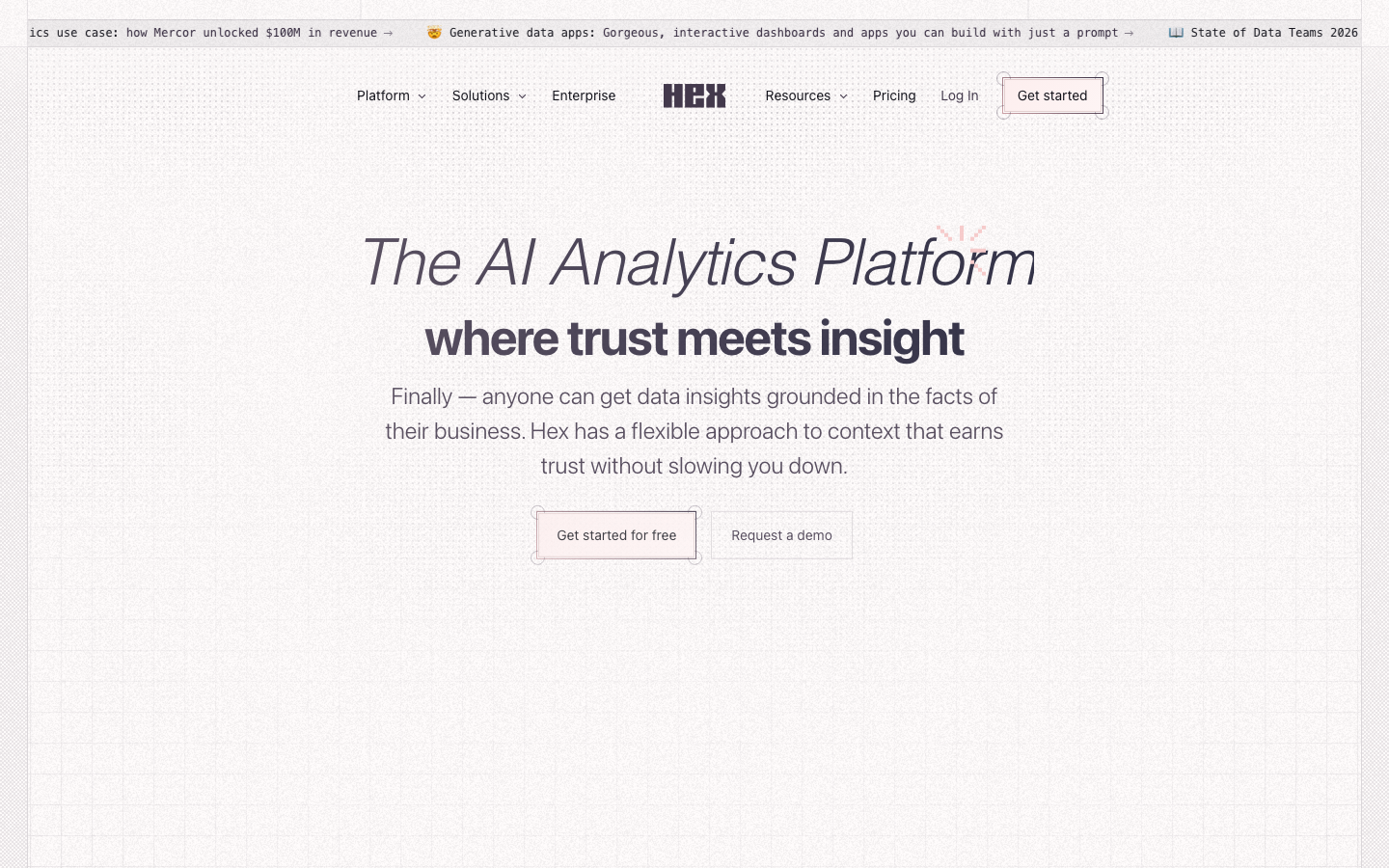
Hex is a collaborative data science platform for data teams that supports SQL/Python Notebook analysis, interactive data applications and team collaboration, and can be directly connected to a variety of data sources.
Hex
Core parameters and statistics of Hex
Hex is a "Notebook native + AI enhanced" collaborative data science platform that is positioned in the blank space between traditional data science notebooks (Jupyter) and business intelligence tools (Tableau, Looker) - it is not intended to replace the data warehouse, but to compress the entire link from data analysis to delivery into one workspace.
Core positioning: Let the data team use SQL/Python to complete exploratory analysis, and then publish the results as interactive web applications or reports with one click. Business parties can consume data by themselves without understanding the code. Officially positioned as "AI Analytics Platform", it emphasizes the two-wheel drive of AI Agent-assisted analysis + trusted data context.
| Projects | Public Information |
|---|---|
| Official Positioning | AI Analytics Platform |
| Core Competencies | Notebook analysis, interactive App, AI Agent assistance, team collaboration, scheduling release |
| Language support | Python, SQL, R |
| Data source | Snowflake, BigQuery, Redshift, Databricks, PostgreSQL, ClickHouse, Athena, Trino, Dremio, MySQL, MSSQL, MariaDB, S3, etc. 20+ types |
| Deployment form | Cloud SaaS (Community/Professional/Team/Enterprise) |
| Collaboration features | Real-time multi-person editing, comments and Threads, permission management, version history Git integration |
| Enterprise features | SSO, audit logs, custom Docker images, private deployment oAuth data source authentication |
| Headquarters | San Francisco, USA |
| Established | Approximately 2019 |
| Customer scale | 2,000+ enterprise customers around the world |
| Typical Customers | Reddit, Notion, Anthropic, Figma, Brex, Ramp, Rivian, AWS, Cursor, Lovable, Vercel |
Key differentiating factor: The core upgrade of Hex compared to the traditional Jupyter Notebook is the "reactive execution engine" - there is a dependency graph between cells in the Notebook. When upstream cells are modified, only the affected downstream parts are recalculated, instead of requiring manual re-run in sequence like Jupyter. This mechanism greatly reduces waiting time in large analysis projects and significantly improves the reproducibility of project status.
AI Agent Positioning: Hex’s built-in Notebook Agent and Conversational Agent can directly generate SQL, Python code, charts and even complete analysis processes in Notebook. Unlike using ChatGPT to analyze data independently, Hex Agent's answers are "controlled by the organization's data context" - it is connected to the enterprise's own data warehouse and can ensure consistent indicator calibers through the semantic model (Semantic Model), rather than relying on fuzzy memory in the model training data.
Users and market recognition of Hex
Enterprise customer lineup: The customer logos disclosed on the Hex official website cover a wide spectrum from technology giants to star startups, including Reddit, Notion, Anthropic, Figma, Brex, Ramp, Rivian, AWS, Cursor, Lovable, Vercel, Sierra, StubHub, Mercor, Neo Financial, Calendly, Sedgwick, Doximity, PandaDoc, etc. This customer group is characterized by being "data-intensive" - their data teams usually range in size from dozens to hundreds of people and require cross-department collaborative analysis. Mercor mentioned in a public case that Hex helped it "unlock more than $100 million in revenue", and a senior researcher at Figma said "With Hex's Notebook Agent, I no longer have to build charts myself."
Industry Recognition: Hex was named Industry Leader at G2 and won multiple awards such as High Performer, Best Support, and Momentum Leader. Notion's software engineers say Hex "empowers anyone—regardless of technical background—to answer their own questions with data." Snowflake named Hex a Partner Award winner in 2026, recognizing its ecological contributions in the field of AI analytics.
Financing Background: Hex has received support from top venture capital investors including Andreessen Horowitz (a16z), Sequoia Capital, Greenoaks and others. The specific financing amount and rounds are subject to the official real-time page and Crunchbase.
Community and Ecology: Hex provides a public Use Case Gallery and template library, covering exploratory data analysis, interactive data story No-code Notebooks, SQL Notebooks, Polyglot Notebooks and other scenarios. The official blog (hex.tech/blog) and YouTube channel continuously output tutorials and best practices. In terms of open source, Hex is not an open source product, but its Python/R execution context supports custom Docker images, and enterprise users can bring their own context.
Cost Advantages of Hex
The cost structure of Hex needs to be understood from the perspective of "what it replaces" - it is not comparing price with a single tool, but covering a multi-product combination that originally required Notebook (free/Jupyter) + BI tool (Tableau/Looker expensive license) + collaboration tool (Confluence/Notion) + scheduling tool (Airflow).
C-side/Individual: Community free plan is enough to get started
- Community (Free): Suitable for enthusiasts and small personal projects, providing limited computing quota and number of projects. The core limitation is that collaboration functions are limited and there is no advanced permission management. For personal self-study SQL/Python data analysis, the free version function is already available, but production-level use will encounter a quota ceiling.
- Professional ($36/editor/month): For individual professional analysts, billed per editor seat. Compared with Community, it unlocks more computing resources and advanced features, making it suitable for independent data analysts.
Team/Developer: Team plans are charged per editor
- Team ($75/editor/month): For collaborative analysis teams, it provides complete project collaboration, permission control, publishing and scheduling functions. Taking a 5-person data team as an example, the monthly fee is $375 and the annual fee is about $4,500. Comparing the alternatives: If a team uses a combination of Jupyter + Looker + Slack, the license fee for Looker alone can exceed $3,000/month, and does not include Notebook collaboration capabilities. From the perspective of "reducing tool switching costs", Hex's implicit value to a medium data team may be higher than its explicit price.
Enterprise/Private: Enterprise Customized on Demand
- Enterprise (custom price): Offers SSO, audit logs, private deployments, custom Docker images, advanced security and compliance features. Please contact sales for price confirmation. Applicable scenarios include the standardization of data analysis platforms in regulated industries (finance, medical, and government affairs) and the construction of large-scale multi-team data collaboration platforms.
- Hidden Cost: Migration cost is the largest hidden expense - migrating existing Jupyter Notebook to Hex requires refactoring the code, adapting the execution context, and redesigning the parameterized app. Although Hex supports direct connection to multiple data sources and Git integration, the migration time of inventory analysis scripts may take weeks to months, and the team should set aside a dedicated time window.
- Hidden benefits: Hex's Threads function allows business users to directly initiate data conversations in published applications. Analysts do not need to repeatedly answer "How is this number calculated" in Slack/Email? According to Hex's official customer case, this function reduces the time analysts are interrupted by data consultation by about 20-30 minutes/day/person (deduced value, unofficial commitment).
Main functions of Hex
Hex's functional system is built on a three-layer architecture with "Notebook editor as the core AI Agent as the accelerator App release as the end point". It does not simply move Jupyter to the cloud, but redesigns every step from analysis to delivery.
-
Reactive Notebook Editor: Based on the execution engine of the dependency graph, only the affected downstream cells are automatically recalculated after modifying the upstream cells. Supports the mixed use of SQL, Python, and R languages in the same Notebook, and transfers data between cells through Dataframe. Key differences from Jupyter: Hex cells have clear input/output definitions, and the editor can identify variable dependencies, so accurate incremental calculations can be achieved. For large analysis projects containing 50+ cells, the wait time for a single modification is reduced from "full rerun (minutes)" in Jupyter to "incremental calculation (seconds)" in Hex.
-
AI Notebook Agent: An AI assistant built into the Notebook editor that can generate SQL/Python code through natural language descriptions, create charts, debug errors, optimize queries, and even generate a complete end-to-end analysis process. The Agent's context comes from the current Notebook's data structure, defined variables, and data source schema, rather than relying solely on model training knowledge. Acceptance concerns: The level of complex multi-table JOIN generated by Agent requires manual review; when business logic filter conditions are involved, Agent may miss implicit conditions.
-
Interactive Data App Builder: This is the most differentiated capability of Hex - exposing parameters in Notebook as UI controls (drop-down boxes, date pickers, sliders, text input boxes), and assembling them into interactive web applications through the drag-and-drop App Builder. Business personnel can select parameters independently in the App (such as "View Teleportation Pads product line revenue in Q3 Core Worlds region") without understanding the SQL/Python code behind it. After the app is released, it supports the Can Explore permission, allowing technicians to "view the source code" to increase trust.
-
Conversational AI self-service analysis (Threads): In a published app or data report, users can initiate new data questions like a chat (through Slack integration or directly in Hex), and Hex's Conversational Agent will generate answers based on data context. The answering process is transparent and traceable - users can see which data sources the Agent used and what queries it performed. The goal of this function is to compress the feedback cycle of "submit a request → wait for the schedule → read the report" from a few days to a few minutes.
-
Semantic Model Workbench: The YAML definition layer provided by Hex abstracts the original tables in the data warehouse into business semantic models (such as "customer revenue" and "product line sales"), and unifies the indicator caliber. AI Agent gives priority to using semantic models instead of original tables when answering questions to ensure that multiple departments have a consistent understanding of the same indicator. Acceptance concerns: The maintenance of the semantic model requires the data team to invest time in defining and updating; when the model definition is incomplete, the Agent may fall back to the original table query, and the consistency of the caliber cannot be guaranteed.
-
Scheduling and Publishing: Supports automatic execution of Notebook as scheduled (daily, weekly, etc.), and pushes the results to Slack, Email or embedded in external pages. Combined with Git integration (GitHub/GitLab), a CI/CD-style analysis workflow of "development → review → release" can be established. For data reports that require periodic output (such as weekly business reviews), this function can completely replace manual operations.
-
Deep Data Source Integration: Native support for 20+ data sources, including Snowflake, BigQuery, Redshift, Databricks, PostgreSQL, ClickHouse, Athena, Trino, Dremio, MySQL, MSSQL, MariaDB, S3, and more. Supports oAuth authentication and can directly reuse configured permissions in the data warehouse without repeated management in Hex. dbt deep integration: automatically import dbt documents and indicator definitions as the basis of the semantic model.
Hex model and version evolution
As a pure SaaS product, Hex has no semantic version number, and its capability evolution is marked by "functional milestones". The following are key nodes based on the official blog and update log:
Foundational period: Public launch and Notebook core (~2021-01 to 2022)
- Public launch (~2021-01): Hex officially provides services to the outside world, with "collaborative data science Notebook" as the core selling point, supporting SQL + Python mixed editing and real-time collaboration. An early cloud alternative to benchmark JupyterLab.
- App Builder released (~2021-mid): Introducing the ability to build interactive data applications, allowing Notebook to be published as a web application, which is a key feature that differentiates Hex from competing products such as Deepnote.
- Enterprise Edition Release (~2022): Supports private deployment of enterprise-level functions such as SSO and audit logs, and enters the regulated industry market.
Growth period: AI capability injection and platform expansion (2023-2025)
- Notebook Agent released (~2024): Embed AI assistant in Notebook, support natural language generation of codes, charts and analysis processes, marking the starting point of Hex's transformation from "collaborative Notebook" to "AI enhanced analysis platform".
- Conversational AI/Threads Release (~2025): Introducing conversational self-service analysis function, allowing business users to ask questions directly in the App, and the Agent answers based on the semantic model. Slack integration was simultaneously launched, and the analysis portal was extended from the Hex interface to the instant messaging tool.
- Semantic Model Workbench Release (~2025): Provides a semantic layer defined by YAML, unifies the indicator caliber, and provides "controlled data context" for AI Agents. The launch of this capability further evolves Hex from an "analytics tool" to an "enterprise analytics platform".
Current: AI Analytics Platform Integration (2026)
- Update in the first half of 2026: Continue to optimize the context understanding ability and generation quality of Notebook Agent; enhance the UI flexibility and templating capabilities of App Builder; expand the data source integration list to 20+ types. The official released the "Generative Data Apps" function in June 2026 - complete data applications can be generated through natural language description, further lowering the threshold for App creation.
- 2026 Public Event: Hex participated in the Databricks Data + AI Summit (June 2026) and shared data team evolution experience with Rivian; won the Snowflake 2026 Partner of the Year Award.
Version Notes: Since Hex adopts the continuous delivery (Continuous Delivery) model, functions are gradually rolled out to all users in a "grayscale release" manner, and there is no specific version number corresponding to it. The above time nodes are based on the official blog Changelog (learn.hex.tech/changelog) and public event information, and some dates are approximate (~YYYY). Specific function availability is subject to the official real-time product page.
Technical advantages of Hex
Hex's technical advantage does not come from a single algorithm breakthrough, but from system engineering redesigned around the entire "analysis workflow" link.
Reactive graph execution engine: Hex does not execute the Notebook sequentially line by line, but parses the Notebook into a directed graph (DAG) - each cell is a node, and the data references between cells constitute edges. When the user modifies a cell, the engine only re-executes the nodes on its downstream path, not the entire notebook. Mechanism → Effect: In a production analysis project with 100+ cells, the wait time for a single modification dropped from Jupyter's "full rerun 3-5 minutes" to Hex's "incremental execution 10-30 seconds". The engine supports both Query Mode (computations are pushed down to the data warehouse for execution), which is suitable for aggregation queries on large data sets, and Dataframe Mode (which is executed within a Hex calculation context), which is suitable for complex transformations requiring Python libraries - both can be mixed on a per-cell basis in the same notebook.
AI Agent's multi-layer context architecture: Hex's AI Agent does not directly access the data warehouse, but goes through three layers of context filtering: (1) Semantic model layer - defines business indicators and dimensions to ensure that the term "revenue" is consistent throughout the company; (2) Data source schema layer - Agent can perceive table structure, field types and sample data; (3) Current Notebook context - Agent knows defined variables and executed query results. Mechanism → Effect: This multi-layer architecture makes the Agent's answer accuracy significantly higher than the general LLM directly querying the data, because its knowledge is limited to the organization's data boundaries, and each step of execution is traceable. Limitations: The semantic model requires manual maintenance, and unmodeled fields or indicators cannot be understood by Agent.
Security and data governance embedded workflow: Hex supports oAuth authentication to directly reuse data warehouse permissions, which means that the user's query permissions are controlled at the data source layer, and Hex does not require additional management. The enterprise version supports SSO, audit logs, and custom Docker image isolation. Mechanism → Effect: For regulated industries such as finance and medical care, the data will not leave Hex's secure environment, and the audit log records each user's query operation - this is a qualitative improvement in security level compared to the way analysts export data to local Jupyter operations and then report manually.
Calculation Pushdown (Query Mode): When the user executes a SQL query, Hex sends the query statement directly to the data warehouse for execution, and only pulls the result set back to the Notebook. This means that data sets that exceed the bounded memory limit of a Hex compute can be processed—the amount of data is only limited by the data warehouse itself. Compared with traditional Notebook: Jupyter users usually need to export data to local or use sample data for analysis. Hex eliminates the step of data transfer in this regard.
How to use Hex
Hex's usage portal is divided into four forms, covering all scenarios from personal exploration to enterprise deployment:
| How to use | Suitable for the crowd | Core process | Cost |
|---|---|---|---|
| Web Application | All Users | Visit app.hex.tech to register → Connect to data source → Create Notebook to start analysis | Community Free / Professional $36/month |
| Slack integration | Business users | Ask a question in the work channel @Hex + → Agent auto-answer | Available within Team/Enterprise |
| Hex API | Developers | Use Hex public API to programmatically operate projects, trigger execution, and read results | Available within Team/Enterprise |
| Embedded Publishing | Product Team | Embed Hex App into your own web application | Enterprise Plan |
Typical getting started path (take data analyst as an example):
-
Registration and Data Connection: Visit app.hex.tech and register using your email (community free version is supported). After entering the workbench, click "Connect Data" to select the data warehouse type (Snowflake / BigQuery / Redshift, etc.) and complete oAuth or key authentication. It takes about 5-10 minutes from connecting to running the query for the first time.
-
Create your first Notebook: Click "New Project" to select a blank Notebook or template. Write SQL queries in a Notebook cell—the editor offers a schema browser, keyword autocompletion, and syntax highlighting. The result set is presented directly below the cell in tabular form, without switching to another window to preview the data.
-
Use AI Agent to accelerate: Click the AI assistant icon (or use the shortcut key) in the SQL or Python cell to describe the requirements in natural language, such as "Summary Q3 revenue by product line, bar chart display". After the Agent generates code and charts, parameters can be manually adjusted or accepted. It is recommended to manually check WHERE conditions and JOIN logic after generating complex queries.
-
Build an Interactive App: After completing the analysis, switch to the App Builder view and expose the key parameters in the Notebook (date range, product line selector, etc.) as UI controls. Click "Publish" after dragging the layout to generate a URL that can be shared publicly or internally. Typical time-consuming: The first build from notebook to interactive app takes about 15-30 minutes, and subsequent iterations are faster.
-
Set up scheduling and notification: Configure scheduling rules in the project settings (run at 9 o'clock every day), and the release results are automatically pushed to the Slack channel or mailing list. Analysts no longer need to manually rerun and send screenshots every morning.
Migration Tip: Migrating from Jupyter Notebook can be version controlled through Git integration (GitHub/GitLab); Hex supports importing .ipynb files, but requires manual adaptation of data source connections and contextual dependencies. It is recommended not to directly migrate all existing notebooks in batches, but to first select 1-2 frequently updated analysis projects as pilot projects, and then gradually expand after verifying the process.
Hex Product Pricing
Hex's pricing adopts the "by editor seat + by plan tier" model and is divided into four plans:
| Plan | Price | Suitable Scenario | Key Limitations |
|---|---|---|---|
| Community | Free | Personal learning, small project exploration | Limited computing quota, limited number of projects, no advanced collaboration |
| Professional | $36/editor/month | Independent professional analyst | Single editor, more computing resources, limited publishing capabilities |
| Team | $75/editor/month | Collaborative data team | Complete collaboration functions, permission management, scheduling App release |
| Enterprise | Custom | Regulated industries, large-scale deployments | Private deployments SSO, audit logs, custom Docker |
Community & Education Discounts: Hex offers student and educator discounts, as well as non-profit organization discounts - please contact us to confirm the specific discount ratio.
FREE TRIAL: The Team plan offers a 14-day free trial to experience full collaboration features without a credit card.
Cost vs. alternatives: Taking a 5-person data team as an example, the annual fee for the Team plan is about $4,500 (5×$75×12). Compared with the traditional solution combination - JupyterHub construction (operation and maintenance cost about $500-1,000/month) + Looker (about $3,000+/month) + Slack (about $180/month), Hex has lower explicit costs and eliminates the time cost of switching between tools. But please note: If the team only needs light queries and simple charts, over-purchasing the Team plan is a waste of resources, and the Professional or even Community free version may be enough.
Enterprise Edition Pricing Tips: Privately deployed Enterprise plans include additional infrastructure costs (servers, networks, operation and maintenance), and the total cost needs to be evaluated based on the three dimensions of "license fee + infrastructure + operation and maintenance manpower". It is recommended to ask the official to provide a complete performance benchmark test during the trial period before signing the contract, paying special attention to the notebook execution delay in high concurrency scenarios.
Application scenarios of Hex
Hex's design philosophy is to "let the data team complete the complete link from exploration to delivery in one place". Its typical scenarios cover multiple stages of data work:
-
Self-service business analysis: Business department personnel can select parameters to view data by themselves through the interactive app published by Hex, without requiring requests from the data team. Traditional process: The business sends an email/raises a request in Slack (30 minutes) → Analyst schedules (1-3 days) → Analyst writes query (1-2 hours) → Analyst replies with results (30 minutes) → If the business has further questions, follow up again. Hex process: The business can directly adjust parameters in the App to view the updated results (1-2 minutes), and complex inquiries can be initiated through Threads (the agent will answer in real time or transfer it to the analyst). Deduction man-hour savings: For a business unit that raises data requirements 5 times a week, analysts can save 2-3 hours of demand response time per week. Applicable premise: Analysis needs are concentrated within the range of modeled indicators and dimensions; completely new analysis needs still require analyst intervention.
-
Collaborative exploration analysis and data product prototyping: Data analysts and data scientists explore data sets together in Hex Notebook and see each other's output in real time. After the analysis is completed, the core logic is encapsulated into an interactive prototype directly through App Builder, and quickly delivered to product, operations and other collaborative departments for experience and feedback. Typical roles: Data scientists are responsible for model logic → Data analysts are responsible for business scenario adaptation → Product managers verify the output value in the App. Implementation Tip: It is recommended to agree on cell organization specifications (such as "data loading→cleaning→analysis→visualization" segments) when the project is started to avoid Notebook chaos when multiple people collaborate.
-
Periodic reporting and automated scheduling: Compile the complete analysis process of weekly/monthly reports (data extraction → calculate core indicators → generate charts → summarize conclusions) as a Hex Notebook, configure automatic scheduling and Slack/Email push. Deduction man-hour savings: A weekly report that usually requires analysts 2-4 hours of manual operation only requires weekly verification of data anomalies (about 15 minutes) after configuring automation. Acceptance concerns: The alarm mechanism when the automated report fails to run needs to be configured in advance; changes in the data source schema may cause query interruption, so regular health checks need to be set up.
-
Data analysis functions embedded in products: Through Hex's embedded publishing capabilities, analysis apps are embedded into SaaS products to provide end customers with self-service analysis panels. Typical scenario: The payment platform provides merchants with a transaction analysis panel; the advertising platform provides advertisers with advertising effect analysis. Technical Prerequisite: The Enterprise solution supports embedding; it requires the engineering cooperation of the product team to complete SSO integration and style customization.
-
Data training and internal knowledge sharing: Hex Notebook itself is an "executable document" - analysis process, code, comments, charts and data in the same document, suitable for use as internal training materials or best practice templates for data teams. New members can directly Fork existing Notebooks to learn the analysis process without having to flip through scattered Wiki pages and SQL files.
Applicable groups of Hex
Hex is not a "data tool available to everyone". It is aimed at organizations with certain data infrastructure and individuals with basic data skills. The following describes the adaptation value and boundary conditions hierarchically by role:
-
Data Analysts and Data Scientists: core user group. Hex's Notebook editor provides more complete collaboration capabilities and execution efficiency than Jupyter, and AI Agent can increase SQL/Python writing speed by 2-3 times (deduction value). Adaptation boundary: If more than 90% of an analyst's workflow is to write ad hoc queries directly in the data warehouse and does not involve Python processing and multi-step analysis, then traditional SQL clients (such as DBeaver, DataGrip) may be more lightweight. The value of Hex is most significant when "multi-step, multi-language, and interactive results need to be delivered".
-
Data Platform and Infrastructure Team: The technical team responsible for building and maintaining the enterprise data analysis platform. Hex centrally manages data source connections, permissions and computing contexts, reducing the operational burden caused by "each analyst building their own context". Adaptation Boundary: If the organization has only 1-2 analysts and the amount of data is small, the cost of building Hex may be higher than the benefits; the scale effect of Hex begins to become apparent when the data team has more than 5 people.
-
Business Team (Operations, Product, Market): Consume data through the App and Threads functions published by Hex, without writing code directly. Prerequisites: There needs to be a team of analysts within the organization to build the semantic model and app first; business users need to understand the basic concept of "data caliber", otherwise they may draw wrong conclusions due to misunderstanding of indicators. Not suitable for scenarios: Business scenarios that require real-time stream data processing (such as real-time monitoring panels) - Hex is more suitable for batch analysis and is not suitable for millisecond-level real-time data.
-
Education and Training Institutions: Hex's Community free version can be used as a data science teaching platform - students do not need to configure the Python environment locally, and can start learning SQL and Python by opening the browser. The executable document feature of Notebook is suitable for creating interactive teaching cases. Adaptation Boundary: If the teaching content involves deep learning training (requiring GPU), Hex is not a suitable platform.
-
Not suitable for the crowd: (1) Individual developers who do not need collaboration - if the data analysis work is completed completely independently and does not need to be delivered to others for interactive use, Jupyter + local Python context is functionally equivalent and free; (2) Data science teams that require GPU-intensive computing - Hex does not provide GPU computing power, and deep learning training is still the domain of professional GPU platforms (such as Colab, Lambda Labs, RunPod); (3) The amount of data is EB Engineering teams with extreme query latency requirements - Hex's calculation push-down is limited by the query performance of the data warehouse. For low-latency interactive queries at the trillion-row level, a dedicated OLAP engine is still necessary.
Summary and Outlook
Through the trinity architecture of "reactive Notebook + AI Agent + App publishing", Hex has established a new category between "traditional data science notebooks" and "business intelligence tools" - it is not a pure notebook, nor a pure BI, but a full-link platform from "analysis to product delivery".
Core competitive position: Hex's deepest moat is not the Notebook editor (competing products such as Deepnote and Count also exist), but the workflow relationship formed by "App publishing + Threads dialogue" - the analysis results produced by analysts can directly become products that business parties can interactively consume, and business parties can directly initiate new data dialogues based on this product. This method reduces the cycle loss of "Analyze → Report → New Requirements → Reanalyze". Judging from its customer lineup (data-intensive enterprises such as Reddit, Notion, Anthropic, Figma, etc.) and G2 industry leader rating, Hex has established strong brand recognition among medium and large data teams.
Main current limitations: (1) The analysis quality of AI Agent is highly dependent on the completeness of the semantic model and the clarity of the data source schema - for organizations that have not yet established a data governance system, the accuracy of the Agent's answers will decrease significantly; (2) Enterprise private deployment costs are opaque, and the lack of GPU computing power limits the data science team from performing ML on the platform Possibility of training; (3) The computing quota limit of the community version is not friendly enough to heavy users - functional exploration is sufficient, but long-term production use will sooner or later require upgrading to a paid plan; (4) In-depth users of a single language (such as analysts who only write R or only Python) may feel that some functions of the multi-language Notebook are redundant.
Follow-up observation points: (1) Whether Hex will continue to increase investment in AI Agent capabilities - the current Agent is biased towards code generation and data question and answer, and can it be further expanded to automatic anomaly detection and proactive insight push; (2) The competitive relationship between Hex and Snowflake/Databricks - as the cloud data warehouse itself is also strengthening its analysis functions, Hex needs to continue to prove the added value of the "independent analysis platform"; (3) The growth of customer cases for enterprise version private deployment - this is Hex Key indicators for entry into regulated industries such as finance and healthcare.
Procurement and Adoption Risk Assessment: For organizations with more than 5 data teams, Hex's Team solution is worthy of pilot verification as a candidate for a "collaborative analytics platform". Recommended verification path: (1) First use the Community free version to let 1-2 analysts get started for 2 weeks to experience the release process from Notebook to App; (2) After confirming that the basic process is smooth, upgrade to the Team solution for a collaborative trial with a team of more than 3 people, focusing on testing real-time collaboration, permission management and scheduling functions; (3) After verifying that the team efficiency is improved, consider promoting it to all departments and evaluate the necessity of the Enterprise solution. For regulated industries such as finance, security audits and compliance confirmation must be completed before privatization deployment, paying special attention to compliance with data residency and data warehouse permission inheritance. For individuals and small teams, the free version of Community can already cover most data analysis needs - there is no need to upgrade paid plans prematurely before long-term dependence is determined.
Related tools:  Hugging Face, replicate
Version Info
- Hex June 2026 Update :A continuously iterative cloud service platform with no fixed version number.
- Hex is publicly launched :There is no official precise date yet.
User Reviews