 Kling 2.5 Turbo
Free
Kling 2.5 Turbo
Free
Kling 2.5 Turbo is the first version of Kling’s video generation product line for bias speed and sample efficiency. Its value is not in the absolute highest image quality, but in allowing creators to quickly come up with available shots, action directions and rhythm drafts, which is suitable for high-frequency iterations of short videos, e-commerce and advertising pre-production stages.
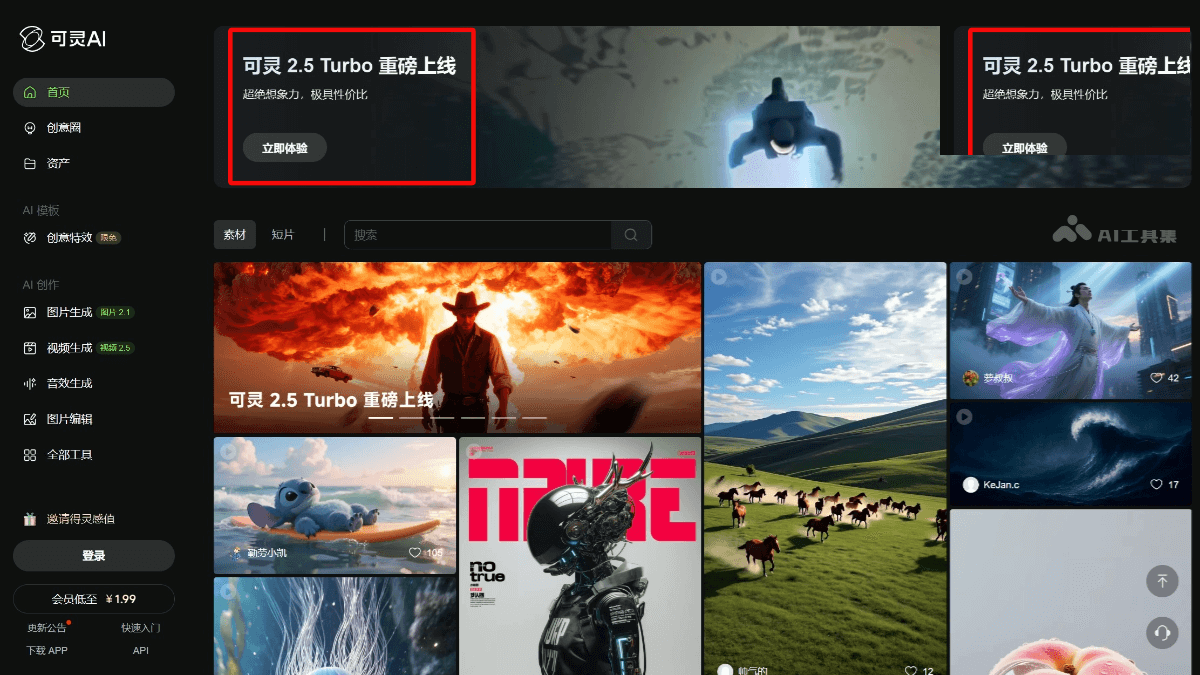
Kling 2.5 Turbo
Core parameters and statistics
Kling 2.5 Turbo is an AI video tool in [Productivity/Business Application]. Brief review in one sentence: It is most like the "draft fast lane in video generation". It is not used to create the final film quality, but to verify ideas, shots and action directions faster.
| Projects | Public Information |
|---|---|
| Main Entrance | Global Web App |
| Main capability area | Image Generation, Video Generation, Motion Control, Canvas Agent, Avatar 2.0 |
| Product form | Web creation platform |
| Version portal | Release Notes public portal exists |
| Paid entrance | Plans from $... (there is a paid plan entrance for the global version) |
| Current main line positioning | Video generation and creative agency in parallel |
Publicity Verification: Kling’s core selling point has always been “stronger video generation quality + richer creative control”. The real pain point of the Turbo suffix is not the upper limit of quality, but the waiting time. For high-frequency iteration content teams, reducing the wait for each round of production is often more productive than digging out 10% more details.
Expert View: Many teams overestimate the “final film quality” and underestimate the “sample speed”. The value of the Kling 2.5 Turbo is to transform the prototype stage from a luxury item into an everyday action.
User and market recognition
As part of Kling's product line, the market's focus has long been not on "whether it has the ability to make videos", but on "whether it is fast, stable and cheap enough for high-frequency short videos, e-commerce advertising and content industrialization."
User and market recognition: The global version product page has integrated Video, Motion Control, Canvas Agent, Avatar and other modules into a unified entrance, indicating that it is no longer a single-point model trial, but a complete video creation product.
Publicity Verification: The criterion for judging the value of the Turbo version should not be compared with the high-quality version in terms of single frame details, but rather in terms of "how many available solutions can be run per unit time." As long as you can try a few more shots, actions, and scripts in the same hour, the operations and advertising teams will feel its value.
Hidden benefits: The hidden benefits of the video team come from reducing waiting, shortening the creative discussion cycle, and reducing the waste of sending every idea into the high-quality slow pipeline.
Cost advantage
- C-side/Individual: Usually a free version is provided to experience the core functions, and high-frequency use requires a paid package subscription.
- API/Developer: Billed by call volume, suitable for development teams that can be flexibly integrated into their own systems.
- Enterprise/Privatization: Contact the business owner to obtain customized quotation and deployment plan. The specific price is subject to the official real-time pricing page.
Main functions
- Wensheng Video: Quickly convert creative descriptions into dynamic samples.
- Tu Sheng Video: Add movement and rhythm to existing visual materials.
- Motion Control: Let video generation not only rely on random luck, but have clearer motion control.
- Canvas Agent: Expand creation from a single prompt to a more interactive canvas and agent-based process.
- Avatar 2.0: Serves character expression and digital human-related content production.
Expert View: The real hidden linkage lies in "first using Turbo to quickly test shots and actions, and then sending a few passed versions to higher quality grades." This is more in line with actual production logic than directly purchasing the most expensive model.
Model and version evolution
Keling's current public website emphasizes the "main line of product experience" rather than intensively giving version papers like the research model, so version understanding should be layered around the product.
- Kling 2.5: Standard mainline version, emphasizing the balance between usability and quality.
- Kling 2.5 Turbo: Speed-first version, suitable for high-frequency sample and batch exploration.
- Peripheral capability expansion: Canvas Agent, Motion Control, Avatar, etc. make it no longer just a model, but a video creation system.
Publicity Verification: As soon as a video platform starts to differentiate between the standard version and the Turbo version, it means that it has moved from "whether it can be generated" to the stage of "how to layer supply according to workflow".
Technical advantages
Mechanics -> Effects -> Scenes:
Speed Priority Reasoning Path: The essence of Turbo is to put shorter waits at a higher priority. The effect is to allow creators to dare to try and make mistakes, and is suitable for advertising scripts, social media creativity and lens exploration.
Cooperation between motion control and canvas agents: Instead of simply producing a video, the motion control and creation canvas are put into one stream. The effect is to reduce the cost of "changing tools" and "rerunning the entire film".
Productization workbench: Video, Image, Agent, and Avatar are juxtaposed. The effect is that the same content team can complete the entire experimental link within one platform.
Current Limitations: The public page does not provide stable and precise duration, resolution and package consumption details. Performance throughput can only be based on the official real-time page and the product panel after login.
How to use
- Enter the global version video generation entrance.
- Select Video Generation or Picture Generation Video.
- First use Turbo to run low and wait for the sample to verify the lens and action direction.
- Continue to control, redraw or upgrade the high-quality version after passing the sample.
3 minutes to get started: The most reasonable approach is not to pursue the "ultimate hit" right from the start, but to use Turbo to run in multiple directions first and select the version with the smoothest movements and rhythm.
Dissuade scenario: If the task is a high-budget brand film, a long-shot narrative, or requires extremely strong consistency control, Turbo is more suitable as a pre-production prototype, not necessarily a final draft tool.
Product Pricing
The pricing model is subject to the official real-time page. Usually a freemium or subscription system is used, and basic functions can be used for free. Advanced functions or high-frequency use require paid subscriptions, and users are advised to evaluate the optimal solution based on actual usage.
Application scenarios
- Short Video Operation: Quickly test themes, rhythm and action settings.
- E-commerce advertising: Batch test opening shots, selling point presentation and emotional changes.
- Creative Pre-Proposal: Replace pure PPT storytelling with faster demos.
Dimensionality reduction attack scenario: high-frequency samples, fast-paced content industrialization.
Dissuade Scenario: A project with extremely high requirements for long narrative, consistent character control and high-fidelity final film delivery.
Applicable people
- New Media Team: Needs daily updates, weekly updates, and batch testing of creative ideas.
- Advertising and e-commerce team: Need to quickly verify the screen direction and conversion materials.
- Independent Creator: Don’t want to turn every trial and error into a costly wait.
Persuasion Scenario:
- People who only make very few high-budget polished videos.
- Without clear screening criteria, it is easy to generate overpopulated teams.
Current limitations: The Turbo version is not as good as the standard version in terms of image quality details and motion consistency. It is suitable for quick verification but needs to control quality expectations.
Summary and Outlook
The value of Kling 2.5 Turbo lies in turning AI video generation from a "precious one-time attempt" to a "daily action that can be run frequently." For short video, e-commerce and advertising sample teams, this change in rhythm is more important than the parameter list.
Current Limitations: The public page does not fully disclose specific packages, resolutions, consumption and version details. Procurement/Adoption Risk Assessment: It is best to pilot it with a single content team first and use it to undertake sample and direction verification. It is not appropriate to directly bet all final film delivery on the Turbo gear.
Related tools: runway, pika
Comparison of competing products
| Comparison dimensions | Kling 2.5 Turbo | Competitor A | Competitor B |
|---|---|---|---|
| Core Differences | — | — | — |
| Price | — | — | — |
| Target Users | — | — | — |
Note: The above comparison is based on product public information, and actual differences are based on user experience.
Version Info
- Kling 2.5 Turbo :The global version product page currently continues to provide entrances to Video Generation, Motion Control, Canvas Agent, etc., and releases the Release Notes entrance; Kling 2.5 Turbo is a speed-first video generation version for current creative flows. There is no official precise date yet.
- Kling 2.5 :Mainline version before 2.5 Turbo, used to undertake higher quality or standard speed video generation experience. There is no official precise date yet.
User Reviews