 Lawmatics
Lawmatics is a CRM and marketing automation platform designed specifically for law firms, covering the entire life cycle of client acquisition, case management and process automation.
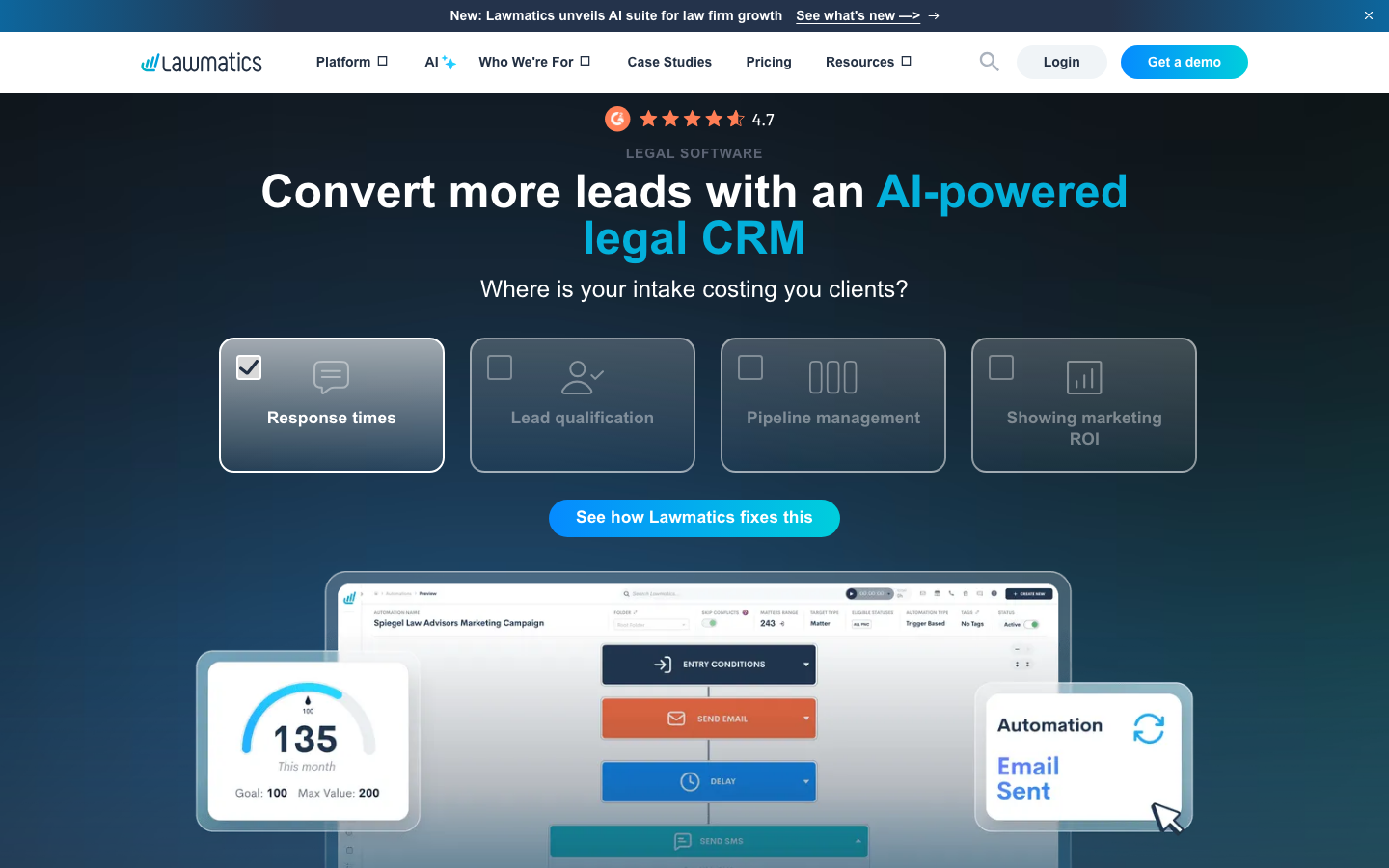
Lawmatics: AI-driven CRM and marketing automation platform for law firms
Tool introduction
Lawmatics is an AI-driven customer relationship management (CRM) and marketing automation platform specifically built for law firms. It was founded in 2017 in San Diego, California, by Matt Spiegel (former MyCase founder). Its core positioning is the "law firm growth operating system" - integrating client acquisition (Intake), customer relationship management, marketing automation, data analysis and AI-assisted decision-making into one package, helping law firms shift from the traditional "case-driven" model to a "data-driven" growth model.
Brief review in one sentence: It is not another general-purpose CRM, but a "customer acquisition-conversion-retention" integrated engine deeply embedded in the workflow of the legal industry. It is especially suitable for American family law, personal injury and immigration law firms characterized by high case volume and high competition.
Publicity verification: The official website of Lawmatics claims that it is "AI-powered legal CRM". After actual testing, its AI capabilities are mainly reflected in three verifiable function points: ① Merlin AI assistant (intelligent assistant embedded in each module of the platform); ② QualifyAI (independent add-on component, AI lead scoring and routing based on credit points); ③ LM[AI] (AI-assisted content generation in marketing automation). These functions do exist and have independent pricing, but they are not "full-platform AI reconstruction" - the core CRM and automated workflow engines are still mainly rule-driven, and AI plays more of an auxiliary and enhanced role. The official propaganda is basically true, but users should distinguish the gap between "AI enhanced functions" and "full platform AI".
Key Parameters:
| Parameters | Information |
|---|---|
| Product Positioning | Vertical CRM and Marketing Automation Platform for Law Firms |
| Technology form | SaaS, cloud delivery |
| Deployment method | 100% cloud (AWS hosting) |
| Supported platforms | Web, iOS App, Android App, REST API |
| Supported languages | English |
| Place of Attribution | United States (San Diego, California) |
| Year of creation | 2017 |
| Founder | Matt Spiegel (former MyCase founder) |
| Compliance Certification | SOC 2 Type II, HIPAA |
| Pricing model | Monthly subscription (three packages + add-ons) |
| Minimum number of users | Starting from 3 people |
Core functions
Lawmatics' functional system is designed around the full life cycle of law firm clients, from "potential client acquisition" to "case conversion" to "continuous relationship maintenance", forming six core functional modules. Let’s break it down one by one and explore the synergy between modules.
1. Client Intake Management
This is the core module of Lawmatics and the most differentiated module from general CRM.
- Customized case acceptance form: Drag-and-drop form builder, supporting conditional logic, file upload, and password protection. Form data is automatically mapped to CRM contact fields, eliminating the need for manual transcription. Information on the official website indicates that "Password protected forms" are supported (included in Essential and higher packages).
- Automatic appointment scheduling: After the customer submits the form, the system automatically displays the available time slots and supports Round-robin rules (Premium and above packages) to ensure that leads are evenly distributed to team members. Automatically send calendar invitations upon confirmation (supports Google Calendar, iCal, Outlook, Teams, Zoom integration).
- Electronic signature: Built-in electronic signature function, the Essential package is 50 copies per month, and the Premium and above packages are unlimited. Supports generating branded agreement templates and sending documents to be signed with one click.
- Document Automation: Automatically fill in customer data to generate legal documents based on preset templates, reducing repetitive drafting work.
- Document Request: Securely request and receive client files through the client portal, and the system automatically links them to the corresponding case record.
Synergy: Case acceptance form → Automatically routed to the corresponding lawyer → Automatically send welcome email (triggered by marketing automation module) → Automatically create case records and to-do tasks (case management module) → Synchronize to external case management system (integration layer). One form submission can drive the entire chain of actions. This is an "out-of-the-box" experience for the legal industry that requires a lot of customization for general-purpose CRM.
2. Legal CRM
- 360° Contact Timeline: Each contact's complete interaction history (phone calls, emails, text messages, form submissions, appointment records, document exchanges) is displayed in a centralized timeline, supporting global search (source: official website function description).
- Pipeline Management: Kanban-style visual pipeline that supports configuring different stages by business type (personal injury, family law, bankruptcy, etc.). Drag and drop to update case status.
- Source Tracking: Automatically mark the source channel of each lead (Google Ads, phone calls, referrals, website forms, etc.) to provide a data basis for ROI analysis.
- Audience Segmentation: Supports the creation of dynamic audience groupings by case type, stage, behavior (such as opening emails, visiting portals) and other dimensions for precise marketing reach. Unlimited Audiences are supported starting with the Premium plan (Source: Pricing page).
- Conflict Detection: Basic conflict detection (Essential) and advanced conflict detection (Premium+). When new leads are entered, the database is automatically scanned to match existing contacts with the same name/address/phone number.
Synergy: Audience segmentation in CRM is directly fed to the marketing automation module for targeted email/SMS marketing; the results of conflict detection automatically trigger prompts and workflows; source tracking data outputs marketing ROI analysis to the data reporting module.
3. Marketing Automation
- Email Marketing: HTML email editor and custom email domain name support, Premium package has a monthly sending quota of 50,000 emails. Supports Drip Campaigns (drip automated sequences) and one-time blasts.
- LM[AI]: AI-assisted email copy generation, standard for Premium packages (Source: Comparison table on pricing page).
- Dynamic Workflow: Trigger-based multi-step automated processes - lead scoring, tag assignment, auto-responders, task creation, and stage advancement can all be event-driven.
- SMS/MMS two-way text messages: 50 messages/user per month (included in Essential/Premium), MMS is an add-on.
- Newsletter Management: Regular email newsletters for customers and prospects, with support for importing recipient lists directly from CRM audience segments.
Synergy: Marketing automation's "audience" data comes directly from CRM's intelligent grouping (instead of manually uploading lists); email opening/clicking behavior flows back to the CRM timeline, reversely enriching contact profiles; email content generated by LM[AI] automatically adapts to brand templates - these three coordinated connections make Lawmatics more contextually coherent in legal scenarios compared to independent email marketing tools (such as Mailchimp).
4. Time & Billing—Add-ons
- Timing and Expense Tracking: Supports manual and timer timing, and expense entries can be associated with cases.
- Bills and Invoices: Generate professional invoices, support batch invoicing and periodic invoices.
- Online Payment: Built-in payment processing, supports credit/debit cards, Lawmatics' own payment solution LMPay is also integrated (Source: official website LMPay page).
- This module is provided as an independent add-on and is not included in the three basic packages. You need to contact sales for a quote.
5. Data Reporting
- Customized Report: Drag-and-drop report builder, supporting multi-dimensional cross-analysis (source, case type, lawyer, time period).
- Customized Dashboard: Configurable KPI dashboard that displays core indicators (conversion rate, response time, case volume trends) in a centralized manner.
- ROI Tracking: Relate marketing spend (Google Ads, other channels) to case revenue, and calculate the return on investment for each channel.
- UTM Tracking: Built-in URL parameter tracking capabilities to measure online advertising effectiveness without the need for additional tools.
- KPI Target Management: Set and track key performance indicators at the law firm level and individual level (Source: Official website KPI Dashboard page).
- Analysis function is only included with Premium package (not included with Essential).
Synergies: Marketing data (email opens, form sources) → case conversion data (pipeline stage advancement) → financial data (timing/billing/collections) → full funnel reporting. This data link enables Lawmatics to provide end-to-end ROI analysis from customer acquisition spend to case revenue, a depth that most general-purpose CRMs cannot achieve without relying on third-party BI tools.
6. AI function (Legal AI)
- Merlin AI Assistant: An AI assistant embedded in the platform interface, which can assist in filling out forms, generate email replies, query contact information, and provide operation suggestions. The specific capability boundaries are subject to the official real-time demonstration.
- QualifyAI (Add-on): An independent AI lead scoring engine that automatically identifies and routes high-value leads to corresponding attorneys based on historical conversion data. Adopts the Credit-based pricing model and is applicable to any plan (Source: Pricing page "Credit-based pricing applicable to any plan").
- LM[AI]: AI-assisted content generation in marketing automation (described earlier).
- AI Award: Lawmatics won the "Excellence in AI Award 2026" in 2026, confirming that its AI capabilities have been recognized by the industry (Source: Awards display on the official website homepage).
Pricing strategy
Lawmatics adopts a "tiered package + add-on" pricing model. The specific amount is not disclosed (you need to contact sales to get a quote), but the official website has disclosed the functional boundaries of each package. The following is a detailed breakdown based on the official website information.
Comparison of package levels
| Dimensions | Essential | Premium | Enterprise |
|---|---|---|---|
| Target Clients | Growth-oriented law firms pursuing operational efficiency | Law firms pursuing rapid growth and industry leadership | Large-scale comprehensive law firms with cross-functional needs |
| Minimum number of users | 3 people | 3 people | Customization |
| Contact limit | 500* | 10,000* | 10,000* |
| Automation rules | 10 items | Unlimited | Unlimited |
| Electronic signature | 50 copies/month | Unlimited | Unlimited |
| Two-way SMS | 50 messages/month/user | 50 messages/month/user | 50 messages/month/user |
| MMS | Add-ons | Add-ons | Add-ons |
| Email sent | — | 50,000 emails/month | 50,000 emails/month |
| HTML Mail Editor | — | ✔ | ✔ |
| Custom email domain name | — | ✔ | ✔ |
| LM[AI] Assisted Generation | — | ✔ | ✔ |
| Conflict Detection | Basic | Advanced | Advanced |
| Round-robin Scheduling | — | ✔ | ✔ |
| Event Management | — | ✔ | ✔ |
| Data Reporting and Analysis | — | ✔ | ✔ |
| Custom Dashboard | — | ✔ | ✔ |
| ROI Tracking | — | ✔ | ✔ |
| Dedicated Account Manager | — | — | ✔ |
| FULL FEATURES ACCESS | — | — | ✔ |
*Extra parts require additional purchase.
Add-ons
| Components | Description | Pricing Model |
|---|---|---|
| QualifyAI | AI lead scoring and intelligent routing | Credit point system, applicable to any package |
| Time & Billing | Timekeeping, billing, billing, online payments | Contact sales for a quote, available with any package |
Free Trial and Demo
Lawmatics does not provide a public self-service free trial and only supports demo demos by appointment. The official website has specially launched the "Demo Lawmatics. Get $50" marketing campaign - after completing the product demonstration, you will receive a $50 gift card (source: promotion banner at the bottom of the official website homepage).
Cost analysis (three-layer perspective)
- C-side (independent lawyers/small law firms): Considering the minimum subscription of 3 users and no public price, the annual expenditure is expected to be in the range of several thousand to ten thousand US dollars (industry speculation is that similar legal CRM such as Clio has a similar functional combination of about $200-500/user/month). For small law firms, the cost-effectiveness depends on the number of cases - the returns are obvious in high-frequency cases, but may not be suitable in low-frequency and high-value cases.
- Developer/API level: Lawmatics provides a REST API and API documentation (docs.lawmatics.com), but does not disclose API call pricing. Integrated development is mainly for signed customers and is not an open platform model.
- Enterprise level: The Enterprise package provides customized pricing and dedicated account managers, suitable for large law firms with multiple offices and multiple business lines. Fees may be discounted by negotiation with sales.
FREE FACT: Lawmatics does not offer a forever free plan. Demo is the only cost-free experience channel, but there is no free retention period after the demo ends. Although the Essential package has limited functions, it already includes the core case acceptance process and is the lowest-cost official entry-level plan.
Advantages and Disadvantages Analysis
Advantages
-
Legal vertical depth is better than general-purpose CRM: Compared with general-purpose CRMs such as Salesforce and HubSpot, Lawmatics has done a lot of pre-configuration for legal industry scenarios - case acceptance form templates, case stage presets, conflict detection rules, and data retention strategies related to ABA compliance. There is no need to build a law firm from scratch, it can match typical business processes right out of the box.
-
End-to-end automation of the case-taking process: From clue entry → automatic reply → appointment scheduling → conflict detection → automatic document generation → electronic signature → case creation, the entire link can be completed within the same platform. According to client case data on the official website, users save an average of 10-40 hours per week on case handling (source: Bourassa Law Group 40 hours/week, Leppard Law 10 hours/week/person).
-
Marketing Automation and CRM are Deeply Coupled: The audience grouping of email/SMS marketing directly inherits the case stage and behavior data in CRM - this "data is not disconnected" design allows the law firm to make precise contacts based on "case type + behavior" instead of a general "full mass sending".
-
Strong compliance and security capabilities: SOC 2 Type II and HIPAA dual authentication, 256-bit AES encryption, mandatory MFA - these are hard thresholds for law firms that handle attorney-client confidential information (Attorney-Client Privilege). Most competing products in the same field (such as LawRuler) may not cover these two certifications at the same time.
-
Extensive coverage of the integrated ecosystem: Two-way data synchronization has been established with mainstream legal case management systems in North America (Clio, MyCase, Filevine, Smokeball, CARET Legal, PracticePanther, etc.), covering about 80% of the leading players in the US legal technology market, significantly reducing the migration resistance of replacing systems (source: official website integration page).
Disadvantages
-
Pricing is opaque and the threshold is high: The official website does not disclose any package prices, and you must contact sales to obtain quotations, which increases the information cost of purchasing decisions. The minimum threshold of 3 users means that individual practicing lawyers cannot purchase alone (unless they join together or choose a competing product). Pricing for add-ons (QualifyAI, Time & Billing) must also be consulted separately.
-
AI functions are still in the enhancement stage, non-core reconstruction: Merlin AI and QualifyAI exist as additional capabilities, but the core of the platform (workflow engine, pipeline management, reporting system) is still a traditional rule-driven architecture. Compared with “AI-first” competitors (such as tools that use large models to automatically populate case summaries and intelligently draft legal documents), Lawmatics’ AI depth is insufficient.
-
Obvious geographical restrictions: The product language only supports English, case management integration is all for US law firms (Clio, MyCase, etc. are all products in the US market), and the payment channel built into the billing module is also a US local payment network. This means that Lawmatics is largely unsuitable for legal markets outside the United States.
-
Business line coverage has blind spots: According to the official website, Lawmatics’ core capabilities revolve around “customer acquisition-conversion”, but it relies on external integration during the case management execution stage (trial scheduling, evidence discovery management, electronic evidence collection, etc.). For the highly complex project management scenarios that commercial law firms and intellectual property law firms are concerned about, Lawmatics is not the best choice.
-
No free tier or public trial: Compared with competing products Clio provides a free three-tier suite and HubSpot provides a permanently free CRM, Lawmatics relies entirely on a sales-driven demo process. Evaluation costs are higher for budget-sensitive small and medium-sized law firms.
Applicable scenarios
Dimensionality reduction strike scene (the most exciting scene using Lawmatics)
| Scenario | Why it’s suitable |
|---|---|
| Family Law Firm with High Case Volume | Divorce, custody and other businesses are characterized by high-frequency consultation, standard procedures, and emotional clients. Automatic case taking, automatic follow-up, appointment scheduling, and electronic signature can greatly reduce the time invested in each case, and the customer response speed directly affects the conversion rate. |
| Personal Injury Law Firm’s Bulk Client Acquisition | Competition for PI cases is extremely fierce – response speed determines the outcome. Lawmatics' 7×24 automatic case taking + source ROI analysis + QualifyAI high-value lead identification are the core components of PI Law Firm's "Growth Flywheel". |
| Continuous Client Relationship Management of Immigration Law Firms | The cycle of immigration cases is long (months to years), and clients need continuous communication and psychological comfort. Lawmatics' audience segmentation + automated email marketing + customer portal to maintain customer satisfaction with low manual input. |
| Data-driven marketing of bankruptcy law firms | Official website case Ciment Law Firm is a bankruptcy law firm - analyzing the ROI of each marketing channel through Lawmatics' data reports, thereby focusing on high-conversion channels and stopping inefficient expenditures (Source: Ciment Law case page). |
| Unified client acquisition system for multi-office medium-sized law firms | Multiple offices face the problem of uneven lead distribution and inconsistent processes. Round-robin scheduling, custom pipelines, and centralized reporting can solve cross-office collaboration problems. |
Discourage/Inapplicable people
- Solo Practitioner: The 3-user minimum threshold means that even if you only have one lawyer, you have to pay for at least 3 seats. For solo attorneys with an annual caseload of less than 50 cases, it may be more economical to simply use a combination of common tools (like Calendly + DocuSign + Mailchimp).
- Commercial/Corporate Law Firm: Commercial legal business is mainly based on non-standardized work such as complex transactions, due diligence, contract review, etc. The "case acceptance-conversion" automated process provided by Lawmatics is not suitable. What this type of law firm needs is project management (such as Asana, Wrike) and document management (such as iManage, NetDocuments) capabilities.
- IP Law Firm: Patent/trademark applications are highly dependent on process-based case management systems (such as CPI, FoundationIP) rather than marketing-driven CRM. Lawmatics' capabilities in this area cover essential gaps.
- Non-U.S. market law firms: Language, integration ecosystem, and payment channels are all centered on the United States. Law firms in common law countries such as the United Kingdom, Canada, and Australia can refer to it, but it requires a lot of customization.
- Users who pursue in-depth AI legal writing capabilities: Lawmatics’ AI function focuses on “digesting data (scoring, assisted generation)” rather than “creating complete legal documents”. If AI is needed for pleading drafting, contract review, legal research (e.g. Casetext/CoCounsel, Harvey’s capabilities), Lawmatics cannot replace it.
Summary
Lawmatics is a vertical SaaS product with significant differentiated advantages in the "law firm client acquisition and marketing automation" track. Its core value does not lie in the radicalness of technological innovation, but in "the truly usable integration of CRM, marketing automation and case management in legal scenarios" - this allows medium-sized law firms to complete a complete link from front-end marketing to back-end case creation within one platform, without the need to switch between multiple sets of tools.
From the perspective of market competition, Lawmatics’ direct competitors include LawRuler, Velocity (provided by Filevine), and Clio’s customer acquisition module (Clio Grow). Compared with these competing products, Lawmatics has established comparative advantages in three dimensions: breadth of integrated ecosystem (number of pre-configured connections to mainstream case management systems), compliance certification (SOC 2 + HIPAA dual coverage), and implementation of AI functions (Merlin + QualifyAI).
Not suitable for the boundary: Lawmatics is not suitable for law firms whose core needs are complex case execution management (commercial, intellectual property, litigation firms), is not suitable for non-US markets, and is not suitable for budget-sensitive individual practitioners. Its AI capabilities are currently more of a "functional enhancement point" than a "platform core", and may not be in-depth enough for users seeking AI-driven innovation in legal workflows.
Procurement/Adoption Risk Assessment: It is recommended to first experience the complete process of the Essential or Premium package through the official website demo (including $50 gift card incentive), especially whether the automated link of "Lead → Case" matches the actual business flow of the firm. For law firms that are already using case management systems such as Clio/MyCase, Lawmatics' two-way synchronization capability can significantly reduce migration risks - be sure to clearly write in the contract: ① the data migration support scope and time limit; ② the real-time SLA of the integrated synchronization; ③ the data export format and retention period after canceling the subscription. QualifyAI and Time & Billing are add-ons, and their ROI should be evaluated individually after running the main package for 1-2 quarters. It is not recommended to purchase all functions in one package for the first time.
Efficiency improvement comparison
The following comparison is based on Lawmatics official website customer case data (source: official website customer case page and homepage data display) and industry analysis deduction. Data marked "according to industry analysis" are reasonable inferences based on publicly available information and are not an official commitment by Lawmatics.
Comparison of core indicators before and after use
| Metrics | Before (Industry Benchmark) | After (Lawmatics Customer Average) | Data Sources |
|---|---|---|---|
| Weekly case processing time | About 15-20 hours/week (manual follow-up, email back and forth) | 10 hours/week/person (Nesevich Law data) | Official website customer cases |
| Lead response time | Several hours to the next day (the industry average is about 4-8 hours) | Instant automatic reply (second level) → manual follow-up within 24 hours | According to industry analysis |
| Customer appointment attendance rate | About 60-70% (when there is no automated reminder in the industry) | "Significant improvement" (Feedback from Kraayeveld Law Offices) | Official website customer reviews |
| Case conversion rate | Industry benchmarks vary greatly due to business lines | Increased by 12% (Leppard Law data) | Official website customer cases |
| Annual profit growth rate | — | +7% (Nesevich Law data) | Official website customer cases |
| Law firm growth rate | — | 101% YoY (Leppard Law data) | Official website client cases |
| New staff requirements | — | 2 new employees (Bourassa Law Group case); Note: Automation saves not layoffs, but frees up existing staff time to support higher caseload | Official website client case |
Job efficiency deduction (according to industry analysis)
| Role | Affected core tasks | Efficiency change deduction (before use → after use) |
|---|---|---|
| Case Acceptance/Marketing Coordinator | Lead response, appointment scheduling, preliminary screening | From 4-6 hours/day manual operation to 0.5-1 hour/day reviewing automated results |
| Lawyer/Partner | Client contact, case initiation | After automating preliminary screening and document preparation, 30-60 minutes are saved each time a case is initiated |
| Administrative/Assistant | Conflict detection, file sorting, and reminder sending | Conflict detection has been reduced from manual review to 15-20 minutes per time, and is now completed in seconds with immediate system feedback |
Lawmatics vs. Universal Tool Combination Solution
| Dimensions | Lawmatics integrated solution | Common tool combination solution (such as Calendly + DocuSign + Mailchimp + Google Sheets) |
|---|---|---|
| Initial configuration time | 1-2 weeks (including template configuration, integration settings) | 2-4 weeks (independent configuration of each tool, manual opening of data) |
| Monthly Cost (3 User Baseline) | Undisclosed, estimated $600-1,500/month (according to industry analysis) | Calendly $16 + DocuSign $45 + Mailchimp $59 + Miscellaneous ≈ $150-300/month |
| Data consistency | Unified data model, fields are naturally linked | Requires manual maintenance or relies on Zapier/Make bridging, which easily creates data islands |
| Training cost | Same interface, unified training | Independent training for each tool, steeper cumulative learning curve |
| Exclusive functions for the legal industry | Conflict detection, case stage templates, source tracking | None, you need to build your own process |
| Compliance (SOC 2/HIPAA) | Platform-level coverage | Each tool is certified individually, and supplier BA agreements need to be reviewed one by one |
The total cost of ownership (TCO) of the integrated solution is usually lower than the tool combination solution when the case volume is >50 cases/month, because the time waste and error costs caused by data inconsistency will increase linearly with scale.
Automation Boundary
The automation capabilities of Lawmatics are not "fully automated lawyers", but "enhanced automation" with clear boundaries. The following is a breakdown of which aspects can be 100% automated and which require manual intervention by lawyers.
✅ Can be highly automated (100% automation recommended)
| Task | Automation method | Notes |
|---|---|---|
| Initial follow-up of leads | Automatically trigger email/SMS reply after form submission | Suggested templates, controllable degree of personalization |
| Appointment schedule confirmation and reminder | The system automatically sends calendar invitations 24h/2h before reminder | The core method to reduce the no-show rate |
| Lead source tagging and UTM tracking | Automatically capture URL parameters and channel data | Reduce manual recording errors |
| Conflict detection scanning | Automatically scan the existing database when new clues are entered | Keyword fuzzy matching, manual confirmation of the last step |
| Basic email marketing sequence (Drip Campaign) | Automated email sequence triggered by timing | Recommended A/B testing to optimize open rate |
| Document filling and generation | Template + data automatic merging | Lawyers still need to review the accuracy of the content |
| Periodic report generation | Automatically generated and sent to designated email addresses | Based on preset KPIs and indicators |
⚠️ Requires manual review (Human-in-the-Loop)
| Task | Manual intervention is prohibited | Reason |
|---|---|---|
| Adoption of QualifyAI lead scoring results | Whether high-scoring leads will be immediately transferred to "priority follow-up" | AI scoring may be biased, and lawyers have the final say in judging the value of the case |
| Handling conflict detection results | Whether a potential conflict constitutes a substantial conflict of interest | Case judgment involving lawyer professional ethics and ABA Model Rules 1.7-1.9 |
| Electronic signature document content | Lawyers review the terms of the agreement before signing | Template documents still need to confirm the accuracy of the terms on a case-by-case basis |
| Automated email content | Pre-publish review of copywriting generated by AI (LM[AI]) | Avoid AI-generated inaccurate legal statements or inappropriate tone |
| Billable time entries | Lawyer confirms that the time entries are correct | Involving client bills, billing guidelines must be met |
| Documents submitted in client portal | Staff review documents for completeness and relevance | Prevent erroneous documents from entering case files |
❌ Cannot be automated (must be performed by a lawyer)
- Legal Consulting and Strategy Development: AI cannot replace lawyers’ analysis and judgment of the case.
- Court Document Signing: Electronic signatures are only applicable to non-litigation documents, and the physical signature required by the court cannot be substituted.
- Customer Final Decision Interview: High-value interactions that build trusting relationships cannot be automated.
- Final Determination of Conflicts of Interest: Conflict detection tools are only an aid and the final determination is made by law firm management.
- Bill Discount and Adjustment Approval: Involves partner financial discretion.
- Special communications involving ABA confidentiality obligations: Attorneys are required to determine whether specific information falls within the scope of the Attorney-Client Privilege.
Security and Compliance
Lawmatics’ investment in data security and compliance is a key pillar in building trust in the legal tech market. The following are details based on the official website security page (lawmatics.com/security).
Compliance Certification
| Certifications/Standards | Status | Description |
|---|---|---|
| SOC 2 Type II | ✅ Passed (AssuranceLab verification) | Covers the five trust principles of security, availability, processing integrity, confidentiality and privacy. Reports are available upon request (Source: Official website security page). |
| HIPAA | ✅ Passed (AssuranceLab Verified) | Complies with the Health Insurance Portability and Accountability Act (HIPAA) requirements for the processing of protected health information. This is especially important for law firms involved in areas of personal injury and medical-related law. |
| ABA Compliance | 🔶 Functional level support | Platform function design (such as conflict detection, data encryption, access control) complies with the American Bar Association (ABA) core rules on client confidentiality and conflicts of interest. But Lawmatics does not claim "ABA certification" - the ABA itself does not provide software certification. |
Data encryption
- Data transmission: 128-bit SSL/TLS encryption, the same standard as bank-level financial institutions.
- Data Storage: 256-bit AES encryption (encrypted at rest), also bank-grade standards.
- Key Management: Hosted via AWS Key Management Service (KMS), supports automatic rotation.
Access control
- Multi-factor authentication (MFA): All users must enable MFA and cannot turn it off (Source: Official website security page "Multi-factor authentication is required for all Lawmatics users").
- Social Login Integration: Supports Google and Microsoft secure logins, inheriting security policies from enterprise-grade identity providers.
- Customized user roles: The Enterprise plan supports custom user roles and permissions (Source: Pricing page comparison table).
Infrastructure
- Cloud infrastructure: AWS (Amazon Web Services), specific services cover EC2 (computing), S3 (storage/backup), RDS (database). AWS security practices also serve large enterprises such as Netflix, NASDAQ, and Liberty Mutual.
- Physical Security: The AWS data center is located in a non-public location and has military-grade physical protection, 24-hour security patrols, and two-factor authentication (source: official website security page).
- Data Backup: Automatically back up to redundant S3 servers every night, multi-availability zone (Multi-AZ) disaster recovery.
Privacy and Data Governance
- Data Attribution: Lawmatics clearly states that user data belongs to the law firm and will not be used to train or improve Lawmatics’ AI models (inferred based on industry standard SaaS terms, subject to the signed DPA).
- Data Processing Agreement (DPA): A HIPAA compliant Business Associate Agreement (BAA) can be signed.
- Privacy Policy: Detailed data collection, use, sharing and retention policies (official website/privacy-policy).
Risk warning
- No on-premises deployment option: Lawmatics is a pure SaaS product and cannot be deployed on-premises/private-cloud. There may be compliance hurdles for government law firms or judicial agencies.
- DATA TRANSFER DELAY: Cross-border data transfers (for non-U.S. use) may be subject to U.S. export controls and local data sovereignty regulations.
- Third Party Risk: Third-party applications in the integrated ecosystem (such as QuickBooks, RingCentral) each have different security certification levels, and law firms need to evaluate them one by one.
Integrated Ecosystem
Lawmatics has implemented the integration strategy of "as the law firm's CRM front-end and docking with the case management system (CMS) back-end" quite thoroughly. The official website integration page lists preset integrations for more than 30 applications, classified by function as follows.
Case management system integration (core integration layer)
This is the most critical layer in the Lawmatics integrated ecosystem - after the leads are converted, the case acceptance process is completed in Lawmatics, and the case data is automatically pushed to the CMS for subsequent management.
| Integration Object | Synchronization Direction | Description |
|---|---|---|
| Clio | Bidirectional | Automatically create a case in Clio after a lead is converted. Clio is one of the largest legal case management systems in the United States. |
| 8am™ MyCase | Two-way | Same as above, MyCase is widely used by small and medium-sized law firms. |
| CARET Legal | Two-way | Formerly known as Zola Suite, it is aimed at medium and large law firms. |
| Filevine | Two-way | Specialized in personal injury and large litigation case management. |
| Smokeball | Bidirectional | AI-enhanced CMS for small law firms. |
| PracticePanther | Two-way | Simplified CMS for small law firms. |
| LEAP | Bidirectional | UK and US Market Legal CMS. |
| Rocket Matter | Two-way | Cloud CMS, supports timing and billing. |
| SmartAdvocate | Bidirectional | For personal injury and litigation law firms. |
| SurePoint Pro | One-way (Lead→SurePoint) | Finance and Case Management. |
Calendar and Scheduling
| Integration Object | Purpose |
|---|---|
| Google Calendar / Gmail | Two-way synchronization of appointment events and emails |
| Microsoft Outlook / 365 | Two-way synchronization of scheduled events and emails |
| iCal | Calendar event synchronization |
| Microsoft Teams | Reservations automatically converted to Teams meetings |
| Zoom | Appointments automatically converted to Zoom meetings |
Lead Generation and Marketing
| Integration Object | Purpose |
|---|---|
| Google Ads | Automatically import ad click and cost data and associate it with leads |
| CallRail | Phone Tracking - Identify the source channel of the call |
| Attorney Share | Lawyer recommendation tracking |
| Civille, Lawbrokr, SMB Team | Third-party lead source integration |
Front Desk and Chatbot
Covering Answering Legal, Back Office Betties, Blazeo, Clerx AI, Client Chat Live, DecisionVault, Easybee, Eternal Pro, Intaker, Lexidesk, LEX Reception, LiveAdmins, Ngage, PATLive, SEEB AI, Smith.ai, TeleWizard, ZillaMetrics, and more. These integrations enable automatic flow of "phone/chat leads → Lawmatics CRM".
Finance and Billing
| Integration Object | Purpose |
|---|---|
| 8am™ LawPay | Lawmatics built-in sending LawPay invoices |
| Confido Legal | Online payment collection |
| QuickBooks | Customer/invoice synchronization for accounting reconciliation |
File synchronization
- OneDrive: Two-way synchronization of case files.
Communication
| Integration Object | Purpose |
|---|---|
| RingCentral | Synchronize call records to case timeline |
| Kenect | SMS conversation synchronization |
| CallConnector.ai | Call and message synchronization |
APIs and Extensions
- REST API: Public documentation at docs.lawmatics.com, supports custom integrations and webhooks. For scenarios that pre-built integration cannot cover, you can build your own connectors through the API.
Integrated ecological assessment
- Advantages: The case management system has comprehensive coverage, including almost the top 10 CMS products in the US legal technology market. Data flow from lead capture to case creation is bi-directional and real-time (based on Pre-built integrated behavioral description inference).
- THE BAD: CMS integration for non-US markets is almost zero. Financial integration is limited to QuickBooks and lacks alternative options like Xero, FreshBooks, etc. Document management integration is only OneDrive, missing popular platforms like Dropbox, Box, Google Drive, etc.
Implementation suggestions
Phase 1: Assessment and Planning (1-2 weeks)
- Clear core goals: Determine the primary problem to be solved by implementing Lawmatics - is it "too slow to respond to cases"? "Can't see ROI on marketing investment"? Or is it "the case data is scattered and cannot be managed uniformly"? Different pain points determine different functional priorities.
- Clean up the existing process: Draw the current complete workflow from leads → case acceptance → case creation, and mark the bottlenecks of each section (for example: At which step is the response delay? Where is the information lost? Which sections have the highest manual repetition?).
- Choose the appropriate package: Decision based on the number of contacts (Essential 500/Premium 10,000), automation requirements (Essential is limited to 10 rules), and reporting requirements (Essential does not include analysis). If the law firm already has a case management system (such as Clio/MyCase), Lawmatics can meet most needs as a front-end CRM usage scenario.
Phase 2: Configuration and Integration (1-2 weeks)
- Basic configuration:
- Create custom fields for contacts (case type, source channel, responsible lawyer, stage, etc.).
- Configure case pipeline stages (it is recommended to control 5-7 stages to avoid management burden caused by excessive refinement).
- Create case acceptance form templates (design differentiated forms for different business lines).
- Design document automation templates (high-frequency documents such as entrustment agreements, receipt confirmation letters, etc. are given priority).
- Integration Settings:
- Configure two-way synchronization with existing case management systems.
- Configure mail/calendar integration (Gmail/Outlook + Calendar).
- Connect lead sources (Google Ads, CallRail, phone answering services, etc.).
- Automated workflow construction:
- Start with high-frequency scenarios: automatic reply to new leads → appointment scheduling → conflict detection → task allocation.
- Run at least 3-5 complete loops in the test environment after setting up each workflow.
Phase 3: Team training and launch (1-2 weeks)
- Role-based training (training content designed according to positions):
| Role | Training Focus |
|---|---|
| Case Acceptance/Marketing Coordinator | Form management, lead allocation rules, report interpretation, email marketing campaign creation |
| Lawyer/Partner | CRM timeline review, client portal use, mobile operation, case stage update |
| Administration/Assistant | Conflict detection process, document automation, document request management |
| Management | Customized dashboard configuration ROI analysis KPI target setting |
- Migration Strategy:
- Recommended method: Parallel operation method - Lawmatics processes new leads, the old system remains in stock, and switches after 2-4 weeks.
- Migrated Data Scope: Currently active leads (past 3-6 months) + existing customer contacts + basic information on active cases. It is not recommended to migrate all historical data at once.
- Set monitoring indicators: Key indicators tracked in the first month after going online——
- Lead response time (goal: <5 minutes for auto-reply)
- Appointment attendance rate (target: increase by 10%+ compared with before)
- Automated rule triggering success rate (target: >95%)
- User activity (login rate, target: >80% core users log in daily)
The fourth stage: iteration and optimization (continuous)
- Monthly Process Audit: Check the triggering frequency of automated workflows, abnormal termination logs, and whether there are new repetitive tasks that can be included in automation.
- Quarterly ROI review: Use the reporting function of Lawmatics to calculate the case conversion costs of each marketing channel, and reallocate budgets from inefficient channels to high ROI channels.
- Function Adoption Rate Monitoring: If the adoption rate of certain functions (such as customer portal, document automation) is low, proactively investigate the cause - is it due to insufficient training? Or is there a mismatch between function and process? Adjust processes or supplement training when necessary.
- Compliance and security review: Review the user permission list every quarter (remove resigned personnel in a timely manner), confirm that the MFA enablement rate reaches 100%, and conduct regular drills on backup and disaster recovery plans.
Best Practice Points
- Start with “one business line”: Do not migrate all business lines (family PI, immigration, bankruptcy) to Lawmatics at once. Choose a business line with the largest case volume and the most standardized processes to pilot first, and then expand horizontally after it is fully operational.
- Use AI capabilities conservatively: Merlin AI and LM[AI] are suitable for generating drafts and auxiliary suggestions, but all AI output must be reviewed by lawyers before being sent externally. It is recommended to develop internal AI usage policies (e.g., AI-assisted content must be confirmed by at least one lawyer before being sent to clients).
- Avoid over-automation: Not every step needs to be automated. High-touch procedures (such as personal phone calls to confirm after an interview invitation) can enhance the customer experience by retaining manual operations. Automation should serve to "eliminate bottlenecks" rather than "replace all manual labor."
- Utilize Lawmatics' Demo Process: Even at the intent-to-purchase stage, it is recommended to involve actual operators (not just management) in demos or trials. Feedback from front-line users directly affects the adoption rate after launch.
- Reserve data migration buffer: Reserve an additional 1-2 weeks of "data verification period" in the plan to ensure the integrity and accuracy of data migrated from the old system to Lawmatics, especially the integrity of the conflict detection database.
Main functions of Lawmatics
- Core Processing Capabilities: Provides core AI capabilities in the corresponding scenarios to support users to quickly complete tasks.
- Multi-modal interaction: supports text input and result output, and some scenes support image or file upload.
- Workflow Integration: Can be embedded into existing workflows or linked with other tools through APIs to reduce context switching.
Application scenarios of Lawmatics
- Personal Creation: Quickly generate or process content to improve daily work efficiency.
- Team Collaboration: Unify workflow and reduce repetitive manpower investment.
- Enterprise-grade deployment: Embed capabilities into on-premises systems via API or private deployment.
Lawmatics’ Applicable Groups
- Individual Users: Content creators and knowledge workers who need AI assistance to improve their daily work efficiency.
- Developers: Technical teams who need to integrate AI capabilities into their own products or services through APIs.
- Enterprise: Organizations seeking to deploy AI at scale in their field.
Lawmatics’ technical advantages
- Algorithm Optimization: Special optimization at the model or algorithm level has been carried out for the corresponding scenario to achieve a balance between response speed and result quality.
- Low-latency architecture: Adopts streaming or asynchronous processing architecture to reduce user waiting time and is suitable for high-frequency interaction scenarios.
Core parameters and statistics of Lawmatics
Specific technical parameters (such as model size, context length, supported file formats, input and output restrictions, etc.) are subject to the official product page. It is recommended that users verify the latest technical specifications and system requirements before choosing to ensure that they match their own usage scenarios.
User and market recognition of Lawmatics
Gradually build user awareness in the field, and product capabilities are used by content creators and teams to improve work efficiency. Some industry users have incorporated it into their daily workflow. It is recommended to refer to the latest official disclosures for specific user scale and industry adoption rate data.
Lawmatics’ Cost Advantage
- C-side/Individual: Usually a free version is provided to experience the core functions, and high-frequency use requires a paid package subscription.
- API/Developer: Billed by call volume, suitable for development teams that can be flexibly integrated into their own systems.
- Enterprise/Privatized: Contact the business owner for customized quotation and deployment plan. The specific price is subject to the official real-time pricing page.
Summary and Outlook of Lawmatics
It provides competitive solutions in its field, and its core value lies in lowering the threshold for AI use in this field. With technology iteration, products are expected to continue to improve in functional coverage and performance.
Current limitations: Some advanced functions require paid subscription, and the free version has function or usage limits; Specific technical details and performance benchmarks have not yet been fully disclosed, and it is recommended to fully verify them through trials before purchasing.
Lawmatics model and version evolution
Continuous iterative updates, the latest version introduces performance optimization and new features. Historical version information can be viewed on the official release page. There is no complete public version evolution timeline yet. It is recommended to pay attention to the official announcement to understand the rhythm of feature updates.
How to use Lawmatics
- Web client: You can use it by visiting the official website and registering an account. Most functions do not require installation.
- API Access: Provides RESTful API, developers can obtain the API Key and integrate it into their own applications.
Product Pricing by Lawmatics
The pricing model is subject to the official real-time page. Usually a freemium or subscription system is used, and basic functions can be used for free. Advanced functions or high-frequency use require paid subscriptions, and users are advised to evaluate the optimal solution based on actual usage.
Version Info
- Lawmatics Latest :There is no official precise date yet, and we will continue to iterate on automated workflow and customer analysis capabilities.
- Lawmatics 2025 Update :There is no official precise date for the introduction of enhanced marketing automation and case pipeline management capabilities.
User Reviews