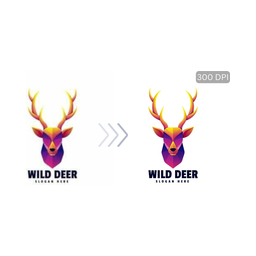
 lets enhance.IO
LetsEnhance.io is an AI-driven image enhancement and amplification platform that provides full-link image quality improvement functions such as super-resolution amplification (up to 16x/512MP), AI deblurring JPEG artifact removal, old photo restoration, facial enhancement, etc., and supports one-click processing and API integration on the web.
LetsEnhance.io
Core parameters and statistics of LetsEnhance.io
LetsEnhance.io is positioned as an "AI image enhancement as a service" platform, and its core delivery is a set of full-link image quality improvement pipeline covering amplification, repair, and color correction. Its technical base is composed of multiple proprietary neural networks. Different scenes (portraits, product pictures, AI-generated pictures of old photos) trigger different model branches, rather than a single model taking over the world.
| Parameter item | Description |
|---|---|
| Maximum magnification | Up to 16x (paid) / 4x (free trial) |
| Maximum output resolution | Personal package 256 MP, Business package 500 MP (approx. 512 MP limit) |
| Input limits | Maximum 64 MP or 50 MB single |
| Input format | JPG, PNG, WebP, HEIC |
| Core AI capabilities | Super-resolution, deblurring, noise reduction, color enhancement, facial restoration, JPEG artifact removal |
| Enhanced mode | Prime (default), Gentle (fine text), Strong (strong repair), Ultra (highest quality), Old Photo (old photo) |
| Batch processing | Support (Web batch upload + API asynchronous batch) |
| API form | Provide RESTful API through Claid.ai, supporting synchronous/asynchronous + Webhook |
| Storage policy | Processed images are retained for 3-6 months (depending on the package) |
The biggest difference from similar tools (such as Topaz Gigapixel, Remini) is the "fully automatic scene perception" experience: users do not need to select a model or adjust parameters. After uploading, AI automatically detects blur type, noise level, and resolution gap to match the optimal processing strategy. For non-professional users who don't want to spend time studying parameters, this "upload and process" design reduces the processing time of a single image to seconds, which is far lower than the manual parameter adjustment process of traditional desktop software.
User and market recognition of LetsEnhance.io
Gradually build user awareness in the field, and product capabilities are used by content creators and teams to improve work efficiency. Specific user scale and industry adoption data are subject to the official real-time page.
Cost Advantages of LetsEnhance.io
The cost structure of LetsEnhance.io needs to be examined separately from three dimensions: C-side subscription to B-side API and competitive product benchmarking.
C-side subscription cost: Adopt the "monthly credits quota + automatic rollover of unused quota" mechanism. Personal packages are divided into Starter (100 credits, $9/monthly payment), Pro (300 credits, $24/monthly payment), and Max (500 credits, $34/monthly payment). Compared with Topaz Gigapixel (one-time buyout of about $199, no cloud processing), LetsEnhance has a low monthly payment threshold but a higher total long-term holding cost; compared with Remini (about $6.99-19.99/month), LetsEnhance has a clear advantage in the upper resolution (256-500 MP vs Remini's 4K level). The key hidden cost lies in the credits consumption logic - some advanced operations (such as Ultra mode, facial enhancement, old photo restoration) may consume more than 1 credit at a time, and the actual cost of a single photo needs to be converted according to the task type.
B-side API cost: Billed by credit through Claid.ai, new registered users will receive 50 credits for testing. The unit price of credits varies depending on the usage tier. The larger the batch size, the lower the cost of a single credit. Compared with the billing model based on the number of API calls directly connected to Google Cloud Vision or AWS Rekognition, LetsEnhance's credit system is more suitable for "single image multi-operation overlay" (such as JPEG artifact removal + enlargement + facial enhancement at the same time). Completing multiple operations with one call will not consume credits exponentially.
Hidden efficiency gains: After the e-commerce team uses the batch enhancement function, the post-processing time of a single product image is reduced from an average of 3-5 minutes (manual Photoshop) to 10-20 seconds (AI automatic processing). Based on an average of 100 images per day, a full-time art position can release about 70% of the workload for creativity and product selection instead of repeated image editing.
Main features of LetsEnhance.io
The functional system of LetsEnhance.io revolves around "image repair-enlargement-output", and there are obvious synergies between the core function points:
-
AI Super-Resolution Upscaler: Provides five modes: Prime (default universal), Gentle (preserve text edges), Strong (strong noise reduction + facial enhancement), Ultra (highest detail preservation), and Old Photo (special for old photos). Output resolution is up to 512 MP, which is sufficient for large-format printing (60×40-inch poster output at 300 DPI). Expert Viewpoint: The five modes are not simple "strength" differences, but independent model branches for different degradation types - Ultra focuses on texture reconstruction, and Gentle focuses on edge preservation. The output styles of the two are significantly different and need to be matched according to the material type.
-
AI Enhancer and Artifact Removal: The core solves the "blocking" block effect and "mosquito noise" caused by JPEG compression. Supports three levels of intensity: moderate / strong / auto, and can be executed in series with the amplification operation in the same pipeline. Expert opinion: Artifact removal and amplification performed in series are more effective than two separate steps, because AI can simultaneously reconstruct high-frequency textures destroyed by compression during the amplification process, avoiding the secondary degradation of "amplifying defects first and then repairing them".
-
Old Photo Restoration: Scratch removal, noise removal, and colorization functions for scanning old photos. A dedicated Old Photo model will be launched in June 2025, with targeted optimization in black and white photo coloring and crack repair. Expert opinion: Old photo repair plus facial enhancement (Enhance Faces) option can significantly improve the quality of portrait repair. This is an important scenario where the two functions work together - first repair cracks and then reconstruct facial details. The order cannot be reversed.
-
Face Enhancer: A specialized face reconstruction model, suitable for restoring details of blurred faces in portraits and group photos. The official Super Zoom vs Prime comparison evaluation released in March 2026 shows that it is better than Photoshop Super Zoom in restoring facial details.
-
Chat Editor and AI image generation: A natural language image editing function to be launched between 2024 and 2025. Users can directly modify enhanced images through text commands (such as "Make the sky bluer" and "Remove people in the background") without manual selection or masking. Text-to-Image generation is also supported. Expert View: Chat Editor compresses the enhancement process from the five steps of "upload→process→download→secondary editing" to the three steps of "upload→conversation→download", which addresses the pain points of cross-software switching for e-commerce and social media operators.
-
Image to Video / Video Upscaler: A new horizontal capability added in 2025-2026, allowing the enhanced static images to be converted into short videos (suitable for social media placement), and the video quality to be improved independently. Although it is still not the core scene, it completes the material expansion link of "picture → video".
LetsEnhance.io model and version evolution
The version evolution of LetsEnhance.io can be divided into three stages, reflecting the transformation path of an AI image tool from a single magnification function to a full-link image platform.
Phase 1 (2017-2020): Single point magnification tool
- 2017: Product launched, only providing basic AI super-resolution upscaling function.
- April 2020: Platform V2 was released, with a complete UI rewrite, introducing batch uploads, printing presets, and industry-specific color presets (such as Real Estate HDR). This is the watershed for products from "tools" to "platforms".
Phase 2 (2020-2024): Capability Matrix Expansion
- July 2020: Smart Enhance network is launched, specifically for compressed thumbnail recovery of user-generated content (UGC) scenes.
- October 2020: Digital Art algorithm (Beta), adapted to non-realistic materials such as illustrations, logos, and oil paintings.
- February 2022: Light AI & HDR network, adding automatic color correction and light and shadow adjustment capabilities.
- April 2022: Smart Resize network, designed for images with text (posters, screenshots, etc.).
- July 2022: A dedicated network for portrait enlargement is launched, and the facial reconstruction effect is significantly improved.
- December 2022: AI Text-to-Image generation and NSFW filters go live.
- January 2023: HEIC format support; March WebP format support; September CMYK conversion support (printing scenario).
- September 2023: Text-to-Image model upgraded with significantly improved quality and resolution.
Phase 3 (2024-2026): Multimodality and Specialization
- January 2025: Ultra upscaler released, targeting the highest quality upscaling, emphasizing detailed reconstruction over speed.
- April 2025: Strong upscaler released, strong restoration for small images below 2.5 MP, including facial enhancement options.
- June 2025: Old Photo upscaler released, dedicated to old photo restoration + colorization.
- February 2026: LetsEnhance.io v3 (current version), integrating AI color correction, old photo restoration, and batch processing performance optimization. Added Prime mode as the default enhancement option, replacing the old universal model.
- April 2026: The official blog released a comparison of Prime vs Photoshop Super Zoom, claiming to be superior to the Adobe solution in reconstructing facial details.
The overall evolution logic is clear: from single zoom → multi-scene model branch → multi-modal (picture → video) → conversational editing. Each new model is not a simple iteration, but an independent network targeting a specific degradation type (JPEG artifacts in old photos, low illumination, blurred faces).
Technical advantages of LetsEnhance.io
LetsEnhance.io's technical route selection reflects the idea of "training dedicated models for different degradation types" rather than "one large model takes all".
Scene-aware model routing: After uploading the image, the system automatically analyzes the degradation characteristics of the image (blur type/noise distribution/resolution gap/color shift) and dynamically routes to the most suitable model branch. This "diagnose first and then treat" architecture avoids the degraded performance of the universal magnification model in specific scenes (such as artifacts in AI-generated images of cracks in old photos, JPEG block effects). Reflected in the user experience, it is the officially promoted "AI enhancement that doesn't look AI" - the over-smooth plastic feel is the most mentioned pain point of competing products, and scene-aware routing is the core design to combat this pain point.
Multi-model overlay pipeline: A single processing request can concatenate multiple AI operations (such as removing artifacts first → then enlarging → then facial enhancement → finally color correction), and the output quality after concatenation is better than each operation being executed independently and then superimposed. This is because the intermediate feature map avoids the information loss of repeated encoding and decoding when it is passed within the pipeline. The significance of this pipelined architecture to e-commerce batch processing scenarios is that after a product image taken by a mobile phone has gone through a complete pipeline (denoising + amplification + color correction), it can be directly used for print-level output without manual intervention.
Asynchronous batch processing architecture: The API side supports asynchronous + Webhook callback mode, which is suitable for high throughput scenarios. Officials claim that a single processing is completed in seconds, but the specific delay depends on the image size and operation combination. For an e-commerce platform with an average of 10,000 pictures per day, the asynchronous architecture means there is no need to block and wait for each picture, significantly reducing integration delays.
Engineering Advantages: Cloud-based SaaS delivery does not require users to deploy models locally and can be used out of the box. Model updates (such as the 2025 Ultra/Strong/Old Photo triple burst) take effect immediately for all users, without the desktop software-style version fragmentation problem. This is especially critical for enterprise customers who need unified output standards - a 50-person design team always uses the same version of the model, avoiding output inconsistencies caused by "some people upgrade and others don't upgrade" local software.
Adaptation Boundary: LetsEnhance.io is best at medium-complexity single-subject images (AI-generated images of portraits, product images, and landscape photos). Scenarios it is least good at include: dense multi-text posters (Gentle mode can alleviate this but is not perfect), extremely low-resolution faces (16x magnified faces may produce "illusion" details), and brand materials that require precise color matching (AI color correction may deviate from brand color standards).
LetsEnhance.io How to use
LetsEnhance.io provides three usage paths, covering users with different technical backgrounds and usage needs:
Web client (main entrance): Visit letsenhance.io, register and get 10 free credits. The usage process is: Upload image → Select enhancement type (Enhance/Upscale/Sharpen/Restore) → Select mode (Prime/Gentle/Strong/Ultra/Old Photo) → Process → Download. Supports batch upload (paid package), processing up to 20 pictures at the same time. Images are retained in the cloud for 3-6 months after processing (depending on plan). No need to install any software, the browser can complete the entire process.
API side (via Claid.ai): For developers and enterprises. Register with Claid.ai to get an API Key and receive 50 credits for testing. Supports RESTful API, with endpoints covering enhancer, upscaler, background removal, image-to-video, etc. Typical calling process:
import requests

API_KEY = "<YOUR_CLAIAD_API_KEY>"
url = "https://api.claid.ai/v1/enhance"

payload = {
    "image_url": "https://example.com/input.jpg",
    "operations": [
        {"type": "decompress", "params": {"strength": "auto"}},
        {"type": "upscale", "params": {"scale": 4, "model": "prime"}},
        {"type": "enhance_faces"}
    ]
}

headers = {"Authorization": f"Bearer {API_KEY}"}
response = requests.post(url, json=payload)
Supports two modes: synchronous request and asynchronous + Webhook. Asynchronous is recommended in large file or batch scenarios to reduce the risk of timeout. Full API documentation is located in the Claid.ai Developer Portal, covering the SDK (Python/Node.js) and endpoint reference.
Chat Editor (conversational editing): The built-in AI chat editor on the Web. After uploading the image, you can describe the modification requirements (such as "increase the contrast, make the grass greener") through natural language, and the AI will understand the intention and perform the corresponding operation. Ideal for operations and marketing staff who are unfamiliar with professional image processing terminology.
LetsEnhance.io Product Pricing
LetsEnhance.io uses a credit system for billing, 1 credit = 1 standard image processing (complex operations may consume more credits). The personal package is subscribed monthly and supports annual payment (enjoying approximately 25% discount) and monthly payment cycles:
| Package | Monthly credits | Monthly payment price | Annual payment price | Maximum output | Core differences |
|---|---|---|---|---|---|
| Free | 10 (one-time use) | $0 | $0 | 8 MP | Watermarked |
| Starter | 100 | $12/month | $9/month | 256 MP | No watermark, basic functions |
| Pro | 300 | $32/month | $24/month | 350 MP | High priority processing |
| Max | 500 | $45/month | $34/month | 512 MP | Full functionality + maximum output |
| Business 1000 | 1000 | Custom | Custom | 500 MP | No credits Rollover |
| Business 2500 | 2500 | Custom | Custom | 500 MP | Dedicated SLA |
| Business 5000 | 5000 | Custom | Custom | 500 MP | Dedicated SLA |
Key Billing Rules:
- Unused credits can be rolled over to the next month. Personal packages (100/300/500) can accumulate up to 6 monthly quotas at most; commercial packages (1000/2500/5000) do not support rollover.
- Support credit card PayPal, Google Pay, Apple Pay payment.
- The images processed in the free version are watermarked, and you can re-download the non-watermarked version after paying for the upgrade.
- Pay-as-you-go add-on packages can be used to supplement needs beyond the package limit.
- Requests that exceed the resolution of the package are directly rejected instead of being charged based on the amount, and the upper limit is clear.
API Pricing: Billed independently through Claid.ai, not interoperable with Web plans. 50 credits free test, subsequent quotations are based on usage tiers, you need to contact sales to obtain the Qixin price.
Reference for price comparison with competing products: Topaz Gigapixel is $199 one-time (local processing, no ongoing payment), suitable for heavy local users; Remini $6.99-19.99/month (mobile first, up to 4K); LetsEnhance’s monthly fee is between the two but has the highest resolution limit (512 MP), which is suitable for printing and printing scenarios that require large-format output.
Application scenarios of LetsEnhance.io
The scenarios covered by LetsEnhance.io span three levels: personal, business and developer. The depth of adaptation and hidden costs are broken down one by one below:
-
Batch standardization of e-commerce product images: E-commerce teams (especially Amazon/Etsy sellers) use LetsEnhance.io to batch enhance low-resolution product images taken with mobile phones or provided by suppliers, and uniformly output the platform required specifications above 2048×2048 px. Cost reduction and efficiency increase deduction: A store operating 500 SKUs launches 20 new products every week and takes 5 pictures for each product. After using batch enhancement, it can save about 4-6 hours/week of picture editing time. Hidden Cost: The fine text on the product pictures (such as the ingredient list on the packaging box) may be deformed after enhancement. You need to turn on the Gentle mode and review it one by one - this part of the time needs to be included in the actual working hours.
-
Post-processing pipeline for AI-generated images: The images output by Midjourney / Stable Diffusion / DALL-E generally suffer from edge artifacts, over-smoothing, and insufficient resolution (usually only 1024×1024). LetsEnhance’s AI Art Upscaler works with Prime or Ultra mode to upscale output to 4K/8K for print or commercial use. Expert View: This is a typical scenario where LetsEnhance and Midjourney form a complementary relationship - the generation tool is responsible for creative divergence, LetsEnhance is responsible for quality standards, and the two in series can realize a fully automated pipeline "from prompt to printed matter".
-
Print-on-Demand: In scenarios such as T-shirt printing, canvas printing, and mobile phone case customization, the images uploaded by customers often have insufficient resolution. LetsEnhance's printer presets (with DPI settings and CMYK conversion) can upscale 72 DPI screens to the 300 DPI printing standard. Cost reduction and efficiency improvement deduction: For a POD merchant that handles an average of 200 orders per day, after using API automation enhancement, the manual review and chargeback rate can be reduced by about 40-60%. Human-machine collaboration boundary: For printing orders involving high-risk content such as brand trademarks and portrait rights, it is recommended to set up a manual confirmation point (Human-in-the-loop). After AI enhancement, the details will be manually verified before entering production.
-
Old Photo Digital Repair: Home users scan old photos and use Old Photo mode to repair scratches and cracks and automatically color them. Applicable Boundary: For severely damaged photos (large areas missing, completely faded), the AI repair results may contain "illusions" (such as reconstructing non-existent facial features), and it is recommended to combine them with manual review.
-
Unify the tone of real estate photography: Real estate agents use Real Estate HDR presets to batch process indoor photos to unify exposure and color styles to enhance the professional feel of the listing page. A single broker saves approximately 2-3 hours of post-processing time per week.
-
Social media UGC content quality improvement: Social platforms/UGC markets use Claid.ai API to automatically enhance avatars and post images uploaded by users, automatically remove low-light noise and JPEG compression artifacts, and ensure a unified visual texture on the platform. Zepto 和 Caranty 是此场景的知名企业用例。
Who is LetsEnhance.io suitable for?
Most suitable for the crowd:
- E-commerce operation and DTC brand team: For non-designer groups who need to batch process product images and unify the visual style of the store, LetsEnhance's "one-click processing" feature can reduce the threshold for image editing to zero.推估单店月费 ROI:使用 Pro 套餐($24/月)替代 0.5 个美工岗位,年节省约 $18,000-24,000。
- Print-on-Demand Sellers: In the face of low-quality materials uploaded by customers, API automatic enhancement can significantly reduce return orders and manual modifications, which is suitable for an average daily order size of 50+.
- AI 艺术创作者与数字艺术家:需要将 Midjourney/Stable Diffusion 输出提升到印刷可用质量的群体。 LetsEnhance 的 AI Art Upscaler 比通用放大模型在艺术纹理保持上表现更好。
- 地产摄影师与中介:对批量处理室内照片有刚性需求,Real Estate HDR 预设针对此场景做了调色优化。
- 业余摄影爱好者与家庭用户:需要修复老照片、提升旅行照片质量,但不愿学习 Photoshop 的用户。免费版 10 credits 足够体验,年付 $108 的 Starter 套餐可作为入门成本。
Not applicable/Those who need to be cautious:
- Professional printing plants and companies with strict color management: AI color correction may deviate from Pantone or brand color standards. For scenes that require extremely high color accuracy, it is recommended to use professional color correction software instead of AI enhancement.
- Security-sensitive industries that require local offline processing: LetsEnhance is purely cloud-delivered, and images need to be uploaded to its server for processing. Industries such as finance, medical care, and military industry that have strict controls on data exports need to assess compliance risks. Currently, there is no official privatization deployment plan.
- Enterprises with extremely large batches (average daily 10,000+ pieces): Although the API supports asynchronous batches, the credit cost may be higher than the self-built model inference solution under extremely large usage. It is recommended to evaluate the TCO comparison of self-deployed open source models (such as Real-ESRGAN) at the average daily level of 10,000.
- Graphic designers who need precise control of each pixel: AI enhancement is essentially a "probabilistic reconstruction" that cannot guarantee pixel-level consistency and is not suitable for scenarios that require precise output (such as font design and UI cutting).
Summary and Outlook of LetsEnhance.io
LetsEnhance.io's core competitiveness lies in the trinity experience design of "scene-aware model routing + multi-operation pipeline execution + cloud ready-to-use", which transforms AI image enhancement from a desktop software that requires professional knowledge to a one-click cloud service that anyone can get started with. A clear differentiation from Topaz Gigapixel’s local buyout model and Remini’s mobile-first positioning. Its product evolution route (from single amplification to multi-modal editing) shows that the team is relatively mature in productization capabilities.
The current main limitations are: first, the processing of high-complexity scenes such as dense text and group photos is still unstable; second, data privacy and offline availability are limited under the cloud delivery model; third, the Credits billing system has a high single cost for low-frequency users (10-30 photos per month).
Acquisition/Adoption Risk Assessment: For individual users and small teams (1-10 people), the ROI of an annual Starter or Pro plan is significantly higher than purchasing a Photoshop subscription ($22.99/mo) just for image enhancement. For medium and large enterprises (50+ people), it is recommended to first complete the PoC verification through the Claid.ai API, focusing on evaluating: ① API latency performance during peak hours; ② Color deviation of the output resolution in brand color scenarios; ③ Whether the data privacy terms meet corporate compliance requirements (officially uses Stripe to process payments, but the specific compliance certification of image data storage and processing is subject to the latest official terms). Follow-up evolution directions worthy of attention include: the maturity improvement of video enhancement capabilities, Chat Editor’s optimization of understanding non-English commands, and the launch of high-availability SLA and privatized deployment solutions for enterprises.
Related tools:  Midjourney, stable-diffusion
How to use LetsEnhance.io
- Web client: You can use it by visiting the official website and registering an account. Most functions do not require installation.
- API Access: Provides RESTful API, developers can obtain the API Key and integrate it into their own applications.
Version Info
- LetsEnhance.io v3 :Integrate Prime's default enhancement mode, add AI color correction and old photo upscaler, optimize batch processing performance, and chat editor conversational editing is online.
- Ultra & Old Photo Updates :Newly added Ultra upscaler (highest quality enlargement), Strong upscaler (small image restoration + facial enhancement), Old Photo upscaler (old photo restoration and coloring). API adds CMYK conversion support.
- LetsEnhance.io v2 :Platform V2 has been completely rewritten, introducing batch uploads, printing presets, industry color presets (Real Estate HDR), and a new UI. Products transform from point tools to platforms.
- LetsEnhance.io v1 :The product is launched, providing basic AI super-resolution amplification function. There is no official precise date yet.
User Reviews