 Litify
Litify is a legal practice management platform built on the Salesforce platform that integrates CRM, case management, billing and analytics into a unified operating system designed for mid-sized to large law firms.
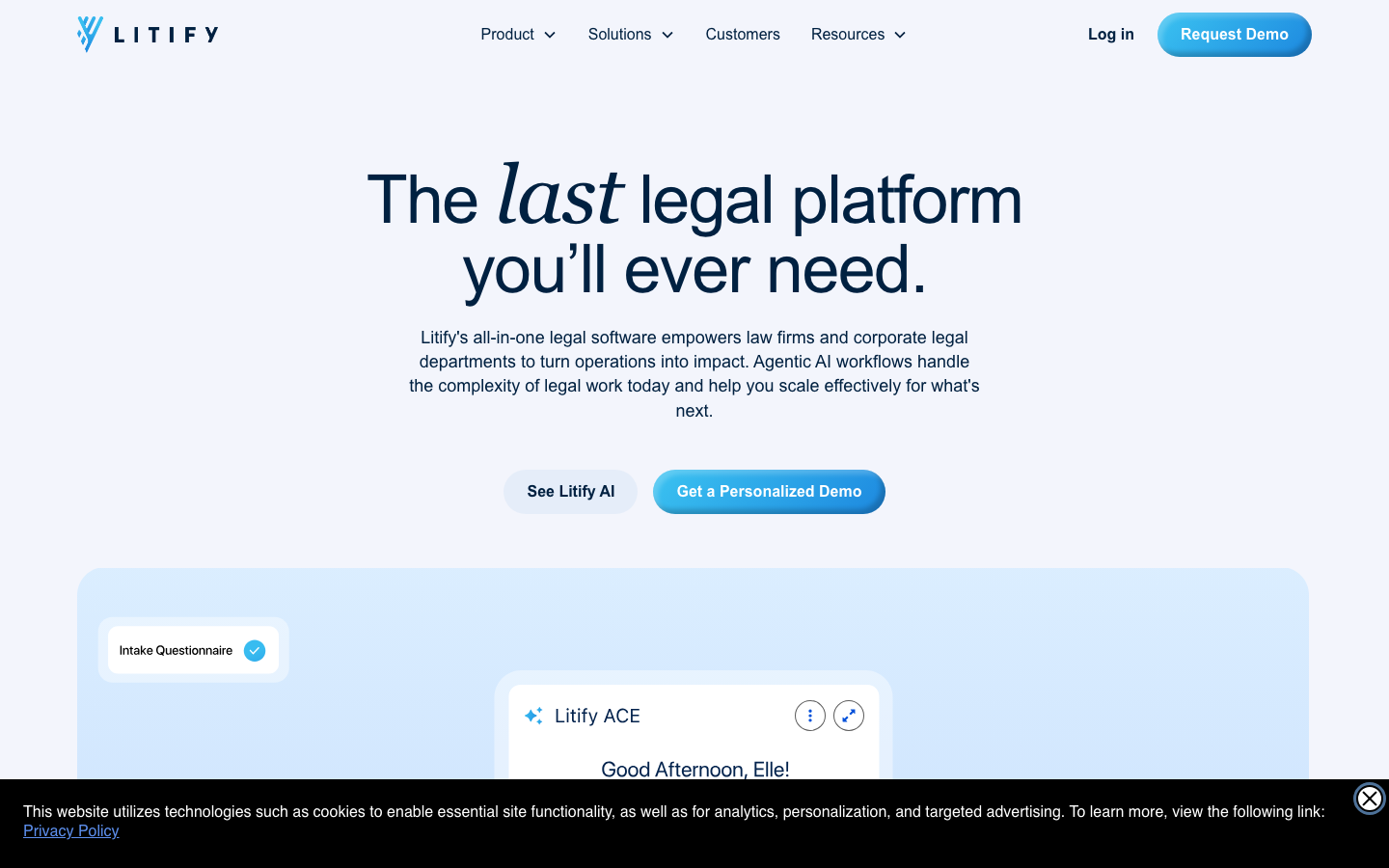
Litify
Core parameters and statistics
Litify's platform architecture is unique in the industry - it does not build an independent underlying system, but is built natively on the Salesforce platform, making full use of Salesforce's CRM, automation engine, report analysis and security compliance capabilities. This architecture gives it natural enterprise-level data management capabilities and high customizability, making it suitable for medium-sized to large law firms and legal teams that require complex cross-department collaboration.
| Parameter Dimensions | Litify Indicators |
|---|---|
| Underlying platform | Salesforce (Force.com + Einstein + Data Cloud) |
| Target customer size | Law firms with more than 50 people, corporate legal departments, government legal agencies |
| Number of clients served | 200+ Law firms and corporate legal departments |
| Number of cases managed | 1 million+ |
| Security Compliance | SOC 2 Type II, HIPAA (configurable), GDPR |
| AI Engine Base | Anthropic Claude (via AWS Bedrock) + Salesforce Einstein |
| Core modules | Intake, Matter, Document, Time & Billing, Spend, Reporting |
| Mobile support | iOS + Android (Salesforce Mobile) |
| Integration Ecosystem | 50+ pre-built integrations (DocuSign, QuickBooks, RingCentral, etc.) |
| Implementation cycle | 2-4 months (standard deployment) |
| Supported practice areas | Personal injury, insurance defense, immigration law, corporate legal affairs, general litigation, etc. 15+ areas |
Architecture Interpretation: Litify is not a legal SaaS application in the traditional sense, but a two-tier architecture of "legal industry-specific solution layer + Salesforce universal base". This means that its scalability and enterprise integration capabilities are far greater than similar standalone products (such as Clio, MyCase), but it also brings higher licensing costs and implementation complexity. The Litify AI module (ACE agent) is completely natively embedded in Salesforce and does not rely on third-party API transfer. Data is inferred within the Salesforce security boundary. This is the key difference between it and bolt-on AI tools.
User and market recognition
Litify serves more than 200 enterprise-level customers, covering personal injury, insurance defense, immigration law, corporate legal affairs and other fields, and the platform manages more than 1 million cases. Officially announced customers include:
- EllisDon (Construction Giant Legal Department): Reduce report generation time by 100%
- Cesar Ornelas Injury Law (personal injury law firm): Double the efficiency of case management through AI agents
- Quintairos, Prieto, Wood & Boyer (National law firm): Unified case management across multiple offices
- AmTrust Financial (Insurance Finance): Use performance data to optimize lawyer selection and case allocation
- USPS (United States Postal Service): Digitizing Corporate Legal Affairs
- Erickson Immigration Group (Immigration Law Firm): Automated management of high caseloads
Litify has received positive reviews on G2 and Capterra. Keywords focused on user feedback include: "Extremely strong reporting and dashboard capabilities", "Rich organizational tools and integrations", "AI features that significantly save time", and "customer success team support in place". According to official figures, more than 70,000 legal professionals use the Litify platform. Negative feedback mainly focused on: the long implementation cycle (2-4 months), the steep learning curve of the Salesforce platform itself, and the need for professional administrators to maintain advanced features (such as custom Flow).
Market Positioning: Litify’s direct competitors in the legal practice management market include Clio (low-end), Aderant (high-end), Thomson Reuters Elite (high-end), and PracticePanther (small- and medium-sized). The core differentiation of the Litify + Salesforce combination is that it can not only meet the business needs of law firms, but also seamlessly integrate with the company's existing Salesforce CRM, ERP, and HR systems to form a unified cross-department data platform. This is particularly a competitive advantage in corporate legal scenarios.
Cost advantage
Litify does not disclose a standard pricing list, and fees vary widely based on organization size and Salesforce licensing tier. The following is a breakdown of the cost structure based on industry research:
| Cost Components | Estimate Range (per user/month) | Description |
|---|---|---|
| Salesforce license (Enterprise or Unlimited) | USD 150-300 | At official Salesforce price; Litify requires Salesforce Enterprise or above |
| Litify Platform License | USD 100-200 | Contains core modules (Intake, Matter, Document, Billing, Reporting) |
| Litify AI add-on module (ACE agent) | Undisclosed | Separate quotation based on law firm caseload or number of users |
| Implementation and migration services | USD 50,000-150,000 (one-time) | Including data migration, workflow configuration, user training |
| Annual maintenance and support | Typically included in license fee | Enterprise customers receive dedicated CSM |
Comprehensive cost deduction:
- 50-person law firm: approximately USD 12,500-25,000/month (license), plus one-time implementation of USD 50,000+
- 200-person law firm: approximately USD 50,000-100,000/month (license), plus one-time implementation of USD 100,000+
- Corporate Legal Department (500+ users): Pricing based on Annual Enterprise Agreement (EA), usually with volume discounts
Cost comparison of Litify vs competing products (per user/month, including basic modules)
| Product | Cost per user/month | AI add-on | Implementation cycle | Applicable scale |
|---|---|---|---|---|
| Litify + Salesforce | USD 250-500 | Individual quote | 2-4 months | 50-5000+ people |
| Clio Manage + Grow | USD 39-99 | USD 49+/month (Clio AI) | 1-4 weeks | 1-50 people |
| MyCase | USD 49-79 | Limited | 1-2 weeks | 1-30 people |
| PracticePanther | USD 49-89 | Limited | 1-2 weeks | 1-50 people |
| Aderant Expert | USD 200-400+ | Partial | 3-6 months | 200+ people |
| Thomson Reuters Elite | USD 300-600+ | By Western Legal | 6-12 months | 500+ people |
Cost Conclusion: Litify's total cost of ownership (TCO) is significantly higher than small and medium-sized solutions such as Clio/MyCase/PracticePanther, but is price competitive at the high end of the market (Aderant, Elite). The real hidden cost is not the per-user monthly fee, but the labor cost of maintaining the Salesforce ecosystem - typically requiring at least 1 Salesforce administrator (annual salary USD 80,000-120,000) to maintain the platform's custom configurations and workflows.
Main functions
1. Unify CRM and case management (from customer acquisition to case closure)
- Dynamic Case Acceptance Questionnaire: Question branches can be automatically adjusted according to the type of case, guiding potential customers to complete information submission, and the system will automatically score and assign them to the corresponding team.
- Conflict of Interest Check: The AI-driven Conflict Check Agent automatically scans the current and historical party database and returns a conflict report in seconds.
- Case planning and stage management: Built-in 15+ practice area templates (personal injury, insurance defense, immigration, corporate legal affairs, etc.), automatically generates milestone task lists, and supports drag-and-drop stage adjustment.
- Legal Service Request Portal: Internal employees can submit legal service requests through the Salesforce portal, automatically create cases and associate relevant business records.
Expert View: Litify’s CRM + case management are not two independent modules, but share the same Salesforce data model. This means that the full-link data of "marketing investment → lead conversion → case creation → billing records" can achieve attribution analysis without ETL - lawyers can clearly see which marketing activity a case comes from and what the customer acquisition cost is for each channel. This is nearly impossible to achieve in standalone legal SaaS as they often use different CRM and PMS systems and data needs to be exported/imported manually.
2. Workflow automation (codeless business rules engine)
- Salesforce Flow integration: Visual drag-and-drop editor, supporting conditional branching, looping, sub-process, and schedule triggering.
- Preset legal automation template: automatic document generation (based on template + case data filling), approval flow, time expiration reminder, batch notification push.
- AI Agent Task Orchestration: Litify ACE can independently execute multi-step task chains in the background, such as: receiving new cases → automatic conflict of interest checks → creating case folders → assigning lawyers → sending welcome emails → setting billing rules.
Expert View: Litify offers far more automation depth and flexibility than Clio Automations and MyCase Workflows. Because Salesforce Flow is an industrial-grade automation engine proven by Fortune 500 companies, it supports transaction rollback, error handling, and version management. But "flexibility" is also a double-edged sword - Flow's configuration is highly complex, and ordinary legal operations staff require 2-4 weeks of training to independently create complex workflows.
3. Billing and accounting (native financial engine)
- Multi-mode billing: hour meter (supports write-down and mark-up), fixed fee, contingency fee, mixed mode, supports automatic billing rules.
- AI Time Capture: Cooperates with Billables.ai to automatically identify lawyers' calendar events, emails, and document editing activities, generate compliant timing entries, and see the real-time rate (realization rate).
- LEDES Electronic Bill: Natively supports LEDES 98B/2000 format, generates electronic bills for insurance defense and corporate customers with one click.
- Trust Account Management: Automatically track IOLTA account balances and support trust accounting and reconciliation reporting.
Expert View: "AI Time Capture" is the feature with the highest hidden value in Litify's billing module. According to industry data, attorneys miss an average of 30-60 minutes of available billable time per day. After AI automatically captures and generates timing drafts, lawyers only need to review and confirm them, which is estimated to improve billing efficiency by 10-20%. For a 100-person firm, this equates to an increase in billable revenue of USD 500,000-1,500,000 per year (at a rate of USD 300-500/hour).
4. Intelligent document management (template + AI generation + collaboration)
- LitifyAI Draft & Ask: A document drafting assistant based on Anthropic Claude that supports automatic generation of legal documents from case data and also supports natural language question and answer ("When is the statute of limitations of this case?").
- Document Template Engine: Linked with Salesforce field level to support batch generation of personalized documents (such as employment agreements that automatically fill in customer information).
- Advanced PDF Editing: Annotate, merge, and split PDFs directly without leaving Salesforce.
- Mail Integration: Documents can be sent via Outlook or Gmail with one click and automatically archived to case records after sending.
Expert View: The core difference between LitifyAI Draft and other legal AI (such as Harvey and CoCounsel) is the "depth of context" - because the AI directly accesses the complete case records in Salesforce (party information, event timeline, billing history, communication records), the generated documents do not require users to manually paste context. Standalone AI tools such as Harvey require lawyers to manually upload case materials, and the context window size is limited to a single upload.
5. Expenditure management and invoice review (AI-driven cost control)
- AI-Powered Invoice Review: Automatically review external lawyer/supplier invoices and flag discrepancies (timeouts, rate overruns, double billing).
- Co-counsel recommendation: Recommend co-counsel based on historical performance data to optimize case resource allocation.
- Dynamic Discounts: Work with insurance companies like AmTrust to automatically adjust attorney rate discounts based on performance metrics.
6. Reporting and Business Intelligence (Einstein Analytics + Tableau)
- Personalized Dashboard: Each user can customize his or her own case, financial, and performance dashboard.
- Fully configurable reports: Any field supports dragging and dropping to generate reports, no SQL required.
- Live Data: Data link latency from case event to dashboard presentation < 5 seconds (based on Salesforce Live Data Pipeline).
Model and version evolution
Litify's release iterations are closely aligned with its features on the Salesforce platform, with each major release aligned with Salesforce's quarterly release cycle (Spring, Summer, Winter).
| Version | Name | Release Date | Core Changes |
|---|---|---|---|
| 2026.2 | Litify Spring '26 | ~2026-04 | Added ACE agent suite (Intake Agent, Treatment Plan Agent, Policy Agent); LitifyAI Draft & Ask officially GA; Agentforce integration |
| 2026.1 | Litify Winter '26 | ~2025-12 | AI Time Capture integrated with Billables.ai; spend management module enhancements; Enhanced Security upgrade |
| 2025.3 | Litify Winter '25 | ~2025-11 | Enhanced Salesforce Data Cloud integration; automated workflow engine upgrade; major version reconstruction of the document management system |
| 2025.2 | Litify Summer '25 | ~2025-06 | Litify AI preview version released; Einstein Analytics deep integration; mobile experience overhaul |
| 2025.1 | Litify Spring '25 | ~2025-03 | The first version to support Einstein GPT; the intelligent case receiving module is online; API gateway upgrade |
| 2024.x | Litify 2024 series | ~2024 full year | Salesforce native architecture stable period; cumulative release of 100+ feature updates; SOC 2 Type II certification |
| 2023.x | Litify 2023 series | ~2023 full year | Platform basic module completed; CRM + case management + billing core functions finalized; AI capability pre-research started |
Version Strategy Interpretation: Litify adopts a dual-rhythm release strategy of "stability at the platform layer + high-frequency iteration at the functional layer". The platform layer (Salesforce base) follows Salesforce's quarterly updates to ensure security and stability; the application layer (Litify module) supports monthly or bimonthly feature releases. AI-related functions will be implemented at an accelerated pace starting in 2025. From the initial Einstein GPT integration to the ACE full agent suite in 2026, AI has become the core driving force for Litify's differentiated competition.
Technical advantages
Architecture: dual-layer native, not "splicing"
┌──────────────────────────────────────────────────────┐
│ Litify Application Layer (Legal Exclusive) │
│ Intake │ Matter │ Document │ Time&Billing │ Spend │
│ Reporting │ LitifyAI │ ACE Agents │ Agentforce │
├───────────────────────────────────────────────────────┤
│ Salesforce Platform Layer (Universal Base) │
│ CRM │ Flow │ Einstein AI │ Data Cloud │ Security │
│ AppExchange Marketplace │ Mobile SDK │ API Gateway │
├───────────────────────────────────────────────────────┤
│ AWS Bedrock / Anthropic Claude (AI inference layer) │
└───────────────────────────────────────────────────────┘
Why "native embedding" is better than "API call":
- Zero Data Migration: AI inference is completed directly within the Salesforce data domain, without the need to upload case documents to a third-party AI platform, eliminating the risk of data leakage and data transmission delays.
- Complete context: Traditional legal AI tools can only pass in limited context (usually a few documents) when called through APIs, while LitifyAI can access the entire case record (parties, communications, billing, documents, event timeline), generating results that are more accurate and relevant.
- Consistent permissions: The document and data range seen by the user fully inherits Salesforce's role/permission model (RBAC), and there is no need to separately configure the access control of the AI application.
AI Architecture: Multi-Agent Collaboration (ACE)
Litify ACE (Agentic Case Expert) is not a single AI function, but a multi-agent orchestration framework:
- Intake Agent: Automatically accept cases, conflict check, and sign contracts
- Treatment Plan Agent: Treatment plan tracking and client reminders
- Policy Agent: policy limit analysis
- Record Retrieval Agent: Automatic retrieval of medical records
- Case Value Agent: Dynamic assessment of case value
- Demand Agent: Automatically generate a mediation letter
- Discovery Agent: Automatically drafts challenge responses
- Deposition Prep Agent: analysis of preparation for out-of-court testimony
These agents share the same case data source and can perform tasks serially or in parallel. For example: a new case comes in → Intake Agent completes the case → Automatically triggers Record Retrieval Agent to retrieve medical records → After completion, Case Value Agent generates a value assessment → Demand Agent automatically generates a mediation letter when it is close to the policy limit. The entire process does not require manual intervention, and the legal team only needs to review and confirm at key nodes.
Security compliance (core competitive barriers)
- Infrastructure: Salesforce’s Shield Platform Encryption, Field Audit Trail, Event Monitoring
- AI Security: Data is not used for secondary training of the model (Zero Model Training); inference is completed on the AWS Bedrock private link
- Compliance Certifications: SOC 2 Type II (passed); HIPAA (configurable); GDPR
- Third Party Audit: The Salesforce platform undergoes annual independent third-party security audits
Performance and Reliability
- Platform Availability SLA: 99.9% (consistent with Salesforce Enterprise)
- Data Storage: Unlimited (depending on Salesforce licensing tier)
- Concurrency: Enterprise level (supports 10,000+ concurrent users)
- AI Inference Latency: Typically < 3 seconds (document summarization, Q&A); 5-15 seconds for complex document generation
How to use
Litify is a pure SaaS product and does not offer on-premises or self-hosted options. The usage path is divided into the following stages:
Overview of usage process
| Phases | Time estimates | Key activities |
|---|---|---|
| 1. Needs Assessment and Demo | 1-2 weeks | Confirm practice areas, number of users, integration requirements AI requirements with Litify sales team |
| 2. Salesforce License Purchase | 1-2 weeks | Determine Salesforce Enterprise/Unlimited edition; purchase add-ons |
| 3. Implementation and configuration | 2-4 months | Data migration, workflow configuration, template creation, user training AI module configuration |
| 4. Trial operation and adjustment | 2-4 weeks | Small-scale UAT, Feedback collection, process optimization |
| 5. Fully online | Continuous | Rolling promotion to all institutions; Litify CSM continued support |
Core user roles and operation methods
- Lawyer/Partner: Mainly uses case overview dashboard, time entry, document drafting (LitifyAI Draft), and email integration; the most commonly used mobile functions are time capture and case status query.
- Legal Assistant/Case Manager: Mainly uses the case receiving module, case plan execution, document template generation, file archiving and report export; is the most in-depth daily user of the system.
- Finance/Billing Team: Mainly uses the billing module LEDES bill generation, trust account management, and expenditure review; needs to monitor AR and realization rate through Litify reports.
- Managing Partner/Director of Operations: Mainly uses the Einstein Analytics dashboard to monitor KPIs such as caseload, revenue trends, lawyer performance, client acquisition costs, etc.
- Salesforce Administrator (optional but recommended): Responsible for maintaining custom field Flow automation, report templates, user permissions, and data import and export.
Mobile use
Litify provides mobile access using the Salesforce Mobile App, available on both iOS and Android. The functions of the mobile terminal cover: case list and search, time entry, document preview, approval operation, and notification push. In-depth configuration and report creation on mobile devices are not supported.
Product Pricing
Litify’s pricing model is a two-tier licensing architecture: Salesforce platform license + Litify app license + optional AI add-on module.
Detailed explanation of price system
| Tier | Monthly fee estimate (per user) | Content included | Applicable scale |
|---|---|---|---|
| Salesforce Enterprise | USD 150-200 | CRM basics, reporting API, Mobile | 50-500 people |
| Salesforce Unlimited | USD 200-300 | Above + unlimited custom Sandbox, Shield | 500+ people |
| Litify Core License | USD 100-200 | Intake, Matter, Document, Time&Billing, Reporting, Basic Automation | All Customers |
| Litify AI Add-on | Undisclosed | ACE Agent Suite LitifyAI Draft & Ask, AI Time Capture | Optional |
| Litify Spend Management | Undisclosed | AI invoice review, co-lawyer recommendation, dynamic discounts | Corporate legal affairs/insurance defense |
Free Trial: Litify offers demos and limited-time PoC (proof of concept) scenarios, but generally does not offer an unconditional free trial. Potential customers can apply for a personalized demo through the official website.
Hidden Costs Note:
- Salesforce administrator labor cost: It is recommended to have at least one full-time Salesforce administrator (annual salary is about USD 80,000-120,000), who is responsible for daily configuration, user training and Flow maintenance.
- Data Migration Cost: Migrating historical case data from old systems (such as Clio, Aderant, Excel) to Litify usually requires professional data migration services, which cost USD 10,000-50,000.
- Change Management Cost: Due to the complexity of the Salesforce platform, user training typically requires a 2-4 week phased training program with a brief drop in productivity during this period.
- AI usage cost: ACE agents are billed based on case volume or number of users. Law firms with high case volume need to evaluate whether AI usage is within the scope of the license.
Total cost of ownership (TCO) comparison of Litify vs competing products (3-year period, 50-person law firm)
| Projects | Litify + Salesforce | Clio | Aderant |
|---|---|---|---|
| License fee (3 years) | USD 450,000-900,000 | USD 70,000-180,000 | USD 360,000-720,000 |
| Implementation and migration (one-time) | USD 50,000-150,000 | USD 5,000-15,000 | USD 100,000-300,000 |
| Salesforce Administrator (3 years) | USD 240,000-360,000 | N/A | Typically requires IT support |
| Training and Change Management | USD 20,000-50,000 | USD 2,000-5,000 | USD 30,000-80,000 |
| Total 3-year TCO | USD 760,000-1,460,000 | USD 77,000-200,000 | USD 490,000-1,100,000 |
Pricing Conclusion: Litify’s investment payback period is typically 12-18 months, and ROI is mainly achieved through: billing efficiency improvements (10-20% realization rate improvement), administrative work automation savings (30-50% automation of legal assistant workload), and single-case revenue increases due to better case value assessment.
Application scenarios
Scenario 1: Personal injury law firm (high case volume, strong process)
Pain Points: Large case volume (average 200+ new cases per month), long case life cycle (12-36 months), involving a large amount of medical record retrieval, insurance communication, and treatment tracking.
Litify Solution:
- Intake Agent automatically accepts cases, checks conflicts, and signs contracts, shortening the case acceptance time from 2-3 days to 2-3 hours
- Treatment Plan Agent automatically tracks customer treatment progress and sends follow-up reminders
- Record Retrieval Agent automatically retrieves medical records, identifies missing records and automatically issues retrieval requests
- Case Value Agent evaluates case value in real time and helps lawyers initiate settlement at the best time
- Demand Agent automatically generates mediation letters when policy limits are approaching
Quantitative income deduction:
- 60% reduction in administrative follow-up work for case managers (from 20 to 8 hours per week)
- Mediation letter drafting time reduced from 4 hours to 15 minutes (94% reduction)
- Average case processing time reduced by 15-20% (from 18 months to 14-15 months)
- The average settlement amount of a single case is increased by 8-12% (through more accurate case value assessment and timing selection)
Scenario 2: Corporate legal department (cross-system integration and compliance control)
Pain Points: Need to interface with the company's CRM, ERP, and HR systems; difficulties in external lawyer management and budget tracking; high compliance reporting requirements.
Litify Solution:
- Salesforce natively integrates with the company’s existing systems (no additional middleware required)
- The Spend Management module automatically reviews external lawyer invoices and flags exceptions
- Legal service request portal allows internal employees to submit legal needs by themselves
- Einstein Analytics provides real-time monitoring of company-wide legal spend, case status and risk exposure
Quantitative income deduction:
- 70% reduction in outside counsel invoice review time (from 40 to 12 hours per month)
- Legal service request response time reduced from 48 hours to 4 hours
- Increased company-wide legal spend transparency to 100% (previously 20-30% of spend typically lacked attribution tracking)
- Reduce risk of annual legal budget overruns by 40-60%
Scenario 3: Insurance defense law firm (high billable hours, strong compliance requirements)
Pain Points: Billing needs to be accurate to 6-minute units, LEDES billing compliance requirements are strict, and customers (insurance companies) require regular audits.
Litify Solution:
- AI Time Capture automatically captures billing activities to eliminate missed records
- Native LEDES 98B/2000 bill generation, no need for third-party conversion tools
- Dynamic discount function automatically adjusts rates based on lawyer performance indicators
- Comprehensive audit trail and event monitoring to meet insurance company compliance reviews
Quantitative income deduction:
- Billable time capture rate increased from 70% to 90%+ (missed records reduced by 67%)
- 80% reduction in billing adjustments/rework (AI audits detect discrepancies in advance)
- Customer audit pass rate increased (from 85% to 95%+)
- LEDES bill processing time reduced from 2 hours to 15 minutes
Scenario 4: Immigration law firm (high caseload, multi-language, strong timeliness)
Pain Points: Wide variety of case types (family, professional, humanitarian, etc.), strict government agency deadlines, and frequent client communication.
Litify Solution:
- Case intake questionnaires and case plan templates customized by case type
- Automatic deadline tracking and advance reminders (BIA appeal deadlines, etc.)
- Document template engine batch generates customer letters and government forms
- Customer portal provides real-time updates on case status, reducing inquiry calls
Quantitative income deduction:
- The risk of missed deadlines is reduced to nearly zero (the system automatically reminds you 3 times)
- 70% reduction in customer status inquiry calls (self-service inquiry through portal)
- Standard form filling time reduced from 30 minutes to 5 minutes
- Case processing volume increased by 25-30% (same team size)
Applicable people
Highly recommended to the crowd
- Medium to Large Law Firms (50+ Lawyers): Firms with standardized case management processes, the need for cross-office collaboration, and a willingness for data-driven management. Litify's high costs can be amortized through scale.
- Corporate Legal Department (10+ legal staff): Enterprises that need to interface with the company's existing systems (Salesforce, SAP, Oracle) and require external lawyer management and budget control.
- Specialized Law Firms with High Case Volume: In the fields of personal injury, insurance defense, immigration, etc., the case volume is large and the process is highly standardized, and the automation benefits of AI agency are the most obvious.
- Pursuing a data-driven management team: Managing partners hope to use data to guide law firm operational decisions (pricing optimization, lawyer performance evaluation, customer acquisition channel ROI analysis, etc.).
Consider the crowd carefully
- Small law firms (1-10 people): Litify’s minimum investment cost (USD 15,000+/year) is too high for small law firms, and products such as Clio, MyCase, and PracticePanther are more cost-effective.
- Solo Practitioner: Not recommended at all. Litify's structure and pricing are designed for enterprise-level teams. Not only is it expensive for individual lawyers to use, but many enterprise-level features are not available.
- Teams that only need a single function: If you only need one function in timekeeping/billing or document management, Litify's full package is too heavy. Consider specialized point tools (e.g. Bill4Time, LEAP, NetDocuments).
- Law firms with low technology adoption: Litify implementations may fail or fall by the wayside if the team is unwilling or incapable of learning Salesforce platform operations and Flow configuration. It is recommended to first assess the digital maturity of your team.
Human-machine collaboration boundary (Type D mandatory analysis)
Litify ACE’s AI agent can be 100% automated (without human intervention) in the following sections:
- Conflict checking, data entry, and preliminary screening scoring during the case receiving stage
- Automatic generation and sending of medical record retrieval requests
- Generation of first draft of standard mediation letter/interrogatory response
- Automatic billable time capture and LEDES bill format conversion
- Data aggregation and chart generation for general reports
The following sections Human-in-the-loop (human confirmation point) must be set:
- Final approval of settlement amount (partner signature required)
- Documents involving privilege/confidentiality are sent externally
- Selection of document content related to case strategy (litigation strategy, appeal path)
- Recruitment and fee negotiation of external lawyers
- Operations involving ethical rules (such as conflict of interest exemptions, trust account access)
Litify's architecture supports the setting of an approval process (Approval Process) at each AI agent action node. By default, all "irreversible operations" (bill sending, external document submission, payment processing) require manual confirmation. Law firms can adjust the depth of automation based on their own risk appetite.
Summary and Outlook
Litify's core competitiveness lies in the dual-layer architecture of "Salesforce base + legal industry layer", which is its most fundamental difference from other legal practice management software. Upward, it provides enterprise-level security, integration capabilities, and BI depth that are unmatched by independent legal SaaS; downward, it is more modern, more flexible, and faster to update and iterate than traditional high-end systems such as Aderant and Elite. The ACE agent suite launched in 2025-2026 marks Litify's key transformation from "system of record" to "platform of action". AI is no longer an add-on module, but embedded in the core engine of each case operation.
Current Limitations:
- The barrier to entry is too high: Minimum viable deployment also requires a team size of more than 50 people to spread the cost, which directly excludes more than 90% of law firms.
- Long implementation period: The implementation period of 2-4 months is too long in the SaaS industry, and some law firms may lose patience or shift direction during the implementation process.
- AI module maturity needs to be verified: The ACE agent suite (launched in 2026) is still in the early commercialization stage, and its accuracy and stability in complex litigation cases still need to be verified by a large number of actual cases.
- Platform dependency risk: Litify's users are completely bound to the Salesforce ecosystem. If there are major changes in Salesforce's policies, pricing, or technology routes, Litify has little room to respond independently.
Procurement/Adoption Risk Assessment:
- Vendor lock-in risk: Very high. The data is stored entirely within the Salesforce platform, and the cost (both technical and business) of migrating to other systems is very high. Opt-out terms and data export plans should be clarified before purchasing.
- AI Data Governance Risk: Although Litify states that the data is not used for model training (Zero Model Training), AI inference involves sending case data to AWS Bedrock/Anthropic's inference cluster. Lawyers need to confirm whether the data residency area (Data Residency) and data processing agreement (DPA) meet the requirements of the jurisdiction (such as GDPR, China’s Cybersecurity Law).
- Risk of total cost loss of control: Salesforce license + Litify license + AI add-on + administrator manpower + integrated maintenance, there are many hidden cost points and it is difficult to identify in advance. It is recommended to lock in a 3-5 year price cap clause in the contract to avoid significant price increases upon renewal.
- Version Compatibility Risk: The two-tier update cadence of Salesforce and Litify may cause occasional compatibility issues. It is recommended that Litify provide advance notification of Salesforce version changes and compatibility testing reports.
Future Outlook: Litify is evolving towards an "AI-native legal operating system" - ACE agents have expanded from the current 8 to cover more practice areas, and LitifyAI Draft has expanded from mainly document generation to strategic analysis and risk prediction. Within two years, Litify may become the first commercial legal platform to truly realize “unattended automation of the entire case life cycle.” But for potential customers, whether to choose Litify should not be based on the popularity of AI functions, but on: whether the team's Salesforce capability reserve is sufficient, whether the case size has reached the critical point of cost sharing, and whether it is ready to be bound to the Salesforce ecosystem for the long term.
Version Info
- Litify Spring '26 :No official precise date; new AI-driven intelligent document analysis and predictive case value assessment added.
- Litify Winter '25 :No official precise date yet; enhanced automation workflow engine and Salesforce Data Cloud integration.
User Reviews