 MagicSlides
Free
MagicSlides
Free
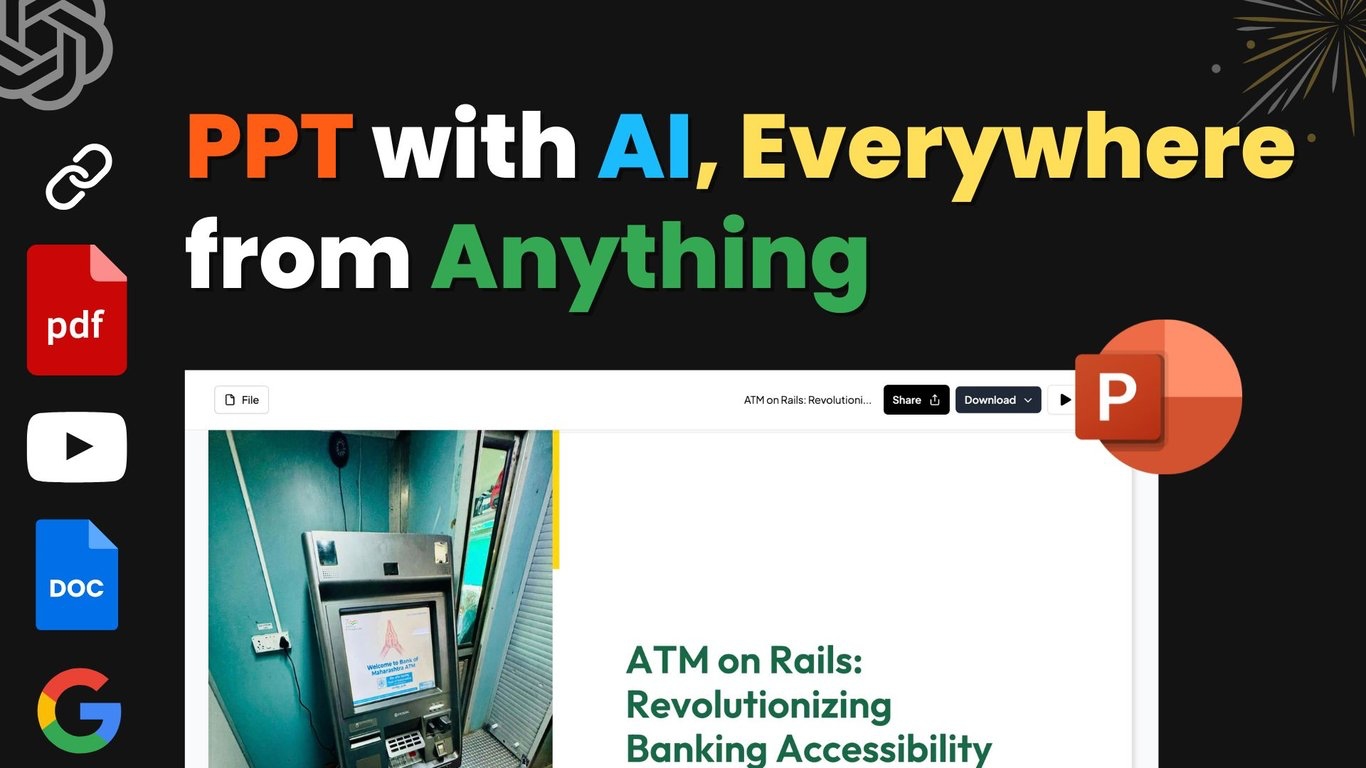
MagicSlides is a AI Office and Efficiency presentation generation tool for office, education and sales scenarios. It supports the direct generation of PPT from theme URLs, YouTube, PDF, DOCX and chat commands, and has been extended to the mobile Google Slides plug-in and API.
MagicSlides
Core parameters and statistics
Main Type: Productivity/Business Application. It’s essentially an AI presentation production platform, not a mockup presentation station, and not a single Google Slides plug-in.
| Projects | Public Information |
|---|---|
| Official positioning | AI PPT Maker / From Idea to Deck in Just One Click |
| Input source | Topic, Text, URL, PDF, DOCX, YouTube, Audio, Video, Image |
| Language skills | 136+ languages |
| Number of public users | Join over 2.3 million users |
| Generation scale | 10M+ presentations created so far |
| Plug-ins and terminals | Web, Google Slides Add-on, Chrome, Figma, iOS, Android, API |
| API exposure capabilities | 100 free presentations / month, then $0.50 / presentation |
| Current rhythm | High frequency of updates in 2026, almost weekly |
Brief comment in one sentence: It is not simply "helping you format PPT", but transfers materials to speech notes, speech notes to deck, deck, and then integrates them into a production chain through chat refinement.
Publicity Verification: The official website's selling point of "from any data to presentation" is basically true, especially in URL, YouTube, PDF, DOCX and theme generation, which has formed a stable path; however, the quality of "can be spoken directly on stage" still depends on the quality of the source material and manual finishing.
User and market recognition
Public scale: The official website currently shows 2.3M+ users and 10M+ presentations generated. The API page also gives signals of about 1M installs, 4.5/5 ratings and 424 reviews, indicating that it has passed the small plug-in stage.
Ecological Approval: The product has been around Google Slides Add-on for a long time and has extended to Chrome, Figma, Telegram, Zapier and API. This multi-entry layout shows that it is not just betting on traffic from a single platform.
Prerequisites: The value of MagicSlides lies in the task of converting high-frequency content to decks. If the team already has mature design specifications, presentation templates, and professional designers, the incremental value will be more in the speed of the first draft than the final visual quality.
Cost advantage
C-side/Individual: Free file is $0/month. The current public information is that registration has 3 credits. It supports basic AI generation, but the export is watermarked and the file upload size is limited.
Developer/API: API offers 100 free demos per month, and is billed at $0.50 per demo. For teams doing batch courseware, sales automation, or SaaS embedding, this pricing structure is much lighter than building a self-built “document-to-deck” pipeline.
Enterprise/Team: Premium US$29/month, Premium Plus higher level, the enterprise version supports SSO, exclusive templates, training SLA and invoice purchasing. Its commercialization path is already complete.
Quantification of cost reduction and efficiency improvement: shortening a sales proposal, courseware or weekly report from 2 to 4 hours to 10 to 20 minutes is a common and reasonable efficiency deduction when using such tools; however, the final round of fact proofreading and narrative logic still needs to be done by humans.
Human-computer collaboration boundary: Everything from content extraction, structure organization, first draft of styles to batch rewriting can be highly automated; when it comes to financial figures, investment narratives, teaching accuracy and customer delivery documents, manual confirmation is required.
Main functions
- Multi-source conversion to PPT: Supports theme, text URL, PDF, DOCX, YouTube, audio, video and image conversion to presentations.
- Maya Conversational Editing: Build an entire deck through chat, or modify just a page, a set of styles, or a specific block of content.
- Template and Remix: You can start from a template and then use AI to remix it into a visual style that fits the current content.
- Multi-portal export and editing: After generation, it can be edited in MagicSlides or exported to Google Slides, PowerPoint, PDF, etc.
- API and ecosystem integration: suitable for embedding "content to deck" capabilities into automated workflows or own products.
Expert view: The real synergy of MagicSlides is not the superficial ability of "AI writing titles", but putting data ingestion, structuring, page generation and subsequent batch editing in the same workspace, reducing your need to go back and forth between document PPT and picture tools.
Model and version evolution
2026-06-01 Home page file/link entry update
This is currently the most practical update node: moving file uploads or link pasting to the homepage, shortening the user’s first step from material to deck.
2026-05-12 Maya conversational deck construction
The addition of Maya means that MagicSlides evolves from a "collection of converters" into a "sustainable conversational presentation assistant" so users don't have to regenerate the entire file each time.
2025-12-15 Mobile version online
The launch of mobile applications has transformed it from a desk tool to a mobile production tool that can be revised and exported at any time, which is of great practical significance for education, sales and entrepreneurial scenarios.
Technical advantages
Mechanism -> Effect -> Scenario: It integrates source analysis, structure generation, template mapping and subsequent chat editing into a unified process, so it is more suitable for real office and delivery scenarios than a tool that simply "slides out a few pages from the prompt".
Multi-source ingestion capability: Documents, videos, web pages and pictures can all be converted into presentations, which means it is more like a content conversion center than an office knife that can only write titles.
Multi-terminal extension: Google Slides Add-on, mobile API and Web coexist, allowing it to serve both individuals for direct drafting and teams for large-scale content production.
Not suitable for boundaries: If each page of animation, brand visual system, and complex data charts are required to reach the design company delivery level, MagicSlides can only be responsible for the first draft and part of the optimization, and should not be regarded as a substitute for the final design.
How to use
| Entrance | Suitable for the crowd | Usage |
|---|---|---|
| Web App | Most users | Upload information or enter a topic to generate a complete deck |
| Google Slides Add-on | Powerful Slides users | Generate and revise in a familiar editor |
| Mobile App | Sales, teachers, students | Modify and export at any time |
| API | SaaS / Automation Team | Batch convert text, documents or links into presentations |
Get started in 3 minutes: The most typical path is to enter the topic directly on the homepage, paste the URL or upload the PDF, and then let Maya continue to add pages, change titles, and change templates. It’s important for the team to immediately verify the quality of the finished product with a real sales proposal or course material, rather than just trying out an abstract topic.
Adoption Suggestions: Put it first on "high-frequency, standardized, time-sensitive" demonstration tasks, such as sales decks, training courseware, course summaries and weekly reports, where it is easiest to see the benefits.
Product Pricing
| Position | Public Price | Key Information |
|---|---|---|
| Free | $0/month | 3 credits, basic generation, export with watermark |
| Premium | $29/month | 50 advanced presentations per month, no watermark, up to 50 slides |
| Premium Plus | The official website real-time page shall prevail | Unlimited advanced presentations, Brand Kit, priority queue |
| Enterprise | Customized quotation | SSO, exclusive templates, training SLA, audit logs |
API Pricing: 100 free demos per month, $0.50 each thereafter, enterprise features include custom templates, on-premises deployments, and proprietary data sources.
The truth about free: The free version is more suitable for experience and light use. After it is actually delivered to customers or officially used in the classroom, watermarks, quotas, and advanced model restrictions will soon appear.
Purchasing/Adoption Risk Assessment: The most important things that enterprises should verify when purchasing are brand template control SSO, data security API stability and batch generation queues, rather than just looking at the single user monthly fee.
Application scenarios
- Sales & Business Proposals: Quickly turn research, web pages and documents into pitch decks or client proposals.
- Education and Training: Convert course material PDF, YouTube teaching content and handouts into courseware.
- Content operation and internal reporting: Weekly reports, reviews, research summaries and project reports are generated frequently.
Dimensionality reduction strike scenario: It is the most enjoyable to use for high-frequency, standardized, and dispersed information sources demonstration tasks.
Applicable people
- Sales/Business Team: Need to do client proposals and demo updates quickly.
- Teacher/Training Team: Convert materials into courseware and classroom presentations in batches.
- Student/Entrepreneur/Operator: Value the speed from materials to first draft more than pure design freedom.
Dissuade / Not applicable to people: For top brand launches, strong design-driven business presentations and complex financial modeling materials, you should not rely entirely on MagicSlides to directly produce the final draft.
Not suitable for the boundary: It is strong in "content transfer efficiency" and weak in "high aesthetic customization and complex factual responsibility".
Summary and Outlook
The core competitiveness of MagicSlides is to press content from different sources into a unified deck production chain, and then use chat editing to complete the final step. For heavy office, education, and sales scenarios, this is closer to real workflows than single-point AI PPT tools.
The most worthy of continued observation are two points: first, whether Maya's continuous editing ability for the entire deck can maintain structural consistency, and second, whether the API and multi-terminal ecosystem can support enterprise-level large-scale content production. It is recommended to first select the most standardized template task pilot and clarify a manual final review rule, especially when it comes to data, investment narrative, teaching accuracy and customer delivery. These are the most realistic procurement and adoption risk assessments.
Related tools:  Notion AI, google-workspace
Business process integration and ROI analysis
As a productivity tool for enterprises or professional positions, the true value of MagicSlides depends on the depth of integration with existing workflows and the quantifiable efficiency improvement effect. The following is a systematic analysis from three core dimensions.
System integration and data interoperability The ability to interoperate with existing business systems is a key prerequisite for productivity tools to be integrated into workflows. It is recommended to focus on evaluating the following integration dimensions: the openness and documentation quality of the RESTful/GraphQL API (whether a complete API reference and SDK examples are provided), the support scope of Webhook event notifications (which business event types are supported for automatic push), the number and depth of pre-built integrations with common collaboration SaaS tools (WeChat Enterprise, DingTalk, Feishu, Slack, Notion, Jira, etc.), and enterprise-level identity authentication support (SSO/SAML/OAuth and LDAP/AD directory integration). Products that lack integration capabilities are easily isolated into information islands, which in turn increases the cognitive cost and operational friction for teams to switch between different tools.
Efficiency Quantification and ROI Estimation Methodology Before purchasing decisions, it is recommended to quantify the input-output ratio through a structured method: Step 1, choose 3-5 Standardized tasks that are frequently repeated and time-consuming in each team are used as test samples; in the second step, the average time consumption of a single task before and after tool intervention, first-time pass rate or error rate, and the number of links requiring manual intervention are recorded under controlled conditions; in the third step, the saved manpower time is converted according to the comprehensive cost of the position (salary, benefits, management sharing), and soft benefits (increased employee satisfaction, standardization of work quality, and improvement in response speed to core business) are superimposed to obtain a comprehensive ROI estimate. It is recommended to continue tracking ROI trends on a monthly basis, as the value of a tool usually increases over time as team proficiency increases and workflows are optimized.
Phase-based implementation strategy and risk control It is recommended to adopt a three-stage implementation path of "pilot verification-gradual promotion-continuous optimization". In the pilot stage (1-2 weeks), a single team or a single business scenario is selected for small-scale verification. The core goal is to verify technical feasibility and user acceptance, and establish preliminary usage specifications and success standards; in the promotion stage (2-4 weeks), after the pilot verification is passed, the coverage is gradually expanded, and standardized activation processes and training materials are developed; in the optimization stage (continuous), the workflow configuration is continuously adjusted based on actual usage data and user feedback, and more high-value application scenarios are explored. Clear quantitative key result indicators should be set at each stage to avoid blindly expanding the scope of use without data support.
Version Info
- Homepage File / Link Input Update :The update log shows that users can directly upload files or paste links on the homepage to start the entire demo generation, and continue to refine it in the editor to greatly shorten the entry link from the material to the deck.
- Maya Chat Deck Builder :Maya is officially a conversational deck assistant, allowing you to generate entire demos and modify single pages or entire decks of content via chat.
- MagicSlides Mobile App Launch :MagicSlides officially launches iOS and Android mobile applications, bringing generation, template browsing and export capabilities to mobile phones.
User Reviews