 Make
Free
Make
Free
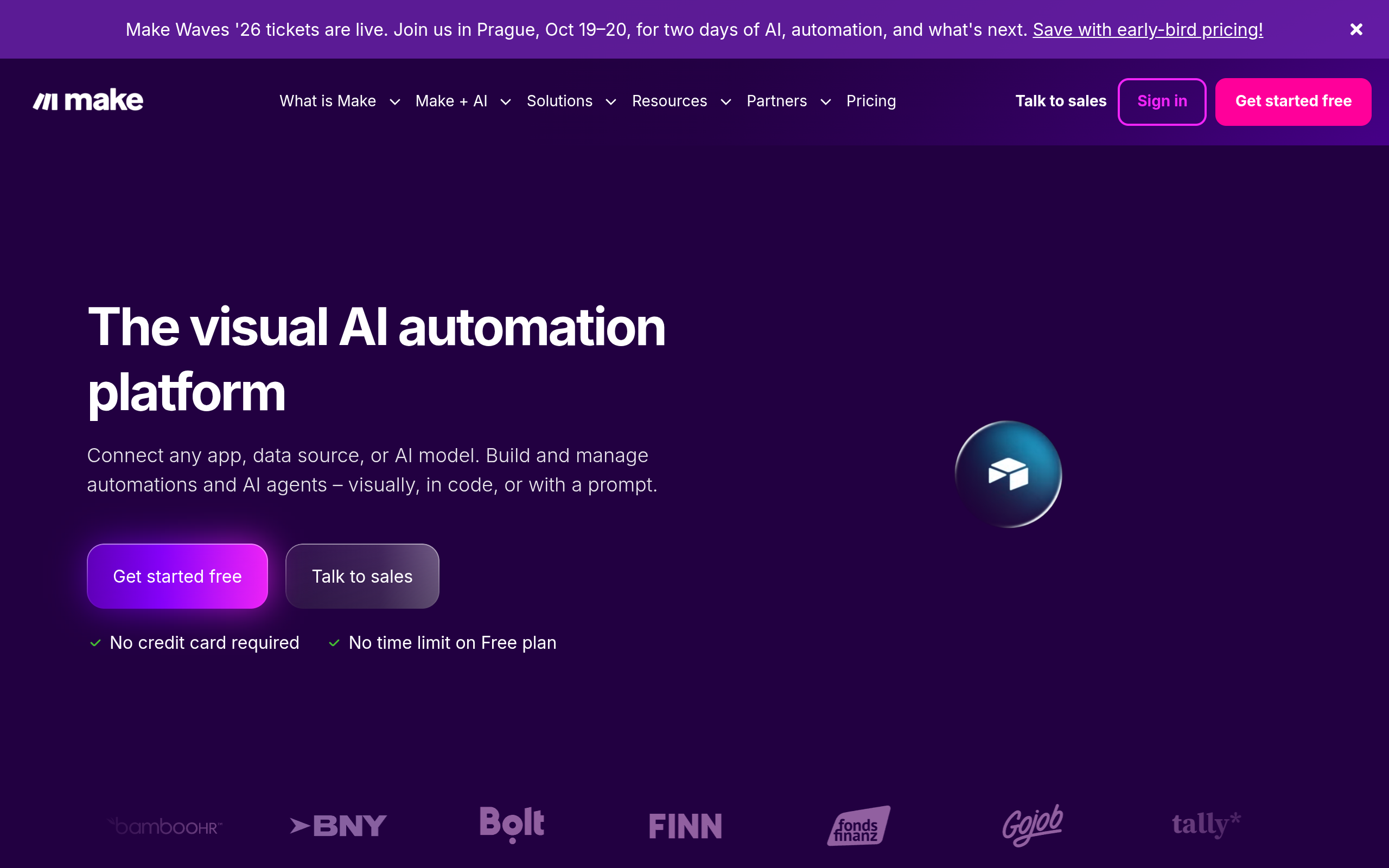
Make (formerly Integromat) is a visual automation workflow platform that connects 2000+ applications and AI models through a drag-and-drop scene editor to realize automatic orchestration of complex business processes.
Make
Make’s core parameters and statistics
Make (formerly Integromat) is a visual automation workflow (iPaaS) platform for enterprises and business teams. It connects 2000+ applications and AI models through a drag-and-drop scene editor to realize automatic orchestration of complex business processes. It integrates visual workflow design, AI module embedding, application connector ecology and execution monitoring in the same product. It is positioned to be more intuitive than traditional code integration and heavier than simple automation tools.
| Projects | Public Information |
|---|---|
| Product Positioning | Visualized Automated Workflow (iPaaS) Platform |
| Original brand | Integromat (renamed Make in 2022) |
| Place of Belonging | Czech Republic (CZ) |
| Number of integrated applications | 2000+ |
| Automation scenario | Scenario editor (Scenario), supports conditional branching, looping, aggregator, router |
| AI module | AI Transformer, AI Agent, OpenAI/Claude connector |
| User scale | Millions of registered users (the exact number is not officially disclosed) |
| Supported languages | 5 interface languages |
| Support Platform | Web, API |
| Latest version | 2025.2 (AI Features Update, ~2025-03) |
Product form: Make provides a pure cloud SaaS model and supports private cloud deployment at the enterprise level. Compared with Zapier's lightweight trigger-action mode, Make's scene editor displays each step as a flow chart, supports complex branching, looping, and aggregation logic, which is closer to the process control of traditional programming, but is presented in a visual way.
Ecological positioning: In the iPaaS track, Make’s differentiation lies in its degree of visualization—its scene canvas is the closest to a “whiteboard drawing” experience among current mainstream platforms, and is suitable for scenarios that require complex orchestration but the team lacks full-time developers. The 2000+ connectors cover mainstream SaaS such as Google, Microsoft, Salesforce, Slack, Notion, etc., as well as custom connections for HTTP/SOAP protocols. The breadth of connectors is equivalent to Zapier, but there is still a gap in the coverage of Chinese/Asian applications.
AI Capability Entry: AI is not an independent product line, but is embedded in the scene editor as a module. This means that AI capabilities are directly involved in workflow decisions (such as AI judging the quality of leads and then diverting them), rather than having an independent chat window.
Make’s users and market recognition
Make’s market recognition mainly comes from its brand history and financing record, but the official number of active users and revenue data have not been disclosed.
Brand Accumulation: The predecessor Integromat was founded in 2013 and has accumulated nearly ten years in the iPaaS track. In 2022, it completed its rebranding and received US$80 million in financing. Compared with pure AI startups, it has a longer history of enterprise integration services, and its connector stability and scene template library have been verified for many years.
Target customer group: Make mainly covers operations and IT teams of medium and large enterprises, which is different from Zapier which prefers individuals/small and medium-sized teams and Activepieces which prefers AI‑first automation. The complexity of its scene editor determines that it has a learning curve and is suitable for teams with a basis for process standardization.
Community and Ecology: Make provides the "Make Academy" training system and official template library, but the number and activity of community templates are lower than Zapier. Chinese resources are particularly weak. Both official and unofficial communities are mainly in English, which poses an implicit threshold for Chinese users.
Prerequisites for implementation: To release the value of the iPaaS platform, the team is required to first complete process sorting and standardization (which actions can be templated, what are the trigger conditions, and how to handle exceptions). If the team doesn’t yet have a clear and stable process definition, jumping directly onto the platform may amplify confusion rather than solve efficiency problems.
Make’s cost advantage
Make's cost structure is analyzed at three levels: C-end/individual, developer/API and enterprise. Each has completely different cost genes.
C-side/Individual: The free version provides 1000 operations/month + 1 active scene, which can be used to experience the interactive logic and main connectors of the scene editor. However, the free quota is extremely low - a medium-complexity scenario (form submission → AI processing → writing to the form) may consume 10-20 operations in a single run, and the free quota usually does not last a week in real tests. Limitations of the free version also include a limited number of app connectors and no access to all 2000+ integrations.
Developer/API level: Make does not have a separate API pricing tier - developers must subscribe to a human plan to use the API. Its value is more toward "allowing non-researchers to build automation on their own" rather than providing infrastructure APIs to developers. For teams with engineering capabilities, self-hosted options (e.g. n8n, Activepieces) are generally less expensive than Make at this tier.
Enterprise/Private: Enterprise version requires custom pricing and usually includes private cloud deployment, dedicated SLA, SSO and audit logs. The hidden cost of enterprise procurement is not in the subscription fee, but in three aspects: connector governance (certification maintenance and frequency control management of each connector), scene migration (mapping cost of migrating from Zapier or other platforms), and LLM call cost of the AI module (Make does not include the inference cost of the AI model, this part needs to be included additionally).
Real cost structure: For medium and large-scale production use, the monthly cost of Make is usually between Core $9/month and Pro $59/month. With the consumption of LLM Token called by the AI module, the actual monthly cost may reach $100-500+. Compared to the competition, that's higher than n8n's self-hosted path, but lower than Tray.io's enterprise-grade pricing.
Main functions of Make
Make's capabilities revolve around the three main lines of "visual scene orchestration + AI embedding + application connection", and the public functions can be summarized into five categories:
- Visual Scenario Editor: Drag-and-drop to build automated workflows, supporting logical components such as conditional branching (Filter/Router), iterator (Iterator), and aggregator (Aggregator). Different from Zapier's linear trigger-action mode, Make's scene canvas supports multi-branch parallelism, nested sub-scenarios and custom variable transfer, which is suitable for complex business logic.
- AI Converter Module: Call the AI model directly in the workflow to perform tasks such as text classification, summary generation, data extraction, sentiment analysis, etc., without writing separate API call code. Synergies: The output of the AI converter can be fed directly as a parameter for downstream steps - for example invoice amounts extracted by the AI are passed directly into the amount field of the accounting system, with full visualization of the cross-step data flow.
- 2000+ application connectors: covering mainstream SaaS such as Google Workspace, Microsoft 365, Salesforce, Slack, Notion, HubSpot, Shopify, etc., as well as custom protocols such as HTTP, SOAP, and Webhook. The connector is not only a "data transmission channel", but also encapsulates the authentication logic (OAuth, API Key) and frequency control strategy of the corresponding application.
- AI Agent Node: Embed the Agent node in the scene so that it can dynamically decide the next action based on the input - for example, in the customer service work order scenario, the Agent first determines the type of problem and then decides whether to automatically reply or transfer to manual. Hidden linkage: Agent nodes can call other modules in the scene as tools to realize the "thinking-action-verification" closure.
- Error handling and monitoring dashboard: Automatically retry or switch to an alternate branch when a scenario fails; provides running history, execution records and notification configurations. Expert View: The error handling mechanism is one of the core advantages of Make compared to Zapier - it supports "breakpoint resume" level scenario design (retry from the breakpoint after failure, rather than restarting the entire process), which is crucial for high-value business processes.
Functional synergy: The real value of Make is not in a single function, but in the complete link of "AI node analysis data → conditional branch routing → writing to the target system" which can be completed in one scene without the need for cross-platform switching. For example: AI Agent determines the content category of the email → Router distributes it to different processing branches → writes each into the CRM/accounting/customer service system, and the entire process is visible and editable.
Make’s model and version evolution
The version evolution of Make reflects the transformation from traditional iPaaS to an AI automation platform. The current public version information has been covered in the previous article frontmatter. The following is the evolution route organized by milestones.
Traditional iPaaS period (~2023)
Integromat Era: Before the name change in 2022, the product was centered on pure connectors and scene orchestration. The version naming was mainly based on year + serial number. There was no AI module and the focus was on enterprise SaaS integration.
AI Integration Phase (2024‑2025)
- 2024.1 (Make AI Launch, ~2024‑03): The AI module is introduced for the first time, supporting OpenAI integration and text generation, marking the starting point of Make’s transformation from pure iPaaS to an “AI automation platform”.
- 2025.2 (Make AI Features Update, ~2025-03): Added AI converter module and AI Agent node, supporting access to multiple models such as GPT and Claude. AI has been upgraded from a "single module" to a "first-class citizen of the workflow" - AI processing steps can be inserted anywhere in the scene.
Current status
Make does not expose detailed version logs like DeepSeek, and its version numbers (such as 2025.2) reflect more feature set milestones than model iterations. The AI module relies on third-party model capabilities, so Make’s version evolution is actually a packaged upgrade of “platform connection capabilities + AI orchestration capabilities”. It is recommended to pay attention to the official Changelog and blog new feature releases when evaluating, rather than the version number itself.
Make’s technical advantages
Make’s technical advantage is not in the underlying AI model (it does not train self-developed models), but in the two levels of “flexibility of the workflow engine” and “depth of integration of AI and process”.
Expression capabilities of the scene engine: Make's scene editor has a built-in function library (date processing, text transformation, mathematical operations, array/object operations), which supports writing conditional expressions and data transformation rules in the visual interface. Mechanism: This avoids the limitations of pure manual drag and drop and gives developers the flexibility to "write logic in the visual interface". Effect: Complex business logic (such as data aggregation after multi-condition judgment) does not need to be returned to pure code, reducing cross-tool switching costs.
Process-level embedding of AI modules: AI converter and AI Agent are not independent apps, but "nodes" in the scene. Mechanism: The input of the AI node comes from the output of the upstream step, and the output of the AI node can be directly used by the downstream step. Effectiveness: This solves the problem of "after using AI to process data, you still have to manually copy and paste it to the next system", and the whole process is automated.
Error handling and execution reliability: Supports failure retries, alternate branches, scene suspension and manual recovery. Mechanism: Each module and each operation has an independent execution log. When a failure occurs, the specific steps can be pinpointed. Effectiveness: In production-level workflows, error handling and auditing capabilities directly determine the credibility of the platform - Make is more mature in this regard than most open source alternatives.
Architecture Cost: Make's all-cloud architecture means that all traffic is transferred through Make's servers. For scenarios that are delay-sensitive or require high data sovereignty (such as financial transactions, cross-regional synchronization), it is necessary to focus on verifying execution latency and data residency compliance during the architecture evaluation. Although the enterprise version supports private cloud, the configuration and maintenance costs need to be confirmed with the business owner.
How to use Make
Make provides a cloud SaaS portal, suitable for teams of different stages and sizes:
| How to use | Suitable for people | Features | Cost |
|---|---|---|---|
| Cloud SaaS | Teams who want quick verification | Sign up and use it, priority is given to verifying connector availability and scene building efficiency | Get started with the free version |
| Pro+ | Production Contextual Deployment | Full Connector + AI Module + Advanced Error Handling | Starting from $59/month |
| Enterprise Edition | High data compliance requirements | Private cloud deployment + SSO + Audit log + Exclusive SLA | Business confirmation required |
Actual implementation path: It is recommended to proceed in three steps: "pilot → comparison → expansion". In the first week, 1‑2 highly repetitive, low-risk processes (for example: form warehousing notification, cross-system data synchronization) were selected to build prototypes to verify the construction efficiency of the scenario editor and the operational stability of the target connector. The second week runs in parallel with the old process, focusing on monitoring execution error rates and the amount of manual intervention. After confirming the stability of the platform, you can gradually access higher-order capabilities such as AI nodes and conditional branches.
Prerequisites for starting the AI module: Before using the AI converter and AI Agent, you need to configure the AI model connection (such as OpenAI API Key or Claude API Key) in Make. Make itself does not provide free AI inference quota, and the LLM fees for AI calls are borne by the user. Therefore, when evaluating the ROI of an AI scenario, Token consumption must be included in operating costs.
Make’s product pricing
Make's pricing continues the three-tier structure of "free verification → paid upgrade → enterprise sales", but the AI module can be fully used in the core version and above.
| Level | Number of operations per month | Number of active scenarios | Connector | AI module | Monthly fee |
|---|---|---|---|---|---|
| Free Edition | 1,000 | 1 | Limited | Limited | $0 |
| Core | 10,000 | Unlimited | All | Limited | $9 |
| Pro | 50,000 | Unlimited | All | Complete | $59 |
| Team Edition | Per Seat Expansion | Unlimited | All | Complete | Starting from $149 |
| Enterprise Edition | Customized | Customized | All | Complete | Customized Quote |
- C-side/Individual: The free version is the best entrance to experience the scene editor, but the 1,000 operations/month quota is usually only enough to run for a few days in actual testing, and must be upgraded for production use. Individual users are recommended to start with the core version.
- Developer/API: Make does not have independent API pricing, developers need to subscribe to the human package. For high-frequency API call scenarios, the cost may be higher than a dedicated API orchestration solution.
- Enterprise: The enterprise version of private cloud deployment SSO and audit log terms require business confirmation. Before purchasing, enterprises need to confirm: the upper limit of execution volume billing (whether there will be current limit or additional billing after the amount is exceeded), whether the token fee of the AI module is included in the subscription fee, and the specific implementation method of data residency compliance.
Implicit costs of pricing: Make's pricing table looks very clear, but in actual use there are three costs that are easily overlooked: First, the definition of operation volume - how many operations a scene consumes in a single run depends on the complexity of the scene, and the "operation consumption coefficient" of complex scenes may be far higher than expected; second, the LLM Token fee of the AI module is not included in the Make subscription fee, and an additional payment needs to be made to the AI model provider; third, the team version and above need to be billed on a per-seat basis, and each account of the scene maintainer counts as one seat.
Make application scenarios
Make’s implementation scenarios focus on business segments that require cross-system collaboration and standardized processes:
- Social media content automation for the marketing team: Automatically capture content from RSS/API, generate summaries and image suggestions through the AI module, and then publish them to multiple social media platforms. Cost reduction and efficiency improvement: The typical time required for a single piece of content from "manual collection → writing → illustration → publishing" is reduced from 45 minutes to less than 10 minutes, and the average daily processing volume of new media operations can be increased from 4-6 items to 12-15 items. Key points of verification: Quality consistency of abstracts generated by AI, and time window control for multi-platform publishing.
- Automatic processing and distribution of sales leads: Automatically query CRM customer information after the form is submitted, AI classifies the lead quality (high/medium/low), assigns it to the corresponding sales according to the rules, and finally writes it to the data dashboard. Cost reduction and efficiency improvement deduction: The typical delay from "submission to distribution" of leads is reduced from hours to minutes, and sales follow-up efficiency is increased by 30‑50%. Key points of verification: The accuracy and misclassification rate of AI classification and the real-time nature of CRM connection.
- Financial Reconciliation and Invoice Processing: Extract the invoice PDF from the email attachment, AI identifies the expense category and amount, writes it into the accounting system and sends an approval notification. Cost reduction and efficiency improvement deduction: Manual processing of a single invoice was reduced from 15 minutes to 3 minutes, and the monthly processing volume of the financial team increased by 3‑5 times. Key points of verification: PDF OCR recognition accuracy and whether the manual rollback process for abnormal invoices is smooth.
- AI Agent driven customer service diversion: After the user submits a work order, the AI Agent determines the type of problem (technical/financial/account) and automatically replies to frequently asked questions or transfers the corresponding manual customer service. Cost reduction and efficiency improvement deduction: 60-70% of standardized problems of junior customer service can be automatically handled by AI nodes, and the labor cost of the customer service team is reduced by 40-50%. Key points of verification: Agent misjudgment rate, smoothness of upgrade to manual connection, and safety margin of sensitive topics.
Human-machine collaboration boundary: In the above scenario, the AI module can undertake standardized and orderly information extraction, classification, summary generation, etc., and achieve 100% automation; but when it comes to strong compliance approval (such as financial payment confirmation, contract clause review), irreversible operations (such as batch deletion of customer data, large transfers), and high-value customer delivery (such as VIP customer customized solutions), manual confirmation points (Human-in-the-loop) must be set up, and approval steps or notification nodes must be reserved during scenario design.
Make is suitable for people
The complexity of Make determines that it is not suitable for everyone - it is most suitable for team/organization-level users, rather than individual users pursuing "zero learning cost".
- Operations and Business Team: Need to standardize daily repetitive cross-system processes, but lack development resources. Make’s visual scenario editor lets them build automations without writing code. Preconditions: Business personnel need to have clear abstraction capabilities for their own processes (can be broken down into "trigger→condition→action→output").
- IT and Platform Team: Responsible for unified management of the automation needs of multiple departments, focusing on connector reuse, permission management and execution auditing. Prerequisite: The team needs to have the ability to review scenario templates and configure exception handling.
- Product and Growth Team: Hope to embed AI into user operation processes (such as personalized push A/B test automation), but do not want to increase the development schedule. Precondition: The output quality of the AI scene requires manual acceptance nodes.
Does not fit boundaries:
- Scenarios that require pure asynchronous/event-driven architecture: Make scenarios are based on regular polling or Webhook triggering, and are not suitable for millisecond-level real-time response scenarios.
- Highly customized original design scenarios (such as in-depth long text generation, complex visual design): The capabilities of the AI module are limited by third-party models, and are not suitable for creative scenarios that require fine control of generation quality.
- Personal Light Automation: The free version has a very low limit, and the core version starts at $9/month, which is too high for personal script automation scenarios. The self-hosted solutions of n8n or Activepieces are more cost-effective in this range.
- Scenarios with extremely high data sovereignty requirements: The all-cloud architecture passes through the Make server by default. Although the enterprise version provides private cloud, the cost is high and business confirmation is required.
Summary and Outlook
Make is known for its "visual experience" in the iPaaS track - its scene editor is one of the most intuitive automated design tools on the market. The addition of AI modules further lowers the technical threshold for building intelligent workflows. 2000+ application connectors cover the mainstream SaaS ecosystem, and error handling and execution reliability are better than most open source alternatives.
Current Limitations:
- The free version has a very low limit (1000 operations/month), and the actual monthly cost for production use is often at the $100‑500 level;
- The AI module relies on third-party models, and the LLM Token fee is not included in the subscription fee and requires additional accounting;
- The execution stability of complex scenarios (a large number of branches + AI nodes) still needs to be monitored, especially during high-concurrency batch processing;
- The Chinese community and Chinese template resources are weak, posing an implicit usage threshold for Chinese users;
- Compared with Zapier's user base and ecosystem, there is a clear gap in the coverage of Make's connectors in Chinese/Asian applications (such as DingTalk, WeChat Enterprise, and Feishu).
Procurement/Adoption Risk Assessment: Make is suitable for teams that already have a foundation for process standardization and need to implement cross-system automation in medium and large organizations. It is recommended to start the pilot with the free version, select 1-2 high-value processes to verify the construction efficiency of the scene editor and the stability of the target connector, and then upgrade to the professional version after confirmation. Before purchasing, enterprises must confirm the following terms with sales: the handling method for excessive operation volume billing (current limit/surcharge), the attribution of token fees for AI modules, the specific implementation path for data residency compliance, and the division of maintenance responsibilities for private cloud deployment. For teams with extremely high data sovereignty requirements or limited budgets, it is recommended to also evaluate self-hosted options from n8n or Activepieces as an alternative.
Related tools:  CrewAI,
  LangChain
Version Info
- Make AI Features Update :Added AI converter module and AI Agent node to support access to GPT, Claude and other models. There is no official precise date yet.
- Make AI Launch :The AI module is introduced for the first time, supporting OpenAI integration and text generation. There is no official precise date yet.
User Reviews