 Mochii AI
Free
Mochii AI
Free
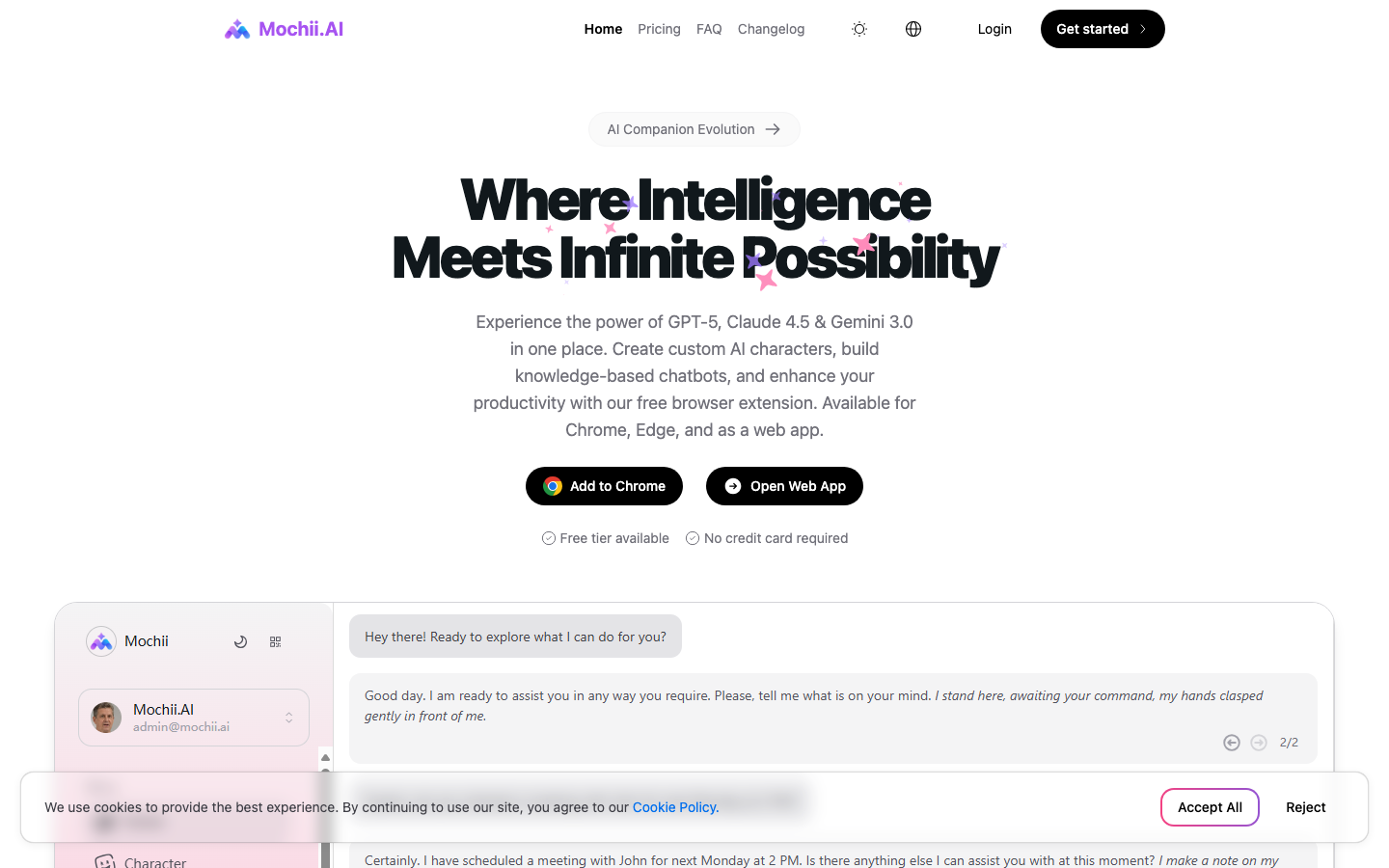
Mochii AI is not a narrow tool that only completes code, but an AI assistant that integrates multi-model dialogue, web page side reading, knowledge base, role memory and browser injection capabilities. It is more like a "workbench with execution surface" and is suitable for people who need to frequently switch between web pages, documents, forms and code.
MochiiAI
Core parameters and statistics
The main delivery form of Mochii AI is closer to [productivity/business-side applications], but it clearly has the flavor of browser execution surface and multi-model orchestration layer. A brief comment: It is not another chat box, but an attempt to stuff the fragmentary actions of "searching information, reading web pages, viewing PDFs, filling out forms, writing content, writing code, and building knowledge base" into an AI workbench that can be easily evoked.
| Projects | Public Information |
|---|---|
| Official positioning | All-in-One AI Assistant |
| Main entrance | Web App, browser extension, desktop, mobile |
| Support model direction | Access to multiple models such as OpenAI, Claude, Gemini, DALL-E, Stable Diffusion, etc. |
| Main capabilities | Multi-model dialogue, intelligent reading AI role AI memory, knowledge base, chat robot construction, web browsing, in-depth research, form filling |
| Free tier | Personal free tier, 0.15M tokens |
| Paid tiers | Pro, Premium, Ultimate |
| Cross-terminal support | Chrome, Web App, macOS, Windows, iOS, Android |
| Version disclosure method | Site changelog rolling update |
Publicity Verification: Mochii’s core selling point is “all-in-one”. This is basically true from the list of public abilities on the official website, because it does not limit abilities to dialogue, but displays reading, roles, memory, knowledge base, chatbots and browser-side operations side by side. The real pain point is the friction cost when knowledge workers frequently switch between different web pages, different documents, different models, and different task surfaces.
Expert view: For programmers, its value is not in the point of "stronger code generation", but in the ability to put web page document reading, technical information summary, form entry, knowledge precipitation and conversational programming into the same context. This combination is more like a "light co-pilot workflow" than a single-point code completion tool.
User and market recognition
Mochii currently does not disclose large-scale developer numbers like the leading AI programming products, nor does it disclose the number of API calls or the number of enterprise customers, so its market recognition is more reflected in the design logic of product coverage rather than public financial or community indicators.
User Portraits: The official website includes business leaders, analysts, academic researchers, developers, marketers, and sales and customer service personnel as use cases. This shows that it is not designed solely for purely technical positions, but takes "general knowledge work + a small amount of automation + multi-model switching" as its core market.
Publicity Verification: This broad-spectrum coverage does not mean every scene is deep. It's more of a generalist assistant centered around browsers and document workflows, rather than a specialized system that's extremely deep in a single area. Developers can benefit from it, but it should not be understood as a reprogramming platform that replaces the IDE's native agent.
Hidden benefits: If a large amount of the team's daily work occurs between browsers, online document PDFs, web forms and lightweight research, Mochii's unified entrance can significantly reduce the repetitive actions of "switching applications", "copying and pasting" and "changing models and restating backgrounds". This benefit is usually not reflected in the quality of a single generation, but in the time saved in dozens of small actions throughout the day.
Current Limitations: The official DAU, paid users, enterprise customers or third-party benchmarks are not disclosed. Therefore, purchasing judgment cannot be based on market share or leadership narrative, and is more suitable to be evaluated based on the task completion rate after trial.
Cost advantage
Mochii's cost logic is more suitable to be evaluated from the perspective of "how many scattered tools it replaces" rather than just focusing on the monthly fee.
| Plan | Public price | Public quota | Applicable objects |
|---|---|---|---|
| Personal | Free | 0.15M tokens | Light experience, multi-model trial |
| Pro | $4.99/month | 1M tokens | High-frequency content and research users |
| Premium | $9.99/month | 2.5M tokens | Multitasking, heavy users |
| Ultimate | $29.99/month | 10M tokens | High-volume teams or in-depth customization needs |
The truth about free: The free tier is not an "unlimited trial", but uses 0.15M tokens as a hard limit. The official website also clearly converts it into about 150 Claude 4.0 Sonnet conversations. This design is very straightforward, suitable for experiencing the appearance of the product, but not suitable for using it as a long-term main production device.
Hidden costs: The advantage of its access to multiple models and capabilities is that it reduces cross-tool subscriptions; the disadvantage is that if the team already has mature IDE Copilot, document Q&A, knowledge base SaaS, and form automation tools, adding Mochii may not save money, but may cause overlapping subscriptions.
Hidden benefits: For individual authors, product managers, analysts, and independent developers, the real savings of Mochii come from reducing model switching, reducing web plug-in stacking, and reducing the need to purchase separate knowledge bases and web page summary tools. It's a "consolidated tool budget" product, not an absolute bargain.
Compliance and Risk: The official disclosure of custom model keys, knowledge base, chat robot and other capabilities means that enterprises need to independently verify the data storage range, log retention, third-party model transmission path and permission boundaries when using it. The official website does not disclose complete enterprise-level compliance instructions, so be cautious in sensitive data scenarios.
Main functions
Mochii has a lot of exposed features, but the real value is how these features are strung together.
- Intelligent AI dialogue: Multiple advanced models can be used in the same work interface, suitable for solution comparison, technical Q&A, content drafting and code explanation.
- Intelligent Reading and Analysis: Can analyze PDFs, images and web pages, suitable for quick sorting of technical documents, financial reports, legal texts and product information.
- AI Intelligent Form Filling: Incorporate automatic filling of web forms into the ability list, suitable for low-creation and high-repetition tasks such as recruitment CRM entry and repeated data submission.
- AI roles and AI memory: Allows preset roles and cross-session memory, which can compress the "reinterpretation of the background each time" and is suitable for continuous project collaboration.
- AI Knowledge Base: Precipitate documents and context into a personal knowledge system to improve the consistency of consecutive projects.
- AI Chatbot Builder: Supports codeless chatbot building, embedding, and analysis, allowing it to extend from a personal assistant to the external service layer.
- Web browsing and in-depth research: Incorporate real-time information acquisition and research processes from web pages into the main interface, suitable for light consultation and quick research tasks.
Expert’s point of view: The real hidden linkage is not as simple as "being able to chat + being able to knowledge base", but "reading web pages -> summarizing -> writing descriptions -> saving to knowledge base -> continuing to reuse according to role next time -> publishing as a chat robot if necessary." What this set of links reduces is the loss of cross-post and cross-software switching.
Model and version evolution
Mochii does not use "big version names" as its main communication method, but continuously adds capabilities through the changelog. The version judgment of this type of product depends on the expansion of the capability line, rather than just the version number.
Main line ability milestones
- Official Product Launch: The update log shows that the product started with basic chat capabilities, and then gradually expanded into a multi-functional workbench.
- Custom role creation: It shows that the product is starting to move from a general assistant to a configurable work assistant.
- Claude 3.5 / Claude 3.7 Sonnet support: Multi-model access continues to be enhanced, indicating that the underlying layer is not a single-model bundled product.
- Chatbot Creation System: It means that the product extends from personal use to a deployable external interaction layer.
- PWA and browser extensions: Indicates that its execution side has begun to shift from web conversations to evocations everywhere.
- Customized LLM API Key: Start positioning the product as a model aggregator and workbench rather than a closed chat product.
- Web Search, Deep Research, Artifacts, Task Scheduling: It means that the product begins to expand into task flow and research flow.
- MCP Integration: This step is critical and means it starts to approach stronger contextual connectivity capabilities.
Publicity verification: The change log can prove that it has indeed been evolving towards a "more complete workbench", rather than staying in the early browser assistant form. However, the change log does not give the precise month and complete release instructions, so the transparency of version management is average.
Technical advantages
Mochii's technical advantage lies not in self-developed models, but in organizing multiple models and multiple execution surfaces into a low-friction interface.
Mechanics -> Effects -> Scenes:
Multi-model aggregation: Put OpenAI, Claude, Gemini and other models into the same tool layer. The effect is that answers to the same task can be quickly compared horizontally, which is suitable for high-risk writing, solution judgment and code interpretation scenarios.
Browser-side injection capability: Cover the web workspace through extensions or sidebars. The effect is that users do not have to jump to a separate chat page. It is suitable for high-frequency scenarios such as web forms, web reading, and online background operations.
Memory + Role + Knowledge Base Combination: Allows personal working habits and project background to be reused. The effect is to reduce context restatement and output style drift, and is suitable for long-term project collaboration.
Chatbot Builder: Convert internal knowledge into an external Q&A interface. The effect extends from personal efficiency improvement to team service. It is suitable for pre-sales FAQ, product knowledge assistant and internal support desk.
Current limitations: The official website does not expose the lower-level API, delay, context length, permission model and enterprise audit mechanism. Therefore, it is more like a workbench focusing on product experience, rather than an underlying platform that is completely open to developers.
How to use
The typical path to get started with Mochii is not complicated, but whether it is truly valuable depends on whether it can be embedded into existing high-frequency actions.
| How to use | Typical steps | Suitable for everyone |
|---|---|---|
| Web App | Register an account -> Enter dashboard -> Select model and role -> Upload documents or start a conversation | General Knowledge Worker |
| Browser extensions | Install Chrome/Edge extensions -> Call out the sidebar on the web page -> Read web pages or fill out forms | High-frequency web workers |
| Desktop/Mobile | Download or scan the QR code to access -> Unified chat and data processing | Heavy users across devices |
| Chat bot construction | Create knowledge base -> Configure bot -> Embed on site or internal page | Team operation and support positions |
3 minutes to get started: The first step is not to use it directly as a "universal assistant", but first choose a quantifiable task, such as "read a PRD and generate test points" or "read an API document and output an integration list". If it can save 2 to 3 cross-page switches in the first round, it has the value of continued evaluation.
Dissuade scenario: If the main work is in the local IDE, terminal, code warehouse and CI process, the value of Mochii will not be as obvious as the browser's native workflow; this kind of people are more suitable for Agents that are closer to the editor and code warehouse.
Product Pricing
Mochii's pricing is a typical SaaS tiered design, but what really matters is not the monthly fee, but the token quota and advanced feature permissions.
- Personal: Free, 0.15M tokens, suitable for experiencing multiple models and basic reading skills.
- Pro: $4.99/month, 1M tokens, including faster response and priority experience of new features.
- Premium: $9.99/month, 2.5M tokens, new model priority and higher limit added.
- Ultimate: $29.99/month, 10M tokens, includes 24/7 support and full customization options.
The truth about free: The free tier is enough to see the quality of the product, but not enough to run long-term projects. Heavy users will almost certainly move to the paid tier.
Hidden Cost: If in-depth research, long document analysis and multiple rounds of dialogue are used extensively, token consumption will be much faster than "normal Q&A". The real cost control is not to click fewer buttons, but to limit the indiscriminate cramming of all long documents.
Current Limitations: The official website does not disclose enterprise privatization, organizational permissions, audit logs or formal API business plans. When purchasing, enterprises must first ask whether it is "product subscription" or "controllable platform capabilities."
Application scenarios
As a productivity tool, Mochii's advantage lies in "composite tasks in the browser" rather than single-point ultimate capabilities.
- Development auxiliary scenario: Reading documents, summarizing interfaces, generating instructions, and reviewing code ideas. The deduction time can usually be compressed from 30 minutes of data collection to 10 to 15 minutes.
- Product and Operation Scenario: String web page information, user feedback, competitive product pages and form entry into a workflow, suitable for high-frequency light analysis and content organization.
- Research and Consulting Scenario: Analyze PDFs, web pages, and images and accumulate them into a knowledge base, suitable for lightweight industry research, market research, and literature review.
- Pre-sales or support scenarios: Use the chatbot builder to package internal knowledge into external Q&A capabilities to reduce the burden of repeated Q&A.
Dimensionality reduction attack scenario: The most exciting scenario is "complex knowledge work where web pages take the main battlefield". For example, when actions such as reading documents, writing summaries, checking web pages, filling in systems, and storing knowledge occur alternately, it is more convenient than a simple chat tool.
Applicable people
Mochii is suitable for three types of people, but there are also people who are clearly not suitable.
- Light research users among developers: People who often read documents, compare plans, read web console instructions, and sort out interface information.
- Product Managers and Analysts: People who often switch between web PDFs, tables, and knowledge cards and want to centralize information processing actions.
- Independent creators and small team operations: People who need to write content, read materials, and build a simple knowledge robot to handle consultations.
Persuasion Scenario:
- Pure reprogramming: If the core work is almost all in the IDE, terminal and code warehouse, Mochii is not the optimal main force.
- High Compliance Enterprise Infield: If fine-grained auditing, authority isolation, intranet deployment and formal procurement terms are necessary, the public information on the official website is not enough.
- People who just want the single strongest model: Mochii is a "workbench idea", not a "just one model answer quality" product.
Summary and Outlook
The real value of Mochii AI is not to write answers better than all top models, but to integrate the most fragmentary actions in knowledge work. One sentence conclusion: It is more like an AI console for web workflows rather than a code assistant or chat application in the traditional sense. For people who switch back and forth between web pages, documents, forms, and research every day, it can significantly reduce context switching costs.
Hidden benefits: Reduce repeated background posting, reduce model switching, and reduce the need to buy multiple gadgets. Hidden Cost: If the team already has a mature IDE Agent, knowledge base SaaS, and automation system, it may be just another overlay.
Current limitations: There are still few disclosures about enterprise capabilities, permissions governance, auditing, and data boundary descriptions; version transparency is also more "rolling update" than standard release instructions. Purchase/Adoption Risk Assessment: It is more suitable for individuals or small teams to pilot the free tier and Pro tier first, and use a high-frequency task to verify whether the processing time can be reduced from 20 minutes to 8 to 10 minutes before deciding whether to expand; if you want to enter formal enterprise procurement, you must first complete the four verification points of data flow direction, organizational permissions API capabilities, and support terms.
Related tools:  GitHub Copilot,
  Cursor
Version Info
- Mochii AI Web Platform :The current main site and console version of the official website have publicly included capabilities such as multi-model chat AI, role AI, memory AI knowledge base, web browsing, in-depth research, form filling, and chat robot construction. There is no official precise date yet.
- MCP integration updates :The change log publicly mentions the addition of new MCP services, overall performance optimization, and improved response speed, indicating that the product has expanded from a simple web assistant to a workbench that can connect to external contexts. There is no official precise date yet.
- Claude 3.7 Sonnet support update :The update log publicly mentions the addition of Claude 3.7 Sonnet and Reasoning modes, indicating that its multi-model access strategy continues to advance. There is no official precise date yet.
User Reviews