 Motion Array
Motion Array is a subscription-based video creation platform that provides massive templates, video materials, sound effects LUTs and online video editors, and supports AI-driven material search and template generation.
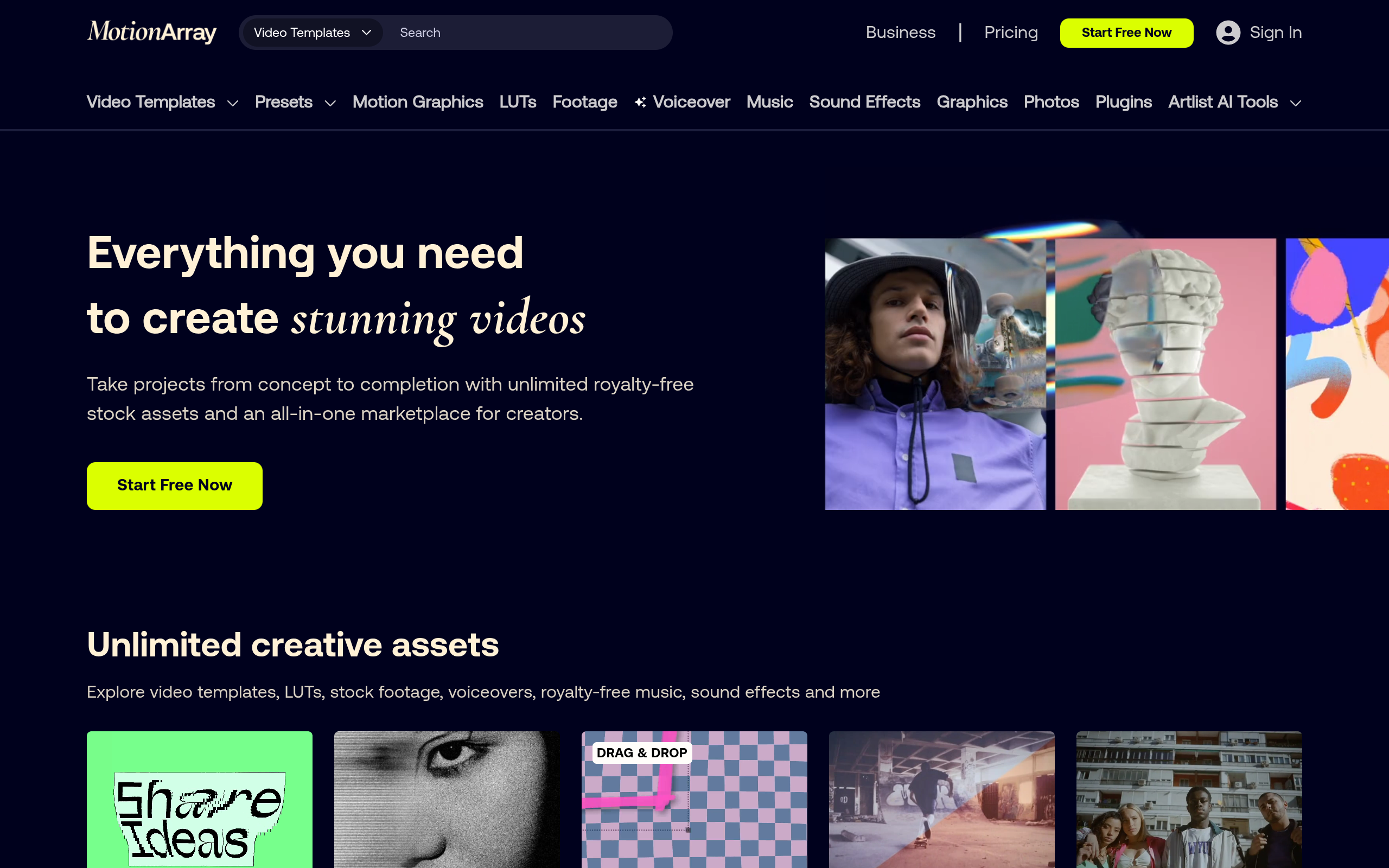
Motion Array: Analysis of AI evolution, cost model and engineering implementation of video creation material subscription platform
Core parameters and statistics of Motion Array
Motion Array's core business model is a combination of "material Netflix + online editor" - members can pay a one-time fee to download all materials without limit, and it also comes with an online editor to complete editing directly in the browser. Its AI capabilities serve material discovery and template generation, not video AI generation. This bundling model of "subscription-based material library + lightweight editing tools" attempts to find a middle position between Adobe's family bucket (high unit price, strong functions) and Canva (low threshold, lightweight).
| Parameter items | Public information |
|---|---|
| Product Positioning | Video Creation Material Subscription + Online Editing Platform |
| Developer | Motion Array LLC |
| Headquarters location | United States (specific city undisclosed) |
| Established | Approximately 2015 |
| Coverage platform | Web (online editor + material download) |
| Licensing model | Monthly/yearly subscription (unlimited downloads) |
| Total amount of materials | More than 1 million (including templates, video materials, sound effects LUTs, and dynamic graphics) |
| Monthly updates | Thousands of new materials (the exact number is not officially disclosed) |
| Compatible software | Premiere Pro, After Effects, Final Cut Pro, DaVinci Resolve, Avid Media Composer and more |
| Online Editor Output | Up to 4K |
| AI capabilities | Natural language material search AI template generation |
| Supported languages | Mainly in English, the platform interface is not in Chinese yet |
| Latest version | 2026.07 (2026 Summer Release) |
Three data levers that support business:
- Unlimited downloads vs. purchase by item: Traditional material websites (such as Shutterstock, Getty Images) charge $50–$200 for a single video material, and Motion Array can download all the materials for a monthly fee of about $30. Only when the average monthly download volume of users is less than 1 item of material, purchasing by item is more cost-effective - this threshold covers almost all high-frequency creation scenarios.
- Template reuse efficiency: If an After Effects template project file is outsourced for custom development, the cost ranges from about $200–$2,000. The cost margin for subscribing members to download templates of the same level from Motion Array is zero. For a team that needs 5–10 templates per month, the annual subscription fee (~$360) may only be equivalent to the unit price of 1–2 outsourced templates.
- Positioning boundaries for the online editor: The online editor is not a replacement for Premiere Pro or Final Cut Pro, but provides an independent path for "scenarios that do not require desktop editing software." For users who have installed Pr/FCP, the editor is a supplementary option; for lightweight scenarios with only browser access (school computer rooms, public computer Chromebooks), it is the only option.
| Comparison of material coverage with competing products |
|---|
| This comparison is only used as a reference for selection. There are a lot of differences in the material libraries of each platform and they continue to change dynamically. The real-time page of each platform shall prevail. |
| Dimensions | Motion Array | Envato Elements | Artlist | Storyblocks |
|---|---|---|---|---|
| Video material | Yes (order of magnitude undisclosed) | Yes (tens of millions) | Yes (selected) | Yes (tens of millions) |
| AE/Premiere template | Core category, abundant quantity | Core category, largest quantity | None | Yes, medium quantity |
| Sound effects/BGM | Yes | Yes | Core categories | Yes |
| LUT/Color Preset | Yes | Yes | Yes | No |
| Online editor | Yes (in-browser editing) | No | No | Yes (Basic version) |
| AI material search | Yes | No | No | No |
| AI template generation | Yes (Beta) | None | None | None |
| Monthly fee (annual payment) | $29.99 | $16.50 (converted to about $25 monthly) | $16.58 | $30 |
| Commercial License | Contains | Contains | Contains | Contains |
| Maximum download limit | Unlimited | Limited (some plans are limited per month) | Unlimited | Unlimited |
User and market recognition of Motion Array
Motion Array's brand awareness is not as good as that of Envato Elements (it entered the market earlier and has a more complete template library), but it is the first to take the lead in the intersection of "material subscription + AI assistance".
User Scale and Structure: The official has not disclosed the specific number of registered users or paying users. Inferred from third-party traffic monitoring data (such as Similarweb), motionarray.com has an average of about 2-5 million monthly visits, with the main traffic coming from English-speaking countries such as the United States, the United Kingdom, Canada, and Australia. The user profiles are mainly based on independent video creators (YouTube, TikTok, Instagram), small and medium-sized advertising/marketing agencies, and internal video teams in corporate marketing/brand departments.
Third-party platform evaluation:
| Platform | Rating | Review Summary |
|---|---|---|
| G2 | 4.6/5 | "The templates are of high quality and updated quickly" "The online editor is convenient for previewing" "Unlimited downloads are the selling points" |
| Capterra | 4.5/5 | "High cost performance" "AI search function improves efficiency" "Fast customer response" |
| Trustpilot | 4.3/5 | "Rich template types" "Occasionally the download fails and needs to be retried" |
Commonly praised keywords: high template quality, effective AI search, unlimited downloads, and fast customer support response. Common negative review keywords: some templates have a strong sense of age, the online editor has simple functions, no Chinese interface, and occasional download timeouts.
B-end implementation status: Officially disclosed corporate customer cases are limited. Inferred from product functions (team collaboration, brand templates, rights management), its target B-side customers are mainly marketing/creative teams of 5–50 people. For companies with more than 1,000 employees, Artlist's enterprise plan or Envato Elements' team version are more mature in terms of template depth, and Motion Array's competitive advantage focuses on the differentiated combination of "online editor + AI search".
Cost Advantages of Motion Array
Motion Array's cost structure falls under a typical replacement model of "subscription instead of purchase per item." For creators who produce multiple videos per month, the annual payment of $359.88 covers the entire year’s material needs, which is equivalent to the cost of 2–5 pieces of material under the traditional purchase model.
C-side/personal creator
| Plan | Monthly payment | Annual payment (average monthly) | Total annual payment |
|---|---|---|---|
| Personal Edition | $49.99 | $29.99 | $359.88 |
| Team Edition (per seat) | — | $49.99 | $599.88/seat |
True Cost Boundary for Personal Edition: Whether paying $359.88 per year is a good deal depends on two threshold lines:
- Download Volume Threshold: If the average number of downloaded video materials per month is ≥ 2 (the average price of a single video is calculated as $50), the cost savings of the subscription model will be approximately 60%–80% of purchasing by video. If the average monthly download is ≤ 1 item, it is more economical to purchase by item.
- Template usage threshold: If the average monthly usage of After Effects templates is ≥ 1 (average outsourcing price $100–$500), the ROI of the subscription model is almost infinite—the value of a single template has exceeded the annual subscription fee.
API/Developer
Motion Array does not provide a public API or material calling interface. API access can be negotiated for the enterprise version, but the specific pricing, frequency control and licensing terms have not been made public. You need to contact the business to obtain it. For developers, Motion Array is not a programmable material infrastructure, but a download platform for end users.
Enterprise/Team Edition
The core cost increase of the team version is not in the unit price ($49.99/seat, which is only $20 higher than the personal version), but in the upper limit of management and collaboration efficiency:
| Cost items | Personal version | Team version |
|---|---|---|
| Monthly fee (paid annually) | $29.99 | $49.99/seat |
| Minimum seat limit | 1 | 2 (speculation, subject to official) |
| Shared Material Library | ❌ | ✅ |
| Brand Template Management | ❌ | ✅ |
| Permissions and Approvals | ❌ | ✅ |
| Priority Customer Service | ❌ | ✅ |
| API access | ❌ | Enterprise version negotiable |
For a video team of more than 3 people, the cost difference between the team version and each person purchasing the personal version is only $20 per person per month, but in exchange for a unified brand asset management and approval process - this hidden efficiency improvement is usually much greater than the $20 price difference in team collaboration scenarios.
Comparison of annual payment price with competing products
| Platform | Individual annual payment | Team starting price | Material mode |
|---|---|---|---|
| Motion Array | $359.88 | $599.88/seat/year | Unlimited downloads |
| Envato Elements | $198/year (or $16.5/monthly payment) | Team version per seat quotation | Limited download (monthly limit for some plans) |
| Artlist | $199/year | $399/seat/year | Unlimited downloads |
| Storyblocks | $30/month ($360 annually) | On-demand quotes | Unlimited downloads |
| Shutterstock per article | $50–$200/item | — | Per article billing |
Pricing strategy differences: Envato Elements' low price ($16.5/month) strategy dilutes the cost of material copyright through a larger user base, but its "monthly download limit" terms (different plans range from 50-350 items/month) constitute an implicit ceiling for high-frequency downloaders. The "unlimited download" strategies of Motion Array and Artlist are more attractive to high-frequency users, but the absolute unit price of a single subscription is also higher.
Hidden Cost Reminder: There is no daily/monthly limit on the number of materials downloaded by Motion Array, but large-scale batch downloads (such as downloading hundreds of materials at one time to build a local library) may trigger the platform's risk control mechanism, resulting in temporary speed limits or account review. In addition, the "limit on the number of entities that can use materials in the final product" in the commercial licensing terms needs to be read carefully - some material authorizations may be limited to a single project or client, and re-authorization is required if the scope is exceeded.
Main functions of Motion Array
The following five functions are the core capabilities of Motion Array, but the real product value lies in the "implicit linkage" between them, rather than being used in isolation.
- AI Intelligent Material Search: directly matches the most relevant video materials and templates through natural language descriptions (such as "sunny beach drone aerial"), replacing traditional keyword tag filtering. Synergy effect: The results of AI search can be directly dragged into the online editor for preview and editing, eliminating the need for multi-step switching of "Search → Download → Import Editor → Preview". Search and preview are completed within the same browser window, and for editors who need to quickly filter large amounts of footage, each screening time can be shortened from the traditional 3–5 minutes to 30–60 seconds.
- AI Template Generation: Enter the copy or theme description, and AI will automatically generate an editable video template structure (including scenes, transitions, text placeholders, and soundtrack suggestions). The user can replace the actual content to complete the video. Synergy effect: The template generated by AI is automatically associated with the corresponding resources that already exist in the material library, and users do not need to manually search for "video materials that match the template style". Each "placeholder video" in the template structure has a recommendation tag, which can be replaced with material of the same style with one click.
- Full coverage of massive material library: including video materials (4K aerial photography, city time-lapse, natural scenery, business scenes, etc.), AE/Premiere templates (title animated logo, slideshow, video packaging), transition effects, sound effects and BGM, LUT color presets, motion graphics (Motion Graphics), and font packages. Synergy effect: Materials are not isolated files - a package (Bundle) usually contains "main video + title animation + BGM + LUT". One download can complete all visual elements of a short film, avoiding the problem of inconsistent styles caused by splicing from different sources.
- Online Video Editor: Edit and splice video clips, add text/subtitles, apply templates and transitions, overlay audio tracks, adjust colors, and export up to 4K directly in the browser
. No need to install Premiere Pro or Final Cut Pro. Key positioning: It is not a replacement for Avid or Resolve, but a "zero installation path". For scenes that require quick production and require moderate editing accuracy (social media short videos, product introductions, event highlights), it is enough to complete 80% of the work. The remaining 20%—fine keyframing, multi-track composite effects, professional audio processing—still requires desktop software.
- Team Collaboration and Brand Management: Supports sharing of material libraries within the team (instead of each person downloading and exchanging via network disk), unified brand template (default color, font logo placeholder), and approval process (confirmation by the person in charge is required before delivery of the finished film). Synergy: Once a brand template is set, the AI template generation and online editor will use brand colors and fonts by default to ensure consistent visual output across members and projects. This is the key capability that distinguishes Motion Array from "personal material download stations" - it is designed for standardized output of the team.
Functional Analysis Summary: The five functions of Motion Array are not independent modules, but cover the complete creative link of "discover materials → generate templates → edit into films → team collaboration". Its core intuition is that the material platform should not only provide download links, but should become an integral part of the creative process - the online editor and AI search are the embodiment of this intuition. However, the integrity of this set of relationships depends on the user's willingness to complete all or most of the workflow within the Motion Array ecosystem. Once the user selects materials externally or uses desktop software to refine, the relationships are broken into isolated download steps.
Motion Array model and version evolution
Motion Array's version rhythm follows the model of "quarterly theme release + continuous material update" rather than semantic version numbers.
2026 version pedigree
| Version identification | Release time | Core changes |
|---|---|---|
| 2026.07 (Summer Release) | 2026-06-01 | Added AI intelligent material search and online editor AI auxiliary functions, optimized template matching algorithm |
| 2026.03 (Spring Release) | 2026-03-15 | Introducing AI template generation function (Beta), text description can generate editable video templates |
| 2025.x | 2025 | Performance optimization, template library expansion, and online editor functions continue to improve |
Milestone Review
Motion Array's product evolution path can be roughly divided into three stages:
Phase 1: Pure Material Market (~2015–2022) - Operating as a traditional material subscription platform, its core business is material authorization and downloading. During this period, the platform accumulated a large number of AE/Premiere templates and video materials, and established a complete material classification system and quality control process. The product form is highly homogeneous with Envato Elements, and the competitive differences are mainly reflected in pricing strategy and customer service.
Phase 2: Online editor launch (~2022–2025) - An in-browser video editor is launched, allowing users to complete basic editing without installing desktop software. The strategic intention of this stage is to keep users within the platform ecosystem - users search for materials in Motion Array → edit in Motion Array → export in Motion Array, forming a closed relationship. The editor function has gradually evolved from the initial "simple splicing" to support medium-complexity operations such as multi-audio tracks and text animation LUT applications.
Phase 3: AI function embedding (2026-present) - AI template generation released in the spring of 2026 is a key node in the product's transformation from "material tool" to "AI-assisted creation platform". The Summer Release of the same year further expanded AI capabilities to material search and editor assistance. The essence of the AI function is to transfer the preliminary workload of "from retrieval to arrangement" from manual operations to the model - users do not need to know what keywords to use to search for materials, nor do they need to know how to build a template structure.
Version strategy evaluation
Motion Array's iteration rhythm is "steady and gradual" rather than "radical innovation". Compared with AI video generation tools (such as Runway, Pika, Sora), Motion Array's AI functions are auxiliary (helping users find materials and generate template frames) rather than substitutes (directly generating complete videos). This means that its evolution on the AI track is slower, but the corresponding technical risks are also lower - users do not need to face the problem of "uncontrollable videos generated by AI".
Technical advantages of Motion Array
The technical advantages of Motion Array do not come from the advancement of the underlying model, but from the engineering integration of the three-layer capabilities of "material metadata system + AI matching engine + browser-side rendering pipeline".
Material metadata system: The core technical asset of Motion Array is not the code, but the tag system of the material. Each video material and each AE template is marked with multiple layers of metadata: content type (aerial photography/city/nature/business/lifestyle), emotional atmosphere (cheerful/serious/technological/retro), color tendency, applicable scene (title/background/transition/logo display), resolution level, and key visual elements (characters/animals/architecture/text space). The labeling accuracy of this system directly determines the hit rate of AI search - if the label only has a rough "video" category, the effect of AI search is not essentially different from keyword filtering. Motion Array's accumulation in this system is the result of several years of iterations of manual annotation and user behavior feedback, which constitutes a data barrier that makes it difficult for competing products to quickly copy.
AI Matching Engine: The core link of AI material search is "Natural Language Understanding (NLU) → Semantic Vectorization → Vector Similarity Matching". The user inputs "sunny beach with palm trees and clear blue water", and the NLU module extracts key concepts (sunny, beach, palm tree, clear water), maps the concepts to the metadata vector space of the material, and returns Top-K matching results. The matching accuracy depends on two factors: the underlying embedding model's semantic understanding of the video scene and the granularity of the metadata annotation. Motion Array has not disclosed the embedding model and vector database it uses, but judging from the actual search experience, support for Chinese scenes is still relatively limited (the platform interface and metadata are mainly in English).
Browser-side rendering pipeline: The online video editor implements video editing in the browser, relying on WebCodecs API, WebGL acceleration and Media Source Extensions. Compared with desktop editing software (which directly calls GPU hardware encoding), the performance upper limit of browser rendering is limited by the API maturity of WebCodecs and the browser's compatibility with video formats. Motion Array's editor performs close to the desktop software experience for clips below 1080p, but lags and export times increase significantly when 4K multi-track editing and complex special effects rendering.
AI template generated engineering path: User input copy → NLP sentence segmentation → Each sentence matches the scene template → Combined into a sequence → Apply transitions and BGM. Similar to Animaker's text transition animation, Motion Array's template generation is also limited by the quality of clause → template mapping. Structured copy ("The first paragraph introduces the background, the second paragraph proposes the solution, and the third paragraph shows the results") has a much higher mapping accuracy than descriptive copy.
Technical comparison with competing products:
| Technical Dimension | Motion Array | Envato Elements | Artlist | Storyblocks |
|---|---|---|---|---|
| AI Search | ✅ Natural Language Search | ❌ Tag Search Only | ❌ Tag Search Only | ❌ Tag Search Only |
| AI template generation | ✅ Beta | ❌ | ❌ | ❌ |
| Online Editor | ✅ In-browser 4K | ❌ | ❌ | ✅ Basic |
| Material metadata system | Multi-layer structured tags | Basic tags | Featured tags | Basic tags |
| Desktop software compatible | Pr/FCP/DaVinci/AE | Pr/FCP/DaVinci/AE | Pr/FCP/DaVinci | Pr/FCP |
| Browser Compatibility | Chrome/Firefox/Edge | N/A | N/A | Chrome |
How to use Motion Array
The usage process of Motion Array can be broken down into two independent paths: material download path (suitable for users who have installed desktop editing software) and online editing path (suitable for users who complete editing directly in the browser).
Path 1: Material download + desktop software editing
- Registration and Subscription: Visit motionarray.com, register an account and select personal, team or enterprise edition. The annual payment plan saves approximately 40% over monthly payments.
- Search for materials: Use keyword search or AI natural language search (describe the screen content you need) to locate materials. Supports filtering by type (video, template, sound effect LUT), resolution (4K/HD), duration, and release date.
- Download Material: Click the download button, and the material will be downloaded to the local computer in standard format (MP4/MOV/AE project file/WAV/MP3).
- Import and Edit: Import footage into Premiere Pro, After Effects, Final Cut Pro or DaVinci Resolve for fine editing. AE templates usually come with usage documentation.
- Export for publication: Complete the final export in desktop software, paying attention to commercial licensing requirements - most materials require no additional attribution when used in the final product, but the original materials cannot be resold or distributed beyond the scope of the license.
Path 2: Full process of online editor
- Select the creation method: After logging in, click "Video Editor" and select "Create from Blank", "Create from Template" or "AI Generate Template".
- AI template generation (optional): Enter the video copy or theme description, and AI will generate a draft template containing scenes, transitions, and text placeholders within 10–30 seconds.
- Edit and Replace: Replace placeholder materials, modify text, adjust order, add BGM and sound effects in the browser editor. The editor supports basic editing (cropping, splitting, splicing), text overlay (titles, subtitles, glyphs), transition effects, color adjustment (LUT presets) and audio track overlay.
- Real-time preview: Preview the full film effect in the browser, no need to wait for rendering.
- Export video: Submit the export after confirmation, and output MP4 files, up to 4K. Export time is affected by video length and resolution, typically 5–15 minutes for a 3-minute 1080p video.
Key operation tips
- Preview before downloading: Motion Array's video materials all provide watermark previews. It is recommended to confirm the suitability of the materials in the preview before downloading to avoid finding that the resolution or viewing angle does not meet expectations after downloading.
- Input skills for AI search: Using English descriptions is better than Chinese - platform metadata is mainly in English. The description should include subject, scene, lighting and mood (e.g. "aerial view of modern city skyline at sunset with warm golden light") rather than a single keyword.
- Template Customization: After downloading the AE template, pay attention to font and plug-in dependencies when opening the project file - if the template uses uninstalled fonts or third-party plug-ins (such as Element 3D, Particular), rendering errors may be reported. Motion Array's templates are usually labeled with a list of required plug-ins.
Product Pricing for Motion Array
Motion Array uses a tiered subscription model and does not offer permanent buyouts or per-item downloads (except for the enterprise version).
| Plan | Monthly payment | Annual payment (average monthly) | Total annual payment | Core differences |
|---|---|---|---|---|
| Personal version | $49.99 | $29.99 | $359.88 | Unlimited downloads for one person + online editor |
| Team Edition (starting price) | — | $49.99/seat | $599.88/seat | Shared material library + brand template + permission management |
| Enterprise Edition | On-demand quotation | On-demand quotation | On-demand quotation | API access + SSO + customized materials + SLA |
Free trial policy: Motion Array provides a 7-day free trial (payment method required). During the trial period, you can download unlimited materials. However, if the downloaded materials are not converted to a paid subscription after the trial, the commercial authorization will automatically expire. It is recommended to focus on verifying the material quality and the actual matching effect of AI search during the trial period.
Selection logic of annual payment vs. monthly payment: Annual payment of $359.88 is equivalent to a 40% discount on monthly payment of $49.99×12=$599.88, a discount of about 40%. For creators who are sure to use it for more than 3 months, annual payment is a more economical option. If you are unsure, you can first pay monthly for 1-2 months and then switch to annual payment.
Commercial authorization boundaries (subject to official real-time terms):
| Authorization dimensions | Motion Array (standard version) | Comparison of common competing products |
|---|---|---|
| Use in final product | ✅ Allowed (no limit on number of items) | Competing products are usually allowed |
| Resale of original material | ❌ Prohibited | Industry-wide prohibited |
| Secondary distribution in the template market | ❌ Prohibited (requires special authorization) | Mostly prohibited |
| Used by multiple people within a team/organization | ✅ The team version can be implemented through a shared library | Person-by-person authorization is required |
| Use after termination of subscription | ✅ Downloaded materials can continue to be used | Policies of each platform are different, and some require discontinuation of use |
| Embedded in physical product | Requires confirmation of terms | Usually requires additional authorization |
Important risk warning: Commercial licensing terms may differ depending on the type of material - some materials may have "editorial use only" restrictions (such as materials containing identifiable characters or trademarks). Be sure to check the authorization label of the specific material before use. The download page of Motion Array indicates the license type of each material.
Application scenarios of Motion Array
The common characteristics of the following scenarios are: high frequency of video production, large demand for materials, and lack of full-time animators or post-production editors in the team.
- Daily material procurement for YouTubers/Vloggers: Independent creators of 4–8 videos per month, requiring different BGM, video materials (B-roll), transition effects and title animations every month. Motion Array’s unlimited download mode reduces the cost of footage per video from $50–$200 to a margin of zero. Deduction of cost reduction and efficiency improvement: Taking a YouTube channel that produces 6 videos per month as an example, the monthly material procurement budget before using Motion Array was about $300–$1,200, which dropped to $29.99 after using it (average monthly payment per year). At the same time, AI search reduces the material screening time of each video from 1-2 hours to 10-20 minutes, saving about 5-10 man-hours per month.
- Batch output of the social media marketing team: The brand needs to publish 20–30 short videos per month on multiple platforms such as Instagram Reels, TikTok, YouTube Shorts, Facebook, etc. Using AE/Premiere templated project files, the team can quickly generate delivery versions of different size ratios (16:9, 9:16, 1:1, 4:5) without building from scratch. AI template generation reduces first draft build time from 2 days to 2–4 hours. Human-machine collaboration boundary: Template selection and brand color adjustment retain manual confirmation points; copywriting → AI template generation → material replacement → multi-size export can be 100% automated; the consistency of the rhythm and brand tone of the final film requires manual review.
- Online education and training video production: The course production team needs to convert the courseware into a video, including title animation, lecturer explanation (B-roll replacement), chart animation and ending. Motion Array’s educational templates (~$0 marginal cost) replace the cost structure of outsourced animators (~$150–$500 per minute). Cost reduction and efficiency increase: For a 10-session online course, the traditional outsourcing production cost is about $1,500–$5,000. After using the Motion Array template for in-house production, the material cost is reduced to $359.88 (annual fee), and the production cycle is shortened from 4–6 weeks to 1–2 weeks.
- Internal production of corporate brand videos: The marketing department needs to produce product introductions
, customer cases, activity reviews, internal training videos, etc. The team version ensures consistency in visual output across members and departments by sharing brand templates and material libraries. Implementation Tips: Corporate videos have extremely high requirements for the consistency of brand colors, fonts and logo positions. It is recommended to pre-configure the brand kit (Brand Kit) in Motion Array's online editor and lock the standard template to reduce the freedom of team members.
- Event and Meeting Recap Videos: Behind-the-scenes videos need to be posted within 24–48 hours after the event. The "zero installation" feature of the online editor allows operators with non-editing backgrounds to get started quickly - the material shot on the mobile phone/iPad is directly uploaded to the browser editor, the activity template is applied, BGM is added, and the film can be produced in 30-60 minutes.
Not suitable for scenarios:
- Film-level or high-end commercial advertising: For projects that require precision color grading, multi-layer synthesis, and dynamic graphics 3D synthesis, Motion Array's materials and editors cannot meet professional needs.
- Extra-long video projects: Documentaries, long interviews or instructional videos of more than 30 minutes - the online editor is not stable and efficient enough for long-term timelines, and the AE/Premiere template is not suitable for long-form content.
- Creation with mainly Chinese content: The platform interface and material metadata are all in English, and AI search has limited support for Chinese. Creators who target Chinese may encounter problems such as inaccurate searches and the need to replace all template text.
- Brands in need of exclusive original materials: Motion Array materials can be downloaded and used by any subscribing member, and the same material may appear in competitors' videos. For brands looking for visual uniqueness (exclusive material licensing), Motion Array is not the right choice.
Applicable groups of Motion Array
Crowd stratification and adaptation judgment determine whether a team should incorporate Motion Array into the material supply chain.
- Independent video creator/YouTuber/Vlogger: The applicable premise is that the monthly video output is ≥ 2 pieces and the material needs are diverse. The annual cost of $359.88 is a reasonable operating expense for creators making $500+ per month. Not suitable for the boundary: If the creative content is highly homogeneous (such as the same type of fixed camera oral broadcast every week), the reuse rate of the material library will be very low, and it is not more economical to purchase specific materials on demand.
- Small and medium-sized marketing/advertising agencies (3–20 people): The core value of the team version is unified brand asset management - multiple members do not need to search and download individually, just drag and use directly from the shared library. For agencies that serve multiple clients at the same time, the brand template isolation mechanism (independent management of color swatches and font logos for different clients) is crucial. Not suitable for boundaries: If the institution has full-time animators/editors using professional tools such as C4D and DaVinci, Motion Array is only used as a material source, and most of the collaboration functions of the team version are idle. At this time, the number of seats of the personal version may be more flexible.
- Enterprise Marketing/Branding Department (Internal Video Team): Suitable for large and medium-sized enterprises that require "internal material library" and "brand unity". Enterprise Edition's negotiable API access and SSO are a must for enterprise-grade deployments. Not suitable for the boundary: If the enterprise already has a long-term contract with Adobe Creative Cloud Enterprise Edition + Envato Elements, the migration cost is higher than the marginal benefit brought by Motion Array.
- Educational Institutions and Nonprofit Organizations: The zero-installation feature of the online editor is useful in educational scenarios—students can complete video projects on Chromebooks in the school computer room without installing any software. Not suitable for boundaries: Scenarios where student accounts need to be managed in batches. Motion Array’s enterprise version quotation and Edu discount policy are not disclosed, and you need to contact the business owner for confirmation.
- AI tool researcher/evaluator: Motion Array’s AI material search and template generation
It is a typical case of "AI + creative tools" and is suitable for studying how AI can be combined with traditional material licensing models. Not suitable for the boundary: Pure technical researchers may pay more attention to the underlying model or API. Motion Array does not open APIs for AI capabilities.
Summary and Outlook of Motion Array
With the trinity model of "material subscription + online editor + AI assistance", Motion Array has found a unique ecological niche in the video creation material market - it is not the platform with the most materials (Envato Elements has a larger template library), nor is it the most powerful platform for editors (Adobe Premiere Pro's status is unshakable), but it is the most complete option at the intersection of "video creation can be completed without installing any software".
Current Core Advantages:
- The unlimited download subscription model has established strong stickiness among the core user group - the renewal driving force for annual paying users not only comes from the right to use materials, but also from the established brand template library and usage habits.
- AI material search and AI template generation were the first to be implemented among similar material platforms, forming differentiated functional barriers. Although it is inevitable to be followed by competing products, the minds of users who are the first to get stuck and the accumulation of metadata annotations constitute a first-mover advantage.
- The online editor solves the problem of "zero installation path" and provides irreplaceable value for desktop software in restricted environments such as educational machines, Chromebooks, and temporary devices.
Major Current Limitations:
- The depth of AI functions is still at the "auxiliary matching" level, and does not involve video AI generation (such as text to complete video, automatic editing, intelligent lip synchronization). It is different from the evolutionary direction of AI video generation tools such as Runway and Pika. In the long term, there is a risk that the need for material will be replaced by AI generation.
- The platform interface and material metadata are mainly in English, while Chinese and the Chinese market are basically blank. For Chinese content creators, the experience is significantly worse than that of English users.
- The functional upper limit of the online editor is obvious - the performance bottleneck of multi-track editing, lack of professional audio processing capabilities, and lack of support for third-party plug-ins make it difficult to meet the needs of mid-to-high-end editing.
- The accuracy of material matching related to AI template generation is still unstable - templates generated with complex copywriting structures (multi-line narratives, stream-of-consciousness expressions) often require manual adjustments, offsetting some of the efficiency gains.
Follow-up observation points:
- Whether Motion Array will evolve in the direction of AI video generation (such as integrated text generation video or automatic editing capabilities), and to what extent it will maintain its "helper" positioning.
- Whether competing products (Envato Elements, Artlist, Storyblocks) will follow up with AI search and AI template generation functions, and how long Motion Array’s first-mover advantage will last.
- Roadmap for Chinese and multi-language support - If Motion Array intends to expand into the Asian market, metadata localization will be an unavoidable investment.
Procurement and Adoption Risk Assessment:
- Individual Creator: The risk of annual payment of $359.88 is extremely low - if it is found that the material library does not match the creative direction within 3 months, the loss after canceling the annual payment is about $90 (the difference in monthly payment). It is recommended to first verify the material quality AI search accuracy and coverage of target video types through a 7-day free trial. If more than 5 available templates can be found during the trial period and the AI search hit rate exceeds 60%, the cost-effectiveness of annual payment is significantly higher than that of purchasing by item.
- Team/Enterprise: It is recommended that 1–2 people try the team version for 1 month, focusing on evaluating: whether the shared material library really reduces repeated downloading behavior within the team, the popularity of brand templates (whether members actively use the preset templates), and the actual frequency of use of the online editor in the team workflow. If most of the team members still use desktop software, Motion Array should be positioned as a "material supplier" rather than a "creation platform". In this case, the personal version × number of seats may be more flexible than the team version. Before purchasing the enterprise version, you should confirm the availability documentation of the SSO integration solution API and the coverage of "agent client projects" in the commercial authorization terms - if the material is used for customer deliverables, whether you need to add an authorization transfer clause to the contract.
Related tools: runway, pika
Version Info
- 2026 Summer Release :Added AI intelligent material search and online editor AI auxiliary functions, optimized template matching algorithm.
- 2026 Spring Release :Introducing AI template generation function, text description can generate editable video templates.
User Reviews