 MURAL AI
Free
MURAL AI
Free
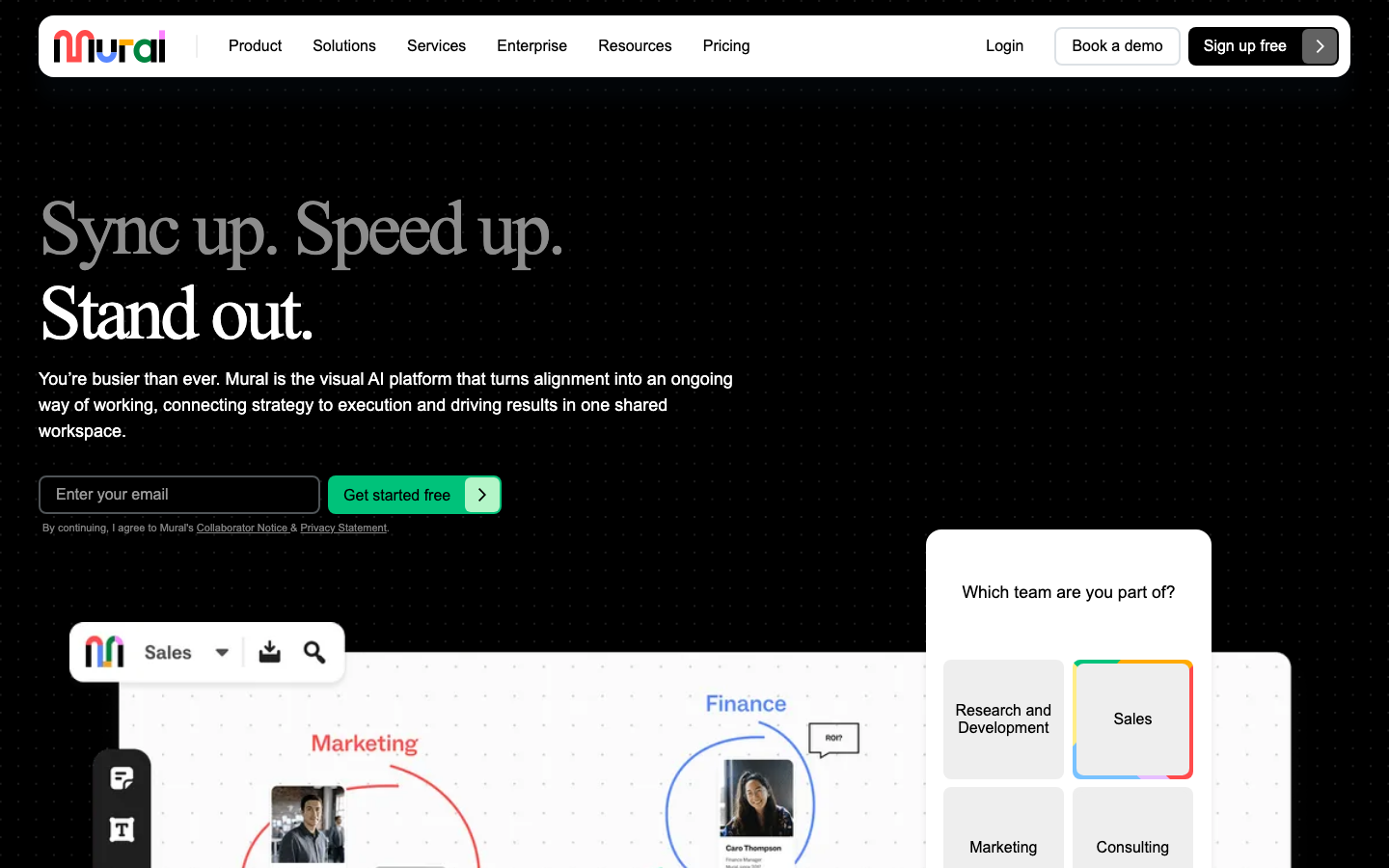
MURAL is a visual collaboration whiteboard platform with "Design Thinking Methodology" as its core. Its AI capabilities focus on guided workshop assistance, note clustering and action item extraction, and are oriented to product innovation, strategic planning and agile teams.
MURALAI
Core parameters and statistics of MURAL AI
MURAL takes "Design Thinking" methodology as its core positioning and is differentiated from the "universal collaboration" direction of other whiteboard tools. The introduction of AI capabilities continues this methodological gene - focusing on guided process assistance rather than pure canvas tool enhancement.
| Projects | Public Information |
|---|---|
| Official positioning | Visual collaboration platform for innovative teams |
| Core Methodology | Design Thinking, Agile, Lean UX |
| Product Form | Web Online Whiteboard + Desktop App + Mobile App |
| AI capabilities | AI guided Workshop, note classification, session summary, template suggestions |
| Scale of template library | Hundreds of design thinking and agile templates (official claim) |
| Enterprise customers | IBM, Spotify, Autodesk, USAA, etc. (officially disclosed) |
| Latest version | 2026-07 Monthly update |
| Supported platforms | Web, iOS, Android, Desktop (macOS/Windows) |
| Supported languages | en-US, es, fr, de, pt-BR |
| Founding year | 2011 |
| Headquarters | San Francisco, USA |
| Cumulative financing | Approximately US$200 million (Series B + Series C, latest valuation undisclosed) |
| Compliance Certification | SOC 2 Type II |
| Category | AI Office and Efficiency |
Methodological differences: MURAL's core competitive barrier is not technology, but the "design thinking guidance process" - its templates and tools are not general whiteboards, but guidance structures designed around specific methodologies such as Design Sprint, user journey mapping, impact map, problem definition and solution divergence. This makes MURAL more suitable for "Workshops with guided needs" rather than "free canvas collaboration".
Market Benchmarking: In the whiteboard collaboration track, MURAL and Miro are the two products that are most often juxtaposed. Miro occupies a leading position in market share with its "universal collaboration whiteboard", while MURAL occupies mental differentiation with "methodological guidance". Other competing products include Microsoft Whiteboard (eco-binding), Lucidspark (structured whiteboard), FigJam (design team affinity) and Stormboard (lightweight agile).
Users and market recognition of MURAL AI
MURAL enjoys high methodological recognition in the corporate innovation and design thinking community, but there is a clear gap between its market influence and Miro.
Enterprise Clients: Publicly stated include large enterprises such as IBM, Spotify, Autodesk, USAA, etc. MURAL is typically used by design thinking teams and innovation labs in these companies, rather than as a general company-wide collaboration tool. The telecommuting wave of 2020 brought a growth spurt for MURAL, with the number of enterprise customers growing significantly during this period.
Competitive position: In the vertical track of "Design Thinking + Guided Workshop", MURAL has strong brand recognition. But in the "universal online whiteboard" market, Miro's user scale and market influence are larger. Microsoft has had an impact on the competitive landscape in this arena with the launch of Microsoft Whiteboard. According to public data, Miro’s valuation and user volume are significantly higher than MURAL, but MURAL maintains differentiated advantages in terms of methodological depth and training system.
Community and Content: MURAL operates an active design thinking community and training program (MURAL Academy), which is both a customer acquisition channel and a brand moat. The Academy provides design thinking methodology courses and facilitator certification, and its content quality has a certain reputation in the industry. MURAL also has an active template market and user creation community, where users can create their own templates and share them with the community.
Financing and Scale: MURAL has raised approximately US$200 million in cumulative financing (Series B in 2020 and Series C in 2021 are the main rounds), and the latest valuation has not been disclosed. The team size is about 400-500 people (unofficial accurate number based on LinkedIn public data). It has passed SOC 2 Type II compliance certification and can be quoted directly by enterprises when purchasing.
Cost Advantages of MURAL AI
- C-side/Individual: Usually a free version is provided to experience the core functions, and high-frequency use requires a paid package subscription.
- API/Developer: Billed by call volume, suitable for development teams that can be flexibly integrated into their own systems.
- Enterprise/Privatized: Contact the business owner for customized quotation and deployment plan. The specific price is subject to the official real-time pricing page.
MURAL AI’S MAIN FUNCTIONS
MURAL's AI capabilities revolve around "guided collaboration" rather than pure content generation. The following five functions constitute its AI capability matrix:
-
AI-guided Workshop: AI automatically recommends appropriate templates, agenda steps and time allocation based on meeting goals (such as "defining user pain points" or "prioritization"), and prompts for next steps during the execution process. AI plays the role of "assistant facilitator", reducing dependence on professional facilitators. Applicable scenarios: Standardized design thinking workshops, Sprint planning, retrospective meetings.
-
AI Note Cluster Analysis: For the massive notes generated in the Workshop, AI automatically groups them by topic and labels key topic tags, reducing the time spent manually reading and sorting them one by one. Expert View: This not only saves sorting time, but more importantly, reduces the "subjective bias brought in by manual classification" - AI's classification logic is always based on content similarity, rather than personal prediction of the speaker. Acceptance concerns: The clustering accuracy will decrease when the topics are highly mixed and overlapping. It is recommended to manually review the classification results.
-
AI session summary and action item extraction: After the Workshop, AI automatically extracts key decisions, consensus points, and to-do action items, and generates a shareable structured review document. Acceptance concerns: Can AI capture the "reasons behind decisions" rather than just superficial conclusions? It is recommended to manually review the accuracy of the qualitative judgment part. For review documents involving sensitive information, it is recommended to manually review them before sharing them.
-
AI Template Recommendation: Based on the whiteboard content and meeting purpose, AI recommends appropriate templates and methodological frameworks to reduce the difficulty of designing from a blank canvas. The template covers common scenarios such as Design Sprint, user journey mapping, impact map, SWOT analysis, OKR alignment, retrospective meetings, etc. Applicable value: For teams with little experience in methodology, the template suggestions can be used as a learning portal to gradually build structured thinking capabilities.
-
AI content generation: In specific templates, AI can generate note content, hypothesis statements, and question lists based on contextual prompts to assist in the divergence of ideas. Applicable scenarios: Hot start phase of brainstorming, initial generation of user research question list, drafting of hypothesis statements.
Functional linkage: The above functions form a complete link - template suggestions to guide entry -> content generation to assist divergence -> note clustering to achieve convergence -> session summary archiving output -> guidance process control rhythm. The synergy of these five knots is the core value of MURAL AI, rather than the independent performance of any single function.
Model and version evolution of MURAL AI
Continuous iterative updates, the latest version introduces performance optimization and new features. Historical version information can be viewed on the official release page. There is no complete public version evolution timeline yet. It is recommended to pay attention to the official announcement to understand the rhythm of feature updates.
Technical advantages of MURAL AI
MURAL's technical advantages focus on the combination of "methodology document structure + AI analysis capabilities" rather than the competition of the underlying model. Its technical route does not pursue the most powerful general AI model, but pursues efficient assistance within the boundaries of methodology.
Structured template as a training base for AI: MURAL’s template is not a blank canvas, but a methodological framework with preset questions, steps, time boxes and output formats. The notes, summaries and suggestions generated by AI in this structured context naturally fit the working language and output requirements of design thinking. Mechanically, AI completes assistance within a "known methodological framework" rather than "guessing" user intentions on a universal canvas. In effect, this means that MURAL's AI output is more accurate in methodological scenarios than a general-purpose whiteboard's AI. This is the core difference in AI experience between MURAL and Miro.
Spatial semantic analysis of sticky notes: In whiteboard collaboration, the "position" of sticky notes (in which column, next to which title, and in what color block) carries methodological meaning. MURAL's AI can use this spatial semantic information to understand which stage a note belongs to - for example, a note on the left side of the canvas typically belongs to the "Problem Definition" stage, the middle to "Proposal Divergence", and the right to "Convergence Decision". This spatial context makes AI classification and summarization better than analysis methods that rely solely on plain text.
Guidance Process Engine: The ability of AI to guide Workshop is not only to "generate content", but also to "control the process" - automatic timing, grouping, voting sorting and stage switching. These usually require a full-time facilitator to complete in whiteboard collaboration. The process engine reduces the Workshop's dependence on professional facilitators, allowing non-professional teams to complete efficient collaboration according to the methodological framework. Applicable scenarios: The team does not have a full-time facilitator, remote collaboration requires structured guidance, and multiple rounds of workshops require a replicable methodological process.
Limitations and Boundaries:
- The methodological binding of AI functions means that the value of non-design thinking scenarios is limited, and it is not recommended to rely on MURAL's AI in free canvas-style collaboration.
- The rigidity of AI facilitation may not suit experienced Workshop facilitators who need flexibility - Advanced facilitators may find the AI's process suggestions too basic.
- Templates and methodologies are mainly in English, and Chinese support is insufficient. The AI experience of the Chinese team will be significantly lower than that of the English team.
- The accuracy of AI's sticky note clustering will decrease when the topics are highly mixed and overlapping. It is recommended to review manually after clustering.
How to use MURAL AI
| How to use | Suitable for the crowd | Entrance | Prerequisites |
|---|---|---|---|
| MURAL Web | All users | mural.co | Register an account (free plan to try) |
| Desktop App (macOS/Windows) | Heavy users | MURAL official website download | Install and log in, synchronize data on the Web |
| iOS/Android App | Mobile collaboration | App Store / Google Play | Download and install, log in to your account |
| MURAL integration (Slack/Microsoft Teams, etc.) | Embedding into existing workflows | Respective application markets | Account association and permission settings |
| MURAL API | Developer/IT Team | Developer Documentation | API Keys and Development Permissions |
Typical Workshop process:
- Set goals and participants → 2. AI recommendation template and agenda → 3. AI guidance has its own sections (divergence/clustering/voting/convergence) → 4. AI automatically organizes note classification → 5. AI generates review summary and action items → 6. Share with the team
First time use suggestions:
- Teams already familiar with design thinking: First select a known problem and try the AI-guided Workshop to test whether the AI's agenda recommendation, timing and classification functions match the team's collaboration habits. It is recommended to start with more structured scenarios such as "review meetings" or "user journey mapping" and gradually expand to more open problem definitions and solution divergence.
- Teams that have not received design thinking training: It is recommended to be manually guided several times to become familiar with the methodological framework before introducing AI assistance. MURAL Academy provides free introductory course resources. It is recommended that core members of the team first complete the Academy's facilitator training and then promote it to the entire team.
Human-machine collaboration boundary (Rule D forced deepening):
- 100% automated and organized: note clustering and preliminary summary, template suggestions, process timing and stage switching. These sections can be completed by AI without human intervention, but it is recommended to set a result confirmation point.
- There are sections that must be manually confirmed: key decisions (solution selection, prioritization), action item responsible persons and deadlines, creative content (AI-assisted divergence but ultimately human decision-making), review documents involving sensitive organizational information before release.
- It is recommended to set up manual confirmation points: Workshop summary document before release (current MURAL's AI summary may miss qualitative judgment), action item responsible person assignment (AI cannot judge team members' responsibilities and current load), and permission settings for cross-team collaboration.
Product Pricing for MURAL AI
The pricing model is subject to the official real-time page. Usually a freemium or subscription system is used, and basic functions can be used for free. Advanced functions or high-frequency use require paid subscriptions, and users are advised to evaluate the optimal solution based on actual usage.
Application scenarios of MURAL AI
The cost reduction and efficiency improvement figures in the following scenarios are deduced values based on product characteristics (marked "deduced value"). They are unofficial promises and the actual results vary depending on the team's methodology proficiency.
-
Design Thinking Workshop (quantitative deduction for cost reduction and efficiency improvement): The entire process from problem definition to solution output is guided and organized by AI. Workshop planning time is compressed from 3~5 hours to 30~60 minutes (deduction value), and post-processing (note classification + summary document) time is reduced from 1~2 hours to 10~15 minutes. Key points of verification: Whether the rigidity of the AI-guided process matches the actual workshop rhythm of the team; creative generation still requires human guidance, and AI does not replace thinking.
-
User journey mapping (quantitative deduction for cost reduction and efficiency improvement): AI assists in generating the initial framework and notes of the user journey map. The product manager adjusts it based on the template, and the time to complete the first draft is reduced from 3~4 hours to 1~1.5 hours (deduced value). Key points of verification: The accuracy of user research data and contact point details needs to be ensured manually; whether the initial framework generated by AI is too templated and leads to homogeneity, it needs to be adjusted based on the specific scenarios of the product.
-
Agile retrospective and Sprint planning (quantitative deduction for cost reduction and efficiency improvement): The MURAL template is used to guide the Sprint retrospective, and AI automatically summarizes the action items, reducing the post-processing time of the retrospective meeting by about 60% to 70% (deduction value). Key points of verification: The acceptance criteria and completion time of action items need to be discussed and confirmed by the team; whether the AI summary can capture team emotions and hidden conflicts - this is the most difficult part of AI to replace.
-
Strategic planning and OKR alignment (quantitative deduction of cost reduction and efficiency improvement): Using the impact map and OKR alignment template, AI assists in guiding the strategic dialogue, the output structure of the planning meeting changes from disorderly discussion to orderly output, and the meeting time is saved by about 30%~40% (deduction value). Verification Points: AI does not participate in high-level judgments involved in strategic decision-making; AI guidance may oversimplify complex strategic trade-offs, requiring the leader to make judgments on the applicability of AI recommendations.
Not suitable for scenarios:
- "Free canvas" style collaboration that does not require methodological guidance - Miro or FigJam are more flexible
- Need project management/kanban functionality - Jira/Linear is more suitable
- Teams not trained in design thinking and unwilling to introduce new methodologies – the value of MURAL will not be realized
- Workshop of a purely Chinese team - MURAL's Chinese templates and AI support are limited, and Chinese NLP capabilities are significantly weaker than English
- Scenarios that require highly customized visual design output - professional design tools are more suitable
- Teams on a budget that only need whiteboard collaboration occasionally - free alternatives such as Microsoft Whiteboard will suffice
Applicable groups of MURAL AI
-
Design Thinking/Innovation Coach: Use MURAL to guide customers or teams through design sprints and innovation workshops, with AI assistance to reduce planning and post-processing workload. Prerequisite: Have mastered the design thinking methodology and be able to evaluate the rationality of AI suggestions. Value Quantification Deduction: Reduce the workshop preparation and organization time by 2-4 hours per week, freeing up more time to focus on high-quality guidance and team empowerment (deduction value).
-
Product Manager (Innovation Exploration Direction): Use user journey mapping, impact map and problem definition templates to conduct product exploration, and AI-assisted generation of initial framework and suggestions. Prerequisites: Accept a methodology-driven structural thinking approach and be willing to standardize the product exploration process. Value Quantification Deduction: The framework construction time in the product exploration phase is reduced by 50% to 70%, and more time can be used for user research and data analysis (deduction value).
-
Agile Coach: Use MURAL's guidance template in Sprint retrospectives, iteration planning and team health checks, and AI automatically summarizes action items and review content. Prerequisite: The team is willing to use whiteboard tools in remote meetings to cooperate with reviews. Value Quantification Deduction: Post-review processing time is reduced by 60%~70%, and the efficiency of the review meeting itself is increased by approximately 20%~30% (deduction value).
-
Strategic Planning Team: Use MURAL's impact mapping SWOT analysis and OKR alignment template to conduct strategic discussions, and AI-assisted guided structured discussions. Prerequisite: The team recognizes the applicability of design thinking methodology at the strategic level, and senior managers can accept the structured guidance process.
Not suitable for people:
- Teams that prefer a free canvas and don’t need methodological guidance – Miro or FigJam may be a better choice
- Team members who are unfamiliar with design thinking or resistant to structured guidance – forcing it can be counterproductive
- Teams that are purely Chinese-speaking and whose AI needs to support Chinese - need to use real Chinese Workshop content to test the classification and summary effects of the AI before purchasing
- Simple collaboration scenarios with limited budget and just "draw a picture" - more free alternatives
- Development teams that require a highly customized whiteboard experience - MURAL's methodology "wrapping" may appear redundant
Summary and Outlook of MURAL AI
The core differentiation of MURAL AI lies in the combination of "methodological guidance + AI assistance" - it is not a smarter whiteboard, but a "guidance tool with a methodological skeleton". The ability of AI also continues this direction: helping facilitators reduce physical labor (note sorting, timing, summarizing), rather than replacing the generation of ideas.
Core Advantages:
- The deep binding of design thinking methodology is difficult to be replaced by a general whiteboard in the "guided workshop" scenario
- AI functions are not "gifts" but enhanced capabilities that are deeply integrated with the core methodology - this is the essential difference from Miro AI
- The MURAL Academy training system forms a moat for the methodology brand. Even if competing products catch up in terms of technical functions, the methodology training system will be difficult to copy.
- The template market and community ecology have formed a positive relationship - more templates attract more users, and more users contribute more templates
Main current limitations:
- The English priority strategy of AI functions leads to insufficient support for Chinese scenarios, and there is a significant gap between the quality of Chinese NLP and English
- Methodological binding makes it of limited value among teams that do not embrace design thinking, limiting the potential market ceiling
- Miro's leading position in the general whiteboard market has brought ecological pressure - the integrated ecosystem, developer community, and third-party applications all lag behind Miro
- The independent development strategy faces challenges in terms of capital and product scale. There is a significant gap between MURAL's financing scale and user volume and Miro's
- The rigidity of the AI-guided process may not be suitable for experienced facilitators, and there is a risk that the "methodological framework limits creativity"
Follow-up points of interest:
- Whether MURAL AI will be expanded to more methodological frameworks (such as OKR, Lean Startup Six Sigma, Design Sprints 2.0)
- Coverage plan for Chinese AI capabilities and localized templates - this is the key to expanding into the Asia-Pacific market
- Continuous investment in AI technology: multi-modal understanding (understanding of graphics and charts in canvas), cross-session knowledge graph (knowledge accumulation in multiple workshops), conversational intelligence (analysis of discussion quality)
- Independent development strategies and potential integration possibilities in the fierce whiteboard market competition
Procurement/Adoption Risk Assessment: Before purchasing, you should focus on confirming the following five items—— (1) Methodology Match: Whether the team really needs a methodology-guided Workshop (rather than a general whiteboard collaboration), it is recommended to use the free plan to complete a real Workshop verification first to confirm whether the AI-guided agenda and template match the actual working style of the team; (2) AI function availability: The available range and calling amount of the AI function in the selected plan need to be actually tested in the account for the response quality, classification accuracy and Chinese processing effect of the AI; (3) Chinese proficiency verification: Whether MURAL’s Chinese support meets the daily use needs of the team, it is recommended to use real Chinese Workshop content to test the classification and summary effects of AI to confirm that the Chinese experience is acceptable; (4) Data Compatibility: Data compatibility when migrating from existing whiteboard tools, verifying MURAL’s import and export format support in advance (especially the actual effect of the Miro import tool); (5) Enterprise Compliance Coverage: Whether the specific functional coverage of SSO, audit logs, and data residency in the Enterprise solution meets the requirements of the enterprise. It is recommended that the SLA level and data deletion terms be specified in the contract.
Related tools:  Notion AI, google-workspace
How to use MURAL AI
- Web client: You can use it by visiting the official website and registering an account. Most functions do not require installation.
- API access: Provides RESTful API, developers can obtain the API Key and integrate it into their own applications.
Version Info
- MURAL 2026-07 Release :The latest monthly update continues to optimize the AI-assisted Workshop function and integration experience. There is no official precise version number yet.
- MURAL AI Workshop Assistant :AI-guided Workshop auxiliary functions are launched, including suggested agenda, automatic timing and action item extraction. There is no official precise date yet.
- MURAL 2025-09 Release :Introducing AI note intelligent classification and template suggestion functions to optimize the content organization process after whiteboard collaboration. There is no official precise date yet.
- MURAL AI first released :MURAL launches its first AI features, including note generation, conversation summarization and content clustering analysis.
User Reviews