 MyCase
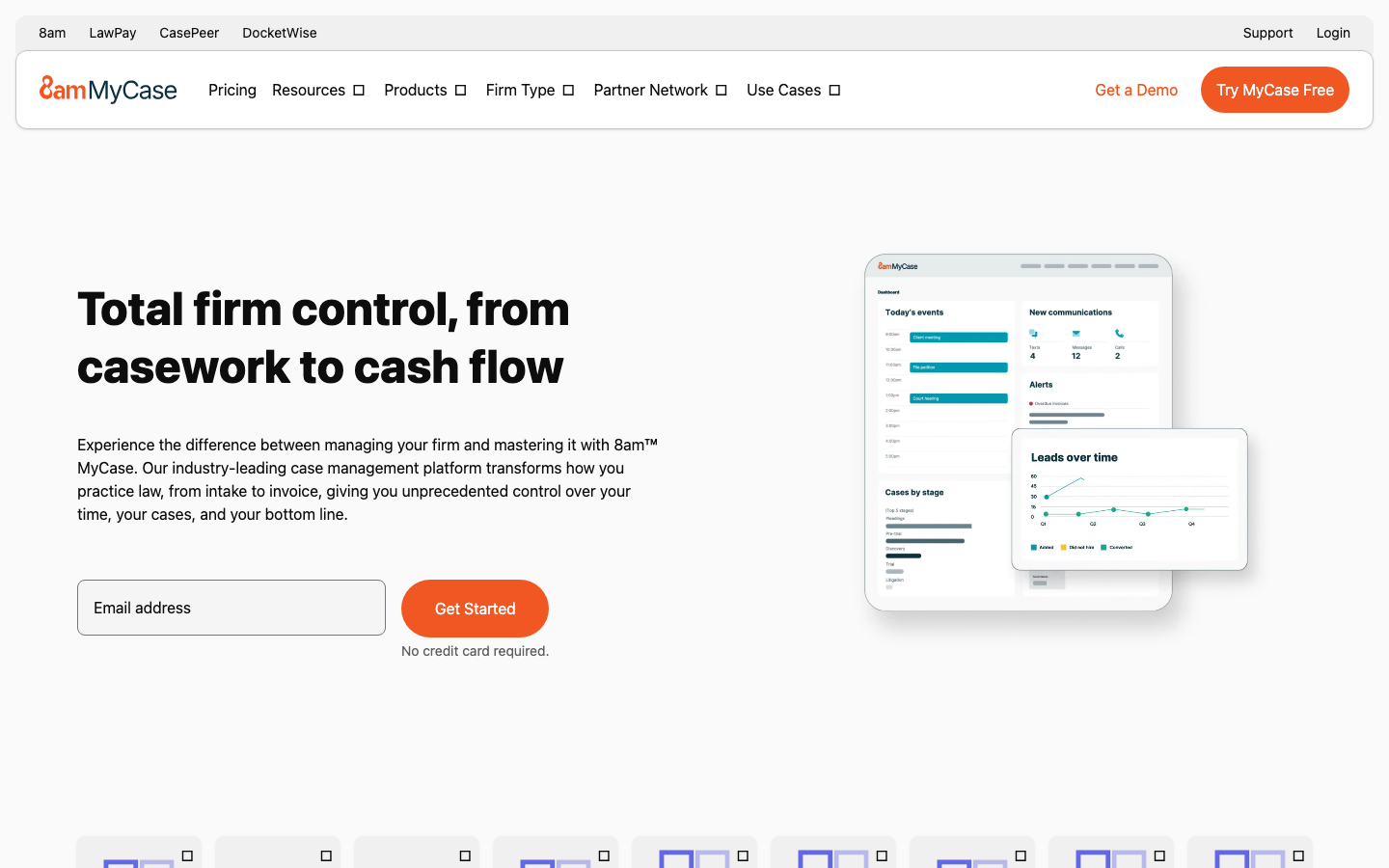
MyCase is an integrated law firm management platform that provides comprehensive functions such as case management, time billing, client communication and document management.
MyCase
MyCase’s core parameters and statistics
MyCase is aimed at the Legal Practice Management (LPM) market of small and medium-sized law firms in the United States and is positioned as an "integrated law firm operation platform" that integrates case management, time billing, client communication and document processing in a single SaaS. Compared with competing products (such as Clio, PracticePanther), MyCase's differentiation strategy is "ease of use first" - not pursuing the most functions, but pursuing the minimum number of cross-system switches.
| Projects | Public Information |
|---|---|
| Product positioning | Integrated law firm management platform (cases + billing + client communication) |
| Delivery form | SaaS Web application + mobile App (iOS/Android) |
| Licensing model | Monthly subscription, billed based on the number of users |
| Supported Platforms | Web, Android, iOS, API |
| Primary language | English |
| Applicable Jurisdiction | United States Legal System (Federal + State) |
| Place of Residence | United States (US) |
| Core Competencies | Case Management, Time Billing, Customer Portal, Document Automation, Payment Processing |
Market Position: MyCase occupies a relatively high share of the U.S. small and medium-sized law firm market (2-50 lawyers), and forms a duopoly pattern in this track with Clio. The core logic of its integration strategy is: the core output of lawyers is "billed working hours", and MyCase integrates the main line of "generating working hours → recording working hours → invoicing → collecting payment" on the same platform, reducing the system management costs of law firms maintaining multiple tools at the same time.
Product Boundary: MyCase is not a full-stack legal software - it does not do legal research (such as Westlaw, LexisNexis), does not do electronic discovery (eDiscovery), and does not cover the entire court electronic filing (eFiling) process. The boundary of its capabilities is clearly stuck in "case operation management" rather than "legal practice itself". For law firms that need the first two, they still need to be paired with specialized tools.
MyCase’s users and market recognition
The market's recognition of MyCase mainly comes from the continued high scores on the user evaluation platform and the daily operational dependence of small and medium-sized law firms, rather than public revenue or precise number of clients (the latter is not officially disclosed).
User Evaluation: On third-party evaluation platforms such as G2, Capterra and Software Advice, MyCase has maintained a 4.3-4.5 star rating all year round. Users generally comment on its "quick start, practical customer portal, and usable billing function." Negative feedback mainly focuses on: advanced reporting capabilities are weaker than Clio, mobile terminal functions are incomplete, and some customization requirements require technical support.
Client structure: MyCase’s core customer groups are small law firms and individual practitioners with 2-20 people. The characteristics of this customer group are: without full-time IT staff and operations managers, partners need to manage cases and billing themselves. MyCase's low learning curve and "out-of-the-box" experience are naturally attractive to this group. Mid-sized law firms (20-50 people) often make a choice between the ease of use of MyCase and the customizability of Clio.
Ecological Integration Approval: MyCase has established native integration with mainstream tools such as QuickBooks, Outlook, Google Workspace, LawPay, Dropbox, etc., and supports more third-party docking through open APIs. These integrations cover the most commonly used financial, calendar, payment and file storage scenarios in law firms, reducing manual handling costs caused by "data silos".
Cost Advantages of MyCase
The cost advantage of MyCase does not lie in its absolute low price, but in "reducing the total cost of system ownership through integration" - one platform covers multiple functions, avoiding the subscription overlay of multiple sets of tools and the labor overhead of cross-system maintenance.
Cost structure for C-side/individual users: The explicit cost of using MyCase for individual practitioners is the monthly subscription fee. The Starter package starts at about $49/month and covers basic case management and billing functions. It is an above-average SaaS investment for a single-person law firm. The hidden benefit is that a single platform replaces the possible combination of "calendar software + timer + accounting software + customer chat tool", whose total subscription and integration maintenance costs tend to be higher than MyCase's single subscription.
Cost considerations for small teams/law firms: Pro package is about $79/user/month, including document automation and advanced billing. For example, for a 5-person law firm, the monthly fee is about $395. In the same range as the equivalent configuration of the competing Clio (about $65-85/user/month). MyCase's Pro tier is tighter on document automation and customer portal integration, but Clio's Grow plan is more complete on customer acquisition and CRM capabilities. The key to choosing is whether the law firm values "internal operational efficiency" or "customer acquisition funnel" most.
Cost Considerations for Enterprises/Large Law Firms: Enterprise plans are quoted on demand and include dedicated support and custom integrations. For law firms of 50+ people, MyCase may not be as resilient as Clio or Smokeball, which are more mature in terms of advanced permissions, multi-office structures, and custom workflows. Before purchasing Enterprise, it is important to confirm: API call quotas, data storage limits, audit log granularity, and data migration in and out plans - these are not fully displayed on the standard pricing page and need to be confirmed by sales.
Hidden costs: The biggest hidden cost for law firms adopting MyCase is "data migration and process reconstruction" - when switching from the original system (such as Excel, Outlook, or competing systems) to MyCase, the cleaning and migration of case history, template documents, and client communication records require personnel investment. The 2-4 weeks after a switch are typically a period of reduced efficiency as the team adjusts to the new system. It is recommended to allow at least 1 month for a parallel transition period before switching.
Main functions of MyCase
The functional design of MyCase revolves around the main line of "case life cycle management", connecting the processes from customer contact, case execution, work time recording to bill settlement on the same platform.
-
Case Management: Each case is presented as an independent "Case Panel" that aggregates contacts, calendar events, task lists, communication history and related documents. Supports custom case types, status labels and fields, adapting to differentiated data models in different business fields (personal injury, family law, immigration, criminal defense, etc.). Implementation Tips: The actual value of case management depends on whether the team strictly implements "recording all communications in the system". Only when receiving emails, copy them to the MyCase email address to automatically archive, reducing manual entry.
-
Timing and Billing: The built-in timer supports one-click start/pause, and the recorded working time is automatically mapped to the corresponding case and billing entry. It supports three mainstream billing modes: fixed fee (Flat Fee), hourly fee (Hourly) and installment payment (Retainer/Trust), and generates invoices and bills in standardized formats. Differences from competing products: MyCase's timer is more integrated with the case panel - lawyers can start the timer directly on the case details page, reducing the secondary operation of "recording time first and then assigning it to the case". However, advanced billing scenarios (such as volume discounts, tiered rates, and cross-case cost sharing) require Pro or higher packages or manual adjustments.
-
Client Portal (MyCase Portal): Provides an independent encrypted portal for each client, where clients can view case progress, download shared documents, submit information forms and pay bills securely. Actual Effect Deduction: The client portal is the most direct module of MyCase to reduce the transactional work of lawyers - clients checking the case status by themselves can reduce the number of "inquiry progress" calls and emails by about 30-50%, which is equivalent to saving 3-5 hours per week for paralegals. The premise is that the law firm proactively educates clients on how to use the portal and maintains the timeliness of portal information disclosure.
-
Document Automation: Based on pre-designed templates (Word or HTML format), use case data fields to automatically fill in and generate legal documents - including commission agreements, complaints, motions, mediation agreements, etc. Templates can set up conditional logic (such as "If case type is personal injury, then include X clause"), reducing the amount of manual editing required on a case-by-case basis. Boundary Note: Document automation relies on template quality - the template design phase requires lawyers or legal assistants to invest time in building it; for highly customized or non-standardized legal documents, automation has limited applicability and still requires manual review and adjustment.
-
Payment Processing and Billing Management: Built-in LawPay integration (a dedicated payment gateway for the US legal industry), supporting credit card and ACH electronic check payments. Clients can pay directly through the portal, and the funds go into the law firm's trust account (Trust Account) or operating account. Supports automatic bill reminders and multi-currency management (with USD as the core). Compliance Tip: Law firm trust account management involves strict legal compliance requirements. MyCase’s Trust Accounting module must be used in conjunction with the bar association rules of the state where the law firm is located. Trust account management regulations may differ from state to state.
-
Calendar and Task Collaboration: Supports shared calendars, conflict detection, schedule invitations and automated deadline reminders. Tasks can be assigned to team members, set priorities and due dates, and associated with case boards and billing entries.
MyCase model and version evolution
As a SaaS product, MyCase does not adopt a large model version number system, but evolves in a "continuous delivery + functional milestone" manner. The following is derived from publicly verifiable product update records and third-party reports.
2025-Q4 Update: Introducing an enhanced document automation engine that supports more complex conditional template logic and batch document generation. The client portal has a new Document Request function. Lawyers can request documents from clients in batches, and clients can upload them through the portal. At the same time, the push notification experience on mobile Android/iOS has been improved.
2026 iteration direction (deduction): Based on industry trends and public clues on the MyCase product blog, functional highlights in 2026 may include: automatic generation of AI-assisted timing descriptions (automatic writing of billing entry descriptions based on case activity), enhanced reporting and business intelligence (BI) panels, and deeper third-party ecosystem integration. These are deductions, and the specific roadmap is subject to official announcements.
Public version cadence: MyCase does not use strictly semantic version numbers, and its "latest version" points to a continuously updated SaaS instance. The official releases update log (Release Notes) in the help center (help.mycase.com) to record monthly feature additions and problem fixes. For the procurement team, it is recommended to pay attention to the update log in the past 6 months to understand the level of active maintenance of the product and the pace of defect repair.
MyCase’s technical advantages
The technical advantage of MyCase is not reflected in the underlying model or algorithm innovation, but in the "depth of product engineering for legal vertical scenarios" - industry-level adaptation of general SaaS capabilities (calendar, file management, payment) under the constraints of legal practice.
Engineering Adaptation to Vertical Scenarios: The special needs of the legal industry (such as trust account management, compliance fields for hourly rates, strong correlation between cases-documents-communications) require the platform to have built-in industry knowledge at the data model level, which cannot be replaced by general-purpose CRM or project management tools. MyCase’s Case Dashboard aggregates multiple types of data (incidents, documents, communications, billing) in the same view, reducing the friction for lawyers to switch between different modules. This "industry aggregation" is the core technical barrier of MyCase relative to general tools (such as Notion and Asana).
Cloud-native architecture and security: MyCase is built on AWS cloud infrastructure and offers SOC 2 Type II compliance certification and 256-bit TLS data encryption. For the legal industry, data security is the primary indicator for law firms to evaluate software—Attorney-Client Privilege requires platforms to meet industry standards in data isolation, access control, and audit traceability. MyCase provides role-based access control (RBAC). Administrators can set the visibility scope of cases and data according to roles such as lawyers, assistants, accountants, etc.
API and Integration Ecosystem: MyCase provides a RESTful API that supports data synchronization with tools such as QuickBooks, Outlook, Google Calendar/Contacts, LawPay, and Dropbox. The availability of API means that law firms can use MyCase as an operational data center to synchronize case information to financial, calendar and email systems, reducing manual copying and pasting between multiple systems. Engineering Assessment: The documentation completeness and frequency control limits of the API are not disclosed in detail, and enterprise users are advised to obtain API rate limits, field coverage, and SLA commitments from technical support before purchasing.
Mobile Capabilities: iOS and Android apps support core functions (case viewing, timing, communication, payment approval), but are limited in report viewing and advanced management functions. For lawyers who often appear in court or go out, the timing and case update functions of the mobile terminal are key to reducing "after-the-fact notes" - time recorded on the spot is usually more accurate than recalled afterwards, which directly affects the law firm's billable time recovery rate.
How to use MyCase
The usage path of MyCase is divided into four stages: "Registration → Basic configuration → Import data → Daily operations". The following is based on the adoption process of a typical law firm.
| Stages | Main actions | Expected duration | Key considerations |
|---|---|---|---|
| Register and activate | Visit mycase.com to register an account and select a package | 30 minutes | The Starter package can be tried for free. It is recommended to use a sample case to experience the complete process first |
| Basic configuration | Set law firm information, case type templates, billing rates, user role permissions | 1-2 days | Case type and template configuration directly affects subsequent operational efficiency, it is recommended to be led by a partner who is familiar with the law firm's business |
| Data import | Import existing cases, customers, contacts, and historical communication records into MyCase | 3-7 days (depending on case volume) | Support CSV batch import and email history archiving; it is recommended to prioritize active cases and leave closed cases later |
| Daily operations | Manage cases through the case panel, use timers to record working hours, and communicate through the customer portal | Continuous | Key habits: copy emails to the MyCase email address, check the day's time before leaving get off work every day, and check pending bills every week |
Entry instructions: Directly visit mycase.com to log in on the Web; search "MyCase" in the app store for iOS and Android to download; for API access, you need to generate an API Key on the settings page, refer to the official developer documentation.
Suggestions for getting started quickly: New users are recommended to first select 1-2 active cases as "pilot cases" and use MyCase to run through the entire process of "accepting cases → timing → invoicing → collection". After 2 weeks of piloting, collect team feedback (what went well and what processes need to be adjusted), and then gradually roll it out to all cases in the firm. Avoid "big bang" cutovers - migrating all cases and data into a new system within 1-2 days, often resulting in a concentrated burst of stress on teams adapting.
MyCase Product Pricing
MyCase’s pricing uses a per-user monthly subscription model with three tiers. The following information is based on the public data on the official pricing page. The specific prices and functions are subject to the real-time page of mycase.com/pricing.
-
Starter Package: Approximately $49/user/month, for solo practitioners and small law firms of 1-2 people. Includes basic case management, hourly billing, calendar integration, and client portal. Suitable for law firms that want to shift from manual management (Excel/paper) to digital management and have low demand for document automation. Note: The Starter package does not support document automation and advanced reporting. If you quickly discover that you need these features, it is recommended to choose Pro directly to avoid the data migration costs of mid-term upgrades.
-
Pro Package: About $79/user/month, for growing law firms with 2-20 people. Build on Starter by adding document automation, advanced billing rules, custom reporting, and enhanced permissions management. This is MyCase’s main package and is suitable for most small and medium-sized law firms. Cost-performance analysis: Compared with spending an extra $30/user/month, the document automation function of the Pro package can save law firms a lot of time in document generation, and the package price difference can usually be recouped through efficiency improvements within 2-3 months.
-
Enterprise Package: On-demand pricing, for law firms with 20+ people or multi-office needs. Includes dedicated customer success manager, custom integrations, advanced audit logs, and priority technical support. Please contact the sales team for specific prices. Pre-purchase verification items: Confirm API call frequency limits, data storage caps, SSO support (SAML/OAuth), data export format and frequency, and SLA (availability commitment) and data retention terms in the contract.
Hidden Cost Supplement: MyCase’s LawPay payment gateway charges a transaction fee (standard credit card rates approximately 2.9% + $0.30/transaction, ACH approximately 1%), which is borne by the law firm and needs to be factored into the calculation when evaluating total costs. For law firms with an annual collection of more than US$1 million, the annual payment processing fee can reach US$20,000-30,000. It is recommended to negotiate the merchant rate with LawPay.
MyCase application scenarios
The core application scenarios of MyCase are concentrated in small and medium-sized U.S. law firms that "require systematic case operation management". The following three types of scenarios have been widely verified:
-
Small Law Firms' Transformation from Manual to Digital: Individual lawyers or small firms of 2-3 people will see the most obvious benefits from switching from Excel/paper files to MyCase. Quantitative deduction: Before the transformation, paralegals spent an average of 1-2 hours a day on manual case status updates, timesheet sorting and bill production; after using MyCase, the operation time of these tasks can be shortened to 20-30 minutes a day, which is equivalent to saving 5-8 hours a week. Based on an assistant’s hourly salary of $25-35, this saves about $500-700 in labor costs per month, which basically covers the subscription fee for the Starter package.
-
Collaboration and billing consistency for multi-attorney teams: Law firms of 5-20 people need to ensure that all attorneys are using consistent standards for timekeeping and billing. MyCase’s shared case panel and flat rate settings allow partners to view the billing progress and unbilled hours of each case in real time. Key Acceptance Metric: After deploying MyCase, monthly "Unbilled Hours" typically drop by 15-30% within 4-6 weeks, directly shortening the cash flow cycle from completion of work to collection of payment.
-
Customer experience-driven differentiated competition: In the context of intensified competition in community legal services, client portals have become an important factor in law firms’ differentiated services. The MyCase portal allows clients to view case progress, download documents and pay bills 24/7. Implementation Tip: The value of a portal depends on client adoption – law firms need to guide clients to register and activate portal accounts during the new client contact stage. If customers are not used to using the portal, the ROI of the feature will drop significantly. It is recommended that portal activation be part of the standard process at the first meeting.
-
Not applicable scenarios: It is not recommended to use MyCase as the main operating platform in the following situations - ① The law firm mainly serves non-U.S. judicial systems (such as Canadian, British, and Chinese laws), and MyCase's templates and compliance designs are based on U.S. law; ② The law firm has a huge annual case volume (more than 500 cases/year) and requires a large number of customized workflows. In this case, it is more appropriate to consider the advanced solutions of Smokeball or Clio; ③ Law firms have a large volume of litigation involving electronic discovery and advanced document management (such as Relativity), an area MyCase does not cover.
Applicable groups of MyCase
MyCase’s multi-tier package structure and industry vertical positioning serve the following key roles:
-
Individual practicing lawyers and micro law firms (1-5 people): The core pain points of this type of users are "limited time and no administrative support", and they need tools that can be used out of the box and get started quickly. MyCase’s Starter or Pro plans cover the entire process from timekeeping to collection. Prerequisites: The law firm must have basic digital operation capabilities (familiar with using web browsers and mobile apps), and be willing to spend 2-4 days on initial configuration.
-
Law Firm Operations Manager/Financial Staff: Responsible for the daily operational management of the law firm, including bill review, accounts receivable tracking, and Trust Accounting compliance. MyCase's billing and reporting modules can significantly reduce the workload of manual reconciliation. Not suitable for boundaries: If the billing rules of a law firm are extremely complex (such as multiple rate standards, batch discounts, cross-case apportionment), MyCase's advanced billing capabilities may not be enough. It is recommended to use real cases to verify billing scenarios before purchasing.
-
Paralegal and Legal Secretary: Serves as the primary daily user of MyCase, responsible for case file filing, time entry, client correspondence, and document generation. MyCase's streamlined interface and automation capabilities can reduce the amount of repetitive work in this part of the role. Training Cost: Most paralegals can achieve daily operation proficiency within 1-2 weeks, but advanced functions (template design, report customization) require additional training. It is recommended that a "system administrator" be designated within the law firm to be responsible for advanced configuration.
-
Not suitable for people: ① IT departments of large law firms (50+ lawyers), because MyCase is weaker than enterprise-level solutions such as Clio or Aderant in terms of advanced rights management, multi-office synchronization, and enterprise-level auditing; ② Law firms that require deeply customized CRM and marketing automation, MyCase’s client acquisition capabilities are weaker than Clio Grow; ③ Non-US legal service providers, because MyCase Its workflows, templates, and compliance features are highly tied to the U.S. legal system.
Summary and Outlook
MyCase's core competitiveness lies in "using industry vertical integration to reduce the system complexity of law firms" - it does not pursue the most functions, but pursues the least system switching and the smoothest data flow on the main lines of case management, time billing and client communication. For small and medium-sized U.S. law firms that are moving from manual management to digitalization, MyCase provides a professional-grade starting point from registration to operation.
Current limitations and uncertainties: MyCase has clear boundaries of capabilities - it does not do legal research, does not do electronic discovery, does not cover court eFiling, and billing and template design are deeply bound to the US legal system. Advanced reporting and customization capabilities are weaker than competing products such as Clio. The mobile terminal still has room for improvement in terms of functional completeness. The frequency control limits and documentation completeness of the API need to be confirmed with technical support before purchasing. LawPay's payment processing fee is an additional cost that needs to be factored into the total cost of ownership assessment.
Procurement/Adoption Risk Assessment: Sole practitioners and small law firms (1-10 people) are recommended to start with the Starter package, complete a 2-week pilot with 1-2 real cases, and verify the suitability of the process before deciding whether to upgrade to Pro. Mid-sized law firms (10-30 people) are recommended to jump straight into the Pro plan pilot, focusing on evaluating template coverage for document automation and client adoption of the client portal. Enterprise customers need to confirm with sales before signing: data export and migration plan API quota limit, SSO/SAML support status, and data retention and deletion terms in the contract. For law firms in non-U.S. markets, MyCase is currently not recommended as the main operating platform—competitive alternatives targeting localization should be considered.
Version Info
- MyCaseLatest :There is no official precise date yet, but case management and AI functions will continue to be iterated.
- MyCase 2025 Update :There is no official precise date for the introduction of enhanced document automation and customer portal improvements.
User Reviews