 Nifty AI
Nifty is an AI office and efficiency platform for teams and enterprises. Positioned as "The Work OS", it integrates project management, real-time chat, document collaboration, roadmap OKR goal tracking and Orbit AI intelligent automation into a single workspace. G2 Rating 4.7/5, used by 20,000+ teams.
NiftyAI
Core parameters and statistics
Nifty is an AI-first project management platform officially positioned as "The Work OS" and is operated by Nifty Technologies, Inc., a company with a Y Combinator background. Its core idea is to "replace five separate tools with one workspace" - putting task management, real-time chat, document collaboration, roadmaps, goal tracking and AI automation all into the same interface. Its target customer base covers full-scale organizations from 5-person entrepreneurial teams to 500-person enterprises.
| Projects | Public Information |
|---|---|
| Official positioning | The Work OS — AI-first project management and team collaboration platform |
| Product form | SaaS cloud, including Web / iOS / Android / Mac / Windows client |
| Deployment method | Cloud hosting (SaaS), enterprise version supports White Label / Custom Domain Name / SAML SSO |
| AI capability brand | Orbit AI (AI project generator, AI writing assistant, intelligent task creation) |
| Integration Ecosystem | Native integration Asana / Jira / ClickUp / Trello / Basecamp / Wrike import, Slack / Google Drive / OneDrive, etc. |
| Open capabilities | REST API v1.0 (available for Business and above plans), Webhook, MCP & AI Assistants |
| Community recognition | G2 rating 4.7/5, adopted by 20,000+ teams, recommended by Product Hunt |
| Latest version | March 2026 Release (Nifty Docs v2 + multiple enhancements) |
| Supported Platforms | Web, Android, iOS, Desktop (Mac, Windows) |
| Supported languages | English / French / Spanish / Portuguese / German / Japanese |
Positioning boundaries: The core value of Nifty is "integration instead of switching" - allowing the team to complete the entire process from planning to delivery on one interface, rather than providing the deepest experience of a single function. It is not suitable for scenarios that require extreme customization of CRM, professional-grade software development IDE integration, or large-scale IT service management (ITSM).
Iteration rhythm: From the public Changelog, Nifty maintains a monthly iteration frequency and enters a feature-intensive period from the second half of 2025 to the beginning of 2026 - key capabilities such as Docs v2, AI Project Builder v2, White Labeling, and Custom Field Automations are all implemented during this window.
User and market recognition
G2 Rating and Industry Positioning: Nifty maintains a comprehensive rating of 4.7/5 on G2, and has received three labels: "Easiest Setup", "Momentum Leader" and "Users Love Us" in the project management category. Compared with competing products, its ease of use evaluation is generally higher than Notion (the learning curve is flatter) and Jira (the configuration cost is lower), but its in-depth agile management capabilities are not as good as Linear or Jira.
Customer scale and profile: Officially announced that 20,000+ teams have registered, and customers include Verizon, VMware, IBM, L'Oréal, New York University, etc. Typical user feedback shows that Nifty is particularly popular in cross-sector collaboration scenarios such as small and medium-sized enterprises, digital agencies, legal services, and educational institutions. The most common direct replacement scenario is the "Asana + Slack + Dropbox + G Suite + Jira" combination package.
Open Source and Community: Nifty itself is not an open source product, but it provides Open API and developer documentation, and has launched MCP & AI Assistants integration capabilities, allowing teams to connect Nifty to their own AI Agent orchestration context through the MCP protocol. The API has released Swagger documentation to support RESTful calls.
Prerequisites for implementation: The value of Nifty is most obvious when the team has formed a repeatable project management process (such as Sprint iteration, customer delivery, content scheduling). If the team is still in the exploratory stage of "any tool will do", the advantages of integration may not be as direct as a single in-depth tool.
Compare the competitive landscape: In the project management SaaS track, Nifty’s direct competitors include ClickUp (broader functionality but steeper learning curve), Asana (more mature workflow but higher price), Monday.com (more modern interface but weaker AI capabilities), Basecamp (lighter but limited functionality), and Notion (more flexible but less professional in project management). Nifty's differentiation lies in the combination of "integrated integration + AI orchestration + team-level pricing", rather than the extreme of any one item.
Cost advantage
Nifty’s pricing strategy is based on the logic of “a unified platform replacing multi-tool procurement”. The official compares the combined cost of itself with Asana + Slack + Dropbox + G Suite + Jira (a total of approximately $41.16/person/month). Nifty’s paid plan is based on the team (not per person), which has a significant cost advantage in scenarios with more members.
C-side / personal
| Plans | Price (Annual) | Number of Members | Storage | Active Projects | Key Limitations |
|---|---|---|---|---|---|
| Free | $0 | Unlimited | 100 MB | 2 | No time tracking, no automation, no custom fields |
| Starter | $39/month | 10 people | 100 GB | 40 | Includes core features |
| Business | $124/month | 50 people | 1 TB | Unlimited | Includes all premium features |
| Unlimited | $399/month | Unlimited | Unlimited | Unlimited | Full enterprise features |
The Free Truth: Although the Free plan supports unlimited members, the limit of 100 MB total storage and 2 active projects determines that it is only suitable for very light trials or micro-project verification. Commercial scenarios require at least Starter.
API / Developer
Nifty's REST API v1.0 is only open to Business and above plans (starting at $124/month), and the entry barrier is higher than most competing products (such as Asana's API is available in Premium). Developers need to first create an application in the Business workspace to obtain the token, and then call it through https://openapi.niftypm.com. The API frequency control is GET 200 rpm / POST 50 rpm / PUT 50 rpm / DELETE 10 rpm, which is a medium to strict level.
Enterprise / Privatization
Nifty does not offer self-hosted or private deployment options, and the core value-adds of the enterprise version are White Labeling, custom SAML SSO, IP restrictions and a dedicated customer success manager. White Label is available as a paid add-on for an undisclosed price, please contact sales. Educational institutions and non-profit organizations receive a 50% discount.
Hidden Cost: When a team upgrades from Free to a paid plan, functions that retain historical data but exceed the limit will be locked (such as time tracking report export, automated rule execution). API is limited to Business and above plans, and $124/month is the lowest entry price for teams that require deep integration. In terms of data migration, CSV/Excel export is supported, but there is no tool for one-click migration to competing products.
Main functions
Nifty's functional system is designed around the integrated logic of "one workspace replacing five tools". The core modules include:
- Task and Project Management: Supports switching between five views: list, Kanban, Swimlane, calendar, and timeline (Gantt chart). Tasks can set dependencies, custom fields, subtasks (with independent status and dependencies), milestones, and recurring tasks. Filtering, grouping, searching and batch operations can be performed directly in the list view.
- Roadmap and Milestones: Display the project timeline in the form of a Gantt chart. Milestone progress is automatically summarized from subtasks without manual updates. Supports cross-project Portfolio views to track key fields (budget, owner, stage) of multiple projects simultaneously in the dashboard.
- Real-time Chat and Discussion: Built-in team chat (channel-style communication similar to Slack), project discussion area, and private message functions. Chat records, tasks, and documents jump to each other, solving the information fragmentation of "messages in Slack and tasks in Asana."
- Document and File Management: Nifty Docs v2 (released in February 2026) provides a complete rich text editor that supports version control, document locking, real-time collaborative editing (including collaborator cursor marking), three modes of suggestion/edit/view, and embedded AI writing assistant (rewrite, expand, summarize, generate outline). File management supports folder organization, batch downloading of multiple files, and direct connection to Google Drive/OneDrive cloud documents.
- Orbit AI Intelligent Automation:
- AI Project Builder: Use natural language to describe project requirements. Orbit AI automatically generates a complete project structure (list, tasks, milestones, deadlines). After generation, you can preview and confirm in any view.
- AI Writing Assistant: Call AI directly in Docs for content rewriting, summarization, expansion, polishing and structured generation.
- Smart Tasks: Automatically create tasks through natural language, including description, due date, owner and custom fields.
- Workflow Automations: based on if/then rules
Conditional automation (trigger conditions can come from custom field values, task status, milestone changes, etc.).
- Time Tracking and Budget: Built-in timer, manual time entry, time log description, support for generating time reports and budget tracking by project/personnel. Descriptions can be added to time records to meet customer reconciliation and internal audit needs.
- Automatic Check-In: Send progress report reminders to team members regularly, collect text/numeric feedback and automatically summarize it into a dashboard view, which can replace daily stand-up meetings.
- Forms and Automation: Native form generator, tasks/documents can be automatically created after submission, and form fields can be mapped to task fields (start date, due date, person in charge, etc.). Forms and automation rules can be embedded in project templates for reuse.
Hidden linkage: Nifty's functional synergy is reflected in several key links - after AI Project Builder generates a project, tasks automatically enter the Kanban board/Gantt chart, milestone progress is automatically summarized in the Portfolio dashboard, progress feedback collected by Check-In is directly linked to the corresponding task status, and tasks with @mention in Doc can preview status changes in real time in chat. This single-platform concept of "Generate → Execute → Track → Report → Communicate" eliminates the hidden man-hours of "Export → Organize → Upload → Notify" in the traditional multi-tool combination. According to G2 user feedback statistics, teams can save about 2-3 hours of cross-tool switching time per week on average (unofficial data, for reference only).
Model and version evolution
Nifty does not provide independent large models or API models. Its AI function (Orbit AI) is delivered in a productized form based on the underlying large model capabilities. The following version history can be sorted out from the public Changelog:
Mainline release
| Node | Date | Core Changes |
|---|---|---|
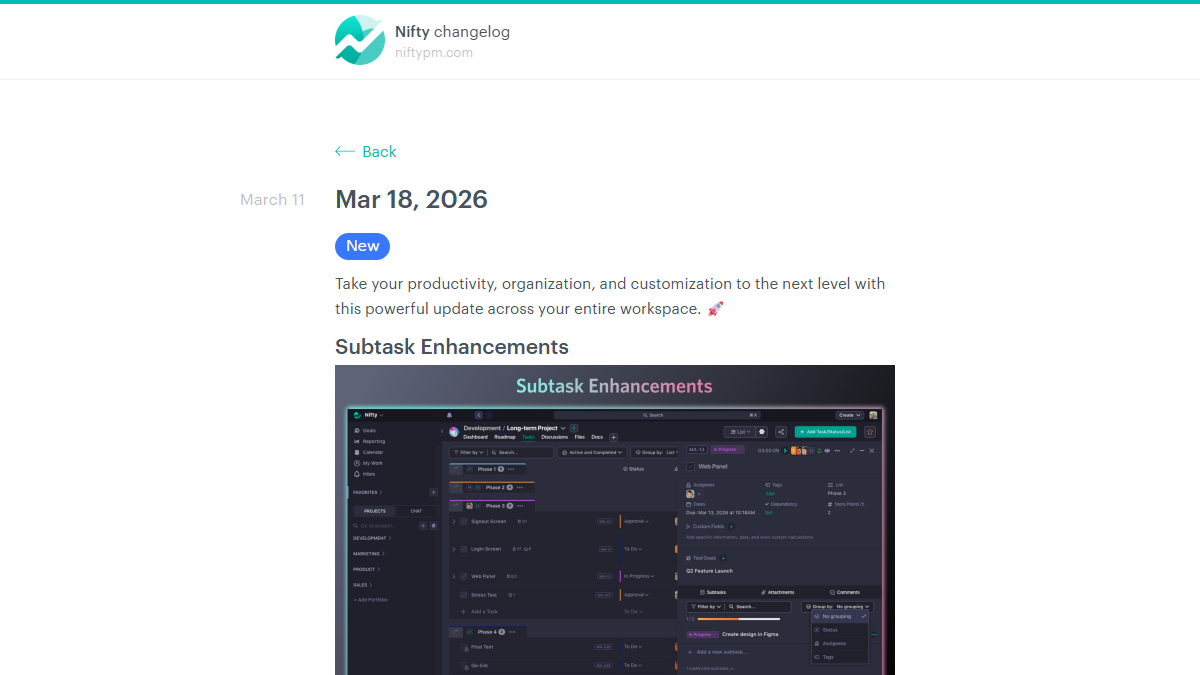
| March 2026 | 2026-03-18 | Subtask enhancements (status/filter/search/grouping/subscription), smart task subscription, structured portfolio, PDF viewer enhancements |
| February 2026 | 2026-02-24 | Nifty Docs v2 released - new document editor, version control, real-time collaborative AI writing assistant, suggestion/edit/view mode |
| December 2025 | 2025-12-19 | Automatic Check-Ins——Regular collection of team progress, automatic reminders, and dashboard-style progress summary, Portfolio adds breadcrumb navigation |
| November 2025 | 2025-11-17 | Full White Labeling, Portfolio folder grouping, subtask dependencies, form automation into templates |
| September 2025 | 2025-09-30 | Time tracking enhancements (custom reminder intervals, administrator editing rights), activity log improvements, custom chart colors |
| August 2025 | 2025-08-28 | No code Report Builder - Custom chart widget, three data types (real-time/activity/history), multi-chart mixed dashboard |
| June 2025 | 2025-06-24 | AI Project Builder v2 - Preview all layouts before creation, drag and drop state settings, intelligent template management |
| June 2025 (early) | 2025-06-06 | Template editing enhancements (offset date preview, template search, coverage update), smart @Mention (user tag/subscriber broadcast) |
| May 2025 | 2025-05-27 | Custom Field Automations (custom fields as triggers/conditions), time tracking adding description Portfolio project field display, inbox search |
| May 2025 (mid) | 2025-05-14 | Favorites folder grouping, batch download of multiple files to Google Drive/OneDrive documents, direct connection, manual time entry |
Version evolution characteristics
- 2025 H2 is the feature explosion period: From Report Builder (August) to Docs v2 (February of the following year), Nifty completed the core competency puzzle of project management SaaS within half a year, especially the two long-missing modules of document collaboration and advanced reporting.
- AI moves from "assistant" to "orchestration": The AI Project Builder v2 in June 2025 is a sign of Orbit AI's upgrade from single task creation to project-level orchestration. By the beginning of 2026, the addition of AI writing assistant will enable AI to cover the entire process of project "creation → execution → recording".
- Enterprise functions continue to be enhanced: White Labeling, custom SAML, IP restriction portfolio permission control and other functions will be released intensively in the second half of 2025, showing that Nifty is penetrating into the medium and large enterprise market.
Technical advantages
Nifty's technical route selection revolves around "zero configuration to get started + unified data model", rather than pursuing the ultimate performance of a single item.
Unified data model: Nifty stores tasks, documents, chats, milestones, and goals in the same data model, instead of relying on API synchronization between different tools like traditional combination solutions. This means that in Nifty, when you @mention a task, it can be consistently referenced and jumped in chats, documents, and Kanban boards; milestone progress can be automatically aggregated from subtask status without the need to configure any synchronization rules. The engineering cost of this design is that the flexibility is lower than that of a pure API combination solution, but in exchange for a "zero configuration" experience for end users.
Orbit AI’s implementation path: Unlike directly providing a general chat window, Orbit AI embeds the project management context in the form of functional modules - calling AI Project Builder when creating a project, calling up the AI writing assistant when writing documents, and creating Smart Tasks in natural language in the task list. This "embedded scene" rather than "independent panel" design lowers the psychological threshold for teams to use AI, but it also means that AI capabilities are deeply coupled with Nifty products and cannot be called separately or deployed privately.
Performance & Availability: Nifty hosts data in SOC1 certified data centers and provides a status page (status.niftypm.com) to expose service health. The API frequency control limit (GET 200 rpm / POST 50 rpm) is at a medium level among project management SaaS and is sufficient for most process integration scenarios, but high-frequency real-time synchronization scenarios (such as large-scale Webhook event streams) may trigger limitations.
MCP & AI Assistants Integration: Nifty’s recently launched MCP support allows Nifty’s workspace data to be exposed to external AI Agents (such as Claude, Cursor, etc.) through the Model Context Protocol. This means that teams can query Nifty’s tasks, milestones and documents in their own AI orchestration context to implement an Agentic Workflow of “Nifty as a data source”. For example, the person in charge of operations can directly query "all unfinished milestones in Q3 in Nifty and their responsible persons" through Claude Desktop without logging into the Nifty interface. This capability is currently relatively rare among project management SaaS, and among major competitors, only ClickUp has a similar open strategy.
How to use
Relevant information has not been made public, please refer to the official real-time page.
Product Pricing
Nifty adopts a tiered pricing model based on teams (rather than per person), divided into four tiers:
| Plan | Monthly payment price | Annual payment price (equivalent to monthly payment) | Target team |
|---|---|---|---|
| Free | $0 | $0 | Micro Teams / Trial Evaluation |
| Starter | $49/month | $39/month (20% savings on annual payment) | Entrepreneurial team / small business (≤10 people) |
| Business | $155/month | $124/month (20% savings on annual payment) | Growth team / small and medium-sized enterprises (≤50 people) |
| Unlimited | $499/month | $399/month (20% savings on annual payment) | Large teams/enterprises (unlimited members) |
Key points of difference:
- Free limited to 100 MB storage and 2 active projects, no time tracking, automation, custom fields and timeline view.
- Starter unlocks core project management features and 100 GB of storage, but no portfolios, workloads, custom roles, and APIs.
- Business starts with full advanced features (API access to portfolio, workloads, custom roles, time tracking), 1 TB storage.
- Unlimited removes all storage and membership restrictions on the basis of Business, and adds customized SAML, White Label (additional fee), and dedicated customer success manager.
ADDITIONAL COST: White Labeling is an additional paid feature (price not disclosed), educational/non-profit institutions can apply for a 50% discount.
Comparison with traditional combination: Official comparison Asana ($9.99/person/month) + Slack ($6.67/person/month) + Dropbox ($12.50/person/month) + G Suite ($5.00/person/month) + Jira ($7.00/person/month) = $41.16/person/month. A team of 50 uses Nifty Business at $124/month (~$2.48/person/month), which costs about 6% of a traditional portfolio.
Application scenarios
Nifty's integrated architecture is most valuable in scenarios that require cross-functional collaboration, process visualization and a unified view of data.
- Digital Agency Client Delivery: Account team creates projects, sets milestones and deliverables in Nifty, Designers and Developers track progress in Kanban boards and Gantt charts, clients view project boards and documents as Guests - all communication is done in internal chat and discussion boards, no need to jump across tools. Weekly Check-In automatically summarizes progress for weekly client reports.
- Engineering Sprint and Product Iteration: Product Manager uses AI Project Builder to generate Sprint Backlog from requirement documents with one click, Engineering Lead assigns tasks and sets dependencies in the Kanban board, and QA directly associates bug reports in tasks. The Portfolio view allows technical directors to track the iteration progress and resource allocation of multiple products at the same time.
- Educational Institution & Non-Profit Project Management: Cross-department projects (campus events, curriculum development, research projects) are managed uniformly in Nifty, using Doc editor and AI writing assistant to collaboratively write proposals and reports. Non-profit/educational institutions can apply for a 50% discount, lowering the purchase threshold.
- Marketing content scheduling: The marketing team arranges the content release timeline in the calendar view, tasks are associated with copy drafts and design attachments in Docs, the approval process is completed through task status and discussion boards, and Check-In collects weekly content output data for reporting.
Not Fit to the Boundary: Nifty is not suitable for scenarios that require deep CRM functionality (such as sales pipelines, customer 360), nor for large enterprise IT departments that require granular permission classification and ITSM processes - such needs are more suitable for ClickUp (more flexibility) or Jira + Confluence (more depth and specialization). Additionally, Nifty does not come with native video conferencing and relies on external integrations such as Zoom/Google Meet.
Applicable people
- Small- and medium-sized enterprise owners and operations leaders: Nifty’s “integrated” feature hits the core pain point of “too many tools and high management costs” for small and medium-sized enterprises. Use one tool to handle projects, documents and communications, reducing employees' attention loss when switching between multiple platforms. What needs to be evaluated is whether the complexity of the business really requires the full set of features - if the team only uses task management, a lighter Todoist or Linear may be more efficient.
- Digital Agency and Customer Service Team: The agency scenario naturally needs to display project progress and deliverables to the outside world. Nifty's Guest access to the Portfolio dashboard and Check-In report is very suitable. For teams managing 10+ client projects simultaneously, the Business plan’s unlimited projects and Portfolio view are core value points.
- Product Manager vs. Project Manager: Gantt charts, milestone dependencies, workload views, and custom reports are basic requirements for PMs, and Nifty has completed these features to a level that is usable by mid-sized teams. AI Project Builder can significantly reduce the fragmentation time of project initialization. But teams pursuing the ultimate agile management experience may prefer Linear’s engineering design.
- Developers and Integration Engineers: Although the REST API is limited to Business and above plans, the documentation is relatively complete (Swagger interactive documentation), and MCP & AI Assistants are future-oriented differentiated capabilities. Ideal for teams that need to incorporate project management data into their own AI workflows. Be aware of the differences in API control and permissions models compared to traditional project management APIs such as the Asana API.
Not suitable for people: Individual users or very small teams of 2-3 people - the Free plan's 100 MB storage and 2 project limit are very limited, and the paid plan's per-team pricing is not cost-effective for very small teams ($39/month The per-person cost for a 2-person team is higher than the per-person competition). Extreme Agile Team - Nifty's "full-featured integration" design means that it does not have the ultimate depth of a single function. Teams that focus on Scrum may find Jira/Linear more comfortable.
Summary and Outlook
Nifty's core competitive strategy is to "use integration instead of switching" - packaging the functions of five tools into one interface, allowing the team to install five less browser tabs. Judging from the intensive release rhythm in the second half of 2025, Nifty is indeed filling in the missing puzzle pieces (advanced reporting, document collaboration White Labeling, MCP integration) one by one in terms of product capabilities. G2’s ratings and user feedback also verify the acceptance of this integration strategy in the small and medium-sized enterprise market.
Current Limitations:
- Limited deep integration capabilities - API is limited to the Business plan, self-hosted/private deployment is not available, and may not be adopted by industries with strict data sovereignty requirements (finance, government affairs).
- AI (Orbit AI) is deeply coupled with the product - AI capabilities cannot be called independently, and the underlying model cannot be customized. The quality and style of AI output are completely controlled by Nifty.
- Prioritize functional breadth over individual depth - there is still a gap in the sophistication of task management (such as Jira's agile reporting Linear's Cycle management) and the professionalism of document editing (such as Notion's database/template ecosystem).
Procurement/Adoption Risk Assessment: For teams of 10-100 people, Nifty is worth piloting as a "unified workspace" candidate - it is recommended to use the Free plan to verify core process compatibility in 1-2 projects, and confirm that task views, document collaboration and automation rules meet the needs before upgrading to Starter or Business. If the team already has a mature Slack + Asana/ClickUp + Google Docs workflow and members are highly satisfied with it, the switching costs and training investment caused by the migration need to be included in the evaluation. Enterprises need to verify the API availability (confirm whether the Business plan meets the integration requirements) and the final pricing of White Label additional features (subject to the official real-time quotation) before purchasing.
Related tools:  Notion AI, google-workspace
How to use Nifty
Nifty provides multiple access methods, and you can choose different paths according to the team size and usage stage.
| Entrance | Applicable Stage | Key Operations |
|---|---|---|
| Web client (niftypm.com) | Register and use | Email/Google account registration, create your first project or import existing data |
| iOS / Android App | Mobile Office | App Store / Google Play Search "Nifty" Download |
| Mac / Windows desktop | Heavy use | Official website download .dmg / .exe, supports offline synchronization |
| REST API | Business and above plans | Create an application in the Nifty workspace to obtain the Token and call https://openapi.niftypm.com |
| MCP & AI Assistants | All Plans | Configure MCP connections to connect Nifty data to external AI Agents |
Typical Getting Started Steps:
- Visit niftypm.com, click "Get Started" to register via email or Google account (free plan does not require a credit card).
- Select "Create Project" or "Import Data" - supports direct import from Asana / Jira / ClickUp / Trello / Basecamp / Wrike, and also supports CSV / Excel import.
- After the project is created, select the view (list/kanban/timeline) in the "Task" module, set key nodes in "Milestones", and write the project description in "Documents".
- If you need AI assistance, click the Orbit AI button on the project creation page and describe the project requirements in natural language to automatically generate the structure.
- Team collaboration communicates in real time through the "Chat" module, and sets periodic progress reports through the "Check-Ins" module.
- Administrators configure automation rules, custom fields, permissions, and integrations in Settings.
Version Info
- Nifty Docs v2 + March 2026 Release :Major updates: New Nifty Docs v2 document editor (including AI writing assistant, version control, real-time collaboration), sub-task enhancements (status/filtering/subscription/search/grouping), smart task subscription, structured portfolio management.
- February 2026 - Nifty Docs v2 Launch :Released new Nifty Docs document editor with support for version control, document locking, real-time collaboration, embedded AI writing assistant, suggestion/edit/view mode.
- December 2025 - Automatic Check-Ins :Introducing Automatic Check-Ins (automatic progress reporting) to support regular collection of team progress, automatic reminders, and Kanban-style progress summary.
- November 2025 - Full White Labeling :Introduced Full White Labeling, Portfolio folder grouping, subtask dependencies, and form automation into project templates.
- June 2025 - AI Project Builder v2 :The redesigned AI Project Builder supports previewing any layout (list/board/swim lane/calendar/timeline) before creation, drag-and-drop status setting, and intelligent template management.
- May 2025 - Custom Field Automations :Custom fields can be used for automated triggering and conditional judgment. New time tracking descriptions, Portfolio project field display, and inbox search are added.
User Reviews