 Notion AI
Notion AI is the built-in AI capability layer of the Notion knowledge management platform. It embeds AI writing, translation, summarization, knowledge Q&A agent automation and cross-application search into the team's document wiki and database workflow.
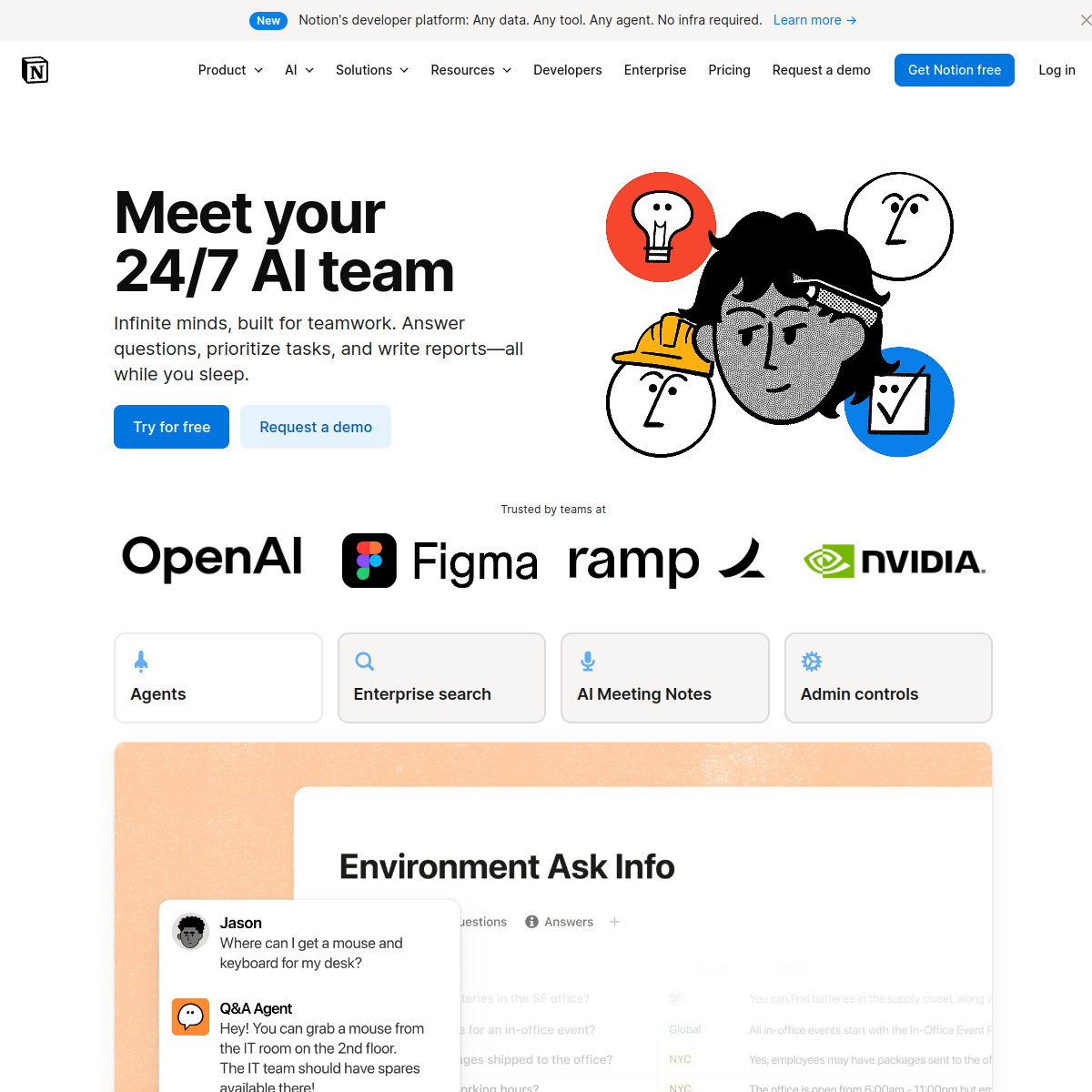
NotionAI
Core parameters and statistics of Notion AI
Notion AI is not an independent product, but an AI capability layer embedded in the Notion knowledge management platform, which is deeply coupled with documents, databases, calendars, emails, and connectors. Its unique positioning is that Notion is first and foremost a "note + Wiki + database" collaboration tool. On this basis, the AI layer is superimposed with writing assistance, knowledge Q&A Agent automation and cross-application search, forming a set of working paradigms in which "documents are data sources and conversations are operation portals".
Differences from suite-based AI: Notion AI’s competitors are not the AI layer of project management tools such as Asana/Monday, but independent writing AI such as Grammarly and Jasper, as well as internal enterprise search platforms such as Glean. The essence of its project management capabilities is "adding task assignments and Kanban views to Wiki", rather than a Jira-level professional project management engine. This means that buyers need to distinguish between “what is needed is team knowledge base AI” and “what is needed is professional project management AI”.
| Projects | Public Information |
|---|---|
| Product form | Notion platform’s built-in AI layer |
| Core Competencies | AI Writing/Translation/Abstract AI Q&A Notion Agent, Enterprise Search, AI Meeting Notes |
| Coverage Modules | Page, Database, Wiki, Docs, Mail, Calendar, Projects |
| Underlying model | Model-agnostic, can switch between different LLM providers according to workflow |
| Data scope | Workspace documents + connected apps like Slack, Google Drive, GitHub, Jira and more |
| Deployment method | Cloud SaaS, no private deployment options |
| Security Compliance | SOC 2 Type 2, ISO 27001, GDPR, CCPA; Enterprise Edition supports HIPAA, zero data retention |
| Monthly active users | Over 100 million (including non-AI users) |
| Official pricing | Subject to notion.com/pricing real-time page |
| Workers (Beta) | Supports custom code extension Agent tools to synchronize with external data, and will start consuming Credits in August 2025 |
Interpretation of key parameters: Model-agnostic architecture is the core difference between Notion AI and competing products - the team can switch the underlying LLM supplier in different workflows to avoid single model locking while maintaining context continuity at the Notion layer. But this does not mean that the accuracy can be adjusted at will. Switching models may lead to inconsistent output styles and formats for the same task, and the team needs to establish prompt specifications to constrain it.
Users and market recognition of Notion AI
Notion has more than 100 million public monthly active users. After the launch of AI functions, Notion AI membership has become one of the main driving factors for its ARPU increase. Well-known customers displayed on the official page include OpenAI, Figma, Ramp, Nvidia, Braintrust, Vercel, Clay, Lovable and other teams, covering a multi-industry matrix from AI-native companies to traditional enterprise software.
- Enterprise Adoption Signal: Ramp's Head of AI & Operations publicly stated that "If it's something that's repetitive, we have a Notion Agent for it"; Braintrust's VP of Marketing commented that all teams, documents and workflows are running in Notion, and the Agent can truly be effective when it has a company-wide context. This kind of front-line user testimonials prove that Notion AI has achieved the value of "automating repetitive tasks" in real business.
- Market Position: Notion is a leader in the knowledge management and collaboration software market, especially in the "personal knowledge management + team Wiki" scenario with almost no direct benchmarking products. Customized Agent and AI meeting records have been reported by many media as high-frequency reuse functions. Notion on G2 scores extremely high in the dimensions of "ease of use" and "user satisfaction", but some users report that AI writing performs worse than English in Chinese scenarios - this is a shortcoming that needs to be verified in advance for Chinese teams whose main working language is Chinese.
- Consensus in third-party reviews: Most reviews believe that the real value of Notion AI lies not in single point functions, but in the "integration of AI and existing document assets" - that is, AI can directly access all pages, databases and connector data in the workspace, without the need for additional knowledge base import or vectorization processes. But the premise of this advantage is that the team has accumulated enough high-quality structured content in Notion.
Notion AI’s cost advantage: three-tier cost structure and hidden fees
The cost of Notion AI is not priced independently from the tool itself, but as an additional layer of the Notion package, billed in the dual dimensions of seats + Credits. This structure has intuitive ROI for small and medium-sized teams, but requires careful accounting of usage when deploying on a large scale.
C client/personal layer:
- The Free package ($0/person/month) provides a limited-time trial of Notion AI, which is suitable for personal experience but not enough to support daily workflow.
- The Plus package ($10/person/month) also only provides a limited-time trial of AI Core, which means that if individual users want to continue to use AI functions, they need to upgrade to Business or purchase AI add-on separately.
Team Tier (Business Package):
- Business ($20/person/month) is the "full version threshold" of Notion AI, covering core AI capabilities such as Notion Agent, custom Agent, AI Meeting Notes, and Enterprise Search Beta. For a team of 10-50 people, the monthly expenditure is about $200-$1,000. Compared with independently purchasing the three products of AI writing tools + enterprise search + meeting transcription, there is still a certain package advantage.
Enterprise:
- Enterprise customizes quotations based on organizational size and compliance requirements, and provides advanced controls such as zero data retention SCIM user provisioning, audit logs, HIPAA compliance, etc. For organizations with more than 1,000 employees, the "zero data retention" and "LLM sub-processors are prohibited from using customer data to train models" in the business terms are key procurement terms and need to be confirmed in the contract.
Customized Agent Credits Billing:
- Custom Agents are billed in Notion Credits, $10 / 1,000 monthly credits. The Credits consumed by each Agent task depend on the task complexity and actual execution time. For heavily automated scenarios (such as hundreds of alarm triage times per day), Credits consumption may increase rapidly, and usage monitoring and budget warnings need to be established before deployment.
Hidden Cost Tip:
- The quality of AI Q&A depends entirely on the team’s documentation quality and organizational structure in Notion. In a workspace with fragmented documents, lack of label classification, and confusing permissions, the recall rate of AI Q&A will decrease significantly, resulting in the hidden cost of "buying AI but giving inaccurate answers."
- Notion Workers (Beta) will also consume Credits starting in August 2025, which means additional monthly variable costs for teams planning to use the Workers extension in depth.
- Migration cost: Teams that have not yet widely used Notion need to complete workspace migration and document reconstruction first. This upfront investment (manpower hours + training + data migration) may be much higher than the AI subscription fee itself.
Notion AI’s main functions and hidden linkage
The functional system of Notion AI is not an isolated stack of capabilities, but a collaborative network built around the triangular base of "document + database + connector". There are significant linkage effects between the following core functions:
- AI Writing and Editing: Call AI directly on the page to generate, rewrite, continue writing, summarize, translate and adjust tone. Supports a variety of preset styles, suitable for all scenarios from meeting minutes, project documents to blog drafts. Expert view: The real efficiency improvement of AI writing is not in single-page generation, but in "batch processing" - for example, selecting 20 database records to let AI uniformly rewrite the summary style, or batch translation of multi-language documents, which saves several times the time than page-by-page operations.
- AI Q&A: Answer user questions based on Notion Wiki and document content, AI automatically locates relevant pages and gives source references. Hidden linkage: When Q&A cooperates with Enterprise Search, answers not only come from Notion documents, but also extract information from connected data sources such as Slack, Google Drive, GitHub, Jira, etc., to achieve "unified retrieval of cross-application knowledge" - this is something that single-point AI writing tools cannot do.
- Notion Agent: Understands the workspace context, can create documents, edit databases, and make cross-tool calls. A single task can run autonomously for up to 20 minutes. Expert view: The essence of Agent is to convert "human operation path in Notion" into an AI executable instruction sequence. For example, Agent can automatically extract customer feedback from Slack → create database entries → mark priorities → @corresponding person in charge → generate weekly report updates. This series of operations originally took about 30-45 minutes to be completed manually across Slack/Notion/Calendar, but the Agent can complete it in about 5 minutes.
- Customized Agent: You can set up exclusive Agents for repetitive tasks (recruitment reports, customer support, security alarm triage, weekly status updates, etc.). Each custom Agent has independent permission configuration (readable/writable pages and application scope), and runs according to the default SOP like a "digital intern". The official has preset three types of templates: Q&A Agent, Task Routing Agent, and Status Update Agent.
- *
*Enterprise Search: Answer-level search across data sources like Slack, Google Drive, GitHub, Jira, and more. Expert View**: The difference from Notion Q&A is the data source scope - Q&A is limited to Notion workspaces, while Enterprise Search extends to external connectors. For teams that use multiple tools to collaborate, the latter tends to be practical more often.
- AI Meeting Notes: Automatically transcribe meetings, generate structured summaries and action items, and store the results directly in the Notion page. Hidden linkage: The action items generated by the meeting can be automatically tracked by the Notion Agent, forming a link of "Meeting → Task → Execution → Update" to reduce the omission of manual follow-up.
- AI Core: A six-in-one basic capability suite of chat, generation, translation, autofill, summary, and database attribute completion, covering the most frequent daily AI interaction scenarios.
- File and Image Analysis: Upload PDF, PNG, JPEG, extract key information and support translation. It is highly practical for scenarios such as contract review, invoice entry, and white paper summaries, but the OCR accuracy of complex forms still requires manual proofreading.
- Model-agnostic: Supports switching LLM providers in different workflows, allowing you to select the model that best suits the current task. For example, writing workflows use lower-cost models, and complex reasoning tasks switch to stronger models—but the output consistency needs to be verified after switching.
Notion AI model and version evolution
The version history of Notion AI reflects Notion’s three-stage evolution from “Editor AI” to “Platform AI” to “Agent AI”.
Starting point: Document-embedded AI (2023)
Notion AI was initially launched as a writing assistant, providing basic capabilities such as generation, rewriting, and summarization within the page. The core goal of this stage is to reduce the frequency of users switching from Notion to external tools such as ChatGPT and to fix AI within the "writing context."
Unification: Notion AI Core (2024-11)
Unify chat, generation, translation, autocomplete, summarization, and database attribute completion into the AI Core suite. This is a key node for Notion AI to move from a "feature set" to a "capability platform" - AI is no longer a button on the page, but a system-level capability that penetrates into databases, calendars, emails and other modules.
Vertical Breakthrough: AI Meeting Notes (2025-04) and Enterprise Search (2025-06)
AI Meeting Notes addresses meeting transcription and action item extraction, and Enterprise Search Beta extends AI retrieval beyond the Notion workspace to external connectors. The launch of these two vertical functions marks the beginning of Notion AI covering "collaboration scenarios beyond documents."
Generational jump: Notion 3.0 with Agents (2025-09)
Notion 3.0 introduces Notion Agent and custom Agent, allowing AI to perform multi-step tasks in the workspace on behalf of users, running autonomously for up to about 20 minutes. This is Notion AI's paradigm shift from "passive question and answer" to "active agent" and the final unification of its three product lines of writing, search, and conferencing - Agent can call on all these capabilities to complete end-to-end tasks.
| Version node | Time | Key changes | Technical significance |
|---|---|---|---|
| Notion AI first release | 2023 | Document embedded writing and summarization | AI enters Notion editing flow |
| Notion AI Core | 2024-11 | Unified chat/generation/translation/auto-fill | Capability platformization |
| AI Meeting Notes | 2025-04 | Meeting transcription and structured summary | Vertical scenario breakthrough |
| Enterprise Search Beta | 2025-06 | Cross-application answer-level search | Data boundary extension |
| Notion 3.0 with Agents | 2025-09 | Agent and customized Agent online | From Q&A to agency |
Technical advantages of Notion AI
The technical barriers of Notion AI do not come from the underlying model itself (its Model-agnostic architecture just shows that the model is replaceable), but from the following five engineering design dimensions:
- Context-integrated knowledge graph: AI directly builds query context based on pages, database properties, and connector synchronization data in the workspace, without requiring users to do additional vectorization, knowledge base import, or index configuration. Mechanism: When a user asks a question, Notion's retrieval layer will first recall relevant fragments within the workspace (including page text, database attribute values, and text in file attachments), and then splice these fragments into a context window and send it to LLM. Effect: For teams that already use Notion heavily, this mechanism means that AI has "whole-team knowledge" out of the box, an advantage that cannot be replicated by purchasing AI writing tools alone.
- Model-agnostic and multi-vendor disaster recovery: Notion can be connected to multiple LLM vendors (OpenAI, Anthropic, Google, etc.) at the same time, and each workflow can specify different models. Engineering Implications: When a certain LLM fails or prices increase, teams can quickly switch at the workflow level without losing the contextual history of the Notion layer, reducing the risk of single-vendor dependence. However, the output style may change after switching, and the prompt layer needs to be processed for compatibility.
- Enterprise-Grade Security with Zero Data Retention: Notion’s contract with LLM sub-processors explicitly prohibits training models with customer data. The Enterprise plan supports zero data retention (i.e. the LLM provider does not store anything after the AI query is completed), meeting HIPAA compliance requirements. All transfers are encrypted using TLS 1.2+. Practical value: For purchases in regulated industries such as finance, medical, and legal, these terms are necessary conditions for entry, not bonus points.
- Reversible changes and audit trails: All Agent operations are built on Notion's collaboration layer - creation, editing, and deletion can all be undone through version history. Administrators can view the trigger actions, execution content and change records of each Agent run in the background.
. This lowers the psychological threshold for "AI misoperation" in Agent automation scenarios, allowing teams to more boldly authorize Agents to perform write operations.
- Prompt injection protection: Enhanced hidden command detection mechanism, which can identify malicious instructions in uploaded files, mark suspicious links and require user confirmation, while allowing administrators to control the processing strategy of external content. This is a critical line of security for teams using custom agents and enabling file uploads.
Notion AI usage entrance
The usage entrance and calling methods of Notion AI cover multiple levels from mouse clicks to programming expansion:
Web/Desktop Notion: The basic entrance for all teams. Use the space bar or Cmd+J within the page to wake up the AI command menu, which supports operations such as generation, rewriting, translation, and summary Q&A. The @ symbol can refer to a page, person, or database as context.
iOS / Android App: The mobile terminal supports basic interactions of AI Core - reading Agent output and quickly recording Q&A queries. However, due to screen size limitations, complex Agent configuration and long article editing are recommended to be completed on the desktop.
Notion Mail/Calendar: AI content assistance in email writing (intelligent reply, tone adjustment), and automatic linkage of meeting records and calendar events. After the meeting in the calendar ends, AI Meeting Notes can automatically generate a transcription page.
Customized Agent Configuration: In the Business and above packages, define the Agent's behavior, permissions, and data source scope in natural language through the Agent command page. Officially preset three types of templates: Q&A Agent, Task Routing Agent, and Status Update Agent, which can be adjusted on this basis.
API / Webhooks / Workers (Beta): Developers can embed AI capabilities into external systems through Notion API and Webhooks. Workers allow extending the Agent toolset with custom code (JavaScript/TypeScript), synchronizing external data, or triggering complex multi-step workflows.
Typical operations include: Summon AI in the Notion page or chat interface → Specify the page, person or data source through @ → AI directly performs writing, modification, retrieval or multi-step tasks → The results are output in the Notion page → Version history can be traced and revoked. From the user's perspective, the AI Agent is like a team member who "has full read permissions and partial write permissions in the workspace."
Product Pricing for Notion AI
Notion AI's pricing adopts a three-tier structure of "Basic package (including limited AI trial) + Business unlocking complete AI + Custom Agent billed by Credits":
Free and Plus packages: Mainly provide limited-time trials of Notion AI to experience the basic capabilities of AI Core. For individual users, if they need to continue to use AI writing and translation, they must upgrade to Business or purchase an additional AI add-on.
Business Package ($20/person/month): Notion AI’s “full version threshold”. Unlock all AI capabilities such as Notion Agent, AI Meeting Notes, Enterprise Search Beta, and custom Agents at once. This is the actual entry price point for most small and medium-sized teams. Monthly expenses are around $20 x team size, which for a 50 person team is around $1,000/month.
Enterprise Package: Customized offer based on organization size, core differences are zero data retention SCIM, audit log HIPAA compliance, dedicated customer success manager. For organizations with more than 1,000 employees, key terms for business negotiations include “contract guarantee with zero data retention,” “no training clause,” and “SLA response time.”
Customized Agent Credits: $10 / 1,000 monthly credits. The credits consumed by each Agent task fluctuate according to the complexity. The official Credits consumption benchmark value for a single task has not yet been disclosed. The team needs to calibrate the budget through actual operation before deployment. Workers (Beta) will also be connected to the Credits billing system from August 2025.
Purchase Suggestion: It is recommended to pilot the Business package in a team of 5-10 people for 1-2 months, evaluate the Credits consumption rate and AI answer quality through actual usage, and then decide whether to expand to the entire company and whether to upgrade to Enterprise.
Application scenarios of Notion AI
Knowledge management and AI-based team wiki: Build and continuously maintain the team knowledge base, and let AI help with proofreading, completion, translation and retrieval. Quantitative deduction: A team of 50 people maintains a Wiki of about 200 pages and updates about 30 pages every month - which traditionally requires a full-time document engineer of about 40 hours/month; after accessing Notion AI, writing and translation assistance can compress the editing time to about 15 hours/month (a reduction of about 60%), but the final manual review of the document cannot be skipped.
Project management and weekly report automation: Agent automatically tracks task status changes in the project database, and aggregates them every week to generate a team weekly report. Deduction: The project manager spends about 2 hours every week organizing the weekly report (collecting updates → writing summary → format adjustment). The Agent can compress this to about 15 minutes of manual review time, but the premise is that the information entry in the project database is standardized and complete.
End-to-end solution for meeting management: AI Meeting Notes automatically transcribes meetings → extracts action items → writes to database → Agent tracks execution status. Cost reduction deduction: For a team with 10 internal meetings per week, manual note-taking takes about 5 hours/week; AI automatic transcription + summarization can compress this time to about 30 minutes/week (only review and fine-tuning), a reduction of about 90%. But when it comes to client meetings or confidential content, it’s recommended to turn off automatic transcription or use Enterprise’s zero data retention plan.
Cross-application information collaboration: Collaborate with Slack, GitHub, Google Drive, Jira, etc. through Enterprise Search to answer information search questions such as "What are the historical work orders of this customer?" "Where are the release notes of the latest version?" Actual value: Reduces the time team members spend searching between multiple applications, especially accelerating the onboarding of new employees (traditionally, new employees need 2-4 weeks to familiarize themselves with where information is stored, Enterprise Search can compress information location time from minutes to seconds).
Automated operation process: Use a custom Agent to handle customer support triage (from Slack work order → determine type → create database entry → @corresponding person in charge), security alarm response (read alarm → query history → generate disposal suggestions), and recruitment process (resume collection → preliminary screening → interview arrangement notification). Human-machine collaboration boundary: In these scenarios, the Agent can complete about 80% of the information processing and distribution work, but when it comes to judgmental decisions such as "whether to reject customer requests" and "whether to escalate security incidents", manual confirmation points must be retained. The agent's permissions should be set to "suggest and wait for approval" mode instead of directly performing irreversible operations.
Applicable groups of Notion AI
Collaborative teams (product, market, content, operations): Groups that have or plan to use Notion as the knowledge center of the team are the core audience of Notion AI. They hope to gain AI capabilities directly within documents and databases without the need to switch additional tools. Prerequisite: The team needs to first establish a certain amount of Notion structured document assets (recommended at least 50 pages + 3 or more databases), otherwise the recall rate and accuracy of AI knowledge question and answer will be significantly insufficient.
Information management departments of medium and large enterprises: Requires cross-application search, controllable AI permissions, and compliance-level data governance. The Enterprise plan's zero data retention SCIM, audit log HIPAA are key purchasing decision points for this type of user. Border Tip: If the enterprise has already purchased a specialized enterprise search platform such as Glean or Coveo, Notion Enterprise Search may only be a supplement rather than a replacement, and the degree of functional overlap needs to be evaluated.
Individual Heavy Notion User: Use AI for personal knowledge base, study notes, reading summaries, foreign language translation and project tracking. For this type of user, Notion AI’s “limited time trial” model may lead to pricing sensitivity issues – the incremental cost of $10-20/month needs to match the actual frequency of use for individual users.
Automation enthusiasts and low-code builders: Build exclusive business processes through custom Agents and Workers. Typical portraits include operations supervisors (build automated reports), HR (build recruitment process agents), and IT administrators (build alarm triage agents). Unfit boundary: In scenarios that require deep customization of AI model behavior (such as fine-tuning, custom embedding), Notion AI's model layer abstraction will become a limitation - it is more suitable for "building a process with ready-made capabilities" and is not suitable for "training a dedicated model to do specific tasks".
Dissuade the Crowd: Organizations that are not already using Notion are not recommended to migrate to Notion first for AI capabilities - the migration costs (document migration, permission re-establishment, staff training) are much higher than the AI subscription fee. Additionally, Notion AI’s project management capabilities are insufficient to replace Jira/Asana/Monday for teams that require professional-level project management (Gantt charts, resource load charts, critical path analysis).
Summary and Outlook of Notion AI
Notion AI's core competitive strategy is to "put AI where all the team's work is" - it does not appear as an independent AI tool, but as a built-in capability layer of the Notion collaboration platform, directly calling the team's existing document assets. This allows it to form differentiation barriers in the following three dimensions: 1) zero knowledge base migration cost (existing Notion documents automatically become AI context); 2) cross-application data integration (Enterprise Search + connector covers daily tool chains); 3) evolution path from passive question and answer to active agent (Agent can perform multi-step operations).
Current Limitations:
- The quality of AI writing in Chinese scenarios is weaker than that in English, and the core user group is still dominated by the English market.
- Customizing Agent's Credits billing model makes the cost of large-scale automation scenarios unpredictable.
- The upper limit of Notion AI's capabilities is limited by the team's own data quality - in a workspace with messy documents and confusing permissions, AI performance will decline accordingly.
- The lack of privatized deployment options may pose an adoption barrier for government and enterprise customers with data sovereignty requirements.
Procurement/Adoption Risk Assessment:
- Team profile suitable for piloting first: already heavily using Notion, with a team size of 10-100 people, and clear pain points of repetitive documents/information retrieval.
- Recommended verification period: 1-2 months for the Business package pilot, focusing on verification 1) The recall rate of AI Q&A in the actual workflow 2) The Credits consumption rate of the customized Agent 3) Whether the output quality of the Chinese scenario meets the team's requirements.
- Clauses to check before enterprise purchases: contract language with zero data retention, clauses prohibiting LLM sub-processors from training with data, SOC 2/ISO 27001 certification scope, and whether Enterprise Search’s connector coverage includes all critical applications used by the team.
- Follow-up observation points: the stability and error rate of Notion Agent in real business processes (especially scenarios involving multi-step writing), the maturity of the Workers ecosystem, and whether Notion will launch special optimization for the Chinese market.
Related tools: Notion AI, google-workspace
Version Info
- Notion 3.0 with Agents :Notion 3.0 introduces Notion Agent and custom Agent, which can perform multi-step tasks in the workspace on behalf of users, and can run autonomously for up to 20 minutes.
- Enterprise Search Beta :Cross-application enterprise search beta is launched to retrieve answers from data sources such as Slack, Google Drive, GitHub and more.
- AI Meeting Notes :Launched AI meeting minutes to automatically transcribe and extract key points and action items.
- Notion AI Core :Launched the Notion AI Core suite to unify chat, generation, translation, auto-fill and summary capabilities.
User Reviews