 OpenClaw
Free
OpenClaw
Free
OpenClaw is an open source personal AI assistant created by Peter Steinberger. It supports interaction with users through 29 chat channels (WhatsApp, Telegram, Discord, Slack, iMessage, Signal, etc.), has persistent memory, browser control, system-wide access to 700+ community skills and Multi-Agent orchestration capabilities, and can be used with any large model (Claude, GPT and local models). GitHub 346K+ Stars, sponsored by OpenAI, GitHub, NVIDIA, Vercel, etc.
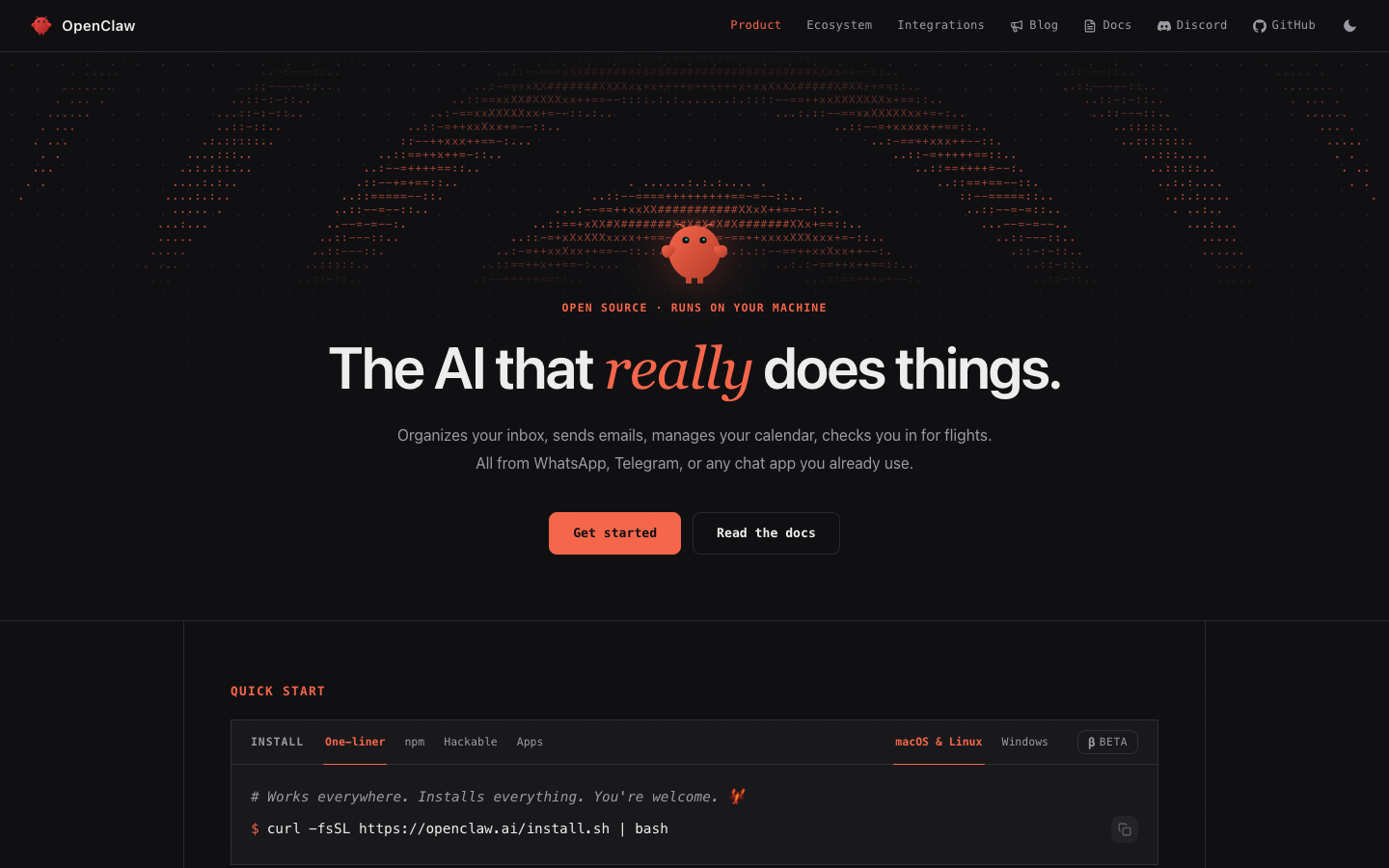
OpenClaw
Core parameters and statistics of OpenClaw
OpenClaw is an open source personal AI agent that "runs on your own machine and talks to you through any chat channel." It’s not another SaaS chatbot, but an autonomous agent core that takes over your operating system, browser, and message notifications.
| Project | Specifications |
|---|---|
| Product Positioning | Open Source Personal AI Assistant (Personal AI Agent) |
| Delivery form | Local CLI installation + desktop (Mac/Windows/Linux) + mobile (iOS/Android) |
| Open source license | MIT (core engine), skill plug-in licenses vary |
| GitHub Stars | 346K+ (as of 2026-07, one of GitHub's fastest growing repositories) |
| Founder | Peter Steinberger (@steipete) |
| Operating entity | OpenClaw Foundation (non-profit foundation) |
| Supported chat channels | 29 (WhatsApp, Telegram, Discord, Slack, iMessage, Signal, etc.) |
| Total community skills | 700+ (ClawHub skills market) |
| Supported LLMs | Any large model (Claude, GPT, Gemini, local models, open source models, etc.) |
| Key Integrations | Gmail, GitHub, Obsidian, Twitter/X, Spotify, Philips Hue, Google Calendar, WHOOP |
| Core Sponsors | OpenAI, GitHub, NVIDIA, Vercel, Blacksmith, Convex |
The fundamental difference between OpenClaw and ordinary AI chat assistants: It is not limited to a chat box. Users can interact with it through any instant messaging tool they use daily (covered by almost all mainstream platforms except WeChat), and it can perform browser operations, read and write files, run Shell scripts, manage schedules, and send emails in the background - this is the scope of capabilities at the "conversational operating system interface" level. 346K+ GitHub Stars accumulated in less than 5 months, making it one of the fastest-growing software repositories in GitHub history. This growth rate itself reflects that the market's desire for AI agents that "really do things" far exceeds the existing product supply.
User and market recognition of OpenClaw
OpenClaw's market recognition is not obtained through advertising, but is voted by the developer community with stars and code contributions.
Explosive growth of the community: From being launched as a "weekend project" in February 2026 to breaking through 346K+ Stars in July of the same year, OpenClaw has completed a path that most open source projects take several years to complete. Y Combinator's official channel review: "went from a weekend project to the most-starred software repo on GitHub in under 5 months". The number of Forks, Issue discussion activity and third-party skills contributions on GitHub have maintained rapid growth. The ClawHub skills market exceeded 700 plug-ins within two months of its opening.
Top Industry Endorsement:
- Sam Altman (OpenAI CEO): Publicly stated "you can sign in to openclaw with your chatgpt account now", which means that OpenAI has proactively opened login and integration channels for OpenClaw.
- Elon Musk: Confirmed "You can access X API via @OpenClaw", opening up the X/Twitter data pipeline.
- Satya Nadella (Microsoft CEO): Demonstrated "making OpenClaw run super well on Windows" during Microsoft Build 2026 keynote, Microsoft even launched an OpenClaw inspired product "Scout".
- Andrej Karpathy (authority in the field of AI): Publicly expressed "Love oracle and Claw" and spoke highly of OpenClaw's Oracle (oracle) capabilities.
Authoritative media reports: TechCrunch (2026-06-30) reported that OpenClaw has officially launched on Android and iOS; Fast Company included it in the "AI 20 for 2026" list and wrote an in-depth analysis of Peter Steinberger's entrepreneurial journey; the Microsoft Build 2026 conference displayed it as a case in Keynote.
Corporate Sponsorship Ecosystem: OpenAI, GitHub, NVIDIA, Vercel, Blacksmith, Convex and other companies directly provide sponsorship to the OpenClaw Foundation. This kind of diverse sponsorship structure is extremely rare in open source AI projects - it includes model providers (OpenAI), code hosting platforms (GitHub), hardware manufacturers (NVIDIA), as well as front-end infrastructure companies (Vercel) and database/back-end service providers (Convex). This shows that OpenClaw's ecological value covers multiple links in the AI industry chain.
Cost Advantages of OpenClaw
OpenClaw's cost model is completely different from traditional SaaS AI tools - its core value proposition is "you own your AI, you don't need to pay per use."
C-side/individual users: zero software license fee, only need to bear the infrastructure cost
- The OpenClaw core engine is completely open source and free (MIT license), and no subscription is required to use all features.
- Users need to bring their own LLM API Key (such as OpenAI API, Anthropic API) or run the model locally (such as loading open source models through Ollama/LM Studio).
- For users using local models, inference costs are borne by local hardware (GPU with at least 16GB+ VRAM recommended to run 7B-70B parametric models smoothly).
- Hidden Cost: Learning Curve - Understanding OpenClaw's channel configuration, skill installation and permission management requires a certain technical foundation, and non-technical users may need to invest additional learning time.
Developers/API users: Zero platform lock-in, only LLM API fees
- No API gateway fees, no platform commissions, and no need to pay for API calls to OpenClaw itself.
- Users directly call the API of the LLM provider of their choice (e.g. OpenAI, Anthropic, Google), and the cost depends entirely on the pricing of the selected model.
- Compared to SaaS plans (such as ChatGPT Plus $20/month and Claude Pro $20/month), monthly LLM API fees for high-frequency users are typically in the $5-$50 range (depending on model selection and call volume) and achieve higher automation output in more flexible workflows.
Enterprise/Team: Self-hosted, data sovereignty first
- Enterprises can self-host OpenClaw on the internal network, the data does not leave the domain, and it complies with compliance requirements such as GDPR, SOC2, and HIPAA.
- No charges based on seats or volume of calls. The IT department only needs to bear the infrastructure (server GPU, operation and maintenance) costs.
- Compared with commercial AI Agent platforms (such as AutoGPT Cloud, CrewAI Cloud, etc.), the annual fee for the enterprise version is usually in the $10K-$100K+ range, and OpenClaw's self-hosted model can reduce the total cost of ownership by 1-2 orders of magnitude.
| Cost Dimension | OpenClaw (self-hosted) | SaaS AI Agent (such as ChatGPT+Automation) | Business Agent Platform |
|---|---|---|---|
| Software license fee | $0 (MIT open source) | $20-200/month/person | $10K-100K+/year |
| LLM inference fee | Flexible selection by model | Within fixed subscription fee | Usually included in platform fee |
| Infrastructure | User-provided | Cloud vendor borne | Cloud vendor borne |
| Data Sovereignty | Full Control | Subject to Platform Privacy Policy | Subject to Contract |
| Customization capability | Fully open | Restricted | Moderate |
| Operation and maintenance costs | Technical capabilities required | Zero operation and maintenance | Basic operation and maintenance required |
Main features of OpenClaw
OpenClaw's functions revolve around the core of "autonomous agents". It is not a passive question and answer tool, but makes AI a digital colleague that can actively perform tasks.
-
29 Channel Unified Messaging Layer: Supports 29 chat channels including WhatsApp, Telegram, Discord, Slack, iMessage, Signal, SMS, Messenger, Instagram DM, LinkedIn Message, Matrix, IRC, XMPP and more. All channels share the same conversation context and memory system - what a user says on WhatsApp is continued on Telegram without losing context. This means that OpenClaw does not require users to change their usage habits, but is embedded in their existing communication infrastructure.
-
Persistent Memory System: OpenClaw maintains a local persistent memory library that automatically records user preferences (such as "Always reply in Chinese", "Send meeting summaries to my email address"), project context, contact information and work style. Memory is not a simple conversation history, but a structured knowledge graph. Users can explicitly edit, delete or export memory data to avoid privacy concerns.
-
Browser Control: OpenClaw can open a browser, navigate to a specified URL, fill out forms, click buttons, extract page content and take screenshots. This enables it to complete tasks such as website data collection, automated form submission, online booking, price monitoring, etc. that require "looking at the web page". Open list of tools:
browse(navigate to URL),click(click on page elements),type(type text in the input box),extract(extract structured data from the page),screenshot(intercept the current page),wait(wait for the page to load/element to appear),scroll(scroll the page),evaluate(execute JavaScript in the page context). -
Full system access: including file system reading and writing (reading/creating/editing any files), Shell command execution (running scripts, operating processes, managing services), and system notification management (reading and sending desktop notifications). This enables OpenClaw to complete underlying operations such as code compilation and running, data backup, log analysis, and system monitoring. It should be noted that system access permissions follow the user permission model of the host operating system - OpenClaw runs as the current user and does not have permission to perform operations that require sudo/admin (unless the user explicitly escalates the configuration).
-
ClawHub skills market and self-generated skills: 700+ community-contributed skills, covering scenarios such as Gmail management, GitHub PR operation, Obsidian note management, Google Calendar scheduling, Spotify playback control, Philips Hue lighting control, WHOOP reading of biological data, etc. More importantly, OpenClaw can "write its own skills" - users describe their needs in natural language, and OpenClaw automatically generates and installs the corresponding skill plug-ins, realizing the concept of "expanding AI with AI".
-
Multi-Agent Orchestration: Supports running multiple Agent instances at the same time, and each Agent can be configured with different roles, models and permissions. For example: one Agent is responsible for monitoring mailboxes and processing schedules, another is responsible for crawling competitive product price data and generating daily reports, and the third Agent manages home IoT devices. Agents can communicate with each other through the message bus to form a collaborative automation network.
-
Heartbeat system (active check): OpenClaw's "heartbeat" mechanism allows it to actively check the status specified by the user (such as whether the server is online, whether the stock has reached the target price, whether the website has been updated), and actively push notifications to the user's chat channel when the conditions are met. Combined with Cron jobs and scheduled tasks, OpenClaw can completely replace the traditional Monitoring + Alert tool chain.
-
Voice Call (Twilio Integration): Through Twilio integration, users can call OpenClaw directly - it supports speech recognition and speech synthesis, converting the call content into text instructions for processing and replying. This is particularly useful in busy scenarios such as driving and housework.
OpenClaw model and version evolution
The version evolution of OpenClaw reflects the rare trajectory of a "weekend project" growing into the world's largest open source project within 5 months.
v0.5 Alpha (2026-02): Starting point for weekend projects
Published as a "weekend project" on GitHub by Peter Steinberger, an independent developer previously known for PSPDFKit and iOS development tools. The initial version only supports basic chat functions and a simple prompt word execution framework. It quickly went viral on Hacker News and Twitter/X, reaching thousands of stars in its first week. No funding, no team, no roadmap — just one person and an idea: "What if your AI could actually do things, not just talk about them,"*
v0.9 Beta (2026-04): Feature explosion and community takeoff
- Chat channels expanded to 15+ (added WhatsApp, Telegram, Discord, Slack).
- Introducing browser control and shell execution capabilities, allowing OpenClaw to evolve from a "chatbot" to a "task-performing agent."
- GitHub Stars have rapidly grown from thousands to 200K+, becoming the most watched open source project in Q1 of 2026.
- Early contributors spontaneously formed a skills community, and the prototype of ClawHub began to take shape.
- OpenAI, NVIDIA and other companies began to contact and express sponsorship intentions.
v1.0 (2026-06): Stable version release and ecological formation
- The number of channels reaches 29, covering almost all mainstream instant messaging tools.
- ClawHub skills market is officially launched, with community contribution skills exceeding 700.
- The Multi-Agent orchestration engine officially supports multi-role, multi-model parallel agent networks.
- The persistent memory system is upgraded to a structured knowledge graph that supports explicit editing and export.
- Desktop client (Mac/Windows/Linux) and mobile client (iOS/Android) are released simultaneously.
- OpenClaw Foundation is officially registered as a non-profit organization and is sponsored by companies such as OpenAI, GitHub, NVIDIA, Vercel, Blacksmith, and Convex.
- Demonstrated as a case by Microsoft Build 2026 Keynote, Microsoft launched the "Scout" product inspired by it.
- GitHub Stars exceeded 346K+, becoming one of the fastest growing software repositories in GitHub history.
Future roadmap (under community discussion)
- Enterprise SSO and RBAC: Enterprise-level single sign-on and role-based access control, for enterprise self-hosted scenarios.
- End-to-end encryption: Comprehensive end-to-end encryption support at the message transmission and storage levels.
- ClawHub Official Review: Establish an review and signature mechanism for community skills to improve security credibility.
- iOS/Android local model inference: Supports running small-parameter open source models on the mobile terminal, reducing dependence on cloud APIs.
Technical advantages of OpenClaw
OpenClaw's technical design revolves around the three core principles of "low-latency response, high autonomy, and auditability".
Architecture Link: OpenClaw’s workflow link can be summarized as:
LLM (arbitrary model) ←→ OpenClaw Core (agent engine)
                        ↓
            ┌─────── Tool abstraction layer ───────┐
            ↓ ↓ ↓ ↓
       Browser Control Shell Execution File System HTTP/API
            ↓ ↓ ↓ ↓
         Chrome/OS process local disk third-party service
         Playwright (SSH) (FS) (Gmail, etc.)
                        ↓
            ┌─────── Message abstraction layer ───────┐
            ↓ ↓ ↓ ↓
        WhatsApp Telegram Discord Slack…
Control flow direction: User message → Chat channel → Message abstraction layer → OpenClaw Core → LLM inference → Tool call → Execution result reflow → Message abstraction layer → User receives reply. The direction of data return is the opposite. The tool execution results are processed by Core and returned to LLM for summary, and finally presented to the user.
Model-agnostic design: The OpenClaw core engine is not tied to any specific LLM. Users can freely switch between OpenAI, Anthropic Claude, Google Gemini, native Ollama models, or any third-party endpoint compatible with the OpenAI API format in the configuration. This makes OpenClaw an "AI model router" - users can choose the most suitable model for different tasks (such as using Claude for long text analysis, using GPT for creative writing, and using local models to process sensitive data).
Tool abstraction layer: All Agent capabilities (browser, system, network, file) are exposed to LLM through a unified Tool API. Each Tool has a clear input schema and output schema, and LLM is called through the standard Function Calling mechanism. The engineering advantage of this design is that to add a Tool, you only need to implement a Python/TypeScript function and register it in the configuration, without modifying the core reasoning logic. This is also the technical foundation for the rapid growth of ClawHub’s skills ecosystem.
Technical implementation of persistent memory: The memory system is based on a local vector database (default SQLite + embeddings) and supports three types of memory: factual memory (user information, preferences), procedural memory (work processes, scripts), and conversational memory (history conversation summary). Memory retrieval uses RAG (Retrieval Augmentation Generation) mode, which automatically injects relevant memory fragments before each inference. Users can view and edit all memory entries in the Web Dashboard.
Heartbeat and Cron system: OpenClaw has a built-in lightweight scheduling engine that supports Cron expressions and condition-based heartbeat triggering. The scheduler runs independently of the LLM inference thread, and even if the LLM API is temporarily unavailable, it will not affect the triggering and queuing of scheduled tasks. Task results are cached locally and processed uniformly when LLM is available.
OpenClaw’s engineering pitfall guide (specific to Agent tools)
Based on community feedback and real-world deployment experience, here are the most common engineering issues and solutions when using OpenClaw in a production environment:
1. Dead loop and Token explosion control: When OpenClaw is assigned a browser automation task, if the target page is loaded dynamically (such as a SPA page that continuously updates the DOM status), the Agent may fall into an infinite loop of "observe the page → judge → click → page changes → observe again → click again", resulting in a single task consuming tens of thousands to hundreds of thousands of Tokens. Solution: Set max_steps in the Agent configuration (default 25, complex tasks can be relaxed to 50), and enable repeated action detection - if the Agent performs the same operation 3 times in a row and the page does not change substantially, the task will be automatically terminated and "stuck in a loop" will be reported. For web automation scenarios, it is recommended to use double insurance with timeout (timeout: 60000) and Token budget (max_tokens_per_task: 50000).
2. DOM/Exception context overload: OpenClaw's browser control injects the LLM context by default after serializing the complete DOM tree to text. The DOM tree of a complex enterprise-level SPA page (such as Salesforce, Notion) may exceed 100,000 lines, almost filling the context window of a single inference. Solution: Enable DOM clipping mode (dom_mode: accessibility) and only return the Accessibility Tree or the DOM summary of the visible area instead of the complete DOM tree. For data collection scenarios, use the extract API with CSS Selector directional extraction to avoid full-page DOM injection.
3. Security and unauthorized governance: OpenClaw’s system-wide access capability is its core value and the biggest source of risk. If LLM is injected with malicious instructions (Prompt Injection), it may lead to irreversible operations such as file deletion, sensitive data leakage, and shell command execution. Solution: Set up a human-in-the-loop for irreversible operations (deleting files, executing unsigned scripts, sending emails, publishing content, payment operations), enable read-only mode (readonly: true) in the configuration for data collection scenarios, and limit the scope of executable Shell commands through the whitelist mechanism. For production deployments, it is highly recommended to run OpenClaw as a dedicated low-privilege system user and avoid running directly as administrator/root.
3-minute quick start with OpenClaw
Installation and basic configuration of OpenClaw can be completed in 3 minutes:
One-click installation (macOS/Linux):
curl -fsSL https://openclaw.ai/install.sh | bashOne-click installation (Windows PowerShell):
iwr -Uri https://openclaw.ai/install.ps1 | iexInitialization after installation:
# Start OpenClaw and enter the configuration boot
openclaw init

# Configure LLM API Key (taking OpenAI as an example)
openclaw config set llm.provider openai
openclaw config set llm.api_key sk-<YOUR_API_KEY>

# Start the OpenClaw daemon
openclaw start

# Direct conversation test in the terminal
openclaw chat "Hello, what can you do,"
Configure WhatsApp/Telegram channel: After the installation is complete, run openclaw channel add and follow the interactive prompts to select the channel and scan the QR code to bind. For more detailed configuration and MCP Server mounting methods, please refer to the official warehouse README and documentation site.
Product Pricing for OpenClaw
OpenClaw's own pricing model is extremely simple - the core engine is free, with no hidden charges.
| Tiers | Price | What's Included |
|---|---|---|
| Open Source Core (Self-Hosted) | $0 (MIT License) | Full Features: 29 Channels, Browser Control, System Access Multi-Agent, ClawHub Skills Marketplace |
| ClawHub skills | Most free, some advanced skills are priced independently by developers | 700+ community skills, single skill can be installed and used |
| Enterprise self-hosting | $0 (software fee) + infrastructure cost | Same as the open source core, the data is completely private and can be customized on demand |
| LLM API fees | Pricing based on selected model | Users bill directly with LLM provider, OpenClaw takes no commission |
What the Cost Really Means: For an individual developer, monthly API fees typically range from $3-$15 if using a low-cost model like GPT-4o-mini or Claude Haiku—much less than the subscription fee for ChatGPT Plus ($20/month) or Claude Pro ($20/month), but with a scope of capabilities and a level of automation that far exceeds those SaaS offerings. For high-frequency users (1000+ calls per day), it is recommended to choose a local model (such as running Llama 3 or Qwen series through Ollama), where the marginal inference cost approaches zero after a one-time hardware investment.
Application scenarios of OpenClaw
OpenClaw's "chat channel + system access" combination makes it applicable to scenarios far beyond traditional AI assistants:
-
Personal Productivity Automation: Automatically organize your Gmail inbox (categorize by rules, mark priorities, generate summary reply drafts); pull the day's agenda from Google Calendar and push it to WhatsApp at breakfast; automatically archive chats to a personal knowledge base with Obsidian skills. Verification focus: Check whether the Agent correctly understands the email classification rules to avoid mistakenly marking important customer emails as spam.
-
Social Media and Content Operations: Monitor the latest tweets of designated topics or accounts on Twitter/X, automatically generate summaries and push them to the Discord channel; complete regular content release through browser control (such as WordPress articles publishing LinkedIn scheduled updates). Key points of verification: Manual confirmation points are required before content is automatically released to avoid direct release of inappropriate content generated by AI.
-
Development and Operations (DevOps) Assistance: Complete daily operation and maintenance tasks (log retrieval, service restart, backup script execution) through Shell execution capabilities; monitor GitHub PR status and automatically merge when CI passes; manage remote server clusters through SSH skills. Verification focus: Shell command whitelist configuration and secondary confirmation mechanism before command execution.
-
Internet of Things and Smart Home: Control lighting scenes through Philips Hue skills; read WHOOP biometric data and generate daily health trend reports; automatically adjust the environment at home based on calendar events (turn off air conditioning/lights when leaving home). Verification focus: Security of IoT operations - Ensure that Agents cannot perform dangerous operations such as "opening the door lock when leaving home".
-
Multi-Agent collaborative production: One Agent is responsible for collecting price data from 10 competing product websites, the second Agent cleans and performs comparative analysis on the data, and the third Agent generates a daily report with charts and sends it to the team through Slack. The three Agents are connected in series through the OpenClaw message bus to form a complete data pipeline. Key points of verification: The timeout and failure retry mechanism for inter-Agent communication prevents the entire process from being interrupted due to the failure of a single Agent on the link.
Who is OpenClaw applicable to?
-
Independent developers and technology enthusiasts: This is the largest user group of OpenClaw currently. They have the technical ability to configure and debug Agents, and can leverage ClawHub skills and custom Tools to build complex personal automation pipelines. Not suitable for the boundary: Users who have no programming foundation at all may encounter high thresholds when configuring channels and debugging Agents. It is recommended to start the experience with
openclaw initinteractive boot. -
Small to Medium Teams (3-50 people): Replace the subscription fees and maintenance costs of multiple SaaS tools with self-hosted OpenClaw. Teams can share an Agent instance and collaborate through different chat channels and roles. Not suitable for boundaries: When the team exceeds 50 people, the lack of native user management and permission classification mechanisms will become a bottleneck. It is recommended to evaluate the Enterprise SSO solution or wait for the official enterprise version features.
-
Practitioners in high-compliance industries who focus on data privacy: Individual practitioners or small firms in industries such as legal, medical, and finance can use OpenClaw's self-hosting capabilities to run AI agents in a completely offline context to ensure that customer data does not leave the local network. Prerequisites: You must configure a local model (such as through Ollama) instead of calling the cloud API, and you must have basic model deployment capabilities.
-
IoT/Smart Home Enthusiasts: Use OpenClaw’s channel integration capabilities to manage smart devices in your home through daily chat tools. Unfit boundary: The current OpenClaw IoT skills ecosystem is still in its early stages, and the compatibility of high-end device protocols (such as KNX, BACnet and other building automation protocols) requires community contributions.
-
Use with caution: In scenarios where the accuracy of AI-generated content is extremely high (such as medical diagnosis recommendations, legal document finalization), and accidental misoperations cannot be accepted (such as direct control of industrial equipment, autonomous driving related), it is not recommended to use OpenClaw as the only decision-making body.
OpenClaw vs similar tools comparison
The "personal AI Agent" track in which OpenClaw is located is rapidly taking shape. The following is a comparison of its capabilities with several major competing products:
| Comparison Dimensions | OpenClaw | Claude Code (Terminal Agent) | Cursor AI (IDE Agent) | ChatGPT Tasks (Automation) | AutoGPT (Open Source Agent) |
|---|---|---|---|---|---|
| Positioning | Universal Personal AI Agent | Code Terminal Agent | Code Editor Integrated Agent | ChatGPT Built-in Tasks | Experimental Autonomous Agent |
| Chat Channels | 29 Types | Terminal CLI | IDE Internals | ChatGPT Web | Terminal CLI / Web |
| Browser Controls | ✅ Native Support | ❌ | ❌ | Limited (via Operator) | Experimental |
| System Access | ✅ File + Shell | ✅ Terminal + File System | File System | ❌ | Experimental |
| Persistent Memory | ✅ Structured Knowledge Graph | ❌ (conversation level) | ❌ | ❌ (conversation level) | ❌ |
| Multi-Agent | ✅ Native support | ❌ | ❌ | ❌ | Experimental |
| Native model support | ✅ Any model | ✅ Via CLI | ❌ | ❌ | ✅ Limited |
| Open Source | ✅ MIT | ❌ Closed Source | ❌ Closed Source | ❌ Closed Source | ✅ MIT |
| Skill Ecology | 700+ (ClawHub) | ❌ | Extensions (Limited) | ❌ | Community Plugins |
| Installation complexity | One-click installation | Node.js required | Install IDE | Zero installation (SaaS) | Docker/Python required |
| Data sovereignty | Full control | Partial control | None | None | Full control |
Decision Suggestion: If all you need is a "better terminal code assistant", Claude Code has a better experience; if you need an "AI agent that can work for you, respond to you in various chat tools, and is completely controlled by yourself", OpenClaw is currently the only open source solution that meets all these conditions.
Implementation recommendations for OpenClaw
For teams or individuals considering deploying OpenClaw in a production environment, it is recommended to proceed through the following stages:
Phase 1: Personal trial (1-3 days): Complete one-click installation on a development machine, configure 1-2 chat channels (Telegram or Discord is recommended, the easiest configuration), set the LLM API Key, run openclaw chat to test basic dialogue and browser control. Acceptance criteria: The Agent can correctly execute the command "Help me open openclaw.ai and take a screenshot" and return the screenshot through the chat channel.
Phase 2: Scenario verification (1-2 weeks): Select a specific business scenario (such as email automation, price monitoring, code review assistance), install the corresponding ClawHub skills, and configure the Agent's permission range and max_steps and other parameters. Acceptance criteria: The completion rate of automated tasks is > 80%, the misoperation rate is 0% (ensure through manual confirmation points), and the Token consumption of a single task is within the controllable range.
Phase 3: Production expansion (January-February): Deploy to dedicated servers or virtual machines, enable read-only mode and whitelist mechanism, configure Multi-Agent orchestration pipeline, set up Heartbeat monitoring and Cron scheduled tasks. Enterprise users need to separately evaluate SSO options and data encryption strategies. Acceptance criteria: The system operates stably 24/7 without unexpected interruptions, all irreversible operations pass manual confirmation points, and the memory system is correctly maintained and backed up regularly.
Summary and Outlook of OpenClaw
OpenClaw has grown from a personal weekend project to an open source AI agent benchmark with 346K+ GitHub Stars in less than 5 months. Its core driving force is a powerful response to the proposition that "AI should really do things." It is not another chatbot interface, but an operating system-level agent that maps the capabilities of LLM to the real world through a unified tool abstraction layer and message abstraction layer.
Current limitations: (1) Although the skills ecosystem is growing rapidly (700+), the quality of skills is uneven, and there is a lack of official security audit and signature mechanisms. Users need to audit the code themselves when installing community skills; (2) The configuration complexity caused by the number of channels and functional complexity is unfriendly to non-technical users; (3) The long-term stability of the persistent memory system has not been fully verified in large-scale usage scenarios; (4) Enterprise-level features (SSO, RBAC, audit logs) are still on the roadmap and are currently more suitable for individuals and small and medium-sized teams.
Acquisition/Adoption Risk Assessment: For individual developers and small teams that value data sovereignty, OpenClaw is extremely low-risk - the MIT open source license means there is no vendor lock-in, and the self-hosted model ensures complete control of the data. For enterprise-level deployment, it is recommended to focus on evaluating the following terms before formal adoption: the security audit process of skill plug-ins, the permission isolation scheme in multi-user scenarios, and the response SLA when commercial support is required (currently supported by the community, there is no official commercial support contract). Overall, OpenClaw represents an important step in the "democratization of personal AI agents" - it returns the control of AI agents from the cloud platform to the hands of the users themselves. The long-term value of this direction is no less than the progress of LLM itself.
Related tools:  CrewAI,
  LangChain
Version Info
- OpenClaw 1.0 :The first stable public release version supports 29 chat channels, ClawHub skills market Multi-Agent orchestration, persistent memory system and full-platform clients (Mac/Windows/Linux/iOS/Android).
- OpenClaw 0.9 Beta :The public beta version reaches 200K+ GitHub Stars, introduces browser control and system access capabilities, and supports basic channels such as WhatsApp, Telegram, and Discord.
- OpenClaw 0.5 Alpha :Initial public release, launched on GitHub as a "weekend project", quickly accumulated early community attention, and supported basic chat and simple automation tasks. There is no official precise date yet.
User Reviews