 Opus Clip
Opus Clip is an AI video tool specially designed for content reuse. It can automatically analyze long videos such as podcasts, webinars, interviews, etc., identify the clips with the most "hook" value, automatically add subtitles, adjust to 9:16 vertical format, and help creators quickly convert one long video into multiple short videos suitable for TikTok, Reels and YouTube Shorts.
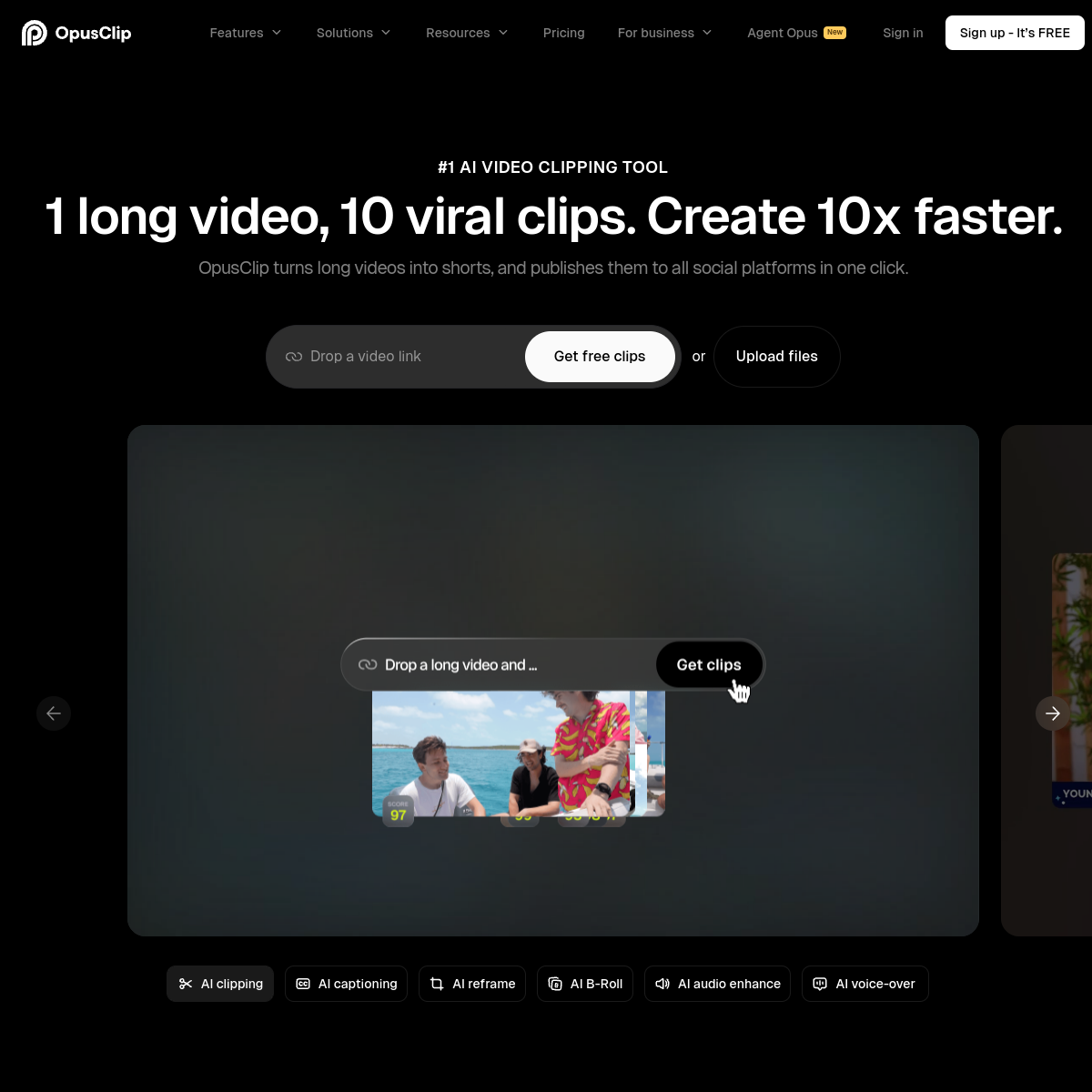
Opus Clip: A benchmark tool for AI long video fission into short videos
Tool introduction
Brief review in one sentence: Opus Clip is not a traditional video editing software, but an AI content fission engine that "uploads long videos → automatically generates multiple short videos", making the marginal distribution cost of a long video close to zero.
Opus Clip (formerly known as Opus.pro) was founded by Boning Li and Boya Li in San Francisco, USA in 2022. It is the world's leading product in the AI video repurposing (Video Repurposing) track. Its core value lies in: automatically analyzing the semantics, images, audio and emotional clues of long videos through AI multi-modal models, accurately identifying the most communicable "hook" segments, automatically adding dynamic subtitles, rearranging images to vertical format, and supporting one-click distribution to short video platforms such as TikTok, YouTube Shorts, and Instagram Reels.
As of July 2026, Opus Clip has served more than 16 million creators and corporate customers (data source: opus.pro official website), covering everyone from individual podcasters to large media and brand institutions such as Univision, Visa, NVIDIA, iHeartMedia, etc. Its latest ClipAnything model breaks the previous limitation of only supporting podcast/interview content and extends AI editing capabilities to almost all video types such as Vlogs, games, sports, tutorials, news, etc.
Publicity Verification: The official propaganda of "converting long videos into viral short videos with just one click" is basically true. In actual experience, for dialogue-intensive podcasts and interview content, AI's clip selection accuracy is relatively high; but for purely picture-driven Vlog or game content, the performance of the ClipAnything model has improved significantly between 2025 and 2026, and is close to the level of manual rough cutting. The accuracy rate of automatic subtitles is claimed to be over 97%, English contextual testing meets the standards, and Chinese and other non-English languages are being continuously optimized.
Core functions
1. AI intelligent clipping (ClipAnything model)
Opus Clip's core editing capabilities are driven by the self-developed ClipAnything multi-modal model. Unlike competing products that are limited to a single dimension of "speaker detection", this model integrates three major signal channels:
- Spoken Words: Analyze the information density and emotional intensity of the content through speech-to-text analysis, and identify high-value moments such as golden sentences, questions and answers, and controversial opinions.
- Visual Objects: Track key objects, character expressions, and movement changes in the screen, and automatically capture them in scenes such as game highlights, sports highlights, and product displays.
- Audio Signal (Sound): Identify non-verbal audio signals such as laughter, applause, exclamation, and background music changes to assist in determining the emotional peak of the clip.
Expert View: The cross-validation mechanism of three signals is the key differentiator between Opus Clip and similar tools. When the semantics, visuals, and audio point to the same moment at the same time (for example, when a guest in a podcast speaks a golden sentence and the audience laughs at the same time), the "popularity probability" score of the clip will be significantly improved, and the model will give priority to including it in the output. This multi-modal cross-validation design effectively reduces the noise caused by misjudgment of a single signal.
2. AI screen rearrangement version (ReframeAnything)
Automatically convert long horizontal videos into short vertical videos in various ratios such as 9:16, 1:1, 16:9, etc. Key technical features:
- Moving Object Tracking: AI automatically tracks the dynamic subject in the frame and keeps it centered, even if the subject moves in the lens, it will not lose focus.
- Genre-specific Reframing model: Automatically select the optimal composition strategy for different types of videos such as podcasts/interviews, screen recordings/games, sports events, etc. - the conversation scene automatically switches the speaker screen, and the game screen keeps the operating area fully visible.
- Dynamic Layout Switch: In a multi-speaker scene, AI automatically switches the screen layout according to the current speaker, outputting an effect similar to that of a professional editor manually switching lenses.
- Custom Reframing: Users can manually specify the focus area of AI tracking to achieve precise composition control.
3. AI subtitles and visual enhancement
- Dynamic subtitle template: Provides automatic subtitles in a variety of animation styles, supporting custom adjustments of fonts, colors, sizes, and positions. Pro and above packages can upload custom fonts.
- Multi-language transcription and translation: Supports automatic transcription in more than 25 languages including English, Chinese, Japanese, Korean, German, French, Spanish, Portuguese, etc., and can translate subtitles across languages.
- Speaker-based Caption Colors: Subtitles of different speakers are automatically assigned different colors to facilitate the audience to distinguish dialogue roles (Business package will be launched soon).
- Auto Censor: Automatically detect and block inappropriate words in videos. The Business package supports a custom sensitive word list.
- Auto Emoji & Keyword Highlights: Automatically insert content-related emojis into subtitles and highlight golden keywords to enhance visual capture.
4. AI Video Editing Toolbox
Opus Clip has evolved from a simple "automatic editing" to an AI video editing platform that includes rich post-production capabilities:
- AI Image and Material B-Roll: Automatically search and insert related images or material videos based on subtitle semantics to enhance the richness of the picture (Pro package has 50 AI image B-Rolls per day, unlimited material B-Roll).
- AI Voice-over: Automatically generate AI voice narration, 20 times per day.
- Voice Enhancement and Cleaning: Automatically remove background noise (10 times per day for Pro package), intelligently delete pause words and modal particles (such as "um" and "ah").
- Video quality enhancement (AI Upscaling): Automatically improve video resolution and clarity.
- Video Dubbing: Translate and replace the original sound with an AI dubbing in the target language (Pro and above packages).
- AI Sound Effects: Automatically match background sound effects according to the screen content.
- Transition Effect: Automatically add smooth transition animations between clips.
- Transition Effects and Music: Supports adding background music and text overlays.
5. Brand template and corporate customization
- Brand Template: Preset brand-specific font styles, color scheme logos, opening/ending cards, etc. to ensure that all output content maintains a consistent brand vision. The Free plan has 1 template, the Pro plan has up to 4 templates, and the Business plan supports full customization.
- Brand Vocabulary: Customize the spelling and capitalization rules for core brand terms, and AI will automatically follow them when generating subtitles (Pro and above).
- Customized media material library: Upload brand-specific pictures and video materials for AI to call in editing (Pro and above).
6. Automatic distribution and scheduling
- One-click distribution: After editing, you can publish it directly to YouTube Shorts, TikTok, Instagram Reels, LinkedIn, Facebook and other platforms.
- Social Media Scheduler: Set the publishing schedule and automatically publish content at regular intervals (Pro and above packages).
- Multiple Account Management: Supports publishing management of multiple accounts on the same platform (Pro and above packages).
- Title/Description/Tag Generator: AI automatically generates platform-specific titles, descriptions, and hashtags for each segment.
7. Teamwork
- Team Workspace: A shared project space for multiple people, supporting collaborative editing and review.
- Permission Management: Member role and permission hierarchical control (Business package sub-team and permission management will be launched soon).
- Folder Management: Projects are organized by folders, and the Business package supports custom folder structures.
Pricing strategy
Opus Clip adopts a tiered subscription model based on functionality and processing volume, supporting monthly and annual payments (annual payments usually enjoy a 15-20% discount). Pricing information comes from opus.pro/pricing page (collected July 2026).
| Package | Monthly fee | Core differences | Video processing speed | Storage | Watermark |
|---|---|---|---|---|---|
| Free | $0 | 60 minutes of video/month (free forever) | Normal speed | 3 days validity | Yes |
| Starter | $15/month | No watermark, basic AI editing | Faster than Free | 29 days validity | None |
| Pro | $29/mo | Complete AI Clip + Edit Toolbox 100GB Storage | Faster than Starter | 100GB Fixed | None |
| Business | Custom | Unlimited processing, dedicated queue SSO, SLM, custom Onboarding | Fastest (dedicated queue) | Unlimited | None |
Ladder of key functions for each package:
- Free Package: Only supports local video and YouTube import, AI editing only through speaker signal, basic subtitle template (with watermark), only 9:16 output, export MP4 limit download within 3 days and up to 1080p, supports Discord and AI chat customer service.
- Starter Package: Add import sources such as Google Drive, Vimeo, and Zoom, add visual and audio signals to AI editing, support Virality Score and re-prompt editing, extend the export time without watermark to 30 days, and support one-click publishing to YouTube Shorts/TikTok/Instagram.
- Pro Package: Adds import sources such as Dropbox, Rumble, Twitch, etc., supports automatically importing videos of verified accounts from YouTube, complete AI cropping tools (multiple ratios, motion tracking, custom rearrangement), AI editing toolbox (B-Roll, dubbing, voiceover, voice enhancement, transitions, music, etc.), 4 brand templates, Intro/Outro cards, custom fonts, brand glossary, social media scheduler, team workspace (up to 4 People), clip analysis, video editing API, scheduling API, MCP connector Zapier integration.
- Business Plan: Dedicated processing queue, unlimited storage SSO, SLM, CMS integration, real-time trend analysis 4K output scheduling, priority support (with dedicated Slack channel), custom onboarding, invoicing and ACH payments.
Free Trial: New users can enjoy a 7-day trial of the Pro package when they sign up, including 90 minutes of video processing credit (approximately 30 downloadable clips). After the trial ends, it will automatically switch to the Free package or you can choose to pay for a subscription.
C-side vs developer vs enterprise cost analysis:
- Individual Creator (C-side): Free package has a monthly fee of $0, suitable for low-frequency early adopters; Starter monthly fee of $15 is suitable for initial content fission needs; Pro monthly fee of $29 is the first choice for full functions. For creators who publish 20+ short videos every month, it is equivalent to using $29 to replace 80% of the working hours of a part-time editor.
- Developer (API side): Pro and above packages provide Video Editing API and Scheduler API, and the billing is included in the subscription fee (Pro is $29/month). There is no separate API pay-as-you-go billing model (subject to the latest official API document).
- Enterprise/Team (Business): Pricing needs to be customized by contacting sales, including enterprise-level requirements such as MSA, SSO, compliance certification, etc. For a media team that produces 200+ short videos per month, the estimated cost is approximately $200-$500/month (subject to the official quotation).
Advantages and Disadvantages Analysis
Advantages
- Editing speed crushes manual work: The traditional manual editing that takes 2-4 hours is shortened to 5-15 minutes, and the speed is increased by 10-30 times. A typical scenario: for a 1-hour podcast, manual editing takes 3-4 hours to produce 5-8 short videos; Opus Clip automatically produces 10-20 clips within 15 minutes.
- Leading multi-modal AI model: ClipAnything is the only AI editing model on the market that simultaneously integrates semantic, visual, and audio signals, and covers far more video types than competing products (not limited to podcasts/interviews).
- Full-link one-stop: From editing, subtitles, rearrangement, post-editing to multi-platform publishing, all are completed in one workflow, without the need to switch between multiple tools.
- Strong continuous evolution capability: From 2024 to 2026, major functions such as ClipAnything, ReframeAnything, Agent Opus, AI dubbing AI B-Roll, and MCP connector were intensively launched. The product iteration speed is the fastest among similar products.
- User scale verification: Endorsed by 16 million+ users and industry leading customers (Visa, NVIDIA, Univision, iHeartMedia), the reliability of products and services has been verified on a large scale.
- Complete brand and enterprise functions: Brand templates, team collaboration SSO, SOC II compliance and other enterprise-level functions are complete, suitable for covering all scenarios from individuals to large organizations.
Disadvantages
- AI editing still has an "inaccuracy rate": For clips that are highly dependent on narrative rhythm or require precise emotional control, AI's selection criteria deviate from human editing, sometimes missing real highlights or including redundant parts. It is recommended that users conduct a manual second review of the AI output.
- The free plan has greater limitations: The Free version only has a processing capacity of 60 minutes/month and contains a watermark and a 3-day export limit. It can basically only be used as an experience entry point for daily high-frequency creators. For practical use, at least the Starter or Pro package is required.
- Chinese support is still being optimized: Although the official website lists Chinese as a supported language, the sentence segmentation accuracy and accent adaptability of Chinese subtitles are still lower than English levels. For podcast creators who mainly speak Chinese, it is recommended to perform manual subtitle proofreading.
- No native mobile app: Currently only web services are provided, which is not friendly enough for creators who want to complete editing on mobile phones, limiting some usage scenarios.
- Limited offline processing capabilities: All AI processing relies on the cloud, which seriously affects the user experience when the network environment is poor, and does not support local deployment (the Business package does not provide private deployment options).
- Pricing is higher than some competing products: The price of $29/month for the Pro package is at the mid-to-high level among similar tools, and is on the high side compared with Vizard (starting at about $19/month) and Klap (starting at about $21/month).
Core comparison: Opus Clip vs Vizard vs Klap vs similar tools
| Compare Dimensions | Opus Clip | Vizard | Klap | Descript |
|---|---|---|---|---|
| Starting Monthly Fee | Free / $15 / $29 | Free / $19 / $49 | Free / $21 / $39 | $24 / $40 (with full editor) |
| AI editing model | ✅ Multi-modal (semantic + visual + audio) | ✅ Semantic + visual | ✅ Semantic-based | ✅ Semantic + audio and video |
| Video types covered | Podcast Vlog, games, sports, tutorials, news, etc. | Mainly podcasts and interviews | Mainly podcasts and interviews | Podcasts, interviews, tutorials |
| ClipAnything Multi-Type Support | ✅ Yes | ❌ No | ❌ No | ❌ No |
| AI B-Roll Pictures | ✅ Agent Opus Driver | ✅ Basic Version | ❌ | ✅ Basic Version |
| AI Dubbing | ✅ Support | ❌ | ❌ | ✅ Support |
| Social Media Scheduler | ✅ Pro and above | ❌ | ❌ | ❌ |
| Branded Templates | ✅ 1-4 templates | ✅ Limited | ✅ Limited | ✅ Built-in |
| Team Collaboration | ✅ Pro/Business | ❌ | ❌ | ✅ Business |
| API/MCP | ✅ API + MCP | ❌ Unpublished | ❌ Unpublished | ✅ API |
| SOC II Compliant | ✅ Type 2 | Undisclosed | Undisclosed | ✅ |
| User Scale | 16 million+ | Undisclosed | Undisclosed | 5 million+ |
| Core Differentiation Advantages | Multi-modal editing + full-link automation | Simple and easy to use, low price | Lightweight and fast, simple operation | Complete audio and video editing + transcription |
Note: Competitive product information is based on public data and product experience. Actual functions and pricing are subject to the official real-time page of each product.
Applicable scenarios
Dimensionality reduction strike scene (highly recommended)
- Podcast/Talk Show Fission: This is what Opus Clip does best. The one-hour podcast will automatically produce 15-25 30-90 second highlight clips, and an average of 3-5 clips will be released every day to continuously attract traffic to the long video channel. For weekly podcast creators, Opus Clip can save 8-12 hours of editing time per week (deduction reference: creator feedback).
- YouTuber multi-platform operation: Convert YouTube long videos to TikTok, Reels, and Shorts formats with one click to achieve "once production, multi-platform distribution". User feedback shows that the show-in-feed of YouTube Shorts increased by 266% after using Opus Clip (Source: opus.pro user case Karen V. Kitt).
- Corporate Brand Social Media Matrix: Convert product launches, live broadcast replays, training courses and other content into short videos in batches to maintain brand visual unity. The team collaboration and brand template functions of the Business package are suitable for the mass production of 50+ short videos per month for the marketing department.
- Education/Online Course Promotion: Automatically extract exciting explanation clips from course videos as preview/promotion materials to reduce customer acquisition costs.
- News/Media Organization: Split news programs or in-depth reports into multiple short videos to quickly cover different social media platforms. Large media outlets such as Univision have validated this scenario.
Scenarios that are available but require tuning
- Game live broadcast/Vlog content: The ClipAnything model already supports these types, but the accuracy of AI's instant judgment of "program effect" is still lower than that of human editors. It is recommended that users conduct a second review of AI output.
- Sports event highlights: Suitable for automatically capturing highlight moments such as goals and scores, but for narrative highlights that require interpretation and foreshadowing emotions, AI's segment arrangement may lack coherence.
Discourage/Inapplicable people
- Creators who need deeply original visual design: Opus Clip is good at "reusing" rather than "creating from scratch". If you need highly customized visual effects, complex transitions, or original animations, we recommend using professional editing tools such as Adobe Premiere, DaVinci Resolve, or CapCut.
- Serious film and television/documentary production: Opus Clip's AI editing logic is oriented to the "hit logic" of short video platforms and is not suitable for film and television works that require precise narrative rhythm and artistic expression.
- Non-content practitioners who only want simple editing: If you only occasionally need to crop videos or add subtitles, the free version of CapCut or Cutting is a lighter option without paying for Opus Clip.
- Enterprises with extremely high data privacy requirements: All videos need to be uploaded to the Opus Clip cloud for processing. Although it has passed SOC II Type 2 certification, it cannot be deployed locally. Please be careful with confidential content.
Summary
Opus Clip is currently the product with the most comprehensive functions, the largest user base, and the fastest iteration speed in the AI video reuse track. Its core value proposition "upload long videos → automatically generate multiple short videos" has experienced a major leap from "podcast-specific" to "universal for all types" between 2024 and 2026. The launch of the ClipAnything model has greatly expanded its applicable boundaries.
Core Conclusion:
- For creators who focus on podcasts, interviews, tutorials and other content, Opus Clip is one of the tools with the highest return on investment on the current market. The $29/month Pro package can increase content output by 5-10 times without increasing labor costs.
- For creators who need to cover diverse content such as Vlogs, games, sports, etc., Opus Clip's ClipAnything model provides coverage capabilities that far exceed those of competing products, but it still needs to be combined with manual review to ensure output quality.
- For enterprise marketing teams, the team collaboration, brand templates, social media scheduler and API/MCP integration capabilities of the Pro or Business package upgrade it from a "single soldier combat tool" to an infrastructure for a "team content factory".
Not suitable for boundaries: Film and television-level content that requires in-depth original visual design and precise narrative control; enterprises with strict requirements for data localization; pure mobile workflow (lack of native App).
Procurement/Adoption Risk Assessment:
- Short-term risk: rework costs caused by AI editing inaccuracy rate - it is recommended to position Opus Clip as a "first draft generator", and manual second review cannot be omitted.
- Mid-term risk: Reliance on a single vendor - Opus Clip is currently a closed source SaaS and lacks a standardized export format for video processing assets (although export to Premiere/DaVinci is supported, cross-platform migration costs still need to be evaluated).
- Long-term risk: Intensified competition on the AI editing track leads to price wars - it is recommended to lock in the price with an annual subscription and pay attention to the development of differentiated functions of competing products (Vizard, Klap, Descript).
- Comprehensive Suggestion: For content teams that produce 50+ short videos per month, the ROI of the Opus Clip Pro package is clear ($29/month vs. replacing a part-time editor who costs $1,000+/month). It is recommended to first verify the match between the AI output quality and the team's workflow through a 7-day free trial before deciding on an annual payment plan.
Efficiency improvement comparison
The following data is based on official user cases and typical workflow deductions. Values marked as "deduction" represent estimates under typical user scenarios and are unofficial commitments.
Personal creator scenario (podcast/interview type)
| Metrics | Traditional manual editing | Using Opus Clip | Improvement |
|---|---|---|---|
| 1 hour long video → short video output | 5-8 pieces/day | 15-25 pieces/time | 3-5x |
| Single short video production time | 20-40 minutes | 1-3 minutes | 10-15x |
| Weekly editing commitment for weekly podcast | 8-12 hours | 30-60 minutes | 8-12x |
| Monthly video production cost (including tool subscription) | $800-$1,500 (part-time editor) | $15-$29 (tool subscription) | Save 95%+ |
| Multi-platform distribution time | 15-30 minutes/item | 1-click automatic distribution | 10-15x |
Enterprise/Market Team Scenario
| Metrics | Traditional Process | Opus Clip Pro/Business | Improvement |
|---|---|---|---|
| Single press conference → short video material | 3-5 items (2-3 days required) | 15-30 items (2-4 hours) | 5-10x |
| Monthly short video output | 20-30 pieces | 150-300 pieces | 5-10x |
| Brand consistency maintenance | Manual verification is required | Automatic guarantee of brand template | Significant efficiency + zero deviation |
| Team collaboration rework rate | 15-25% (communication/version issues) | 5-10% (shared workspace) | 50-60% reduction |
Summary of real user feedback (source: opus.pro official website user case)
- Watch time increased by 57% (Karen V. Kitt, education creator)
- Completion rate increased from 1-3% to 12%+ (jraahpodcast, TikTok podcast)
- Overall views increased by 2x (veteransarchives, historical content channel)
- Watching time increased by 40%+, and "short videos have more followers than long videos" (Wake Up Warrior)
- From 60-200 views before use to 500-1,000 views (matt nappo)
Automation Boundary
Can be 100% automated and organized
| Sectional | Degree of automation | Description |
|---|---|---|
| Long video → segment identification and rough cutting | ✅ Completely automated | AI automatically analyzes the video and generates a list of candidate segments |
| Horizontal → Vertical screen rearrangement | ✅ Completely automated | ReframeAnything processing, Pro supports custom fine-tuning |
| Dynamic subtitle generation | ✅ Fully automated | 97%+ accuracy, supports 25+ languages |
| Swear words/sensitive words blocking | ✅ Fully automated | Free/Starter default word library, Pro/Business customizable |
| Title/Description/Tag Generation | ✅ Completely Automated | AI automatically generates promotional copy suitable for each platform |
| Multi-platform distribution | ✅ Fully automated | 1-click publishing to all configured platforms |
| Scheduled release (scheduler) | ✅ Fully automated | Supported by Pro and above packages |
There are knots that require manual intervention
| Moderate | Level of involvement | Reasons and suggestions |
|---|---|---|
| AI clip second review | Strongly recommended | AI may miss highlight clips or contain redundant content. It is recommended to manually browse the AI output quickly, delete low-quality clips, and manually adjust the start and end times of clips if necessary. |
| Final color grading/visual inspection | Suggestions | The composition of the picture after AI rearrangement may not completely meet the aesthetic expectations. It is recommended to check whether the subject is complete and whether the subtitle position blocks important content before exporting. |
| Brand Compliance Review | Required | AI cannot replace legal or compliance personnel for compliance review of publicly available content (such as compliance statements for pharmaceutical and financial content). |
| High value/customer-delivered content | Required | For brand content that needs to be delivered to paying customers or publicly released, it is recommended to set up a manual confirmation point (Human-in-the-loop), and then automatically distribute it after approval. |
| Irreversible operation | Required | For operations such as deleting original materials and batch posting to social accounts, it is recommended to set up a secondary confirmation or approval process to prevent misoperations. |
| API/automation triggering scenarios | Recommended to set limits | When triggering automated workflows through API or MCP integration, it is recommended to set max_steps or daily quota limits to prevent Token surges or unexpected high-frequency processing. |
Recommended human-machine collaboration workflow
[Manual] Upload long video → [AI] Automatic editing + subtitles + rearrangement → [Manual] Second review + fine-tuning → [AI] Batch distribution
                                        ↑ ↓
                                   [Manual] Brand compliance review [AI] Scheduled release
In this process, manual intervention is concentrated in the "experience + review" section, accounting for about 10-15% of the total time, and the remaining 85-90% is completed by AI automation.
Security and Compliance
Data security measures
- Encrypted Transport: All video uploads and API communications are TLS/SSL encrypted.
- SOC II Type 2 Certification: Opus Clip has completed SOC II Type 2 compliance certification covering the four tenets of security, availability, processing integrity and confidentiality - this certification covers all paid plans (also applicable to Free and Starter), and the Business plan additionally supports MSA.
- Access Control:
- All packages support email OTP login verification.
- Business plan supports Single-Sign-On (SSO) and Software License Management (SLM).
- The Business package supports hierarchical management of member permissions (sub-teams and fine-grained permissions will be launched soon).
- Data Processing: After the video is uploaded, it is processed by AI. After the processing is completed, the original video and AI-generated clips will automatically expire after 3 days in the Free package. The Pro and above packages provide fixed storage space (100GB or customized). Users can manually delete uploaded content at any time.
Privacy protection
- Data Usage: Opus Clip privacy policy states that uploaded content will only be used to provide and improve AI clipping services and will not be used for model secondary training or selling user data to third parties (Source: opus.pro/privacy-policy, accessed July 2026).
- Data Attribution: User retains full copyright ownership of all uploaded videos and AI-generated clips. Opus Clip does not claim any intellectual property rights in User Content.
- GDPR Compliance: Opus Clip provides services to users around the world. The privacy policy covers the data subject rights required by GDPR (access, correction, deletion, data portability, etc.). The specific compliance status is subject to the latest official disclosure.
Compliance Risk Tips
- Content Copyright: Users need to ensure that the uploaded video has complete copyright or is authorized. The copyright of the content generated by Opus Clip's AI editing belongs to the user, but if the original video has copyright issues (such as using other people's music and video clips without permission), the resulting legal risks will be borne by the user.
- Platform Compliance: When AI-generated short videos are posted to platforms such as TikTok, Instagram, and YouTube, they must comply with the AI-generated content labeling policies of each platform. Some platforms require explicit labeling of AI-assisted generated content (such as YouTube's "Altered or synthetic content" tag).
- Sensitive Industry Compliance: For content involving highly regulated industries such as medical care, finance, and law, AI-generated promotional materials must be reviewed by professional compliance personnel. AI cannot replace manual compliance judgment.
- Cross-border data transfer: Opus Clip's servers are located in the United States, and uploaded videos will be transferred across borders. For enterprises with data localization requirements (such as certain industries in China and the EU), compliance risks need to be assessed. Opus Clip currently does not provide server deployment in China.
Integrated Ecosystem
Content import source
- Mainstream video platforms: YouTube, Vimeo, Rumble, Twitch, Facebook, LinkedIn, Twitter/X (Starter and above support most external links).
- Cloud Storage: Google Drive (Starter and above), Dropbox (Pro and above).
- Recording/Live Broadcasting Tools: Zoom (Starter and above), Loom, Riverside, StreamYard.
- Local files: Upload MP4, MOV and other common formats, Free is limited to 10GB/video, Starter and above support 30GB/video and public mp4 URL.
Export and output
- Direct Export: MP4 format, Free package can download up to 1080p within 3 days; Starter can download the highest resolution within 30 days; Pro and above have unlimited highest resolution.
- Batch Export: Pro and above support batch downloading of multiple clips.
- Professional tool export: Pro and above support exporting to Adobe Premiere Pro and DaVinci Resolve project files for further refinement in the professional editing process.
- Share link: All packages support generating project sharing links.
API and developer ecosystem
- Video Editing API: Available for Pro and above plans, allowing developers to integrate Opus Clip’s AI editing capabilities into their own applications or CMS. Supported parameters include: video source URL, clip length range, output format, subtitle style, brand template ID, etc.
- Scheduler API: Available for Pro and above packages, it allows managing social media publishing schedules through the API, including: creating publishing tasks, setting scheduled publishing, and querying publishing status.
- MCP Connector: Pro and above packages provide a Model Context Protocol (MCP) connector, which allows AI Agents (such as Claude, Cursor, etc.) to directly call the video editing capabilities of Opus Clip through the MCP protocol to achieve "natural language description → AI agent scheduling → automatic video generation and distribution".
Third-party integration
- Zapier integration: Supported by Pro and above packages, up to 300 credits per month. Typical automation scenarios:
- When the YouTube channel uploads a new video → automatically import Opus Clip for AI editing → automatically publish to TikTok/Reels after the editing is completed.
- When Opus Clip completes generating new clip → Automatically save to Google Drive/Dropbox → Notify Slack/Teams channel.
- CMS Integration: The Business package supports integration with content management systems (CMS) to achieve end-to-end automation of videos from creation to publishing.
- Agent Opus (new Agent product): Opus’ latest independent Agent product (agent.opus.pro) allows users to complete video editing tasks through natural language dialogue, further lowering the threshold for use.
Panorama of integration capabilities
| Integration direction | Free | Starter | Pro | Business |
|---|---|---|---|---|
| Video import: YouTube/local | ✅ | ✅ | ✅ | ✅ |
| Video import: Google Drive/Vimeo/Zoom | ❌ | ✅ | ✅ | ✅ |
| Video import: Dropbox/Rumble/Twitch | ❌ | ❌ | ✅ | ✅ |
| Automatic YouTube Import | ❌ | ✅ Verified Account | ✅ Verified Account | ✅ CMS/Cloud Server |
| One-click distribution (YT/TT/IG) | ❌ | ✅ | ✅ | ✅ |
| Social Media Scheduler | ❌ | ❌ | ✅ | ✅ |
| Export to Premiere/DaVinci | ❌ | ❌ | ✅ | ✅ |
| Video Editing API | ❌ | ❌ | ✅ | ✅ |
| Scheduler API | ❌ | ❌ | ✅ | ✅ |
| MCP Connector | ❌ | ❌ | ✅ | ✅ |
| Zapier Integration | ❌ | ❌ | ✅ (Limited) | ✅ |
| CMS Integration | ❌ | ❌ | ❌ | ✅ |
Implementation suggestions
Deployment recommendations
1. The “5-minute Getting Started” path for individual creators
- Registration: Visit clip.opus.pro and register using your email address (the 7-day Pro free trial is automatically activated).
- Import Video: Paste the YouTube link or upload a local file (Free plan up to 10GB, Pro up to 30GB).
- Select editing mode:
- Quick mode: Select the target length (0-1m/1-3m/3-5m/5-10m/10-15m) and quantity, AI will automatically generate it.
- Advanced mode: set clipping signals (speaker/visual/audio), clipping time period, input topic or natural language prompts.
- Second review and export: Browse the list of AI-generated clips, delete inappropriate ones, adjust the order, and then export or publish with one click.
- Set brand template (optional): Upload the logo, brand color, and font in the settings, and all subsequent clips will be automatically applied.
2. Team/enterprise “content factory” building process
Phase 1: Trial Run (Weeks 1-2)
- Create an Opus Clip Business/Pro team account.
- Configure 2-3 sets of brand templates (Logo, fonts, color scheme Intro/Outro).
- Select 1-2 channels (such as podcasts and tutorials) for a test run to verify that the quality of the AI output matches the team's standards.
- Establish AI review criteria: clarify which fragments must be kept, which must be deleted, and which need to be adjusted manually.
Phase 2: Scaling (Weeks 3-4)
- Configure YouTube auto-import to automatically pull uploads from verified channels to Opus Clip.
- Set up a social media scheduler and make a weekly release plan (for example: release TikTok every Monday, Wednesday, and Friday, and release Shorts every Tuesday, Thursday, and Saturday).
- Integrate Zapier/MCP workflow: When Opus Clip completes a new clip → automatically notify the Slack review channel → automatically join the release queue after passing the review.
- Train 1-2 team members on best practices for AI output review.
Phase 3: Optimization (Weeks 5-8)
- Use the Clip Analytics function to track the social media performance of each clip (completion rate, sharing rate, interaction rate).
- Adjust AI editing parameters (segment length, topic filtering Virality Score threshold) based on data feedback.
- Continuously expand the brand vocabulary to ensure that the spelling and capitalization of terms in AI subtitles comply with brand guidelines.
- Evaluate whether the Business plan's CMS integration further improves end-to-end efficiency.
3. API/MCP developer integration suggestions
For developer teams who need to embed Opus Clip into their own systems:
- API Authentication: Generate API Key through Opus Clip Dashboard, and all requests are passed in the form of
Bearer <API_KEY>in the HTTP Header. - Rate Limit: The API call volume of the Pro package is included in the subscription. For specific RPM/TPM limits, it is recommended to check the official API documentation or contact support for confirmation.
- MCP integration example: Configure Opus Clip MCP Server in an AI client that supports MCP protocol (such as Claude Desktop, Cursor):
{
  "mcpServers": {
    "opus-clip": {
      "command": "npx",
      "args": ["-y", "@opus/mcp-server"],
      "env": {
        "OPUS_API_KEY": "<YOUR_OPUS_API_KEY>"
      }
    }
  }
}
Note: The above MCP configuration is an example format speculated based on Opus Clip public information. The actual package name and parameters are subject to the Opus Clip official developer documentation (opus.pro/docs/api). The MCP connector is a function of Pro and above packages. Please confirm the package permissions before configuring it.
Key points of team training
| Training Topics | Objects | Duration Recommendations | Core Content |
|---|---|---|---|
| Opus Clip basic operations | All content creators | 1 hour | Upload AI clips, export, publish |
| AI output review standards | Editing/Operation | 1.5 hours | How to judge clip quality, common AI inaccuracy patterns, adjustment techniques |
| Brand template configuration | Designer/brand operation | 1 hour | Logo/font/color configuration Intro/Outro design, glossary management |
| Team collaboration and permissions | Team leader | 0.5 hours | Workspace management, member invitations, permission settings |
| API/MCP integration | Developer | 2 hours | API authentication, endpoint call MCP configuration Webhook callback processing |
Best Practice Checklist
- Don’t completely trust AI output: Always conduct a manual second review before publishing, focusing on: whether the clip contains complete context, whether there are typos in the subtitles, and whether the composition of the picture is reasonable.
- Sort by Virality Score: Prioritize and publish clips with the highest scores, leaving low-scoring clips as backup material.
- Maintain brand consistency: Completely configure the brand template before first use to ensure that all output clips automatically carry brand visual elements.
- Make good use of the "re-prompt" function: If the first output of the AI is not ideal, try to provide more specific prompts in natural language (such as "only keep the part where the guest discusses pricing strategy") instead of manual editing.
- Establish a content calendar: Combined with the social media scheduler, plan the release content for a week in advance, and maintain the daily update frequency to be friendly to the algorithm of the short video platform.
- Monitoring analysis data: Regularly check the real performance data of each clip in Clip Analytics, and use the data to guide the optimization direction of AI editing parameters.
- Pay attention to platform policy changes: Each short video platform continues to update its policies on AI-generated content to ensure that the output of Opus Clip meets the latest labeling requirements of the platform.
Main functions of Opus Clip
- Core Processing Capabilities: Provides core AI capabilities in the corresponding scenarios to support users to quickly complete tasks.
- Multi-modal interaction: supports text input and result output, and some scenes support image or file upload.
- Workflow Integration: Can be embedded into existing workflows or linked with other tools through APIs to reduce context switching.
Application scenarios of Opus Clip
- Personal Creation: Quickly generate or process content to improve daily work efficiency.
- Team Collaboration: Unify workflow and reduce repetitive manpower investment.
- Enterprise-grade deployment: Embed capabilities into on-premises systems via API or private deployment.
Opus Clip’s Applicable Groups
- Individual Users: Content creators and knowledge workers who need AI assistance to improve their daily work efficiency.
- Developers: Technical teams who need to integrate AI capabilities into their own products or services through APIs.
- Enterprise: Organizations seeking to deploy AI at scale in their field.
Technical advantages of Opus Clip
- Algorithm Optimization: Special optimization at the model or algorithm level has been carried out for the corresponding scenario to achieve a balance between response speed and result quality.
- Low-latency architecture: Adopts streaming or asynchronous processing architecture to reduce user waiting time and is suitable for high-frequency interaction scenarios.
Core parameters and statistics of Opus Clip
Specific technical parameters (such as model size, context length, supported file formats, input and output restrictions, etc.) are subject to the official product page. It is recommended that users verify the latest technical specifications and system requirements before choosing to ensure that they match their own usage scenarios.
User and market recognition of Opus Clip
Gradually build user awareness in the field, and product capabilities are used by content creators and teams to improve work efficiency. Some industry users have incorporated it into their daily workflow. It is recommended to refer to the latest official disclosures for specific user scale and industry adoption rate data.
Cost Advantages of Opus Clip
- C-side/Individual: Usually a free version is provided to experience the core functions, and high-frequency use requires a paid package subscription.
- API/Developer: Billed by call volume, suitable for development teams that can be flexibly integrated into their own systems.
- Enterprise/Privatization: Contact the business owner to obtain customized quotation and deployment plan. The specific price is subject to the official real-time pricing page.
Summary and Outlook of Opus Clip
It provides competitive solutions in its field, and its core value lies in lowering the threshold for AI use in this field. With technology iteration, products are expected to continue to improve in functional coverage and performance.
Current limitations: Some advanced functions require paid subscription, and the free version has function or usage limits; Specific technical details and performance benchmarks have not yet been fully disclosed, and it is recommended to fully verify them through trials before purchasing.
Model and version evolution of Opus Clip
Continuous iterative updates, the latest version introduces performance optimization and new features. Historical version information can be viewed on the official release page. There is no complete public version evolution timeline yet. It is recommended to pay attention to the official announcement to understand the rhythm of feature updates.
How to use Opus Clip
- Web client: You can use it by visiting the official website and registering an account. Most functions do not require installation.
- API Access: Provides RESTful API, developers can obtain the API Key and integrate it into their own applications.
Product Pricing for Opus Clip
The pricing model is subject to the official real-time page. Usually a freemium or subscription system is used, and basic functions can be used for free. Advanced functions or high-frequency use require paid subscriptions, and users are advised to evaluate the optimal solution based on actual usage.
Related tools: runway, pika
Version Info
- Active speaker detection + AI B-roll :The Active Speaker Detection function is launched, and the video screen automatically tracks and focuses on the current speaker; the AI B-roll function is also launched, which automatically inserts relevant supplementary pictures based on the subtitle content to enhance the visual richness and professionalism of short videos.
- AI Selected Algorithm V2 :The AI hook recognition algorithm is upgraded and the Virality Score is introduced to automatically score and sort each clip to help users prioritize content with the greatest potential for spreading. Simultaneously supports multi-language subtitle generation.
- Opus Clip public release :Opus Clip is officially open to the public. Its core function is to automatically generate multiple vertical short video clips after uploading a long video. It supports automatic subtitle addition and 9:16 screen reconstruction, and initially covers English content processing.
User Reviews