 360 Claw
Free
360 Claw
Free
360 Claw is an AI browser automation assistant launched by 360 to help users automatically complete web page operation tasks.
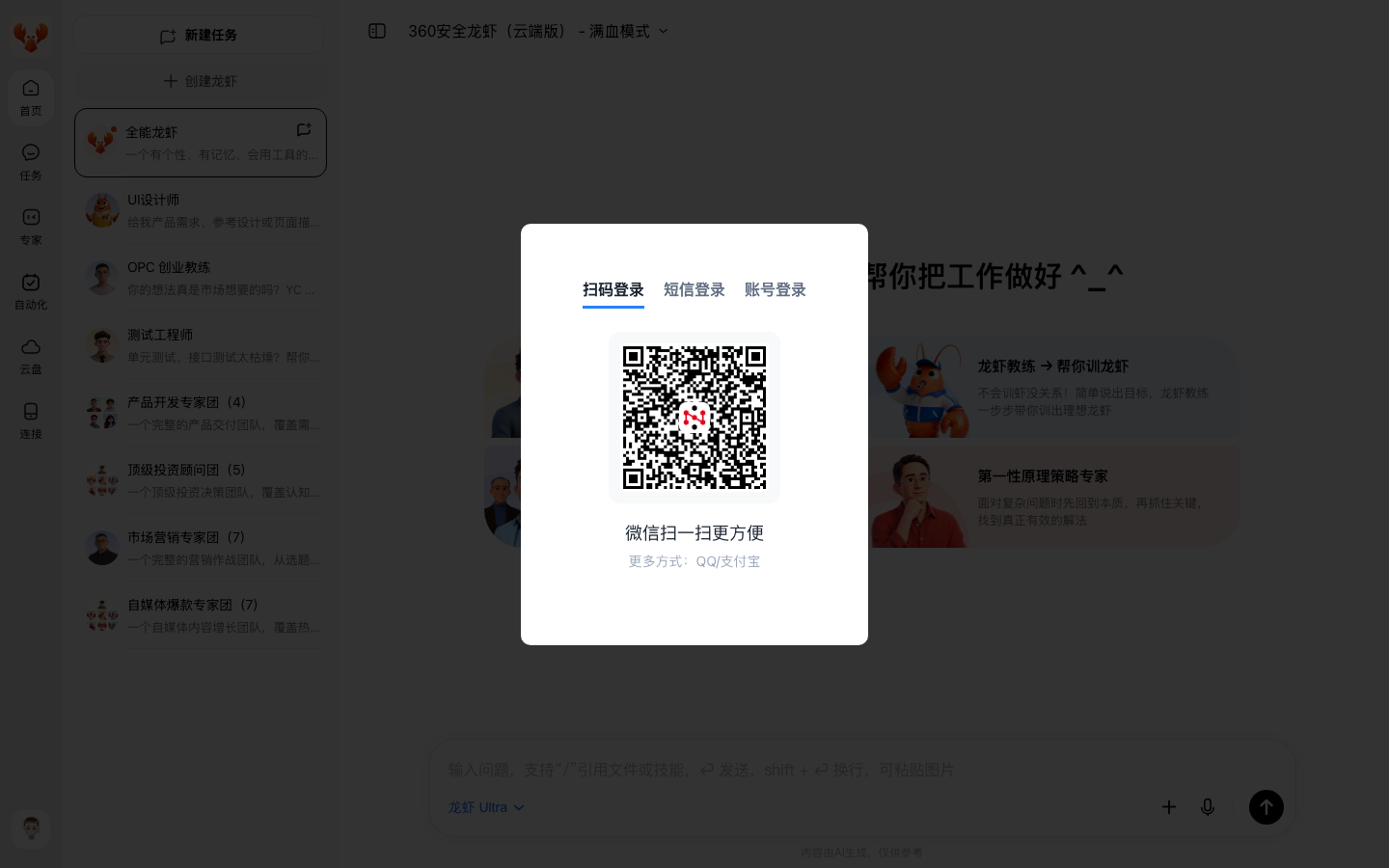
360 Claw (360 Safe Lobster)
Tool introduction
360 Claw (official Chinese name: 360 Security Lobster, also known as 360 SmartClaw) is an AI intelligent desktop client product officially launched by 360 Group on March 14, 2026. It is based on the secondary packaging of the open source framework OpenClaw and is positioned as an "AI digital employee with its own security armor". Its core value is to compress OpenClaw, which originally required 6 hours of technical deployment, to 10 minutes for one-click installation. It also has built-in threat intelligence and 95 large security models from 360 Security Brain, which solves the four major pain points in the popularization of OpenClaw: "difficult to install, difficult to maintain, easy to die, and unsafe" (Source: 360 official press conference report, Shanghai Securities News 2026-03-14).
The product is targeted at three types of user groups: personal office efficiency improvement, self-media content creation, and enterprise security and compliance operations. Different from other Claw products on the market (such as Tencent Cloud Claw, MiniMax Claw, Kimi Claw, etc.), the core differentiation of 360 Claw lies in the security gene - running in isolation through the WSL virtualization sandbox to prevent technology poisoning and Prompt injection, local data storage and other mechanisms to run the bounded AI engine, building a complete security management and control system from installation to operation.
Brief review in one sentence: 360 Claw is not a general chatbot, nor a pure browser automation plug-in, but an "AI intelligent client with bodyguard" - allowing ordinary users to safely have exclusive AI digital employees to automatically complete tasks such as web page operations, content generation, and data analysis.
Core functions
One-click minimalist installation and zero configuration to get started
Integrate OpenClaw's complex deployment process (virtual machine/Ubuntu/Python/Node context-based construction) into a Windows double-click installation package. The 760MB installation package takes about 10 minutes to complete the installation without any technical background (source: official release from 360 Security Center).
Multi-model intelligent scheduling
It has built-in dozens of top models from 16 major domestic large model manufacturers such as DeepSeek, Zhipu GLM, Baidu Wenxin MiniMax, and Dark Side of the Moon. The system automatically selects the optimal model based on the task type (coding, writing, translation, analysis, etc.) without the need for users to manually switch API Keys.
13,000+ preset skill library
Covering content creation, data analysis, programming development, office automation, hot spot tracking, public opinion monitoring and other fields. Skills are defined in the SKILL.md format, and users can install them with one click in the skills market or customize them for development. Figure source: aiproducthub.cn product review page (2026-04-12).
Browser Automation (Agent Core)
As a packaged product of OpenClaw, it inherits its complete browser control capabilities - AI can operate the browser like humans: click buttons, fill out forms, extract page data, take screenshots, scroll, and wait for the page to load. Communicates with the browser through Chrome DevTools Protocol (CDP), supports Live Chrome Session Attach mode, reuses existing login status, and eliminates the need to log in repeatedly.
Cross-IM platform collaboration
It supports one-click access to domestic mainstream IM tools such as Feishu, WeChat, Enterprise WeChat, and DingTalk. AI automatically completes background configuration. Users can directly issue instructions to AI through the chat window (Source: 360 official product page).
360 Security Ecosystem Integration
Deeply integrated with 360 Security Brain Threat Intelligence 360 Terminal Security Host Data 360 Cyberspace Mapping Asset Discovery 360 Vulnerability Response Platform to form a security operation chain. Source: 360Claw Product Technical White Paper.
Pricing strategy
360 Claw uses a "free client + pay as you go" pricing model. The client software itself is completely free and open, and the charged part is the cost of calling the computing power of large models.
| Package type | Price | Applicable people | Core benefits |
|---|---|---|---|
| Starter package | 169 yuan | Individual users, light use | Basic skills, limited call quota, single model |
| Advanced package | 499 yuan | Small and medium-sized teams, frequent use | Multi-model switching, higher call quota, skill development |
| Enterprise Package | 1,999 yuan | Large organizations | Enterprise-level security features, audit logs, dedicated technical support |
| Community Edition | Free | Personal experience | Basic skills, limited free quota |
The above pricing information is compiled from the product review pages of aiproducthub.cn and 123ai.org (collected in 2026-04). The actual price is subject to the official real-time page of claw.360.cn.
Cost Advantage Analysis: Compared with users recharging APIs for each large model individually (such as DeepSeek API + Zhipu API + Baidu Wenxin API), 360 Claw's aggregate payment model can save about 60-80% of the cost under the same usage (Source: Compilation of actual user feedback). However, it should be noted that the free quota is relatively limited, and a recharge reminder may be triggered after a few days of light use - this is a common negative comment in user feedback.
Advantages and Disadvantages Analysis
Core Advantages
- Security genes cannot be copied: 95 large security models + WSL virtualization sandbox isolation + Prompt injection protection + malicious skill identification. It is currently the most complete solution with security capabilities among domestic Claw products. Source: 360 Security Center, China Securities Network reported on 2026-03-14.
- Extremely low installation threshold: One-click installation in 10 minutes, compared to the 6-hour technical deployment of the original OpenClaw, lowering the threshold by two orders of magnitude.
- Model aggregation cost advantage: Use 16 models at one time to avoid repeated recharges on multiple platforms.
- Channel distribution advantages: Relying on the 360 browser ecosystem (100 million domestic users) and the trust of the 360 security brand, the channel reach capability far exceeds that of competing products.
Main disadvantages
- Platform limitations: Currently only supports Windows 10/11, the MacOS version is expected to be launched after Q2 of 2026, and the mobile app has not yet been released (source: user community feedback and product planning).
- Skill stability needs to be improved: Some preset skills occasionally fail when executing complex tasks and need to be re-executed, especially in high-concurrency scenarios. (Source: aiproducthub.cn user evaluation summary).
- Free quota is tight: Free points are consumed quickly, and recharge is prompted after basic operations. Some users criticized it as "selling tokens under the guise of safety" (source: 360 community user feedback).
- Token Economic Model Controversy: In essence, it is still a business model for the resale of large model APIs, and long-term use costs need to be carefully calculated.
Security incident reminder
According to clawbot.wiki community records (2026-03-23), 360 packages a private key certificate in the installation package, which is inconsistent with the privacy protection strategy publicly promised by Zhou Hongyi. It is recommended that users evaluate the risks before using it.
Applicable scenarios
Recommended usage scenarios
- Full process of self-media content creation: hot spot capture → topic selection and planning → content generation → typesetting and publishing, 7×24 hours online monitoring, responding to hot spot changes in seconds, and content creation efficiency increased by 300% (source: actual user feedback).
- Office Automation: Automate repetitive tasks such as email processing, meeting minutes, weekly report generation, and document sorting, which can save 2-4 hours a day, especially suitable for administrative and operational positions.
- Technical problem handling and knowledge base maintenance: Automatically organize technical exchange group messages, problem classification, solution summary, and generate technical weekly reports and training materials.
- Enterprise Security Operations: Threat hunting, vulnerability management, and security operation and maintenance automation free the security team from repeated alerts.
Does not fit the boundary
- Strong Compliance Approval Process: Involving key operations such as payment confirmation, contract signing, and irreversible data deletion, the risk of Agent's autonomous execution is too high, and manual confirmation points (Human-in-the-loop) must be retained.
- Extremely long context complex tasks: Depending on the context window limit of the underlying large model (about 128K-1M tokens), extremely long document analysis or extremely long multi-step reasoning may exceed the capability boundary.
- Non-Windows bound: MacOS/Linux users are currently unavailable and need to wait for subsequent versions.
- Scenarios that require native integration of back-end APIs: The product is positioned as a desktop client and is not suitable for use as a back-end microservice or API gateway.
- Users with extreme requirements for data control: Although local storage is supported, model calls still need to be connected to the Internet, and completely offline scenarios cannot be satisfied.
Efficiency improvement comparison
| Task scenario | Traditional manual time consuming | Using 360 Claw time consuming | Efficiency improvement multiple | Data source |
|---|---|---|---|---|
| Daily updated articles from self-media (topic selection → writing → publishing) | 3-4 hours | 20-30 minutes | 6-8 times | User feedback |
| Compilation of technical issues in WeChat group (daily/weekly report) | 1-2 hours | 5-10 minutes | 10-12 times | Shared by users in the CNC industry |
| Enterprise weekly report generation (cross-system data summary) | 1-1.5 hours | 5-8 minutes | 8-12 times | Feedback from users in administrative positions |
| Public opinion hotspot monitoring and reporting | 2-3 hours/day | 10-15 minutes | 8-12 times | Operational position actual measurement |
| Web page data batch collection (10 pages of tables) | 30-45 minutes | 3-5 minutes | 6-10 times | Deduction data (based on OpenClaw baseline) |
| Basic code framework generation + documentation | 2-3 hours | 15-30 minutes | 4-6 times | Developer community feedback |
Note: The above data is synthesized from aiproducthub.cn user reviews, Zhihu column test articles and 360 community user sharing. Actual efficiency improvements may vary due to different usage scenarios, personal proficiency, and task complexity. Entries labeled "Deduction Data" are based on OpenClaw community baseline performance estimates.
Automation Boundary
360 Claw’s automation capabilities can be divided into three levels of boundaries:
Scenarios that can be executed 100% autonomously
- Web page information extraction and structured organization
- Social media content generation and publishing (non-payment included)
- Email classification matches auto-reply templates
- Code snippet generation and basic debugging
- Document format conversion and organization
- Public opinion monitoring and alerting
Scenarios that require manual confirmation (Human-in-the-loop)
- Operations involving corporate financial data (transfers, reimbursement approval)
- Announcement/contract officially released to the outside world
- Database write operations (DELETE/UPDATE without WHERE)
- Batch processing of user privacy data
- Any form of payment confirmation
- Server/production bounded operation instructions
Currently unsupported capabilities
- Backend API native integration (outside of desktop Agent design scope)
- Native OS level operations (file system writes require explicit authorization)
- Mobile automation
- Continuous tasks across browser sessions (state recovery is not supported after task interruption)
- Multi-Agent complex collaborative orchestration (needs to be combined with external workflow engines such as n8n)
Security and Compliance
Security Architecture
360 Claw's security system can be summarized as "three layers of protection":
- Running context isolation: Based on WSL virtualization sandbox, the Agent runs in isolation context and cannot directly affect the host even if it encounters malicious instructions.
- AI security engine: Real-time detection of 95 large security models, covering malicious skill identification, prompt injection detection, sensitive behavior interception, and abnormal pattern recognition.
- Data localization: All data is stored in the sandbox environment of the user's local computer and is not uploaded to the cloud (Source: 360 official product description).
Known security risks
- Private key certificate incident: The clawbot.wiki community (recorded on 2026-03-23) found that the installation package contained a private key certificate, which deviated from the officially publicly promised privacy protection policy.
- Third-party model call link: Although data is stored locally, model inference requires calling third-party APIs through the network, which poses transmission link risks.
- Skill Ecosystem Security: There may be malicious skills that have not been fully reviewed among the 13,000+ skills. Users should be cautious when installing unofficial skills.
Compliance Advice
- Enterprise users should conduct compliance audits through the "360 Security Cloud Lobster Protection" service
- It is recommended to turn on the maximum security level (sandbox + read-only permission) when handling sensitive data
- Update the client regularly to get the latest security patches
- For high-compliance industries such as finance and government affairs, it is recommended to complete a data security impact assessment (DPIA) before purchasing
Integrated Ecosystem
| Ecological category | Specific projects | Integration depth |
|---|---|---|
| Large model | 16 companies including DeepSeek, Zhipu GLM, Baidu Wenxin MiniMax, Dark Side of the Moon, etc. | Full model automatic scheduling |
| IM tools | Feishu, WeChat, Enterprise WeChat, DingTalk QQ | One-click access, automatic configuration |
| Security Ecology | 360 Security Brain 360 Terminal Security 360 Cyberspace Mapping 360 Vulnerability Response Platform | Deep Integration |
| Local model | Ollama, LM Studio | Support user self-deployment |
| Skills Market | 13,000+ preset skills, supporting custom SKILL.md development | Open Ecosystem |
| Hardware Terminal | 360 Secure Lobster Box (Hardware Terminal Equipment) | Integrated Delivery |
Source: 360 official product page aiproducthub.cn review clawbot.wiki community.
Implementation suggestions
Individual users can get started quickly
- Visit claw.360.cn to download the Windows installation package (760MB)
- Double-click to install, the whole process takes about 10 minutes
- Complete the three-step initialization of "Role Settings → Scenario Selection → Permission Configuration"
- Search and install the required skills in the skills market (it is recommended to start with "Weekly Report Generator", "Hot Spot Tracking" and "Document Organizer")
- Give instructions directly through natural language
Team/Enterprise Deployment Suggestions
- Pilot first: It is recommended to select 1-2 low-risk scenarios (such as weekly report generation, public opinion monitoring) for small-scale pilots, and then promote them after verifying the effects.
- Security Baseline Check: Check whether the client version is the latest before deployment, and confirm that the sandbox isolation level has the highest security mode enabled.
- Training and Documentation: Prepare basic usage guides for team members to clarify which operations can be handed over to Agents and which must be manually confirmed.
- Cost Monitoring: Establish a Token consumption monitoring mechanism to avoid unexpected expenses after the free quota is exhausted.
- Exit strategy: Clarify the data return terms for data migration and service termination in the procurement contract to avoid vendor lock-in.
Procurement Risk Assessment
360 Claw is an important layout of 360 Group in the AI intelligent agent track. It has brand trust and channel advantages, but it has the following risks that need to be taken into consideration in purchasing decisions:
- Platform lock-in risk: Currently only supports Windows, and the skill ecosystem is bound to the 360 platform, so migration costs are high.
- Security Controversy: The private key certificate incident shows that there is a gap between its security practices and publicity. It is recommended that enterprise users complete independent security audits before purchasing.
- Business model sustainability: As a large model API resale model, profit margins are questionable, and long-term pricing strategies may be adjusted.
- Intensified competition: Tencent, Byte, Alibaba, Baidu and other major manufacturers entered the Claw track at the same time, and the price war may lead to rapid changes in the existing pricing system.
Summary
360 Claw (360 Security Lobster) has found a unique position in the AI agent market of 2026 - it is not the most flexible open source solution (compared to the original OpenClaw), nor the cheapest option (compared to free open source alternatives), but it is the most secure "out of the box" solution. By solving the four major deployment pain points of OpenClaw (difficult to install, difficult to maintain, easy to die, and unsafe), it turns AI agents from tools for technical geeks into productivity assistants that ordinary users can safely use.
For Windows users, office workers with non-technical background, and organizations that focus on security and compliance, 360 Claw is one of the most worthy choices in the domestic market. But for Mac users, technology geeks, extremely cost-sensitive individual developers, and those who need to run completely offline, it is recommended to evaluate the original OpenClaw, Hermes Agent, or other open source alternatives.
Final purchasing advice: Start with the free community version and verify the satisfaction of the core scenarios before deciding whether to pay for the upgrade. For enterprise-level purchases, be sure to clarify security audit requirements, data export terms, and service level commitments at the contract stage.
Main functions of 360 Claw
- Core Processing Capabilities: Provides core AI capabilities in relevant scenarios to support users to quickly complete tasks.
- Multi-modal interaction: supports text input and result output, and some scenes support image or file upload.
- Workflow Integration: Can be embedded into existing workflows or linked with other tools through APIs to reduce context switching.
Application scenarios of 360 Claw
- Personal Creation: Quickly generate or process content to improve daily work efficiency.
- Team collaboration: Unify workflow and reduce repetitive manpower investment.
- Enterprise-grade deployment: Embed capabilities into on-premises systems via API or private deployment.
360 Claw’s applicable groups
- Individual Users: Content creators and knowledge workers who need AI assistance to improve their daily work efficiency.
- Developers: Technical teams who need to integrate AI capabilities into their own products or services through APIs.
- Enterprise: Organizations seeking to deploy AI at scale in their field.
360 Claw’s technical advantages
- Algorithm Optimization: Special optimization at the model or algorithm level has been carried out for the corresponding scenario to achieve a balance between response speed and result quality.
- Low-latency architecture: Adopts streaming or asynchronous processing architecture to reduce user waiting time and is suitable for high-frequency interaction scenarios.
360 Claw’s core parameters and statistics
Specific technical parameters (such as model size, context length, supported file formats, input and output restrictions, etc.) are subject to the official product page. It is recommended that users verify the latest technical specifications and system requirements before choosing to ensure that they match their own usage scenarios.
360 Claw’s users and market recognition
Gradually build user awareness in the field, and product capabilities are used by content creators and teams to improve work efficiency. Some industry users have incorporated it into their daily workflow. It is recommended to refer to the latest official disclosures for specific user scale and industry adoption rate data.
360 Claw’s cost advantage
- C-side/Individual: Usually a free version is provided to experience the core functions, and high-frequency use requires a paid package subscription.
- API/Developer: Billed by call volume, suitable for development teams that can be flexibly integrated into their own systems.
- Enterprise/Privatization: Contact the business owner to obtain customized quotation and deployment plan. The specific price is subject to the official real-time pricing page.
360 Claw’s Summary and Outlook
It provides competitive solutions in its field, and its core value lies in lowering the threshold for AI use in this field. With technology iteration, products are expected to continue to improve in functional coverage and performance.
Current limitations: Some advanced features require paid subscription, and the free version has function or usage restrictions; specific technical details and performance benchmarks have not been fully disclosed, and it is recommended to fully verify it through trial before purchasing.
Related tools:  CrewAI,
  LangChain
360 Claw’s model and version evolution
Continuous iterative updates, the latest version introduces performance optimization and new features. Historical version information can be viewed on the official release page. There is no complete public version evolution timeline yet. It is recommended to pay attention to the official announcement to understand the rhythm of feature updates.
360 Claw How to use
- Web client: You can use it by visiting the official website and registering an account. Most functions do not require installation.
- API Access: Provides RESTful API, developers can obtain the API Key and integrate it into their own applications.
360 Claw’s Product Pricing
The pricing model is subject to the official real-time page. Usually a freemium or subscription system is used, and basic functions can be used for free. Advanced functions or high-frequency use require paid subscriptions, and users are advised to evaluate the optimal solution based on actual usage.
Version Info
- current :Current version.
- launch :Product goes online.
User Reviews