 Banana Slides
Free
Banana Slides
Free
Banana Slides is an open source AI presentation generation project that emphasizes starting quickly from topics, outlines, page descriptions or uploading documents, and continuing to modify PPT content and layout using natural language. It is suitable for teams that want self-deployment or secondary development.
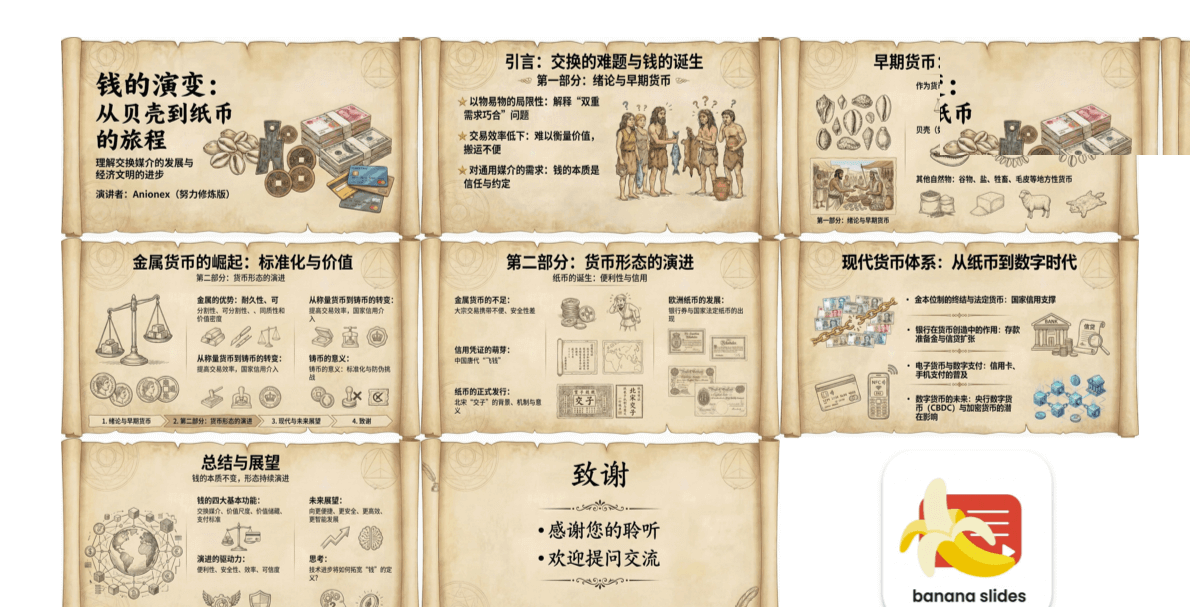
BananaSlides
Core parameters and statistics
The appeal of Banana Slides is not that it is “another PPT AI”, but that it is an open source project and has made clear entrances to the most common PPT startup methods. Public information shows that it supports starting from three methods: theme, outline, and page description. It also supports uploading PDF, Docx, MD, Txt and other files to parse key information and then generate structured presentations. This means that its positioning is closer to a "controllable open source PPT generator", rather than just giving you a chat box to try your luck.
| Projects | Public Information |
|---|---|
| Product form | Open source AI PPT generation project |
| Public entrance | GitHub repository |
| How to create | Topic, outline, page description |
| Input support | PDF, Docx, MD, Txt, etc. |
| Editing method | Natural language modification |
| Deployment method | Docker Compose, source code deployment |
| Export capabilities | PPTX, PDF |
| Default access example | Local browser access http://localhost:3000 |
Brief review in one sentence: The most practical thing about Banana Slides is that it combines "document to PPT" and "natural language PPT repair" into a self-deployable open source framework.
Publicity verification: The catalog information emphasizes that "open source AI PPT generation tool can be modified in natural language", which is basically true. Its highlight is not just generation, but also handing over subsequent modifications to natural language instructions, reducing the cost for users to repeatedly manually change the layout.
User and market recognition
Banana Slides is currently more like a new project in the open source circle and productivity tool circle, rather than a SaaS that has been proven to be commercialized on a large scale. The public information does not disclose the number of users, the number of corporate customers or financing information, so market recognition cannot be written as a definite large number. But judging from the way product capabilities are disclosed, it at least covers the typical demand lines of personal, education, business and team self-deployment.
Expert view: The value of open source PPT tools has never been just about "saving a few minutes", but whether the organization can take the templates, materials, knowledge sources and output style into its own hands. The most comfortable thing about closed-source SaaS is that it can be used out of the box, but what really impresses people about open-source tools is that you can embed it into your own document system and content pipeline, instead of being locked by the quota, account and data outbound rules of a single platform.
Hidden benefits: If the team often needs to convert similar documents into standard reports, the benefit of Banana Slides is not only that the first draft is generated faster, but also that it can precipitate "presentation production" into an internal capability that is deployable, reusable, and customizable.
Current Limitations: The public information does not show mature enterprise permissions, brand equity mid-end, online multi-person collaboration or a complete template market, so it is more like an engineering and efficiency-oriented project than a mature enterprise demonstration platform.
Cost advantage
The apparent cost of Banana Slides is extremely low because the project is open source and supports local self-deployment.
The truth about free: Free code does not mean free implementation. Although there is no SaaS subscription threshold, you still have to bear the cost of model invocation, deployment context, update maintenance and possible secondary development costs.
C-side/Individual: If individual users only occasionally make one or two PPTs, the benefits brought by open source may not be obvious, because the deployment and configuration itself takes time. Individuals are more like technology enthusiasts, students, or people who have requirements for data control.
API/Developer: The real advantage of this type of project is at the developer level. Because it supports source code deployment and contextual variable configuration, you can hook it to your own knowledge base, material flow or enterprise document system to form an internal automation link.
Enterprise/Private: If an organization is concerned about sensitive material leaving the site, the self-deployment path of an open source project can be more attractive than pure SaaS. But what enterprises really need to budget for is not licenses, but operation and maintenance and template management.
Hidden Costs: The most underestimated cost of PPT tools is not generation, but “brand consistency” and “the last 20% of manual polish.” If the team doesn’t have unified templates, layout specifications, and material strategies, open source tools will just produce inconsistent first drafts faster.
Main functions
- Multiple creation methods: You can start from three methods: theme, outline, and page description, suitable for users with different habits.
- File parsing and content extraction: Supports uploading PDF, Docx, MD, Txt and other files, and automatically extracts key information and graphic elements.
- Natural Language Modification: Continue to modify the PPT content, layout and presentation through conversational instructions.
- Flexible deployment: Supports Docker Compose and source code deployment, making it easy to run locally or on the server.
- Standard Export: Supports exporting to PPTX and PDF for continued editing or direct delivery.
Expert View: The most noteworthy is the combination of "document parsing + natural language modification". Many PPT tools only generate structures from titles, while Banana Slides is more like a middle layer that can take over document input. It is suitable for converting existing materials into presentations, rather than making up content out of thin air.
Model and version evolution
Banana Slides does not disclose a continuous semantic version history, but clear product milestones can be seen in the public information.
Public release stage
The directory information on 2025-12-16 has stated that the project is a publicly available open source AI PPT tool, and is not a pure concept page, because the project address, functions and usage are also disclosed.
From demo prototype to deployable project
When a PPT tool starts to explicitly write Docker Compose, contextual variables and local access addresses, it means that it is no longer a pure demo, but is moving closer to a real runnable project.
From first draft generation to ongoing editing
The natural language modification capability shows that it is not satisfied with generating an outline once, but hopes to cover the continued polishing process after the first draft. This step is more important for actual use, because the real frequent use of PPT tools depends not on the first draft, but on whether subsequent modifications are easy.
Technical advantages
The technical advantage of Banana Slides is not primarily model advancement, but engineering controllability.
Mechanism: Split PPT production into a more stable assembly line through file parsing, structured outline generation and natural language instruction editing.
Effect: Compared with general-purpose chat tools that only rely on prompts, it is easier for users to convert existing information into structured presentations, instead of dictating requirements from scratch every time.
Applicable scenarios: teaching courseware, student reports, business proposals, weekly project reports, internal reviews.
Publicity verification: It claims to "can modify PPT in natural language". This is indeed a more realistic ability than single generation, because it is the modification rather than the first draft that really consumes the user's time.
How to use
| How to use | Public instructions | Suitable for the crowd | Points to note |
|---|---|---|---|
| Docker Compose | Recommended deployment methods | Developers and teams who want to experience it quickly | Configure contextual variables first |
| Source code deployment | Start the service after cloning the warehouse | People who need secondary development | Suitable for technical teams |
| Document import and generation | Upload PDF/Docx/MD/Txt | Users whose information already exists | The result depends on the original document structure |
| Natural language editing | Continue to modify after generation | Report on frequent iteration scenarios | Still need to manually check the layout and facts |
Get started quickly in 3 minutes:
git clone https://github.com/Anionex/banana-slides
cd banana-slides
# Configure contextual variables according to .env.example
docker compose up -d
After startup, click on the public information to access the interface through http://localhost:3000. First generate it from an existing document, and then continue to adjust it in natural language. It will be easier to see the value than starting with a pure blank.
Product Pricing
Banana Slides is currently open as an open source project, and there is no official disclosure of subscription packages. Therefore, the price conclusion is simple: the license cost of the software itself is low, but the running cost depends on the model you access, the server environment, and whether secondary development is required.
Free Truth: No subscription fee does not mean no cost. Whenever external large models, vector capabilities, or object storage are used, the bill will come from somewhere else.
Hidden benefits: For organizations that need to be privatized, open source solutions can often reduce anxiety about data leakage, especially in teaching, consulting, R&D reporting and other scenarios.
Dissuade scenario: If the team does not want to maintain the code, nor does it want to touch the model configuration, and just wants to use it out of the box, then closed source SaaS is often more worry-free.
Application scenarios
- Student Assignments and Course Reports: Convert papers, notes and outlines into presentations faster.
- Business Proposal and Project Report: Suitable for quickly organizing existing documents into PPT drafts.
- Education and Teaching Courseware: Teachers can convert text materials into structured teaching pages.
- Organizational internal knowledge display: Convert technical plans, weekly reports, and review materials into a unified reporting format.
Dimensionality reduction attack scenario: When the information is complete, but there is a lack of time for typesetting and organization, it is more practical than the blank generation PPT tool.
Applicable people
- Developer and Technical Team: Most suitable because it can accept deployment and customization.
- Teachers, students, researchers: often need to convert written materials into presentations.
- Teams with frequent internal reporting: This can be made into a fixed process from documents to presentations.
Dissuaded/not applicable to people:
- Non-technical users who don't want to be exposed to deployment and configuration at all.
- Enterprise design teams that rely heavily on advanced visual design and multi-person cloud collaboration.
- People who only pursue the most beautiful templates and don’t care about data control and customizability.
Summary and Outlook
The real value of Banana Slides is to turn AI PPT from a "black box generation service" back to a tool form that is controllable, deployable, and accessible to internal processes. It’s not the easiest option, but for teams with technical skills who want to take presentation production into their own hands, it will make more strategic sense than pure SaaS. The hidden benefits are that knowledge and data can be deposited and privatized, and the hidden costs are that people still need to be responsible for model configuration, operation and maintenance, and template management.
Current Limitations: Public profiles do not yet demonstrate mature enterprise-level collaboration, permissions, auditing, and brand asset management capabilities. Procurement/Adoption Risk Assessment: It is more suitable to pilot a small-scale internal reporting scenario first to verify the stability and modification efficiency of converting documents to PPT, and then decide whether to continue investing in it as an organizational-level self-deployment demonstration capability.
Related tools:  Notion AI, google-workspace
Architecture design and technology selection
As an open source project, Banana Slides' architectural design, community health, and operation and maintenance maturity are core dimensions that need to be comprehensively considered when selecting technology. The following is a systematic framework for assessing the production readiness of open source projects.
Architecture and Modular Design The architectural design of the project directly determines the flexibility of secondary development and integration. Projects that adopt microservices, plug-in or event-driven architecture usually have better scalability and functional isolation, making it easier for the team to expand and customize specific modules on demand; the monolithic architecture is simple to deploy, intuitive to operate and maintain, and is suitable for small-scale use and rapid verification. However, as the functions increase, they may face the problems of increased maintenance complexity and accumulation of technical debt. It is recommended to read the project's architecture documents and developer guides before selecting, and evaluate the adaptability of the architecture design to the team's existing technology stack, as well as the scalability of the architecture as business grows in the future.
Community health and long-term maintenance The community health of an open source project is a key indicator of whether the project can be maintained and developed over the long term. It is recommended to comprehensively evaluate the following dimensions: the growth trend and absolute value of GitHub Stars (reflecting community attention and user base), the number and composition of contributors (the ratio of core maintainers to temporary contributors, ideally there are at least 3 active core maintainers), the median issue response time (ideally within 24 hours, reflecting the response efficiency of the maintenance team), PR merge rate and merge delay (reflecting the standardization and efficiency of project governance), and the time of the latest major Release (more than 6 Months without updates should be taken as a sign that project maintenance is stalled). An active community means faster bug fixes, more frequent feature updates, a richer third-party integration ecosystem, and it’s easier to get help from the community when you encounter problems.
Deployment, operation and maintenance and production readiness Production environment deployment needs to focus on evaluating the following aspects: the completeness of the Docker image and version labeling strategy (whether multi-architecture mirroring is provided), the availability and document quality of one-click deployment scripts (docker-compose, Helm Chart, Terraform, etc.), the number and management complexity of runtime dependent components (the more dependencies, the complexity of operation and maintenance increases exponentially), the integration support of monitoring and logging infrastructure (Prometheus indicator exposure, Grafana dashboard, structured log output), and complete documentation of backup, recovery, and high-availability solutions. It is strongly recommended to go through the entire deployment process in the test environment, strictly follow the documentation from scratch, verify the accuracy of each step and the compatibility of the environment, and put it into production after all functions have been verified.
Version Info
- Banana Slides public release stage :The public catalog page has shown that Banana Slides is an open source AI PPT generation tool, and disclosed GitHub warehouse, natural language editing and document import capabilities.
- Banana Slides current mainline version :The current public mainline capabilities include multiple creation methods, document parsing, natural language editing Docker deployment and PPTX/PDF export. There is no official precise date yet.
- Docker Compose deployment phase :Public information shows that the project supports Docker Compose and source code deployment, indicating that it has moved from a simple experimental prototype to a self-deployable project form. There is no official precise date yet.
User Reviews