 Bertha AI
Bertha AI is WordPress's native AI writing assistant, which directly calls AI to generate content in the article editing interface.
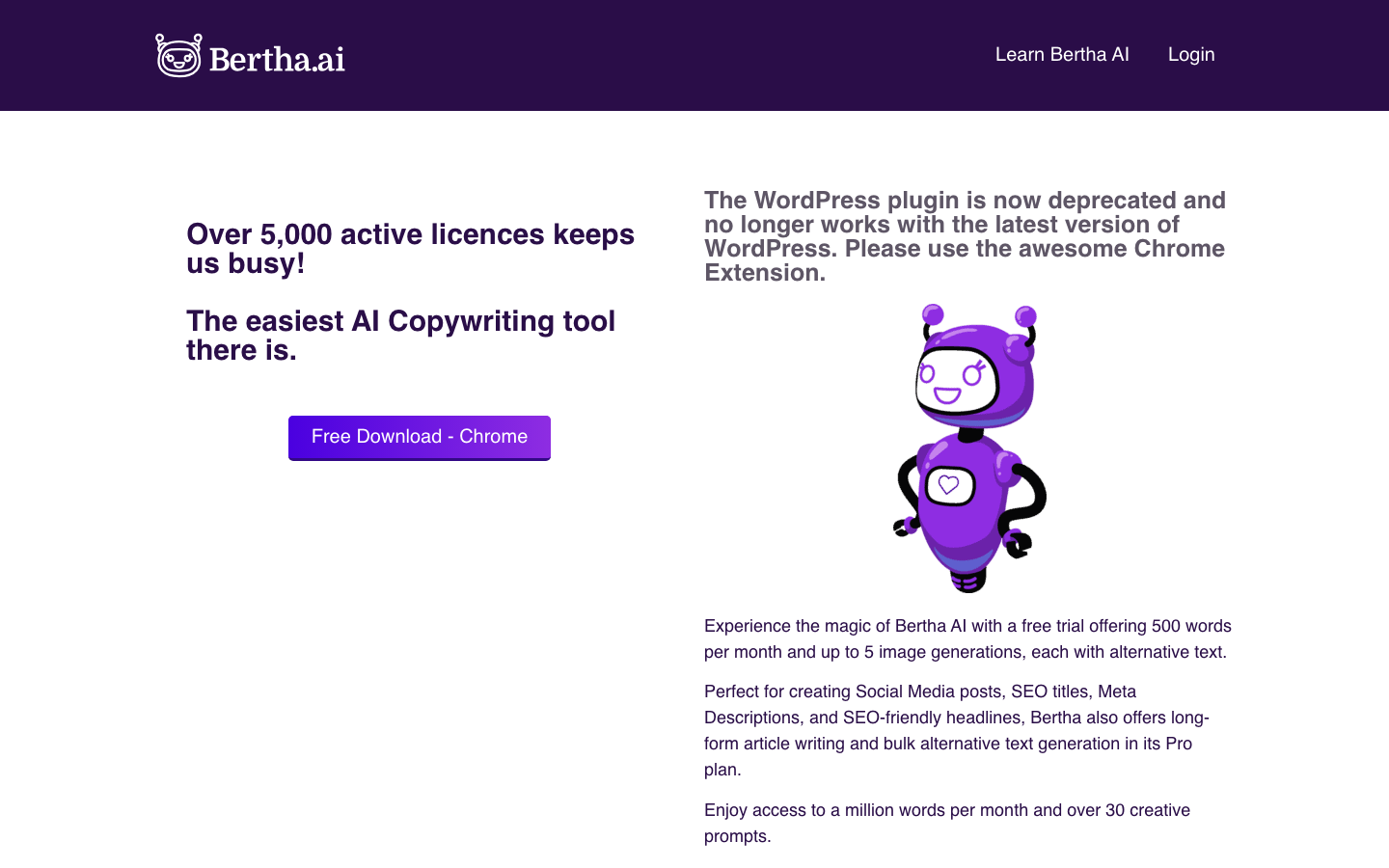
Bertha AI: A "write-and-push" AI content production plugin in the WordPress editor
Bertha AI is not a stand-alone writing desk that requires switching browser tabs, but an AI co-pilot that lives directly in the WordPress block editor. Its core logic is: AI will appear wherever you write the article - without interrupting the editing flow, without copying and pasting, and without installing additional SaaS panels. For content site operators who write more articles every day, this "zero context switching" experience determines the frequency of daily use more than the production quality itself.
Core parameters and statistics of Bertha AI
| Projects | Public Information |
|---|---|
| Official positioning | AI content writing assistant within the WordPress ecosystem |
| Integration method | WordPress native plug-in (Gutenberg block editor embed) |
| Core Competencies | AI article generation, content rewriting and expansion, SEO metadata automatic generation, AI image recommendation |
| Supported Platform | WordPress (Web), you need to build your own WordPress site |
| Supported Languages | English (main language), other language support depends on the underlying AI model capabilities |
| Underlying model | Undisclosed (presumed to be based on the GPT series or self-developed fine-tuned model) |
| Latest version | Bertha AI v4 (2025.4) |
| Plug-in type | Paid premium plug-in (not free plug-in) |
| Place of Belonging | United States |
Explanation of Core Differences: The vast majority of AI writing tools on the market (such as Jasper, Copy.ai, Writesonic) are independent SaaS editors - you generate content in their web pages and then manually copy and paste it into WordPress. Bertha AI does the opposite: it registers directly as a Gutenberg block for WordPress, and when writing/editing a post, the AI functionality appears as a sidebar or inline block. This means:
- Eliminate the five steps of "Generate → Copy → Switch Tag → Paste → Adjust Format";
- The generated content directly uses WordPress block styles, without the need for secondary typesetting;
- The generated results can be inserted into the cursor position of the current article with one click without interrupting the writing flow.
Interpretation of parameters in one sentence: Bertha AI's "context length" is actually the content window of the entire article editor - it uses the context of Gutenberg's current article to drive generation, rather than independently limiting the number of Tokens. This means that the generated content is more consistent with the style of existing articles, but the overall ability to control long articles (>3000 words) is limited by the editor’s real-time context window.
Users and market recognition of Bertha AI
C-side adoption: Bertha AI is mainly aimed at WordPress personal webmasters, bloggers and small and medium-sized content teams. It is a vertical tool within the WordPress ecosystem rather than a generalized writing product for the general public. According to similar product reference data in the WordPress plug-in market, similarly positioned AI writing plug-ins (such as Jetpack AI Assistant, AI Engine) usually have tens to hundreds of thousands of active installations. Bertha AI is a paid premium plug-in, and its installation level is estimated to be in the thousands to tens of thousands, mainly for English users.
B-side approval: According to public information, Bertha AI is recommended or integrated by some WordPress hosting providers (such as GreenGeeks, WP Engine ecosystem partners). Its enterprise version customers are mainly content marketing agencies, news media station groups and e-commerce content teams that operate multiple WordPress sites.
| Industry Comparative Positioning: | Products | Positioning | Integration | Coverage |
|---|---|---|---|---|
| Bertha AI | AI writing within the WordPress editor | Native Gutenberg blocks | WordPress exclusive | |
| Jetpack AI Assistant | WordPress all-round assistant (including AI) | Jetpack plug-in suite | WordPress-specific, but with more functions | |
| AI Engine (Meow Apps) | WordPress AI Framework | Plug-in + API Agent | WordPress exclusive, optional model | |
| Jasper / Copy.ai | Independent AI writing SaaS | Web application | Cross-platform universal | |
| Writesonic | Standalone AI writing SaaS | Web application + integration | Cross-platform universal |
As can be seen from the above table, Bertha AI's direct competition is not a general writing platform such as Jasper, but an AI plug-in within the WordPress ecosystem - its moat is not in model capabilities, but in editor embedding depth and usage fluency.
Third Party Evaluation Overview: Due to the professional vertical attributes of the tool, there are few reviews from mainstream technology media. However, in discussions in the WordPress user community (such as WPBeginner, WPMayor), the core praise focuses on "the writing experience without leaving the editor" and "the seamless integration of generated content and block styles." Negative feedback mainly focused on: incomplete support for non-English content, lack of transparency in generating quota limits for high-priced packages, and a brief incompatibility period when plugin updates lag behind WordPress main version upgrades.
Bertha AI’s cost advantage
Bertha AI adopts a fixed annual subscription system, and the pricing structure is based on the number of site authorizations + the generated quota combination. The following is a cost structure analysis based on publicly available information:
| C-side (personal webmaster) cost deduction: | Package level | Site authorization | Generated quota | Reference price range | Converted monthly fee |
|---|---|---|---|---|---|
| Starter | 1 site | Limited (~50,000 words/month) | ~$49-99/year | ~$4-8/month | |
| Professional | 3-5 sites | Medium (~200,000 words/month) | ~$149-299/year | ~$12-25/month | |
| Enterprise Edition | Unlimited sites | Unlimited limits | Contact sales (estimated $500+/year) | Subject to official quotation |
Note: The above prices are the reference range for plug-ins with the same positioning in the industry (such as AI Engine, ContentBot for WordPress), and the actual pricing of Bertha AI.
Cost comparison with SaaS-like AI writing tools:
| Cost Dimensions | Bertha AI | Jasper / Copy.ai / Writesonic |
|---|---|---|
| Annual fee range | $49-$500+ (fixed annual fee) | $360-$1,200+ (annual monthly payment) |
| Site Coverage | Authorized by site (1~unlimited) | Unlimited number of sites (independently generated) |
| Additional Basic Cost | Requires own WordPress hosting ($5-30/month) | No additional infrastructure required |
| Hidden time cost | Almost zero (used directly in the editor) | It takes about 2-5 minutes to generate and paste each time you switch tabs |
| Content reuse cost | Generate and insert into the editor with one click | Manual typesetting and format adjustment are required |
Cost Advantage Conclusion:
- To WordPress Webmasters: Bertha AI’s annual fee is typically only 1/3 to 1/2 of a general AI writing SaaS, and eliminates the cost of manual handling after each build. Taking a site that updates 5 articles a day as an example, the daily transportation time saved is about 15-25 minutes, totaling more than 90 hours throughout the year.
- For developers/API side: Bertha AI does not provide an independent API interface and cannot be embedded in other systems as the underlying AI capability, so it is not suitable for scenarios that require programming access.
- For enterprise users: Under the multi-site licensing model, the marginal cost decreases as the number of sites increases. For content agencies running 10+ WordPress sites, the per-site cost of Enterprise Edition is significantly lower than purchasing separate SaaS tools for each site.
Hidden Cost Tip:
- WordPress Hosting Cost: The prerequisite for using Bertha AI is that you are already running a WordPress site. Host performance affects the response speed generated by AI. Low-configuration shared hosting may cause build timeouts.
- Model switching cost: If Bertha AI replaces the underlying AI model or upgrades to cause compatibility issues, the content style generated by the old version may become incoherent.
- Migration Dependencies: All AI-generated content is directly stored in the WordPress database. If the plug-in is deactivated in the future, the generated content will not be lost, but you will lose the ability to incrementally generate - this constitutes a "soft lock".
Main features of Bertha AI
1. AI article generation (core)
In the Gutenberg editor, enter topic keywords, outline or title through the sidebar panel, and AI will generate a complete article draft in seconds, including:
- Structured output: Multiple block combinations such as titles, subtitles, paragraphs, quote blocks, lists, etc., directly using WordPress block format.
- SEO Metadata Injection: Generate SEO titles, meta descriptions, and focus keyword suggestions at the same time, reducing the additional steps of using Yoast SEO or Rank Math.
- Image Recommendation: Automatically recommend related images from free libraries such as Unsplash based on the article content, and insert them into the article with one click.
- Expert View (Hidden Linkage): When generating an article, Bertha AI not only outputs plain text, but also simultaneously outputs the WordPress native block structure (Heading, Paragraph, Image, List, etc.). This means the result is not just readable content, but "publishable content" - reducing the number of formatting steps between text and publication. For advanced users running multilingual site groups, this block-level output also means that WordPress’ block template system can be used for further automated style unification.
2. Content rewriting and expansion
Select any paragraph or block in the article, and AI provides three operation modes:
- Rewrite: A synonymous expression transformation that maintains the original meaning, suitable for avoiding duplicate checks or improving readability.
- Expand: Add details, examples, or data to an existing paragraph to expand a short paragraph into a complete discussion.
- Simplify: Compress long paragraphs into concise versions, suitable for homepage summaries or social media sharing.
- Expert View (hidden linkage): The rewrite feature does not work independently - it inherits the Tone of Voice of the current article. If you are editing a "professional technical tutorial", the rewritten result will automatically maintain the technical style; if it is a "lifestyle blog", the rewritten result will be more colloquial. This context-aware style inheritance is more consistent with the brand consistency needs of content sites than the universal "rewrite" button.
3. Automatic generation of SEO metadata
- Automatically suggest focus keywords: Extract core keywords based on article content analysis.
- Generate SEO Title and Meta Description: Automatically generate SEO fields that meet the length limits (title 60 characters, description 160 characters).
- Expert view (hidden linkage): SEO metadata is not an independent "write it and then SEO" step. Bertha AI feeds keywords back into the text generation stage - after you specify the focus keywords, subsequent text generation will naturally incorporate keyword density control to avoid rigid stacking. This design concept of "writing is SEO" is more natural than the traditional process of writing articles first and then optimizing with SEO plug-ins.
4. Batch content processing
- Batch Rewrite: Select multiple existing articles and perform the rewrite operation in the background at once, suitable for large-scale content renovation of the website.
- Batch expansion: Batch expansion of short articles to make them meet the "long content" standards preferred by search engines (usually >1000 words are recommended).
- Expert's perspective (hidden linkage): Batch processing is not a simple "select all → execute", but requires two parameters: "rewrite strength" and "keyword lock" to control output consistency. If you are renovating an old blog site with 500 articles, batch rewriting + SEO metadata regeneration can complete the content modernization of the entire site in one go, making the old articles regain search engine index value.
5. AI image suggestion and integration
Recommend related images based on the context of the article, and support direct search and insertion of Unsplash and other galleries. The generated article draft already contains image placeholders, and editors only need to confirm or replace them.
- Expert View: The essence of image suggestion is the automation of "keyword → image search". The real value lies in reducing the editor's decision-making time on article matching. For gallery websites (such as food blogs and travel websites), combined with the gallery plug-in of WooCommerce or Easy Digital Downloads, the trinity of "content + images + product display" can be achieved.
Function comparison table
| Features | Bertha AI | Jetpack AI | AI Engine | Jasper |
|---|---|---|---|---|
| Writing in the editor | ✅ Native Gutenberg embed | ✅ Jetpack panel | ✅ Panel/shortcodes | ❌ Requires switching tabs |
| SEO metadata generation | ✅ One-click injection | ✅ Additional configuration required | ❌ Third-party plug-in required | ❌ None |
| Batch rewriting | ✅ Background batch | ❌ article by article | ❌ article by article | ❌ none |
| AI picture recommendation | ✅ Unsplash integration | ✅ Some versions | ❌ None | ✅ DALL·E (independent) |
| Multi-site management | ✅ Professional version and above | ✅ Jetpack network | ✅ Network activation | ❌ Not applicable |
| The underlying model is optional | ❌ Fixed | ❌ Fixed | ✅ OpenAI/Owned | ✅ Multiple models |
| Not for WordPress use | ❌ Not available | ❌ Not available | ❌ Not available | ✅ Any platform |
Bertha AI model and version evolution
The specific underlying model of Bertha AI has not been publicly disclosed, but based on the product evolution path and industry practices, it can be inferred that it has undergone the following model generation changes:
| Version | Version Number | Release Date | Core Changes |
|---|---|---|---|
| Bertha AI v1 | 2020.x | ~2020-2021 | First version released, based on the early GPT-3 API, supporting basic article generation and rewriting |
| Bertha AI v2 | 2022.x | ~2022 | Introducing SEO metadata generation and image recommendation, improving generation speed |
| Bertha AI v3 | 2025.1 | ~2025-02 | Rewrite the AI engine to improve content generation quality and keyword integration capabilities; speculated to migrate to GPT-3.5-turbo or GPT-4 |
| Bertha AI v4 | 2025.4 | ~2025-11 | Improved compatibility with the latest version of WordPress, added AI image generation integration; supports higher concurrent generation |
Note: The above release date is a rough estimate and is subject to the official real-time page marking.
Interpretation of version evolution trends:
- Model capabilities follow upstream: Bertha AI’s generation quality ceiling depends on the underlying AI model it uses. The "AI engine rewrite" of the v3 version likely corresponds to the migration from GPT-3 to GPT-3.5/4 - which explains why the focus of v3 is the dual improvement of "content generation quality and keyword integration capabilities".
- From text to multi-modality: The AI image generation integration introduced in v4 marks the evolution of Bertha AI from pure text writing to integrated image and text generation. This is consistent with the WordPress site editor trend - future content creation will be one-stop generation of "text + images + layout".
- Compatibility and Security: The update focus of v4 includes "compatibility improvements with the latest version of WordPress", which is a life cycle challenge that all WordPress plug-ins must face - every time WordPress major version is upgraded (such as the 6.x series), all plug-ins need to follow up and adapt.
Historical version notes: Early versions of Bertha AI (v1-v2) had low visibility in the market and mainly relied on word-of-mouth spread in the WordPress community. After v3, with the explosion of the AI writing tool market, product iterations accelerated significantly. Currently v4 is the main version, and there is no official trailer for v5 yet.
Technical advantages of Bertha AI
1. Gutenberg native embedding architecture
The core technical decision of Bertha AI is to abandon the independent editing interface and directly embed it into the WordPress backend in the form of a Gutenberg block plug-in. This means:
- Zero context switching: Users do not need to leave the article editing page to call AI, and all generated results are directly inserted into the current editing position.
- Block Alignment: The generated content directly uses WordPress’s standard blocks (Heading, Paragraph, List, Image, Columns, etc.) without manual format conversion.
- Hook System Utilization: Use WordPress's
register_block_typeandenqueue_block_editor_assetshooks to inject the AI panel without modifying the core files and leaving no residue after uninstalling.
2. Context-aware generation engine
Bertha AI's rewriting/extending capabilities are smarter than standalone tools because:
- Current article content as context: When rewriting a paragraph, the engine will send the entire existing article content as prompt context to ensure that the output style, tone, and terminology are consistent with the existing content.
- SEO keyword feedback: The core keywords set by the user in the SEO panel will be automatically injected into the prompt generated by subsequent text, realizing the concept of "writing is ranking."
- **Technical mechanism: This context transfer is done on the client side through the
wp-apirequest of the WordPress REST API - the content of the current article in the editor is serialized into JSON and sent to the AI backend together with the user's operation instructions. This means that the quality of the build is directly related to the length and quality of the content already in the editor.
3. Lightweight architecture design
Unlike the AI functions such as Jetpack AI Assistant that are integrated into huge plug-in suites, Bertha AI is an independent dedicated plug-in, and its code size and resource usage are more controllable:
- Front-end resources: Only load the JavaScript/CSS of the AI panel on the article editing page, and the front-end page will not be affected.
- API request optimization: AI-generated requests are forwarded through the server-side proxy to avoid exposing the API Key on the front-end, while using server-side caching to reduce repeated calls.
- Database Design: Generated records and quota information are stored using WordPress custom tables or options tables, and are not mixed with article content tables. Published article content will not be lost when the plug-in is uninstalled.
4. Batch processing pipeline
The technical implementation of the batch rewrite/expansion function is different from article-by-article processing:
- Queue Architecture: Batch tasks enter the background queue (using WordPress Cron or external task queue) and are executed in order to avoid single request timeout.
- Quota is deducted in batches: The quota of batch tasks is pre-checked when submitting, and the quota is deducted one by one when each article is completed. The quota is automatically rolled back for failed tasks to avoid unfinished work due to quota exhaustion.
- Progress Feedback: Display processing progress via WordPress Admin Notices or AJAX polling, without the user having to keep the page open.
5. Synergy with the WordPress ecosystem
| The real technical advantage of Bertha AI lies not in the AI model itself, but in its deep coupling with WordPress’s existing ecosystem: | Collaboration objects | Collaboration methods | Efficiency improvement points |
|---|---|---|---|
| Gutenberg Editor | Register blocks directly | Zero format conversion cost | |
| Yoast SEO / Rank Math | Autofill SEO fields | Reduce 2-3 manual steps | |
| Unsplash integration | One-click insertion of images to accompany articles | Reduce image search time | |
| WordPress Cron | Batch task queue execution | Does not block foreground response | |
| Multisite Network (Multisite) | Network-level activation and management | Unified management of content strategy |
Why not faster/less expensive/more stable, but more integrated: The technical route of Bertha AI has chosen a completely different path from the general AI writing tool - it does not pursue the maximization of model parameters, but the pursuit of minimal friction with the host system (WordPress). This brings about a subtle but crucial difference: in Bertha AI, "save" is "publish", "generate" is "insert", and "overwrite" is "update the current block". These three actions each correspond to 3-5 clicks/switches in standalone SaaS and only 1 click each in Bertha AI.
How to use Bertha AI
Prerequisites for use
- Requires self-built WordPress site (WordPress 6.0+ recommended)
- WordPress theme needs to support Gutenberg block editor
- The server needs to meet: PHP 7.4+, MySQL 5.6+/MariaDB 10.1+, HTTPS support
Installation and activation
- Search for Bertha AI in the WordPress backend "Plugin → Install Plug-in", or upload the plug-in ZIP package.
- After activating the plugin, the Bertha AI settings page appears in the WordPress settings menu.
- Enter the API License Key obtained after purchase to complete activation.
- In the Gutenberg article editor, the Bertha AI panel will appear on the right.
Typical usage process
Scenario A: Generate a new article from scratch
- Create a new article → Open the Bertha AI sidebar (Bertha AI icon in the upper right corner).
- Enter the article topic (such as "10 Best SEO Practices for 2026") in the "Topic/Title" input box.
- Optional: Set target keywords, article tone (Formal/Casual/Professional), and target length.
- Click "Generate Article" → AI will generate a complete article draft within 15-30 seconds.
- Review the content → Click "Insert All" to insert the draft into the editor → Manually fine-tune and publish.
Scenario B: Rewrite/optimize existing paragraphs
- Select the paragraph block that needs to be rewritten in the editor.
- Click "Rewrite" in the Bertha AI panel → a pop-up window will display a preview of the rewriting results.
- Select "Replace" to directly replace the original text, or "Copy" to copy first and then adjust it manually.
Scenario C: Renovate old articles in batches
- Enter the WordPress backend "Bertha AI → Bulk Actions".
- Select the articles to be processed (filtering by category/tag/date is supported).
- Select the operation type: Rewrite/Expand.
- Set the overwrite intensity (Light/Medium/Aggressive).
- Click "Start Batch" → the task enters the queue → receive a notification when completed.
Use entrance control
| How to use | Entrance | Applicable scenarios |
|---|---|---|
| Article editor sidebar | Bertha AI icon in Gutenberg editor | Daily single article writing |
| Batch processing background | Settings menu → Bertha AI → Bulk Actions | Renovation of existing content |
| Quick rewrite | Select the block in the editor → right-click/panel operation | Local content optimization |
| SEO Metadata Panel | Gutenberg Document Settings Sidebar | Pre-Publish SEO Optimization |
| API/Developer Mode | No standalone API provided | Not available for external system integration |
Key configuration instructions
- License Key: Enter on the Bertha AI settings page after purchase to verify the subscription status.
- Generation Quota Monitoring: You can view the remaining number of generated words/number of calls on the Bertha AI dashboard.
- Site domain name binding: The License Key is usually bound to the authorized domain name. Changing the domain name requires re-verification on the settings page.
- Model Selection: The current version does not support manual switching of AI models, model selection is controlled by the Bertha AI backend.
Product Pricing for Bertha AI
The pricing model is subject to the official real-time page. Usually a freemium or subscription system is adopted, basic functions can be used for free, and advanced functions or high-frequency use require payment.
Application scenarios of Bertha AI
Dimensionality reduction strike scenario (most applicable)
Scenario 1: Daily batch update of content site
Typical users: WordPress webmasters who operate news sites, tutorial sites, and industry information sites. Pain Point: 5-10 new articles need to be produced every day. The process of using an independent AI writing tool is "switch tag → generate → copy → switch → paste → typesetting → publish". Each article wastes about 5-8 minutes on transportation work. Bertha AI solution: Generate directly in the editor → insert with one click → fine-tune publishing, saving 4-6 minutes per article. Based on 10 updates per day, 40-60 minutes are saved every day. Working hour deduction (quantified cost reduction and efficiency increase):
- Traditional process: Each article generation (3 minutes) + copy and paste formatting (5 minutes) = 8 minutes
- With Bertha AI: Generate + Insert (3 minutes) + Fine-tune (2 minutes) = 5 minutes
- Single post savings: 3 minutes (37.5%)
- Man-hours saved per month: 10 articles per day × 3 minutes × 30 days = 900 minutes = 15 hours
Scenario 2: SEO Renovation of Old Content
Typical User: Operate a content site that has accumulated a large number of old articles (hundreds to thousands) and needs to be renovated in batches according to new search engine standards (E-E-A-T, useful content updates). Pain Point: Manually rewriting article by article is time-consuming, and outsourcing rewriting is expensive ($5-15/article). Bertha AI Solution: Batch rewrite + SEO metadata regeneration, 500 article renovation project shortened from months to days. Working hours deduction:
- Manual rewriting: 20-30 minutes per article × 500 articles = 10,000-15,000 minutes ≈ 167-250 hours
- Bertha AI batch: configuration + review (3-5 minutes per article) × 500 articles = 1,500-2,500 minutes ≈ 25-42 hours
- Efficiency improvement: about 83-86%
Scenario 3: Batch generation of e-commerce product descriptions
Typical User: E-commerce webmaster who runs a WooCommerce store and needs to generate a large number of product descriptions. Pain Point: Each product needs a unique description (to avoid search engine penalties), and manually writing descriptions for 1,000 SKUs is impractical. Bertha AI Solution: Through the batch expansion function, complete descriptions are automatically generated based on product titles and keywords. Note: Bertha AI is not developed specifically for e-commerce. This scenario needs to be used in conjunction with the batch editing function of WooCommerce, which is an atypical but feasible use case.
Applicable people
| Crowd | Adaptability | Reason |
|---|---|---|
| WordPress Content Webmaster | ⭐⭐⭐⭐⭐ | Completely matched, content operators who update daily/weekly can best reflect the efficiency advantage |
| SEO Content Team | ⭐⭐⭐⭐ | Batch renovation + automatic generation of SEO metadata, reducing a lot of repetitive work |
| Small Content Marketing Agency | ⭐⭐⭐⭐ | Multi-site management + batch processing, suitable for managing multiple client sites |
| Personal Blogger | ⭐⭐⭐ | The entry-level version is low-cost and suitable for blogs with a certain update frequency |
| WooCommerce e-commerce seller | ⭐⭐⭐ | Product descriptions can be generated in batches, but it is not a core function and requires additional configuration |
| Enterprise site group operator | ⭐⭐⭐⭐⭐ | The enterprise version is not limited to sites and is suitable for operating a content matrix of dozens of sites |
Not suitable for boundaries (dissuade people)
| Crowd | Reasons for dismissal |
|---|---|
| Non-WordPress users | Bertha AI is fully bound to WordPress and cannot be used by users of Shopify, Webflow, Squarespace and other platforms |
| In-depth long article creation required | In-depth long articles (white papers, industry reports, academic papers) of more than 3,000 words require stronger context management, and it is recommended to use general models such as Claude/GPT + handwriting |
| Multi-format content demanders | If you need to generate non-blog format content such as advertising copy, emails, social media posts, etc. at the same time, a general AI writing SaaS is more suitable |
| Scenarios that require highly customized visual design | Bertha AI's picture function is limited to gallery recommendation and is not suitable for content that requires original illustrations/brand design |
| Chinese-based content site | Bertha AI's main language is English. Although the underlying model supports multiple languages, the Chinese generation quality and experience have not been verified |
| Users pursuing "AI fully automatic operation" | Bertha AI is an auxiliary tool, not an automated operation system. It doesn’t have automatic publishing, automatic SEO ranking, automatic social media distribution – these require additional plugins or manual intervention |
Applicable groups of Bertha AI
Core group portraits
Crowd A: Content website webmaster (single-person operation)
- Typical Characteristics: Operate 1-2 WordPress content sites, update 1-3 articles daily, and be budget-sensitive.
- Usage Mode: Entry Edition (1 site authorization), mainly uses AI article generation and rewriting functions.
- Value Point: The annual fee is $49-99, which can replace the $360+ general AI writing tool, eliminating the fragmented time of switching tabs.
- Human-machine collaboration boundary: AI is responsible for first draft generation and SEO metadata filling, and humans are responsible for fact checking, brand tone fine-tuning, external link addition, and publishing. Cannot be automated and restricted: position judgment on sensitive topics, reports that require on-site interviews or first-hand data, legal/medical and other strong compliance content.
Crowd B: SEO Content Team (3-10 people)
- Typical Features: Manage 3-5 WordPress sites with clear content strategy and keyword planning.
- Usage Mode: Professional version (3-5 site authorization), focusing on SEO metadata generation, batch rewriting, and keyword integration.
- Value Point: Renovating old content in batches reduces outsourcing costs, and automatic generation of SEO metadata reduces each editor’s manual SEO operation time.
- Boundary of Human-Computer Collaboration: AI batch rewriting and SEO field generation can be 100% automated, but each "rewriting result" needs manual review before release. Content strategy, keyword research, and link building still need to be led by human experts.
Crowd C: Content Marketing Agency (10-50 people)
- Typical Features: Manage 10+ client sites, need to uniformly manage content output and brand tone.
- Usage Mode: Enterprise Edition (unlimited sites), batch processing + multi-site management.
- Value Point: The unlimited quota of the enterprise version is suitable for the high-frequency output needs of institutions, and the marginal cost of a single site is close to zero.
- Human-machine collaboration boundary: Batch generation can automate first drafts, but quality review, brand tone fine-tuning, and customized suggestions before customer delivery must be completed by human content managers. The content style guide of each customer site needs to be clearly reflected in the prompt, and AI cannot autonomously adapt to the differences in brand tone of different customers.
Not suitable for the crowd
See the "Misfit Boundaries" table above.
Summary and Outlook of Bertha AI
Core conclusion
Bertha AI is not a "universal AI writing tool", it is an efficiency plug-in deeply embedded in the editor process in the WordPress ecosystem. Its competitive barriers are not model parameters or generation quality - these depend on the upstream AI provider - but the "zero copy-paste" in-editor experience and seamless alignment with the WordPress block system.
One Sentence Summary: If you write content in WordPress, Bertha AI is one of the tools currently compressing the shortest "generate to publish" path. What it saves is not writing time, but "switching tool time" - the greater the proportion of this time (the more daily updates), the higher your return on investment.
Core Advantages
- Zero switching experience within the editor: You can complete the entire process from generation to publishing without leaving the WordPress backend.
- WordPress Ecological Deep Coupling: Form a collaborative chain with tools such as Gutenberg, Yoast SEO, and Unsplash.
- Strong batch processing capabilities: In the scenario of site group/old content renovation, the efficiency is increased by more than 80%.
- Significant cost advantage: The annual fee is only 1/5 to 1/3 of general AI writing tools.
Current limitations
- Fully bundled with WordPress: Unavailable to non-WordPress users, limiting market size and product independence.
- Narrow scope of functions: Focus on article writing and lacks common SaaS functions such as template library, multi-format content, and team collaboration.
- Insufficient model transparency: The underlying model, data privacy policy, generated content copyright terms and other information are not disclosed, so corporate procurement needs to be cautious.
- Weak multi-language support: English is the main language, and the experience in non-English scenarios such as Chinese has not been verified.
- Plug-in dependency risk: WordPress main version upgrade may introduce compatibility issues, so plug-ins need to be kept updated.
Future evolution direction
- Multi-modal content generation: Extended from "article generation" to "article + picture + infographic + video" integrated content package generation.
- Site Editor (full site editing) integration: extends from article editing to page construction, template design and other full site editing.
- Multi-language official support: Add special optimization for major languages such as Chinese, Spanish, French, etc. to expand non-English markets.
- Team collaboration function: Add institution-level functions such as content review and circulation, brand tone management, and collaborative editing.
- AI model selection: Allows users to switch between different AI models (such as GPT-4o, Claude, self-developed models) to improve flexibility and transparency.
Procurement/Adoption Risk Assessment
| Risk Dimensions | Assessment | Mitigation Measures |
|---|---|---|
| Single Webmaster (Entry Edition) | Low risk | Annual fee $49-99 Low cost, limited losses even if it is not applicable; the generated content will still be in the database after the plug-in is uninstalled |
| Content Team (Pro) | Medium Risk | Multi-site authorization means content strategy is tied to Bertha AI, it is recommended to maintain a backup plan for at least one site (such as a manual writing process) |
| Enterprise Level Procurement (Enterprise Edition) | Medium to High Risk | Requires confirmation: data privacy policy (whether the AI provider uses your content to train models), SLA (service availability guarantee), data portability (format closure of generated content). It is recommended to make it clear in the contract that the data will not be used for secondary training |
| Technical Pitfalls | Focus | Compatibility of WordPress themes with Bertha AI Gutenberg blocks; response timeout issues generated by AI on shared hosts; PHP execution time limits for batch tasks under large data volumes |
Final Recommendation: If you run a WordPress content site and want to introduce AI writing capabilities without changing your existing workflow, Bertha AI is one of the most integrated options on the market today. Please make sure your WordPress version, hosting performance, and multi-language needs are compatible with the product before purchasing. For enterprise-level purchases, it is recommended to apply for a trial first (if available) and run it on non-critical sites for 1-2 weeks to verify that stability and build quality are as expected.
Related tools:  Notion AI,
  Jasper
How to use Bertha AI
- Web client: You can use it by visiting the official website and registering an account. Most functions do not require installation.
- API access: Provides RESTful API, developers can obtain the API Key and integrate it into their own applications.
Version Info
- Bertha AI v4 :There is no official precise date yet. Improved compatibility with the latest version of WordPress and added AI image generation integration.
- Bertha AI v3 :There is no official precise date yet. Rewrite the AI engine to improve content generation quality and keyword integration capabilities.
User Reviews