 Buffer
Buffer is a lightweight social media scheduling and management tool known for its simple interface and small team-friendly pricing. It provides cross-platform publishing, scheduling calendar, basic analysis and community participation management functions, and is suitable for personal brands and small marketing teams.
Buffer
Core parameters and statistics of Buffer
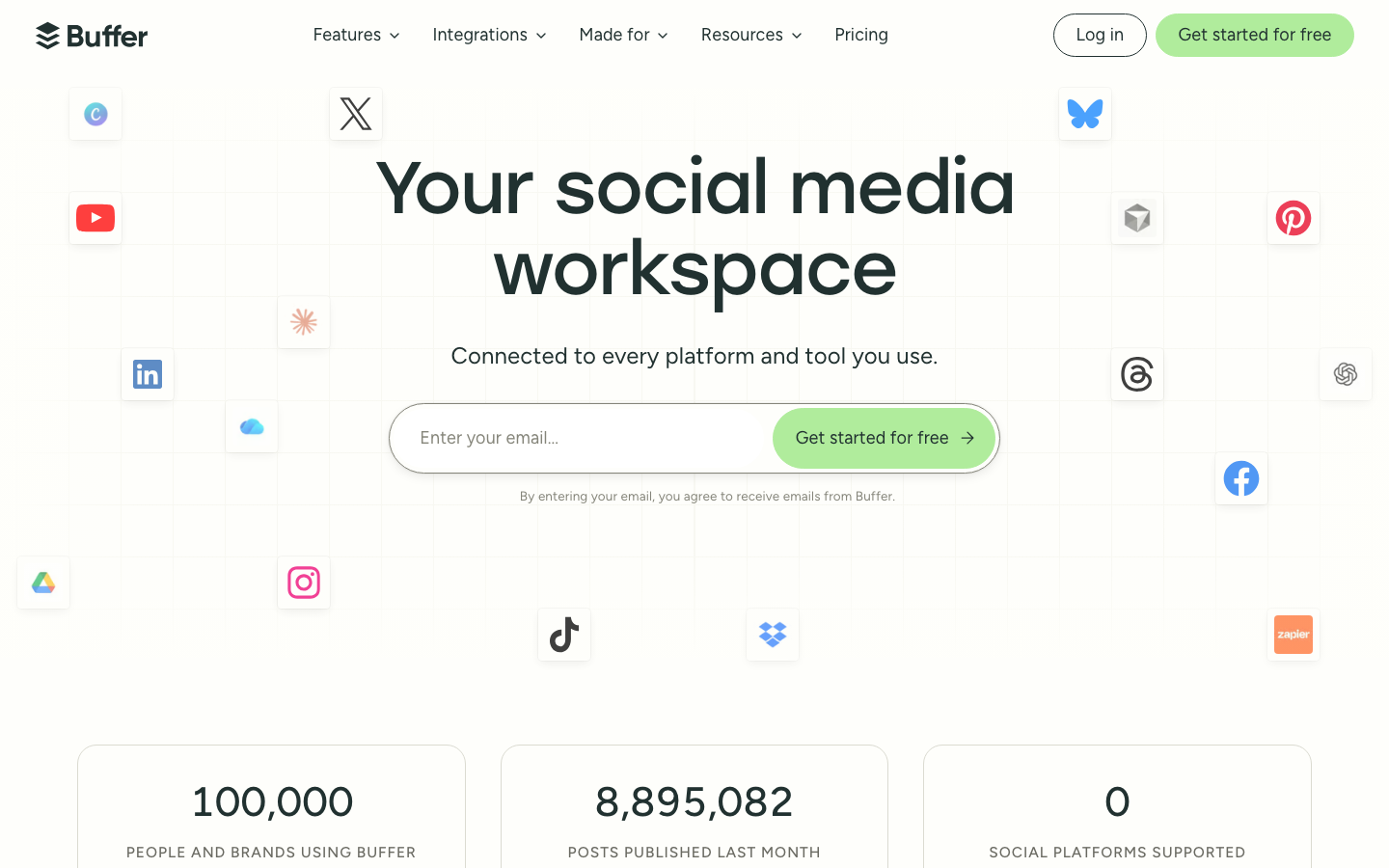
Buffer is a lightweight social media scheduling and management tool, officially positioned as "Your social media workspace". It has established a unique reputation in the social scheduling track with its minimalist interface and low-entry pricing. Its core value lies in integrating cross-platform content publishing, community interaction management and basic analysis into one operation interface, rather than pursuing comprehensive functions.
| Parameter items | Public data |
|---|---|
| Official positioning | Your social media workspace |
| Core Form | SaaS Web + Mobile App (iOS/Android) + Browser Extension |
| Supported platforms | Facebook, Instagram, X/Twitter, LinkedIn, TikTok, Threads, Bluesky, YouTube Shorts, Pinterest, Google Business Profile, Mastodon (11 social networks in total) |
| User scale | 235,587+ creators, brands and institutions (official website public count) |
| Notable Clients | Metallica, Benefit Cosmetics, Wired, Semrush, Crocs, Pizza Hut, Vice Media, Clash of Clans |
| Latest version | 2026.07 (July 2026 Update) |
| Pricing model | Subscription system, 3 packages (including free tier), billed according to the number of channels |
| Free plan | 3 social channels, 10 article schedules per channel, 100 inspiration drafts, AI assistant |
| Supported terminals | Web, Android, iOS, browser extensions |
| Company establishment | November 2010 (Startup Sprint project started) |
| Team mode | Fully Remote, four-day work system, open salary |
Billing by channel: Buffer's billing unit is "social channel" rather than "user seat". This means that independent users who manage multiple accounts (such as a social media manager running 5 client accounts) only pay per channel, rather than per team member - which is fundamentally different from Hootsuite's per-user logic.
Breadth of platform coverage: Supports 11 social networks, covering channels from mainstream (Facebook/Instagram/LinkedIn) to emerging (Threads/Bluesky/Mastodon) and long-tail (Google Business Profile), achieving relatively complete cross-platform coverage in a lightweight tool. In the first half of 2026, social interaction support for TikTok, YouTube and Mastodon will be added.
Tradition of Transparent Operations: Buffer has made its company financials, team salaries, and key operating metrics public since 2013, which is extremely rare in the SaaS industry. Its transparent pricing page (buffer.com/transparent-pricing) and public salary formula (buffer.com/salaries) greatly reduce the information asymmetry before enterprise purchase - you can directly see the complete feature comparison of each package without having to contact sales to obtain a quotation.
Buffer’s users and market recognition
Buffer’s market recognition is more reflected in long-tail user accumulation and industry reputation than in high-profile financing rounds or explosive growth data.
Registered user scale: The official website publicly shows that 235,587+ creators, brands and institutions are using Buffer. Although this number is not as high as Hootsuite's tens of millions of users, Buffer's penetration rate is quite impressive in the segmented track focusing on small and medium-sized enterprises and individual creators.
Enterprise Clients: The client list includes well-known brands such as Metallica, Benefit Cosmetics, Wired, Semrush, Crocs, Pizza Hut, Vice Media, Clash of Clans and more. These customers come from various industries such as music, beauty, technology media, e-commerce, fast food, and games, which shows that Buffer’s universal scheduling capabilities are adaptable in different vertical fields.
Industry Transparency Benchmark: Buffer is known for its "transparency by default" culture in the SaaS industry - disclosing salary formulas, disclosing company revenue and operating metrics, and disclosing product roadmaps (suggestions.buffer.com/roadmap). Although this transparency strategy does not directly bring functional advantages, it forms a differentiation barrier in terms of brand trust and community loyalty. Its public Changelog records the details of feature iterations every 2-3 weeks, making it easier for purchasers to evaluate product activity.
Developer Ecosystem: Buffer provides a public REST API (developers.buffer.com), and the free plan includes 1 API Key and 3,000 requests per month. MCP (Model Context Protocol) support will be added in June 2026, allowing Buffer accounts to be directly managed through AI assistants such as Claude, ChatGPT and Perplexity - this means that Buffer is evolving from "social management SaaS" to "programmable social infrastructure".
Market positioning: Buffer does not compete directly with Sprout Social or Hootsuite on enterprise-level features, but has built a moat in the "lightweight, low price, high transparency" niche market. It is more often regarded by users as "the first choice for getting started with social scheduling" rather than as an "all-round social management platform".
Buffer’s cost advantage: Paying per channel lowers the entry barrier for small teams
Buffer’s cost structure is among the most transparent and lowest-entry among all major social scheduling tools. The core difference lies in the billing logic - charging based on the number of channels rather than user seats, which makes the total cost for a single person to manage multiple accounts significantly lower than competing products.
C-side/Personal Cost:
- Free Package: Can connect to 3 social channels, 10 article schedules per channel, 100 inspiration drafts, including AI assistant, basic analysis panel and community inbox. For individual creators, this is a feasible starting point for testing cross-platform scheduling at zero cost, without the need to bind a credit card.
- Essentials Package: $5/channel/month (annual payment is $60/channel/year), unlimited scheduling and inspiration drafts, open to advanced analysis and API (3 Keys, 7,500 requests/month), added Hashtag management and first comment scheduling. Calculated to manage 3 channels, the monthly fee is only $15, and annual payment is equivalent to $10/month.
- Hidden Cost: The free plan only has 10 article scheduling slots per channel. High-frequency creators (such as publishing to multiple platforms daily) need to "refill" the queue every 2-3 days, otherwise there may be a publishing window. This is the most directly perceived limitation for free users. Once the basic scheduling density is exceeded, Essentials needs to be upgraded.
Developer/API Cost:
- The free plan includes 1 API Key and 3,000 requests/month (approximately equivalent to 100 API calls per day), which is enough to support personal automation scripts and lightweight integration.
- The Essentials package is upgraded to 3 Keys and 7,500 times/month; the Team package is 5 Keys and 15,000 times/month.
- Comparing competing products: Hootsuite’s API access is limited to the enterprise package ($500+/month), while Sprout Social’s API threshold is higher and requires business confirmation. Buffer is more friendly to developers and small integration teams in terms of API openness.
- Hidden Cost: The 15K/month frequency control of the Team package may not be enough in scenarios with a high degree of automation (such as synchronizing all channel data once an hour). It is necessary to evaluate whether the call volume is within the budget.
Enterprise/Team Cost:
- Team package: $10/channel/month (annual payment is $120/channel/year), unlimited team members, unlimited scheduling, unlimited inspiration drafts, added content approval workflow, access control and all analysis functions. This is Buffer's "Unlimited" plan, suitable for teams of 3-10 people.
- Hidden Cost: Buffer lacks capabilities such as social listening, public opinion tracking, KOL management, and cross-platform comparison reporting. If an enterprise needs these functions, it needs to purchase additional special tools (such as Brandwatch, Talkwalker or the advanced version of Sprout Social) - the integration and procurement costs caused by this "functional gap" are easily underestimated. It is recommended to include budget for at least 1 complementary tool in your total cost of ownership (TCO) assessment.
- Purchasing flexibility: Per-channel billing + no annual contract binding (supports monthly payment), which means enterprises can add or remove channels or downgrade packages at any time as needed. For agencies that manage multiple brands and have frequent client changes, this flexibility can be a cost advantage over a per-seat locked package.
Horizontal comparison (monthly fee deduction, management of 5 channels + 3-person team):
| Tools | Monthly Fee Deduction | Billing Logic | Core Limitations |
|---|---|---|---|
| Buffer Team | ~$50/month (5 channels × $10) | By channel | No social monitoring, basic level of analytics |
| Hootsuite Team | ~$99/month (3 users) | By seat | Includes scheduling + basic analysis + entry-level monitoring |
| Sprout Social Professional | ~$249/mo (1 user) | Per Seat | Deep Analytics + Social Listening + CRM Integration |
| Later (Business Plan) | ~$80/month (3 users) | By user | Focus on visual scheduling, feature depth is between Buffer and Hootsuite |
Derivation conclusion: Buffer has the most obvious cost advantage in the scenario of "single person managing multiple channels" (50%-70% lower than Hootsuite). However, in the scenario of "multi-person complex collaboration + the need for advanced analysis", the hidden costs caused by the lack of functions may offset the price advantage. The premise for choosing Buffer is that the team has no rigid requirements for depth of analysis and social monitoring.
Main functions of Buffer
Buffer's functional architecture is designed around the overall design of "publish → interact → analyze", rather than being a simple content scheduling tool. There are obvious synergies between its four core modules - Publish, Create, Community, and Insights - which is also the key difference between Buffer and "single scheduling tools".
-
Publish (cross-platform scheduled publishing): Supports post scheduling, queue management and automatic publishing of 11 social networks. The calendar view can visually view the content distribution of each channel. Supports custom scheduling queues (daily/weekly fixed release periods can be set) and manual sorting. Through the browser extension, you can share content from any web page to the queue with one click, reducing the manual copy and paste steps. Acceptance concerns: Confirm whether the social platform you are using (especially non-core platforms such as YouTube and Pinterest) supports complete functions, including multi-image publishing, video uploading and Story scheduling - some platforms have different functional coverage.
-
Create (content creative management): Complete the entire process from inspiration capture to draft writing in Buffer. Supports inspiration boards (Ideas, free package is limited to 100, paid package is unlimited), tag classification (Tags, free is limited to 3, paid package is limited to 250), template reuse and AI-assisted generation. Synergy: Drafts produced by Create can be added to the Publish queue with one click, eliminating the need to export and import across modules, eliminating the common tool gap between "Inspiration → Scheduling". The tag system can also be linked with Insights to help you analyze which topic categories of posts perform better.
-
Community: A unified inbox for comments and @mentions from 10 social platforms (Facebook, Instagram, X/Twitter, LinkedIn, Threads, Bluesky, TikTok, YouTube, Google Business Profile, Mastodon). New in 2026 is support for LinkedIn’s full reaction types (Like/Celebrate/Support/Love/Insight/Curiosity), as well as the ability to reply to TikTok comments and Google business reviews. Synergy: Data interoperability between Community and Publish - you can jump directly from the publishing record to the interaction management of the corresponding post, or you can view interaction trends in the analysis panel. This "publish → interact → analyze" arrangement reduces the cost of context switching between platforms.
-
Insights (analytics panel, new upgrade in 2026): Provides interaction rate, exposure, fan change trends and post-level performance data for each channel. In 2026, in-depth indicator support for Instagram Reels will be enhanced (including play volume, interaction rate, retention, etc.), and Smart Posting Schedules will be introduced - recommending the best posting time based on channel historical data. Supports CSV export. Synergy effect: Insights' "best publishing time" recommendations can be directly written into Publish's scheduling queue, forming a data-driven cycle of "performance analysis → strategy adjustment → scheduling optimization → re-analysis". It should be noted that the data depth of Insights still lags behind professional analysis tools such as Sprout Social - it provides a summary of "what happened" but does not support multi-dimensional cross-analysis and predictive insights.
-
AI Assistant: Integrated in the Create module, it supports inspiration generation, copywriting rewriting, tone adjustment (formal/relaxed/humorous, etc.), and multi-platform adaptation rewriting (such as reducing long articles into short threads). New image Alt Text auto-generation feature added in June 2026 to generate accessibility description text for each uploaded image. Synergy: AI Assistant is deeply integrated with Create's content editing interface - the selected inspiration can call AI to generate multiple versions of copywriting with one click, and then automatically adapt according to different platform formats, eliminating the need to manually adjust each platform one by one. This is Buffer’s most important efficiency lever in content production.
-
Collaborate (collaborative approval): supports the three-stage approval workflow of "draft creation → submission for review → approval for release", suitable for release management of small teams. Synergy effect: Approved posts automatically enter the Publish publishing queue, eliminating the need for manual secondary operations. Approval records are retained in the operation log, providing basic traceability capabilities for release auditing.
-
Start Page (Link in Bio landing page): Create a personalized multi-link aggregation page, suitable for jump optimization on limited link platforms such as Instagram and TikTok. Supports custom themes, button styles and link tracking analysis. Synergy: Start Page click data can be cross-analyzed with post performance data in Insights - you can track the complete path of "a post → Start Page click → landing page conversion".
-
Buffer Home (newly launched in June 2026): Unified activity aggregation page, integrating to-do items, recent schedules, interactive reminders and analysis summaries into a single dashboard. This is a signal of Buffer's product direction from "functional modules working independently" to "unified workbench".
Buffer’s model and version evolution
As a SaaS product, Buffer's version evolution rhythm is based on weekly/monthly feature releases rather than semantic version numbers. The following is an arrangement of key version nodes based on Buffer’s official Changelog (buffer.com/changelog) and public product roadmap.
2026 version main line
| Time | Version Identification | Key Changes |
|---|---|---|
| 2026-07 | July 2026 Update | AI-assisted copywriting generation and intelligent recommendation of publishing time; Drafts calendar entry online; Saved Custom Views (customized view saving) |
| 2026-06 | June 2026 Update | Buffer Home is online (unified activity aggregation page); MCP protocol support (connected to Claude/ChatGPT/Perplexity); pictures are automatically generated by Alt Text AI; Post Composer improvements (fast writing without channels) |
| 2026-05 | May 2026 Update | LinkedIn full reaction type support (Like/Celebrate/Support/Like/Insight/Curiosity) |
| 2026-04 | April 2026 Update | Community adds TikTok, YouTube, Google Business Profile, and Mastodon channel support (the total number of channels reaches 10) |
| 2026-03 | March 2026 Update | TikTok comments and Google review responses; Channel Groups channel group filtering |
| 2026-02 | February 2026 Update | Threads Trending Topics hot topics; Instagram Reels depth indicator enhancement; full-screen editor + layout refresh |
| 2026-01 | January 2026 Update | Smart Posting Schedules (intelligent scheduling recommendations); Post Details view; Like comment function (X/LinkedIn/Bluesky) |
Key Releases 2025
| Time | Version Identification | Key Changes |
|---|---|---|
| 2025-12 | December 2025 | Move queue posts to top/bottom with one click; Bulk Delete Drafts delete drafts in batches |
| 2025-11 | Community Launch | The unified social interaction inbox is online (Threads/LinkedIn/Bluesky/Instagram/Facebook/X) |
| 2025-08 | Fall 2025 Update | Start Page landing page function is online; Hashtag Manager is improved to floating pop-up window mode |
| 2025-05 | Mid-2025 | Introduction of basic functions of community participation management |
2024 and earlier milestones
| Time | Milestones |
|---|---|
| 2024-06 | Basic functions of Community Engagement are launched |
| 2023 | The multi-platform scheduling function continues to expand, adding TikTok publishing support |
| 2021 | Launch of Start Page (Link in Bio) proof-of-concept version |
| 2013 | Decided to fully work remotely and began to disclose salary and company finances |
| 2010-11 | Joel Gascoigne creates Buffer MVP in Startup Sprint project |
Evolution characteristics
Turning point in 2025 - from scheduling tool to interactive platform: The launch of the Community function in November 2025 is an important turning point in the form of Buffer's product form. Prior to this, Buffer was essentially a "publisher" - users used it to schedule content for various platforms, but interaction management relied entirely on external platforms (you needed to log in to Facebook/Instagram/LinkedIn one by one to reply to comments). Community completes the interaction related aspects, making Buffer evolve into a "publishing + interactive" dual-core product.
AI Infrastructure in 2026: MCP support will go online in June 2026, marking the beginning of Buffer's evolution from "direct user-facing SaaS" to "infrastructure that can be called by AI Agents". Through the MCP protocol, the AI assistant can directly read the Buffer queue, create posts, and adjust the schedule - this paves the technical path for the subsequent "AI social operation agent" scenario.
Iteration rhythm: From the Changelog, Buffer maintains a release rhythm of about 2-3 weeks/time, releasing 1-3 features or improvements each time. A total of 20+ updates will be released in the first 7 months of 2026, focusing on three directions: AI capabilities, community interaction, and multi-platform coverage. This is a mature and stable SaaS iteration cadence that reflects the team's continued investment in product evolution.
Technical advantages of Buffer
Buffer's technical route does not pursue breakthrough innovation in the underlying architecture, but builds differentiation around "simple and reliable SaaS experience" and "open integration ecosystem".
Lightweight architecture and consistent experience: Buffer’s web and mobile terminals (iOS/Android) maintain highly consistent functional coverage and operation logic. Behind it is a unified REST API layer - whether it is a web application, mobile app or browser extension, all interact with the backend through the same set of APIs. The value to users is: when switching between different devices, there will be no sense of fragmentation that "a certain function cannot be found on the App".
API developer friendliness: Buffer’s API is open in the free package (1 Key, 3,000 times/month), which is a relatively high level of openness among similar tools. API access for Hootsuite and Sprout Social is typically locked behind Enterprise plans. The Buffer API supports full post CRUD, queue management, analytics data pulling, and channel configuration, and detailed developer documentation and API reference are provided. This open strategy reduces the technical team’s access resistance and indirectly expands Buffer’s ecological reach.
MCP protocol access—Agent-based capabilities: MCP (Model Context Protocol) support launched in June 2026 is an important expansion of the Buffer technology architecture. MCP Server exposes the following tool behavior to large models:
list_profiles: List all social channels under the Buffer accountlist_posts: View scheduled posts and published posts of each channelcreate_post: Create a new scheduled postupdate_post: Edit the content and time of scheduled postsdelete_post: delete scheduled posts
These tools enable AI assistants (Claude, ChatGPT, Perplexity) to directly manage Buffer accounts in a "read → think → execute" sequence. For example, an AI Agent can "read the queue for the next 3 days → analyze whether there is duplicate content → replace the duplicate posts with new AI-generated content → confirm the modification." The engineering value of this capability is that it expands Buffer from a "human tool" to a "human + agent" amphibious product, providing a native interface for automated operation scenarios without relying on third-party unofficial integration.
Technical cost of platform coverage: Supporting 11 social networks means Buffer needs to maintain 11 sets of API integrations. API changes, frequency control strategy adjustments, and content format restrictions of each social platform may affect the stability of Buffer. Buffer exposes service status in real time via status.buffer.com, but occasional release delays or format compatibility issues are known operating costs when it comes to multi-platform compatibility—for example, some platforms may have limitations on support for video formats, multi-image carousels, or stories. It is recommended to complete end-to-end release testing on all platforms you need before official use.
How to use Buffer
Buffer provides multiple access methods to adapt to people with different usage habits:
| How to use | Entry | Suitable scenarios | Prerequisites |
|---|---|---|---|
| Web client | app.buffer.com | Daily scheduling, content creation, analysis and viewing, team collaboration | Register a Buffer account |
| iOS App | App Store Search "Buffer" | View schedule, publish posts, and reply to comments on mobile | iOS device + account login |
| Android App | Search "Buffer" on Google Play | Mobile social management | Android device + account login |
| Browser extensions | Chrome/Edge extension store | Share the web content you are browsing to the queue with one click | Install extension + log in to Buffer |
| REST API | developers.buffer.com | Automated integration, custom development, data export | API Key (available with free package) |
| MCP protocol | Connect through AI assistant (Claude/ChatGPT/Perplexity) | AI Agent automatically manages social accounts | MCP configuration + OAuth authorization |
Quick Start Path:
- Visit buffer.com, click "Get started for free" to register an account, no need to bind a credit card.
- Connect the social channels you need to manage in the settings (supports any combination of Facebook, Instagram, LinkedIn, X/Twitter, TikTok, Threads, Bluesky, YouTube, Pinterest, Google Business Profile, Mastodon, free plan is limited to 3).
- Create content ideas or write posts directly in the Create module. Click the AI Assistant button to enter keywords, and AI will automatically generate multiple copy versions for selection.
- Set the posting queue schedule - it can be automatically filled according to fixed time periods (such as 10:00 and 16:00 every day), or use the smart posting times recommended by Smart Posting Schedules.
- After publishing, enter the Community module to uniformly view comments and interactions on each channel, and reply directly in Buffer without switching platforms.
- Check the Insights panel regularly to track post performance data, and adjust subsequent scheduling strategies based on interaction rate and exposure.
In-depth usage: For technical users, Buffer can be connected to the AI workflow through the MCP protocol. Sample configuration (taking Claude MCP configuration as an example):
{
  "mcpServers": {
    "buffer": {
      "command": "npx",
      "args": ["-y", "@buffer/mcp-server"],
      "env": {
        "BUFFER_API_KEY": "<YOUR_API_KEY>"
      }
    }
  }
}
The above configuration is for reference only, and the actual latest guidelines from Buffer’s official developer documentation (developers.buffer.com) shall prevail.
Product Pricing for Buffer
Buffer's pricing strategy is known for its transparency - the official website provides a detailed pricing page, feature comparison table and machine-readable pricing file (pricing.md). All prices are fully disclosed and there is no need to contact sales to obtain them.
| Package | Monthly price | Annual price (2 months saved) | Number of channels | Schedule limit | Number of users | Analysis level | API quota |
|---|---|---|---|---|---|---|---|
| Free | $0 | $0 | Up to 3 | 10 posts/channel | 1 person | Basic | 1 Key / 3K requests/month |
| Essentials | $5/channel | $60/channel/year | Unlimited | Unlimited | 1 person | Advanced | 3 Key / 7.5K times/month |
| Team | $10/channel | $120/channel/year | No limit | No limit | No limit | Premium | 5 Key / 15K times / month |
Pricing design logic:
- Billing by channel rather than by user is the core difference between Buffer and Hootsuite/Sprout Social. It is extremely friendly for scenarios where one person manages multiple accounts (such as social media managers and agencies), but may not be economical enough for scenarios where multiple people manage one account (such as large brand teams).
- Save 2 months by paying annually, which is actually equivalent to purchasing 12 months of service at the price of 10 months. Annual payments are calculated individually per channel, and you can mix annual and monthly payment channels.
- All packages include AI Assistant and Community Inbox - Buffer does not limit AI functions to high-end packages, which is different from some competing products that use AI functions as a selling point for enterprise packages.
- The paid package includes a 14-day free trial with unlimited functions and can be canceled at any time during the trial period.
Enterprise/Volume Discounts: Buffer’s official website does not disclose the pricing of Enterprise customized packages, but it provides discounts for non-profit organizations (as explained in the official website FAQs). Bulk purchases need to be confirmed through business contact. In addition, Buffer also provides a Partner Program, which is suitable for agencies to manage customer accounts in batches.
Pricing Transparency Comparison:
| Tools | Pricing Disclosure | Hidden Fee Risk |
|---|---|---|
| Buffer | All public, including machine-readable pricing | Low: no hidden charges, annual/monthly payment clearly marked |
| Hootsuite | The basic price is public, please contact sales for the enterprise package | Medium: Some advanced features are only available for the enterprise package |
| Sprout Social | Basic price is public, standardized package | Medium: Additional features (such as monitoring) require additional fees |
Buffer application scenarios
Buffer's applicable scenarios focus on "high-frequency, cross-platform, small and medium-sized" social content operations, rather than comprehensive social management of large enterprises.
- Personal brand content scheduling (cost reduction and efficiency increase deduction): Independent creators manage 3 social platforms (such as LinkedIn + X/Twitter + Instagram), and use the Free package to complete weekly content scheduling. Compared with logging in to each platform one by one to publish manually, Buffer shortens a single publishing operation from about 3 minutes (including logging in + editing + publishing) to 30 seconds (selecting a channel in Buffer + confirmation time + joining the queue). Based on 15 posts per week, this saves approximately 37 minutes of operational time per week, or approximately 2.5 hours per month. This time saved can be reallocated to content strategy and engagement management.
- Small team multi-brand social operation (cost reduction and efficiency increase deduction): A team of 3 people manages 4 brand accounts (12 channels in total), using the Team package ($120/channel/year × 12 = $1,440/year). Complete everything from content creation → approval → scheduling → publishing → interaction → analysis in Buffer. Compared with the traditional method - each brand operates independently, uses different tools or publishes directly on each platform - Buffer reduces the team's "number of tool switches" from 6-8 times a day to 1 time (operating only within Buffer), and the approval circulation time is shortened from an average of 4 hours (email submission + reply confirmation) to about 30 minutes (submit approval in Buffer → reviewer receives immediate notification → one-click approval → automatically enters the queue). The above are deduced values. Actual savings vary depending on the complexity of the team collaboration process.
- Link in Bio traffic for e-commerce experts: On limited link platforms such as Instagram/TikTok (only one external link can be placed on the personal homepage), use Start Page to create an aggregated landing page containing multiple product links, the latest blogs and brand stories. Compared with independent Link in Bio services such as Linktree or Beacons, the advantage of Start Page is that it is deeply connected with Buffer's scheduling data - it can track the click source of each external link and interact with the interaction data of the corresponding post.
Cross-analysis results in the data relationship of "posting → traffic → conversion tracking". Suitable for e-commerce experts who need to quantify the conversion of social content into website traffic.
- Multi-platform content calendar management (human-computer collaboration boundary): The content operations director uses Buffer's calendar view to uniformly view the full-platform release plan and coordinate the content rhythm and topic distribution of different channels. 100% automated and scheduled: The system automatically releases the regular schedule after setting it, without manual intervention. There are certain points where manual confirmation points must be set: High-risk content involving major brand announcements, limited-time promotions, crisis PR responses, or sensitive topics - Buffer's Collaborate approval flow provides this human-machine collaboration boundary, ensuring that high-impact content is manually confirmed through the "Submit for Review → Supervisor Approval → Release" process. It is recommended to clearly define which content types require mandatory approval in the team SOP.
Applicable groups of Buffer
- Individual Creators and Freelancers: Suitable for individual bloggers, photographers, and independent writers who need to publish content across platforms but have limited budgets. The Free package is enough to support the weekly update schedule of 3 channels, and the AI assistant can help reduce writing stress and overcome the "fear of the blank page". Not suitable for the boundary: Users with high frequency of daily updates (such as 5+ posts per day) will be limited to the free package’s 10 article/channel scheduling limit and need to upgrade to Essentials. In addition, if the creative content relies heavily on the platform's native formats (such as Instagram Story, TikTok special effects videos), Buffer cannot cover the creation and scheduling of these native formats.
- Small marketing teams (3-10 people): The Team plan’s unlimited users and approval flow are designed to match this size. The division of roles among content operations, editors, and supervisors enables basic three-level management and control in Collaborate. Not suitable for boundaries: If the team needs social monitoring (competitive product tracking, industry topic monitoring, public opinion warning), cross-platform comparison reports or in-depth audience analysis (audience profiling, interest clustering), Buffer cannot cover it, and special tools (such as Brandwatch, Meltwater or Talkwalker) need to be added. The premise for choosing Buffer is that the team's social operation needs are mainly "publish + reply + basic analysis".
- Social Media Agency (Manage Multiple Clients): The per-channel billing model allows agencies to flexibly allocate channels to clients - costs change simultaneously when clients increase or decrease, without the need to renegotiate prices or purchase new seats. Buffer’s Partner Program also offers agency-specific support and commission plans. Prerequisite: It is necessary to evaluate whether the permission granularity of Buffer can support the customer data isolation requirements within the organization. The "access level" provided by the Team package is the basic level (administrator/editor/author). If the organization needs more granular customer-level permission isolation (for example, each customer's content is only visible to designated personnel), it may need to combine multiple T
EAM accounts are managed separately, which will increase account management costs.
- Nonprofits and Educational Institutions: Buffer openly offers nonprofit discounts (described in the official FAQs), and transparent pricing simplifies the purchase approval process. It is suitable for community operators to manage daily content publishing and interaction on multiple social channels. Not suitable for boundaries: Organizations requiring enterprise compliance requirements such as SSO (single sign-on), audit logs, data residency, etc. need to confirm the availability of these functions through commerce - SSO support details are currently not clearly stated on the public page.
- Developers & Automation Engineers: Buffer API (available in free tier) and MCP protocol provide the possibility to embed social publishing into automated workflows. It is suitable for technical teams that build "content middle platforms" and use Buffer as a common interface layer for social publishing. Unsuitable boundary: The upper limit of API frequency control is low (Team package 15K times/month ≈ 500 times/day), which is not suitable for high-frequency automation scenarios (such as intensive polling that synchronizes all channel data once every minute). It is recommended to evaluate the daily API call budget when designing the integration solution and reduce unnecessary calls through a caching layer if necessary.
- Enterprise Social Team (more than 10 people): Available under certain conditions: The team needs to focus on publishing schedules and comment responses, does not require advanced analysis and monitoring capabilities, and is willing to accept a per-channel billing model. Strongly Not Recommended: For large enterprises that need unified management of 50+ channels, in-depth social monitoring and public opinion analysis, or complex cross-department approval flows (such as multi-layer approval by legal + brand + regional managers), Buffer’s functional depth cannot support it, and they should directly evaluate the advanced solutions of Hootsuite Enterprise or Sprout Social.
Summary and outlook of Buffer
Buffer's core competitiveness lies in its differentiated positioning of "extreme simplicity + generous free + per-channel billing + ultimate transparency". It is not the most comprehensive social management tool, but it has the lowest usage threshold and the most transparent pricing strategy in the market segment of "individual creators and small teams". Two key iterations in 2025-2026 - the Community module completes interactive relationships, and MCP supports the opening of AI infrastructure - making it evolve from a simple "scheduling tool" to a "lightweight social operation workbench". 20+ high-frequency updates throughout the year (the first 7 months of 2026) demonstrate a steady pace of product evolution.
Current Limitations and Uncertainties:
- The depth of analysis functions is limited: only basic-level interaction rate and exposure metrics are provided, and cross-platform comparative analysis, attribution tracking, audience profiling and predictive insights are lacking.
- No social listening capabilities: unable to track brand mentions, competitive product dynamics, industry topic trends, and public opinion warnings.
- The scheduling coverage of some platforms is incomplete: YouTube only supports Shorts, Pinterest has limited function coverage, and does not support the native creation and scheduling of Instagram Story and TikTok special effects videos.
- The permission granularity is relatively rudimentary: the Team package only provides three-level permissions of "administrator/editor/author" and cannot achieve customer-level or project-level data isolation.
- Enterprise-level functions such as SSO, audit logs, and data residency are not clearly stated on the public page. Enterprises need to confirm the specific terms through business before purchasing.
- The upper limit of API frequency control is low (Team package 15K times/month). High-frequency automation scenarios need to evaluate whether it is sufficient, or optimize the call volume through caching strategies.
- Lack of native CRM and KOL management capabilities to manage partner relationships and influencer marketing processes within Buffer.
Procurement and Adoption Risk Assessment:
- Pilot path: It is recommended to first use the Free package to run through the scheduling + interaction process on 1-3 channels to verify whether it can replace the existing tool chain. The pilot period (recommended 2-4 weeks) will focus on verifying: Whether all social platforms that need to be used are fully functional in Buffer, whether the tone and accuracy of the content output by the AI assistant is in line with the brand tone, and whether the response efficiency and coverage of the Community inbox are consistent.
- Expansion Conditions: If you confirm that your team has no rigid needs for deep analysis and social monitoring, and the missing features can be supplemented by other tools (such as Google Analytics + Buffer combination), and the total cost of supplementary tools + Buffer is still lower than the equivalent plan of Hootsuite / Sprout Social, you can consider expanding to the Team package.
- Key terms that need to be confirmed before enterprise purchase: data export mechanism (whether all scheduling history and analysis data can be exported in batches when out of use), the possibility of API frequency control upgrade, the availability and billing method of SSO and audit logs, the specific application process for non-profit discounts, service level agreement (SLA) and uptime guarantee. The above terms are subject to the official real-time page (buffer.com/transparent-pricing, status.buffer.com) and the final sales contract.
Related tools:  Notion AI, google-workspace
Version Info
- Buffer July 2026 Update :Added AI-assisted copywriting generation and intelligent recommendation of release time
- Buffer 2025 Fall Update :Launched the Start Page landing page function and added the Link in Bio tool
- Buffer 2024 Mid-Year :Introducing community engagement management function
User Reviews