 Bytebot
Free
Bytebot
Free
Bytebot is an open source self-hosted desktop AI Agent (Apache 2.0). It assigns a containerized Linux desktop to AI, understands screen content through computer vision and large language models, and performs mouse and keyboard operations like humans. Covers cross-application workflow, data entry, document processing and other scenarios, and supports Anthropic Claude / OpenAI GPT / Google Gemini.
Bytebot
Bytebot’s core parameters and statistics
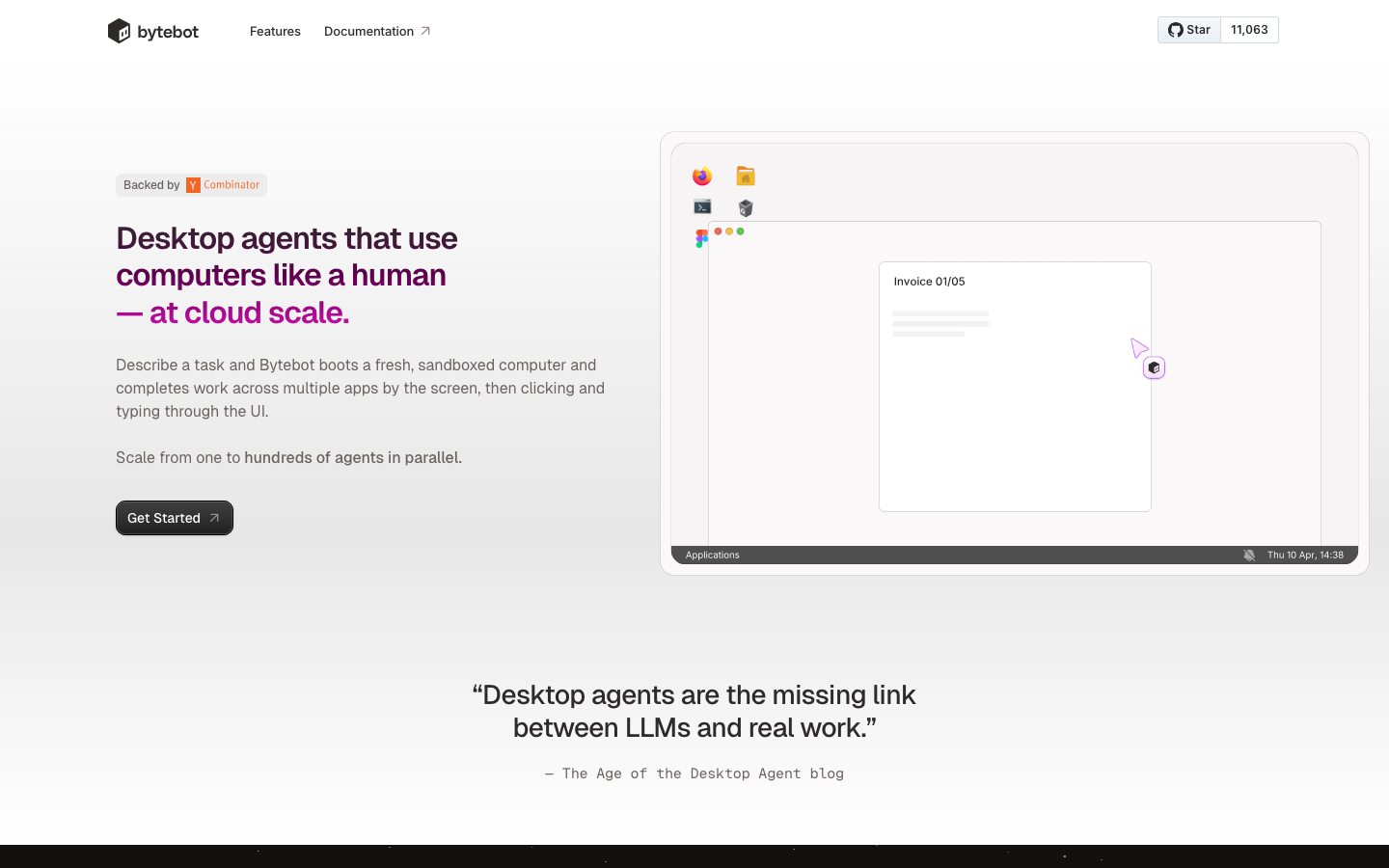
Bytebot is an open source desktop AI Agent, officially positioned as "Desktop agents that use computers like a human — at cloud scale". It allocates an independent containerized Linux desktop to AI, and AI completes complex cross-application workflows by "looking at the screen → moving the mouse → typing on the keyboard" rather than through APIs or scripts. It forms misaligned competition with traditional RPA (UiPath, Blue Prism) - traditional RPA relies on fixed selectors and predefined flow charts, while Bytebot relies on visual understanding to dynamically adapt to interface changes.
| Projects | Public Information |
|---|---|
| Official positioning | Desktop agents that use computers like a human — at cloud scale |
| Product form | Open source self-hosted desktop AI Agent |
| Core technology route | Computer vision (screenshot analysis) + large language model (intention understanding and task planning) |
| Open Source License | Apache 2.0 |
| Community size | 11.1k GitHub stars, 1.5k forks, 77 watching |
| Development languages | TypeScript (92.1%), Dockerfile, CSS, etc. |
| Contributors | 11 people |
| Latest version | 2026-01 (repository archived as read-only on 2026-03-07) |
| Supported Platform | Desktop (Docker containerized deployment) |
| Supported models | Anthropic Claude (recommended), OpenAI GPT, Google Gemini, LiteLLM agents |
| Developer | Tantl Labs, Inc. |
A brief comment: Bytebot is not a traditional RPA tool, but a containerized desktop Agent framework that allocates "dedicated computers" to AI. The core pain point it solves is that traditional automation scripts fail immediately after interface changes, while Bytebot relies on visual understanding to adapt to changes, and at the same time breaks the application boundaries of browser agents through complete desktop context.
Deployment form: Bytebot is completely self-hosted and runs in a Docker container, and the data does not leave the corporate network. It is not a SaaS platform, but an infrastructure component that you build, manage, and bring your own AI model keys.
Project Status Note: Bytebot's GitHub repository was archived read-only by the owner on March 7, 2026. This means that the project has suspended mainline development, but existing code and documentation can still be used normally, and the community can fork and continue to evolve.
Bytebot’s users and market recognition
Bytebot’s market recognition mainly comes from the attention of the open source community and the enterprise automation field, rather than public revenue data (the latter is not officially disclosed).
Community Popularity: The GitHub repository accumulated 11.1k stars and 1.5k forks before archiving, indicating that it has received widespread attention from the developer community in the desktop Agent segment. 77 watching also indicates that a considerable number of users continue to follow project updates.
Misplaced competitive positioning: Bytebot claims not to be a substitute for UiPath, but to fill the gap between "traditional RPA is too rigid and browser Agent capabilities are limited". The market's positive feedback on the idea of "giving AI a complete computer" is reflected in the speed from Y Combinator launch to GitHub Ten Thousand Stars.
Blog influence: A series of blogs such as "The Age of the Desktop Agent Is Here" (2025-04-17) published by the Bytebot team on the official website were reposted by multiple AI news aggregation sites, promoting the concept of "Desktop Agent" among developers.
Prerequisites: The value of Bytebot can be fully realized under the following conditions - the team already has an available AI model API key (Anthropic/OpenAI/Google), has Docker operation and maintenance capabilities, and the task scenario to be automated involves spanning multiple desktop applications rather than a single web page.
Bytebot’s cost advantage
Bytebot’s cost structure is fundamentally different from traditional RPA and SaaS Agents: the software itself is free (Apache 2.0), and you only pay for the underlying resources.
C-side/individual developers:
- Explicit Cost: Zero software license fees. The only expenses are the AI model API call fee (usually a few cents to a few cents per task) and the infrastructure to run Docker (an ordinary server or even a local development machine is enough).
- Hidden Cost: You need to configure the AI API key Docker context and network yourself; Agent execution speed is affected by the AI model response time and screenshot processing delay; complex tasks may consume more Tokens.
- Comparison: Compared to SaaS automation tools like Zapier (which start at $20-$100 per month), Bytebot has a lower initial cost but requires more technical investment.
Developer/API Integration:
- Explicit Costs: Zero license fee + pay-as-you-go for AI API + server cost. Bytebot provides a REST API (port 9991/9990) for programmatic creation of tasks and control of the desktop.
- Hidden Cost: The uncertainty of Agent execution means that retry and manual confirmation mechanisms need to be designed; API call failure processing logic needs to be implemented by yourself.
- Purchasing action: No purchasing threshold, just git clone + docker-compose up to start.
Enterprise/Private Deployment:
- Explicit Costs: Zero license fees, pay-as-you-go AI API, infrastructure (server/Kubernetes cluster) costs. Support Helm chart deployment to K8s.
- Hidden Cost: The uncertainty of the desktop Agent's visual decision-making requires manual review of key operation settings; there is no hard requirement for GPU/TPU, but the AI call delay will affect the overall throughput; it is necessary to evaluate whether the privacy policy of the AI provider matches enterprise compliance requirements.
- Enterprise-level features: Supports password manager (1Password, Bitwarden) integration to achieve automatic 2FA authentication; contextual persistence, once configured and reused multiple times.
Summary: The core variable of Bytebot's TCO (total cost of ownership) is not the software license fee, but (AI Token consumption × unit price) + operation and maintenance manpower + manual review cost. For high-frequency, simple tasks, Bytebot may be more expensive than traditional RPA; for medium and long-tail scenarios with frequent interface changes and cross-applications, Bytebot has obvious cost-efficiency advantages.
Main functions of Bytebot
Bytebot's capabilities are designed around "giving AI a complete desktop context to perform tasks" and can be summarized into the following core functional clusters:
- Screen visual understanding and operation: AI "sees" the screen through screenshots, identifies UI elements (buttons, input boxes, menus, pop-up windows), and then interacts with the interface by simulating mouse clicks, keyboard input, scrolling and other operations. Core Difference: Does not rely on DOM structure CSS selectors or fixed coordinates, and is still available after the interface is revised. Applicable to any Linux desktop application - including Electron application Terminal, VS Code and other non-webpage tools.
- Natural language task-driven: Users describe tasks in natural language, and AI automatically decomposes them into sub-steps and executes them sequentially. Hidden linkage: Agent internally cascades the cycle of "see screen → decision → operation → verification → next step", so the user does not need to specify how to do each step. For example, "Download the last week's worth of vendor invoices and archive them," and the AI will automatically open a browser, navigate to the portal, handle the 2FA login, download the file to the desktop file system, and create a folder archive.
- Cross-application end-to-end workflow: Connect multiple unrelated desktop applications - browsers, terminals, file managers VS Code, office software - to complete a complete business process. Hidden linkage: The PDF downloaded in the browser can be directly opened and analyzed with the system PDF reader, and the extracted data can be directly written into the local table to form a link.
- File upload and document processing: Users can directly upload files (PDF, spreadsheets, etc.) to the Bytebot desktop, and AI can read the entire PDF content into context, perform operations such as extracting key information, cross-referencing, and generating summaries. Core Difference: Unlike browser agents, Bytebot can handle native document formats that are not accessible to the API.
- Password Manager & 2FA Authentication: Built-in support for password managers like 1Password, Bitwarden, and more, and AI can autofill credentials and handle 2-step verification. Hidden linkage: After one configuration, AI can be used in login scenarios on multiple sites
Reuse saved credentials without manual intervention each time.
- Real-time desktop live broadcast and takeover mode: Users can watch the Agent's operation process in real time on the Web UI, and "take over" direct mouse and keyboard operations when necessary. Hidden linkage: Agent is paused after takeover and resumes execution - suitable for scenarios such as configuring context and processing complex verifications that AI cannot pass.
- Programmatic API Control: REST API exposes fine-grained control endpoints such as task creation (
POST /tasks), desktop screenshots (POST /computer-use), mouse clicks (click_mouse), etc. Hidden linkage: The API layer allows Bytebot to be called by orchestration tools as an "execution unit" in a larger automation process.
Bytebot’s model and version evolution
Bytebot's version history presents the typical open source project life cycle "from proof of concept to community outbreak to archive cessation".
Mainline release
| Version Node | Date | Description |
|---|---|---|
| Bytebot beta | ~2025-06 | The early version is online, realizing basic "visual recognition + click" capabilities |
| Bytebot current | ~2026-01 | The latest verifiable version, supports multiple AI providers, password manager Helm deployment, real-time desktop view |
| Warehouse Archives | 2026-03-07 | The owner sets the warehouse as read-only and the project stops mainline development |
Version Interpretation
Bytebot's GitHub Releases page shows "No Released Versions" - the project relies primarily on Git commits and Docker image tags for distribution. Three Docker images (bytebot-agent, bytebot-desktop, bytebot-ui) are available on GitHub Container Registry, corresponding to Agent control service, desktop context and front-end UI respectively.
The last commit to the project was made approximately 10 months before March 7, 2026 (i.e. approximately May 2025), by the main maintainer atupem. There were no new submissions between then and the archive, indicating that the project was in a state of maintenance stagnation before the archive.
Iteration rhythm: Judging from 11 contributors and 92.1% TypeScript code proportion, Bytebot is a community project dominated by JavaScript full-stack developers. Its evolution direction is from "being able to complete a task" to "a productized framework that can be deployed at scale".
Bytebot’s technical advantages
Main type judgment: Agent / MCP / Automation tool. The following performs in-depth analysis according to Rule A.
Tool Open List
Bytebot exposes the following atomic operation capabilities to the large model through its Agent service, and the model completes an interaction through the series of these tools:
| Tool name | Function description | Closed role |
|---|---|---|
screenshot |
Capture the current desktop screen image | Perception (visual input) |
click_mouse |
Perform a mouse click at the specified coordinates | Operation (output action) |
move_mouse |
Move the mouse to the specified coordinates | Operation (output action) |
type_keyboard |
Simulate keyboard input text | Operation (output action) |
scroll |
Perform a scrolling operation on the screen | Action (output action) |
press_key |
Press a special key (Enter, Tab, Esc, etc.) | Operation (output action) |
drag |
Drag operation | Operation (output action) |
wait |
Wait for specified time or conditions | Process control |
task_complete |
Mark task completion and output results | Close without termination |
The interaction process: The user inputs a natural language task → LLM parses the intent and plans the steps → execute screenshot to obtain the current screen state → LLM analyzes the screen content → call move_mouse + click_mouse/type_keyboard to perform the operation → screenshot again to verify the result → loop until task_complete.
Architecture link
  User (Web UI/REST API)
       │
       ▼
┌────────────────────────────┐
│ Bytebot UI (Next.js) │ Port 9992 — Web management interface
│ Bytebot API (NestJS) │ Port 9991 — Task Management API
└──────────┬──────────────────┘
           │
           ▼
┌────────────────────────────┐
│ Bytebot Agent Service │ AI Decision Engine — Coordinates LLM and desktop operations
│ (NestJS + LLM SDK) │
└──────────┬──────────────────┘
           │ computer-use API (Port 9990)
           ▼
┌────────────────────────────┐
│ Bytebot Desktop │ Ubuntu 22.04 + XFCE
│ (Docker Container) │ Pre-installed: Firefox, VS Code, Thunderbird
│ │ Installable: Chrome, Slack, any Linux application
└─────────────────────────────┘
           │
           ▼
┌────────────────────────────┐
│ AI Provider API │ Anthropic Claude / OpenAI GPT /
│ (External) │ Google Gemini / LiteLLM
└─────────────────────────────┘
Control flow: User → Bytebot UI/API → Agent Service → LLM → Parse intent → Desktop (screenshot + operation) → Feedback screenshot to LLM → Loop → Output results.
Data reflow: Screenshots before and after all operations are automatically saved to form an auditable operation log.
Engineering Pitfall Guide
Based on the architectural features of Bytebot, the following engineering issues need to be noted during actual deployment and use:
-
Dead loop and Token explosion control: When performing complex tasks, the Agent may fall into an infinite loop of "screenshot → misjudgment → operation → screenshot again → misjudgment again", resulting in a sharp increase in Token consumption. Solution: Set
max_steps(maximum number of execution steps) and single task timeout in the Agent configuration; specify "give up and report if X situation is encountered" in the task description; use takeover mode to manually interrupt the cycle when it is discovered. Bytebot's Age of Desktop Agent blog also acknowledges that "current desktop agents struggle with anything more than medium-complexity tasks and cannot yet run unsupervised". -
DOM/Desktop context overload: When multiple windows, tabs or complex interfaces are opened on the desktop, the resolution of the full-screen screenshot may be too high, causing the LLM context to be filled with visual tokens. Solution: Bytebot actually narrows down the scope by taking screenshots in the specified coordinate area, rather than taking full screen shots every time; users should try to limit "only operate X windows" in the task description to reduce context load. For high-resolution displays, consider adjusting your desktop resolution to within 1440x900.
-
Security and Ultra-Authority Governance: After AI holds complete desktop control, it may perform irreversible operations - deleting files, submitting payments, publishing content, and modifying system configurations. Solution: Bytebot's design naturally isolates the Agent from the host system through "self-hosting + containerization"; it is recommended to retain manual confirmation points on the critical operation path (such as "pause and notify the user before payment confirmation"); use Bytebot's takeover mode to manually intervene before the Agent performs irreversible operations. Enterprise deployments should limit the network range and file system paths that the Agent can access.
-
AI model selection and cost optimization: There are obvious differences in the performance of different models in the desktop Agent scenario. Solution: The official recommendation is Anthropic Claude (the most mature computer-use capability), but Claude's Token unit price is higher; OpenAI GPT is fast but has poor understanding of complex screens; Gemini is cost-effective but may have deviations in Chinese interface recognition. It is recommended to use Claude to run through the key processes first, and then decide whether to switch to a more economical model based on the Token consumption data. LiteLLM integration allows you to optimize costs using Azure OpenAI, AWS Bedrock, or native Ollama models.
Get started quickly in 3 minutes
Bytebot provides multiple deployment methods, the fastest is Docker Compose or Railway one-click deployment.
Docker Compose deployment:
# Clone repository
git clone https://github.com/bytebot-ai/bytebot.git
cdbytebot

# Configure AI provider key (choose one of three)
echo "ANTHROPIC_API_KEY=sk-ant-<YOUR_API_KEY>" > docker/.env
# Or: echo "OPENAI_API_KEY=sk-<YOUR_API_KEY>" > docker/.env
# Or: echo "GEMINI_API_KEY=<YOUR_API_KEY>" > docker/.env

# start
docker-compose -f docker/docker-compose.yml up -d

# Open Web UI
# http://localhost:9992
Railway one-click deployment: Click the [Deploy on Railway](https://railway.com/deploy/bytebot, referralCode=L9lKXQ) button and fill in the AI API key.
Programmatic Creation Task:
import requests

# Simple tasks
response = requests.post('http://localhost:9991/tasks', json={
    'description': 'Download the latest sales report and generate summary'
})

#Tasks with file upload
files = {'files': open('contract.pdf', 'rb')}
response = requests.post('http://localhost:9991/tasks',
    data={'description': 'Review important dates in these contracts'},
    files=files
)
How to use Bytebot
The usage path of Bytebot is divided into four stages: "Deployment → Configure desktop → Assign tasks → Monitor and intervene".
Comparison of deployment methods
| Method | Suitable scenario | Prerequisites | Operation and maintenance cost |
|---|---|---|---|
| Docker Compose | Personal development, small team verification | Docker contextual AI API key | Low |
| Railway one-click deployment | Quick experience, no operation and maintenance | Railway account AI API key | Minimum |
| Kubernetes (Helm) | Enterprise large-scale deployment | K8s cluster Helm 3 | Medium-High |
| Local development and operation | Secondary development, customization | Node.js, Docker | High |
Typical usage path
- Deploy Bytebot: Choose any of the above methods to deploy, visit
http://localhost:9992to open the Web UI. - Configure desktop context: Install additional software (Chrome, Slack, enterprise applications) in the Desktop tab, configure the password manager extension (1Password/Bitwarden), log in to the target website and maintain the session.
- Create Task: Describe the task in natural language in the Web UI, or create it programmatically through the REST API. Supports attaching files as task input.
- Real-time monitoring: Watch the Agent's operation process in Live Desktop View. Screenshots will be automatically taken for review before and after each step of the Agent's execution.
- Takeover and recovery: When the Agent encounters a scenario that cannot be handled (complex verification codes, decisions requiring human judgment), the user can take over the mouse and keyboard, and let the Agent continue execution after the processing is completed.
- Audit and Log: All operation records (including before and after screenshots) are saved in the task history, which can be used for post-event auditing and process optimization.
Advanced configuration
- Multi-AI Provider Switching: With LiteLLM integration, you can use 100+ providers such as Azure OpenAI, AWS Bedrock, Ollama native models, and more.
- Scale Deployment: Deployed to Kubernetes through Helm Chart, supporting horizontal expansion and running multiple Agent containers to execute tasks in parallel.
- Password Manager Integration: Install the Bitwarden or 1Password browser extension and AI can automate the login process with 2FA.
Bytebot Product Pricing
Bytebot’s product pricing is extremely simple because it is completely open source and free. The following is the three-tier cost structure:
C client/individual users:
- Software Fee: Zero (Apache 2.0 open source license, no license fees, subscription fees or usage limits)
- Required expenses: AI API pay-as-you-go (typically $0.01-$0.10 per task, depending on model and complexity)
- Infrastructure: Can run on local development machine, no additional cloud resources required
- Typical monthly cost: $5-$30 (light usage, depending on AI model selection)
Developer/API Integration:
- Software fee: zero
- AI API cost: increases linearly with task volume. In high-frequency scenarios, it is recommended to use OpenAI GPT or Gemini to reduce the cost of a single token.
- Server cost: A 4-core 8G cloud server costs about $30-$60/month and can support single container operation.
- Hidden costs: API integrated development and maintenance, exception handling logic, manual review mechanism
Enterprise/Private Deployment:
- Software fee: zero
- AI API cost: billed on a pay-as-you-go basis. For large-scale use, consider connecting to Azure OpenAI through LiteLLM (with enterprise compliance endorsement)
- Infrastructure: Kubernetes cluster + storage, depending on the scale $200-$2000/month
- Enterprise-specific hidden costs: security audit, authority management agent behavior monitoring, compliance documentation preparation
- Please note: Bytebot itself does not provide enterprise-level support SLA, enterprises need to build it themselves or obtain support through the community
Key Note: The Bytebot project has been archived in March 2026, which means that subsequent compatibility changes to the AI API (such as Anthropic/OpenAI’s computer-use API upgrade) will not have official adaptations. Enterprises need to consider the risks of forking maintenance or finding alternatives when evaluating long-term use.
Application scenarios of Bytebot
Bytebot's "complete desktop + visual understanding" capabilities make it particularly suitable for the following scenarios:
- Financial Reconciliation and Invoice Processing: Log in to multiple bank portals (including 2FA), download transaction files, extract invoice data, and perform cross-system reconciliation. Traditional methods require manual operation of multiple systems. Bytebot can automate end-to-end, but the password manager credentials of each system need to be configured for AI operations. Key points of verification: 2FA timeout processing of bank portal interface change frequency and accuracy of amount cross-validation.
- Customer onboarding and cross-system data synchronization: Navigate between CRM, banking systems, and verification platforms to extract and enter customer information. The advantage of Bytebot is that these systems usually do not have public APIs and traditional integration costs are extremely high. Key points of verification: Integrity and consistency of data entry, verification of AI rollback mechanism after incorrect filling.
- Development workflow automation: automatically scaffold new projects, install dependencies, start the development server, modify files in VS Code, and verify changes in the browser. This is something that the browser agent cannot do - because it requires operating VS Code and the terminal. Key points of verification: AI’s accuracy of IDE operation, automatic test verification after code modification.
- Technical research and report generation: autonomous network search, download PDF documents, read analysis, extract key information, and generate structured summaries. Suitable for repetitive work such as information research, but requires manual verification of the accuracy and bias of AI filtered information. Key points of verification: authoritative judgment of information sources and factual error rate in summary.
- UI testing and visual regression: automatically execute interface operation processes, compare screenshots, and report UI bugs. The advantage of Bytebot over traditional automated testing tools such as Playwright is that there is no need to maintain selectors, but the execution speed and certainty are not as good as script solutions. Key points of verification: completeness of test coverage, false positive rate, and consistency of screenshot comparison.
Applicable groups of Bytebot
Bytebot’s multi-modal deployment strategy attracts three types of core roles, but it also has clear boundaries of incompatibility:
- Automation Engineer and RPA Developer: Need to deal with automation scenarios where the interface changes frequently, and hope to get rid of the maintenance burden of "changing the interface once and fixing the script once". Bytebot provides Docker/K8s deployment and REST API integration, making it suitable for embedding into existing automation systems.
- DevOps and Infrastructure Team: Responsible for the selection and operation of enterprise automation platforms, focusing on self-hosted data security and the flexibility of containerized deployment. Bytebot’s Helm Chart and Railway deployments lower the barrier to entry.
- Efficient Individual Developer: Want to automate daily repetitive operations (data entry, file organization, information collection) but do not want to pay for SaaS tools such as Zapier. Bytebot’s zero licensing fees and self-hosted nature make it a cost-effective option.
- Technical Research and Data Analyst: Need to batch process PDF/spreadsheets, collect information across websites, and generate structured reports. Prerequisite: You need to be able to clearly describe the task logic and accept the uncertainty of AI execution.
Not suitable for crowds and scenes:
- Key production scenarios with rigid requirements for 100% success rate (such as financial transaction execution, medical data entry): Bytebot's visual recognition has inherent volatility and is not suitable for unsupervised critical tasks.
- Batch scenarios with extreme requirements on execution speed (such as processing thousands of records per second): Bytebot's "screenshot → think → operate → verify" cycle is 10-100 times slower than traditional scripts.
- Business users without Docker operation and maintenance capabilities: Bytebot needs to be deployed and maintained by itself and is not an out-of-the-box SaaS product.
- Enterprises requiring official SLA and compliance certification: Project is archived and has no official support channel.
- Scenarios that only require web page automation: If all tasks are completed in the browser, the deployment and cost of browser Agents (such as Operator, Browser Use) are lower.
Summary and Outlook
Bytebot is a representative open source project in the desktop Agent track. It uses the idea of "giving AI a complete computer" to solve the dual pain points of traditional RPA scripts becoming invalid after interface changes and browser Agents being unable to operate desktop applications. The project accumulated 11k+ stars during approximately 12 months of active development, validating the market demand for "vision-driven desktop automation."
Technical value: Bytebot has proven that the technology combination of "LLM + computer vision + containerized desktop" can complete cross-application automation tasks of moderate complexity. Its "screenshot understanding → coordinate operation → verification and verification" architecture has become a reference paradigm for subsequent similar projects.
Current Limitations:
- The project has been archived and has no mainline evolution. The compatibility of new AI models and APIs requires community fork maintenance.
- Agent still requires manual supervision in tasks of medium complexity and above, and the official blog also admits that it "cannot yet run unsupervised".
- Visual recognition accuracy is strongly related to the screen resolution and UI complexity, and the performance is unstable on non-standard interfaces (old systems, professional software customized UI).
- There is no built-in authority management and operation audit system, and enterprises need to build their own security layer for implementation.
- Token consumption and AI call latency are the main scaling bottlenecks.
Procurement/Adoption Risk Assessment:
- Short term (<6 months): Bytebot remains available as a reference implementation and prototyping tool for desktop Agent technology. For teams with Docker operation and maintenance capabilities, it is reasonable to start piloting with 1-2 low-risk data entry processes.
- Mid-term (6-18 months): Compatibility risks will gradually increase as the project is archived. It is recommended to pay attention to the activity of community forks, or evaluate commercial alternatives (such as Anthropic's computer-use directly integrating UI Path's AI Agent capabilities).
- Long term (>18 months): If the desktop agent market matures for commercial products, Bytebot is more likely to exist as a "technical concept proof" rather than a production tool. When companies are doing technology planning for more than 18 months, they should treat it as a "design reference" rather than a "dependent component."
- Key Terms Verification: Since the project is licensed under Apache 2.0, there are no legal barriers to forking and commercial use. However, enterprises need to bear all costs of subsequent maintenance, security updates, and AI provider compatibility adaptation.
Related tools:  CrewAI,
  LangChain
Version Info
- Bytebot archived :The GitHub repository is archived as read-only by the owner, and the project ceases mainline development.
- Bytebot launch :Y Combinator is publicly announced and The Age of the Desktop Agent Is Here blog is published.
- Bytebot current :The final version before project archiving fully supports multi-AI providers and password manager K8s deployment. There is no official precise date yet.
- Bytebot beta :The early version is online, realizing basic visual recognition and operation relations. There is no official precise date yet.
User Reviews