 ClickUp AI
ClickUp AI is the built-in AI layer of ClickUp's "all-in-one work platform". It associates generative AI with project management tasks, documents, chats, goals, whiteboards and other functions. It provides writing assistance, task summaries, knowledge Q&A and AI automation suggestions, covering product, engineering, marketing and operations teams.
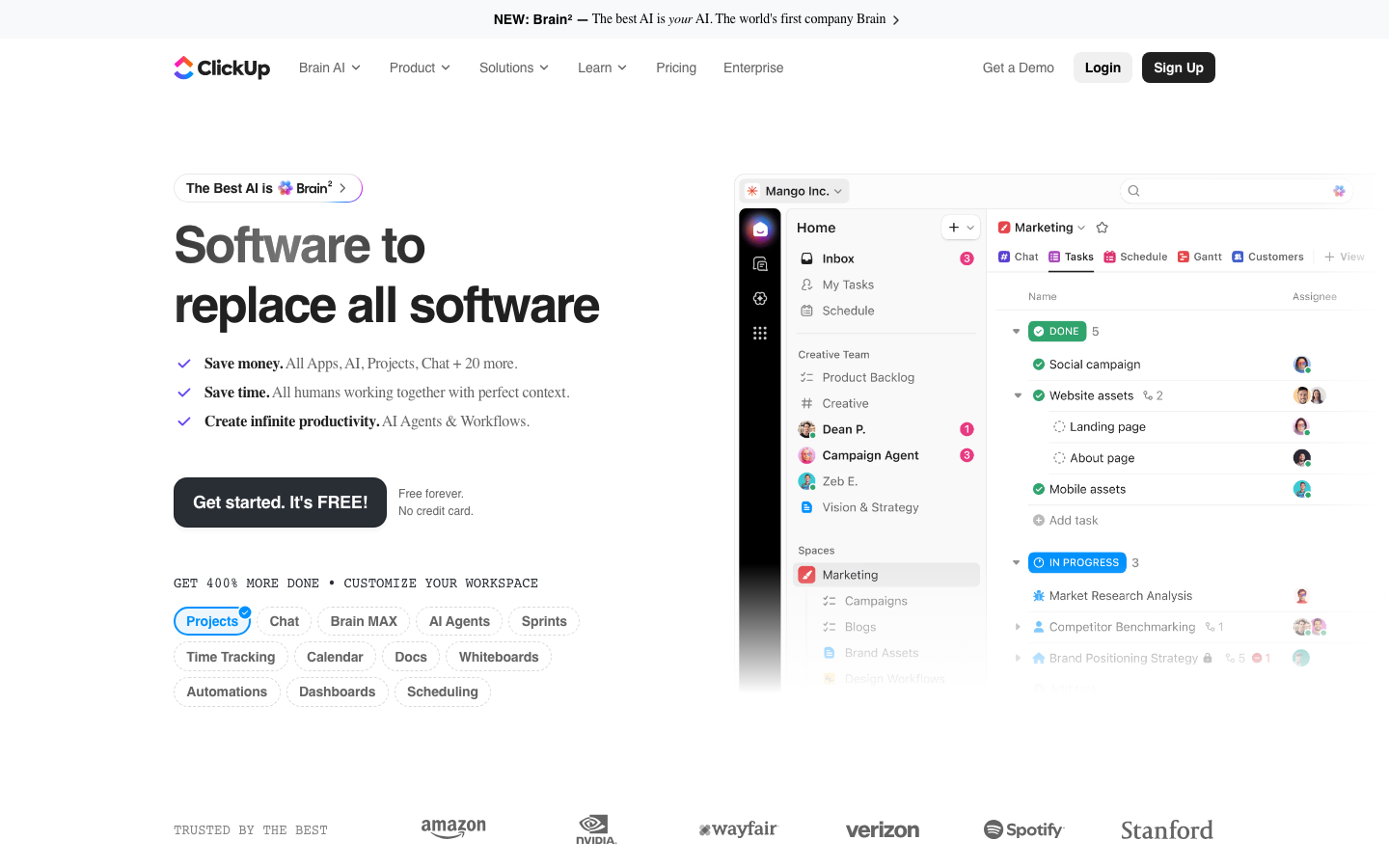
ClickUpAI
Core parameters and statistics
ClickUp AI, branded as ClickUp Brain, is the AI assistant layer built into the ClickUp platform. Unlike Asana and Monday, ClickUp's product philosophy is "All-in-One" - putting project management, documents, whiteboard wikis, goals and chats all into one platform. ClickUp Brain therefore assumes more "cross-module association" responsibilities.
| Projects | Public Information |
|---|---|
| Product form | ClickUp platform’s built-in AI layer (ClickUp Brain) |
| Core Competencies | AI writing, task summaries, knowledge Q&A, automated suggestions, AI goal generation |
| Coverage Modules | Tasks, Docs, Whiteboards, Chat, Goals, Notebooks, Dashboards |
| Model bottom layer | Hybrid architecture based on GPT-4o and its own fine-tuned model |
| Deployment method | Cloud SaaS, no self-hosted version |
| Pricing model | Add-on subscription (purchase AI seats on top of ClickUp paid plan) |
| Public price | Subject to clickup.com/pricing real-time page |
| Core Competitive Products | Asana, Monday.com, Notion |
Notable Differences: ClickUp is the only one of these three core PM tools that has AI writing as a focused feature. Because ClickUp has a built-in Docs/Notebooks module, AI writing (generating task instructions, meeting minutes, project documents) has become the most frequently used AI capability in ClickUp scenarios.
User and market recognition
- Customer size: ClickUp officials frequently promote "more than 800,000 free users". The number of paying customers is not disclosed separately, but Enterprise customers include technology companies such as Netflix, Google and Airbnb.
- User Growth: ClickUp is known for its radical function iterations and free plans. The Free Forever plan has the highest feature richness among its peers, and the AI function attracts upgrades through the "trial plus purchase" strategy.
- Market Evaluation: In the G2 score, ClickUp has long been the leader in "functional breadth", but is sometimes criticized in the "performance stability" and "complexity" dimensions. ClickUp Brain's AI knowledge Q&A performs well in teams with rich documentation, but its accuracy drops significantly in situations where project data is sparse.
Cost advantage
- C-side/Individual: Usually a free version is provided to experience the core functions, and high-frequency use requires a paid package subscription.
- API/Developer: Billed by call volume, suitable for development teams that can be flexibly integrated into their own systems.
- Enterprise/Privatized: Contact the business owner for customized quotation and deployment plan. The specific price is subject to the official real-time pricing page.
Main functions
- AI Writing and Editing: Directly call AI writing in Docs, Tasks, and Chat, supporting summary, rewriting, expansion, translation, and tone adjustment. Suitable for generating project descriptions, meeting minutes, update logs, etc.
- AI Knowledge Q&A (Brain): Based on project Wiki, documents and historical tasks, answer internal team questions (such as "What is the technical decision of this project", "In what task did Zhang San mention this issue last time"), and achieve project-level knowledge retrieval.
- Task Summary and Autofill: Extract key points from long task descriptions and generate a summary, while automatically recommending priorities, labels, and deadlines based on task names.
- AI Automation Recommendation: Recommend automation rules based on task patterns (such as "notify customers when task status changes to completed") to reduce manual configuration.
- AI goal generation: Enter the business goal description, and AI will automatically break it down into quantifiable key results and milestone tasks.
Expert View: The most powerful function of ClickUp Brain is "AI knowledge question and answer" - because ClickUp is also a Wiki/Docs platform, it has more contextual advantages than pure PM tools in the conversion of "unstructured documents → structured knowledge". But it’s also the module where it relies most heavily on data quality: if the team isn’t in the habit of maintaining documentation, Brain’s Q&A is almost unusable.
Model and version evolution
Continuous iterative updates, the latest version introduces performance optimization and new features. Historical version information can be viewed on the official release page. There is no complete public version evolution timeline yet. It is recommended to pay attention to the official announcement to understand the rhythm of feature updates.
Technical advantages
Cross-module data association: ClickUp Brain can retrieve and reason across multiple modules such as Tasks, Docs, Whiteboards, Chat, Goals, etc. For example, if you ask "What was the final decision on the pricing strategy discussed by the marketing team last week?", AI can retrieve Chat records Docs documents and Tasks changes, and give a comprehensive answer. This kind of cross-module retrieval is difficult to achieve in a single-functional tool.
Hybrid model architecture: ClickUp mentions using GPT-4o with its own fine-tuned model in public information. Simple tasks (summarization, translation, text rewriting) use lightweight models to ensure response speed, and complex reasoning (knowledge questions and answers, automated suggestions) use large models to ensure quality.
RAG Knowledge Retrieval: ClickUp Brain's knowledge question and answer is based on the RAG (Retrieval Augmented Generation) architecture, which retrieves context from platform documents and tasks before answering, rather than relying on the model's own knowledge - which means it can answer new project information that does not exist in the model training data.
How to use
| How to use | Applicable people | Features | Cost |
|---|---|---|---|
| ClickUp Free Forever | Individual/Small Team | Basic project management is free, AI needs to be purchased for trial | Free |
| ClickUp Unlimited (~$7/seat/month) | Small and medium-sized teams | Unlimited projects and storage, AI requires additional purchase | Platform + AI additional purchase |
| ClickUp Business (~$12/seat/month) | Growth Team | Advanced Timeline and Goal Management, AI requires additional purchase | Platform + AI additional purchase |
| ClickUp Enterprise | Large organizations | Custom roles and advanced security, AI with packaging options | Business confirmation required |
Use a typical path: call AI in Docs to write a project plan → use AI to automatically generate summary and deadline suggestions after creating a task → check historical decisions through Brain questions → use AI to quickly respond to team questions in Chat → view the AI-generated project portfolio report on Dashboard.
Product Pricing
The pricing model is subject to the official real-time page. Usually a freemium or subscription system is used, and basic functions can be used for free. Advanced functions or high-frequency use require paid subscriptions, and users are advised to evaluate the optimal solution based on actual usage.
Application scenarios
Product Documentation and Requirements Management (Deduction): The time it takes for a product manager to write a PRD has dropped from about 3-4 hours using external tools + copy and paste, to about 1 hour using direct AI generation in ClickUp Docs (including verification and fine-tuning). But the premise is that the team has assetized the product requirements knowledge (has retrievable historical documents).
Knowledge accumulation of the R&D team: Technical decisions, architecture documents, operation and maintenance notes, etc. are scattered in the ClickUp Wiki. Brain's cross-module Q&A reduces the time for newcomers to find information from "30 minutes of flipping through documents" to "30 seconds of asking." Deduction benefits are highly dependent on the timeliness of team document updates.
Marketing Project Management: From event planning, task assignment, content creation to release tracking, AI writing and automated suggestions are most frequently used in marketing scenarios, because the "writing copy + creating tasks + setting approval" model of the marketing process is most suitable for AI intervention.
Applicable people
- Product and R&D Team: For teams that need the integration of documents + tasks + knowledge base, Brain's cross-module retrieval capability can significantly reduce information search time.
- Marketing and Content Team: For high-frequency usage scenarios of AI writing, the entire process from planning to delivery can be completed in ClickUp Docs.
- Operations and Management: For positions that require cross-department and cross-project summary progress, AI-generated goals and reports can save manual summary time.
Human-machine collaboration boundary: AI writing content needs to be manually reviewed before being published into tasks or documents; AI automation rules need to be manually confirmed before being executed for the first time; Brain's knowledge retrieval results need to be cross-verified against the original document to avoid RAG from retrieving expired or conflicting information.
Dissuade people: Teams that do not need an integrated workbench and prefer "a combination of multiple professional tools" (ClickUp's "All-in-One" strategy means that you need to accept that it is not as deep as a dedicated tool in each module); industries with extremely high data sensitivity that require privatized deployment.
Summary and Outlook
The core difference of ClickUp AI (ClickUp Brain) lies in "cross-module knowledge association" - it is not just an AI in a PM tool, but also an AI knowledge engine in an "integrated work platform". For teams that already use ClickUp as their primary workbench, Brain's value grows as the volume of documents and tasks grows.
Not suitable for the boundary: Organizations with weak team document culture and mainly using ClickUp as a dashboard will have significantly lower usage of AI functions, and the cost-effectiveness of purchasing additional AI seats will not be high. In addition, the AI add-on billing model makes the total cost of enabling AI for all employees higher than that of Asana and Monday.
Procurement/Adoption Risk Assessment: ClickUp AI’s add-on purchase model means that two budgets (platform + AI) are required for purchasing decisions. It is recommended to first use the Free Forever + trial quota to verify the actual frequency and accuracy of AI writing and Brain Q&A in the team within 2-3 weeks, and at the same time compare Asana/Monday's "AI is included in the platform fee" plan, and then decide whether the additional budget for ClickUp AI is worth it.
Related tools:  Notion AI, google-workspace
Version evolution of ClickUp AI
| Version | Time | Key Changes |
|---|---|---|
| ClickUp 2.0 | ~2024-10 | First launch of ClickUp Brain: AI writing, task summarization, search and automated suggestions |
| ClickUp 3.0 | 2026-05 | The upgraded version of the new UI engine Brain supports cross-task reasoning and AI knowledge Q&A in Docs |
ClickUp's product iteration speed is relatively fast among similar products, and AI function updates are usually on a monthly basis. It is recommended to pay attention to ClickUp's official blog and update log for the latest information.
Business process integration and ROI analysis
As a productivity tool for enterprises or professional positions, the true value of ClickUp AI depends on the depth of integration with existing workflows and the quantifiable efficiency improvement effect. The following is a systematic analysis from three core dimensions.
System integration and data interoperability The ability to interoperate with existing business systems is a key prerequisite for productivity tools to be integrated into workflows. It is recommended to focus on evaluating the following integration dimensions: the openness and documentation quality of the RESTful/GraphQL API (whether a complete API reference and SDK examples are provided), the support scope of Webhook event notifications (which business event types are supported for automatic push), the number and depth of pre-built integrations with common collaboration SaaS tools (WeChat Enterprise, DingTalk, Feishu, Slack, Notion, Jira, etc.), and enterprise-level identity authentication support (SSO/SAML/OAuth and LDAP/AD directory integration). Products that lack integration capabilities are easily isolated into information islands, which in turn increases the cognitive cost and operational friction for teams to switch between different tools.
Efficiency Quantification and ROI Estimation Methodology Before purchasing decisions, it is recommended to quantify the input-output ratio through a structured method: Step 1, choose 3-5 Standardized tasks that are frequently repeated and time-consuming in each team are used as test samples; in the second step, the average time consumption of a single task before and after tool intervention, first-time pass rate or error rate, and the number of links requiring manual intervention are recorded under controlled conditions; in the third step, the saved manpower time is converted according to the comprehensive cost of the position (salary, benefits, management sharing), and soft benefits (increased employee satisfaction, standardization of work quality, and improvement in response speed to core business) are superimposed to obtain a comprehensive ROI estimate. It is recommended to continue tracking ROI trends on a monthly basis, as the value of a tool usually increases over time as team proficiency increases and workflows are optimized.
Phase-based implementation strategy and risk control It is recommended to adopt a three-stage implementation path of "pilot verification-gradual promotion-continuous optimization". In the pilot stage (1-2 weeks), a single team or a single business scenario is selected for small-scale verification. The core goal is to verify technical feasibility and user acceptance, and establish preliminary usage specifications and success standards; in the promotion stage (2-4 weeks), after the pilot verification is passed, the coverage is gradually expanded, and standardized activation processes and training materials are developed; in the optimization stage (continuous), the workflow configuration is continuously adjusted based on actual usage data and user feedback, and more high-value application scenarios are explored. Clear quantitative key result indicators should be set at each stage to avoid blindly expanding the scope of use without data support.
Version Info
- ClickUp 3.0 :ClickUp 3.0 introduces a new UI engine and an upgraded version of ClickUp Brain to enhance AI knowledge question and answer and cross-task reasoning capabilities.
- ClickUp 2.0 :ClickUp 2.0 introduces the AI assistant ClickUp Brain, which integrates the four major capabilities of writing, summarization, search and automated suggestions.
User Reviews