 Cogram
Free
Cogram
Free
Cogram is an AI tool used to integrate AI capabilities into high-frequency business processes.
Cogram
Tool introduction
Cogram is an AI-native platform for the AEC (Architecture, Engineering, Construction) industry, built by Cogram Inc., founded in 2021 and headquartered in San Francisco, New York, London and Berlin. Unlike common AI meeting note-taking tools on the market, Cogram focuses on solving pain points unique to the construction and engineering field such as document management, contract management, on-site reporting, email archiving, and RFI (request for information)/submittal (submittal) approval. Its core positioning is to build a full-process AI-assisted system for architects and engineers from design to delivery.
Cogram provides six core product modules - Assistant (project AI assistant), Meeting Minutes (automatic meeting minutes), Field Reports (field reports), Email Management (email management), RFIs & Submittals (RFI and submission management), and Studio (custom AI tool preview) - These modules open up data islands around the project and form a unified AI workbench. Officially claimed to help each user save hours of administrative document processing time per week (Source: cogram.com FAQ).
Brief review in one sentence: Cogram is not another AI conference robot, but an AI project collaboration center tailored for the construction and engineering industry. It provides a one-stop solution to high-frequency rigid needs such as "going to construction sites, writing reports, checking emails, and following approvals."
Core functions
1. AI Project Assistant (Assistant)
Cogram Assistant is the AI brain that runs throughout the entire project, enabling context-aware Q&A across meeting notes, email RFIs, submittals, and project documents. Users can ask questions directly to the Assistant, such as "Prepare me for the briefing for the OAC (owner-architect-contractor) meeting in 5 minutes" or "What are the key decisions on this project?" Assistant follows the permission boundaries set by the organization and can only access data for which the user has permission. It also supports enterprise-level custom system prompts (Custom System Prompts) to ensure that AI behavior complies with company standards.
- Cross-source retrieval: Assistant can simultaneously retrieve meeting records, email RFI logs, and regulatory documents, and provide comprehensive answers without the need to manually switch between different systems.
- Project Alerts: By tracking decisions and action items across all communication channels, Assistant can proactively identify tasks that may have been missed and prevent project delays.
- First draft generation: Automatically generate the first draft of repetitive documents such as status updates, weekly reports, meeting summaries, etc. Users only need to review and fine-tune.
2. Automatic meeting minutes (Meeting Minutes)
Cogram supports automatic recording and transcription of Teams, Zoom, Webex, Google Meet, and offline face-to-face meetings. The biggest difference from traditional meeting note-taking tools is the template customization capability - Cogram directly generates drafts in the company's own meeting minutes template, without copying, pasting and rearranging.
- Passive Join: Cogram will not automatically join meetings. Users decide which meetings need to be recorded and who can view the minutes to avoid privacy leaks.
- Multi-platform coverage: Covers both online meetings (Teams/Zoom/Webex/Meet) and offline meetings (recorded through mobile terminal).
- Action Item Extraction: AI automatically identifies action items, responsible persons and deadlines in meetings and synchronizes them to the project task list.
3. Field Reports
For construction site inspection scenarios, it supports iOS and Android mobile terminals. The core highlight is offline availability. On-site personnel describe the observation results verbally (no typing required), take photos and record them, and Cogram automatically generates a formatted on-site report after being connected to the Internet, directly applying the corporate template.
- Speech to text: In noisy or no-network signal construction sites, dictation is 3-5 times faster than typing. The Cogram offline transcription engine ensures that data is not lost.
- Template output: The report is directly filled in the company's own template, reducing the format adjustment work from AI output to formal documents.
- Photo Embedding: On-site photos are automatically embedded in the corresponding location of the report to form a complete inspection record chain.
4. Email Management
For the hundreds of emails exchanged in construction projects, Cogram provides AI-driven automatic archiving and retrieval functions.
- Automatic archiving: No need to manually drag and drop, Cogram automatically identifies project-related emails and archives them into shared folders by project and topic.
- Semantic Search: Enter "the approval email from six months ago" and AI semantic search can locate it in seconds without having to search through folders.
- Knowledge Sharing: Project emails are put into shared folders and can be viewed by the entire team, eliminating information silos and email forwarding chains.
5. RFIs & Submittals Management (RFIs & Submittals)
Cogram provides an RFI and submittal management interface that is bidirectionally synchronized with Procore, and uses Kanban view (Kanban) for batch processing.
- Procore two-way synchronization: Data is synchronized between Cogram and Procore in real time. Even if Procore access is temporarily interrupted, the data in Cogram is still available.
- AI Pre-review: AI automatically checks incoming submissions for completeness and conflicts with specifications, flagging issues before manual review.
- Kanban Workflow: Batch approval operations are optimized to a few clicks, avoiding bloated traditional interfaces.
6. Studio (custom AI tool)
Cogram Studio is in the Research Preview stage and allows companies to create customized AI tools based on their own workflows, further expanding the capabilities of the platform.
Pricing strategy
Cogram adopts a modular pricing model, the license can be used on a floating basis, and enterprises can purchase functional modules as needed.
| Pricing Tiers | Price | What's Included | Notes |
|---|---|---|---|
| Individuals | $39/month | AI Assistant, Meeting Minutes, Field Reports, Email Management, RFIs & Submittals, SSO & Integrations | 14-Day Free Trial |
| Teams & Firms | Per-seat pricing (Per-seat) | Modules such as email management RFI and submittal management can be purchased on demand | Contact sales for a quote |
| External collaborators | Free | External accounts can be created for subcontractors and joint consultants, which are not counted in paid seats | Source: cogram.com FAQ |
- FREE TRIAL: All users can request a 14-day free trial (Source: cogram.com/pricing).
- Guided Trial: Enterprise customers can apply for an in-depth trial led by the Cogram team and arrange reference communication with existing customers (Source: cogram.com FAQ).
- Enterprise Contract: Supports standard MSA and DPA, with customizable enterprise-grade SLAs (Source: cogram.com/security).
- Data Migration: If migrating from an old system, Cogram supports the import of historical emails and other data (Source: cogram.com FAQ).
Hidden Cost Tip: $39/month for the personal version is the introductory price, but the per-seat pricing for the team version has not been disclosed. It is recommended to clarify the number of seats, included modules, and billing rules for excess usage before purchasing. Free accounts for external collaborators are an important hidden benefit for scenarios that require collaboration with a large number of subcontractors.
Advantages and Disadvantages Analysis
Advantages
- Vertical Industry Depth: Cogram is completely built around the AEC industry. From term identification to workflow (RFI, submittals, on-site inspections), it is optimized for the construction industry and is unmatched by general-purpose AI tools.
- Template Customization: Supports enterprise-owned templates, and AI output can be filled in directly, greatly reducing format adjustment time. This is the core differentiating capability compared to general meeting note-taking tools such as Fireflies.ai and Otter.ai.
- Offline field capability: Field Reports mobile terminal supports offline operation, which is suitable for the real situation of unstable construction site network. It is a rare feature among competing products.
- Security compliance in place: SOC 2 Type II certified GDPR compliance, does not use customer data for model training, supports private cloud/local deployment, and meets the compliance threshold of large engineering companies.
- Procore Deep Integration: Two-way synchronization with Procore is a killer integration, covering core engineering management scenarios such as RFI and submittals, reducing duplication of dual-system entry work.
- Free for external collaborators: Accounts for subcontractors and joint consultants are free, reducing the frictional cost of cross-organizational collaboration.
Disadvantages
- Not applicable to non-AEC industries: Features are deeply tied to architectural/engineering workflows and not suitable for general business meeting minutes or software development teams.
- Insufficient pricing transparency: The specific number of seat-based pricing for the team version has not been disclosed. Enterprise procurement requires a sales process, making it difficult to quickly estimate the budget.
- Chinese is not supported: Currently, the interface and AI model only support English (en-US), which does not cover the Chinese communication scenarios of Chinese construction companies or multinational projects.
- Limited API openness: Although custom integration is supported, the detailed technical specifications and limitations of the API are not fully disclosed in public documents, and there is uncertainty in deep integration development.
- Studio is still in preview: The custom AI tool (Studio) is still in the Research Preview stage, and its usability and stability in production have yet to be verified.
- Limited brand awareness: Compared with general tools such as Fireflies and Otter, Cogram is less well-known outside the AEC circle, and the ecosystem is still in the early growth stage.
Applicable scenarios
The most suitable scenario
- Architectural Design Office: From meeting minutes and email archiving in the planning stage to RFIs and on-site reports in the construction stage, covering the entire life cycle.
- Engineering Consulting Company: A large number of document outputs (reports, specification reviews, correspondence), Cogram's AI first draft capability can directly shorten the delivery cycle.
- General Contractor/Professional Subcontractor: Inspection reports on construction sites are the most painful need. Offline voice input + templated output can significantly improve efficiency.
- Large-scale infrastructure projects: Involving multi-party collaboration (owners, design, construction, supervision), Cogram's external collaboration account function reduces communication costs.
- AEC Enterprise's Administrative and Document Management Team: Automatic archiving of emails and automation of the RFI submission process, reducing the manual workload of logistics personnel.
Not applicable to the group of people
- Internet/Software Company: Cogram's workflow is strongly bound to the construction industry, and software teams are more suitable for the Confluence + general AI note-taking tool combination.
- Teams that require Chinese support: Cogram currently only supports English, and is temporarily unavailable for domestic projects in China or scenarios involving a large number of Chinese documents.
- Individual users who only need meeting notes: If you only need simple meeting transcriptions and summaries, the $39/month price is higher than Otter.ai (free version or $16.99/month Pro version) and the feature overlap is not worth the premium.
- Existing Heavy Procore/Deltek Users: Although Cogram is integrated with Procore, if the team is already deeply embedded in the Procore or Deltek ecosystem, switching/overlay costs need to be evaluated.
Summary
Cogram is an AI-native collaboration platform built for the architecture, engineering, and construction industries. Its core value proposition is clear: free architects and engineers from tedious administrative documentation work, allowing them to focus on design and delivery itself. Compared with general-purpose AI note-taking tools, Cogram's advantage lies in its vertical industry depth - offline on-site reporting, RFI intelligent pre-review, Procore two-way synchronization, and enterprise template customization. The combination of these functions forms a complete solution for the AEC industry.
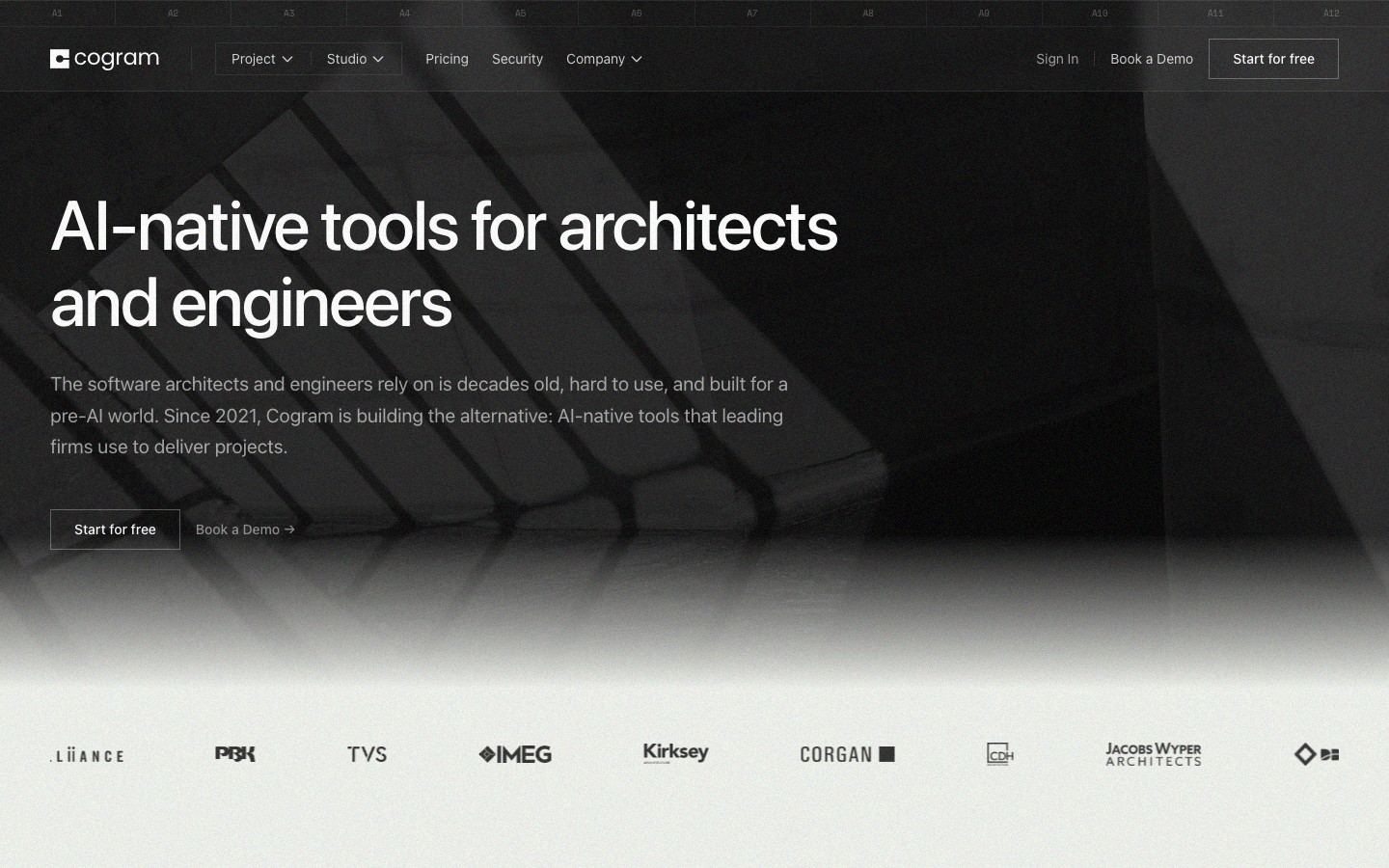
Cogram has maintained a monthly major update rhythm since its establishment in 2021, and has accumulated client cases from a number of well-known architectural companies such as Alliiance, PBK Architects, TVS Design, IMEG, Kirksey Architecture, Corgan, etc. (Source: cogram.com homepage Logo wall). SOC 2 Type II certification and the commitment not to train AI models with customer data provide basic guarantees for compliant procurement by large enterprises.
However, Cogram's limitations are also obvious: it is only in English, cannot be used in non-AEC industries, and team pricing is not transparent. For the Chinese market and Chinese-speaking users, it is currently not an option.
Procurement/Adoption Risk Assessment: It is recommended that potential customers first verify the effect in a real project through a 14-day free trial or guided trial, focusing on (1) whether the accuracy of AI minutes/reports meets the company's internal quality standards; (2) whether the integration with existing Procore/Deltek/Uanet and other systems is smooth; (3) data migration costs (especially historical emails and RFI records); (4) the actual total annual cost of the team version. For larger enterprises, request SOC 2 Type II reporting DPAs and custom SLAs, and evaluate data sovereignty compliance for private cloud/on-premises scenarios.
Efficiency improvement comparison
The following is a comparison based on Cogram's official disclosure ("can help each user save hours per week", source: cogram.com FAQ) and industry average data. Note: Specific time savings vary depending on project size, team habits, and depth of adoption. The following are estimates for typical scenarios.
| Work scenario | Traditional method takes time (weekly) | Time consumption after using Cogram (weekly) | Time saving | Key efficiency points |
|---|---|---|---|---|
| Meeting Minutes Compilation (Project Manager) | 3-5 hours (recording + transcription + typesetting + distribution) | 0.5-1 hour (checking AI draft + fine-tuning) | ~4 hours/week | Automatic transcription + direct filling of corporate templates, eliminating typesetting and formatting adjustments |
| On-site inspection report (field engineer) | 4-6 hours (manual recording + return to the office to organize + insert photos) | 1-2 hours (dictation + photo, App automatically generates report) | ~3.5 hours/week | Offline voice input, real-time template generation, photos automatically embedded |
| Email Archiving and Retrieval (Project Administrator) | 2-3 hours (manual classification and archiving + rummaging through old emails) | 0.5 hours (AI automatic archiving + semantic search) | ~2 hours/week | Automatic classification and archiving, natural language retrieval instead of folder rummaging |
| RFI processing and approval (Project Engineer) | 5-8 hours (manual inspection of submissions + sorting out approval chain) | 2-3 hours (AI pre-review + Kanban batch operation) | ~4 hours/week | AI automatically checks completeness, Kanban view reduces operating steps |
| Weekly Report/Status Update (Project Director) | 2-3 hours (summarizing information from all parties + writing) | 0.5 hours (AI automatic summary + review) | ~2 hours/week | Assistant summarizes project progress across sources and automatically generates a first draft |
| Comprehensive estimate (per person per week) | 16-25 hours | 4.5-7 hours | ~15 hours (about 2 working days) | Administrative work reduced by about 60-70% |
Deduction description: The above time saving deduction is based on Cogram's official claim of "several hours saved per week" and the average working hours of project document processing in the construction industry. Actual savings vary depending on organizational adoption and training effectiveness. It is recommended to conduct a 2-4 week baseline measurement (Baseline Measurement) during the trial period to obtain accurate ROI data for the enterprise.
Automation Boundary
Cogram's AI capabilities are designed to be deeply coupled with the AEC workflow, but its automation has clear boundaries and requires reasonable human-in-the-loop settings in the following sections:
Youjie that can be highly automated (100% automation recommended)
- Meeting Recording and Transcription: AI transcription accuracy can reach 95%+ in a quiet meeting environment, without manual participation in the recording process.
- Email automatic archiving: AI classification accuracy can reach 90%+ in typical projects, and users only need to occasionally check whether the classification is correct.
- Generation of first draft of on-site report: The combination of dictation-to-text + template filling has a stable effect in structured inspection scenarios and can be directly entered into the review process as a first draft.
- Preliminary verification of RFI submissions: AI pre-review can identify obvious missing information and specification conflicts, filter out about 30-50% of incomplete submissions, and reduce the amount of manual review.
There are sections that require manual confirmation (it is recommended to retain the review step)
- Final distribution of meeting minutes: AI-generated action items and decision records require manual confirmation of accuracy, especially those involving high-risk content such as contract changes and cost impacts. Cogram is also not designed to automatically distribute minutes to attendees.
- Official issuance of on-site report: The report generated by AI needs to be reviewed and signed by the on-site engineer or project manager. Observation records involving safety compliance cannot rely entirely on AI.
- RFI and Submission Approval Decision: AI can pre-review and mark, but the final approval decision (whether to pass, whether to require modification) must be made by qualified personnel.
- Important legal/contractual content in emails: For emails involving legally sensitive content such as claims, change orders, contract interpretations, etc., it is recommended to manually interpret rather than rely on AI summaries.
- Creation and maintenance of custom templates: The structure and compliance requirements of enterprise templates require manual design, and AI is only responsible for filling in the content.
Determine the rules that are not suitable for automation
- Irreversible payment/purchase operations: Cogram is not designed to involve payment and purchase execution, but if related operations are triggered through integration, an independent approval flow should be set up.
- Final interpretation of contract terms: AI can assist in retrieving relevant terms in the contract, but contract interpretation and legal judgment must be completed by qualified professionals.
- On-site decision-making involving personal safety: AI cannot replace the on-site safety officer’s judgment and decision-making on construction safety.
Best Practice: It is recommended to maintain the manual review rate at 100% in the early stages of Cogram deployment, and then gradually reduce the review rate for low-risk scenarios after taking 2-4 weeks to establish a baseline of trust in the quality of AI output. Always maintain manual confirmation for contract-related, safety-critical and high-cost decision-making scenarios.
Security and Compliance
Cogram has a high level of investment in security and compliance. The following information is from its official security page (cogram.com/security) as of July 2026.
Compliance Certification
- SOC 2 Type II Certification: Passed AICPA (American Institute of Certified Public Accountants) SOC 2 Type II audit covering security, availability, and confidentiality controls. Supplemented by annual third-party penetration testing (source: cogram.com/security).
- GDPR Compliant: Complies with EU General Data Protection Regulation requirements, supports data subject rights and data protection impact assessment (source: cogram.com/security).
AI and Data Policy
- No training of models: Cogram explicitly commits not to train AI or machine learning models on customer data. Customer project information remains private and is not used to improve Cogram's systems (Source: cogram.com FAQ and Security page).
- AI output permission isolation: The meeting minutes or report content generated by Cogram is only visible to the user and will not be automatically distributed to meeting participants or external persons (Source: cogram.com/security).
- Agent permission control: Cogram Assistant and Agents follow the organization's permission system and can only access projects and data to which employees have permission (source: cogram.com/assistant).
Product Security Control
| Security Dimension | Specific Measures |
|---|---|
| Authentication | Supports SAML 2.0 single sign-on (SSO); multi-factor authentication (MFA) can be enforced on a per-user or organization-wide basis |
| Permission Management | Role-based access control (RBAC), supporting three-level permissions for organizations, project groups and individuals |
| Transport Encryption | TLS 1.3 (Transport Layer Security) |
| Storage Encryption | AES-256 (Advanced Encryption Standard) |
| Data Backup | Automatic backup, support data loss recovery |
| Data Retention | Customizable data deletion timeline, supports manual request for clearing |
| Data Residency | Customers can specify preferred data storage location to meet local regulatory requirements |
Deployment options
- Standard SaaS: Cogram Managed Cloud Service.
- Private Cloud: Supports deploying private instances on Microsoft Azure, AWS, and Google Cloud.
- On-premises: The database can be deployed on the enterprise's internal system.
Legal Framework
- Subcontractor Restrictions: Use only necessary core functional subcontractors to minimize vendor dependencies (Source: cogram.com/security).
- Customizable Agreement: Provides standard MSA (Master Service Agreement) and DPA (Data Processing Agreement), and enterprise SLA can be customized.
- Data Exportable: All Cogram data can be exported to your own environment, no vendor lock-in, no proprietary formats (source: cogram.com/about).
Security Assessment Recommendations
It is recommended that enterprise customers request for: (1) the latest SOC 2 Type II audit report; (2) annual penetration test report; (3) detailed DPA terms for data processing; (4) architectural solutions and technical specifications for private cloud/on-premises deployment.
Integrated Ecosystem
Cogram's integration strategy is to "connect existing tools and embed AI capabilities into existing workflows." As of July 2026, officially announced integrations cover the following categories:
Communication and collaboration
| Tools | Integration capabilities | Applicable modules |
|---|---|---|
| Microsoft Teams | Meeting recording, transcription, minute generation | Meeting Minutes, Assistant |
| Zoom | Meeting recording, transcription, minutes generation | Meeting Minutes, Assistant |
| Google Meet | Meeting recording, transcription, minutes generation | Meeting Minutes, Assistant |
| Webex | Meeting recording, transcription, minutes generation | Meeting Minutes, Assistant |
| Outlook | Automatic email archiving, calendar synchronization | Email Management, Meeting Minutes |
| Gmail | Automatic email archiving, calendar synchronization | Email Management, Meeting Minutes |
Project Management and ERP
| Tools | Integration capabilities | Applicable modules |
|---|---|---|
| Procore | Two-way synchronization: RFIs, submittals, project data | RFIs & Submittals, project layer |
| Autodesk Construction Cloud | Project data synchronization | Project layer |
| Deltek Vantagepoint | ERP data synchronization, project synchronization | Project level Email Management |
| Uanet | ERP data synchronization, project synchronization | Project level Email Management |
Open integration
- Cogram API: Supports custom integration to meet specific workflow needs. However, the technical specifications, frequency control limits and certification methods of the API are not disclosed in detail in the public documents. It is recommended to contact the Cogram sales or technical support team to obtain the latest API documents and sandbox context (source: cogram.com FAQ).
- Calendar Integration: Supports synchronization with calendar, automatically identifies meetings and joins records (Source: cogram.com homepage).
Integrated ecological evaluation
Cogram covers the AEC core tool chain - Procore, Deltek, Unanet, Autodesk and mainstream communication tools (Teams, Zoom, Meet, Webex, Outlook). Currently missing integrations include: general knowledge management tools such as Notion/Confluence and Slack, local Chinese software (DingTalk, Feishu, Enterprise WeChat), and financial systems such as SAP/Oracle. For large North American construction companies with Procore/Deltek as their core technology stack, the integrated ecosystem basically meets their needs; teams using non-standard tool chains need to evaluate their investment in API custom development.
Implementation suggestions
Phase 1: Pilot Evaluation (2-4 weeks)
- Request a 14-day free trial or guided trial: Register through cogram.com/pricing, or reserve a demo (cogram.com/get-demo).
- Select 1-2 active projects: Prioritize projects with frequent meeting minutes requirements or heavy on-site inspection workload as pilot projects.
- Define baseline indicators: Record the following data as a baseline before implementation:
- Time spent compiling meeting minutes per person per week
- Average email archiving time per person per week
- Time spent on writing on-site reports per person per week
- RFI processing cycle (number of days from receipt of submission to completion of approval)
- Configuration template: Import the company's existing meeting minute templates and on-site report templates into Cogram to ensure that the output format complies with internal standards.
- Set security policy: Configure SSO/MFA, set RBAC permission roles, and confirm the data residence area.
The second phase: small-scale promotion (4-8 weeks)
- Select 5-10 seed users: Covering three roles: project manager, field engineer, and project administrator.
- Carry out usage training:
- Meeting Minutes: Train users on how to use Cogram to join meetings, view/review draft minutes, and confirm action items.
- Field Reports: Train field engineers how to use voice input, take photos, and sync offline.
- Email Management: Train users on how to set up archiving rules and use semantic search.
- Weekly feedback collection: Establish a regular communication mechanism with the Cogram customer success team to report issues and obtain best practice guidance.
- Compare baseline data: Compare the efficiency indicators before and after implementation in weeks 2 and 4 to calculate preliminary ROI.
Phase 3: Scaled deployment (8 weeks later)
- Adjust configuration based on pilot results: optimize templates, adjust automated review strategies, and improve the permission system.
- Whole-team training: Conduct special training courses for different roles (Cogram provides regular training seminars and workshops, source: cogram.com FAQ).
- Establish AI review standards: Develop organizational-level AI output quality acceptance standards to clarify which scenarios can trust the first draft of AI and which ones must be reviewed manually.
- Integration extension: If API customization needs are confirmed during the pilot, connect with the Cogram technical team to develop custom integration.
- Invite external collaborators: Create free external accounts for subcontractors, joint consultants and other partners to expand the scope of collaboration.
Best Practice Suggestions
- Progressive Trust: Don’t completely trust the AI output on day one. Maintain 100% manual review for the first 2 weeks, gradually reducing to 50% spot checks for low-risk scenarios and 100% review for critical scenarios.
- Template-first strategy: Invest time in carefully designing corporate templates. The quality of the templates directly determines the usability and review efficiency of the AI output.
- Use Cogram's customer success service: Officially provides "high-touch human support, dedicated customer success managers and regular training workshops" (source: cogram.com FAQ), and new customers are recommended to make full use of these resources.
- Data Migration Planning: If migrating from a legacy system (e.g. from Newforma, BST Global, etc.), communicate the support scope and timeline with the Cogram team in advance.
- Regular review and roadmap alignment: Cogram maintains a rhythm of "major updates every four weeks" (source: cogram.com/about), and it is recommended that the Cogram team review the match between platform evolution and organizational needs every quarter.
Potential risks and mitigations
| Risks | Mitigation Measures |
|---|---|
| Low user adoption rate | Choose the team with the strongest pain points to pilot first, and use specific data (time saved) to convince skeptical users |
| AI accuracy does not meet expectations | Conduct a comprehensive quality assessment during the trial period and work with Cogram to optimize the model's performance on specific project types |
| Integration interruption affects project progress | Ensure that the two-way synchronization of core systems such as Procore is fully tested and develop a rollback plan (Cogram promises that even if Procore is interrupted, data will not be lost) |
| Data migration is complex | Start the data migration plan in advance, use Cogram's support to migrate historical emails and other data (source: cogram.com FAQ), migrate in stages instead of a one-time "big bang" |
| Budget Overrun | Clarify the seat flexibility mechanism (the period and cost of adding or deleting seats) in the procurement contract to avoid wasting licenses due to fluctuations in the project cycle |
The main functions of Cogram
- Core Processing Capabilities: Provides core AI capabilities in the corresponding scenarios to support users to quickly complete tasks.
- Multi-modal interaction: supports text input and result output, and some scenes support image or file upload.
- Workflow Integration: Can be embedded into existing workflows or linked with other tools through APIs to reduce context switching.
Application scenarios of Cogram
- Personal Creation: Quickly generate or process content to improve daily work efficiency.
- Team Collaboration: Unify workflow and reduce repetitive manpower investment.
- Enterprise-grade deployment: Embed capabilities into on-premises systems via API or private deployment.
Cogram’s applicable groups
- Individual Users: Content creators and knowledge workers who need AI assistance to improve their daily work efficiency.
- Developers: Technical teams who need to integrate AI capabilities into their own products or services through APIs.
- Enterprise: Organizations seeking to deploy AI at scale in their field.
Cogram’s technical advantages
- Algorithm Optimization: Special optimization at the model or algorithm level has been carried out for the corresponding scenario to achieve a balance between response speed and result quality.
- Low-latency architecture: Adopts streaming or asynchronous processing architecture to reduce user waiting time and is suitable for high-frequency interaction scenarios.
Cogram’s core parameters and statistics
Specific technical parameters (such as model size, context length, supported file formats, input and output restrictions, etc.) are subject to the official product page. It is recommended that users verify the latest technical specifications and system requirements before choosing to ensure that they match their own usage scenarios.
Cogram’s user and market recognition
Gradually build user awareness in the field, and product capabilities are used by content creators and teams to improve work efficiency. Some industry users have incorporated it into their daily workflow. It is recommended to refer to the latest official disclosures for specific user scale and industry adoption rate data.
Cogram’s cost advantage
- C-side/Individual: Usually a free version is provided to experience the core functions, and high-frequency use requires a paid package subscription.
- API/Developer: Billed by call volume, suitable for development teams that can be flexibly integrated into their own systems.
- Enterprise/Privatized: Contact the business owner for customized quotation and deployment plan. The specific price is subject to the official real-time pricing page.
Cogram’s Summary and Outlook
It provides competitive solutions in its field, and its core value lies in lowering the threshold for AI use in this field. With technology iteration, products are expected to continue to improve in functional coverage and performance.
Current limitations: Some advanced functions require paid subscription, and the free version has function or usage limits; Specific technical details and performance benchmarks have not yet been fully disclosed, and it is recommended to fully verify them through trials before purchasing.
Cogram’s model and version evolution
Continuous iterative updates, the latest version introduces performance optimization and new features. Historical version information can be viewed on the official release page. There is no complete public version evolution timeline yet. It is recommended to pay attention to the official announcement to understand the rhythm of feature updates.
How to use Cogram
- Web client: You can use it by visiting the official website and registering an account. Most functions do not require installation.
- API access: Provides RESTful API, developers can obtain the API Key and integrate it into their own applications.
Cogram’s Product Pricing
The pricing model is subject to the official real-time page. Usually a freemium or subscription system is used, and basic functions can be used for free. Advanced functions or high-frequency use require paid subscriptions, and users are advised to evaluate the optimal solution based on actual usage.
Related tools:  Notion AI, google-workspace
Version Info
- Cogram Web Latest :The official semantic version number has not been disclosed. It is recorded according to the public page status. There is no official precise date yet.
- Cogram Public Milestone :There is currently no official precise date for historical nodes, and the minimum version context is established based on public milestones.
User Reviews