 Microsoft Copilot
Free
Microsoft Copilot
Free
Microsoft Copilot is a consumer-grade AI conversation assistant launched by Microsoft. It is based on GPT-4o and deeply integrates Bing real-time search. It provides powerful AI conversation, image generation (DALL-E 3), document analysis and other capabilities for free. Built into Windows 11, Edge browser and Bing, it is the preferred AI entrance for Microsoft ecosystem users.
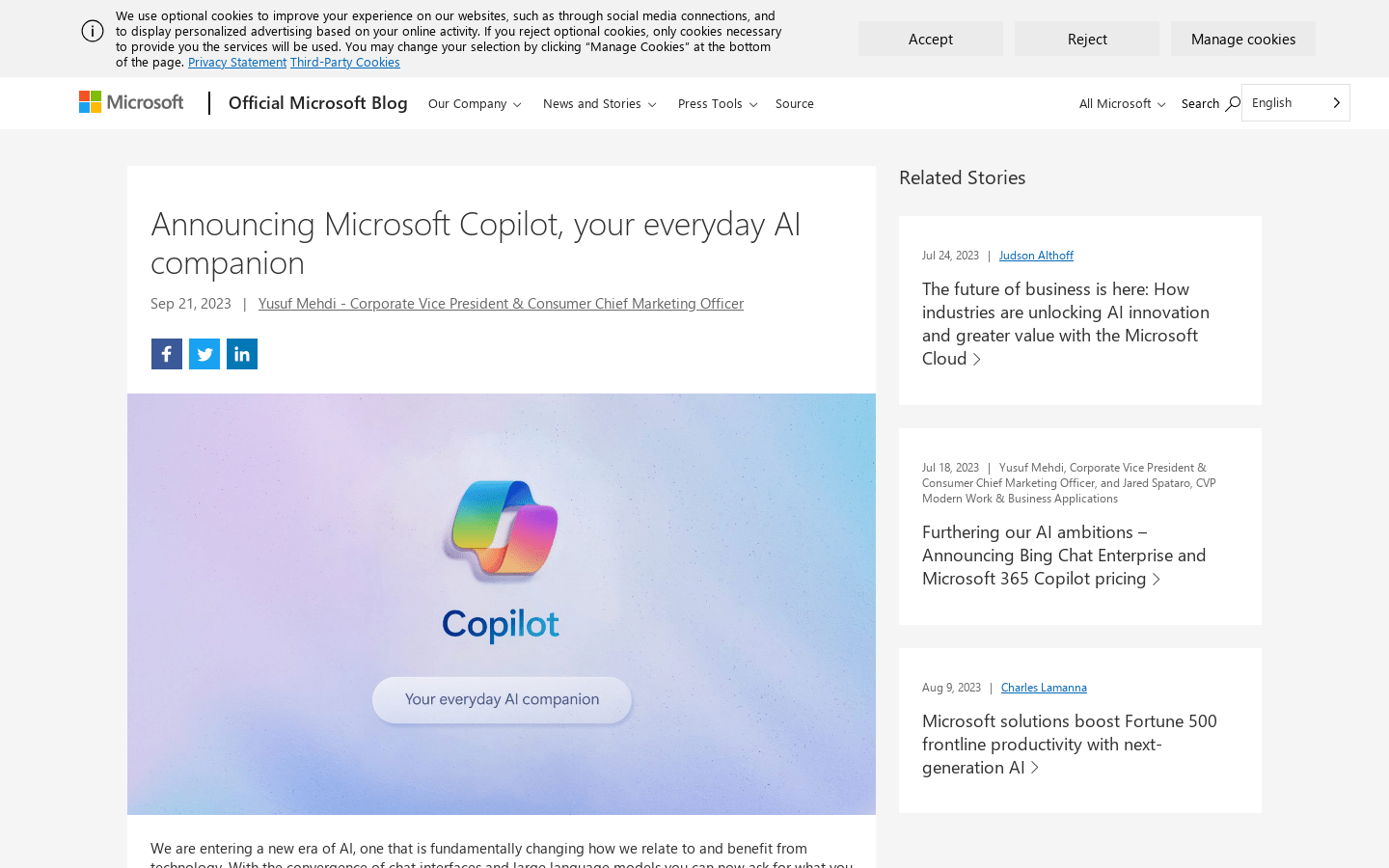
Microsoft Copilot — Microsoft’s free AI conversational assistant
Core parameters and statistics
| Parameters | Details |
|---|---|
| Published | February 2023 (Bing Chat) / November 2023 (Copilot Brand) |
| Parent Company | Microsoft Corporation |
| Headquarters | Redmond, Washington, USA |
| Core model | GPT-4o (OpenAI) + Bing search integration |
| Free version features | AI dialogue, Internet search DALL-E 3 image generation (limited times), document upload analysis |
| Copilot Pro | $20/user/month |
| Built-in scenarios | Windows 11, Edge browser Bing.com, Microsoft 365 (Enterprise Edition) |
| Supported platforms | Web, Windows, iOS, Android |
| Supported languages | Chinese, English, Japanese, etc. 30+ languages |
| Monthly active users | Hundreds of millions (distributed through Windows and Bing ecosystem) |
Microsoft Copilot uses Microsoft's vast ecosystem as a distribution channel to provide OpenAI's top AI capabilities to Windows and Bing users around the world for free. It is currently one of the AI assistants with the widest distribution coverage in the world.
User and market recognition
Microsoft Copilot relies on the natural distribution advantages built into the Windows 11 operating system and Edge browser, with hundreds of millions of monthly active users, making it the main competitor of ChatGPT. Microsoft disclosed in its 2024 financial report that Copilot-related AI services have become an important growth driver for commercial cloud revenue.
In the enterprise market, Microsoft 365 Copilot (Enterprise Edition) has been adopted by a large number of Fortune 500 enterprise customers for automating Word document writing, Excel data analysis and Teams meeting summaries. Consumer-grade Copilot enjoys high satisfaction among non-technical users, who recognize the accuracy of its Internet searches and the simplicity and ease of use of its interface. Compared to ChatGPT, Copilot differentiates itself by providing networked real-time information and DALL-E 3 image generation for free, as well as seamless integration with Microsoft productivity tools.
Cost advantage
| Plan | Price | Key Benefits |
|---|---|---|
| Free version | Free | GPT-4o dialogue (limited), Bing Internet search DALL-E 3 image generation (limited times per day), document upload analysis |
| Copilot Pro | $20/user/month | GPT-4o priority access (no queues during peak periods), more daily image generation times, Microsoft 365 in-app AI capabilities (Word/Excel/Outlook/Teams), Copilot GPT customization |
| Microsoft 365 Copilot (Enterprise) | $30/user/month (requires M365 subscription basis) | Full Microsoft 365 suite AI integration, enterprise data protection IT management console |
For Microsoft 365 personal/family subscription users, the Office application AI functions (Word AI, Writing, Excel Data Insights, etc.) provided by Copilot Pro for $20/month can significantly replace multiple dedicated AI tool subscriptions, achieving cost savings through subscription consolidation.
Main functions
- Networked AI dialogue (Bing search integration): Based on GPT-4o dialogue capabilities and Bing real-time search, it can obtain timely information such as the latest news, current stock prices, recent research reports, etc., solving the knowledge cutoff limitations of pure LLM, and all quoted information comes with source links.
- DALL-E 3 image generation: The free version provides a certain number of AI image generation times per day, and the Pro version has more. It supports the generation of high-quality images based on text descriptions. It is currently one of the best quality solutions for free AI image generation.
- Document Analysis and Summary: Supports uploading PDF, Word, Excel and other files. AI reads the file content and performs summary, Q&A and analysis to help users quickly digest long document information.
- Microsoft 365 Deep Integration (Pro): Draft documents with one click in Word, analyze data with natural language in Excel, automatically generate email responses in Outlook, generate summaries and action items in Teams meetings in real time, and embed AI into daily office tool flows.
- Copilot GPTs (custom assistant): Pro users can create custom Copilots for specific tasks and knowledge bases, similar to ChatGPT's GPTs function, for building exclusive AI writing assistants, data analysis assistants, etc.
- Voice Mode: Supports voice input and voice output, achieving a more natural human-machine conversation experience, suitable for hands-free usage scenarios when driving and doing things.
- Windows 11 system-level integration: Awaken at any time through the Win+C shortcut key, you can access system settings, manage files and applications, and deeply integrate the AI assistant into daily tasks at the operating system level.
- Code Assistance: Supports writing and interpreting code, answering technical questions, and is suitable for users who are learning programming. However, there is still a gap in depth and accuracy compared to GitHub Copilot.
Model and version evolution
| Milestone | Time | Description |
|---|---|---|
| Microsoft invests in OpenAI | 2019, 2021, 2023 | Total strategic investment of US$13 billion, obtaining priority commercialization rights for GPT models |
| Bing Chat released | 2023-02 | GPT-4 integrated with Bing search released, detonating global AI assistant competition |
| DALL-E 3 integration | 2023-10 | Integrate DALL-E 3 in Bing Image Creator, providing high-quality image generation for free |
| Copilot brand unification | 2023-11 | Renamed Bing Chat to Microsoft Copilot to unify consumer and enterprise product lines |
| GPT-4o upgrade | 2024-05 | The underlying model is upgraded to GPT-4o, and the response speed and quality are greatly improved |
| Personal memory function | 2025 | Launch of cross-session memory capability, AI can remember users’ personal preferences |
Technical advantages
Priority access to OpenAI’s latest models: As OpenAI’s largest commercial partner, Microsoft is usually able to obtain commercial deployment rights for OpenAI’s latest models (GPT-4o, etc.) at the first opportunity, ensuring that Copilot users always use the most advanced AI models. This is a competitive advantage that other AI assistants are difficult to match.
Bing search real-time networking deep integration: Copilot's networking capabilities are not simple web crawling, but deep integration through the Bing index engine. It can accurately understand user intentions, match the most relevant real-time information, and present it in a conversational manner with clear reference sources. This search + generated combination is more reliable than simple networking LLM.
Natural integration advantages of the Microsoft ecosystem: Windows’ global user base of 1.4 billion, the enterprise penetration of Microsoft 365, and the market share of the Edge browser provide Copilot with unparalleled distribution channels and usage scenario coverage. This ecological advantage cannot be replicated by any independent AI company.
Enterprise security and compliance infrastructure: Microsoft's years of enterprise security compliance foundation enables Microsoft 365 Copilot to meet strict compliance requirements such as GDPR, HIPAA, SOC2, etc. Enterprise data is not used to train public AI models, providing a trust foundation for enterprise-level AI deployment.
How to use
| Entrance | Description |
|---|---|
| Web version | Visit copilot.microsoft.com and register for a free Microsoft account to use |
| Bing search | Visit bing.com and click the chat icon to enter the Copilot interface |
| Edge browser sidebar | Open the Edge browser and click the Copilot icon in the upper right corner |
| Windows 11 | Press the Win+C shortcut key, or click the taskbar Copilot icon |
| Mobile | iOS/Android Install Microsoft Copilot App |
Typical usage steps (free online search and analysis):
- Visit copilot.microsoft.com and log in with your Microsoft account (or Outlook email).
- Enter a question in the dialog box, and Copilot automatically searches the Internet and provides an answer with cited sources.
- Upload a PDF file (click the paperclip icon) and let AI summarize the document or answer questions about the document content.
- Switch to the "Image" tab, enter the description text, and click to generate the DALL-E 3 image.
- Copilot Pro users can press the Copilot icon in Word and enter instructions to draft or improve document content.
- Turn on the voice conversation mode through the "Voice" icon and experience voice interaction.
Product Pricing
- Free version (copilot.microsoft.com): No need to pay, log in with a Microsoft account to access GPT-4o conversation Bing network search, limited daily DALL-E 3 image generation, and basic file analysis capabilities.
- Copilot Pro ($20/user/month): For individual premium users, unlocks GPT-4o priority access during peak periods, more than 100 daily image generation, in-app AI functions of Microsoft 365 Personal/Home Edition (Word, Excel, PowerPoint, Outlook, OneNote), and custom Copilot GPT creation permissions.
- Microsoft 365 Copilot (Enterprise, $30/user/month): Purchased on top of Microsoft 365 E3/E5 subscription, providing enterprise-grade data protection, deep AI integration of the full set of M365 applications (Teams meeting summaries, SharePoint knowledge base Q&A, etc.), IT management console and enterprise compliance support.
Application scenarios
1. Daily information retrieval and Q&A Use Bing's Internet search capabilities to quickly obtain real-time information such as current news summaries, product price comparisons, and travel planning suggestions. The generated content comes with source links to directly verify the accuracy of the information. It is an effective supplement to search engines and traditional AI assistants.
2. Quick document processing and summary Upload long reports, contracts, or research papers and let Copilot generate core summaries, extract key data points, or ask questions about the document content, significantly reducing the time it takes to read and process large documents.
3. Microsoft 365 Office Productivity Improvement (Pro) Copilot Pro users can draft reports in Word, use natural language to analyze data trends in Excel, and generate professional email replies with one click in Outlook. They can directly embed AI capabilities into daily work tools without switching additional applications.
4. AI image rapid generation Marketers and content creators use the DALL-E 3 image generation function to quickly create social media graphics and presentation illustrations. The image quality of the free version has surpassed many paid AI image tools, and the price/performance ratio is outstanding.
5. Intelligent operation of Windows system Technical users use Windows 11 Copilot to use natural language commands to manage system settings ("Turn on dark mode", "Turn off Wi-Fi"), or quickly find files and information while multitasking, improving efficiency at the operating system level.
Applicable people
- Windows and Microsoft ecosystem users: The most natural target users. Existing Microsoft accounts and Windows systems make the threshold for use almost zero, and no additional registration is required to experience it.
- Microsoft 365 subscribers: Copilot Pro is particularly cost-effective for users who already have M365 subscriptions and can greatly improve the efficiency of Word/Excel/Outlook.
- Users looking for free connected AI: On the free plan, Copilot's connected real-time search and DALL-E 3 image generation are a combination that competitors will have a hard time matching, and are suitable for users who don't want to pay for AI tools but need these capabilities.
- Unsuitable Scenarios: Developers who need in-depth programming assistance (GitHub Copilot is more professional); writers who need high-quality long-form creative writing (professional writing tools are more suitable); users who have concerns about Microsoft's data collection and privacy policies.
Summary and Outlook
Microsoft Copilot has quickly become one of the AI assistants with the widest coverage outside of ChatGPT by leveraging the natural distribution advantages of the Microsoft ecosystem, priority access to OpenAI's latest models, and its strategy of providing free Internet search and image generation. Its core competitive barrier is its deep integration with Windows operating systems and Microsoft 365—a distribution and usage advantage that no independent AI company can replicate.
Current limitations: The free version has more usage limits, and the user experience may be frequently interrupted; compared with ChatGPT, the user reputation in deep reasoning, code generation and creative writing is slightly weaker; the enterprise version of Copilot is more expensive ($30/user/month plus M365 basic subscription) and has a longer ROI verification cycle; the brand name "Copilot" is mixed in the consumer version and multiple enterprise product lines, causing some user confusion.
Follow-up focus: the perfection and user acceptance of the personal memory function; the further deepening of Copilot integration in Windows 12; and how Microsoft uses its enterprise ecological advantages to consolidate Copilot's market share in the three-party competition with  ChatGPT and Google Gemini.
Related tools:  DeepSeek, ChatGPT
Version Info
- Microsoft Copilot brand unified release :Microsoft is rebranding Bing Chat as Microsoft Copilot and unifying its AI assistant branding across Windows 11, Edge, Bing, and Microsoft 365. Copilot Pro ($20/month) personal premium subscription is available at the same time, as well as Microsoft 365 Copilot for businesses.
- Bing Chat released (predecessor of Copilot) :Microsoft integrated GPT-4 capabilities into the Bing search engine and launched Bing Chat, triggering a global boom in AI assistants. Users access it through the sidebar of Bing.com or Edge browsers. It supports conversational search and content generation. There are more than one million users waiting for reservations in the first week.
- Microsoft Copilot 2025 comprehensive upgrade :Copilot launches the "Personal Memory" function, AI can remember user preferences and history across conversations; deepens Windows 11 system integration, Copilot shortcut keys (Win+C) are fully updated; image generation is upgraded to the latest DALL-E 3 version; Copilot Pro users can enjoy AI priority access in Microsoft 365 applications; a new voice conversation mode (Voice Mode) is added.
User Reviews