 Miro AI
Free
Miro AI
Free
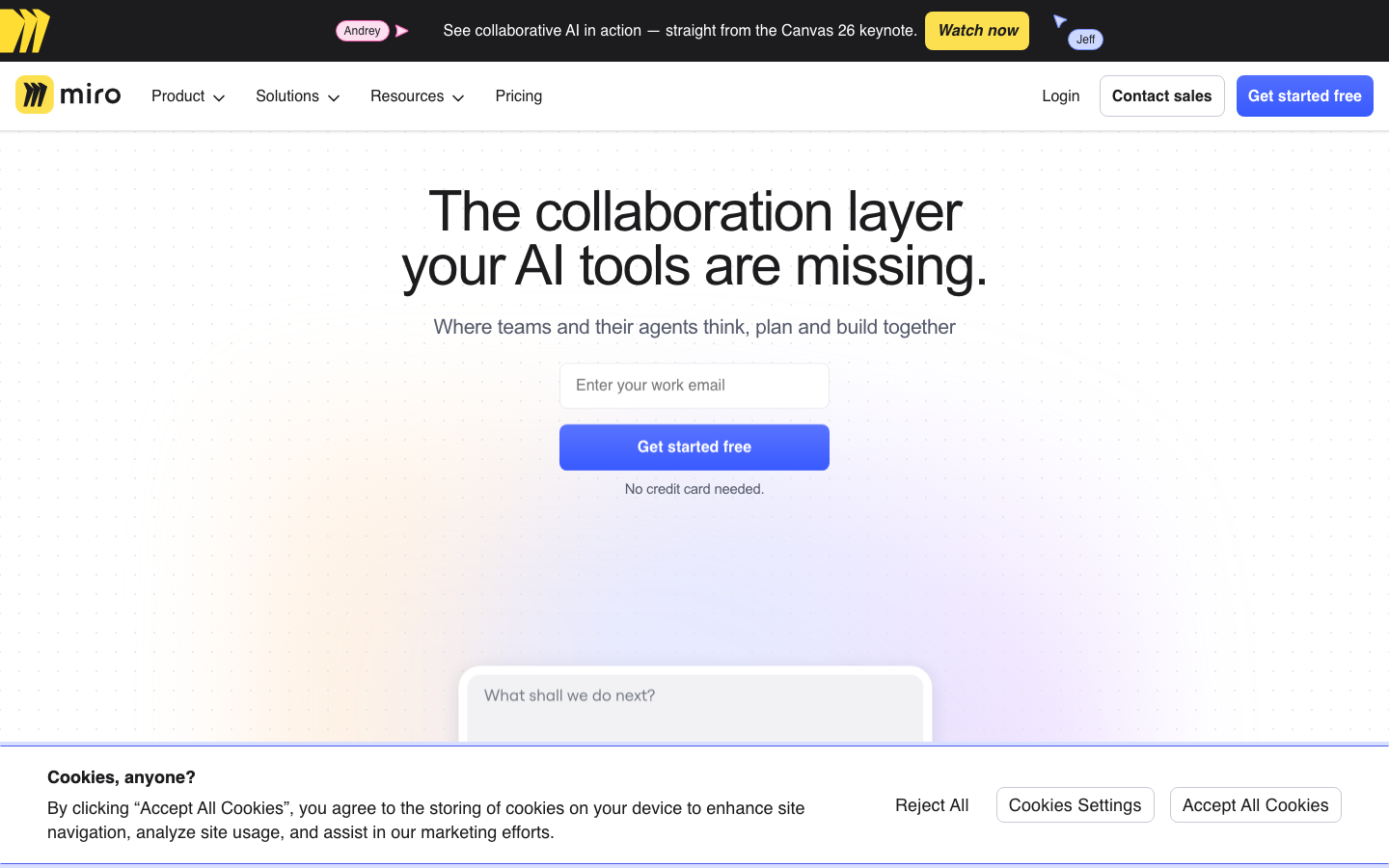
Miro is one of the most widely used online collaborative whiteboard platforms in the world. Its AI capabilities are integrated in scenarios such as intelligent chart generation, automatic summary of meeting minutes, handwriting transcription and automatic layout, and is targeted at distributed product teams, agile coaches and innovation consultants.
MiroAI
Core parameters and statistics
Miro is one of the most widely deployed online collaborative whiteboard platforms in the world, positioned as a "visual collaboration space for distributed teams." AI capabilities revolve around the three scenarios of "content generation, information organization and process acceleration" in whiteboard collaboration, with the goal of upgrading the whiteboard from a "free canvas" to an "intelligent collaboration layer".
| Projects | Public Information |
|---|---|
| Official positioning | Visual platform for team collaboration |
| Product Form | Web Online Whiteboard + Desktop App + Mobile App |
| AI capabilities | AI smart charts, meeting summaries, handwritten transcriptions, note generation, automatic layout |
| User scale | Publicly declared to have over 80 million users |
| Enterprise Clients | Publicly claim 99% of the Fortune 100 |
| Third-party integration | Supports 1000+ application integrations (Slack, Jira, Teams, Google, etc.) |
| Latest version | 2026-07 Monthly update |
| Supported platforms | Web, iOS, Android, Desktop (macOS/Windows) |
| Underlying model | Undisclosed (presumed to be based on GPT-4 series or self-developed model) |
| AI function billing | Free tier quota, Business/Enterprise tier includes AI quota per seat |
Collaboration paradigm: Miro takes "infinite canvas + real-time collaboration + template library" as its core experience. The role of AI capabilities is to shorten the time from "ideas to visible content on the canvas" and reduce the cost of "manual sorting of massive note information". Different from pure document-based AI (such as Notion AI), the input and output of Miro AI have "spatial coordinates" - the location, color, and connection relationship of the notes all become semantic clues for AI classification and summary.
Ecological Density: 1000+ third-party integrations mean Miro's pivotal position in whiteboard collaboration - by embedding workflows in tools such as Slack/Jira/Teams, reducing the context break of "collaboration switching between different tools". AI-generated whiteboard content can be directly pushed to these integration platforms, forming a relationship of "AI curation → manual confirmation → cross-system synchronization".
User and market recognition
Miro's market position is based on first-mover advantages and scale effects on the high-speed growth track of "whiteboard collaboration."
User Size: Publicly announced over 80 million users, covering everything from startups to 99% of Fortune 100 companies. This data reflects not only product penetration, but also the rigid growth in demand for "digital whiteboards" under the remote/hybrid office trend. Compared with competing products, MURAL has about 10 million users and Lucidspark has about 50 million users. Miro has a clear lead.
Competitive Position: In the broad online whiteboard market, Miro's direct competitors include MURAL, Lucidspark and Microsoft Whiteboard. The following is a comparison of key dimensions:
| Comparative Dimensions | Miro | MURAL | Lucidspark | Microsoft Whiteboard |
|---|---|---|---|---|
| User scale | 80 million+ | ~10 million | ~50 million (including Lucidchart ecosystem) | Embedded in Microsoft 365 |
| AI Capabilities | AI Charts/Notes/Summary/Transcription | AI Summary (MURAL AI) | AI Chart (Lucid AI) | Copilot Integration (Limited) |
| Template library | Thousands (community + official) | Hundreds | Hundreds | A small number of official templates |
| Third-party integration | 1000+ | 100+ | 50+ (main Lucid ecosystem) | Deep binding to Microsoft |
| Core differentiation | Template and integration ecosystem breadth | Design thinking/agile methodology depth | Lucidchart chart collaboration | Team collaboration Office ecosystem |
| Free tier limit | 3 editable whiteboards | Unlimited whiteboards (limited features) | Limited whiteboards + Watermark | Free (Microsoft account required) |
Industry Applications: Miro’s most in-depth industry coverage is product management, agile development and design collaboration for technology/software companies. It is also widely used in consulting (strategy seminars, customer workshops), education (classroom collaboration, project-based learning) and finance (process sorting, compliance review) and other industries.
Certification System: Miro provides the Miro Certified certification program (including Miro Essentials, Miro Agile, Miro Workshop, etc.), covering more than 100,000 certified users around the world. This is unique among whiteboard collaboration tools, indicating that Miro invests more in "professional collaboration methods" than competing products.
Cost advantage
- C-side/Individual: Usually a free version is provided to experience the core functions, and high-frequency use requires a paid package subscription.
- API/Developer: Billed by call volume, suitable for development teams that can be flexibly integrated into their own systems.
- Enterprise/Privatized: Contact the business owner for customized quotation and deployment plan. The specific price is subject to the official real-time pricing page.
Main functions
Miro AI's capabilities cover the four major sections of whiteboard collaboration: "Generation→Organization→Aggregation→Distribution". There is an obvious synergy between the core functions:
- AI Intelligent Diagram Generation (AI Diagram): Enter a text description, and AI will automatically generate common collaboration diagrams such as flow charts, mind maps, user journey maps, and system architecture diagrams. Embed editable graphic objects in the whiteboard instead of static images - once generated, teams can continue to drag and drop modifications and add comments. Hidden linkage: The generated chart elements can be directly exported as Miro Kanban cards or Jira Issues, opening up the "Analysis → Tracking" link.
- AI Sticky Notes generation and classification (AI Sticky Notes): During the brainstorming session, AI generates grouped notes based on prompt words (for example, "Generate 20 user pain point notes for new products, divided into 5 groups by theme"), or automatically cluster notes scattered on the whiteboard based on semantics. Hidden linkage: Classified note groups can be converted into Kanban columns or mind map branches with one click, and you can go directly from "divergent discussion" to "structured organization".
- AI Meeting/Workshop Summary: After the whiteboard collaboration is completed, AI automatically extracts key decisions, task assignments and to-do items, and generates a structured summary. Snippets support embedding in Slack messages or Confluence pages. Hidden linkage: AI summarization not only relies on the text of the note, but also uses the visual grouping relationship of the note (notes in the same area are regarded as the same topic) to infer the context, which has an additional layer of spatial semantic signal than the plain text summary.
- AI Handwriting Recognition: Text entered by hand on the whiteboard is automatically recognized and converted into editable electronic text by AI. Key limitations: The recognition rate for English handwriting is high (>90%), but the recognition accuracy for non-Latin languages such as Chinese and Japanese has dropped significantly, and mixed languages (such as Chinese and English) cannot be recognized.
- AI Smart Layout: AI detects the distribution of whiteboard content and automatically recommends rearranging elements to improve readability and space utilization. Typical scenario: After a round of free sticky notes, the whiteboard
To eliminate the chaos of elements, AI can align, arrange equidistantly and adjust group spacing with one click.
- AI-assisted voting and decision-making: In the alternatives area of the whiteboard, AI assists in generating voting criteria, summarizing voting results, and generating decision summaries (available at the Business/Enterprise layer). Pain Point: The trigger entry for this feature is not intuitive. Many teams only realized that Miro AI supports it after manually counting votes.
Expert view: The real practical value of Miro AI lies not in generating whiteboard content (drawing is the icing on the cake), but in structuring free discussions on the whiteboard - automatically categorizing notes, extracting action items, and generating meeting minutes. This is closer to the real pain points of team collaboration than the drawing function. The linkage effect between functions (note classification → Kanbanization → export) is Miro AI’s moat compared to independent AI tools.
Acceptance focus: The classification accuracy of the AI note-generated performance when different topics are mixed; whether the style of the AI chart generation results matches the Miro template system; whether the recognition rate of handwritten transcription for Chinese/multilingual mixed scenes meets the needs of the team; whether the AI summary retains the contradictions and unresolved issues of key decisions (only consensus is a common flaw).
Model and version evolution
Miro has not officially disclosed the basic model on which the AI function relies (it is speculated to be based on the GPT-4 series or a self-developed multi-modal model), but the version iteration of the capability can be traced through the function release node:
| Version node | Time | Core changes | New AI capabilities | Impact assessment |
|---|---|---|---|---|
| Miro AI first release | ~2024-10 | The first batch of AI capabilities online | AI note generation, handwriting transcription, automatic chart creation | The market has responded positively, but the function coverage is mainly in English |
| Intelligent layout and classification | ~2025-11 | AI-driven layout optimization | Intelligent layout suggestions, semantic classification and organization of notes | Solve the core pain point of "information organization after collaboration" |
| AI function expansion | ~2026-04 | AI evolves from "generation" to "aggregation" | Intelligent chart generation (multiple chart types), automatic conversation summary | AI role upgraded from content producer to information aggregator |
| Latest monthly update | 2026-07 | Continuous optimization of experience | AI-assisted dashboard integration, chart generation improvements | No independent version number, subject to Miro official release notes |
Evolution Trend: Miro AI has a clear iteration path - from "replacing manual operations" (generating notes, transcribing handwriting) to "assisting cognitive decision-making" (categorizing, summarizing and refining), and then "cross-system distribution" (integrating dashboards, exporting decisions). This path is highly consistent with the essential needs of whiteboard collaboration: the value of the whiteboard does not lie in how many notes are drawn, but in what consensus the team reaches after the drawings are completed.
Future direction speculation (subject to Miro’s official announcement): (1) AI-generated custom templates—automatically build a whiteboard framework based on meeting types; (2) Multi-modal AI support—recognize sketches and hand-drawn flowcharts on the whiteboard and convert them into digital graphics; (3) AI-driven collaboration insights—analyze the team’s interaction patterns on the whiteboard and give suggestions for collaboration efficiency.
Technical advantages
Miro's technical advantage does not lie in the parameter scale of the AI model itself, but in the three-layer collaboration of "whiteboard collaboration data + 1000+ integrated ecology + template system":
Whiteboard data as collaboration records: Miro's infinite canvas naturally records the team's collaboration process - the order of notes, connection relationships, color groupings, comment threads - these structured data provide rich semantic input for AI classification, summary and layout suggestions. Compared with pure meeting minutes tools (which can only process audio-to-text), Miro's AI has an additional information dimension of "spatial layout": proximity (proximity relationship) between notes implies topic relevance, connection direction implies causal logic, and color grouping implies priority classification.
1000+ integration ecosystem: AI-generated charts and notes can be directly embedded in Slack messages (Miro App card preview), Jira Ticket (link to specific areas of the whiteboard), Confluence pages (embedded in Miro whiteboard iframe) and Teams channels (Tab integration). This reduces duplication of efforts in synchronizing collaborative output across systems - AI-generated summaries do not have to be manually copied and pasted into emails or documents.
Template-driven AI generation: Miro's template library (thousands of scenario templates, covering user journey maps, agile retrospective SWOT analysis, design sprints, user story maps, etc.) provides "preset formats" for AI diagram generation - when inputting "generate a user journey map", AI knows the standard structure of the journey map (stages, touch points, emotion curves, opportunity points) instead of reasoning from scratch. This greatly improves the structural quality of the AI output and also limits the length of the AI's generation (it will not generate excessively long irrelevant content). Limitations: For professional scenarios that are not covered by templates (such as industry-specific flow charts, technical architecture diagrams), the quality of AI generation is significantly reduced because it lacks "template skeleton" guidance.
Technical limitations:
- The whiteboard extension of the AI function (viewing the AI summary independently from the Miro interface) is not as direct as document products such as Notion AI, and the AI output is basically bound within the Miro canvas.
- The accuracy of AI diagram generation in specific professional fields (such as cloud architecture diagrams, circuit diagrams, BPMN flow charts) needs to be improved. It is recommended to use special tools such as Lucidchart or Diagrams.net in this scenario.
- The accuracy of handwritten transcription in non-English languages (Chinese, Japanese, Arabic) is unstable and is almost unusable in multi-lingual mixed scenarios.
- AI concurrency under real-time collaboration: When multiple people operate the whiteboard at the same time, the results of AI classification/summarization may be interfered by unfinished editing content (partially completed notes are included in the classification, resulting in inaccurate results). It is recommended to trigger AI sorting after team collaboration has come to an end.
How to use
| How to use | Suitable for the crowd | Entrance | Prerequisites |
|---|---|---|---|
| Miro Web | All users | miro.com | Register for a Miro account |
| Desktop App (macOS/Windows) | Heavy users | Miro official website download | Install and log in |
| iOS/Android App | Mobile viewing/light editing | App Store / Google Play | Download, install and log in |
| Miro API | Developers/Automation | developers.miro.com | API Key + Developer Account |
| Miro integration (Slack/Jira/Teams, etc.) | Embed existing workflow | Respective application market | Account association and permission settings |
Typical collaboration process: Create Miro whiteboard → Select scene template → AI generates initial notes/charts (enter prompt words) → Real-time team collaboration to supplement content (drag and drop, connect, comment) → AI note classification and organization (one-click clustering) → AI whiteboard content summary (automatically extract decisions and action items) → Export/embed Slack/Jira synchronization decision-making → AI-assisted voting to confirm priorities.
AI function trigger path: The entrance to Miro AI is concentrated on the "Miro AI" button on the toolbar at the bottom of the whiteboard. After clicking, an AI command menu pops up, supporting natural language input (such as "Generate 10 optimization suggestions for this user journey map") and preset function entrances (AI Diagram, AI Sticky Notes, Smart Layout, AI Summary). Some functions (such as AI note classification) need to be triggered through the right-click menu after selecting multiple notes, which is found to be costly.
First time user suggestion: First use the free tier to create a "product roadmap" or "user journey map" template whiteboard, and test whether the AI chart generation and note classification functions meet the team's expectations. Focus on: (1) speed and style matching of AI chart generation; (2) accuracy of note classification; (3) handwriting transcription performance in Chinese/mixed languages. After confirming that the above three points meet the basic needs, decide whether to upgrade to the Starter/Business plan.
API integration example (subject to official developer documentation):
# Miro REST API v2 - Create sticky notes on a whiteboard (Python example)
import requests

API_URL = "https://api.miro.com/v2/boards"
ACCESS_TOKEN = "<YOUR_MIRO_ACCESS_TOKEN>"

#Create a new whiteboard
board_resp = requests.post(
    API_URL,
    headers={
        "Authorization": f"Bearer {ACCESS_TOKEN}",
        "Content-Type": "application/json",
        "Accept": "application/json"
    },
    json={
        "name": "Sprint Retrospective - AI Generated",
        "policy": {"permissionsPolicy": {"collaborationToolsStartAccess": "all_editors"}}
    }
)
board_id = board_resp.json()["id"]

# Create an AI-generated note at the specified location
sticky_note = requests.post(
    f"{API_URL}/{board_id}/sticky_notes",
    headers={"Authorization": f"Bearer {ACCESS_TOKEN}"},
    json={
        "data": {"content": "What went well: AI reduced manual note sorting"},
        "style": {"fillColor": "light_yellow"},
        "position": {"x": 100, "y": 200}
    }
)
Product Pricing
The pricing model is subject to the official real-time page. Usually a freemium or subscription system is used, and basic functions can be used for free. Advanced functions or high-frequency use require paid subscriptions, and users are advised to evaluate the optimal solution based on actual usage.
Application scenarios
Scenario 1: Product exploration and roadmap planning (cost reduction and efficiency improvement deduction)
Task: When planning for the new quarter, the product manager (PM) needs to sort out OKRs, user story maps, product roadmaps and competitive product analysis.
AI intervention process: PM generates "quarterly OKR note group" through AI prompt words in Miro whiteboard → AI automatically generates 15 OKR candidate notes and groups them by "goal/key results" → PM manually drags and drops to adjust priority → AI generates product roadmap timeline based on OKR → Team synchronizes and collaborates to add details → AI organizes notes to generate decision summary.
Quantitative deduction: The time to build the first draft of the whiteboard is reduced from the traditional 1~2 hours (manual creation of notes, drawing of timeline, typesetting) to 15~30 minutes (AI generation + manual adjustment). However, prioritization and milestone setting require team discussion and confirmation (1 to 2 meetings) and cannot be done by AI. The overall planning cycle is shortened from 2 to 3 days to 1 to 1.5 days (including meeting time). Among them, AI saves mainly "desk preparation" rather than "decision time".
Scenario 2: Agile Retrospective and Sprint Planning
Task: The Scrum Master organizes a Sprint Retrospective meeting to collect team feedback and generate performance improvement action items.
AI intervention process: The team anonymously writes notes on the whiteboard of the Miro review template → AI automatically classifies the notes according to "Start/Stop/Continue" or "Went Well/To Improve/Action Items" → AI extracts high-frequency keywords and trends → The team votes to determine priority improvement items → AI generates a structured review summary and synchronizes it to Jira/Confluence.
Quantitative deduction: The review document preparation time is reduced from 30~60 minutes (manual classification of notes, organization of action items, formatting summary) to 5~10 minutes (AI automatic classification + manual verification). The classification accuracy can reach 85%~90% (deduced value) when the topic boundaries are clear, but degrades to 60%~70% when the topics are mixed (such as discussing technical debt and team collaboration at the same time), requiring manual intervention.
Scenario 3: Workshop and Design Sprint
Task: Designers and consultants guide customers through the entire process of "problem definition → solution divergence → convergence decision-making" in a remote workshop.
AI intervention process: AI automatically generates a whiteboard framework based on the type of workshop (such as design sprint SWOT analysis, user portrait workshop) → AI assists in generating background research notes → The team collaborates on the whiteboard in real time → AI automatically organizes and categorizes discussion output → AI generates a workshop summary report.
Quantitative deduction: Workshop preparation time is reduced by about 40%~50% (deduction value), in which the framework construction time is reduced from 1~2 hours to 10~20 minutes. However, the delivery plans and strategic decisions of high-value customers must be confirmed manually. The workshop summary produced by AI can only be used as a "first draft", and the customer-delivered version needs to be polished manually.
Scenario 4: Asynchronous collaboration and knowledge management
Task: Distributed teams complete whiteboard collaboration asynchronously in different time zones, and new members need to quickly understand the whiteboard content.
AI intervention process: Team members add content to the Miro whiteboard asynchronously → AI automatically detects content updates and generates a "whiteboard change summary" → When a new member opens the whiteboard, AI provides an overview of the content and key decision points → AI organizes the whiteboard content into a knowledge document structure by topic.
Quantitative deduction: The "getting started" time for new members to understand the whiteboard content is reduced from 30 to 60 minutes (reading the notes and connections one by one) to 5 to 10 minutes (reading the AI summary + browsing key areas in a targeted manner). But the quality of an AI summary is highly dependent on the quality of the text on the whiteboard note—if the note is written too briefly or uses a lot of internal abbreviations, the AI-generated summary may lose key context.
Not suitable for the scene
- Strict Project Management with Gantt Charts: Miro is not a replacement for Jira or Asana. Project management scenarios that require task dependency chains, work time tracking, and critical path analysis should use specialized PM tools. Miro is more suitable for early-stage "planning discussions" rather than mid- and late-stage "execution tracking."
- Highly Confidential Content: Miro is a pure cloud SaaS (no self-hosted/private deployment solutions). Enterprises with clear requirements for data residency need to confirm the data residency options of Miro Enterprise (currently supports EU/US regions, subject to Miro's official release).
- Complex Process Engine Automation: Miro is a collaboration space not a business process engine. Scenarios that require form approval flow, automatic task allocation and SLA tracking should turn to BPM tools such as Jira and ServiceNow.
- Serious long article creation and document management: The whiteboard content generated by AI is mainly "fragmented notes", which is not suitable for collaborative editing of long documents. If you need AI-assisted long article writing,
 Notion AI or Google Docs are more suitable.
Applicable people
- Product Manager and Agile Coach: AI assists in creating user story map OKR roadmap and Sprint review whiteboard, reducing the manual work of Sprint preparation and review by 50%~70% (deduction value). Prerequisites: The team accepts online whiteboards as a standard tool for collaboration; PMs need to master Miro AI prompt word skills (the output quality of simple instructions vs structured instructions is quite different).
- Designer and Product Designer: Whiteboard collaboration on user journey map, service blueprint and design sprint, and establishment of AI chart generation acceleration framework. Prerequisite: The design process requires visual collaboration across roles (product, development, business); AI-generated charts require manual adjustment of color matching and brand style.
- Consultant and Innovation Coach: Remote Workshop design and delivery, AI generated notes and automatic classification reduce the pressure of on-site recording. After the Workshop, the AI summary is directly used as the first draft of customer deliverables. Prerequisite: The customer accepts the use of Miro to participate in collaboration; the consultant needs to have the ability to customize Miro templates.
- All members of the distributed team: Simultaneously draw, write notes, vote and sort through Miro during remote meetings, and AI assistance reduces the extra work of "organizing the whiteboard after the meeting". Prerequisites: The team has basic online whiteboard collaboration literacy; adoption in non-English teams is limited by the Chinese accuracy of handwritten transcription and AI summary.
- Education and Training Practitioners: Whiteboard collaboration in online classes, project-based learning (PBL) and academic discussions, AI-assisted sorting out discussion points and post-class summaries. Prerequisite: Educational institutions need to confirm Miro’s COPPA/FERPA compliance status (subject to Miro’s official release).
Not suitable for people:
- Teams that prefer physical whiteboards: For teams with low willingness for digital transformation or who are not accustomed to online collaboration, Miro cannot replace the tactile experience of physical whiteboards.
- Industries with strict compliance requirements for data residency: For example, in military industry, government, and some financial regulatory scenarios, it is necessary to confirm whether Miro Enterprise's data residency options meet compliance requirements before purchasing (Currently, Miro supports EU/US data residency, and other regions are subject to official regulations).
- Teams that only use single-point collaboration functions (such as only Kanban boards or only voting): Miro's comprehensiveness will increase learning costs. In such scenarios, it is recommended to use special tools such as Trello (Kanban board) or Simple Poll (Polling).
- Users who need in-depth long-form AI writing: The output of Miro AI is mainly structured information fragments, which is not suitable for long-form scenarios such as blog posts and research reports. Such needs should be turned to dedicated writing AI such as Notion AI or Jasper.
Summary and Outlook
The core value of Miro AI is to embed AI assistance into the "collaboration flow" of distributed teams - from first draft generation to information collation to summary output, reducing "peripheral man-hours" before and after whiteboard collaboration. It is not the main body of collaboration (the team is still the core of collaboration), but the accelerator and organizer of collaboration. Compared with Notion AI (document first) and Canva AI (design first), the difference of Miro AI lies in "spatial semantics" - using the position, color, and connection relationship of notes to improve AI's understanding and generation quality.
Main current limitations:
- AI function quota and paywall: The free tier AI functions are limited, and there is uncertainty about independent billing of AI functions in the future.
- Uneven multilingual support: The accuracy of handwritten transcription and AI summary in non-English scenarios is significantly lower than that in English, and its appeal to Chinese/multilingual teams is limited.
- Insufficient depth of AI generation: Compared with AI in vertical fields such as Lucid AI (professional flowcharts) or Figma AI (design drafts), Miro AI's output still has a gap in professional depth.
- Limited data residency options: No self-hosted deployment, data residency only supports EU/US regions, limiting adoption by enterprises with strict requirements on data sovereignty.
- Weak extension of AI whiteboard: The summary and content generated by AI are basically bound to the Miro canvas and cannot be consumed independently after being separated from the whiteboard.
Follow-up key observation points:
- Whether Miro AI will transform from a "bonus feature" to an independent billing product (refer to Notion AI +$10/month/seat model);
- Whether the progress of AI in multi-language support (especially Chinese and Japanese) has reached the product level;
- Whether Miro AI will open APIs to allow third-party developers to build custom AI capabilities on a whiteboard;
- Whether to launch Miro AI Enterprise exclusive model (data isolation + customized training);
- AI template ecology - whether AI can automatically generate customized whiteboard templates based on the meeting theme.
Procurement/Adoption Risk Assessment: Before purchasing, enterprises should focus on confirming (1) the specific available scope and call quota limit of the AI function in the Business/Enterprise layer; (2) the storage location and data residency strategy of whiteboard data (currently supports EU/US, other regions are subject to official regulations); (3) the specific functional coverage of SSO, audit logs and content management in the Enterprise layer (some advanced functions require additional configuration); (4) SLA in the Miro Enterprise contract Terms and data backup/recovery mechanism; (5) Whether the AI function may be separated from the subscription package into an independent charging item in the next 12 to 18 months. It is recommended that before signing an annual contract, you first try out 1 to 2 Sprint cycles through the Business layer to fully verify the value and cost of the AI function in the team's actual workflow.
Related tools: Notion AI, google-workspace
Version Info
- MIRO 2026-07 Release :The latest monthly update continues to optimize AI auxiliary functions and billboard integration experience. There is no official precise version number yet.
- Miro AI feature expansion :The AI intelligent chart generation and whiteboard content automatic summary functions are online. There is no official precise date yet.
- MIRO 2025-11 Release :Introducing AI-driven intelligent layout suggestions and note classification functions, there is no official precise date yet.
- Miro AI first released :Miro debuts AI-assisted capabilities, including AI note generation, handwriting transcription, and automatic chart creation.
User Reviews