 Mutiny
Free
Mutiny
Free
Mutiny is an AI agency platform for B2B GTM teams. It automatically generates personalized customer contact materials such as Deal Room, Pitch Deck, and business case 1:1 ABM landing page, and realizes sales workflow automation through Routines.
Mutiny’s core parameters and statistics
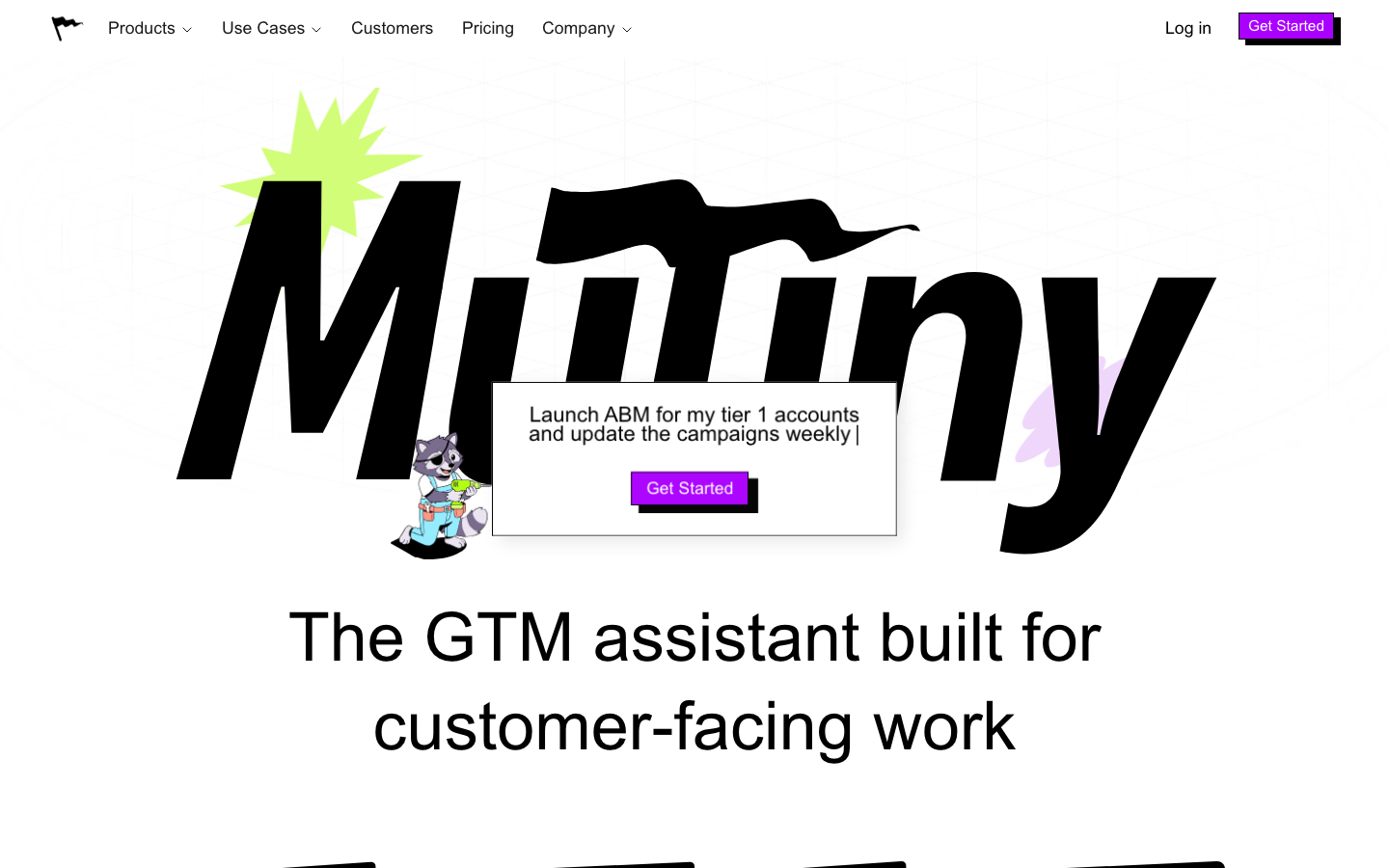
Mutiny is officially positioned as "The GTM assistant built for customer-facing work" - an AI agent platform for B2B GTM (Go-to-Market) teams, covering the entire process of content generation and workflow automation from unfamiliar customer contact to transaction. It does not belong to a traditional marketing automation or CRM plug-in, but is directly embedded in the daily operations of the sales and marketing team in the form of an AI agent, allowing each sales representative and marketing staff to generate personalized customer contact materials in a few minutes that would have taken the design team several days to complete.
| Projects | Public Information |
|---|---|
| Official positioning | GTM assistant for customer-facing work |
| Product Category | Productivity/Business Application (GTM AI Agent) |
| Product form | Web SaaS, embedded in Slack / Claude |
| Business Model | Subscription (Free/Business/Enterprise) |
| Billing Unit | Credits (1 credit = 1 AI agent interaction) |
| Official site | mutinyhq.com |
| Enterprise Customers | BMC, Snowflake, Rippling, LaunchDarkly, Kaizen, Delphi, etc. |
| Security Certification | SOC 2 Certification |
| Place of Residence | US (California) |
| Supported Platforms | Web, Slack, Claude |
| Integrated Ecology | Native + MCP protocol covering 50+ tools |
| Latest release date | 2026-07 (official website marked "Jul 17, 2026") |
Brief review in one sentence: Mutiny is not another ABM landing page tool, but a GTM operating platform that generates "all the materials required from unknown customers to closing the deal - proposal deal room, pitch deck, business case, competitive product comparison, and follow-up emails" to an AI agent. Sales reps no longer have to wait in line for a design team.
Market Segmentation Positioning: Mutiny is fundamentally different from traditional sales enablement platforms (Seismic, Highspot). The latter is a "content library" that stores materials that have been produced for sale; Mutiny is a "content generation engine" that dynamically generates personalized assets for each transaction instead of rummaging through a static library. It is clearly stated in the FAQ as "Mutiny generates personalized content per deal" and positions itself as the "agent-first alternative" to Seismic and Highspot in competitive product comparisons.
Tool type classification (according to §3.3): Mutiny’s main delivery form belongs to [Productivity/Business-side Application] (Type D). It is oriented to the daily operation scenarios of B2B GTM teams and is delivered in a SaaS subscription model. Its core value lies in cost reduction, efficiency improvement and human-machine collaboration. At the same time, it has Agent / MCP characteristics (connecting 50+ tools through the MCP protocol and performing cross-system operations), so the secondary classification is [Agent / MCP / Automation Tool] (Type A). The corresponding chapters in the document will respectively reflect the mandatory deepening items of the two types of rules.
Mutiny’s users and market recognition
Mutiny's customer verification mainly comes from the GTM teams of medium and large B2B companies, covering multiple vertical fields such as technology, enterprise software, and security.
Enterprise-level customer endorsement: The official website displays 6 detailed case studies, covering different team sizes and usage scenarios. The LaunchDarkly case shows "150% of meeting targets in under 60 days"; the Kaizen case shows "creates professional, on-brand business cases 70% faster"; BMC, Snowflake, Rippling, etc. are used as Enterprise cases to show the actual use effect after deep integration. These numbers come from the official case page, but the specific methodology and comparison conditions are not fully disclosed. During actual evaluation, it is recommended to directly ask the customer representative for the comparison baseline.
Market signals and growth trends: Mutiny's FAQ page intensively mentions comparisons with Seismic, Highspot, and Userled, indicating that it is actively occupying the track narrative of "AI agent alternative content library". Among similar competing products, Regie.ai focuses on content generation + sales sequence automation, Salesforce Agentforce focuses on CRM embedded Agent, and Clay focuses on data enrichment and prospecting - Mutiny's differentiation lies in "customer face-to-face full asset generation + workflow automation" rather than the data layer or CRM layer.
Industry Benchmarking Situation: Mutiny directly positions itself in the FAQ as an agency-first alternative to Seismic and Highspot, while also competing with ABM personalization tools such as Userled and Flint. The difference is that Mutiny covers the asset generation of the entire deal cycle, not just the landing page. This positioning means that its direct competitors are closer to full-stack GTM agents (such as Regie.ai, Salesforce Agentforce) than to single-scenario tools. Here’s how Mutiny compares to traditional sales enablement platforms:
| Comparison dimensions | Mutiny (AI agent) | Seismic / Highspot (content library) |
|---|---|---|
| Core capabilities | Dynamically generate personalized assets based on transactions | Store, manage, and retrieve produced content |
| Asset generation method | AI automatically generates based on CRM/call data | Pre-produced by the marketing team and used by sales |
| Personalized granularity | Individually customized for each transaction and each customer | Manual editing based on templates |
| Team dependence | Sales completed independently without design intervention | Reliance on marketing/design team for pre-production |
| Covered in sections | Complete deal cycle (reach → deal → renewal) | Mainly focus on mid- to late-stage sales materials |
Community and Ecology: Mutiny is not open source, and there is a lack of quantifiable indicators such as public stars/forks at the community level. Its ecological construction mainly revolves around the integration of 50+ MCP tools. The connected data sources include Salesforce, HubSpot, Gong, Notion, Google Drive, Gmail, Google Calendar, Slack, Claude, as well as Amplitude, Attio, Apollo, Salesloft, Outreach, ZoomInfo, etc. accessed through the MCP protocol. SOC 2 certification demonstrates an investment in enterprise-level security compliance.
Mutiny’s cost advantage
Mutiny's cost structure is above average among B2B sales tools, but the credits consumption mechanism needs to be factored into the total cost of ownership. The following is dismantled in three layers:
C-side/Individual (Free): $0/month, 5 credits per seat per day (monthly limit 30 credits/seat), up to 5 team members. It is suitable for individual sales representatives to first experience the effect of AI agents generating Deal Room and Pitch Deck before deciding whether to upgrade. The free version includes unlimited integration of core functions such as Skills, Templates, Routines, and Asset analytics for 30 days, with limitations mainly on credits quota and team size. Suitable for personal POC verification and light trials, but not suitable for production-level large-scale use. Explicit/implicit cost analysis: The explicit cost is zero, and the implicit costs include (1) limited integration functions and the need to upgrade after 30 days; (2) the daily 5 credits limit creates a psychological gap of "you have a good experience during the trial period, but you find insufficient usage after upgrading" - this is a common design in the PLG funnel of B2B SaaS, but buyers should expect it.
Team/Business: $50/seat/month, including 50 credits/month. Removes team size limit, supports custom subdomain Visitor Intelligence analysis (Outreach/Salesloft integration), password-protected assets, unlimited integrations, unlimited templates and Skills. Add-on packs can be purchased after credits are exceeded (100 credits/$100), and unused credits can be rolled over for a month. For small and medium-sized GTM teams, the monthly fee of $50/seat is a clear explicit cost, but the credit consumption rate determines the actual expenditure - each time the AI generates an asset, it consumes 1 credit. If the team generates a large number of personalized materials every day, the credits consumption rate may be faster than expected. Hidden costs: The Business plan does not include Salesforce/HubSpot two-way synchronization integration (needs to be upgraded to Enterprise). Medium-sized teams may face the efficiency bottleneck of "manually synchronizing back to CRM after generating assets" when scaling up. Additionally, Visitor Intelligence integration is limited to Outreach and Salesloft, and the feature is not available if your team uses other sales engagement platforms (e.g. Groove, Mixmax).
Enterprise: Annual fee starts at $40,000 (approximately $3,333/month), including credits volume discount SSO, custom MSA/DPA, exclusive Growth Strategist, online support for Salesforce/HubSpot integration, template prompts and other advanced features. For sales teams with more than 1,000 people, annual fees starting at $40k are reasonable in enterprise software, but the upper limit of credits, API call frequency, data retention policy, etc. need to be clearly stated in the contract. The Enterprise plan also includes Template prompts - allowing marketing teams to preset mandatory prompt instructions in templates to ensure team-wide AI output quality and brand consistency.
Hidden costs: credits are the cost variable that Mutiny needs to pay most attention to. The Free plan’s 5 credits per day means light usage (5 AI interactions per day), while the Business plan’s 50 credits/month only averages about 1.6 times per day. High-frequency generation scenarios (such as batch 1:1 ABM pages, a large number of competitive product comparisons) will quickly consume credits. The marginal cost of attaching a pack of 100 credits/$100 is about $1/credit, which at scale can exceed the seat fee itself. It is recommended that before actual purchase, you use the Free plan to measure the actual consumption for 2 weeks, and then calculate the actual average monthly cost of Business or Enterprise.
The following is a visual comparison of the three-tier cost structure:
| Cost Dimensions | Free | Business | Enterprise |
|---|---|---|---|
| Monthly fee | $0 | $50/seat | Starting from $40,000/year |
| Credits quota | 5 credits/day/seat (maximum 30/month) | 50 credits/month/seat | Volume discount (the quota needs to be confirmed by the business) |
| Additional credits | Not available for purchase | $100/100 credits | Volume discounted pricing |
| Maximum team size | 5 people | Unlimited | Unlimited |
| Integration depth | Unlimited integrations for 30 days | Unlimited integrations | Salesforce/HubSpot two-way sync included |
| SSO/SCIM | Not supported | Not supported | Supported |
| Dedicated Support | Documentation Only | Online Support | Dedicated Growth Strategist |
| Suitable for scale | Individual / small team of 2-3 people | Medium-sized GTM team of 10-100 people | Enterprise GTM organization of more than 100 people |
Main functions of Mutiny
Mutiny's core capabilities revolve around "AI agents completing customer face-to-face content production and workflow automation for you" and can be summarized into seven capability blocks. The following is a three-level analysis of "capability description + hidden linkage + implementation tips" for each function:
Seven core competency blocks
-
Personalized asset generation engine: Covers 10+ asset types such as Pitch Deck, Deal Room, business case ROI calculator 1:1 ABM landing page, microsite, competitive product comparison RFP response, meeting minutes, event invitations, etc. AI pulls context from connected CRMs, call logs, and emails to automatically adapt brand colors, typography, and tone of voice to produce ready-to-deliver finished products. Synergy: Key data in the same customer's business case can be automatically synchronized to the Deal Room and Pitch Deck, avoiding information silos between multiple assets - this is "cross-asset consistency" that is difficult to achieve in the traditional manual mode. Implementation Tip: During actual testing, focus on brand consistency and accuracy of industry terminology, rather than pure visual aesthetics; it is recommended to use 2-3 real customer data for testing, not just demo data.
-
Blueprints blueprint system: 17+ scene templates are preset according to the deal cycle stage (Prospect→Evaluate→Negotiate→Expand). Each Blueprint contains recommended asset types, data source configurations, and design specifications. For example, the Prospect stage includes 1:1 ABM, Cold Outreach, and Event Invite; the Evaluate stage includes Meeting Recap, Demo Pre-Read, Case Study, and Competitive Comparison; the Negotiate stage includes Pricing Proposal, Executive Business Case, and Deal Room; and the Expand stage includes Forward Looking Strategy, Impact Report, and Expansion ABM. Expert View: The value of Blueprints lies in "reducing the cognitive load of starting from scratch" - new users do not need to think about "what type of assets should I generate", but can choose preset blueprints according to transaction stages.
-
Automated Workflow (Routines): Preset GTM workflow templates, including meeting preparation, follow-up email pipeline review, executive reporting, etc. The AI agent automatically performs cross-tool operations according to preset steps - initiating from Slack, calling CRM data, generating assets, and sending via Gmail - forming a "one-sentence trigger, full-link execution" concept. Expert View: The real value of Routines is not in a single generation, but in standardizing frequently repeated "customer contact actions" into reusable automated sequences - when a new sales representative joins the company, they only need to enable the corresponding Routine to output content of the same quality as a senior AE. Synergy: When Routine is used with the MCP integration, it allows for fully automated Transcript → Asset → Send → Log closures — once Gong’s call is transcribed, Mutiny automatically generates follow-up emails and Deal Room updates, sends them via Gmail, and creates a task record in Salesforce. Cost reduction calculation: Taking the follow-up action of a sales representative as an example, it takes about 20-30 minutes to manually complete a personalized follow-up (sort out call points → compose an email → update CRM); Mutiny compresses it to 2-3 minutes, saving about 1.5-2 hours per person per day.
-
Brand and Template Governance: The Marketing team can set the brand blueprint (brand color, font, copy style, required fields) at one time, and sales representatives generate content within this framework to ensure consistent output quality. Template prompts (Enterprise function) allows setting mandatory prompt instructions to standardize the quality of AI output across the team. Hidden linkage: The combination of brand blueprint + Template prompts enables the marketing team to change from "reviewing the content generated by sales one by one" to "automatically executing the rules after setting them once", reducing cross-department communication friction.
-
Collaboration and Sharing (Projects / Skills / Routines): Organize work around customers and projects, and Skills and Routines can be discovered and reused within the team. Best practices, such as one sales rep’s high-converting follow-up template, can be adopted by the entire GTM team with one click, rather than remaining a personal experience. This mechanism changes the team-level learning curve from "person-to-person" to "system distribution."
-
Slack/Claude native embedding: AI agents appear directly in Slack and Claude as teammates, lowering the threshold for use. Sales representatives can complete asset creation, view analysis, and trigger routines without switching to a separate Web App. This "Inbox-first" design concept - where the user works, the AI is there - is the core difference in the interactive experience between Mutiny and traditional sales enablement tools.
-
50+ MCP integration ecosystem: natively integrates Salesforce, HubSpot, Gong, Notion, Google Drive, Gmail, Google Calendar, Slack, Claude, etc., while accessing 50+ external tools through the MCP protocol. AI agents can read and write data between these tools. Expert View: The openness of MCP means that teams can connect to their own systems (such as internal BI tools, custom CRM fields) without having to wait for official adapters - which lowers the barriers for medium and large enterprises to connect their own technology stacks. However, it should be noted that MCP integration only supports reading and writing authorized endpoints. Mutiny cannot achieve complete closure for tools that do not have open APIs or have outdated REST API versions.
-
Analytics and Insights: Asset-level analytics (who viewed the Deal Room, how long they stayed, what was clicked) and Visitor Intelligence (B2B visitor identification, Business edition and above). This data can be fed back into sales strategy adjustments—for example, if a member of the buyer’s committee repeatedly looks at the pricing page but doesn’t read the case, the AE can schedule case sharing meetings accordingly.
Mutiny’s model and version evolution
Continuous iterative updates, the latest version introduces performance optimization and new features. Historical version information can be viewed on the official release page. There is no complete public version evolution timeline yet. It is recommended to pay attention to the official announcement to understand the rhythm of feature updates.
Mutiny’s technical advantages
Mutiny’s technical advantage does not come from the underlying model (it relies on external LLM), but from its three-layer engineering capabilities:
Data connection layer (Context Grounding): The core difference of Mutiny is that "AI agents can understand your customers." It connects multiple source data such as CRM (Salesforce/HubSpot), call records (Gong), email (Gmail), and calendar (Google Calendar) to provide accurate customer context for each generation - including decision-maker roles, historical communication content, industry pain points, and competitive trends. Mechanism→Effect→Scenario: Mechanically, AI automatically queries the connected data source after receiving the generation request, and injects customer-specific information into the prompt using a search enhancement (similar to RAG but not a general knowledge base); In effect, the generated assets reflect the actual transaction progress rather than a generalized template; the applicable scenario is any sales interaction that requires customer-specific content.
Asset generation and brand governance (Brand Enforcement): Self-learn brand identity (color, typography, tone) from the official website, and enforce brand compliance in each generation. This is especially critical for medium and large enterprises - when hundreds of sales representatives use AI to generate customer touchpoints at the same time, brand control is no longer a bottleneck. The Template prompts mechanism further allows marketing teams to set mandatory prompt instructions to ensure that AI output does not deviate from brand tonality and compliance requirements. Cause and effect chain: Brand blueprint (rule definition) → Template prompts (instruction solidification) → Automatic verification for each generation → Consistent output → The marketing team does not need to review each piece.
Automation Orchestration Engine (Agentic Workflow): Routines upgrades individual-level AI assistants to team-level automation platforms. The AI agent can perform a sequence of actions across multiple tools according to a preset process - for example: receive a meeting end signal (awareness) → pull a transcript from Gong (inference) → generate a summary and follow-up email (action) → send via Gmail (action) → update a Salesforce record (action). This "perception-reasoning-action" capability enables Mutiny to evolve from a content generation tool to a GTM workflow operating system.
Integration Density: Native integration + MCP protocol covers 50+ tools, which is at a high level among similar GTM agent products. The open nature of MCP means teams can plug into their own systems without having to wait for official adapters. Technical Boundary: The actual effect of MCP integration depends on the API completeness of the third-party tool - if the tool's own API does not support create/update operations, Mutiny can only read data and cannot achieve complete closure.
Agent/MCP architecture link (deduced based on §3.3 Rule A): Mutiny’s AI agent completes an interaction transaction through the following link——
User (Slack/Web) → Natural language description requirements
    ↓
Mutiny Agent (inference engine)
    ↓
MCP Client → MCP Server (connect to CRM/Gong/Email)
    ↓ Read customer context
Context Grounding (data aggregation layer)
    ↓
LLM generation (relies on external model)
    ↓
MCP Client → MCP Server (connect Gmail/Salesforce)
    ↓ Perform send/update operation
User reviews and confirms release
Guidelines for engineering pitfalls (mandatory deduction based on §3.3 Rule A):
-
Dead-end loop control: If the conditional loop of "generate assets → send email → wait for reply → generate again" is set in Routines, it may cause the Routine to idle when the customer does not reply. It is recommended to set
max_stepsor timeout period in the Routine timeout parameter (it will automatically end if there is no response for 72 hours). The timeout configuration details are currently not officially disclosed and need to be confirmed with the support team during deployment. -
Context window overload: When there are too many connected data sources (for example, the field of the customer in the CRM reaches 100+ items and the transcript reaches tens of thousands of words), the Agent's reasoning context may be diluted. It is recommended to limit the scope of injected data through Template prompts (such as only injecting activity records of the last 30 days) to prevent key signals from being overwhelmed by noise.
-
Security and unauthorized management: When Mutiny's Agent has read and write permissions at the MCP layer, if prompt word injection attacks or malicious requests include unauthorized instructions (such as "Delete all records in Salesforce at the same time") entered by the user through the "Create a Deal Room for XX customer", it may cause security risks. Enterprise solutions should be configured with a confirmation point mechanism - any operation involving deletion, large-scale updates, or sending to external recipients must have explicit user confirmation. Users under the Free and Business plans should review the operation logs of each Agent execution.
How to use Mutiny
The usage path of Mutiny is divided into three entry levels to adapt to the usage habits of different roles:
| How to use | Suitable for everyone | Main features | Startup steps |
|---|---|---|---|
| Web App | All GTM roles | Full feature panel, asset creation + automation + analysis | Visit app.mutinyhq.com → Register → Connect Tools |
| Slack Bot | Teams accustomed to working in Slack | AI agents appear as teammates and can create/send assets directly in chat | Install Mutiny Slack App → Authorization → @Mutiny Get Started |
| Claude Integration | Teams using Claude | Mutiny assets can be created and queried for analysis in Claude conversations | Enable Mutiny integration in Claude → Natural Language Instructions |
Typical getting started process (take a sales representative creating a personalized Deal Room as an example):
- @Mutiny in Slack or log in to the Web App, describe the need: "Create a Deal Room for Acme Corp, they are in manufacturing and we just completed the POC"
- AI agent pulls Acme Corp’s CRM records from connected Salesforce and recent call highlights from Gong
- Automatically generate a Deal Room containing company profile, case analysis, value proposition, and pricing plan
- After the sales representative edits and fine-tunes online, he sends it to the customer with one click.
- After a customer visits, Mutiny automatically records the viewing behavior and notifies the sales representative
Deployment Time: Free and Business plans activate and start generating content in minutes. Since the Enterprise solution involves SSO configuration, deep integration (Salesforce/HubSpot), brand customization, etc., the typical go-live cycle is 2-6 weeks, depending on the depth of integration and the size of the GTM team.
Human-machine collaboration boundary (based on Rule D deduction): Mutiny’s automation scope has clear applicable boundaries——
- 100% automated and organized: data aggregation (extract key information from CRM/call records), standard asset draft generation (first output based on brand blueprint and customer context), recurring sending (emailed Slack notifications), data synchronization (updating CRM records).
- Some areas that require manual confirmation: final content release (sales representatives must review and confirm that the AI-generated asset content is correct before sending it to customers), pricing plans involving financial terms (must be approved by manager or legal), external releases visible to customers (the Landing Page must confirm that the external caliber is accurate before going online), brand-sensitive categories (material compliance risk content requires legal review). These confirmation points are implemented by the system through the "Draft → Review → Release" process instead of manual inspection.
Product Pricing for Mutiny
Mutiny adopts a three-tier pricing model of "free trial + seat subscription + Credits based on consumption". The public price information is as follows:
| Plan | Price | Core Limitations | Credits Quota | Applicable Scenarios |
|---|---|---|---|---|
| Free | $0 | 5 seats, unlimited integration for 30 days | 5 credits/day/seat (monthly limit 30) | Personal experience and POC verification |
| Business | $50/seat/month | No team restrictions, supports subdomains | 50 credits/month/seat | Large-scale use by small and medium-sized GTM teams |
| Enterprise | Starting at $40,000/year | SSO, Salesforce integration, dedicated CSM | Volume discounts (business confirmation required) | Large enterprise compliance deployment |
Detailed explanation of the Credits mechanism: 1 credit = 1 AI agent interaction (i.e. each time an asset is generated or an action is performed). 5 credits per day for the Free version is equivalent to approximately 5 times of content generation per day; 50 credits/month for the Business version is approximately equivalent to 1.6 times per day. Unused credits roll over for a month and add-on packs can be purchased at any time (100 credits/$100). Admins can receive alert notifications when usage reaches 80%.
Price Competitiveness Analysis: Compared with competing products, Salesforce Agentforce charges based on the number of conversations (about $2 per conversation), while Highspot/Seismic charges based on annual seats (about $1,000-$2,000/seat/year). Mutiny’s $50/seat/month ($600/seat/year) is at an upper-middle level in the market, but it requires additional credits consumption—the total cost may rise to $1,000+/seat/year in high-frequency usage scenarios. The following is the estimated TCO deduction in the triple scenario:
| Team size | Usage intensity | Base monthly cost | Additional credits estimate | Total monthly cost (deduction) |
|---|---|---|---|---|
| 5 people (Free) | Light (3-5 assets per day) | $0 | Not required | $0 |
| 20 people (Business) | Moderate (2-3 assets/person per day) | $1,000 | $200-$500 (additional 200-500 credits) | $1,200-$1,500 |
| 100 people (Enterprise) | High frequency (5-8 assets/person per day) | $3,333 (annual fee conversion) | Included in volume discount | $3,333+ (need to confirm the credit limit) |
The above are deduced values based on public pricing, and actual expenditures are subject to the contract.
Application scenarios of Mutiny
Mutiny's core value scenarios focus on the two dimensions of "customer contact content production" and "repetitive sales transaction automation" of the GTM team, covering the entire process of interaction between buyers and sellers:
1:1 ABM Execution at Scale: Marketing teams create personalized landing pages and campaign assets for 50-200 target accounts each. The traditional approach requires designers to create one piece at a time, which takes weeks; Mutiny compresses this process into a few hours. Cost Reduction Calculation (Deduction): Taking an ABM project with 100 target customers as an example, the traditional process (market planning → design → development → QA) takes about 80-120 man-days; in Mutiny mode, after the operators set the brand blueprint and customer list, the AI agent generates them in batches and manually reviews and releases them, which takes about 5-8 man-days, and the efficiency is increased by 10-15 times. Key points to verify: Whether the brand consistency and industry terminology accuracy are stable during batch generation.
Deal Advancement for Sales Reps: AE automatically generates Deal Rooms, updates business cases, and sends personalized follow-up emails after every key communication. Cost reduction calculation (deduction): Taking an AE with 10 active deals per week as an example, it takes about 5-6 hours per week to manually create and maintain deal-specific materials; Mutiny compresses this to less than 1 hour per week, freeing up about 16-20 hours per month for customer interviews. This extrapolation is based on linear extrapolation of the Kaizen case ("70% faster"), actual savings depend on deal complexity and team workflow standardization.
Sales Leader Pipeline Review and Forecasting: Automatically generate pipeline review reports from CRM data, including trend analysis, risk alerts, and forecast updates. Traditionally, leaders spend 2-3 hours per week organizing data and organizing slides; Mutiny can automate this, and leaders only need to review and adjust strategies. Cost Reduction Calculation (Deduction): For VPs who manage a sales team of more than 10 people, approximately 8-12 hours of report compilation time will be saved every month.
Campaign Asset Expansion: Automatically expand from a core material (such as white paper, conference speech) to omni-channel assets such as Landing Page, email template, social media copywriting, follow-up deck, etc. It is especially suitable for small and medium-sized marketing teams with limited resources - a marketing team of 1-2 people can also execute a multi-channel campaign that originally required the collaboration of 5-8 people.
Customer Success and Renewal: The CSM team uses Mutiny to generate quarterly customer review reports, value review decks and renewal proposals to ensure that each customer has a consistent experience at key nodes. Compared with traditional methods: It takes about 2-3 hours for CSM to manually produce quarterly reports; Mutiny compresses it to 15-20 minutes, but the accuracy and depth of personalization of customer-specific data requires manual verification by CSM.
Scene selection comparison: Mutiny vs traditional solution
| Scenario | Traditional solution | Traditional time-consuming | Mutiny time-consuming | Core benefits |
|---|---|---|---|---|
| 1:1 ABM (100 customers) | Design team produces one by one | 2-4 weeks | 4-8 hours | Design capacity bottleneck removed |
| Deal Room creation | Sales manual arrangement PPT | 3-5 hours/piece | 3-5 minutes/piece | Cover all active deals |
| Follow up emails | Manual writing + CRM updates | 20-30 minutes/time | 2-3 minutes/time | Increase follow-up rate |
| Pipeline review report | Manually pull data for PPT | 2-3 hours/week | 5-10 minutes | Leader focus strategy |
| Quarterly customer review | CSM manual production | 2-3 hours/part | 15-20 minutes | CSM covers more customers |
Mutiny’s applicable groups
-
Sales Representative (AE/BDR): Mutiny’s core user group. A typical scenario is to create deal rooms, pitch decks, follow-up emails, and business cases on your own without waiting for marketing or design teams. Prerequisites: Basic CRM usage habits and English (or target language) writing skills are required. Some teams may need management push to change the old habit of "relying on template libraries". Cost reduction calculation (deduction): A BDR saves about 1.5-2 hours of material production time every day, can complete 15-20 more personalized follow-ups per month, and can bring in 2-3 additional SQLs based on the industry average conversion rate.
-
Marketing (ABM/Demand Gen): Responsible for setting up brand blueprint Template prompts and batch campaign asset generation. Mutiny's core value to marketing teams is to relieve the "design capacity bottleneck" - a small team of 1-2 people can also execute large-scale 1:1 ABM projects. Hidden benefits: The marketing team has changed from "reviewing sales output one by one" to "automatically executing rules after setting them once", and cross-department communication friction has been significantly reduced. Not adaptable to boundaries: If you need deeply customized video assets or complex animated interactive pages, Mutiny's template generation capabilities may not be flexible enough.
-
GTM Leader (VP/Head of Sales/Marketing): Gain management insights through pipeline reviews, team execution reporting, and trend analysis. Mutiny gives them visibility into the quality of their team’s customer reach – if an AE’s asset view rate is consistently low, they can be coached in a timely manner. Procurement Perspective Suggestion: For Leaders who are building a GTM technology stack, Mutiny should be placed in the "content generation" layer and cooperate with Conversation Intelligence (such as Gong) and Prospecting Agent (such as Clay, 11x.ai) to form a complete link.
-
Customer Success Manager (CSM): Used to generate quarterly review reports, renewal proposals and value review assets to improve the professionalism and efficiency of renewal communication. The core value for CSMs using Mutiny is reaching more customers in less time—but the accuracy of customer-specific data requires manual verification.
-
"All-round role" in the startup team: In startups without full-time design or marketing staff, BD/CEO can directly use Mutiny to generate financing decks, customer proposals, and partner introduction materials, reducing reliance on outsourced design.
Not suitable for the boundary: Mutiny is not suitable for the following scenarios - (1) High-end brand projects that require deeply customized original visual design (such as annual brand blockbusters, complex interactive websites); (2) Localized content generation in non-English markets (Mutiny natively supports English, and other language effects have not been publicly verified); (3) Low transaction volume industries that do not require high-frequency customer contact, have extremely long transaction cycles (more than 12 months), and only require 1-2 communications for each deal; (4) The team has not established a basic CRM Organization of data hygiene and standardized sales processes - superimposing AI tools on these foundations, the effect will be dragged down by the quality of the underlying data; (5) In highly regulated industries (finance, medical, government) scenarios that require step-by-step approval for each customer contact, Mutiny's automated process requires additional compliance transformation.
Summary and Outlook of Mutiny
Mutiny represents a key direction in the evolution of B2B Go-to-Market tools from "content management library" to "AI content generation engine". Its core capability is not faster search, but generating the most relevant reach materials for each customer in real time in every transaction, while automating repetitive tasks through the Routines mechanism. For medium and large B2B teams that already have standardized sales processes and a certain amount of CRM data accumulation, Mutiny has substantial efficiency improvement value - freeing sales representatives from "manual production of PPTs and follow-up emails" and allowing them to spend more time on customer interviews and strategic thinking.
Core competitiveness summary:
- GTM full process coverage: From Prospect (cold start ABM) to Evaluate (Meeting Recap, Case Study) to Negotiate (Deal Room, Pricing Proposal) to Expand (Impact Report), a single platform covers the entire deal cycle.
- Agent-first architecture: The essential difference from competing products in the content library category is "generation rather than retrieval", and the Routine mechanism evolves a single generation into an automated workflow.
- Brand governance at scale: The combination of brand blueprint + Template prompts enables medium and large enterprises to maintain output quality consistency even with hundreds of people.
- High integration density: Native + MCP covers 50+ tools and can be integrated into the existing GTM technology stack.
Current Limitations and Uncertainties:
- Mutiny is still a closed-source SaaS. There is no public version update log or product roadmap. It is difficult for enterprises to evaluate the long-term technical investment of the product before purchasing.
- The Credits billing model may bring unexpected cost increases in high-frequency usage scenarios, and the credit consumption cap and discount terms need to be clearly stated in the contract.
- Deep integrations (such as Salesforce two-way sync HubSpot integration) are only available in the Enterprise plan, and medium-sized teams may encounter bottlenecks in the depth of data integration if they choose the Business plan.
- The quality of AI-generated assets is highly dependent on the quality of the underlying LLM and connection data. In non-English or highly technical vertical industries, brand consistency and terminology accuracy require additional verification.
- There is a long-term competitive relationship with mature sales enablement platforms such as Seismic/Highspot, and the market landscape is still changing.
Procurement/Adoption Risk Assessment: It is recommended to adopt a three-phase strategy of "pilot-validation-expansion". First use the Free plan to pilot it among 2-3 AEs or marketers for 2 weeks, focusing on verifying three things - (1) whether the generated assets meet the quality standards acceptable to the team (brand consistency, accurate content, and positive customer feedback); (2) the match between actual credits consumption and business needs (used to calculate the real monthly fee after the upgrade); (3) the team's acceptance rate of the new workflow (whether the old habit of "looking for the design team to do PPT" has really been changed). After the pilot reaches the standard, it will be upgraded to the Business plan to gradually cover more teams. Enterprise requires additional confirmation before purchasing - SSO and SCIM user management, data retention and export policy SLA and availability commitments, and the technical feasibility of MCP interfacing with its own systems. For enterprise customers with annual contract amounts above $40k, it is recommended to require a certain number of credits packages and dedicated CSM support as contract terms. In the long term, we need to pay attention to whether Mutiny maintains the agent-first direction in the product roadmap, whether there is an API version for deep embedding in its own system, and whether the credits billing model will be adjusted as market share grows.
Related tools:  Notion AI,
  Jasper
Mutiny’s core parameters and statistics
Specific technical parameters (such as model size, context length, supported file formats, input and output restrictions, etc.) are subject to the official product page. It is recommended that users verify the latest technical specifications and system requirements before choosing to ensure that they match their own usage scenarios.
How to use Mutiny
- Web client: You can use it by visiting the official website and registering an account. Most functions do not require installation.
- API access: Provides RESTful API, developers can obtain the API Key and integrate it into their own applications.
Version Info
- Mutiny :There is no official precise date yet.
- Mutiny :There is no official precise date yet.
User Reviews