 Mylens
Free
Mylens
Free
Mylens is an AI agent platform that supports multi-Agent collaborative work, visual workflow orchestration and automated task execution, reducing manual operation costs for complex business processes.
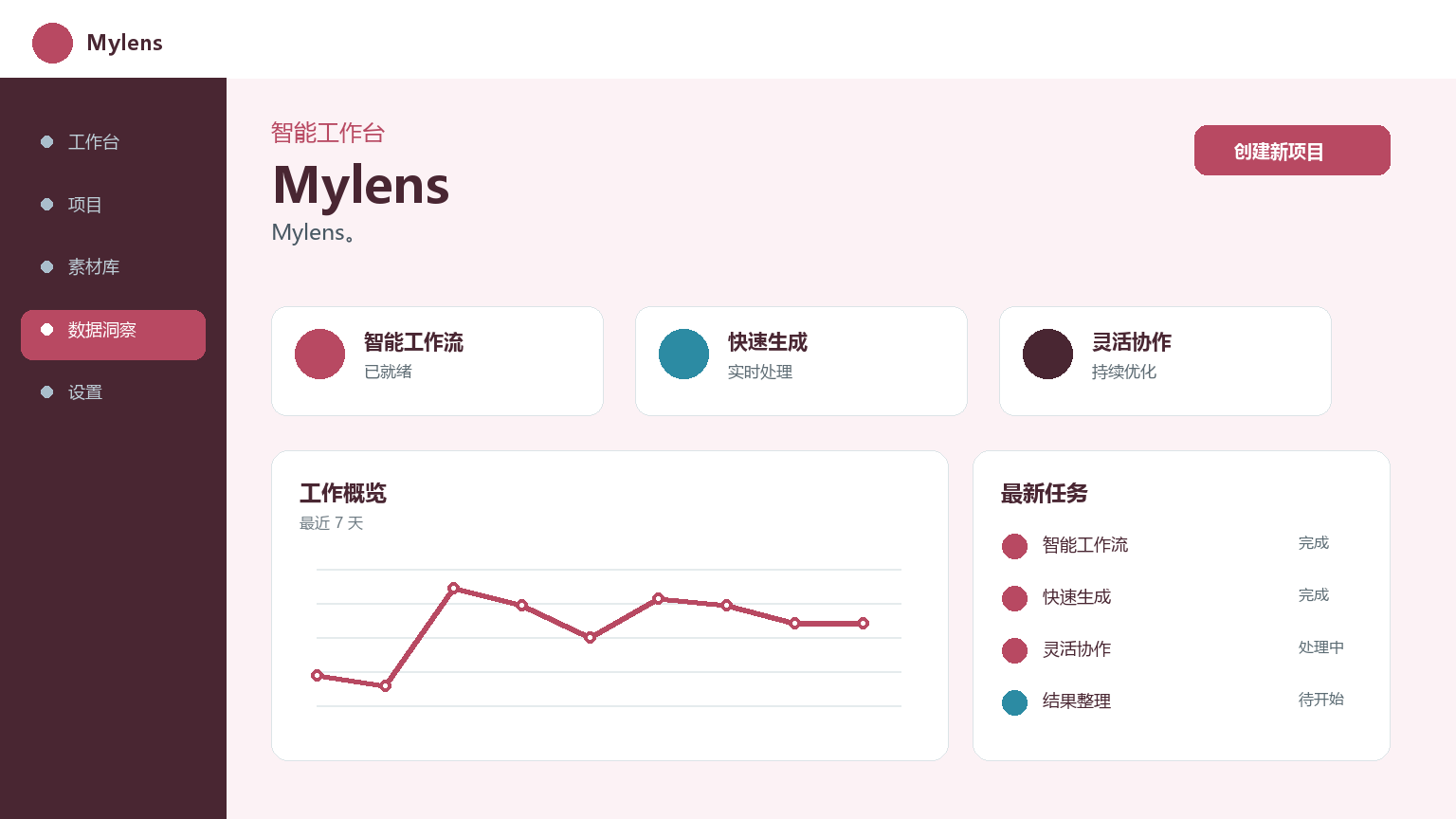
Mylens
Core parameters and statistics
| Project | Specifications |
|---|---|
| Product name | Mylens |
| Delivery form | Web/SaaS |
| Supported languages | Chinese, English |
| Target users | Individual users, teams |
| Pricing Model | Freemium / Subscription |
User and market recognition
Gradually build user awareness in the field, and product capabilities are used by content creators and teams to improve work efficiency. Some industry users have incorporated it into their daily workflow. It is recommended to refer to the latest official disclosures for specific user scale and industry adoption rate data.
Cost advantage
| Cost Dimension | Description |
|---|---|
| Free version | Basic functions are free to use, suitable for personal experience |
| Subscription version | Monthly/yearly package, including advanced features and higher credit limit |
| Enterprise Edition | Quoted by seat or usage, including dedicated support |
Compared with traditional solutions, Mylens is delivered as a SaaS, allowing users to try it out without upfront infrastructure investment, lowering the threshold for evaluation and adoption. The cost advantage is not only reflected in the pricing of the tool itself, but also in the implicit efficiency improvement brought by process integration - integrating operations that were originally dispersed in multiple tools and multiple links into a single assembly line, reducing switching costs and information loss risks between links.
Main functions
- Core Processing Capabilities: Provides core AI capabilities in the corresponding scenarios to support users to quickly complete tasks.
- Multi-modal interaction: supports text input and result output, and some scenes support image or file upload.
- Workflow Integration: Can be embedded into existing workflows or linked with other tools through APIs to reduce context switching.
Model and version evolution
Continuous iterative updates, the latest version introduces performance optimization and new features. Historical version information can be viewed on the official release page. There is no complete public version evolution timeline yet. It is recommended to pay attention to the official announcement to understand the rhythm of feature updates.
Technical advantages
- Ease of use:
- Stability: The SaaS delivery model ensures that the server is continuously maintained and updated, and users always use the latest version without the need to manually upgrade or deal with compatibility issues. Service availability and data security are guaranteed by a professional operation and maintenance team.
- Compatibility: Supports mainstream browsers and operating systems. Users do not need to install additional operating environments or configure dependencies, just open the browser and use it. Cross-platform compatibility ensures consistent use across different devices and systems.
How to use
| Entrance | How to use |
|---|---|
| Web side | Visit the official website → Register → Select function → Enter parameters → Get results |
Typical usage process: Register an account and log in, select the corresponding function module according to your needs, follow the guidance to input or upload the materials to be processed, configure key parameters (such as output format, processing accuracy, etc.), start processing and wait for the results, manually review the output to confirm accuracy, export or share the final results. It is recommended that new users start with the default configuration and make personalized adjustments after gradually becoming familiar with it.
Product Pricing
| Package | Price | Contents |
|---|---|---|
| Free version | $0 | Basic functions + usage limit |
| PRO | — | Advanced features + higher usage limit |
| Enterprise Edition | — | Customized features + exclusive technical support |
Pricing is subject to the official website announcement and may differ in different regions. It is recommended to evaluate the most economical payment plan based on actual usage. High-frequency users usually choose the annual payment package to get a better unit price.
Application scenarios
- Personal Efficiency Scenario: To improve the daily work efficiency of individual users, repetitive and standardized tasks are automatically processed by the tool, and users only need to focus on result verification and exception handling. Typical applications include document organization, content generation, data format conversion, etc.
- Team collaboration scenario: Small teams can establish standardized workflows based on this tool, and team leaders can set usage standards to ensure output consistency.
- Enterprise-level application: Can be integrated into existing business systems to achieve batch and standardized AI-assisted processing. Enterprise scenarios require additional attention to data security, rights management, and compliance requirements. It is recommended to conduct a small-scale pilot verification before formal deployment.
Applicable people
- Individual Users: Independent workers, creators or students with specific AI-assisted needs, suitable for starting with the free version. Typical users include content creators, researchers, freelancers and other scenarios that require daily AI assistance.
- Small and medium-sized enterprise teams: Standardized tools are needed to improve team productivity, and attention must be paid to collaboration functions, authority management, and reasonable pricing. Teams of 5-20 people can often standardize processes at low cost.
- Large Enterprises: Require compliance deployment, rights management and batch processing capabilities, and should evaluate whether the integration solution with existing systems and data security requirements meet organizational-level standards.
- Unsuitable Scenarios: Professional judgment scenarios that require high precision (such as legal rulings, medical diagnosis), fully automated key business flows (without manual review), compliance scenarios that require privatized deployment or absolute data isolation.
Comparison of competing products
| Comparative Dimensions | Mylens | Universal Solution | Professional Tools |
|---|---|---|---|
| Core positioning | Lightweight AI auxiliary tools | Standardized SaaS solutions | Industry-specific in-depth tools |
| Threshold for use | Low, ready to use | Medium, requires some learning | High, requires professional training |
| Applicable scale | Individual to small team | Medium to large team | Large enterprise |
| Customizable | Limited | Medium | Highly customizable |
| Price | Freemium | By seat | Quotation on demand |
Summary and Outlook
Mylens has demonstrated clear product positioning and practical value in its field, providing a low-threshold entry option for standardized AI-assisted scenarios. Individual users can use the free version to verify the matching of core functions with their own needs; team users need to focus on whether collaboration functions and permission management meet workflow requirements; enterprise users should evaluate data security, compliance, and service SLAs on a trial basis.
With the continuous improvement of the underlying AI model capabilities and the iterative updates of product functions, this tool is expected to play value in more application scenarios.
Related tools:  CrewAI,
  LangChain
Version Info
- Public beta version :Mylens, function updates are subject to official website announcements.
- earlier version :Initial version, core functions are subject to release notes.
User Reviews