 NativeMind
Free
NativeMind
Free
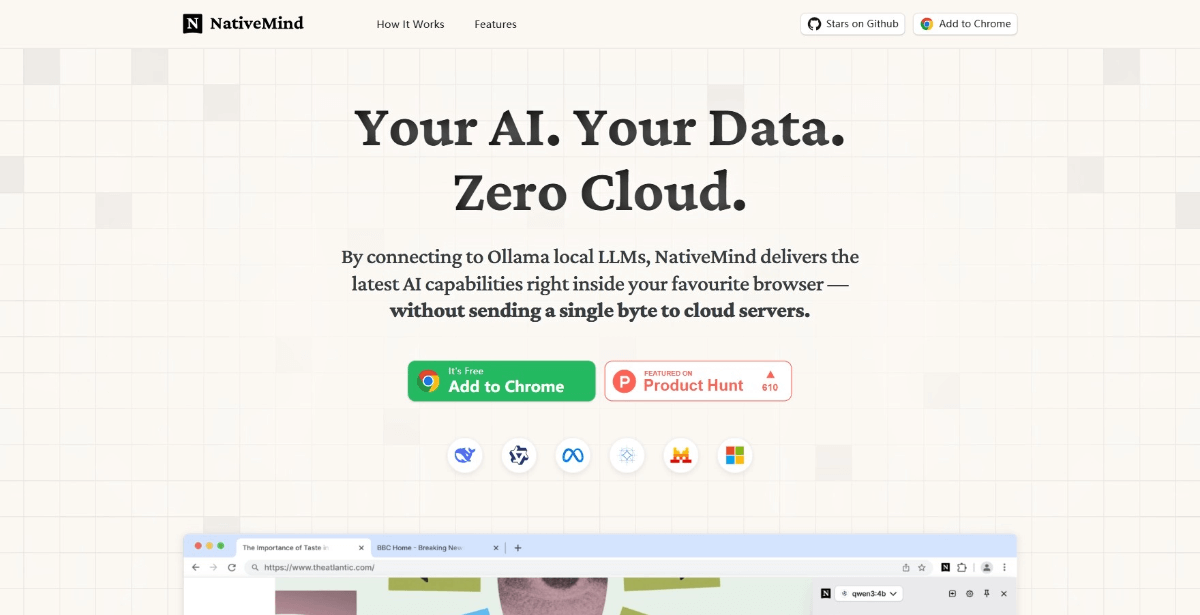
NativeMind is a local AI assistant running in the browser. It supports Ollama and WebLLM. It keeps all web page summary PDF/image understanding, translation, writing and Agent actions locally to avoid cloud data outflow.
NativeMind
Core parameters and statistics
The core selling point of NativeMind is very simple and sharp: don't send the web page content PDF, email draft, and the context of the page you are looking at to the cloud, run the local model directly in the browser. It’s not another “chatting sidebar,” but a product that turns the browser context directly into a local AI workbench.
| Projects | Public Information |
|---|---|
| Official positioning | fully private, open-source, on-device AI assistant |
| Product form | Browser extension |
| Open Source License | AGPL-3.0 |
| Latest version | v1.12.4 |
| Community size | GitHub about 1.1k stars, 101 forks |
| Supported browsers | Chrome, Firefox, Brave, Edge |
| Local model routing | Ollama, WebLLM |
| Core Commitment | 100% on-device processing, no cloud dependencies |
| Price | Free for personal version, waiting list for enterprise version |
| Compliance signals | Page display ISO 27001, SOC 2 logo |
A brief comment: It is not an independent chat website, but a privacy-first assistant that plugs local models into the browser workflow.
Publicity Verification: The official website directly puts "100% local, no cloud upload, no tracking, no account requirements" at the core. For browser AI products, this promotion point is not about emotional value, but about the real concerns of many teams: web content, corporate documents, and internal communications do not want to leave the device.
User and market recognition
NativeMind is currently more of an early privacy and workflow oriented product than a large and comprehensive consumer platform. Its approval logic is not "overwhelming number of users", but "whether the most common AI requirements in the browser are made sufficiently smooth and within the cloud."
Publicity Verification: The capabilities displayed on the official website are relatively focused, including cross-label dialogue, web page summary PDF/image understanding, writing tools, immersive translation Gmail assistant and local Agent. This set of features are related to each other and do not stray from the main line of "native AI in the browser".
Community Signal: The GitHub warehouse has 1k stars and nearly 200 releases, indicating that although the project is not huge in size, it has a fast maintenance rhythm and is still in the stage of rapidly polishing interaction and compatibility.
Realistic Judgment: The users it will really appeal to are those who have embraced Ollama or are willing to try out a native model with WebLLM. It does not constitute a decisive alternative for those who do not care at all about data outflow and just want the strongest cloud model.
Cost advantage
NativeMind’s cost advantage is not “stronger models”, but rather the local execution of many small in-browser AI tasks. For high-frequency summarization, rewriting, translation, and reading assistance scenarios, this means that every action does not have to penetrate to an external API.
| Cost Hierarchy | Disclosure | Practical Implications |
|---|---|---|
| C-side/Personal | 100% free | Almost zero threshold for personal trial |
| Developer/API | The lightweight API in the browser can directly access the local LLM | Reduces the access cost of small browser tools |
| Enterprise | Enterprise version waiting list | Procurement focuses on localized support and management capabilities, rather than subscription function stacking |
The truth about free: What is free is the product itself, not the model computing power. Ollama model download, local memory CPU, and RAM are still usage costs.
Hidden costs: For the local model to run smoothly, the user's machine configuration must be over the line; the DOM, browser permissions and page policies of different web pages will also affect the experience. Replacing the problem of slow cloud response with tight local resources is a reality it must face.
Hidden benefits: For enterprises, the most important benefit is not to spend a few dollars less in API fees, but to reduce the risk of web content, emails, and documents being sent out to third-party services.
Main functions
- Cross-tab contextual conversation: Add multiple open tabs to the same conversation for cross-page organization and comparison.
- Web page and document understanding: Supports web page summary PDF questions, picture and screenshot analysis.
- Agent Mode: Local tools can be called to complete multi-step tasks.
- Local web search: Search directly within the browser and combine answers with local models.
- Writing and Translation Tools: In-webpage rewriting, polishing, translation Gmail assistance, etc.
Expert view: NativeMind’s hidden linkage is not as simple as “chat + translation”, but it ties together web page context, model reasoning and browser actions. This eliminates the need for users to copy and paste between web pages, chat boxes, and native tools.
Model and version evolution
The evolution of the project is very obviously around "cross-browser compatibility + native model route + in-browser interaction".
| Version | Date | Highlights of changes |
|---|---|---|
| v1.0 Early Mainline | ~2024-07 | Establishing the basic form of local AI browser assistant |
| v1.12.3 | ~2026-03 | Continuously revise the first token waiting, interface and setting experience |
| v1.12.4 | ~2026-03 | The latest stable version, maintaining rapid iteration |
Version logic: It does not rely on large versions for marketing, but continues to use small versions to improve usability. This is true for browser plug-ins, because the real competition lies in permissions, compatibility, latency, and interaction details.
Technical advantages
According to the main delivery form, it belongs to [Productivity/Business-side Application]. Although it has Agent capabilities, what users pay for is not an automated platform, but "completing AI-assisted work in the browser more safely and with less switching."
Quantified cost reduction and efficiency improvement: Take tasks such as web page research, email reply and content rewriting as examples. The traditional method is often to "copy to the cloud chat tool and then copy back". One operation may take from tens of seconds to several minutes. NativeMind pushes this kind of action into the page and completes it. The actual working time can be reduced from "multiple round-trip switching" to "one selection or one sidebar operation". This is the result of deduction, not an official commitment.
Human-machine collaboration boundary: Summary, translation, drafting responses, and web page questions can be highly automated; manual confirmation should still be retained when sending external emails, disclosing sensitive information, final responses to customers, and high-risk form submissions.
Mechanism to effect: The Ollama route ensures that the local server model can be switched, and the WebLLM route ensures quick trial; the browser extension form allows these capabilities to be directly posted on the page instead of opening a separate chat window.
How to use
| Method | Suitable for the crowd | Description |
|---|---|---|
| Chrome Web Store | Most individual users | Ready-to-install, suitable for quick trials |
| Firefox Add-on | Firefox users | Maintain the same functional experience |
| Ollama mode | Users with local model requirements | More flexible performance and model selection |
| WebLLM mode | Users who want to try it out with zero configuration | Can experience it directly in the browser |
Get started quickly: After installing the extension, first select WebLLM for a light trial; confirm that the workflow is suitable before connecting to Ollama. The local model chases large parameters as soon as it comes up, which often only slows down the device first.
Product Pricing
NativeMind’s pricing strategy is fairly straightforward.
- Personal Use: Free, no registration required, no behavior tracking.
- Enterprise Edition: Currently in the waiting list and follow-up notification stage, the public price has not been disclosed.
- Developers: Open source code can be built and modified by yourself, but AGPL-3.0 has restrictions on secondary distribution.
The truth about free: The free version is enough for personal research, reading, translation and light writing, but the device management, unified configuration, auditing and support capabilities that enterprises really care about are still in the enterprise line.
Application scenarios
- Research and data reading: cross-tab comparison, web page summary PDF, very convenient to ask questions.
- Content and email workflow: The writing tool Gmail assistant and translation function are suitable for high-frequency office work.
- Privacy Sensitive Browser Context: Suitable for processing internal web pages and data that do not want to be sent to the cloud.
Dissuade scenario: People who pursue the strongest cloud model effect, are unwilling to mess with local models, have weak device configurations, or do not work in the browser at all.
Applicable people
- Privacy-sensitive personal knowledge workers: Will really like the fact that data never leaves the machine.
- Developers and Power Users: Ability to smooth out the experience with Ollama or WebLLM.
- Internal enterprise pilot team: Suitable for small-scale verification of local AI browser assistant first.
Current Limitations: The local model effect and speed are directly limited by the device; it will not naturally replace the top closed-source cloud model's upper limit on complex reasoning and multi-modality.
Summary and Outlook
The value of NativeMind is that it transforms "AI in the browser" from cloud form-based interactions to local workflow capabilities. This direction is not to show off skills, but to directly respond to issues of privacy, compliance, context switching, and in-browser operation efficiency.
The most worthy scenarios for trying it are high-frequency web page reading, internal data summary, email assistance and local agent tasks; the most cautious thing is not to regard it as a free replacement for all cloud models. Before adoption, it is best to test three things with a set of fixed tasks: whether the local device can bear the load stably, whether the on-page interaction is really time-saving, and whether the manual confirmation point is clear enough.
Related tools:  DeepSeek,
  ChatGPT
Version Info
- NativeMind 1.12.4 :The latest version is currently available in GitHub Releases, which continues the main line of browser-side local AI, Agent and cross-browser compatibility; there is no official precise date yet.
- NativeMind 1.12.3 :The stable node before the last automatic release of the warehouse shows that the product maintains rapid iteration of small versions; there is no official precise date yet.
- NativeMind initial public release :After the main line of browser local AI assistant is made public, it will gradually expand around local models, sidebars and privacy capabilities; there is no official precise date yet.
User Reviews