 Notta
Free
Notta
Free
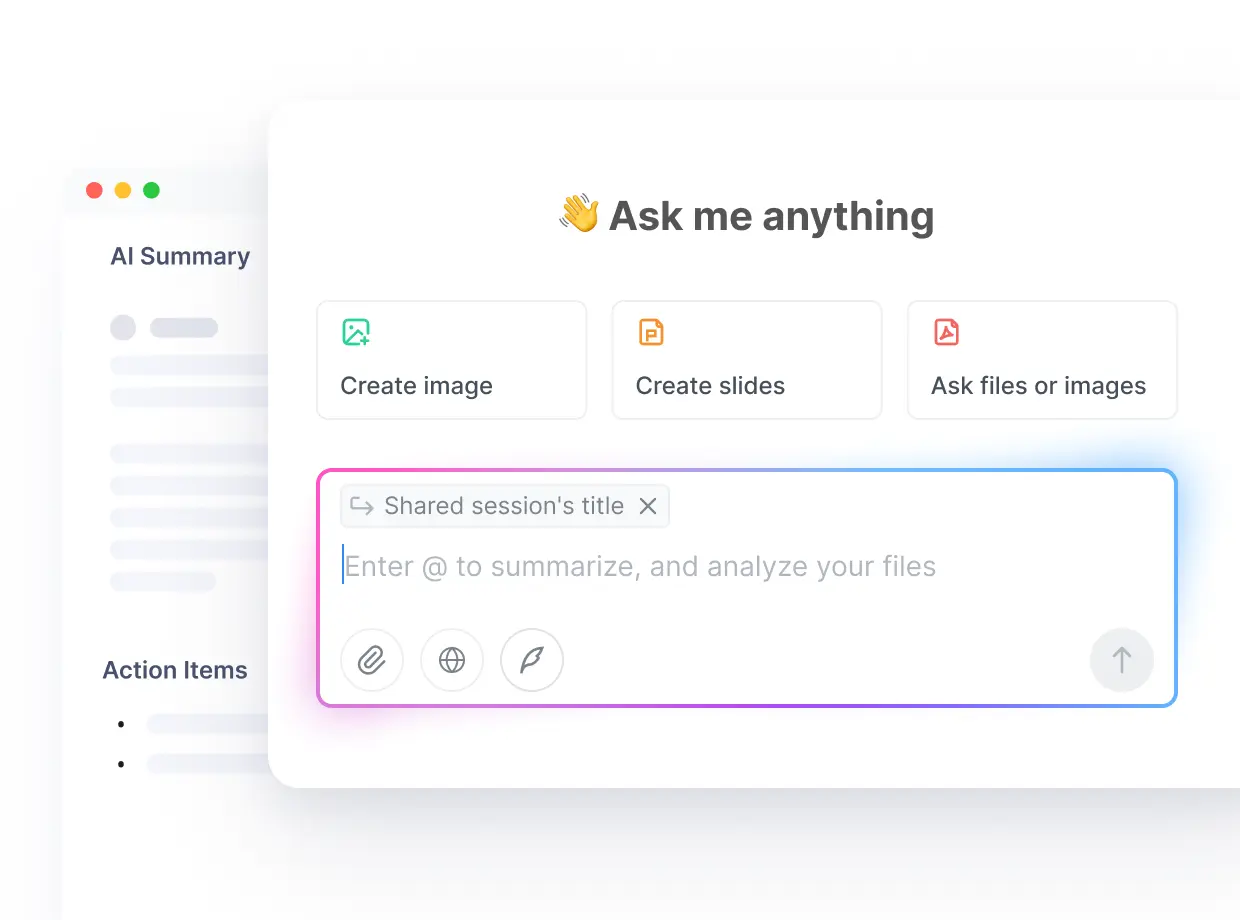
Notta is an AI platform that extends AI Office and Efficiency meeting records to visual deliverables. In addition to transcription and summary, it can also generate PPT, infographics and cross-recording insights, suitable for sales, consulting, education and research scenarios.
Notta
Core parameters and statistics
Notta's positioning is more "content translation" than general conference summary tools. Instead of just turning meetings into text, it goes on to turn text into PPTs, infographics, and actionable insights. The homepage of the official website directly states AI Note Taker to Visualize Meeting Decisions. This narrative quickly distinguishes it from pure transcription products.
| Project | Current Public Information |
|---|---|
| Official positioning | AI Note Taker to Visualize Meeting Decisions |
| User scale | 10M+ users |
| Language support | 58 languages |
| Free quota | 200 free minutes with full transcription |
| Core Competencies | Transcription, summary, collaborative PPT, infographic Notta Brain |
| Integrated Ecosystem | Zoom, Meet, Teams, Slack, Notion, Salesforce, Zapier, Drive, HubSpot |
| Security capabilities | SOC 2, GDPR, ISO 27001 (available on the official website and pricing page) |
| Usage scenarios | Meetings, interviews, lectures, research, sales and consulting |
Notta's focus is not just on "remembering what was said in the meeting" but "delivering the results of the meeting faster." This is very attractive for consulting, sales, education and research users.
User and market recognition
Notta's official website disclosed key signals such as 10M+ users, 58 Languages Supported and SOC-2, GDPR and more, and also displayed brand logos such as Databricks, Accenture, Harvard, Nike, and Salesforce. Although this does not mean that all brands are paying deep customers, it is enough to show that their international coverage and brand visibility are quite high.
What's more important is that Notta's market narrative is very clear: Executives & Leaders, Sales & Customer Success, Consultants & Agencies, and Researchers & Educators are all the groups it focuses on. This means that it attempts to use the same platform to serve different professional roles that "need to record meetings", but allows these roles to see different benefits through "visual output".
Cost advantage
Notta's cost-effective design combines low-barrier entry with advanced team collaboration. The English homepage clearly mentions that the free plan includes 200 transcription minutes/month, while the Japanese price page gives a more detailed official package and additional features.
Public prices can be confirmed as follows:
- Free:
¥0, 120 minutes/month, 3 minutes per session, 50 file imports/month, 10 AI offers/month. - Premium:
¥1,185/month(annual payment basis), 1800 minutes/month, 5 hours per session, 100 AI offers/month. - Business:
¥2,508/month(annual payment basis), unlimited transcription time, recording web meetings, security management, utilization reporting and integration with CRM/Zapier. - Enterprise: Customized quotation, supports SAML SSO, AI learning なし, operation logs, dedicated support, etc.
- Add-ons: Additional capabilities such as real-time translation, bilingual transcription/translation Notta Brain, etc.
The price point of Notta is that the threshold for basic transcription is low, but the real value is in visual deliverables and team collaboration capabilities. If an organization frequently turns meeting content into internal reports or external delivery materials, its ROI will be higher than that of a general pure transcription tool.
Main functions
- Multi-language transcription: Supports 58 languages covering meetings, interviews and lectures.
- AI Summary and Collaboration: Supports post-transcription organization, sharing and collaboration.
- Notta Brain: cross-conference search, Q&A, and insight extraction.
- Visual Deliverables: Generate PPTs, infographics and visual decision frameworks.
- Native integrations: Connect with Zoom, Teams, Google Meet, Slack, Notion, Salesforce, Zapier, and more.
- Import and content conversion: Supports file import, turning existing recordings into structured results.
- Enterprise Security & Governance: The Business/Enterprise tier includes enhanced security, reporting, and identity capabilities.
The most unique thing about it is that it significantly extends the "post-meeting product" to visual output, rather than just stopping at summary text.
Model and version evolution
Notta's evolution direction can be divided into three levels: first establishing multi-language transcription capabilities, then developing cross-meeting intelligence, and finally extending the results to visual deliverables.
Basic main line
- AI transcription: Supports multi-language transcription and summarization of meetings, interviews and lectures.
Intelligent main line
- Notta Brain: Advance from single-session summaries to cross-session questioning, search, and insight generation.
Output main line
- PPT / Infographics / Insights: Turn meetings directly into shareable deliverables to reduce secondary organization.
This route shows that Notta is migrating from a "recording tool" to a "content production tool".
Technical advantages
Strong multi-language coverage: 58 language support makes it particularly suitable for international teams, education and research scenarios. Visual deliverable capabilities: PPT and infographic output are the key highlights that distinguish it from traditional meeting assistants. Cross-meeting content operation: Notta Brain makes historical meetings no longer just archives, but searchable and questionable data assets. Clear enterprise governance foundation: From SOC 2, GDPR to SSO, operation logs and dedicated support, move closer to enterprise procurement.
The limitations are also clear: if the team does not use derived outputs such as PPT/infographics at all, and just treats it as a general transcriber, part of the differentiated value will be wasted.
How to use
| Entrance | Suitable for the scene | Description |
|---|---|---|
| Web/App | Meeting and interview recording | Real-time transcription and summarization |
| Notta Brain | Historical retrieval and insights | Ask questions and refine information across meetings |
| Visual outputs | Reporting and delivery | Generate PPTs, infographics and insight materials |
| Integrations | Workflow access | Synchronization to document CRM and collaboration systems |
| Business / Enterprise | Team Deployment | Using Security Management, Roles and Reporting Capabilities |
A more recommended pilot method is to select two high-frequency output scenarios: for example, customer summaries for sales reviews, and diagrams/PPT for consultation interviews. This is the fastest way to verify whether Notta really reduces the workload of "turning meetings into materials".
Product Pricing
| Plan | Current public price | Applicable objects |
|---|---|---|
| Free | ¥0 |
Light user experience, basic transcription and a small amount of AI summary |
| Premium | ¥1,185/month (annual payment) |
Individual high-frequency users need longer transcription quota and download capacity |
| Business | ¥2,508/month (paid annually) |
Small teams who need collaboration, security and CRM/Zapier integration |
| Enterprise | Custom | Organizations needing SSO, logging, dedicated support and large-scale deployment |
| Add-ons | Purchased separately | Real-time translation, bilingual transcription Notta Brain advanced capabilities |
The English homepage also mentions Pro plans start at $8.17/month (billed annually), but the localized price page is more detailed. The actual purchase should be based on the real-time price page of the target region.
Application scenarios
- Sales & Customer Success: Turn customer meetings into summaries, follow-up emails, and visual buying criteria.
- Consulting and agency services: Generate professional PPT and infographics from customer interviews.
- Research & Education: Analysis of lectures, interviews and multiple rounds of research meetings.
- Executive and Management Decisions: Transform board or strategy meetings into a visual decision-making framework.
- Cross-language team collaboration: Reduce information loss with multilingual transcription and translation.
Applicable people
- Consultants, agencies and researchers: those who can maximize the value of visual output.
- Sales, Customer Success and Management: Need to turn meetings into actions and reporting materials faster.
- International Team: Emphasis on multilingual transcription and cross-language communication.
- Enterprise Knowledge Workers: Hope to turn meetings into long-term retrieval assets.
Not very suitable for situations where teams only want minimalist, single-language, low-complexity meeting summaries without using richer output and integration capabilities.
Summary and Outlook
The real difference of Notta is not "whether it can transcribe", but "whether it can directly turn meetings into more usable output." When a team needs to further convert meeting content into reporting PPT, infographics, research summaries or sales materials, Notta's value will be significantly higher than that of ordinary meeting assistants.
It is recommended to verify two things first during the pilot: first, whether multi-language transcription and summarization are stable enough, and second, whether Visual Deliverables and Notta Brain really reduce manual sorting time. If these two points are true, Notta will be a very competitive meeting intelligence platform for content-based, consulting and cross-functional teams.
Related tools:  Notion AI, google-workspace
Business process integration and ROI analysis
As a productivity tool for enterprises or professional positions, Notta's true value depends on the depth of integration with existing workflows and the quantifiable efficiency improvement effect. The following is a systematic analysis from three core dimensions.
System integration and data interoperability The ability to interoperate with existing business systems is a key prerequisite for productivity tools to be integrated into workflows. It is recommended to focus on evaluating the following integration dimensions: the openness and documentation quality of the RESTful/GraphQL API (whether a complete API reference and SDK examples are provided), the support scope of Webhook event notifications (which business event types are supported for automatic push), the number and depth of pre-built integrations with common collaboration SaaS tools (WeChat Enterprise, DingTalk, Feishu, Slack, Notion, Jira, etc.), and enterprise-level identity authentication support (SSO/SAML/OAuth and LDAP/AD directory integration). Products that lack integration capabilities are easily isolated into information islands, which in turn increases the cognitive cost and operational friction for teams to switch between different tools.
Efficiency Quantification and ROI Estimation Methodology Before purchasing decisions, it is recommended to quantify the input-output ratio through a structured method: Step 1, choose 3-5 Standardized tasks that are frequently repeated and time-consuming in each team are used as test samples; in the second step, the average time consumption of a single task before and after tool intervention, first-time pass rate or error rate, and the number of links requiring manual intervention are recorded under controlled conditions; in the third step, the saved manpower time is converted according to the comprehensive cost of the position (salary, benefits, management sharing), and soft benefits (increased employee satisfaction, standardization of work quality, and improvement in response speed to core business) are superimposed to obtain a comprehensive ROI estimate. It is recommended to continue tracking ROI trends on a monthly basis, as the value of a tool usually increases over time as team proficiency increases and workflows are optimized.
Phase-based implementation strategy and risk control It is recommended to adopt a three-stage implementation path of "pilot verification-gradual promotion-continuous optimization". In the pilot stage (1-2 weeks), a single team or a single business scenario is selected for small-scale verification. The core goal is to verify technical feasibility and user acceptance, and establish preliminary usage specifications and success standards; in the promotion stage (2-4 weeks), after the pilot verification is passed, the coverage is gradually expanded, and standardized activation processes and training materials are developed; in the optimization stage (continuous), the workflow configuration is continuously adjusted based on actual usage data and user feedback, and more high-value application scenarios are explored. Clear quantitative key result indicators should be set at each stage to avoid blindly expanding the scope of use without data support.
Version Info
- Notta Brain :The current main product line revolves around Notta Brain, visual deliverable 58 language transcription and enterprise-level security. It is no longer just a traditional meeting transcription tool, but is evolving into a meeting content production platform.
- Visual Output Expansion :After adding PPTs, infographics, and cross-recording insights, Notta began to upgrade “meeting notes” to “meeting output production.”
- Notta AI Transcription :Establish a product foundation with meetings, interviews, and lecture transcription as the core, and support meeting channels such as Zoom, Teams, and Meet.
User Reviews