 Aider
Free
Aider
Free
Aider is an open source AI programming tool that runs on the terminal. It is deeply integrated with Git version control and supports dozens of mainstream large models such as Claude 3.5, GPT-4o, and DeepSeek. Developers only need to start Aider in the project directory, and they can use natural language to complete multi-file code writing, reconstruction and bug repair. All changes are automatically submitted to Git, and it is completely free and open source.
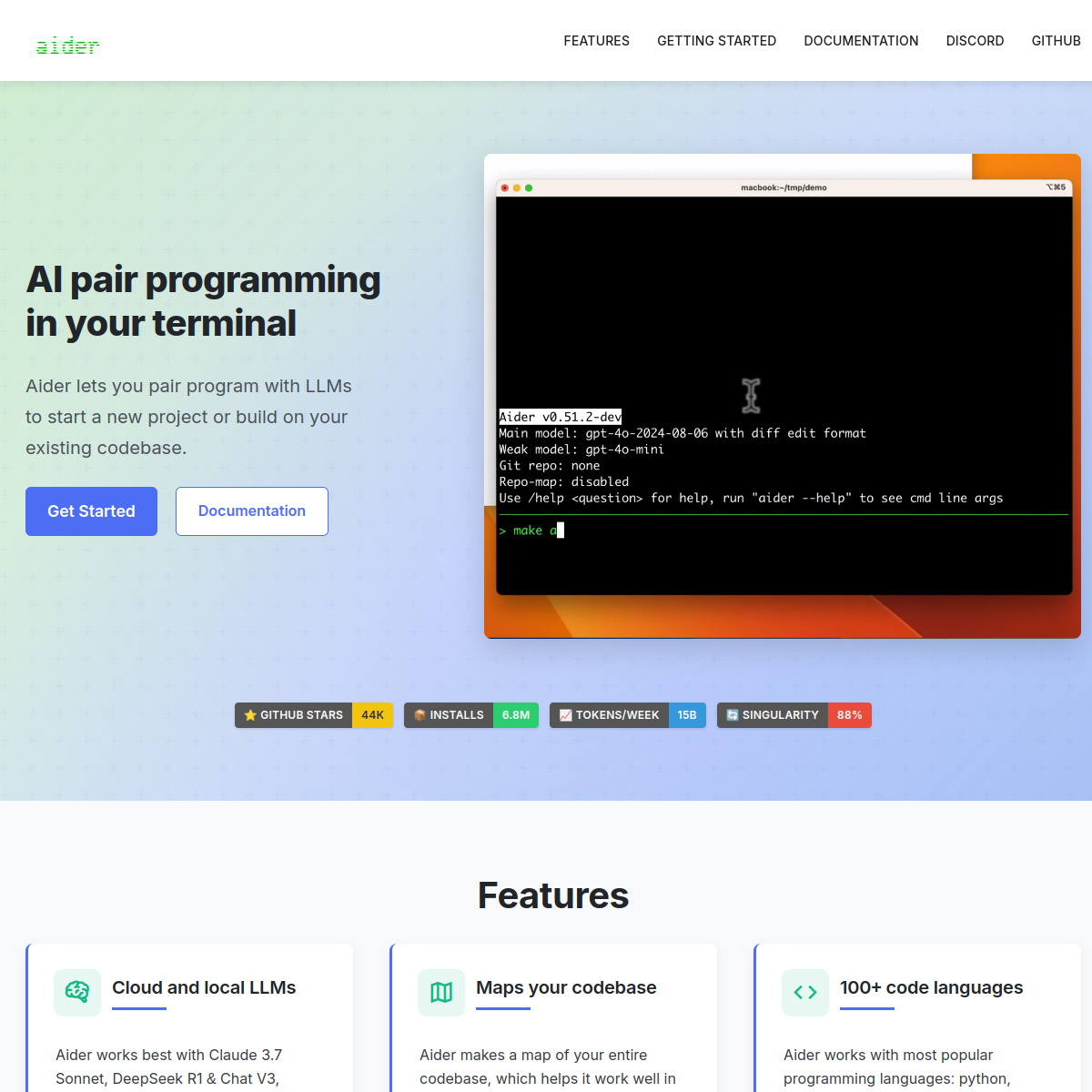
Aider — AI pair programming tool in the terminal
Core parameters and statistics
| Parameters | Details |
|---|---|
| Founded | 2023 |
| Founder | Paul Gauthier (former Google engineer) |
| Open Source License | Apache 2.0 |
| GitHub stars | 25,000+ (as of 2025) |
| Supported models | Claude 3.5/3 Sonnet, GPT-4o, DeepSeek, Gemini, Ollama local models, etc. 70+ types |
| Major platforms | Linux, macOS, Windows (command line) |
| Pricing | Completely free and open source (model API fees are paid by yourself) |
| Git integration | Deep integration, automatically generate canonical submission messages |
| Multi-file editing | Support, cross-file context awareness |
| Special functions | Voice programming, image input Architect mode, browser UI |
Aider is an extremely unique type of product among AI programming tools - completely command line driven, completely open source and free. It is not attached to any specific IDE, allowing developers to enjoy the AI pair programming experience in any terminal environment (including remote servers), and is deeply integrated into the Git workflow, so that every change generated by AI has a clear version record.
User and market recognition
With over 25,000 stars on GitHub, Aider is one of the most popular projects among open source AI programming tools. In the developer community of Hacker News and Reddit, Aider is a frequently mentioned tool in technical discussions, especially among engineers who prefer command line tools, work on Linux servers, or are not satisfied with the VS Code/IDE plug-in form.
According to the benchmark test data officially released by Aider, the combination of Aider and Claude 3.5 Sonnet scored ahead of most similar tools on SWE-bench (Software Engineering Benchmark Test), verifying its actual performance on real code tasks. The project is actively maintained, maintaining multiple version iterations every month, with more than 200 contributors, reflecting the vitality of the strong open source community.
Cost advantage
| Plan | Price | Main Benefits | Target Users |
|---|---|---|---|
| Open source free version | Completely free | All functions, you need to pay the model API fee | All developers |
| Using DeepSeek | Extremely low API cost | DeepSeek API fee is approximately 1/20 of GPT-4 | Cost-sensitive users |
| Use local models | Zero API cost | Run local models through Ollama | Privacy-conscious users |
| Use Claude API | $3~$15/million tokens | Optimal code task effect | Pursuing quality users |
Aider itself is completely free, and the only expense to the user is the API fee for the chosen LLM. For users using low-priced models such as DeepSeek Coder, daily programming costs can be extremely low; using Ollama native models can achieve zero API costs. This is the core cost advantage of Aider compared to subscription-based AI programming tools (such as GitHub Copilot $10/month Cursor $20/month).
Main functions
- Multi-file code editing: Multiple files can be modified simultaneously in a single conversation. Aider automatically understands the dependencies between files and generates consistent cross-file change plans.
- Deep Git Integration: Standard Git commit messages (can use LLM or template format) are automatically generated after each AI modification. All changes have complete version records and rollback is supported.
- Architect pattern: Separates architecture planning and code implementation into two-step LLM calls - the first LLM is responsible for thinking about the solution architecture, and the second LLM is responsible for generating specific code, significantly improving the quality of complex tasks.
- Multi-model support: Supports 70+ LLMs, including Claude 3.5 Sonnet, GPT-4o, Gemini 1.5 Pro, DeepSeek, Ollama local models, etc., which can be freely switched according to task type and cost requirements.
- Voice Coding: Supports voice input commands through the microphone, transcribes the voice into text in real time and then performs programming tasks, freeing both hands.
- Image contextual input: UI screenshots, design drafts, or error screenshots can be passed directly into the conversation, allowing AI to generate corresponding code based on visual information.
- Repo Map: Automatically analyze the project structure and generate a code base map to help LLM understand the file organization and module relationships of the entire project.
- Browser UI: Provides a local web interface, allowing users who are not familiar with the command line to use Aider functions through the browser.
- Incremental file addition: Use the
/addcommand to add new files to the context at any time in the conversation to flexibly control the code range visible to LLM.
Model and version evolution
| Version | Time | Major Changes |
|---|---|---|
| Initial release | 2023-06 | Basic terminal AI programming, support GPT-4, Git automatic submission |
| v0.20 | 2023-10 | Added Claude 2 support and introduced the repository map (Repo Map) function |
| v0.30 | 2024-02 | Support GPT-4 Turbo, optimize multi-file editing context management |
| v0.50 | 2024-07 | Added voice programming, picture input, access to Claude 3 series |
| v0.60 | 2024-10 | Introducing Architect mode and adding browser UI |
| v0.70 | 2025-02 | MCP tool integration, enhanced DeepSeek support |
| v0.82 | 2026-05 | Further optimize context management and expand the model support list |
Technical advantages
Repo Map Technology: One of Aider's core technologies is Repo Map - it uses static analysis tools (such as tree-sitter) to parse the class, function, and method definitions of all files in the project, generates a streamlined code base structure summary, and uses it as context input for LLM. This allows LLM to "see" the entire project structure without having to read all files, allowing for more accurate decisions when editing multiple files.
Difference format optimization: Aider adopts a custom editing format (search/replace blocks), which significantly reduces token consumption and reduces the probability of LLM rewriting errors compared to directly outputting complete files. The search/replace block format also makes code change review more intuitive, so engineers can clearly see the location and content of each change.
Git workflow native integration: Unlike tools that "suggest code" in the editor, Aider directly operates the file system and Git, seamlessly integrating AI programming into the engineer's version control workflow. Each AI-generated change will be automatically staged and submitted. With options such as --auto-commits, a fully automated AI coding-commit process can be achieved.
Open model ecosystem: Aider supports almost all mainstream LLM APIs and local models through the LiteLLM library. Developers are not locked into any single supplier and can freely choose the most suitable model based on factors such as cost, privacy, and effectiveness, achieving a true model-agnostic architecture.
How to use
| Entrance | Description |
|---|---|
| pip installation | pip install aider-chat or pipx install aider-chat |
| Official documentation | https://aider.chat/docs/install.html |
| GitHub repository | https://github.com/Aider-AI/aider |
| Browser UI | After startup, visit http://localhost:8501 |
Typical steps:
- Install Aider: Run
pip install aider-chat. - Set API Key:
export ANTHROPIC_API_KEY=your_key(or the contextual variable of the corresponding model). - Enter the project directory:
cd your-projectand ensure that the Git repository has been initialized in the directory. - Start Aider:
aider --model claude-3-5-sonnet-20241022, specify the model to be used. - Add related files: Enter
/add src/main.py tests/test_main.pyin the Aider command line to add the files that need to be modified to the context. - Use natural language to describe the task: such as "Add type annotations to all public functions in main.py and update the corresponding tests."
- Review the AI-generated diff, and Aider automatically writes the changes to the file and creates a Git commit.
Product Pricing
Aider is a completely free and open source tool and does not have any paid plans. Users only need to bear the cost of API calls for the selected LLM:
- Use Claude API: Anthropic is billed by token, and Claude 3.5 Sonnet is about $3/million input tokens and $15/million output tokens, which is suitable for users who pursue the highest code quality.
- Using OpenAI API: GPT-4o is about $5/million input tokens, and GPT-4o mini is even lower, suitable for balanced cost-effectiveness needs.
- Use DeepSeek API: The cost of DeepSeek Coder V2 API is extremely low, about 5% to 10% of Claude/GPT-4, which is suitable for cost-sensitive users who use it frequently.
- Use local models (Ollama): Run local models such as CodeLlama and Qwen2.5-Coder through Ollama with zero API fees, suitable for users who value privacy or cannot access external APIs.
In general, for developers with moderate intensity use (dozens of modifications per day), the monthly API cost is usually between $5 and $20, which is much lower than that of subscription-based AI programming tools.
Application scenarios
1. Function development and reconstruction Developers describe their requirements in the terminal (such as "refactor all callback functions in the project to async/await mode"), and Aider automatically identifies the files that need to be modified, generates changes and submits them to Git, greatly accelerating feature development and technical debt cleanup.
2. Remote server/SSH context development For server developers who don't have access to graphical IDEs, Aider's command-line form makes it the best choice for getting AI programming assistance in an SSH session, working without any GUI support.
3. Open source project contribution and bug fixing For unfamiliar open source projects, use Aider's warehouse map function to quickly understand the project structure, and then use natural language to describe the bug phenomenon, allowing Aider to locate and fix the problem, significantly lowering the threshold for open source contribution.
4. Batch code base migration When the entire project needs to be migrated from one framework or language version to another (such as Python 2 → 3, React Class → Hooks), Aider can batch process the migration tasks of multiple files, and cooperate with Git submission records to facilitate rollback.
5. Automated test generation Describe the modules and coverage requirements that need to be tested to Aider, automatically generate the corresponding unit test or integration test code, and add the test files to Git version control.
Applicable people
- Engineers who prefer the command line: Aider is the most natural choice for back-end/DevOps/system-level developers who are indifferent to IDE plug-in AI tools and are accustomed to working in the terminal.
- Remote/Server Developer: Engineers who develop daily in SSH sessions or tmux and cannot run a graphical IDE.
- Open Source/Independent Developers: Individual developers with limited budgets who want AI programming assistance at the lowest cost, or who want to control costs by switching models.
- Privacy-focused team: Run Aider through the local Ollama model, the code does not leave the local, meeting strict code privacy requirements.
- Not suitable for scenarios: Front-end developers who prefer graphical interfaces and visual IDE experiences; users who require real-time inline code completion (Tab key completion) rather than conversational interaction; enterprise users who have strong requirements for team collaboration functions (Aider does not have team/account management functions).
Summary and Outlook
Aider has found a unique and solid position in the AI programming tools market: completely open source and free, native to the terminal, with deep Git integration. It does not compete with IDE plug-in tools such as Cursor and GitHub Copilot, but serves the group of engineers who pursue "AI integration into command line workflows." The introduction of Architect mode, continued leadership in SWE-bench benchmarks, and support for almost all mainstream models make Aider no less capable than commercial competitors in terms of technical capabilities.
Current limitations: As a pure command line tool, the learning curve is not friendly to non-technical users; it lacks real-time code completion function (only conversational interaction); there is no team collaboration and account management functions; the model API cost is entirely borne by the user, and there is a certain threshold for users who are not familiar with API pricing.
Future focus: The project will continue to expand model support, deepen MCP protocol integration, further optimize the performance of Repo Map in very large code bases, and explore Agent autonomous execution mode (complete the entire task without supervision). Aider's open source model also makes it a good basis for customization of AI programming tools within enterprises.
Related tools:  GitHub Copilot,
  Cursor
Version Info
- Aider v0.82 :Added support for more mainstream models, optimized context management strategies for multi-file editing, improved automatic generation quality of Git commit messages, enhanced integration capabilities with MCP (Model Context Protocol) tools, and improved indexing performance in large Monorepo.
- Aider v0.60 :The Architect mode is introduced to separate code architecture planning and code generation into two independent LLM steps, significantly improving the code quality of complex tasks; new browser UI support is added, allowing Aider to be used through the local web interface.
- Aider v0.50 :A new Voice Coding function is added, which supports voice input of programming instructions through the microphone; picture context support is introduced, and screenshots or design drawings can be directly passed into Aider for code generation; the model support list is greatly expanded to connect to the Anthropic Claude 3 series.
- Aider initial release :Aider was released to the public for the first time, providing basic terminal AI dialogue programming capabilities, supporting GPT-4, realizing multi-file code editing and Git automatic submission functions, and quickly gained a lot of attention in Hacker News and Reddit.
User Reviews