 Bolt
Free
Bolt
Free
Bolt is an AI application building tool produced by StackBlitz, which supports the generation, preview and one-click deployment of complete full-stack web applications using natural language in the browser. Built-in WebContainer technology can run Node.js without a local environment. It is compatible with mainstream frameworks such as React, Next.js, Vue, Astro, etc., and provides built-in database and custom domain name capabilities.
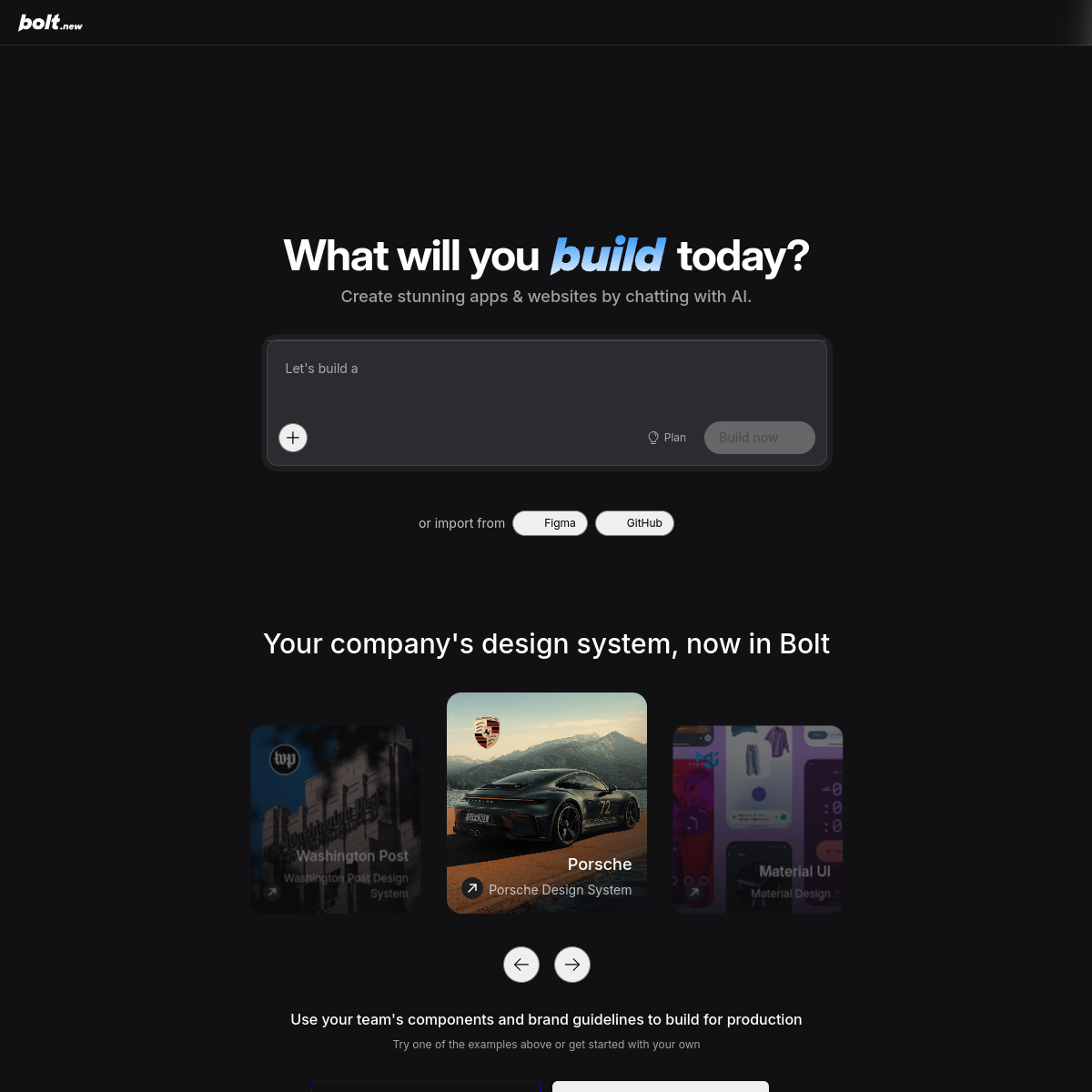
Bolt — AI full-stack application builder
Bolt’s core parameters and statistics
Specific technical parameters (such as model size, context length, supported file formats, input and output restrictions, etc.) are subject to the official product page. It is recommended that users verify the latest technical specifications and system requirements before choosing to ensure that they match their own usage scenarios.
Bolt’s user and market recognition
Since its official release in October 2024, Bolt has grown rapidly in the "AI application construction" track, and its market recognition is reflected in three levels: community popularity, competitive product landscape, and user structure.
Community Popularity and Growth: Officially claimed to have accumulated millions of users, it has topped the daily list on Product Hunt many times, and the case posts generated by Bolt in the developer community (Twitter/X, Reddit r/webdev, Hacker News) continue to receive high interactions. The focus of product discussions is on the two dimensions of "zero-context built experience" and "complete management from description to deployment" rather than pure code quality - which is highly consistent with the demands of its target customer group (non-full-stack technical staff).
Competitive product landscape differentiation: It is listed as the three most popular AI application building tools along with Lovable and v0, but the technical routes of the three are obviously differentiated. Bolt takes the full-stack local operation of WebContainer as its core barrier and is suitable for scenarios where complete back-end logic needs to be run in the browser; Lovable focuses on interactive iteration and visual feedback, and is more suitable for landing pages and form applications with UI as the core; v0 is deeply bound to the Vercel ecosystem and has natural advantages in front-end component generation and deployment links. The three have not yet formed a dominant situation. Users usually make choices based on "backend demand" and "framework preference."
Portraits of adopters: The actual adopters are mainly individual developers, start-up teams of 5-20 people, and internal prototype verification teams of enterprises. Enterprise-level adoption is still in its early stages—the main reason is that the maturity of Teams and Enterprise solutions in enterprise-level features such as SSO integration, audit logs, and private deployments is still under construction. Existing customers mainly purchase at the department level, and there have not yet been public cases of company-wide standardized deployment.
Bolt’s cost advantage
Bolt's cost structure is designed around the dual model of "token consumption + subscription layer". Users need to pay attention to both explicit subscription fees and implicit token efficiency.
C client/individual user: The free version has 300K tokens per day and 1M tokens per month, suitable for lightweight prototype verification and occasional use. Based on the typical consumption of a medium-complexity project iteration (3-5 rounds of build + modification), the free credit can support approximately 2-3 sessions per week. Heavy prototyping builders basically need the Pro version. Compared with directly using the traditional solution (Vercel + GitHub Copilot + local development context), the cost of Bolt Pro ($25/month) is about 50%-70% of a complete development tool chain (Copilot $10/month + Vercel Hobby $20/month + domain name), but it saves the time cost of context configuration.
Developer/API dimension: Bolt currently does not disclose an independent API pricing plan, and product capabilities are limited to the bolt.new web page. This means that Bolt is currently not an API product for integration scenarios, but an end-to-end application generation service. For teams that need to embed AI application building capabilities into their own workflows, Bolt currently does not provide a direct API access path.
Enterprise/Team Tier: The Teams plan is priced per seat ($30/month/person) and adds centralized billing, private NPM registry, and Design System sharing to Pro. The Enterprise plan requires business customization. What enterprises need to pay special attention to when purchasing is: how to allocate and control the degree of customization of Design System knowledge when token consumption is used in multi-person collaboration scenarios, and the dependency security auditing capabilities of private NPM registries. If the team has more than 10 people, the per-person cost under the annual contract is about 1.2 times that of Pro. However, centralized management brings hidden benefits of authority management and unified billing.
| Plans | Price | Monthly Token Quantity | Key Differences |
|---|---|---|---|
| Free | $0 | 1M (daily cap of 300K) | Public/private projects, with Bolt branding |
| Pro | $25/month | Starting from 10M, credit rollover | Remove brand, customize domain name 100MB, upload SEO acceleration |
| Teams | $30/month/person | Same as Pro | Centralized billing, team permissions, private NPM, Design System |
| Enterprise | Business customization | Customization | SSO/audit logs, dedicated support, flexible billing |
Bolt’s main features
Bolt's capability system is designed around the workflow of "natural language generation → running in the browser → real-time iteration → one-click deployment". The core functions can be classified into the following seven categories:
- Natural language-driven full-stack generation: Enter a function description (such as "Create a task management panel with user authentication, using Next.js + PostgreSQL"), and AI automatically generates complete front-end and back-end code, project structure, and dependency configuration. The output is a compilable and runnable project file instead of code snippets.
- WebContainer in-browser runtime: Immediately after generating the code, execute npm install, compile and run in the browser sandbox, and the right panel renders the application interface in real time. Essential difference from Cursor/GitHub Copilot: After the latter generates code, the user needs to manually save, switch terminals, and run. Bolt compresses "writing code" and "running code" into continuous actions under the same interface, reducing context switching loss.
- Multi-framework out-of-box support: Scaffolding and dependency management of mainstream frameworks such as React, Next.js, Vue, Astro, Remix, SvelteKit, etc. are automatically handled by the system. Users only need to specify framework preferences in the description, no need to manually configure webpack, vite or turbopack.
- Built-in database and authentication integration: The paid version supports access to database providers such as Supabase, Neon, and Prisma. AI can automatically generate schema to define API routing and data operation codes. Acceptance focus: Database integration is currently mainly relational, and the maturity of support for NoSQL solutions such as MongoDB needs to be verified in actual projects.
- AI Image Editing (new in 2026): Use natural language instructions to crop, color, background replace, and other operations on in-app images, reducing the need to switch between design tools (such as Figma) and code editors. The current functions are focused on basic image processing and do not yet support complex layer synthesis and vector editing.
- One-click deployment and built-in hosting: After the project is completed, it is directly published to the Bolt built-in hosting service and a publicly accessible URL is generated. The Pro version supports binding custom domain names and private sharing. Deployment link has integrated SSL certificate management and CDN
Accelerate and eliminate the work of configuring Nginx, DNS and CI/CD pipelines in traditional deployments.
- Teams Collaboration and Asset Sharing: unified billing, member rights management, and Design System knowledge base, suitable for small teams to maintain unified UI components and brand specifications. The private NPM registry allows enterprises to access the internal package management ecosystem.
Bolt’s model and version evolution
Bolt's product iteration is promoted on a monthly basis, mainly focusing on the three main lines of "AI generation quality improvement", "WebContainer performance optimization" and "paid function expansion". The following are verifiable public version nodes:
2024: Product launch and market validation
- 2024-10 (Public Release): Bolt.new is officially released as an independent product, realizing the complete integration of "natural language → complete full-stack application → running in the browser" for the first time. Initial support for React and Next.js, built-in WebContainer runtime and one-click deployment function. After its release, it attracted the first wave of attention in the developer community.
- 2025-07 (Token rollover update): Unused tokens for paid subscribers can now be rolled over to the next month (with a maximum validity period of two months), which alleviates the anxiety of "clearing the quota at the end of the month" and increases the willingness to renew the Pro version.
2025-2026: Function expansion and commercialization deepening
- 2025-07 (Token Rollover): Unused tokens in the paid version can be rolled over for one month, reducing users’ concerns about wasted credits.
- 2026-06 (monthly update): Added AI image editing function, Teams plan unified bill management, private NPM registry support and SEO acceleration. The monthly token starting amount of the Pro version has been increased from 5M to 10M.
The version history shows that Bolt’s iteration rhythm is mainly based on the increment of practical functions, and there has not yet been a major version number jump (such as Bolt 2.0). The direction of product evolution has gradually shifted from "letting AI generate runnable code" to "making team collaboration smoother", indicating that the product has passed the earliest PMF verification stage and entered a cycle of deepening commercialization.
Technical advantages of Bolt
- Algorithm Optimization: Special optimization at the model or algorithm level has been carried out for the corresponding scenario to achieve a balance between response speed and result quality.
- Low-latency architecture: Adopts streaming or asynchronous processing architecture to reduce user waiting time and is suitable for high-frequency interaction scenarios.
How to use Bolt
Bolt's usage path currently uses the bolt.new web page as the single entrance, and does not provide a desktop app or mobile app.
| How to use | Suitable for people | Features | Cost |
|---|---|---|---|
| Web | All users | Visit bolt.new to enter requirements, and the browser will generate and preview them | Free quota / Pro subscription |
| Start with a template | Quickly get started with users | Default templates (landing pages, dashboards, blogs) as a starting point | Same as the web client |
| Import existing projects | Developers with existing code bases | Import projects from GitHub and use AI to continue iterating | Same as web client |
| Code export | Users who need to migrate | Export the complete project code to local to continue development | No additional cost |
Typical steps:
- Visit https://bolt.new and register and log in through GitHub or Google account.
- Use natural language to describe the target application in the main input box (such as "Create an enterprise landing page, including navigation, hero area, function cards, and footer, using Next.js + Tailwind CSS").
- Bolt AI generates a complete project structure, automatically installs dependencies, and renders the application interface in real time on the right panel.
- Continuously iterate through the dialog window: modify the style, add functionality, adjust the layout - each description change will trigger AI to regenerate the difference code and automatically update the preview.
- The generated file structure can be viewed and edited at any time during the conversation, and manual fine-tuning of the code is also supported (suitable for users with development experience).
- After the project is completed, click "Deploy" to generate a public access link. The Pro version can be bound to a custom domain name.
Implementation Tips: Bolt’s strength lies in “generation from scratch” rather than “large-scale transformation”. For projects that have reached a certain scale, the first AI interaction after import may consume a large amount of tokens to understand the existing code structure. It is recommended to verify the AI effect on a small range of modules before deciding whether to release full iterations.
Product Pricing for Bolt
The pricing model is subject to the official real-time page. Usually a freemium or subscription system is used, and basic functions can be used for free. Advanced functions or high-frequency use require paid subscriptions, and users are advised to evaluate the optimal solution based on actual usage.
Bolt application scenarios
Scenario 1: Product prototype and MVP rapid verification
- Task Type: Product managers or entrepreneurs transform product concepts in their minds into interactive prototypes for user testing, investor presentations, or internal reviews.
- Actual benefits: The traditional method takes 3-5 days (product documentation → design draft → front-end development → deployment), Bolt can compress the delivery time of the first version of the runnable prototype to 2-4 hours. Quantitative deduction: Taking a product team that produces 4 prototypes per month as an example, after using Bolt, the average time spent on a single prototype is reduced from 4 days to 0.5 days, and the team's prototype output can be increased by 5-8 times. However, please note: the prototypes generated by Bolt are limited in back-end logic and data processing capabilities, and are not suitable for enterprise-level prototypes that require complex API orchestration and data pipelines.
- Human-machine collaboration boundary: Demand generation and UI layout can be 100% completed by AI; however, the verification of core business logic, the rationality judgment of the data model, and the qualitative analysis of user feedback still need to be completed manually by the product manager and cannot be fully automated.
Scenario 2: Rapid launch of independent developers and Solopreneur
- Task type: Independent developers build and launch a complete web service from 0 to 1 (such as SaaS tool homepage, subscription-based content station, online reservation system).
- Actual benefits: The entire link from context building to domain name binding is compressed from 2-5 days in the traditional method to less than 1 day. Basis for deduction: It eliminates the need for local context configuration (Node.js, Git, package manager), CI/CD pipeline construction, server operation and maintenance, etc., which account for more than 60% of the first week's workload in the traditional process. However, the code generated by Bolt is uneven in terms of maintainability and architectural standardization. For long-term operating applications, it is recommended that developers manually refactor key modules after Bolt generates prototypes.
- Human-computer collaboration boundary: Project scaffolding, basic CRUD, and UI component generation can be 100% automated; however, manual review points must be set for database schema design, authentication security policies, payment integration, and other sections involving funds and user data.
Scenario 3: Self-service construction of internal enterprise tools
- Task type: Non-technical departments such as operations and marketing HR use the Bolt Teams version to independently build internal gadgets (such as data dashboards, approval forms, and weekly report generators).
- Actual Benefits: Reduced dependence on the engineering team, and the delivery cycle of internal tool requirements is shortened from "scheduled into development Sprint (1-3 weeks)" to "completed on the same day". Deduction: A typical medium-sized team (50-200 people) has about 5-10 internal tool requirements per month. Under the traditional process, the engineering team can only cover 30%-50% of them, and the remaining requirements are ignored or delayed. Bolt can increase the self-service coverage ratio to 70%-80%, but long-term maintenance of the generation tool (functional changes, data migration, permission iteration) still requires handover specifications.
- Human-machine collaboration boundary: Tool creation and basic function iteration can be completed by yourself; however, tools involving the company's sensitive data (employee salaries, customer information) must undergo IT security review, and data access permissions must be uniformly controlled by IT, and business departments are not allowed to configure themselves.
Scenario 4: Quick scaffolding and learning for front-end developers
- Task Type: Front-end developers use Bolt to generate basic project structures and UI components, and then export them for in-depth customization and performance optimization in the local editor.
- Actual benefits: Compress the time of "writing basic code" from 30%-50% to 10%-15%, and focus more on architecture optimization, performance tuning and test coverage.
- Human-computer collaboration boundary: Scaffolding generation, basic CRUD, and responsive layout can be automated; however, manual optimization of code splitting strategies, state management architecture, and performance critical paths requires developer leadership, and AI-generated content is only used as a starting point and not as a final draft.
Who is Bolt suitable for?
- Product, design and operation personnel with non-technical background: Bolt is currently one of the most suitable tools for non-technical users to build web applications independently. There is no need to understand the framework, dependency management and deployment process. They only need to describe the requirements in natural language to obtain a runnable product. Preconditions: Users need to have the ability to clearly describe "what I want" - the more fuzzy the requirements, the higher the deviation generated by the AI, and the number of iteration rounds and the number of tokens consumed will also increase.
- Independent developers and Solopreneur: Use Bolt to transform product ideas into deployable prototypes within hours, significantly shortening the "idea → online verification" cycle. Adaptation Boundary: Bolt is suitable for applications with intensive front-end and mildly complex back-end (landing pages, content sites, simple SaaS). It is not suitable for projects that require a large amount of customized back-end logic, complex data processing or high-performance computing.
- Front-end and full-stack developers: Use Bolt as an AI-assisted scaffolding tool to quickly generate the basic code structure and export it to a local editor for in-depth development. Tips: The code generated by Bolt is not guaranteed to be consistent with the company's existing specifications in terms of code style and architectural consistency. It is recommended to establish a "AI-generated code review and reconstruction" process in the team.
- Small (3-20 people) engineering and product teams: Teams edition is ideal for organizations that need to standardize AI usage behaviors by unifying billing, permissions, and the Design System knowledge base. Not suitable for scenarios: Engineering teams with more than 50 people need to consider SSO integration and audit compliance of the Enterprise solution. The permission granularity of the current Teams version may not meet the governance needs of large organizations.
- Not applicable: Enterprise-level applications that require deeply customized back-end logic, high-performance computing, complex data processing pipelines, or strict compliance requirements (such as SOC2 Type II, HIPAA). Bolt's goal is to "make building applications easy", and complex
The difficulty of complex enterprise-level systems is often not in "construction" but in "governance" - the latter has not been solved systematically by Bolt.
Summary and Outlook of Bolt
Bolt's core competitiveness lies in the technical barriers of WebContainer and the complete relationship between "Generate → Run → Deployment". It elevates AI application construction from "assisting code writing" to the level of "replacing context-based construction, deployment and operation and maintenance". For non-technical users and teams pursuing rapid verification, Bolt provides the lowest threshold full-stack application building experience on the market.
Current main limitations: The token consumption model is not economical enough for large projects and frequent iterations - the larger the code base and the more iteration rounds, the higher the token cost per unit of output, which is contrary to the "diminishing marginal cost" model in traditional development; WebContainer is not suitable for some native dependencies (such as sharp, node-canvas), limiting the selection of specific technology stacks; the maintainability of the code after export is uneven, and long-term operation projects require manual reconstruction of key modules; enterprise-level features (SSO, audit logs, private deployment) are still being improved, and procurement of large organizations requires business confirmation of the specific delivery scope and timeline.
Evolutionary directions worthy of attention in the future: The maturity improvement of Teams and Enterprise product lines (permission granularity, compliance certification, deployment flexibility), the in-depth expansion of AI picture editing capabilities (from basic image processing to design draft-level capabilities), native integration with more third-party cloud services and databases, and the continuous optimization of token efficiency - this directly determines Bolt's long-term appeal to heavy users.
Procurement and Adoption Risk Assessment: Small teams and independent developers can first verify whether the core workflow matches their needs from the Free plan, and then upgrade to Pro depending on the frequency of iterations; enterprises need to focus on verifying three key terms before purchasing - the distribution and control method of token consumption in team collaboration scenarios, the integrity and feasibility guarantee of code export and migration, and the actual delivery schedule of SSO and audit logs under the Enterprise plan. Bolt is still in a period of rapid iteration of product capabilities. Frequent feature updates may bring stable short-term fluctuations. Long-term dependencies under production conditions require the development of corresponding version locking and regression verification strategies.
Related tools:  GitHub Copilot,
  Cursor
How to use Bolt
- Web client: You can use it by visiting the official website and registering an account. Most functions do not require installation.
- API access: Provides RESTful API, developers can obtain the API Key and integrate it into their own applications.
Version Info
- Bolt June 2026 Edition :New image editing AI functions, Teams plan unified bill management, private NPM registry support and SEO acceleration are added. The monthly tokens of the Pro version are increased to 10M, and the unused quota can be rolled over for one month.
- Bolt Token Rollover Update :Unused tokens for paid subscription users can be rolled over to the next month (with a maximum validity period of two months).
- Bolt public release :Bolt.new is officially released as an independent product. For the first time, it supports using AI to generate and run complete full-stack applications in the browser, integrating WebContainer and mainstream front-end frameworks.
User Reviews