 CatPaw
Free
CatPaw
Free
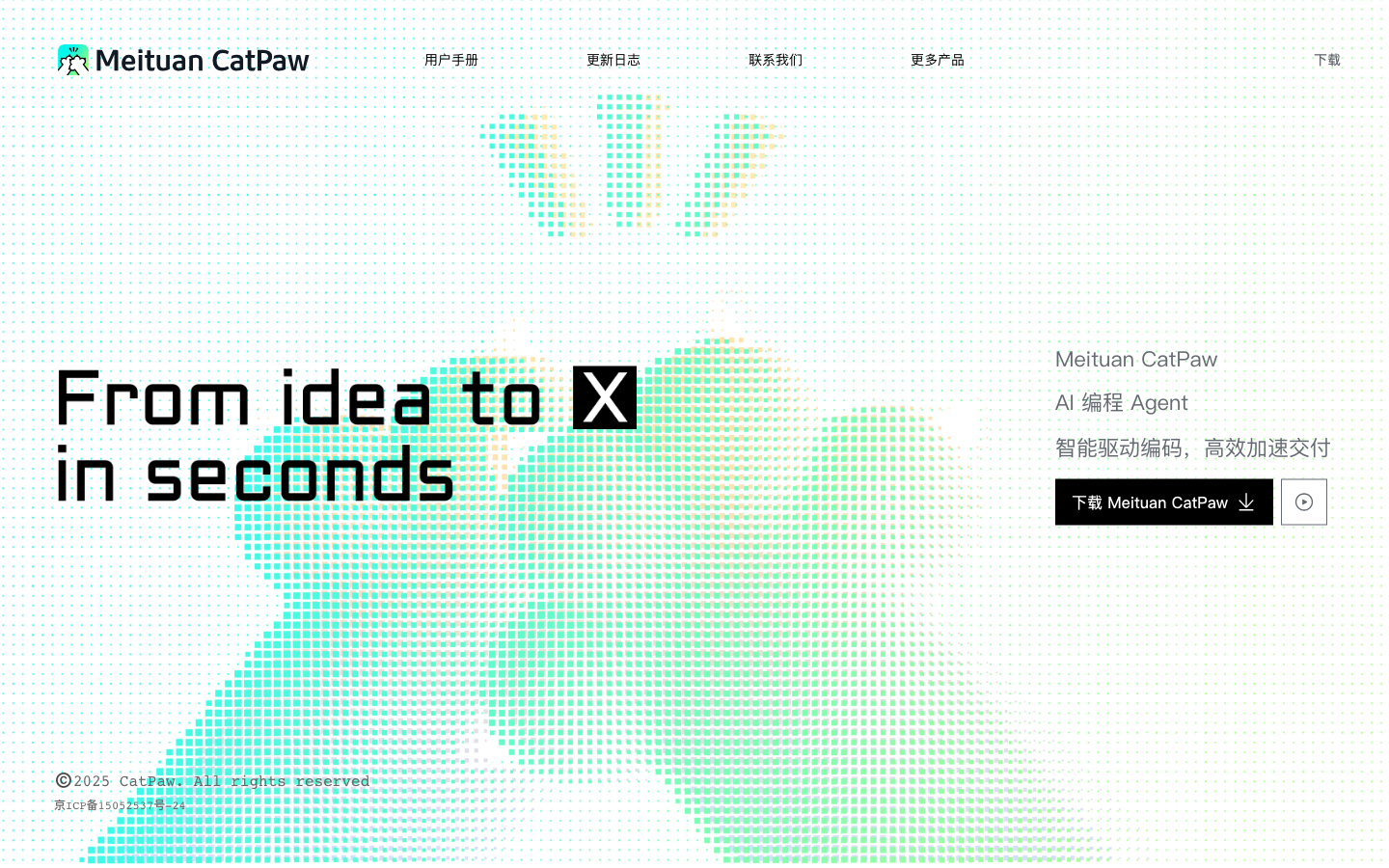
CatPaw is an AI IDE AI programming tool launched by Meituan. It provides code generation, completion and project-level understanding capabilities through Agent collaboration, helping developers complete more efficient coding in the editor.
CatPaw
CatPaw’s core parameters and statistics
CatPaw is an AI IDE programming tool launched by Meituan. It is officially positioned as an "AI programming agent" and aims to integrate code completion, project-level understanding and multi-step Agent collaboration into a unified desktop development environment. Unlike traditional AI plug-ins (such as GitHub Copilot, Tongyi Lingma), CatPaw is delivered as an independent IDE, rather than an extension plug-in that is parasitic to VS Code or JetBrains.
| Projects | Public Information |
|---|---|
| Official Positioning | AI Programming Agent / AI IDE |
| Producer | Meituan |
| Core capabilities | Code completion (Tab), Q&A code generation (Agent), built-in preview debugging (Browser), project dimension analysis (Codebase) |
| Delivery form | Standalone desktop IDE |
| Supported platforms | macOS 10.15+ (x64 + arm64); Windows x64 under development |
| Supported languages | Python, C++, Java, JavaScript, TypeScript, Go, Rust and other mainstream languages |
| Pricing model | Currently free, sign up to enjoy 500 conversation credits |
| Latest version | 1.0 official version (~2025-09) |
| Place of Belonging | CN |
Difference in delivery form: CatPaw chooses to build its own IDE instead of the plug-in route, which means that it can deeply control the bottom layer of the editor - from code indexing, syntax parsing to Agent task scheduling, it can be self-contained and does not rely on the upper limit of the host editor's expansion capabilities. The price is that users need to migrate the development environment instead of activating it at zero cost in the existing IDE.
Manufacturer background: Backed by Meituan’s large-scale engineering system (back-end, front-end, and data engineering teams for tens of millions of daily active takeout/in-store businesses), I have a real understanding of the pain points of code quality, collaboration specifications, and delivery efficiency in medium and large projects. This is fundamentally different from the "engineering flavor" of AI programming tools produced by purely entrepreneurial teams.
Platform coverage status: Currently only macOS version is available, Windows version is still under development. For teams whose main development focus is on Windows (such as .NET developers, some government and enterprise projects), CatPaw will not be available before the Windows version is released.
User and market recognition of CatPaw
CatPaw's market recognition mainly comes from Meituan's engineering endorsement and internal verification. The official has not disclosed the specific number of users or the list of corporate customers, but its market position can be judged from several dimensions.
The starting point of engineering trust: Meituan is one of the few Internet companies in China that has both a very large-scale back-end (takeout/delivery scheduling), front-end (in-store/Dianping) and data engineering teams. CatPaw originated from such a front-line engineering environment, which shows that it has at least withstood the test of real business code within Meituan - this is a trust foundation that is difficult to replicate for pure laboratory products or entrepreneurial projects.
Competitive Landscape: CatPaw faces an AI programming market that has formed user inertia. The following table lists its core differences with mainstream competing products:
| Dimension | CatPaw | Cursor | Windsurf | Tongyi Lingma | Jingdong JoyCode |
|---|---|---|---|---|---|
| Delivery form | Standalone IDE | Standalone IDE (VS Code Fork) | Standalone IDE (VS Code Fork) | VS Code / JetBrains plug-in | Standalone IDE |
| Producer | Meituan | Anysphere (startup company) | Codeium (startup company) | Alibaba Cloud | JD Cloud |
| Core AI model | Agent + project-level understanding | Tab + Chat + Composer | Tab + Chat + Flow | Code completion + Q&A | Design draft to code + IDE |
| Platform Support | macOS (Windows in development) | macOS / Windows / Linux | macOS / Windows / Linux | macOS / Windows / Linux | macOS / Windows |
| Pricing | Free (500 credits) | Subscription (starting at $20/month) | Subscription (starting at $15/month) | Free for individuals | In closed beta |
| Localization | Completely domestically produced | No | No | Completely domestically produced | Completely domestically produced |
Market recognition gap: Compared with Cursor (valued at over US$4 billion in 2025) and Windsurf (owned by Codeium, with over US$200 million in financing), CatPaw has almost no visibility in the international market. However, in the domestic government and enterprise market, the combination of "Meituan production + AI programming + free" has differentiated competitiveness - especially in scenarios where data sovereignty is sensitive, and overseas products (Cursor and Windsurf both need to call overseas model APIs) face compliance uncertainty.
Prerequisites for implementation: For CatPaw's project-level Agent capabilities to truly exert value, the team needs to have a standardized code structure (modularization, clear naming, and test coverage) and clear development task description capabilities. In small teams with chaotic coding styles and personal workshop-style development, the advantages of project-level understanding will be diluted.
CatPaw’s Cost Advantage
The cost advantage of CatPaw is very straightforward at this stage - it's completely free and available upon registration. However, it requires a complete dismantling of the cost structure from three levels to judge whether its "free" is sustainable.
C-side/personal cost
| Project | Content |
|---|---|
| Registration cost | Free, mobile number/email registration |
| Initial quota | 500 conversations (consumption of 1 time per interaction with AI) |
| Quota renewal | Submit the renewal application on the settings page, fill in the reasons, and then you can continue to use it if it is approved |
| Limit limit | Official undisclosed daily/monthly limit, you can apply for recharge after 500 times of exhaustion |
FREE FACTS: What does a 500-credit design mean for everyday use? Calculated based on typical frequency of use by moderate developers:
- Code completion (Tab completion): does not consume conversation credit
- Question and answer code (Agent): one conversation consumes about 1 credit
- Code review/refactoring: about 1-5 times per conversation (depending on the conversation round)
It is estimated that 500 quotas can be used normally by an independent developer for 5-15 working days (depending on the frequency of Agent use). After the quota is used up, you can continue by applying for recharge, but the review process and response time have not been officially disclosed, and there is uncertainty.
Developer/API Cost
CatPaw currently does not expose a separate API or model call accounting interface. Unlike Cursor (which calls OpenAI/Claude API and is billed by token) or Windsurf (where the built-in model calling fee is superimposed on the subscription), CatPaw’s model calling costs are borne by Meituan and are transparent to users.
Hidden Cost: Even if the conversation is free, developers still need to invest time in reviewing the AI-generated code. Actual test experience shows that the actual efficiency of AI programming tools depends on "generation quality × manual review efficiency" - the closer the generated code is to a usable state, the lower the review cost. CatPaw's project-level understanding capability can theoretically reduce review costs (because the generated code is more relevant to the project context), but this has not yet been supported by third-party independent evaluation data.
Enterprise/Team Cost
CatPaw has not officially disclosed enterprise version pricing or privatized deployment plans. Comparison with competing products:
| Solution | CatPaw | Cursor Business | Tongyi Lingma Enterprise Edition |
|---|---|---|---|
| Billing model | Currently free (quota system) | Monthly payment based on seats | Free (Alibaba Cloud Ecosystem) |
| Team Management | Unpublished | Admin Dashboard | Alibaba Cloud RAM Integration |
| Data isolation | Undisclosed | Promise not to train | Can be deployed privately |
| Compliance Certification | Unpublished | SOC 2 | Alibaba Cloud Compliance System |
Purchase Suggestion: When enterprises evaluate CatPaw, in addition to paying attention to possible future pricing shifts, they also need to confirm the code data processing terms - whether the code data will be used for model training, whether data isolation is supported, and whether there is a clear data deletion mechanism. This information is not covered in the official page or public information.
Main functions of CatPaw
CatPaw encapsulates capabilities into four functional modules, covering the entire process from writing to delivery.
Code completion (Tab)
Predict and suggest code snippets in real time during coding, supporting contextual inference across lines and functions. Unlike regular code completion, CatPaw's completion engine is more than just "sort by frequency" - it combines project-level indexing and is aware of the reference relationships, function signatures and variable scopes of the current file.
- Applicable tasks: Boilerplate code, repetitive expressions, and common API calls in daily coding.
- Use Value: Reduce the number of keystrokes and reduce context switching costs. Empirical estimates reduce manual typing by 30%-50% (depending on language and task type).
- Implementation Tip: The quality of completion is highly dependent on the consistency of the project style - if multiple naming conventions (snake_case + camelCase + Pinyin) are mixed in the code base, the engine's prediction confidence will decrease significantly.
Question and answer code (Agent)
This is CatPaw’s core differentiating capability. Developers can describe requirements in a natural language conversation in the IDE, and the AI Agent will break down tasks, generate code, and even perform modifications across files. Different from simple "chat window generation code", Agent mode has the ability to perceive the project structure:
- Tool Open List: The core Tool behaviors exposed by Agent include
navigate(navigate to file/directory),search/replace(search and replace code),read_file(read file content),write_file(write/create file),run_command(execute terminal command),explain(explain code segment). These Tools enable the Agent to complete the process from "understanding requirements" to "executing modifications" in the project. - Applicable tasks: Complex function development ("Add authentication logic to this API endpoint"), code migration ("Convert this module from JavaScript to TypeScript"), Bug location and repair.
- Usage value: Simplify multi-step, cross-file development tasks from "manual operation one by one" to "once description, Agent execution".
- Implementation Tip: The effect of Agent mode is extremely dependent on the clarity of task description. A vague description ("Optimize this code") may cause the Agent to make repeated guesses; a precise description ("Change the error handling of this function from try-catch to Result mode") can significantly improve the quality of the generation.
Built-in preview debugging (Browser)
CatPaw has built-in real-time preview and debugging capabilities for front-end code. Developers can preview HTML/CSS/JS effects directly within the IDE, and send elements that need adjustment to the AI dialogue for intelligent modification.
- Applicable tasks: Front-end component development, UI tuning, responsive layout verification.
- Use value: Eliminate the feedback delay of "write code → switch to browser → refresh → view effect", and compress the iteration cycle from seconds to milliseconds.
- Implementation Tips: The preview debugging capability currently only covers the front-end technology stack (HTML/CSS/JS/React/Vue, etc.), and the back-end logic (API testing, database query) is not within its scope.
Project dimension analysis (Codebase)
Through code base indexing technology, CatPaw can index the entire project's structure, dependency API signatures, and documentation comments, allowing AI to understand "project-level context" rather than just "currently open files."
- Core Mechanism: When a project is opened, CatPaw's index engine scans the file tree, parses import relationships and symbol definitions, and builds a project-level knowledge graph. When answering questions, the Agent not only refers to the current file contents, but also refers to the function signatures, type definitions, and historical changes of related files.
- Applicable tasks: New members can quickly get started with the project ("Explain the architectural design of this module"), cross-file refactoring ("Migrate the implementation of this interface from REST to GraphQL"), and code review assistance.
- Use value: Compress the time of "understanding the project" from hours to minutes, which is especially significant for new members or scenarios where they take over legacy code.
- Implementation Tip: The indexing effect is affected by the scale of the project. The first index of a very large monorepo (thousands of packages, millions of lines of code) can take minutes, and incremental updates are essentially real-time. CPU and memory consumption will increase significantly during the indexing process.
Function comparison: CatPaw vs mainstream AI programming tools
| Function Dimension | CatPaw | Cursor | Windsurf | Tongyi Lingmao |
|---|---|---|---|---|
| Code Completion | ✅ Tab Completion | ✅ Tab Completion | ✅ Tab Completion | ✅ Tab Completion |
| Agent mode | ✅ Project-level Agent | ✅ Composer (Agent) | ✅ Cascade (Agent) | ❌ Q&A only |
| Built-in preview debugging | ✅ Browser preview | ❌ None | ❌ None | ❌ None |
| Project Level Index | ✅ Codebase | ✅ Codebase | ✅ Codebase | ❌ File Level |
| Language support | Mainstream 8+ languages | Mainstream 15+ languages | Mainstream 15+ languages | Mainstream 10+ languages |
| Plug-in Ecology | ❌ Closed | ✅ Compatible with VS Code | ✅ Compatible with VS Code | ✅ Compatible with VS Code |
CatPaw model and version evolution
CatPaw is currently in the early stages of the product, and the public version structure is relatively simple, but the product direction can be judged from its release rhythm.
Mainline release
- 1.0 Official Version (~2025-09): First publicly released in the form of an independent AI IDE, integrating four core functions (completing Agent, previewing Codebase), and open for download on the macOS platform. This version marks the official transformation of CatPaw from an internal Meituan tool to a product for external developers. There is no official precise date yet.
Early verification
- 0.9 Internal Beta Version (~2025-07): An internal beta version open to internal Meituan employees and invited early users. It mainly verifies the basic processes of code completion and conversational programming, and confirms product direction and engineering feasibility. There is no official precise date yet.
- 0.5 Prototype Phase (~2025-Q2, inferred based on public information): Internal prototype development phase, focusing on determining the delivery form decision of "standalone IDE vs plug-in", and the design of the integration architecture of AI Agent and IDE. No official release.
Version feature analysis
| Features | Description |
|---|---|
| Iteration stage | Still in the early high-speed iteration period with low version density |
| Release rhythm | Months of major version releases, no public records of minor versions/patch versions |
| Windows version | Official statement "under development and will be released soon" |
| Model base | Undisclosed specific model specifications (number of parameters/architecture/training data) |
Version Acquisition Suggestions: Since the product is in its early stages, it is recommended to download and trial the core functions on a macOS device first, focusing on the completion quality and Agent task completion rate. After the Windows version is released, compatibility is verified in a small-scale test environment before being promoted to the team.
CatPaw’s technical advantages
CatPaw's technical advantages are directly related to its trinity design route of "independent IDE + Agent architecture + engineering scenario precipitation".
Architecture link: LLM → Agent → IDE → Codebase
LLM (undisclosed model) → Agent (Tool orchestration layer) → IDE (Editor interface)
                         ↕ ↕
                     Tool layer: Project code base:
                     navigate/Codebase Index
                     search_replace/ (AST/Import Graph/
                     read_write_file/ Symbol Registry)
                     run_command/
                     explain
Control flow: The developer issues instructions to the Agent through natural language → Agent disassembles the task and calls the Tool layer → Tool operates the IDE and code base → The results flow back to the Agent → The Agent integrates the results and feeds them back to the developer. Each interaction is a sequence of "instruction → execution → feedback".
Data Backflow: Codebase Index continuously monitors file changes and updates AST/Dependency Graph/Symbol Registry to ensure that Agent’s answers are always based on the latest project status.
Cause and Effect Chain: Why CatPaw is faster in certain scenarios
| Mechanism | Effect | Applicable Scenarios |
|---|---|---|
| Independent IDE underlying control | Does not depend on host editor API upper limit | In-depth editor customization (such as custom shortcut key binding Agent Task) |
| Codebase index | Agent understands the entire project context | Cross-file reconstruction, new member projects getting started |
| Built-in Browser | Eliminate "encoding-preview" cycle | Front-end component development UI fine-tuning |
| Agent Tool orchestration | Multi-step task automatic execution | Batch code migration, test case generation |
Differences from the plug-in route: Although Cursor and Windsurf are also independent IDEs, they are based on VS Code Fork and can reuse the extension ecosystem of VS Code. CatPaw chooses to build its own editor bottom layer. The advantage is that it has stronger architectural control (not restricted by the VS Code extension sandbox). The price is that users cannot install VS Code extensions, which means the lack of a large number of existing code auxiliary tools (Linters, Formatters, themes, code snippet plug-ins). For developers who rely heavily on the VS Code ecosystem, this is a trade-off that needs to be weighed.
Engineering Pitfall Guide
Based on the known issues of similar AI programming tools (especially Agent mode), the following are typical engineering pitfalls and solutions that may be encountered when using CatPaw:
-
Agent endless loop and excessive credit consumption: When performing complex tasks (such as large-scale reconstruction), the Agent may fall into an iterative cycle of "modify → check → discover problems → modify again", consuming dozens or even hundreds of credits for a single task.
- Solution: Clearly limit the scope of the steps in the instruction ("Only modify files in the src/auth/ directory"), or give priority to using small modules to verify Agent behavior, and then expand to full operations.
-
Codebase index usage is too high: The first index of a large project may consume several GB of memory and 100% CPU, which will cause IDE lag on development machines with lower configurations.
- Solution: When opening a large project for the first time, exclude non-critical directories (node_modules, build, dist, etc.). CatPaw should support
.catpawignoreor similar configuration files. If it is not supported, manually move the irrelevant directories out of the project root directory.
- Solution: When opening a large project for the first time, exclude non-critical directories (node_modules, build, dist, etc.). CatPaw should support
-
Agent's unauthorized modification: Agent may misunderstand the scope of instructions and accidentally modify files that should not be modified (such as configuration files, third-party library references).
- Solution: Set write protection or confirmation points on key files (such as
package.json,Dockerfile, CI configuration); before performing destructive operations (deleting files, renaming modules), use dry-run mode to confirm the list of operations planned by the Agent. CatPaw currently does not expose the dry-run function, and you need to manually check the code diff to find out.
- Solution: Set write protection or confirmation points on key files (such as
-
Data synchronization and project consistency: When multiple developers use CatPaw to operate the same code repository, the Agent's automatic modifications may conflict with other people's manual modifications.
- Solution: Code modifications generated by Agent should still follow the standard Git workflow - Agent modification → Manual review Diff → Commit → Push. It is recommended to use
git diffto review file by file after the Agent completes the modification, rather than trusting the output directly.
- Solution: Code modifications generated by Agent should still follow the standard Git workflow - Agent modification → Manual review Diff → Commit → Push. It is recommended to use
How to use CatPaw
CatPaw currently only provides one way of using the desktop IDE, but considering possible future development, the comparison table structure is retained.
| How to use | Suitable for people | Features | Cost |
|---|---|---|---|
| Desktop IDE (macOS) | macOS developer | Independent installation, integrated AI Agent, code completion, preview debugging | Currently free (limited) |
| Desktop IDE (Windows) | Windows Developer | Official statement under development, not yet released | TBD |
Get started quickly in 3 minutes
- Download and Installation: Visit the CatPaw official website https://catpaw.meituan.com/ and download the
.dmginstallation package for macOS. Double-click the installation file and drag CatPaw to the Applications folder. - First time startup: Click "Get Started" and select the interface theme (light/dark/follow the system). If you have used VS Code, Cursor or Windsurf before, you can choose to import the existing configuration.
- Register and log in: Use your mobile phone number or email address to register an account. After logging in, the system automatically allocates 500 conversation quotas.
- Use code completion: Open any code file and start coding. When a gray completion suggestion appears, press
Tabto accept it. - Use Agent dialogue: Use shortcut keys (default
Cmd+I) or click the sidebar dialogue icon to enter natural language commands to start Agent collaboration. - Manage quota: Check the remaining quota on the settings page. Submit a recharge application when the quota is insufficient, fill in the application reasons and wait for review.
Migration Guide
If you are migrating to CatPaw from another IDE:
- Migrate from VS Code / Cursor / Windsurf: Select Import configuration when first launching to migrate shortcut key bindings, themes and some extension settings. Note that the VS Code extension is not compatible, so look for a built-in alternative to CatPaw.
- Migration from JetBrains series: It is recommended to try CatPaw in one or two small projects first and manually map key shortcut keys to CatPaw's shortcut key scheme.
CatPaw Product Pricing
CatPaw is completely free at this stage, but there are clear quota designs and usage boundaries behind "free".
Current Pricing Structure
| Dimensions | Content |
|---|---|
| Personal use | Free registration, initial 500 conversation quota |
| Credit consumption | Each round of Agent conversation consumes 1 credit (regardless of the length of the conversation round) |
| Quota renewal | After 500 times of use, submit a renewal application on the settings page. You can continue after approval |
| Enterprise/Team | Undisclosed enterprise version pricing or private deployment plan |
| API interface | Undisclosed independent API billing plan |
Explicit costs vs implicit costs
Explicit Cost: Currently zero (registration fees and subscription fees are free). The review standards and response time of the recharge mechanism have not been officially disclosed.
Hidden Costs:
- Migration Cost: The learning curve of migrating from an existing IDE to CatPaw. For heavy VS Code/JetBrains users, it will take 3-10 working days to adapt to the new IDE's shortcut UI layout and expanded ecosystem.
- Review Cost: AI-generated code still requires human review. CatPaw's project-level Agent can theoretically reduce the review rate, but there is no third-party data to support this.
- Platform lock-in risk: If the team relies heavily on CatPaw's unique capabilities (Agent mode + Codebase index), if there is a paid switch or product discontinuation in the future, the cost of migrating back to a traditional IDE will be higher.
Pricing comparison with competing products
| Plan | Personal monthly fee | Team monthly fee | Free quota | Billing model |
|---|---|---|---|---|
| CatPaw | Currently free | Unpublished | 500 conversations | Quota system |
| Cursor Pro | $20 | $40/seat | 500 completions + 50 Agents | Subscription + additional usage |
| Windsurf Pro | $15 | $30/seat | Free basic version | Subscription |
| Tongyi Lingma | Free | Free | Unlimited | Free |
Pricing Risk Tip: CatPaw's "completely free" is an outlier in the AI programming market (competing products all require high inference costs to support). It is currently unclear whether Meituan will use CatPaw as a long-term free product (similar to Alibaba Cloud’s Tongyi Lingma strategy) or as a short-term customer acquisition method. The team should consider "possible shift to paid" as a risk item when evaluating - if CatPaw switches to a subscription model in the future, pricing expectations of $15-20/month per seat is a reasonably conservative estimate.
CatPaw application scenarios
Speed up daily coding
Task type: CRUD interface development, data processing scripts, configuration file writing, test case generation. These tasks are characterized by "determined logic, fixed patterns, and high repeatability."
Real Benefits: CatPaw’s tab completion can reduce manual typing by 40%-60% in these scenarios. Agent mode can compress common tasks such as "writing a paging query interface" from 10 minutes to 2-3 minutes (including code review time). Deduction data: For intermediate Java developers, daily CRUD development efficiency can be improved by about 2 times; for Python data cleaning scripts, the efficiency can be improved by about 1.5 times.
Front-end development and UI debugging
Task type: React/Vue component development, style fine-tuning, responsive layout adaptation, and dynamic effect implementation.
Actual benefits: Built-in Browser preview is CatPaw’s unique ability that differentiates it from competing products. Developers can instantly see the rendering effect of the front-end code in the IDE and send specified elements to the AI dialogue for modification. The cycle of "encoding → switch browser → refresh → position element" in the traditional workflow (about 15-30 seconds/time) is compressed into a single process of "encoding → preview (real-time)". Deduction data: In front-end development, the iteration efficiency of fine-tuning scenarios can be increased by 3-5 times.
Get started quickly with projects and understand legacy code
Task Type: New members taking over the project, completing legacy system documentation, module architecture reverse analysis, and API interface investigation.
Real Benefits: Codebase Index allows new members to get a global view of the project - inter-module dependencies, core data flows, key interface definitions - within minutes. Traditionally it takes 1-2 weeks for new members to develop a complete understanding of medium to large projects. Deduction data: The project understanding time can be shortened from "week level" to "day level", and the effect is particularly significant for projects with more than 50,000 lines.
Code review and quality improvement
Task Type: Code specification inspection, potential bug scanning, performance bottleneck identification, API design review.
Actual benefits: Agent mode can conduct code reviews based on project context and discover cross-file coupling issues, unreasonable data flows, and potential null pointer risks. Unlike traditional static analysis tools (SonarQube, ESLint, etc.), CatPaw's Agent can understand "business intent" rather than just "grammar rules" - for example, it can point out that "although the name of this function conforms to the specification, its actual behavior does not match the name." Deduction data: Code review efficiency can be increased by 2-3 times, and review coverage is wider.
Not applicable scenarios
CatPaw has limited or inapplicable effects in the following scenarios:
- Embedded/low-level development: Involving assembly, hardware register operations, real-time system programming, AI programming tools lack hardware context.
- Highly customized visual design: Although front-end component development benefits from built-in preview, complex UI animation and interaction design still require manual adjustment by designers.
- Windows-based development team: The Windows version has not been released yet.
- Extremely small projects/single file scripts: The advantage of project-level understanding does not hold in single file scenarios, and tab completion is sufficient.
Who is CatPaw suitable for?
macOS developers in Chinese scenarios
CatPaw's first target group is Chinese developers who use macOS to develop. Compared with overseas products such as Cursor/Windsurf, CatPaw has natural advantages in Chinese natural language understanding and context awareness of domestic technology stacks (WeChat applet API, Alibaba Cloud SDK, Alipay payment access, etc.).
Not suitable for the boundary: If the main development language is C#/.NET (usually bound to Windows + Visual Studio), or the team development environment is mainly Windows, CatPaw is not available at the current stage.
Medium and large engineering team
CatPaw's Codebase indexing and Agent collaboration capabilities deliver the greatest value for engineering teams with code bases larger than 50,000 lines, involving multiple modules and cross-team collaboration. Typical beneficiary teams include:
- Backend microservices team (Java/Go, involving dozens of services)
- Front-end and middle-end team (TypeScript/React, involving multi-line-of-business component libraries)
- Data Engineering Team (Python/SQL, involved in ETL pipelines and data modeling)
Prerequisites: The project has a standardized code structure (modularization, type annotation/document coverage, unified coding style), and the team has a Git Code Review process.
Individual developers who prioritize efficiency
For individual developers, CatPaw’s free strategies and agent capabilities mean that they can get an AI programming experience close to that of a paid tool (Cursor Pro) at zero cost.
Implementation Tips: It is recommended that individual developers give priority to using Agent mode in the following scenarios - code generation, interface document generation, and test case writing. Daily completion also relies on Tab completion. You can first use 500 quotas to do a "two-week trial evaluation" - record the available proportion of code generated by Agent each time (the proportion that requires manual modification). If the availability rate exceeds 70%, it is worthy of being used as the main IDE.
Not suitable for the crowd
- Windows Main Developer: Wait for the Windows version to be released before evaluating.
- VS Code extension heavy users: CatPaw does not support VS Code extensions, and if you rely on a lot of extensions (remote development Docker, Live Share, GitLens, etc.), the migration cost is high.
- Organizations extremely sensitive to code privacy: CatPaw's code data processing terms are not disclosed and are not suitable for handling confidential or compliance-sensitive code until a clear data processing agreement is obtained.
- Pure manual developers without AI assistance: If you are averse to AI-generated code, CatPaw has no other non-AI selling points.
Summary and Outlook
The core value of CatPaw is to integrate "Agent collaboration" and "project-level code understanding" into a domestically developed AI IDE, providing Chinese developers with an AI programming path that does not rely on overseas tools. It has established a unique position in three aspects:
Product design advantages:
- Built-in Browser preview debugging is a differentiated capability in the current AI IDE, and front-end developers can directly benefit from it.
- Codebase index + Agent Tool arrangement forms a relationship from "understanding the project" to "executing modifications", which is difficult to completely replicate with plug-in tools.
- The completely free strategy lowers the evaluation threshold - any developer can try it at zero cost and judge whether it is suitable for them.
Major Current Limitations:
- The lack of Windows version has halved the market coverage, making it unavailable to a large number of Chinese developers (especially .NET/government and enterprise project development).
- Lack of extension ecosystem: VS Code extensions are not supported, and developers who rely heavily on extensions have high migration costs.
- The model base is not disclosed: The LLM specifications, capability boundaries, and iteration roadmap used by CatPaw are not disclosed, and users cannot judge its capability ceiling.
- The data processing terms are not transparent: whether the code data is used for training, whether it supports deletion, and the data isolation mechanism of the enterprise version are not disclosed.
- Insufficient market verification: Compared with Cursor and Windsurf’s public financing amount, user volume and third-party evaluation data, CatPaw’s external verification information is almost zero.
Follow-up observation points:
- Windows version release time: This is a key node for whether CatPaw can move from "macOS first" to "full platform".
- Changes in pricing strategy: Is free for a period or long-term? If moving to subscription, what is the pricing level?
- Improved Codebase indexing capabilities: monorepo support, incremental indexing efficiency, distributed team collaboration.
- Agent capability expansion: Will custom Tool/Function Calling interfaces be exposed to allow developers to expand the boundaries of Agent capabilities?
Procurement and Adoption Risk Assessment: For individual macOS developers, CatPaw's current free strategy means zero monetary cost - it's worth downloading the trial and spending two weeks evaluating its completion quality and agent reliability on non-critical projects. If the availability rate reaches expectations, it can be used as a candidate for the main IDE.
For medium and large engineering teams, it is recommended to adopt the strategy of "pilot first, then expand": first try CatPaw in 1-2 small and medium-sized modules (each module has 1-30,000 lines of code and 2-3 developers), focusing on observing the Agent's code modification accuracy, the performance impact of the Codebase index on large projects, and the learning cost of team members migrating from the existing IDE. The pilot cycle is recommended to be 2-4 weeks, and the acceptance indicators include: code completion acceptance rate (>60% is good), Agent task completion rate (>80% is good), and team net promoter score (>0 is scalable). Before the whole team expands, written data processing terms must be obtained from the official - including whether code data is used for model training, data deletion mechanism, and notification period for future paid switching.
For compliance-sensitive industries (finance, government affairs, confidential projects), it is not recommended to submit any internal code to CatPaw IDE for processing before CatPaw provides a privatized deployment solution or a clear commitment to data isolation.
Related tools:  GitHub Copilot,
  Cursor
Version Info
- CatPaw official version :Released in the form of AI IDE, it provides agent collaboration, project-level code understanding and multi-language code generation capabilities. There is no official precise date yet, please refer to the official real-time page.
- CatPaw beta version :Open to internal and early users, it provides basic code completion and conversational programming capabilities to verify product direction. There is no official precise date yet.
User Reviews