 CodeBuddy IDE
Free
CodeBuddy IDE
Free
CodeBuddy IDE is a full-stack development AI programming tool launched by Tencent. It integrates requirement understanding, UI design, coding and deployment into an AI native IDE, with the goal of allowing a single person or a small team to complete end-to-end application development.
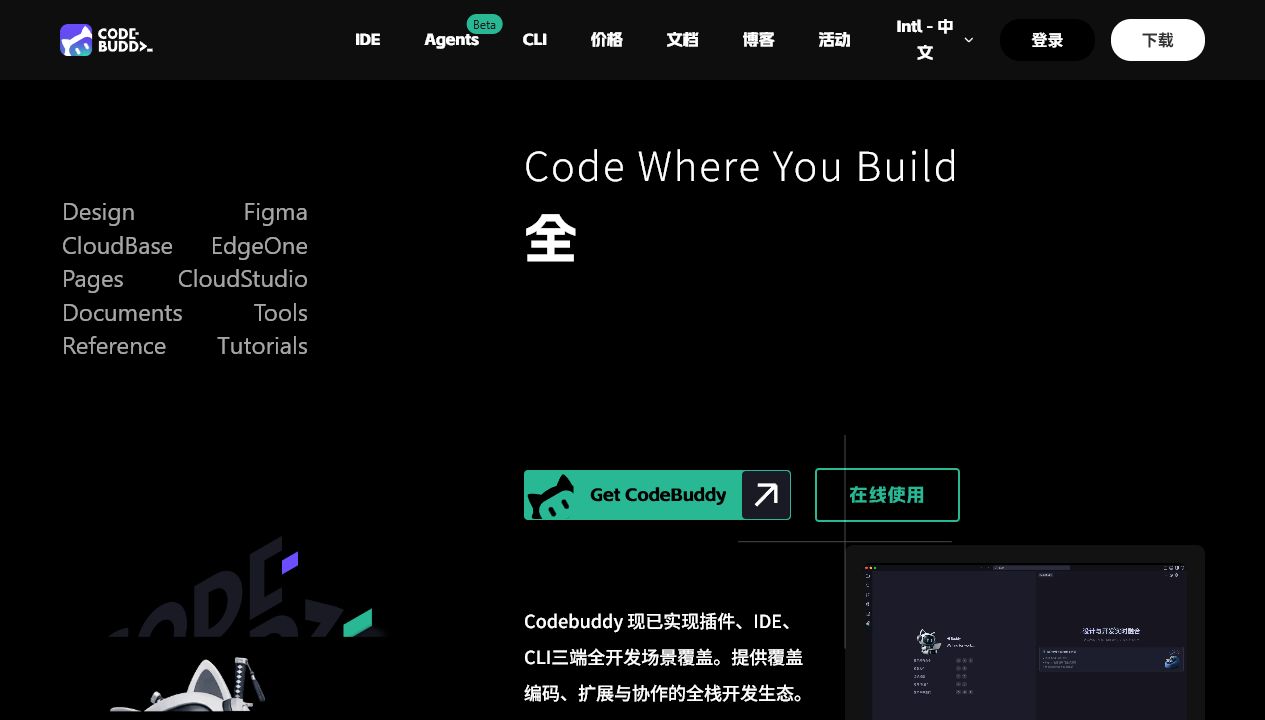
CodeBuddy IDE: A full-stack AI native IDE produced by Tencent that uses dialogue to drive integrated development from requirements to deployment.
Core parameters and statistics
CodeBuddy IDE is a full-stack AI native integrated development environment launched by Tencent Cloud, positioned as an "integrated development platform from idea to launch." It integrates the traditional tool chain scattered in the four stages of product, design, development, and deployment into the same interface, with AI Agent as the hub to connect the entire process. In mid-2025, it will be upgraded from an IDE plug-in form to an independent desktop IDE, and a CLI tool chain will be provided to cover the multi-level needs from zero-based users to senior engineers.
| Projects | Public Information |
|---|---|
| Official positioning | Full-process AI-driven development, a one-stop efficient delivery platform from product conception to product release |
| Producer | Tencent Cloud |
| Product Matrix | IDE (Desktop) + CLI (Command Line Agent) + WorkBuddy (Office Agent) |
| Core link | Requirements analysis → Design generation → Coding implementation → Deployment and online |
| Form | Standalone desktop IDE (supports Windows / macOS) + CLI (Node.js 18+) |
| Target users | Product managers, designers, full-stack developers, programming beginners DevOps/SRE |
| Supported Platforms | Desktop (Windows/macOS) |
| Supported languages | zh-CN, en-US |
| Built-in models | Hunyuan, DeepSeek, etc., support custom access to OpenAI format API |
| Ecological integration | Supabase, Tencent CloudBase, EdgeOne Pages, TDesign / MUI / Shadcn component library |
| Pricing model | Free (free quota) + Pro ($9.95/month) + Teams ($40/seat/month) |
Positioning in one sentence: It is not a "VS Code replacement with added AI functions", but a full-stack delivery platform that uses AI Agent as the center of the development process and connects the product manager's mind map to the production of contextual URLs.
Key points of difference: Compared with traditional AI programming assistants (such as GitHub Copilot and Cursor), CodeBuddy IDE's upstream extends to "requirement planning" and "design draft generation", and its downstream extends to "one-click deployment" and "team collaboration". The covered process is more complete; at the cost of each individual section, the in-depth customization capability is not as good as that of dedicated tools.
User and market recognition
CodeBuddy IDE relies on Tencent Cloud's engineering capabilities and channel resources, and has a unique "full-process integration" positioning in the domestic AI programming track. The official number of MAU or enterprise customers has not been disclosed, but the following signals can support its market penetration:
- Tencent Internal Landing: The CodeBuddy team's own practice shows that its internal code generation rate has reached about 90% (blog post readme), and is widely used in the daily development of multiple Tencent Cloud product lines.
- Developer Community Attention: The official blog continues to update 30+ technical practice articles, covering scenarios such as Vibe Coding, iOS development, enterprise-level CRM construction, CI/CD integration, etc.; the public account and offline Meetup (such as the first one in Shenzhen) have high participation.
- Ecological Cooperation: Deeply integrate BaaS/deployment platforms such as Supabase, Tencent CloudBase, and EdgeOne Pages to lower the back-end threshold for full-stack applications.
- Open Source Compatibility: Supports ACP protocol and MCP protocol, and can interoperate with other editors (such as VS Code) and Agent platforms.
Industry benchmarking: In the domestic market, its main competing products include Alibaba Tongyi Lingma, Baidu Comate, Cursor, Windsurf, etc. Compared with competing products, the difference of CodeBuddy IDE lies in the complete package of "product-design-development-deployment" rather than single-point code completion. Enterprise users pay special attention to its Tencent Cloud ecological integration (CloudBase, EdgeOne Pages) and Chinese compliance capabilities.
Third-party evaluation conclusion: Currently there is a lack of large-scale comparative evaluation data from an independent third party. User selection recommendations are based on actual project trials.
Cost advantage
CodeBuddy IDE adopts a Credits (points) consumption system, and AI functions are billed based on complexity. Comparison with competing products is as follows:
| Dimension | CodeBuddy IDE | GitHub Copilot | Cursor | Tongyi Lingma |
|---|---|---|---|---|
| Individual monthly fee | $9.95 (Pro, annual $9.95/month) | $10/month (Individual) | $20/month (Pro) | Free |
| Team monthly fee | $40/seat/month | $19/seat/month (Business) | $40/seat/month (Business) | Free (Enterprise version negotiable) |
| Free quota | Basic functions + registration points | 30-day trial | 2000 completions/month | All functions free |
| Billing core | Credits point system (quick functions consume less, advanced functions consume more) | Fixed subscription | Fixed subscription + number of AI calls | Free (subject to official) |
| Additional cost | Additional points package: Pro $9.95/1000 points; Teams $40-$4000/2000-200000 points | No additional quota | Additional calls are charged separately | — |
Free truth: 250 points will be given upon registration (after adjustment in October 2025). Basic code completion and quick Q&A consume less points and can be used to verify core links. However, advanced functions (complex requirement code generation, in-depth code analysis, design draft conversion to code) will consume more points, and the free quota will be exhausted quickly with frequent use. Daily check-in rewards have been canceled after adjustments in October 2025, and the sustainability of points for free users has been significantly reduced.
Three-tier cost breakdown:
- C side: $9.95/month Pro subscription + on-demand points package, annual payment can get 50% discount ($119.40/year). If you only use code completion and dialogue lightly, the free quota can support personal learning and small projects.
- Developers: When accessing custom models, you need to bring your own API Key (such as OpenAI, DeepSeek, etc.), and the calling fee is independent of the CodeBuddy subscription. If you use third-party routing such as OpenRouter, you will also need to bear the cost of the middle layer.
- Enterprise: Teams plan $40/seat/month, including 1000 points/seat/month (team shared pool). Point packages are sold with a validity period of 6 months, and the unit point cost of large-value packages is lower (such as 50,000 points/$1,000, totaling $0.02/point). Privatized deployment and data residency terms require business communication.
Hidden Costs:
- Model selection cost: It is free to use the built-in model (Hunyuan DeepSeek), but if you need to access external models such as GPT-4o, you will incur additional costs by bringing your own API Key.
- Migration Cost: Migrating from an existing IDE (VS Code, JetBrains) to CodeBuddy IDE involves readjustment of the plug-in ecosystem, shortcut key habits, and project configuration. CLI form (CodeBuddy Code) can reduce this cost.
- Deployment resource costs: One-click deployment relies on Tencent CloudBase or EdgeOne Pages, and cloud resource costs will be incurred after the free quota is exceeded.
Main functions
① Product stage: from idea to requirements document
- Intelligent Requirements Analysis: Use natural language to describe product concepts, and AI automatically generates structured PRD documents, including functional boundaries, user stories and acceptance criteria.
- Requirement Optimization Suggestions: AI can question and supplement vague or missing requirements to reduce later requirement rework.
- Value: Product managers can complete requirements sorting directly within the IDE without switching to Confluence or Notion.
② Design stage: from requirements to high-fidelity prototype
- Multi-mode design generation: Supports natural language description to generate interactive prototypes, convert hand-drawn sketches into high-fidelity design drafts, and quickly assemble based on component libraries.
- AI Visual Optimization: Adjust design style, color matching and layout in real time through natural language instructions.
- Built-in Figma capability: Two-way linkage between design draft and code. Modifying the design will update the code structure simultaneously.
- Value: Designers and developers share the same platform, eliminating the eternal pain point of cross-position communication "inconsistency between design draft and implementation".
③ Development stage: from design draft to runnable code (core scenario)
- One-click design to code: Convert Figma design drafts directly into maintainable front-end and back-end codes, opening up the "last mile" from design to development.
- Smart Code Completion: Real-time context-aware code completion, supporting single-line and multi-line generation.
- Multi-file code generation: Generate complete function modules across files at one time based on requirements, rather than completing function-by-function.
- Inline Chat: Select the code directly in the code editing area to initiate a conversation (Inline Chat), where you can ask questions, refactor, and explain.
- Code Understanding and Review: Automatic interpretation of selected code logic, intelligent Code Review,
@workspaceand#Codebaseproject structure analysis. - Slash Commands and Skills: Trigger preset workflows through
/init,/test,/explainand other slash commands; the Skills mechanism supports the injection of domain knowledge (such as front-end design specifications, security review checklist). - Automatic unit test generation: Generate unit test code with one click to cover boundary conditions.
- Value: Hidden linkage effect - Converting design draft to code is not just "converting screenshots into HTML", but is also generated together with data flow design, state management, and routing registration, reducing cross-layer context switching.
④ Deployment phase: from code to accessible links
- One-click deployment to sandbox: The built-in sandbox has context. After deployment, a publicly accessible link is generated for team verification and feedback.
- Multi-platform publishing: Supports one-click publishing on CloudStudio, EdgeOne Pages and other platforms.
- Preview and Rollback: The deployment history can be traced back and supports quick version rollback.
- Value: The time from "code is written" to "open link" is shortened from hours to minutes.
⑤ Agent and automation capabilities
- Plan Mode: Complete requirements clarification → solution design → task dismantling before coding, and then execute after user confirmation, solving the problem of traditional AI assistants "deviating while doing it".
- Craft Mode (Execution Mode): Direct execution for local modifications and quick repairs, and flexible switching with Plan Mode.
- Subagents: Define sub-agents for specific tasks (such as debugging, security review, performance optimization), and call them on demand in Plan or Craft.
- MCP protocol support: Connect to external MCP Server (such as Chrome MCP, Database MCP) to expand the Agent's tool boundaries.
- Hooks mechanism: Inject custom scripts at key nodes of the AI workflow (such as before and after code generation, before and after deployment) to realize automated access control or notifications.
- Smart Commit: AI automatically generates standardized commit messages and supports group submissions based on change granularity.
Model and version evolution
Version pedigree
| Version number | Version name | Release date | Core changes |
|---|---|---|---|
| 1.0 | CodeBuddy IDE official version | ~2025-08 | Upgraded from plug-in form to independent AI native IDE, integrating requirement understanding, design draft conversion to code, full-stack coding and one-click deployment capabilities |
| 0.9 | CodeBuddy Programming Assistant (plug-in version) | ~2025-04 | Provides code completion, dialogue Q&A and code explanation capabilities in the form of IDE plug-ins, laying the foundation for an independent IDE |
| — | CodeBuddy Code (CLI v1.0+) | Continuous iteration from 2025-08 | Command line Agent form, supports sub-agent collaboration MCP, CI/CD integration, iterated to v1.20+ by 2025-12 |
| — | CloudAgent | 2026-04 | A cloud-hosted agent based on Harness driver, supporting the stable operation of production-level Agents |
Note: The official has not fully disclosed the precise release date of all versions. The time marked with
~YYYY-MMin the above table is the approximate range. Please see the official real-time page for details.
Model support
CodeBuddy IDE has built-in Hunyuan and DeepSeek models, and supports access to any OpenAI compatible format API through the models.json configuration file, including:
- OpenAI GPT-4o/GPT-4-turbo
- DeepSeek Chat
- Local models (Ollama, LM Studio)
- OpenRouter aggregation platform
- Custom enterprise model endpoints
The model configuration file supports both user-level (~/.codebuddy/models.json) and project-level (.codebuddy/models.json) layers, and supports hot reloading and available model list filtering.
Technology evolution trends
- 2025 H2: From plug-ins to independent IDEs, lay the foundation for the entire "demand → deployment" link.
- 2025 H2-2026 H1: Strengthen Agent capabilities (Plan Mode, Subagents, MCP), expand CLI form, and launch Skills and Hooks mechanisms.
- 2026 H1: Launched CloudAgent (cloud-hosted Agent), Agent SDK (embedding Agent capabilities into third-party applications), and AI innovation competition, and the ecosystem evolved from IDE to platform.
Technical advantages
Full-process AI central architecture
Traditional AI programming tools superimpose a "chat panel" or "completion plug-in" on the existing IDE. CodeBuddy IDE uses AI Agent as the scheduling center of the development process from the bottom up. The Agent does not passively answer questions, but actively manages the status flow between the requirement pool, design drafts, code files and deployment targets.
The core advantages of this architecture are:
- Context is not lost: Decisions in the requirements phase are automatically passed to the design, coding and deployment phases to avoid the common problem of "AI forgets the original requirements while doing it".
- Reviewable and Intervenable: Plan Mode ensures that all key decisions are confirmed by humans "before writing code" instead of being reviewed afterwards.
- Organizable and Extensible: Flexible combination of workflows is achieved through Skills (domain knowledge injection), MCP (external tools), Subagents (subtask delegation), and Hooks (process access control).
Multi-product form matrix
CodeBuddy IDE is not a single product, but a product matrix covering different usage scenarios:
| Product form | Target users | Core features | How to use |
|---|---|---|---|
| IDE | Product Manager / Designer / Full-stack Developer / Beginner | Integrated workbench, conversation is programming, built-in Figma, BaaS, deployment | Desktop application download and installation |
| CLI (CodeBuddy Code) | DevOps / SRE / Senior Developer | Command line Agent, Shell/File/Network operations, strong task orchestration capabilities | npm install -g @tencent-ai/codebuddy-code |
| WorkBuddy | Office staff | AI office assistant, Agent form independent of IDE | Desktop application |
| CloudAgent | Enterprise developers | Cloud hosting Agent, production-level running environment | Cloud hosting |
Deep integration of domestic ecology
- Tencent Cloud Native: Built-in configuration-free invocation of Tencent Cloud services such as CloudBase (cloud development), EdgeOne Pages (static deployment), COS (object storage), etc.
- Chinese Optimization: The semantic understanding of Chinese requirements, Chinese annotations, and domestic technology stacks (such as TDesign component library) has been specially optimized.
- Compliance Implementation: Data is stored within Tencent Cloud infrastructure and meets domestic data compliance requirements; sensitive data is not retained for a long time, and access to session data is controlled.
Openness and Extensibility
- Model Open: Not locked into a single model provider, users can freely switch built-in models or bring their own API Key to access third-party models, including locally deployed open source models.
- Protocol compatible: Natively supports ACP (Agent Communication Protocol) and MCP (Model Context Protocol), and can interoperate with other ecological tools.
- Configuration Programmable: Rules (behavior rules), Skills (skill packages), and Hooks (hooks) are all managed through coded configuration, which is suitable for team standardization and Git version control.
How to use
Installation and startup
| Entrance | Applicable people | Installation method | Cost |
|---|---|---|---|
| IDE | Full stack developer / product / design / beginner | Official website download Desktop client (Windows / macOS) | Free download, including free points |
| CLI | DevOps / Senior Developer | npm install -g @tencent-ai/codebuddy-code (requires Node.js 18+) |
Same account points system |
| WorkBuddy | Office staff | Download the independent desktop version from the official website | Share subscription with IDE |
Get started quickly (IDE form)
- Download and Installation: Visit https://www.codebuddy.ai/ to download the corresponding system version installation package.
- Registration and Login: Supports mobile phone number/WeChat/email registration, and Tencent Cloud account can log in directly.
- Create or import project: Select "New Project" or "Open Existing Project" from the welcome page.
- Select working mode:
- Complex Function/New Project → Select Plan Mode to let AI complete demand analysis and solution design first, and then execute after confirmation.
- Quick Repair/Partial Modification → Select Craft Mode for direct dialogue or completion.
- Use slash command: Enter
/in the dialog input box to view available commands, such as/init(initialize the project structure),/test(generate tests),/explain(explain the code). - Connect to MCP service (optional): Configure the MCP Server address in the settings to expand Agent capabilities (such as browser control, database query).
- Deployment Preview: Click the "Deployment" button on the toolbar, select the target platform for one-click publishing, and obtain the public access link.
3 minutes to get started quickly (CLI mode)
# Install CLI
npm install -g @tencent-ai/codebuddy-code

# Enter the project directory
cd my-project

# Start AI Agent
codebuddy

# Enter natural language instructions on the command line, for example:
# "Add a user login interface and use JWT authentication"
# "Analyze the dependency security vulnerabilities of the current project"
Note: CLI and IDE share the points and subscription system of the same account, without additional payment.
Custom model access (take DeepSeek as an example)
In ~/.codebuddy/models.json or project-level .codebuddy/models.json add:
{
  "models": [
    {
      "id": "deepseek-chat",
      "name": "DeepSeek Chat",
      "vendor": "DeepSeek",
      "url": "https://api.deepseek.com/v1/chat/completions",
      "apiKey": "sk-<YOUR_DEEPSEEK_API_KEY>",
      "maxInputTokens": 32000,
      "maxOutputTokens": 4096,
      "supportsToolCall": true,
      "supportsImages": false
    }
  ],
  "availableModels": ["deepseek-chat", "gpt-4o"]
}
Product Pricing
Subscription plan
| Plan | Price (monthly payment) | Price (annual payment) | Points sharing limit | Main benefits |
|---|---|---|---|---|
| Free | $0 | $0 | Register to get 250 points (one-time) | Basic code completion, basic AI dialogue, limited advanced model calling |
| Pro | $19.90/month (current promotion $9.95) | $238.80/year (current promotion $119.40) | 1000 points/month | All premium models, Unlimited BuddyTab, Unlimited Next Edit Prediction, Priority Support |
| Teams | $40/seat/month | $480/seat/year | 1000 points/seat/month (team sharing pool) | Pro all benefits + management console + unified billing + support IDE/CLI/plug-in |
Credits Top-Up
Available only to active subscribers (Pro/Teams):
| Package | Validity period | Number of points | Price | Unit price |
|---|---|---|---|---|
| Pro Points Package | 30 days | 1,000 | $9.95 | ~$0.010/point |
| Teams Points Package S | 180 days | 2,000 | $40.00 | ~$0.020/point |
| Teams Points Package M | 180 days | 5,000 | $100.00 | ~$0.020/point |
| Teams Points Package L | 180 days | 10,000 | $200.00 | ~$0.020/point |
| Teams Points Package XL | 180 days | 50,000 | $1,000.00 | ~$0.020/point |
| Teams Points Package XXL | 180 days | 200,000 | $4,000.00 | ~$0.020/point |
Billing mechanism description
- Quick function (code completion, quick Q&A): consume less points.
- Advanced functions (complex requirement code generation, in-depth code analysis, design draft to code): consume more points, the specific consumption depends on the task complexity, code length and selected model.
- When the points are used up, you can purchase a point package for immediate replenishment. The point package is a one-time purchase and is non-refundable and non-exchangeable.
- If an enterprise requires privatized deployment or data residency, it must contact the Tencent Cloud business team separately to obtain a quote.
Comprehensive cost assessment
- Individual Developer: Pro annual payment is $119.40/year (equivalent to $9.95/month), including 1,000 points/month. Based on normal development intensity estimates, it can support the AI-assisted development of about 1-2 medium-sized full-stack projects. Deduction comparison: Traditional solutions require subscription to multiple services such as GitHub Copilot ($10/month) + Figma ($12/month) + Vercel ($20/month). CodeBuddy IDE’s one-price all-inclusive solution has comprehensive advantages in terms of cost.
- Small team (5-10 people): Teams plan is $200-$400/month, plus points package for flexible expansion. Compared with purchasing SaaS tools separately, it is still more cost-effective.
- Enterprise: In addition to the subscription fee, you need to evaluate the cost of data compliance review, employee training cost and integration modification cost of existing CI/CD pipeline.
Application scenarios
① Independent developers quickly verify product ideas
- Task type: Complete delivery from idea to MVP (minimum viable product), the core is to verify the market hypothesis in the shortest time. The key is not to have perfect code or pursue a high concurrency architecture.
- Benefit deduction: Traditional method: requirements document (4h) + design draft (8h) + front-end and back-end coding (40h) + deployment (4h) = 56h. Using CodeBuddy IDE: AI requirements analysis (0.5h) + AI design generation (0.5h) + AI coding (4h) + one-click deployment (0.5h) = ~5.5h, the efficiency is improved by about 10 times. The deduction assumes a clear description of requirements and technical selection criteria, and does not include learning costs and manual adjustment time for generating code.
- Actual Case: A blog reported that a design professor (with zero programming experience) used CodeBuddy to develop a "Price Translator" application in 30 minutes. It received over a thousand installations and hundreds of paying users within a week of its launch, and was exposed 220,000 times on Xiaohongshu.
② Small team full-stack delivery (front-end and back-end integration)
- Task Type: A team of 3-5 people build a full-stack application from scratch including user system, business CRUD, and management backend.
- Collaboration process: Product manager writes PRD in IDE → AI generates design draft → Front-end/back-end engineers confirm and fine-tune respectively → One-click deployment to test environment → Automatically generate commit message and release record.
- Benefit deduction: Taking the development of a CRM system as an example, the CodeBuddy blog said that the traditional development cycle that requires more than 2 weeks can be compressed to 3-5 days. The key savings are: handover friction between design and front-end (-30% communication cost), automatic alignment of back-end API and front-end interface (-40% joint debugging time), and deployment pipeline construction (from half a day to 10 minutes).
③ Efficient conversion from design draft to code
- Task Type: After the UI designer produces the Figma design draft, the front-end engineer implements it into runnable code.
- Traditional pain points: deviations in understanding design specifications, disputes over pixel-level restoration, missing responsive adaptation, inconsistent component naming → repeated communication and rework.
- CodeBuddy Solution: Built-in Figma capability to extract styles, layouts and component trees directly from design drafts, and synchronize standard implementations of TDesign/MUI and other component libraries when generating code, reducing the subjectivity of "translation".
④ Legacy system reconstruction and code understanding
- Task Type: Taking over a legacy project without documentation and testing, which requires understanding the architecture, supplementing testing, and gradually refactoring.
- How to use: Use the
/initcommand to let AI fully scan the project structure and generate an analysis report; formulate a reconstruction plan in Plan Mode and execute it step by step by module; AI automatically completes missing single tests. - Benefit deduction: Traditionally, it would take 2-4 weeks for a mid-level developer to understand 100,000 lines of legacy code. Use CodeBuddy's code analysis and interpretation capabilities to shorten the "understand-plan" phase to 3-5 days.
⑤ Team standardization and process automation (advanced scenario)
- Task Type: The team needs to embed AI code review, automated Changelog generation, and compliance gate checks in the CI/CD pipeline.
- How to use: Integrate into GitLab CI/CD or GitHub Actions through CodeBuddy Code (CLI); use the Hooks mechanism to automatically trigger security scans after code generation; use Skills to inject team coding specifications as behavioral constraints for AI.
- Benefit deduction: The CodeBuddy team's own practice shows that through the combination of Slash Commands + Skills, the release process can be automated from manual inspection (1-2h/time) to one-click triggering (5min/time), and the reliability is significantly improved.
Applicable people
Matching people
- Independent Developer/Freelance: One person has multiple roles in product, design, and development. The integrated link of CodeBuddy IDE can significantly reduce the time loss of switching between tools.
- Full-stack engineer: Daily needs include front-end and back-end. AI-assisted full-stack generation capabilities can directly affect daily workflow.
- Small team (3-10 people): Lack of complete engineering division of labor (no full-time DevOps / no professional designers), requiring integrated tools to cover the entire process.
- Product Manager/Entrepreneur: Need to quickly produce demonstrable prototypes, but do not need to go into code details. The link "Product manager writes requirements→AI generates prototype→confirms by yourself" is user-friendly for non-technical backgrounds.
- Programming Beginners: When learning full-stack development from scratch, you can complete the process from idea to launch in the same environment, and get a complete "build-release" experience.
- DevOps/SRE Engineer: CLI form (CodeBuddy Code) is suitable for use in terminal and CI/CD environments, and sub-Agents can process multiple tasks in parallel.
Not suitable for the crowd/scenario (trap avoidance guide)
- Heavy developers who need to deeply customize the IDE experience: Accustomed to the massive plug-in ecosystem and precise configuration of VS Code/JetBrains, the plug-in system of CodeBuddy IDE is not yet mature, and the boundaries of deep customization are limited. Suggestion: Consider using it in its CLI form, or wait for the ecosystem to mature.
- Large teams (50+ people): There is already a mature division of labor tool chain (professional design team uses Figma, front-end uses VS Code + GitHub Copilot, back-end uses IntelliJ, and operation and maintenance uses K8s + CI/CD). The process integration benefits brought by the integrated IDE are not enough to cover the migration cost.
- Products that require highly original visual design: Although AI-generated design drafts can produce results quickly, they still cannot replace professional designers in terms of brand consistency and creative uniqueness. Suggestion: Use CodeBuddy to quickly verify the prototype. The final visual draft still needs to be checked by the designer.
- Enterprises with extremely high requirements for data sovereignty: Although CodeBuddy is deployed on Tencent Cloud infrastructure, the data is still processed by the cloud AI model. If the code data never leaves the intranet, you need to evaluate a privatized deployment solution or choose a local model solution.
Summary and Outlook
Core competitiveness
The core competitiveness of CodeBuddy IDE does not lie in the individual advantages of one or two functions, but in that it redefines the category of "AI programming tools" - expanding from "plug-ins to help write code" to "AI operating systems that manage the complete development process." Its product matrix (IDE + CLI + WorkBuddy + CloudAgent) covers a variety of roles from product managers to operation and maintenance engineers. The flexible switching between Plan Mode and Craft Mode solves the core pain point of "uncontrollable AI writing code".
Current limitations
- IDE ecological maturity: As a new IDE, the plug-in market and community contributions are far less than those of VS Code and JetBrains, and heavy users may feel closed off.
- Limited model selection (built-in): The built-in model (Hybrid DeepSeek) still lags behind GPT-4o/Claude in complex reasoning and ultra-long context scenarios; although you can bring your own API Key for access, it adds additional cost and configuration complexity.
- Enterprise-level functions are still under construction: Enterprise-level functions such as SSO, RBAC, and audit logs are not fully disclosed, and large-scale team implementation requires business communication.
- Low awareness in overseas markets: The internationalization of the brand is still in its early stages, and the English documentation and community support are not as good as those of competing products such as Cursor.
Follow-up observation points
- Ecosystem Expansion Speed: Whether the Agent SDK and CloudAgent launched in 2026 H1 can attract third-party developers to build an application ecosystem will determine the ceiling from "tool" to "platform".
- Enterprise version implementation: The completion progress of privatization deployment, data residency, and compliance certification will directly affect the procurement decisions of medium and large enterprises.
- Pricing Sustainability: Whether the real cost of the points system is better than the fixed subscription system in heavy usage scenarios requires long-term usage data verification.
- Depth of synergy with Tencent Cloud: Whether it can achieve large-scale penetration through Tencent Cloud's government and enterprise customer channels is a key variable in its B-side market.
Procurement/Adoption Risk Assessment
- Individual/Small Team: Lower risk. The free quota allows you to fully experience the core links. It is recommended to start with a small full-stack project for verification, and then upgrade to the paid plan after confirming that the quality of the generated code and the point consumption rate are in line with expectations.
- Medium Team (10-50 people): Medium risk. It is necessary to evaluate the migration cost of the team's existing tool chain, whether the CLI form can be integrated into the existing CI/CD pipeline, and the management complexity of the points shared pool. It is recommended to start with a trial run of 3-5 people for 2-4 weeks.
- Large Enterprises (50+ People): Higher Risk. It is necessary to confirm the availability of privatized deployment solutions, data compliance certification (such as SOC2), and enterprise-level management functions (SSO, RBAC, audit logs). Large-scale rollout is not recommended before evaluation is complete.
Related tools:  GitHub Copilot,
  Cursor
Version Info
- CodeBuddy IDE official version :It has been upgraded from a plug-in form to an independent AI native IDE, integrating the ability to understand UI design drafts into code, full-stack coding and one-click deployment. There is no official precise date yet, please refer to the official real-time page.
- CodeBuddy programming assistant (plug-in version) :In the early days, it provided code completion, dialogue Q&A and code explanation capabilities in the form of IDE plug-ins, laying the foundation for independent IDEs. There is no official precise date yet.
User Reviews