 CodeFlicker
Free
CodeFlicker
Free
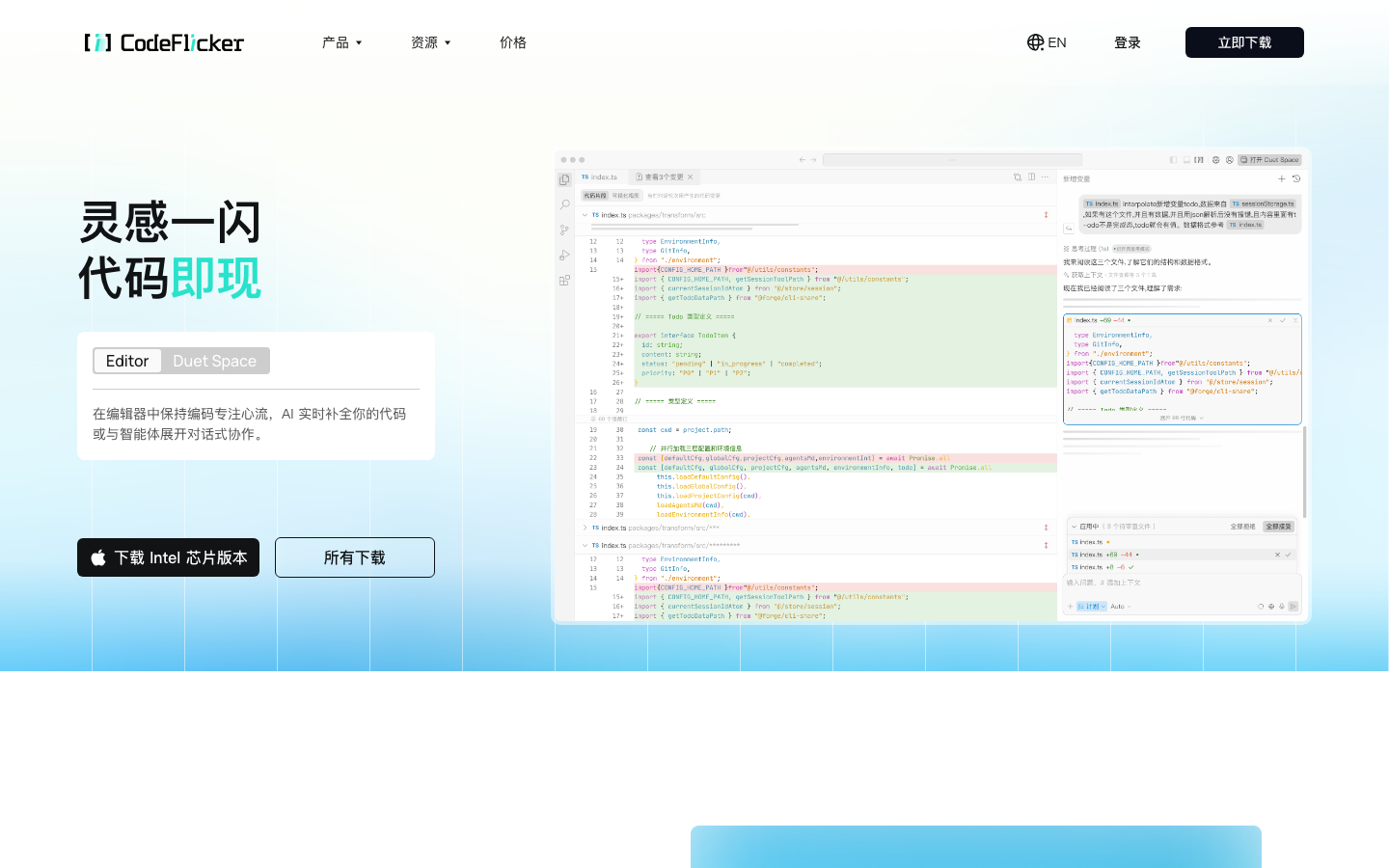
CodeFlicker is an AI native AI programming IDE launched by Kuaishou. It uses Agent as the core to drive code generation, understanding and multi-step task execution. The goal is to integrate conversational development into a complete programming context.
CodeFlicker
CodeFlicker tool introduction
Core Positioning: CodeFlicker is an AI native IDE launched by Kuaishou, positioned as "agent-driven conversational development context", rather than an AI completion plug-in on a traditional IDE. It integrates code generation, code base understanding, multi-step task execution and design draft conversion into code into a unified desktop editor. The goal is to allow developers to drive the complete development process with natural language, from requirement understanding to code implementation.
A brief comment: It is not an AI programming plug-in, but an independent IDE that redesigns the interaction paradigm - with Agent as the core hub, it elevates conversational development from an auxiliary function to the main interaction method.
Production background: Backed by the Kuaishou engineering team, CodeFlicker started with v0.2.0 in September 2025. After multiple rounds of iterations (Agent 2.0 architecture, research mode Duet Space parallel space Pro subscription, etc.), it has formed a complete subscription business model by April 2026. The product is aimed at global developers, but its depth of adaptation to Chinese scenes is its core difference from competing products such as Cursor and Windsurf.
Core Parameters:
| Projects | Public Information |
|---|---|
| Official positioning | AI native programming IDE |
| Producer | Kuaishou |
| Core Architecture | Agent Native Architecture (Agent-Native) |
| Product form | Standalone desktop IDE |
| Supported Platforms | Windows/macOS/Linux (Desktop) |
| Supported languages | zh-CN, en-US |
| Latest stable version | 1.0.1 (2026-01-29) |
| Pricing Model | Free + Pro Subscription ($10/month) |
| Points system | AI dialogue is measured by points, Free plan 50 points/month, Pro 200 points/month |
| Code completion | Unlimited times (both levels supported) |
| Place of Belonging | CN |
Not suitable for boundaries: CodeFlicker is not suitable for teams that rely heavily on custom IDE workflows (such as deeply customized Vim/Emacs key bindings, complex multi-language and multi-framework hybrid projects), teams that have no ability to review the generated code, and scenarios that require complete offline deployment. AI native interaction has migration costs for existing IDE habits, and you need to adapt to the dialogue-centered development rhythm when you first get started.
Core features of CodeFlicker
CodeFlicker's functional system revolves around "Agent-driven development", and the core module includes five levels:
Agent agent (default mode)
- Autonomous Coding Agent: Understand the global context of the code base, independently decide on the files to be edited, the commands to be run, and the verification steps, and complete project-level changes instead of single-file completion.
- SubAgent collaboration: Agent 2.0 architecture (released in 2025-11) introduces the SubAgent mechanism - complex tasks can be broken down into multiple sub-Agents to work in parallel, such as one responsible for code search, one responsible for solution design, and one responsible for implementation, which greatly shortens the end-to-end time consumption.
- Task Queue: Supports pre-scheduling of subsequent tasks for the Agent. You can join the queue by entering a message, realizing the pipeline development of "send one, queue one, and execute one".
- Auto Fix: Trigger Lint inspection and repair on demand during the code generation process, supporting batch problem processing at the directory level, instead of waiting for all file editing to be completed before unified repair.
Plan planning mode and Research research mode
- Plan Mode (2025-12 online): Ask clarifying questions independently before execution, quickly obtain relevant context to generate an implementation plan (Plan.md), and execute accordingly. It is more lightweight than the research mode and achieves a better balance between generation effect and time consumption.
- Research Mode (formerly Duet Mode): For complex tasks where the goal or path is not yet completely clear. Independently conduct multi-dimensional cross-research before execution to obtain a deeper and broader context, generate an implementation plan with a Mermaid chart, and support comparison and sharing of plan version differences.
- Discussion Mode (online in 2026-03): When encountering complex tasks, you can conduct an open discussion with AI first, and then enter the formal task execution stage to reduce the risk of rework caused by inaccurate demand descriptions.
- Question and Answer Mode: Search the code base or external knowledge to answer questions without any actual changes to the project, suitable for learning and exploration scenarios.
Code completion (real-time inline)
- Complete code in the editor in real time, support multi-language syntax awareness, and provide completion suggestions that conform to the current code style based on the project context.
- Provide Edit Prediction "Tab to jump here" jump prompt to support a coherent and fast editing flow.
Duet Space Parallel workspace
- The independent window design launched on 2026-01 provides a layout of four areas: task area, dialogue area, results area, and product area, solving the problem of space competition between the AI panel and the editing area in traditional IDEs.
- Supports parallel execution of up to 20 sessions (2026-03 upgrade), allowing multiple independent tasks to be advanced simultaneously in different windows.
- Form a "complementary rather than substitute" collaborative relationship with the main IDE, suitable for multi-warehouse and multi-task parallel scenarios.
Browser Automation and Figma Design to Code
- Triple browser capabilities: IDE built-in browser (WebView implementation, 2025-11 upgrade), Chromium sandbox, local Chrome plug-in. All three methods support "browser use" - allowing AI to automatically operate web pages to complete tasks such as login, form filling, and data collection.
- Figma native integration: After opening Figma through the IDE's built-in browser or Chrome plug-in, you can select design nodes with one click and add them to the conversation context. AI can directly convert the design draft into production-grade code (Pixel to Product). Figma’s code generation function (launched in 2025-12) further compresses the workflow from design to development into the same IDE.
Memory system and context management
- Memory (online in 2026-01): Independently identify key information during the dialogue process, and continue to accumulate project knowledge, technology selection preferences and collaboration habits. Supports visual viewing, on-demand deletion and control whether to automatically join the context.
- Context Policy: Supports configuring whether to automatically carry the summary of recent conversations when creating a new session to help AI understand the overall background of the project and historical decisions.
- Automatic compression of long context (2025-11): When the context usage reaches 90% of the maximum window of the selected model, historical messages are automatically compressed, redundancy is removed and core information is retained, and the response quality of long chain tasks is maintained.
- Cross-warehouse retrieval: Supports configuring multiple associated local warehouses. Agent can retrieve relevant information across warehouses when executing tasks. It is suitable for microservice architecture or multi-module projects.
Skills Skill System
- Supports automatic loading of Skills configured by users in Claude Code, Codex, OpenCode and other tools, and custom Skills can also be created manually.
- Quickly call Skills through / Slash Command (online in 2026-01), supporting personal commands (available for all projects) and project commands (available only for the current project).
- Support automatic reading of AGENTS.md files (2025-12) as part of the model context without additional configuration.
CodeFlicker’s pricing strategy
CodeFlicker adopts the pricing model of "free customer acquisition + subscription monetization" and uses "Credits" as the unit of measurement for AI conversation usage.
Comparison of pricing brackets
| Projects | Free Plan | Pro Plan |
|---|---|---|
| Monthly fee | $0 | $10/month |
| AI dialogue points | 50 points/month (valid for one month) | 200 points/month |
| Auto model | Consumption by points | Unlimited use |
| Advanced Models | ✓ Available | ✓ Available |
| Code completion | Unlimited times | Unlimited times |
| Skill & SubAgent | ✓ | ✓ |
| Duet Space | ✓ | ✓ |
| Validity period of points | Valid for the current month, invalid upon expiration | Valid for the current month, not carried forward to the next month |
| Upgrade inheritance | — | Unconsumed points can be inherited to the new cycle |
Real Limitations of the Free Plan
Starting from April 2026, the point issuance method of the Free plan will be adjusted from "daily free gift" to "one-time gift of 50 points, valid for one month". This means:
- Sufficient for low-frequency users: Only a few AI dialogue scenarios per day, 50 points/month basically covers personal learning and simple prototype development.
- High-frequency users must pay: For developers who rely heavily on AI coding on a daily basis, 50 points are usually exhausted within 1-2 weeks, and Pro’s $10/month (approximately ¥70/month) becomes the actual usage threshold.
- Points package will be launched soon: Officials have confirmed that an independent point package purchase function will be launched to provide an intermediate level for light but over-limit users.
C-side/Developer/Enterprise three-tier cost structure
- C-side individual: Free entrance allows you to fully experience Agent development capabilities, but high-frequency use requires a $10/month Pro subscription. Based on an average of 10 AI conversations per day, the average monthly cost is about $10, which is lower than Cursor Pro ($20/month) and GitHub Copilot ($10/month).
- API/Developer: Standalone API pricing is currently undisclosed. The "unlimited use of Auto models" of the Pro plan is the most friendly term for heavy users - high-frequency code completion does not consume points.
- Enterprise/Team: Undisclosed enterprise version pricing and privatized deployment plan. Team bulk purchases need to be confirmed through business channels. Possible hidden costs include: model call exceedance, hardware and operation and maintenance investment for privatized deployment, and manual review costs of generated code.
Hidden Cost Tip: The review investment of generated code is the largest hidden cost of adopting CodeFlicker - the adoption rate of AI-generated code is usually between 60%-85%, and the remaining part requires manual modification or rewriting. For individual developers who lack a code review process, this cost is easily underestimated.
Analysis of the advantages and disadvantages of CodeFlicker
Core Advantages
- Depth of Agent's native architecture: Instead of "adding a chat window to the IDE", the entire IDE is redesigned around Agent. Switching between multiple modes (Agent/Plan/Research/Q&A) is smooth, and the parallel execution of SubAgent greatly reduces the end-to-end time consumption of complex tasks. From v0.2.0 in 2025-09 to Pro subscription in 2026-04, 15+ version iterations were completed within 9 months, and the function density is at the top of similar tools.
- In-depth adaptation to Chinese scenarios: Contextual optimization for Chinese needs and domestic development, bilingual interface (zh-CN/en-US), compared with Cursor and Windsurf, it has first-mover advantages in Chinese semantic understanding and domestic network context compatibility. For domestic development teams, this means lower usage friction and faster team promotion.
- Figma-to-code capability: There are few AI programming tools in the industry that can directly convert design drafts into IDE native capabilities. After the designer completes the design in Figma, the developer can directly select the node in CodeFlicker to obtain runnable code without taking screenshots or manual annotation. This capability compresses the design-development collaboration cycle from "days" to "minutes."
- Flexible multi-mode system: From quick questions and answers to in-depth research, from lightweight planning to parallel duet space, users can choose the appropriate mode according to the complexity of the task, instead of using the same set of AI interaction logic for all scenarios. This "pattern-as-workflow" design significantly reduces the cognitive load of AI coding.
- MCP protocol support: Supports the MCP (Model Context Protocol) standardized protocol, allows LLM to access custom tools and services, and provides an open ecological interface for Agent capability expansion.
Main Disadvantages and Risks
- User base and ecosystem have not yet been established: Compared with Cursor (millions of users, rich third-party extensions) and GitHub Copilot (relying on the VS Code ecosystem), CodeFlicker's community size, expanded market, public tutorials, and learning resources are still limited. The AI programming content in the Chinese field is mainly Cursor and Copilot, and the knowledge accumulation of CodeFlicker is insufficient.
- Migration costs of independent IDEs: Developers are required to switch from existing IDEs such as VS Code and JetBrains to a new editor. For teams that are deeply bound to the existing IDE plug-in ecosystem, shortcut key habits and project configurations, the switching cost cannot be ignored. Although CodeFlicker refers to the design of VS Code in terms of interface and operation logic, there is still an adaptation period.
- Limited pricing transparency: Enterprise version pricing, private deployment terms, API access pricing are not disclosed, and enterprise procurement requires business processes, making it difficult to quickly assess the total cost of ownership. Compared with Cursor and Copilot's open and transparent team pricing, CodeFlicker has something to make up for in this regard.
- Long-term reliance on Kuaishou’s strategic investment: As a product incubated by Kuaishou, CodeFlicker’s long-term development direction and resource investment are highly bound to the strategic priorities of the parent company. This dependency poses a potential risk for teams migrating core development workflows to CodeFlicker.
CodeFlicker efficiency improvement comparison
Horizontal comparison with mainstream AI programming tools
| Comparative Dimensions | CodeFlicker | Cursor | GitHub Copilot | Windsurf |
|---|---|---|---|---|
| Product form | Independent AI native IDE | Independent AI native IDE | VS Code / JetBrains plug-in | Independent AI native IDE |
| Producer | Kuaishou (CN) | Anysphere (US) | Microsoft/GitHub (US) | Codeium (US) |
| Core interaction | Agent + multi-mode switching | Agent + Chat + Ctrl+K | Chat + Tab completion | Agent + Flow |
| Chinese support | Native deep support | Limited | Limited | Limited |
| Multi-mode (Plan/Research) | ✓ Complete | △ Limited | ✗ | △ Limited |
| Figma Design to Code | ✓ Native Integration | ✗ | ✗ | ✗ |
| Browser Automation | ✓ IDE built-in | ✗ | ✗ | ✗ |
| MCP Support | ✓ | ✓ | ✗ | ✗ |
| Memory System | ✓ | △ Basics | ✗ | ✗ |
| Parallel Workspace | ✓ Duet Space (20 sessions) | ✗ | ✗ | ✗ |
| Free credit | 50 points/month + unlimited completions | 2000 completions + 50 premium requests/month | 2000 completions + 50 conversations/month | Limited free |
| Pro Pricing | $10/month | $20/month | $10/month | $15/month |
| Points/usage model | Based on points | Based on the number of requests | Based on the number of requests | Based on the number of requests |
| Open source community | Not open source | Partially open source | Closed source | Closed source |
Efficiency deduction (based on typical development tasks, for reference only):
- Rapid prototyping (from requirement description to runnable MVP): CodeFlicker's Agent + Plan mode can compress 4-6 hours of coding to 1-2 hours, increasing efficiency by about 60%-70%. Compared with Cursor's Agent mode, CodeFlicker has a higher understanding accuracy in Chinese demand description scenarios, reducing rework caused by semantic deviations.
- Existing project code understanding (get started with a 50,000-line + code base): With the help of code base understanding + memory system + cross-warehouse search, CodeFlicker can shorten the code reading and context establishment time from 2-3 days to 4-8 hours. The memory system continues to accumulate project knowledge, and subsequent tasks do not require repeated explanations of the background.
- Convert design draft to front-end code (Figma → React/Vue page): The traditional process requires design delivery → annotation → front-end coding, usually 2-3 days. CodeFlicker's Figma code generation can compress the first version output to 30-60 minutes, but pages involving complex interaction logic and animation still require manual reconstruction.
- Bug repair and code refactoring: Agent automatically locates problems + Auto Fix directory-level repair, and the single repair process is reduced from 30-60 minutes to 5-15 minutes. However, for deep bugs involving cross-module coupling, AI's positioning accuracy is still lower than that of senior developers, and manual confirmation is required.
Automation boundaries for CodeFlicker
Can be 100% automated and organized
- Boiler code generation: component skeleton API route definition, data model declaration, configuration file template.
- Code completion and inline suggestions: Context-based real-time completion, edit prediction jumps.
- Regular code refactoring: variable renaming, function extraction, type annotation addition, simple design pattern application.
- Unit test generation: Generate basic test cases based on existing code logic.
- Code formatting and Lint repair: Auto Fix performs batch repairs on the directory level, and formatting rules are automatically executed.
- Documentation and Comment Generation: Initial version of function comment API document README.
Rules that require manual confirmation and intervention
- Complex business logic design: core logic involving multi-system interaction, transaction consistency, and distributed state management. Agent can generate candidate solutions, but the final selection needs to be checked by senior developers.
- Security-sensitive operations: Security-critical codes such as authentication logic, payment processing, data desensitization, SQL injection protection, etc. AI-generated security code risks missing boundaries and must be reviewed manually.
- Irreversible operations: database migration, production bound deployment scripts, data clearing commands. It is recommended to set a confirmation point (Human-in-the-loop) for all command line operations to avoid production accidents caused by AI misoperation.
- Architecture-level decisions: technology stack selection, service splitting strategy, caching strategy, database schema design. AI can provide analysis of options and pros and cons, but decision-making should remain in the hands of the architect.
- Deep Alignment of Code Style and Team Norms: Although CodeFlicker supports injecting team norms through Skills and AGENTS.md, its performance on non-functional constraints (readability, maintainability, naming disputes) is still unstable and requires manual correction.
Prerequisites for automation
- Project structure specification: Standardized directory organization, clear module boundaries, and reasonable file granularity are the basis for Agent to efficiently understand the code base.
- Clear description of requirements: The quality of Agent generation is positively related to the degree of structuring of the natural language description. The output difference between vague requirements ("make a good-looking login page") and clear requirements ("implement a login page that includes email/password input, social login buttons, verification code countdown, and form verification") can be several times greater.
- Habit creation of AI native IDE: The team needs to accept the "talk first, then code" workflow, instead of opening the AI panel in a traditional IDE and occasionally asking questions. Establishing this habit usually requires an adaptation period of 1-2 weeks.
Security and Compliance for CodeFlicker
Code data processing
- Data processing boundary: CodeFlicker will upload code snippets to the cloud model for processing during the AI conversation. The official has not disclosed the detailed data retention period, training usage policy and data isolation level. Before uploading enterprise-level code, it is recommended to confirm with legal affairs whether the data processing terms meet compliance requirements.
- Privacy Policy: The official privacy policy and cookie policy are provided, but details such as whether the code data is used for secondary training of the model and whether data deletion requests are supported are not publicly and transparently disclosed.
Certification and Compliance
- Login mechanism: Supports email registration and login. It is not disclosed whether it supports enterprise-level identity authentication protocols such as SSO/SAML and OAuth.
- Compliance Certification: The status of third-party security compliance certifications such as SOC2, GDPR, ISO 27001, etc. is not disclosed. For industries with strong compliance such as finance, medical care, and government affairs, certification coverage needs to be confirmed with the official before purchasing.
- Regional Availability: Service deployment regions and data center locations are not disclosed. The access delay for domestic users is low, but the actual experience of overseas users needs to be confirmed by actual testing.
Enterprise-level security considerations
- Permission Isolation: It is not disclosed whether document-level/project-level permission isolation (RBAC) is supported.
- Audit log: It is not disclosed whether operation audit logs are provided, which are used to trace AI code modifications and command execution records.
- Private Deployment: It has not been disclosed whether it supports privatization/local deployment solutions and the corresponding compliance guarantee terms.
Terms recommended to be verified before purchasing:
- Whether the code data is used for model training, and the specific method of exiting
- Geographical location of data processing and storage
- Service Level Agreement (SLA) Availability Commitment
- Whether privatized deployment or VPC intranet access is supported?
- Data deletion and export process
CodeFlicker’s integrated ecosystem
Native integration
- MCP protocol support: CodeFlicker supports the MCP (Model Context Protocol) standardized protocol, allowing LLM to access custom tools and services. This means developers can extend Agents with any capabilities—from database queries to CI/CD triggers, from cloud service management to internal API calls. The mounting configuration method of MCP Server is compatible with tools such as Claude Desktop, reducing the cost of cross-platform migration.
- Figma native integration: Connect to Figma through the IDE's built-in browser or Chrome plug-in to support one-click selection of design nodes and convert them into code without leaving the IDE window.
- Git integration: IDE has built-in Git operation support. Agent can perform Git operations such as commit, branch switching, and merge, but it is recommended to set confirmation points for destructive operations such as push and merge --force.
- Extension Management: Supports management of VS Code-style extensions, but the extension ecosystem is still in its early stages, and the number of third-party extensions is far less than that of the VS Code market.
External tool chain integration
- Skills cross-tool compatibility: Skills configured by users in Claude Code, Codex, and OpenCode can be automatically loaded to reduce the configuration cost of switching between multiple tools.
- AGENTS.md standard: Supports automatic reading of the AGENTS.md file in the project root directory. This standard is being adopted by multiple AI programming tools and helps maintain cross-tool team specifications.
- Chrome Browser Plug-in: Provides browser tool Chrome plug-in, supports calling local Chrome to complete automated operations in the user's real account and environment, and is used in scenarios that require login or trusted devices.
- Terminal command execution: Agent can execute command line operations in the Sandbox environment, supporting running scripts, installing dependencies, executing tests, etc.
Ecological maturity assessment
| Integration dimensions | Current status | Benchmarking against mainstream |
|---|---|---|
| IDE extension market | Basic framework, limited content | ❌ Far lower than VS Code million extensions |
| MCP Ecology | Supports standard protocols | ✅ Same level as Cursor |
| Figma integration | Native deep integration | ✅ Industry leading |
| Skills Ecosystem | Cross-Tool Compatibility + Customization | ✅ Differentiation Advantages |
| CI/CD integration | No native support | ❌ Need to extend through MCP by yourself |
| Team collaboration | Unpublished | ❌ To be completed |
Implementation suggestions for CodeFlicker
How to get started as an individual developer
- Day 1-3: Familiar with mode switching. Start in question-and-answer mode and use natural language to explore the code base and build trust in the agent's understanding. Then switch to Agent mode and try to generate a single function or simple component.
- Day 4-7: Master Plan Mode. For functions of medium complexity (such as implementing a new API endpoint), first use the Plan mode to let the Agent generate an implementation plan, and then review the plan before executing it. The core goal of this stage is to establish the working habit of "Plan first, then Code".
- Day 8-14: Embrace Duet Space. Enable Duet Space in parallel development scenarios. One window is used for main development and the other is used for auxiliary tasks (such as code review, document generation, test writing) to experience the efficiency improvement of parallel workflow.
- Day 15+: Customize Skills and Rules. Based on the team's technology stack and coding standards, create custom Skills and Rules to solidify best practices into Agent behavior. Configure AGENTS.md as the team knowledge base entry.
Phased strategy for team implementation
Phase 1 – Pilot (2-4 weeks):
- Choose 1-2 small teams or projects as pilots
- Focus on non-critical path modules (such as internal tools, management backend, document generation)
- Quantitative indicators: code generation adoption rate, single task time-consuming change, team satisfaction
- Acceptance criteria: adoption rate > 60%, single task time reduction > 30%
Phase 2 – Expansion (1-2 months):
- Optimize Skills and Rules based on pilot feedback
- Gradually expand to auxiliary development of core business modules
- Establish a review process for AI-generated code (Code Review Checklist)
- Quantitative indicators: Bug introduction rate compared to baseline AI assistance coverage rate
Phase 3 – Scaling (3-6 months):
- Promote it to the whole team and incorporate it into the daily development process
- Cultivate Agent-driven architecture design capabilities (not just coding)
- Quantitative indicators: delivery speed (from demand to launch), code quality indicators (complexity, repetition rate, test coverage)
Checklist before enterprise purchase
- Confirm Enterprise License Terms for Pro Subscription: Whether annual subscription discounts, multi-seat management, and administrator console are supported
- Confirm data processing and compliance: where the code data is stored, whether it is used for training, and whether it meets industry regulatory requirements
- Confirm the feasibility of privatized deployment: If necessary, request the official privatized deployment plan and quotation
- Confirm SLA and support level: Availability commitment (99.9%,), technical support response time, emergency incident handling process
- Confirm exit strategy: data export format and process, data retention period after subscription cancellation, alternative migration costs
Summary and Outlook
It provides competitive solutions in its field, and its core value lies in lowering the threshold for AI use in this field.
Current limitations: Some advanced features require paid subscription, and the free version has function or usage restrictions; specific technical details and performance benchmarks have not yet been fully disclosed.
Related tools:  GitHub Copilot,
  Cursor
CodeFlicker’s main functions
- Core Processing Capabilities: Provides core AI capabilities in the corresponding scenarios to support users to quickly complete tasks.
- Multi-modal interaction: supports text input and result output, and some scenes support image or file upload.
- Workflow Integration: Can be embedded into existing workflows or linked with other tools through APIs to reduce context switching.
Application scenarios of CodeFlicker
- Personal Creation: Quickly generate or process content to improve daily work efficiency.
- Team Collaboration: Unify workflow and reduce repetitive manpower investment.
- Enterprise-grade deployment: Embed capabilities into on-premises systems via API or private deployment.
CodeFlicker’s applicable groups
- Individual Users: Content creators and knowledge workers who need AI assistance to improve their daily work efficiency.
- Developers: Technical teams who need to integrate AI capabilities into their own products or services through APIs.
- Enterprise: Organizations seeking to deploy AI at scale in their field.
CodeFlicker’s technical advantages
- Algorithm Optimization: Special optimization at the model or algorithm level has been carried out for the corresponding scenario to achieve a balance between response speed and result quality.
- Low-latency architecture: Adopts streaming or asynchronous processing architecture to reduce user waiting time and is suitable for high-frequency interaction scenarios.
CodeFlicker’s core parameters and statistics
Specific technical parameters (such as model size, context length, supported file formats, input and output restrictions, etc.) are subject to the official product page. It is recommended that users verify the latest technical specifications and system requirements before choosing to ensure that they match their own usage scenarios.
User and market recognition of CodeFlicker
Gradually build user awareness in the field, and product capabilities are used by content creators and teams to improve work efficiency. Some industry users have incorporated it into their daily workflow. It is recommended to refer to the latest official disclosures for specific user scale and industry adoption rate data.
CodeFlicker’s cost advantage
- C-side/Individual: Usually a free version is provided to experience the core functions, and high-frequency use requires a paid package subscription.
- API/Developer: Billed by call volume, suitable for development teams that can be flexibly integrated into their own systems.
- Enterprise/Privatized: Contact the business owner for customized quotation and deployment plan. The specific price is subject to the official real-time pricing page.
CodeFlicker’s model and version evolution
Continuous iterative updates, the latest version introduces performance optimization and new features. Historical version information can be viewed on the official release page. There is no complete public version evolution timeline yet. It is recommended to pay attention to the official announcement to understand the rhythm of feature updates.
How to use CodeFlicker
- Web client: You can use it by visiting the official website and registering an account. Most functions do not require installation.
- API access: Provides RESTful API, developers can obtain the API Key and integrate it into their own applications.
CodeFlicker Product Pricing
The pricing model is subject to the official real-time page. Usually a freemium or subscription system is used, and basic functions can be used for free. Advanced functions or high-frequency use require paid subscriptions, and users are advised to evaluate the optimal solution based on actual usage.
Version Info
- CodeFlicker official version :Released as an AI native IDE, it provides Agent-driven code generation, code base understanding, and multi-step task execution capabilities. There is no official precise date yet, please refer to the official real-time page.
- CodeFlicker Preview :The early preview version provides basic conversational coding and code generation capabilities for collecting feedback and polishing the product. There is no official precise date yet.
User Reviews