 ComfyUI Copilot
Free
ComfyUI Copilot
Free
ComfyUI Copilot is an AI intelligent node and workflow assistant for ComfyUI. It supports natural language generation workflow, automatic debugging, node question and answer, workflow rewriting and parameter tuning. The goal is to transform ComfyUI from a master's toy into a more usable creative environment.
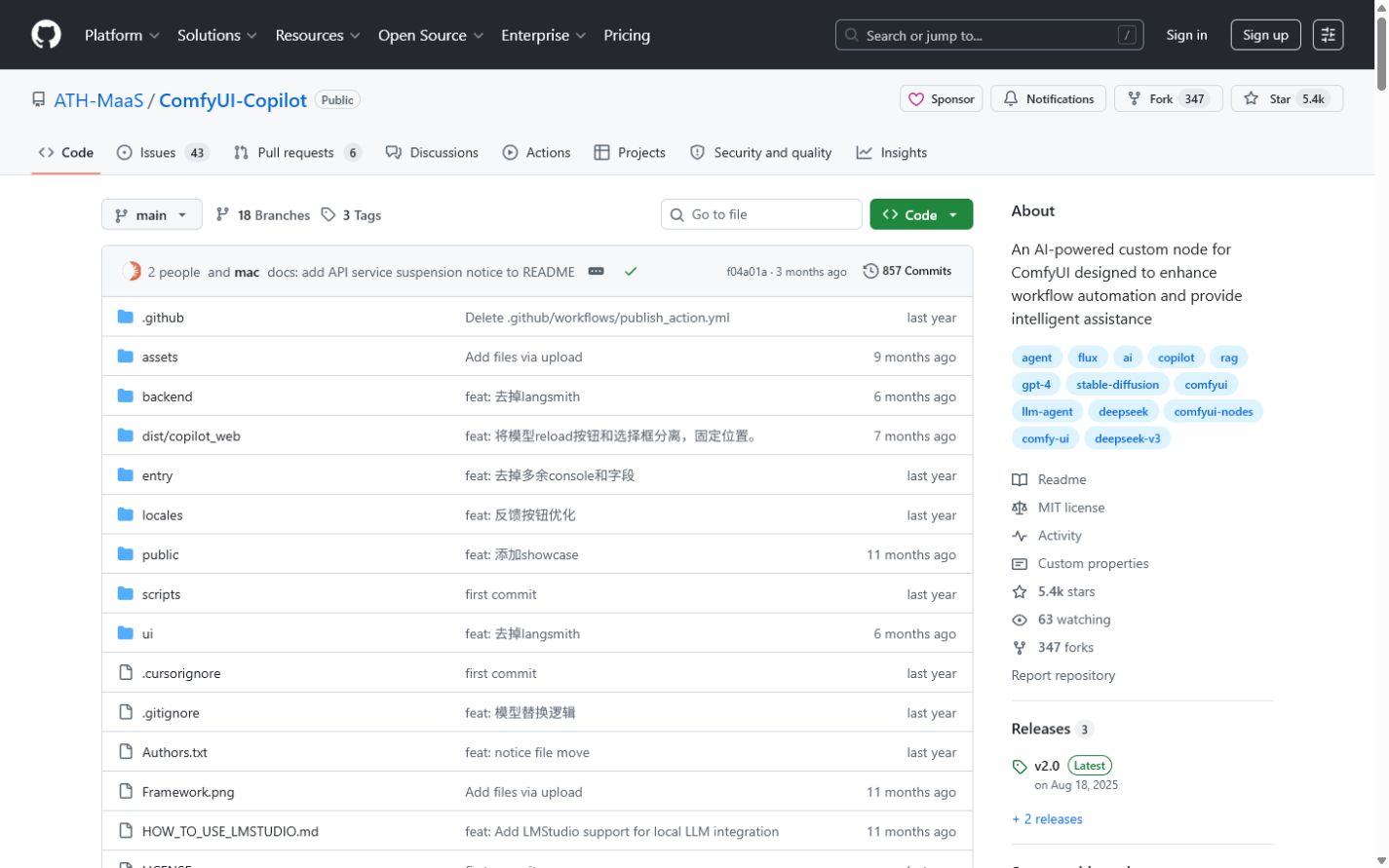
ComfyUI Copilot
Core parameters and statistics
The main delivery form of ComfyUI Copilot belongs to [Agent / MCP / Automation Tool]. It is essentially not a separate image generator, but a workflow agent embedded in ComfyUI to help users understand nodes, build images, modify images, and adjust parameters.
| Projects | Public Information |
|---|---|
| Project positioning | AI-powered custom node for ComfyUI |
| Open Source License | MIT |
| Latest version | v2.0, 2025-08-18 |
| Community size | 5.3k+ stars, 347 forks |
| Technical composition | TypeScript + Python |
| Key functions | Workflow generation, debugging, rewriting, parameter adjustment, node and model recommendation |
A brief comment: Its value is not to draw pictures for you, but to help you avoid detours in the ComfyUI workflow.
Publicity Verification: It is officially described as a "workflow development coworker", which is more accurate than an "assistant" because it not only answers questions, but also modifies and promotes the evolution of the node graph.
User and market recognition
The ComfyUI user base is already highly technical, so an assistant that can help set up workflows, explain nodes, and find errors can easily hit the pain points. 5k+ stars shows that it is more than just a community plug-in.
Expert perspective: The biggest threshold for ComfyUI has never been model download, but workflow understanding and node combination. Whoever can lower this threshold will have the opportunity to expand ComfyUI from the hardcore circle to a wider range of creators.
Hidden benefits: When many people in the team are using ComfyUI to draw pictures or run video workflows, Copilot can reduce the word-of-mouth node experience and help semi-structure the experience.
Current Limitations: The official README clearly mentions that some cloud API services are suspended, and Agent-related capabilities require users to fill in the API Key and Base URL by themselves. This means that the "out of the box" experience doesn't quite hold true anymore.
Cost advantage
Free truth: The warehouse MIT is open source, and the plug-in itself is free; but if you want to make good use of the workflow generation and proxy capabilities, you need your own LLM API Key, and the image generation itself relies on local models and computing power.
C-side/Individual: The most friendly to individual users who have ComfyUI and the environment, and the explicit cost is low.
Developers/Creators: The real cost is local model, video memory, download nodes, and API inference fees.
Enterprise/Private: If the team already has ComfyUI internal processes, the introduction of Copilot is not expensive; if there is no stable node governance and model warehouse management, it will quickly fall into chaos.
Hidden costs: Automatic workflow rewriting and parameter adjustment can easily create a node graph that "looks more complex but is actually more difficult to maintain", requiring someone to do final governance.
Main functions
- Workflow first version generation: Generate workflow candidates based on natural language.
- Workflow Debug: Automatically analyze missing connections, parameters and models.
- Workflow Rewrite: Rewrite existing workflow according to needs.
- Parameter Tuning: Test parameters in batches and output comparison results.
- Node/Model Recommendation: Help complete workflow knowledge.
- Node Q&A: Query node input and output and usage suggestions.
Tool open list: The core behaviors it exposes to models can be summarized as read current workflow, recommend nodes, generate workflow json, debug connections, suggest model downloads, rewrite graph, batch tune parameters, explain node IO. This is already a very typical graphical workflow agent.
Architecture link: LLM -> Copilot UI/Backend -> Read ComfyUI Canvas/Node Metadata -> Generate or Patch Workflow -> Run/Debug -> Return Suggestions to User.
Model and version evolution
The version evolution of ComfyUI Copilot reflects an obvious trend: from a question and answer assistant to a workflow agent that actually does the work.
Mainline release
- v2.0: Official release on 2025-08-18, emphasizing one-click debugging, workflow rewriting and stronger Agent architecture.
Historical nodes
- v1.x: The early version is mainly responsible for node recommendation, question and answer and basic workflow generation.
Publicity verification: v2.0 upgrades "helper" to "coworker". This is not a change in marketing copy, but a significant expansion of functional boundaries.
Technical advantages
Engineering Pitfall Guide 1: Dead loops and contexts are too long. Rewriting complex workflows will carry a large number of node contexts, and the README has prompted you to clear the context frequently, otherwise it will be easily interrupted.
Engineering Pitfall Guide 2: The node ecology changes too fast. After a new model or new node is released, LLM may not recognize it at all and needs to add expert experience or manual correction.
Engineering Pitfall Guide 3: Automatic downloading and contextual management. Recommending models is convenient, but if the team does not have a unified model warehouse and version strategy, the workflow will become increasingly difficult to reproduce.
Get started quickly in 3 minutes:
cd ComfyUI/custom_nodes
git clone https://github.com/AIDC-AI/ComfyUI-Copilot
cd ComfyUI-Copilot
pip install -r requirements.txt
After starting ComfyUI, activate Copilot in the sidebar, and then fill in your API Key and Base URL. The specific model configuration is subject to the official README.
How to use
| Path | Suitable for the crowd | Description |
|---|---|---|
| Git installation | Users familiar with ComfyUI | The most stable installation method |
| Manager installation | Novice users | Convenient, but official instructions clearly indicate that it is more error-prone |
| Local LLM / OpenAI compatible configuration | Advanced users | Used to improve the controllability of Agent capabilities |
Usage Suggestions: First let it generate the first version of the workflow, then use Debug to correct it, and then use Rewrite to iterate the structure. Directly letting it generate complex workflows in one step, the success rate is usually not high.
Dissuade scenario: If the user himself cannot distinguish the basic node relationship and leaves all judgments to Copilot, it is easy to end up with a graph that "can be run but cannot be understood at all".
Product Pricing
The plug-in itself is open source and free, but the complete usage cost comes from two parts: locally generated computing power and external large model API.
- Personal: Explicit software costs are close to zero.
- Developers/Creators: LLM calling fees and model storage costs will continue to be incurred.
- Team: If you want to use it uniformly, you will also need to add model management and node governance costs.
Free truth: It is not a tool to save computing power, but a tool to save time on learning and trial and error.
Application scenarios
- ComfyUI Beginner's Guide: Quickly get the first version of workflow.
- Experience Tips: Use it for debugging, checking nodes, and making model suggestions.
- Team Internal Template Precipitation: Organize experience into a node diagram more stably.
- High-frequency test workflow: faster trial and error on image style LoRA and video node combinations.
Dimensionality reduction attack scenario: Its value can be best felt in creative scenarios with many nodes, complex workflows, and frequent trial and error.
Applicable people
- ComfyUI Creator: The most direct benefit.
- Visual AI Workflow Designer: Think of it as a workflow accelerator.
- Team Maintainer: Suitable for reducing knowledge transfer costs.
Dissuade/not applicable to people: People who have no intention of understanding the basic logic of ComfyUI are not suitable to use it as a "fully automatic animation button". Current limitation: The effect of ComfyUI Copilot is highly dependent on the selection of the underlying model and the rationality of the node configuration. For those new to ComfyUI, Copilot can lower the barrier to entry but can’t completely eliminate the learning curve.
Summary and Outlook
The core value of ComfyUI Copilot is that it takes ComfyUI a big step from "only suitable for experts" to "can be used by people who are willing to learn". It works best as a workflow co-pilot, not as an autonomous pilot. For high-frequency visual creators, it can significantly shorten the time of drawing and adjusting parameters; for teams, it can also reduce the friction of experience transfer.
Current Limitations: Changes in cloud service policies, rapid iteration of the node ecosystem, and long workflow contexts will all affect the stable experience.
Procurement/Adoption Risk Assessment: If the team is ready to adopt, it is recommended to simultaneously establish a node whitelist, model warehouse and workflow template library. Otherwise Copilot will keep generating new graphs for you, but it won’t help you manage the chaos itself.
Related tools:  GitHub Copilot,
  Cursor
Version Info
- ComfyUI Copilot v2.0 :The latest stable version shown in the official GitHub Releases emphasizes the evolution from "auxiliary tool" to "workflow development collaborator", covering the entire link of generation, debugging, rewriting and parameter adjustment.
- ComfyUI Copilot v1.x :The earlier version mainly focuses on node recommendation, information query and basic workflow generation functions. There is no official precise date yet.
User Reviews